2023 NISSAN LEAF Heat
[x] Cancel search: HeatPage 55 of 612
• For your safety, if the charge connectoris connected to the vehicle while the
power switch is in the READY to drive,
the vehicle will automatically switch to
the ON position. Because charging will
not be started while the power switch
is in this position, be sure to place the
power switch in the OFF position.
• When the ambient temperature is 32°F (0°C) or less, charging time may be lon-
ger than normal and the level to which
the Li-ion battery can be charged may
be less than at higher temperatures.
• Do not operate the charging timer re- peatedly while the charge connector is
connected to the vehicle af ter the Li-
ion battery charging is completed. Do-
ing so may discharge the 12-volt bat-
tery. For additional information, see
“Charging timer” (P. CH-43). If the Li-ion
battery becomes discharged, charge it
immediately. • The power switch can be set to the ON
position and the climate control and
navigation system (if so equipped) can
be used while the Li-ion battery is
charging. However, because these op-
erations consume Li-ion battery
power, it will take longer for the Li-ion
battery to become fully charged. Place
the power switch in the OFF position to
help reduce Li-ion battery charge time.
• If electrical power is interrupted while charging, charging restarts automati-
cally when the electrical power is
restored.
• It is recommended to keep the charge cable connected to save Li-ion battery
power, when the heater and air condi-
tioner are operating with remote op-
eration (models with Navigation
System).
• If the charge port is frozen, melt the ice using a hair dryer. Af ter the ice has
melted, charge the Li-ion battery. Forc-
ing the charge connector to connect
may cause a malfunction. • If foreign materials have entered the
charge connector and charge port and
it is not possible to connect it, do not
attempt to force the connection. It is
recommended that you visit a NISSAN
certified LEAF dealer. Forcing the
charge connector to connect may
cause damage to the charging equip-
ment and vehicle.
• There is a hole on the charge port for water drainage. If the water drainage
hole becomes blocked, or if water gets
trapped inside the charge port, do not
charge. It is recommended that you
visit a NISSAN certified LEAF dealer.
CH-4Charging
Page 60 of 612
Charging stations or V2X charging/
discharging devices using this standard
are UL certified and safe to use in the US.
While supported by NISSAN, this connector
may not become the US SAE standard. V2X
charging/discharging is possible (even
several times a day). If the battery tempera-
ture is near the red zone, in order to protect
the battery, power of the V2X charging/
discharging will be limited.
For additional information, consult a V2X
device manufacturer or a V2X charging/
discharging service provider.
Power limitation mode
This mode protects the health and opera-
tion of the vehicle's Li-ion battery. This
mode operates in certain extreme condi-
tions (heat, cold, low state of charge). Power
available to vehicle systems, including its
traction motor, is limited resulting in limited
performance, acceleration and top speed.
Charging may be automatically termi-
nated, especially with repeated quick
charging in extreme hot weather.Checking Li-ion battery charge
The three methods for checking the
amount of charge are as follows:
• Check by using the Li-ion battery avail-
able charge gauge on the vehicle infor-
mation display when the power switch is
placed in the ON position. For additional
information, see “Li-ion battery available
charge gauge” (P. 2-9) and “Low battery
charge indicator” (P. 2-38).
• Check by using an internet enabled smart phone or personal computer. For
additional information, refer to the
“NissanConnect® Manual”.
• Check by using the charging status indi- cator light. For additional information, see
“Charging status indicator lights”
(P. CH-49).
NOTE:
• During the charge operation, charge continues when the power switch is
placed in the ON position.
• The Li-ion battery cannot be charged if the quick charge connector and the
normal charge connector are con-
nected at the same time. If another
charge connector is connected mid-
charge, charging will stop. • For safety reasons, it is not possible to
switch to the READY to drive position
while a charge connector is connected.
• During charging, it is possible that the radio may be inaudible due to noise by
the electromagnetic wave.
HOW TO NORMAL CHARGE (AC
220–240 volt) BY CHARGING
DEVICE
WARNING
• If you use any medical electric de-
vices, such as an implantable cardiac
pacemaker or an implantable cardio-
vascular defibrillator, check with the
electric medical device manufac-
turer concerning the effects that
charging may have on implanted de-
vices before starting the charge op-
eration. Charging may affect the
operation.
• Be sure to follow the precautions for
using the charging device that can be
installed in your home. Failing to do
so could result in serious injury or
death.
ChargingCH-9
Page 63 of 612
–Do not use the EVSE in structures
using fuse-based circuit protec-
tion. Use only with electrical cir-
cuits protected by circuit
breakers.
– Do not use the EVSE on electrical
circuits with two-prong outlets.
– Do not use the EVSE if other de-
vices are plugged into the same
circuit.
– When unplugging, be sure to pull
by the plug or the EVSE, not the
cord.
– Do not pull, twist, bend, step on or
drag the cable.
– Do not attach or detach the
Genuine NISSAN Adapter while
the Genuine NISSAN Adapter is in-
serted into an outlet.
– Do not use the Genuine NISSAN
Adapter if the plug is not fully in-
serted and not locked.
– If you use the EVSE holder, handle
it with care to avoid injuries due to
contact with its edges or other
parts. –
Do not use the EVSE if the cable or
cord is frayed, has broken insula-
tion, or shows any other indica-
tions of damage.
– Stop using the EVSE immediately
if charging stops before comple-
tion when you move the plug or
cord.
– Do not use the EVSE if the control
box, plug, the EVSE or charge con-
nector is broken, cracked, open,
corroded or shows any other indi-
cations of damage.
– Do not use the EVSE if the plug has
a loose connection with the outlet
or if the outlet is damaged or
rusted.
– Before you connect the EVSE, be
sure to check the rated current
shown on the EVSE to ensure that
the outlet and circuit have enough
current capacity to charge your
vehicle safely. If the capacity of
the outlet and circuit is not
enough, wiring may cause over-
heating or a fire. –
If in any doubt about the outlet
and circuit, consult a qualified
electrician.
– The EVSE has parts that may
spark inside. Do not use it where
gasoline, paint, or flammable liq-
uids are used or stored.
– Do not use if a malfunction occurs
or if the EVSE has been damaged
in any manner. It is recommended
that you visit a NISSAN certified
LEAF dealer for replacement.
– The EVSE contains no user ser-
viceable parts. Do not attempt to
repair the EVSE, doing so will void
your warranty.
• Pass the lower side belt of the EVSE
case securely through the fastener
on the bottom of the luggage board.
If the case suddenly becomes loose,
it may cause serious injury or death.
CH-12Charging
Page 70 of 612
–Do not use the EVSE if other de-
vices are plugged into the same
circuit.
– When unplugging, be sure to pull
by the plug or the Genuine NISSAN
Adapter, not the cord.
– Do not pull, twist, bend, step on or
drag the cable.
– Do not attach or detach the
Genuine NISSAN Adapter while
the Genuine NISSAN Adapter is in-
serted into an outlet.
– Do not use the Genuine NISSAN
Adapter if the plug is not fully in-
serted and not locked.
– If you use the EVSE holder, handle
it with care to avoid injuries due to
contact with its edges or other
parts.
– Do not use the EVSE or Genuine
NISSAN Adapter if the cable or
cord is frayed, has broken insula-
tion, or shows any other indica-
tions of damage. –
Stop using the EVSE or Genuine
NISSAN Adapter immediately if
charging stops before completion
when you move the Genuine
NISSAN Adapter, the plug or the
cord.
– Do not use the EVSE or Genuine
NISSAN Adapter if the control box,
plug, Genuine NISSAN Adapter or
charge connector is broken,
cracked, open, corroded or shows
any other indications of damage.
– Do not use the EVSE or Genuine
NISSAN Adapter if the plug or
Genuine NISSAN Adapter has a
loose connection with the outlet
or if the outlet is damaged or
rusted.
– Before connecting the EVSE, be
sure to check the rated current
shown on the EVSE to ensure that
the outlet and circuit have enough
current capacity to charge your
vehicle safely. If the capacity of
the outlet and circuit is not
enough, wiring may cause over-
heating or a fire.
– If in any doubt about the outlet
and circuit, consult a qualified
electrician. –
The device has parts that may
spark inside. Do not use it where
gasoline, paint, or flammable liq-
uids are used or stored.
– Do not use if a malfunction occurs
or if the EVSE or Genuine NISSAN
Adapter has been damaged in any
manner. It is recommended that
you visit a NISSAN certified LEAF
dealer for replacement.
– The EVSE or Genuine NISSAN
Adapter contains no user service-
able parts. Do not attempt to re-
pair the EVSE or Genuine NISSAN
Adapter, doing so will void your
warranty.
• Pass the lower side belt of the EVSE
case securely through the fastener
on the bottom of the luggage board.
If the case suddenly becomes loose,
it may cause serious injury or death.
ChargingCH-19
Page 78 of 612
–Do not use the EVSE if the control
box, plug, the EVSE or charge con-
nector is broken, cracked, open,
corroded or shows any other indi-
cations of damage.
– Do not use the EVSE if the plug has
a loose connection with the outlet
or if the outlet is damaged or
rusted.
– Before you connect the EVSE, be
sure to check the rated current
shown on the EVSE to ensure that
the outlet and circuit have enough
current capacity to charge your
vehicle safely. If the capacity of
the outlet and circuit is not
enough, wiring may cause over-
heating or a fire.
– If in any doubt about the outlet
and circuit, consult a qualified
electrician.
– The EVSE has parts that may
spark inside. Do not use it where
gasoline, paint, or flammable liq-
uids are used or stored.
– Do not use if a malfunction occurs
or if the EVSE has been damaged
in any manner. It is recommended
that you visit a NISSAN certified
LEAF dealer for replacement. –
The EVSE contains no user ser-
viceable parts. Do not attempt to
repair the EVSE, doing so will void
your warranty.
• Pass the lower side belt of the EVSE
case securely through the fastener
on the bottom of the luggage board.
If the case suddenly becomes loose,
it may cause serious injury or death.
CAUTION
• Only charge using a standard AC 220
- 240 volt, 50A dedicated electrical
outlet (for example, do not use an
electric generator). Failure to do so
may cause charging to fail and could
cause damage to the vehicle or the
EVSE due to power surges.
• NISSAN recommends using Genuine
NISSAN charging equipment to
charge the vehicle. Using non-
NISSAN equipment could cause the
Li-ion battery to not charge correctly
and may damage the vehicle or the
EVSE.
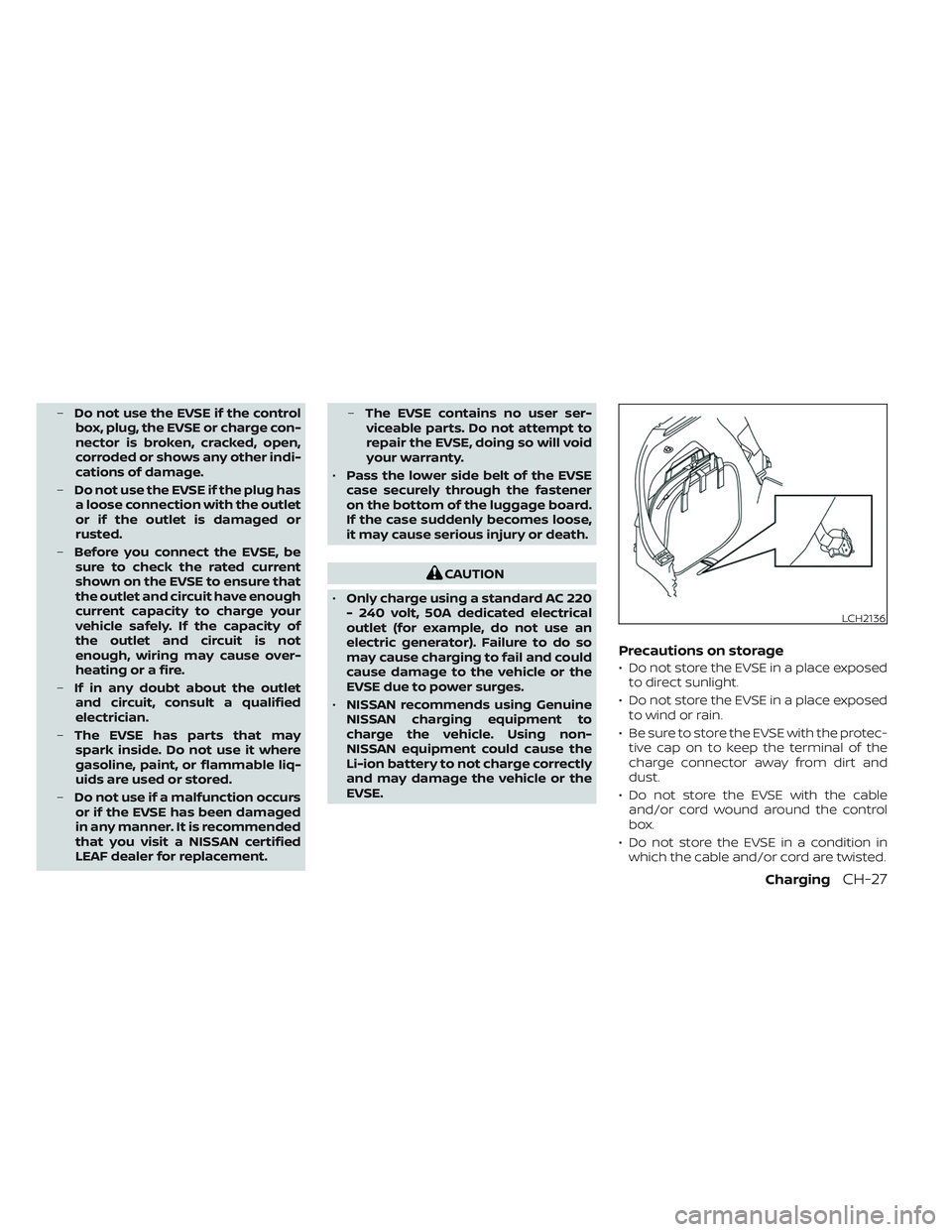
Precautions on storage
• Do not store the EVSE in a place exposed to direct sunlight.
• Do not store the EVSE in a place exposed to wind or rain.
• Be sure to store the EVSE with the protec- tive cap on to keep the terminal of the
charge connector away from dirt and
dust.
• Do not store the EVSE with the cable and/or cord wound around the control
box.
• Do not store the EVSE in a condition in which the cable and/or cord are twisted.
LCH2136
ChargingCH-27
Page 100 of 612
•Remote battery status check:
The charging status of the Li-ion battery
can be checked using the
“NissanConnect® EV & Services”, or
“NissanConnect®”, or Owners Portal even
if you are not in the vehicle.
• Remote start charge:
The function of starting the Li-ion battery
charge or starting the heater and air con-
ditioner is available using your personal
computer or internet enabled smart
phone.
• Plug-in reminder:
A notification e-mail will be sent to your
personal computer or internet enabled
smart phone if the plug is not connected
at the specific time you selected, af ter
turning off the power switch.
NOTE:
• Establishing the NissanConnect® EV & Services, or NissanConnect® is neces-
sary before using this service. For addi-
tional information, refer to the
NissanConnect® Manual.
• To check the Li-ion battery charging status using an internet enabled smart
phone or personal computer, the fol-
lowing conditions must be met: – The vehicle must be located in a cel-
lular phone coverage area.
– The cellular phone must be located in an area with cellular phone
coverage.
– If using a computer, the computer must be connected to the internet.
– Some cellular phones are not com- patible and cannot be used to check
the Li-ion battery charging status.
Please confirm beforehand.
• Certain remote functions require a compatible smart phone, which is not
included with the vehicle.
• NissanConnect® EV & Services, or NissanConnect® information system
features are included through a sub-
scription service which requires owner
consent to activate. The subscription
must be active to use these features.
• NissanConnect® EV & Services, or NissanConnect® communications may
be received at a verified e-mail address
or by SMS/text messaging-enabled
mobile phone.
• Standard text rates and/or data usage may apply depending on your carrier.
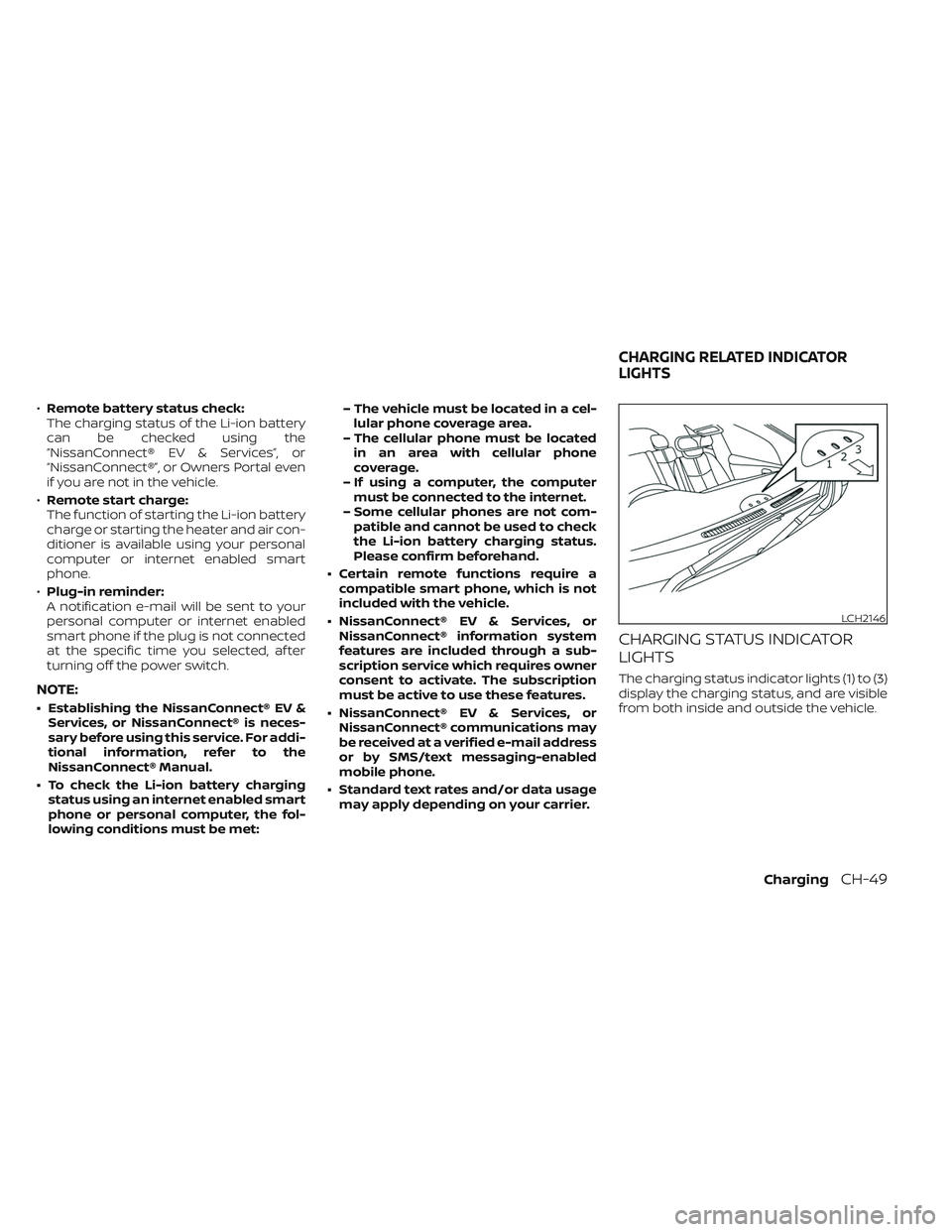
CHARGING STATUS INDICATOR
LIGHTS
The charging status indicator lights (1) to (3)
display the charging status, and are visible
from both inside and outside the vehicle.
LCH2146
CHARGING RELATED INDICATOR
LIGHTS
ChargingCH-49
Page 177 of 612
2 Instruments and controls
Cockpit.........................................2-2
Instrument Panel ................................2-4
Meters and Gauges .............................2-5
Speedometer and odometer .................2-5
Li-ion battery temperature gauge ............ 2-7
Power meter ................................. 2-7
Driving range .................................2-8
Li-ion battery available charge gauge ........2-9
Li-ion battery capacity level gauge ..........2-12
Outside air temperature .....................2-12
Clock ........................................ 2-12
ECO mode indicator ......................... 2-13
e-Pedal system indicator ....................2-13
Warning lights, indicator lights and audible
reminders ...................................... 2-14
Checking lights .............................. 2-16
Warning/Indicator lights (red) ...............2-16
Warning/Indicator lights (yellow) ............2-19
Warning/Indicator lights (other) .............2-24
Audible reminders ........................... 2-25
Vehicle information display .....................2-26
How to use the vehicle information
display ...................................... 2-27
Startup display .............................. 2-27
Settings ..................................... 2-28
Vehicle information display warnings
and indicators ............................... 2-36Warning information displays
(models with a navigation system)
..........2-44
Security systems ............................... 2-44
Vehicle security system .....................2-44
NISSAN Vehicle Immobilizer System .........2-46
Wiper and washer switch .......................2-47
Washer operation ........................... 2-48
Rear wiper operation ........................ 2-48
Rear window and outside mirror
(if so equipped) defroster switch ...............2-49
Headlight and turn signal switch ...............2-50
Headlight switch ............................ 2-50
LED Daytime Running Lights (DRL)
system (Type A) (if so equipped) .............2-55
LED Daytime Running Lights (DRL)
system (Type B) (if so equipped) .............
2-55
Instrument
brightness control ..............2-56
Turn signal switch ........................... 2-56
Fog light switch (if so equipped) .............2-57
Emblem Light ............................... 2-57
Horn ........................................... 2-58
ECO switch ..................................... 2-58
Heated seat switches (if so equipped) ..........2-58
Heated steering wheel switch (if so equipped) . . 2-60
Emergency call (SOS) button (if so equipped) . . . 2-60
Charge port lid switch .......................... 2-61
Page 180 of 612
11. Lower instrument panel switchesCharge port lid switch (P. 2-61)
Immediate charge switch (P. 2-61)
Heated steering wheel switch
(if so equipped) (P. 2-60)
Steering Assist switch (if so equipped)
(P. 2-62)
Dynamic driver assistance switch
(if so equipped) (P. 5-25, 5-30, 5-45, 2-61)
12. Fuse box cover (P. 8-15)
*For additional information, refer to the
NissanConnect® Manual
Instruments and controls2-3