2023 HYUNDAI SONATA trailer
[x] Cancel search: trailerPage 382 of 555
06
6-95
WARNING
• Even though the warning message
does not appear on the cluster, Safe
Exit Assist may not properly operate.
• Safe Exit Assist may not properly
operate in an area (e.g. open
terrain) where any substance are
not detected right after the engine
is turned on, or when the detecting
sensor is blocked with foreign
material right after the engine is turned on.
CAUTION
Turn off Safe Exit Assist to install a
trailer, carrier, etc., or remove the
trailer, carrier, etc. to use Safe Exit
Assist. Limitations of the function
Safe Exit Assist may not operate
normally, or the function may operate
unexpectedly under the following
circumstances: •
Getting off the vehicle where trees or
grass are overgrown
• Getting off the vehicle where the road
is wet
• The approaching vehicle is very fast or
very slow WARNING
• Safe Exit Assist may not operate
normally if interfered by strong
electromagnetic waves.
• Safe Exit Assist may not operate for 3
seconds after the vehicle is started,
or rear corner radars are initialized.
Page 406 of 555
06
6-119
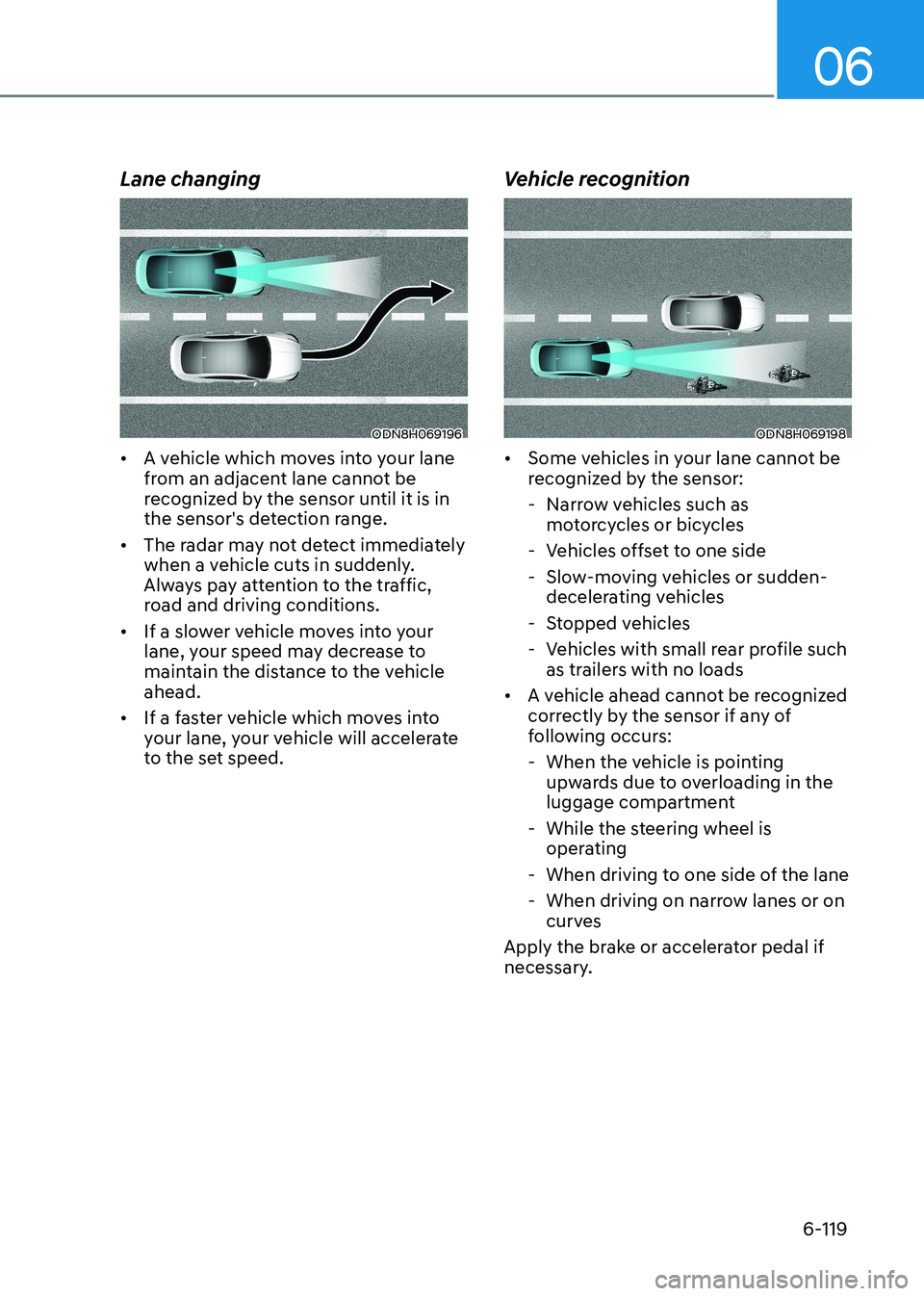
Lane changing
ODN8H069196
• A vehicle which moves into your lane
from an adjacent lane cannot be
recognized by the sensor until it is in
the sensor's detection range.
• The radar may not detect immediately
when a vehicle cuts in suddenly.
Always pay attention to the traffic,
road and driving conditions.
• If a slower vehicle moves into your
lane, your speed may decrease to
maintain the distance to the vehicle ahead.
• If a faster vehicle which moves into
your lane, your vehicle will accelerate
to the set speed. Vehicle recognitionODN8H069198
• Some vehicles in your lane cannot be
recognized by the sensor:
- Narrow vehicles such as motorcycles or bicycles
- Vehicles offset to one side
- Slow-moving vehicles or sudden- decelerating vehicles
- Stopped vehicles
- Vehicles with small rear profile such as trailers with no loads
• A vehicle ahead cannot be recognized
correctly by the sensor if any of
following occurs:
- When the vehicle is pointing upwards due to overloading in the
luggage compartment
- While the steering wheel is operating
- When driving to one side of the lane
- When driving on narrow lanes or on curves
Apply the brake or accelerator pedal if
necessary.
Page 415 of 555

While Driving
6-128
Warning Message
ODN8069068L
Keep hands on steering wheel
If the driver takes their hands off the
steering wheel for several seconds while
LFA system is activated, the system will
warn the driver.
Information
Hold the steering wheel tight. Otherwise,
LFA system could misjudge that the
driver’s hands are off the steering wheel,
and the above warning may occur.
WARNING
The warning message may appear
late according to road conditions.
Therefore, always have your hands on
the steering wheel while driving.
OOSH069079L
Driver’s hands not detected.
LFA system is disabled temporarily
If the driver still does not have their
hands on the steering wheel after the
message “Keep hands on steering
wheel”, the system will not control the
steering wheel and warn the driver
only when the driver crosses the lane
markers.
However, if the driver has their hands on
the steering wheel again, the system will
start controlling the steering wheel.
WARNING
• LFA system is a supplemental system
only. It is the responsibility of the
driver to safely steer the vehicle and
to maintain it in its lane.
• Turn off LFA system and drive
without using the system in the
following situations:
- In bad weather
- In bad road conditions
- When the steering wheel needs
to be controlled by the driver
frequently
- A trailer or carrier is installed.
Page 432 of 555
06
6-145
If any of these conditions occur, the
system will turn off automatically.
When BCW canceled warning message
is displayed in the cluster, check to make
sure that the rear bumper is free from
any dirt or snow in the areas where the
sensor is located. Remove any dirt, snow,
or foreign material that could interfere
with the radar sensors.
After any dirt or debris is removed, the
system should operate normally after
about 10 minutes of driving the vehicle.
If the system still does not operate
normally have your vehicle inspected by
an authorized HYUNDAI dealer.
Information
Turn off BCW, BCA and RCCA system
when a trailer or carrier is installed.
Deactivate BCW and BCA system
by selecting “User Settings → Driver Assistance → Blind-Spot Safety → Off”
Deactivate RCCW and RCCA system
by deselecting “User Settings → Driver
Assistance → Parking Safety → Rear
Cross-Traffic Safety”.
„„Type A „„Type B
OAD058169LOTM058151L
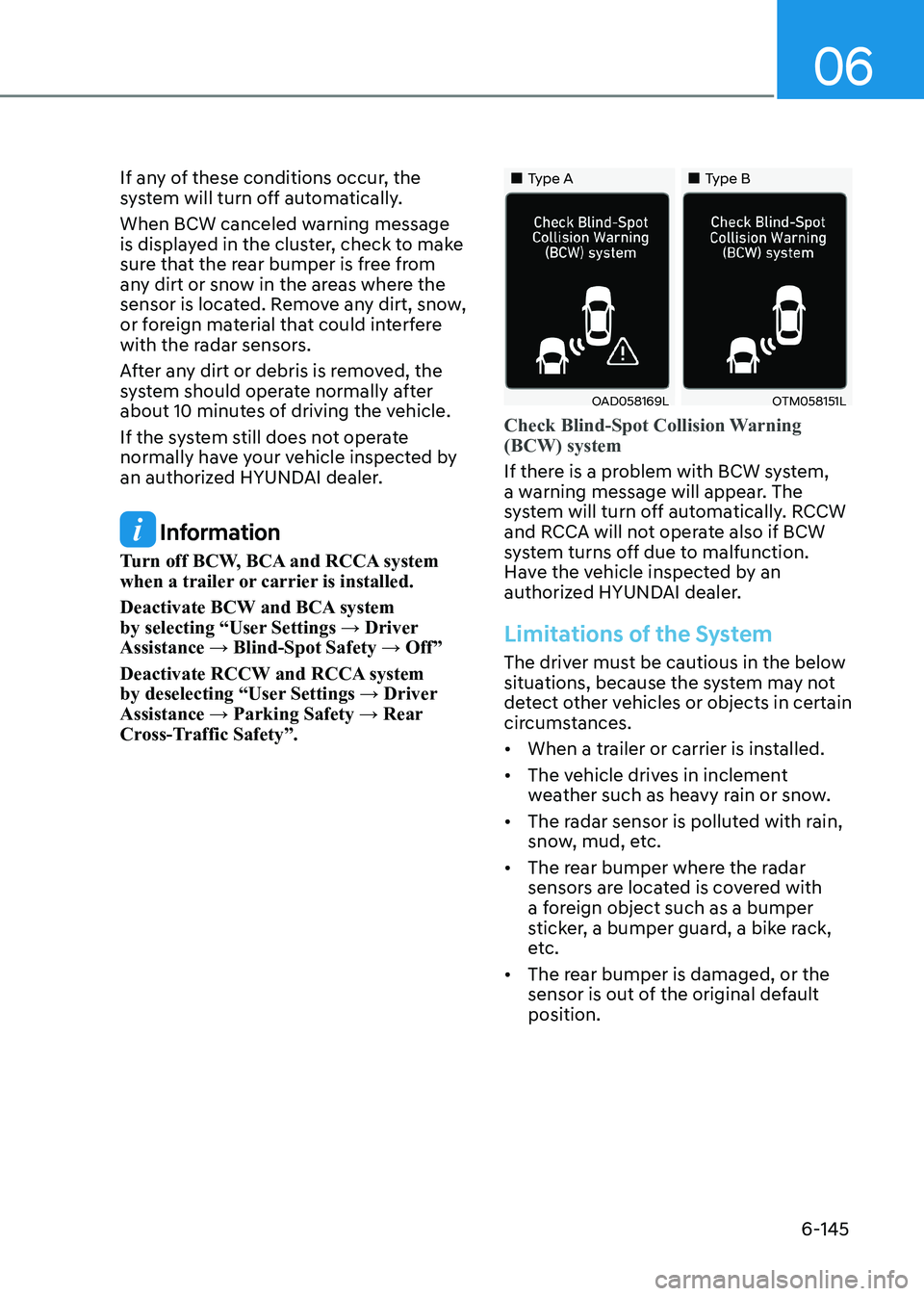
Check Blind-Spot Collision Warning (BCW) system
If there is a problem with BCW system,
a warning message will appear. The
system will turn off automatically. RCCW
and RCCA will not operate also if BCW
system turns off due to malfunction.
Have the vehicle inspected by an
authorized HYUNDAI dealer.
Limitations of the System
The driver must be cautious in the below
situations, because the system may not
detect other vehicles or objects in certain
circumstances. • When a trailer or carrier is installed.
• The vehicle drives in inclement
weather such as heavy rain or snow.
• The radar sensor is polluted with rain,
snow, mud, etc.
• The rear bumper where the radar
sensors are located is covered with
a foreign object such as a bumper
sticker, a bumper guard, a bike rack,
etc.
• The rear bumper is damaged, or the
sensor is out of the original default position.
Page 433 of 555
While Driving
6-146
•
The vehicle height gets lower or
higher due to heavy loading in a trunk,
abnormal tire pressure, etc.
• When the temperature of the rear bumper is high.
• When the sensors are blocked by
other vehicles, walls or parking-lot
pillars.
• The vehicle drives on a curved road.
• The road pavement (or the peripheral
ground) abnormally contains metallic
components (i.e. possibly due to
subway construction).
• There is a fixed object near the
vehicle, such as a guardrail.
• While going down or up a steep
road where the height of the lane is
different.
• Driving on a narrow road where trees
or grass or overgrown.
• Driving in rural areas where the sensor
does not detect another vehicle for an
extended period of time.
• Driving on a wet road.
• Driving on a road where the guardrail
or wall is in double structure.
• A big vehicle is near such as a bus or truck.
• When the other vehicle approaches
very close.
• When the other vehicle passes at a
very fast speed.
• While changing lanes. •
If the vehicle has started at the same
time as the vehicle next to you and
has accelerated.
• When the vehicle in the next lane
moves two lanes away from you or
when the vehicle two lanes away
moves to the next lane from you.
• A motorcycle or bicycle is near.
• A flat trailer is near.
• If there are small objects in the
detecting area such as a shopping
cart or a baby stroller.
• If there is a low height vehicle such as
a sports car.
• The brake pedal is depressed.
• ESC (Electronic Stability Control) is
activated.
• ESC (Electronic Stability Control) malfunctions.
• The tire pressure is low or a tire is damaged.
• The brake is reworked.
• The vehicle sharply stops.
• Temperature is extremely low around
the vehicle.
• The vehicle severely vibrates while
driving over a bumpy road, uneven/
bumpy road, or concrete patch.
• The vehicle drives on a slippery
surface due to snow, water puddle, or ice.
• If the vehicle moves backward after
the vehicle is parked with a diagonal line
Page 444 of 555

06
6-157
ODN8A069208
„
„Type D
„„Type E
ODN8A069209
„„Type F
ODN8A060224
The label located on the driver's door
sill gives the original tire size, cold
tire pressures recommended for your
vehicle, the number of people that can
be in your vehicle and vehicle capacity
weight. Vehicle capacity weight
410 kg (904 lbs.)
Vehicle capacity weight is the maximum
combined weight of occupants and
cargo. If your vehicle is equipped with a
trailer, the combined weight includes the
tongue load.
Seating capacity
Total: 5 persons
(Front seat : 2 persons,
Rear seat : 3 persons)
Seating capacity is the maximum
number of occupants including a driver,
your vehicle may carry. However, the
seating capacity may be reduced based
upon the weight of all of the occupants,
and the weight of the cargo being carried
or towed. Do not overload the vehicle as
there is a limit to the total weight, or load
limit including occupants and cargo, the
vehicle can carry.
Towing capacity
We do not recommend using this vehicle
for trailer towing.
Cargo capacity
The cargo capacity of your vehicle will
increase or decrease depending on the
weight and the number of occupants
and the tongue load, if your vehicle is
equipped with a trailer.
Page 445 of 555
While Driving
6-158
Steps for determining correct load limit
1. Locate the statement "The combined
weight of occupants and cargo should
never exceed XXX kg or XXX lbs." on
your vehicle's placard.
2. Determine the combined weight of the driver and passengers that will be
riding in your vehicle.
3. Subtract the combined weight of the driver and passengers from XXX kg or XXX lbs.
4. The resulting figure equals the
available amount of cargo and
luggage load capacity. For example,
if the "XXX" amount equals 635 kg
(1400 lbs.) and there will be five 68 kg
(150 lb.) passengers in your vehicle,
the amount of available cargo and
luggage load capacity is 295 kg (650
lbs.) (635 - 340 (5 x68) = 295 kg or
(1400 - 750 (5 x150) = 650 lbs.))
5. Determine the combined weight of luggage and cargo being loaded on
the vehicle. That weight may not
safely exceed the available cargo and
luggage load capacity calculated in
Step 4.
6. If your vehicle will be towing a trailer, load from your trailer will be
transferred to your vehicle. Consult
this manual to determine how this
reduces the available cargo and
luggage load capacity of your vehicle.
WARNING
Do not overload the vehicle as there
is a limit to the total weight, or load
limit, including occupants and cargo,
the vehicle can carry. Overloading can
shorten the life of the vehicle. If the
GVWR or the GAWR is exceeded, parts
on the vehicle can break, and it can
change the handling of your vehicle.
These could cause you to lose control
and result in an accident.
Page 447 of 555
While Driving
6-160
Certification label
The certification label is located on the
driver’s door sill at the center pillar and
shows the maximum allowable weight of
the fully loaded vehicle. This is called the
GVWR (Gross Vehicle Weight Rating). The
GVWR includes the weight of the vehicle,
all occupants, fuel and cargo.
This label also tells you the maximum
weight that can be supported by the
front and rear axles, called Gross Axle
Weight Rating (GAWR).
The total weight of the vehicle, including
all occupants, accessories, cargo, and
trailer tongue load must not exceed the
Gross Vehicle Weight Rating (GVWR) or
the Gross Axle Weight Rating (GAWR).
To find out the actual loads on your front
and rear axles, you need to go to a weigh
station and weigh your vehicle. Be sure
to spread out your load equally on both
sides of the centerline.
WARNING
Overloading • Never exceed the GVWR for your
vehicle, the GAWR for either the front
or rear axle and vehicle capacity
weight. Exceeding these ratings
can affect your vehicle’s handling
and braking ability, and cause an
accident.
• Do not overload your vehicle.
Overloading your vehicle can cause
heat buildup in your vehicle’s tires
and possible tire failure, increased
stopping distances and poor vehicle
handling-all of which may result in a
crash.
NOTICE
Overloading your vehicle may cause
damage. Repairs would not be covered
by your warranty. Do not overload your
vehicle.
WARNING
If you carry items inside your vehicle
(e.g., suitcases, tools, packages, or
anything else), they are moving as fast
as the vehicle. If you have to stop or
turn quickly, or if there is a crash, the
items will keep going and can cause
an injury if they strike the driver or a
passenger. • Put items in the cargo area of your
vehicle. Try to spread the weight
evenly.
• Do not stack items, like suitcases,
inside the vehicle above the tops of
the seats.
• Do not leave an unsecured child
restraint in your vehicle.
• When you carry something inside the
vehicle, secure it.