Page 229 of 661

Convenience Features5-80
Resetting the sunroof
B0908EU01
B0908EU02
A: Front, B: Rear
In some circumstances resetting the
sunroof operation may need to be
performed. Some instances where
resetting the sunroof may be required
include:
�[�When the 12-volt battery is either
disconnected or discharged
�[� When the sunroof fuse is replaced
�[� If the sunroof one-touch AUTO OPEN/
CLOSE operation is not functioning
properly Sunroof resetting procedure:
1. It is recommended to perform the
reset procedure with the vehicle
engine running. Start the vehicle in P
(Park).
2. Make sure the sunroof glass is in the fully closed position. If the sunroof
glass is open, push the switch forward
until the sunroof glass is fully closed.
3. Release the switch when the sunroof glass is fully closed.
4. Push the switch forward until the sunroof glass moves slightly. Then
release the switch.
5. Once again push and hold the sunroof switch forward until the sunroof glass
slides open and close. Do not release
the switch until the operation is
completed.
If you release the switch during
operation, start the procedure again
from step 2. Information
If the sunroof does not reset when
the vehicle battery is disconnected or
discharged, or the sunroof fuse is blown,
the sunroof may not operate normally.
Page 238 of 661

05
5-89
User height setting
1. Position the liftgate manually to the height you prefer.
2. Press the power liftgate open/close button located inside the liftgate for
more than 3 seconds.
If ‘User Height Setting’ is selected for
the power liftgate opening height, the
power liftgate will automatically open
to the height manually set by you.
Information
�[�If the power liftgate opening height
has not been manually set, the power
liftgate will fully open when ‘User
Height Setting’ from the infotainment
system is selected.
�[� If one of the height setting (Full Open/
Level 3/Level 2/Level 1) is selected from
the settings menu in the infotainment
system, and then ‘User Height Setting’
is selected, the liftgate will open to the
height manually set by you.
�[� The power liftgate opening speed
and opening height settings change
according to the linked User Profile.
If the User Profile is changed, power
liftgate opening speed and opening
height settings will change accordingly.
�[� The infotainment system may change
after software updates. For more
information, refer to the user's manual
provided in the infotainment system
and the quick reference guide.
Resetting the Power Liftgate
In some circumstances resetting the
power liftgate operation may need to
be performed. Some instances where
resetting the power liftgate may be
required include:
�[�When the 12-volt battery is recharged
�[� When the 12-volt battery is reinstalled
after removal or replacement
�[� When the related fuse is reinstalled
after removal or replacement
B0909EU02
1. With the engine off or running, put the
gear in P (Park).
2. Press the power liftgate open/close inner button
B and outer button A
simultaneously until a chime sounds.
3. Slowly close the liftgate manually.
4. Press the power liftgate open/close outer button. The power liftgate will
open with a chime sound.
Wait until the liftgate fully opens to
complete resetting. If the liftgate
stops before it is fully open, resetting
cannot be completed.
Information
If the power liftgate does not operate
properly after the above procedure, have
the system inspected by an authorized
HYUNDAI dealer.
Page 282 of 661
05
5-133
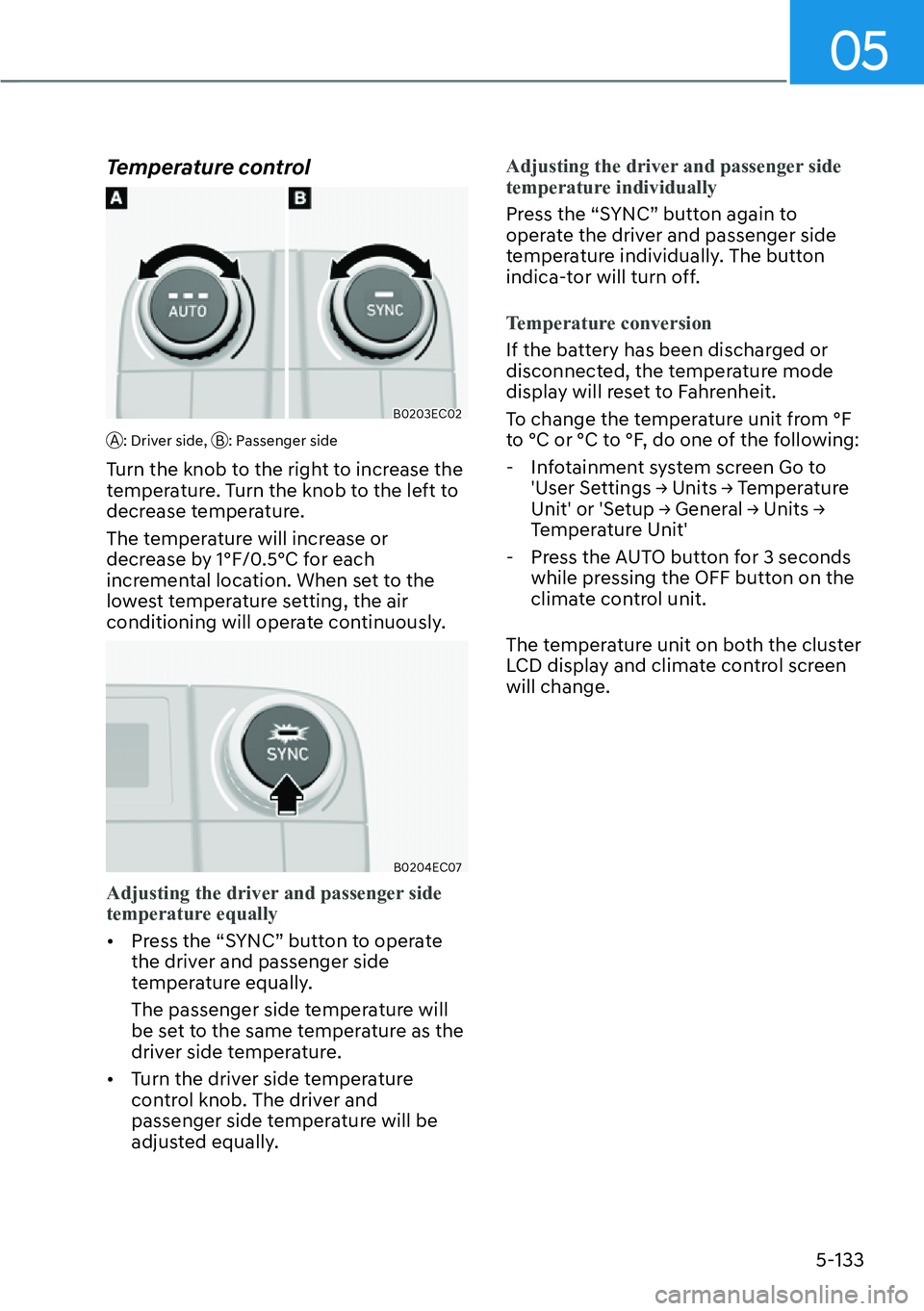
Temperature control
B0203EC02
A: Driver side, B: Passenger side
Turn the knob to the right to increase the
temperature. Turn the knob to the left to
decrease temperature.
The temperature will increase or
decrease by 1°F/0.5°C for each
incremental location. When set to the
lowest temperature setting, the air
conditioning will operate continuously.
B0204EC07
Adjusting the driver and passenger side
temperature equally
�[�Pr
ess the “SYNC” button to operate
the driver and passenger side
temperature equally.
The passenger side temperature will
be set to the same temperature as the
driver side temperature.
�[� Turn the driver side temperature
control knob. The driver and
passenger side temperature will be
adjusted equally. Adjusting the driver and passenger side
temperatur
e individually
Press the “SYNC” button again to
oper
ate the driver and passenger side
temperature individually. The button
indica-tor will turn off.
Temperature conversion
If the battery has been discharged or
disconnect
ed, the temperature mode
display will reset to Fahrenheit.
To change the temperature unit from °F
to °C or °C to °F, do one of the following:
- Infotainment system screen Go to
8VHU�6HWWLQJV��
Page 296 of 661
05
5-147
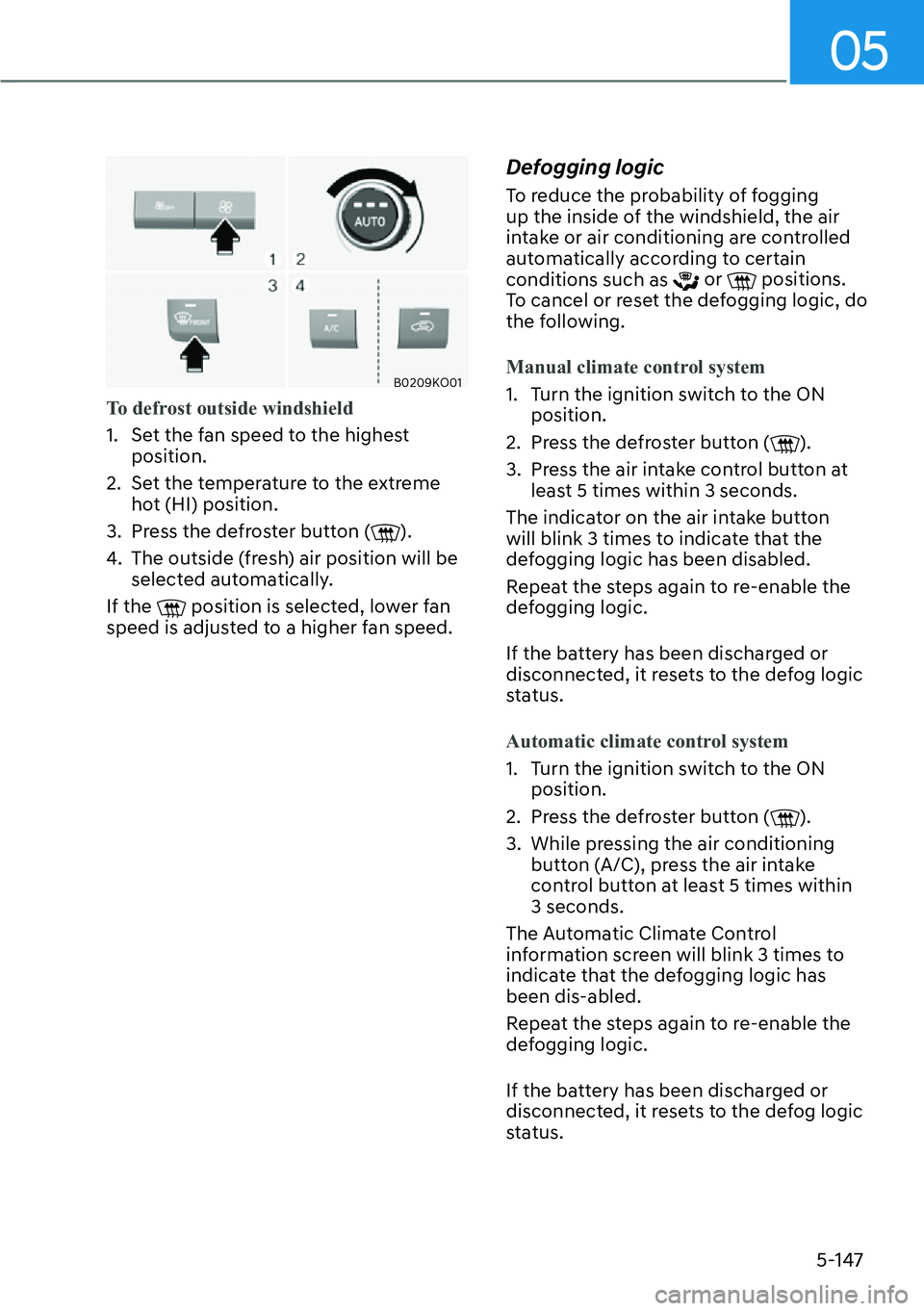
B0209KO01
To defrost outside windshield
1. Set the fan speed to the highest position.
2.
Set the temperature to the extreme
hot (HI) position.
3. Press the defroster button (
).
4. The outside (fresh) air position will be selected automatically.
If the
position is selected, lower fan
speed is adjusted to a higher fan speed.
Defogging logic
To reduce the probability of fogging
up the inside of the windshield, the air
intake or air conditioning are controlled
automatically according to certain
conditions such as
or positions.
To cancel or reset the defogging logic, do
the following.
Manual climate control system
1. Turn the ignition switch to the ON position.
2.
Press the defroster button (
).
3. Press the air intake control button at least 5 times within 3 seconds.
The indicator on the air intake button
will blink 3 times to indicate that the
defogging logic has been disabled.
Repeat the steps again to re-enable the
defogging logic.
If the battery has been discharged or
disconnected, it resets to the defog logic
status.
Automatic climate control system
1. Turn the ignition switch to the ON position.
2.
Press the defroster button (
).
3. While pressing the air conditioning button (A/C), press the air intake
control button at least 5 times within
3 seconds.
The Automatic Climate Control
information screen will blink 3 times to
indicate that the defogging logic has
been dis-abled.
Repeat the steps again to re-enable the
defogging logic.
If the battery has been discharged or
disconnected, it resets to the defog logic
status.
Page 297 of 661

Convenience Features5-148
When the Auto Defogging
System operates, the indicator
will illuminate.
If a high amount of humidity is detected
in the vehicle, the Auto Defogging
System will be enabled. The following
steps will be performed automatically:
Step 1) The A/C button will turn ON and the air intake or icon control will
change to Fresh mode.
Step 2) The mode will be changed to defrost to direct airflow to the
windshield.
Step 3) The fan speed will be rising up to level 3.
If the air conditioning is off or
recirculated air position is manually
selected while Auto Defogging System is
ON, the Auto Defogging System Indicator
will blink 3 times to signal that the
manual operation has been canceled.To cancel or reset the Auto Defogging
System
Press the front windshield defroster
butt
on for 3 seconds when the ignition
switch is in the ON position. When the
Auto Defogging System is canceled, the
ADS OFF symbol will blink 3 times and
ADS OFF will be displayed on the climate
control information screen.
When the Auto Defogging System is
reset, the ADS OFF symbol will blink 6
times without a signal.
Information
To maintain the effectiveness and
efficiency of the Auto Defogging System,
do not select Recirculation mode while the
system is operating.
NOTICE
Do not remove the sensor cover located
on the upper end of the windshield
glass.
Damage to system parts could occur
and may not be covered by your vehicle
warranty.
Page 320 of 661
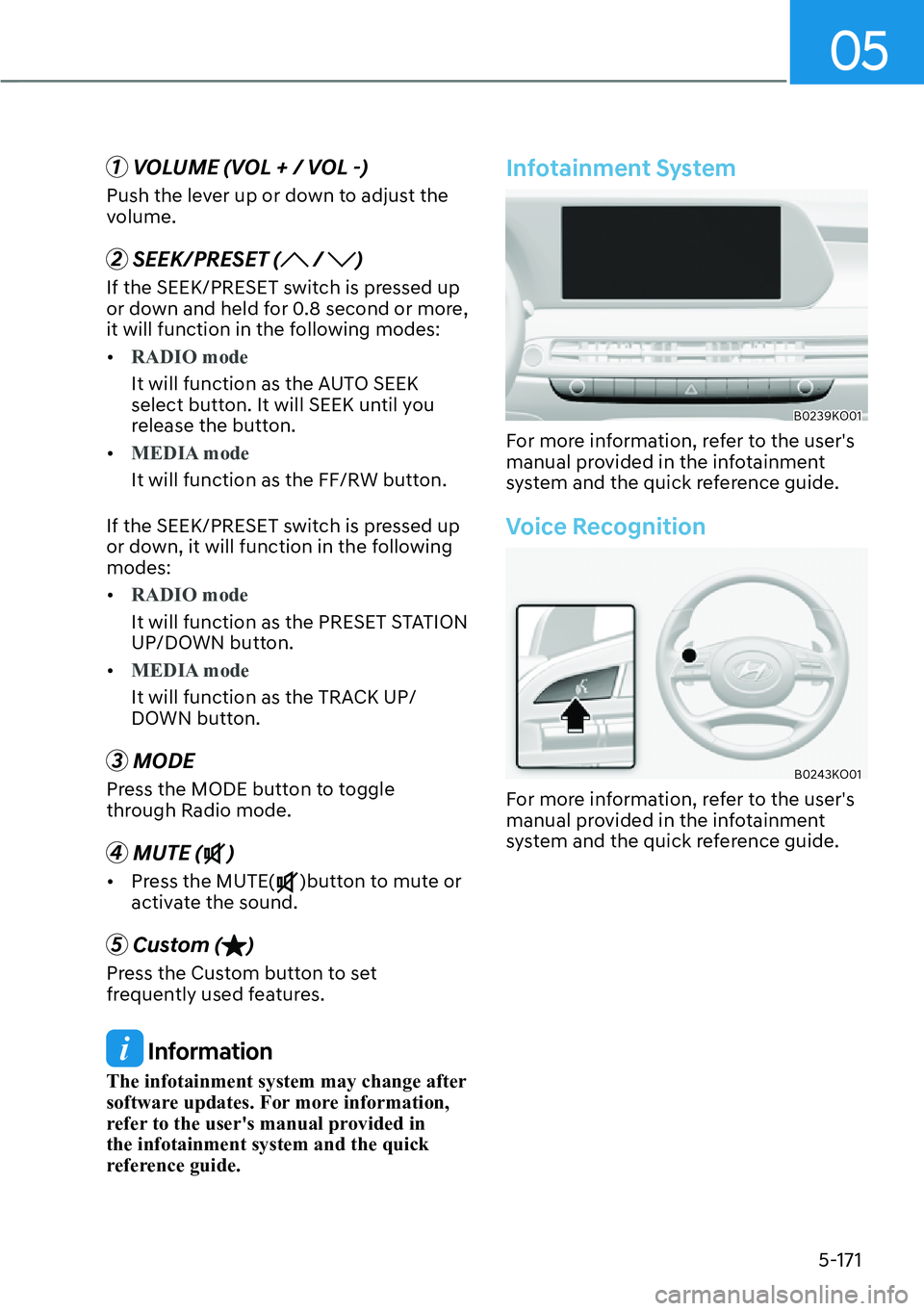
05
5-171
1 VOLUME (VOL + / VOL -)
Push the lever up or down to adjust the
volume.
2 SEEK/PRESET ( / )
If the SEEK/PRESET switch is pressed up
or down and held for 0.8 second or more,
it will function in the following modes:
�[�RADIO mode
It will function as the AUTO SEEK
select butt
on. It will SEEK until you
release the button.
�[� MEDIA mode
It will function as the FF/RW button.
If the SEEK/PRESET s
witch is pressed up
or down, it will function in the following
modes:
�[� RADIO mode
It will function as the PRESET STATION
UP/DOWN butt
on.
�[� MEDIA mode
It will function as the TRACK UP/
DOWN butt
on.
3 MODE
Press the MODE button to toggle
through Radio mode.
4 MUTE ()
�[�Press the MUTE()button to mute or
activate the sound.
5 Custom ()
Press the Custom button to set
frequently used features.
Information
The infotainment system may change after
software updates. For more information,
refer to the user's manual provided in
the infotainment system and the quick
reference guide.
Infotainment System
B0239KO01
For more information, refer to the user's
manual provided in the infotainment
system and the quick reference guide.
Voice Recognition
B0243KO01
For more information, refer to the user's
manual provided in the infotainment
system and the quick reference guide.
Page 375 of 661
Driving Your Vehicle6-54
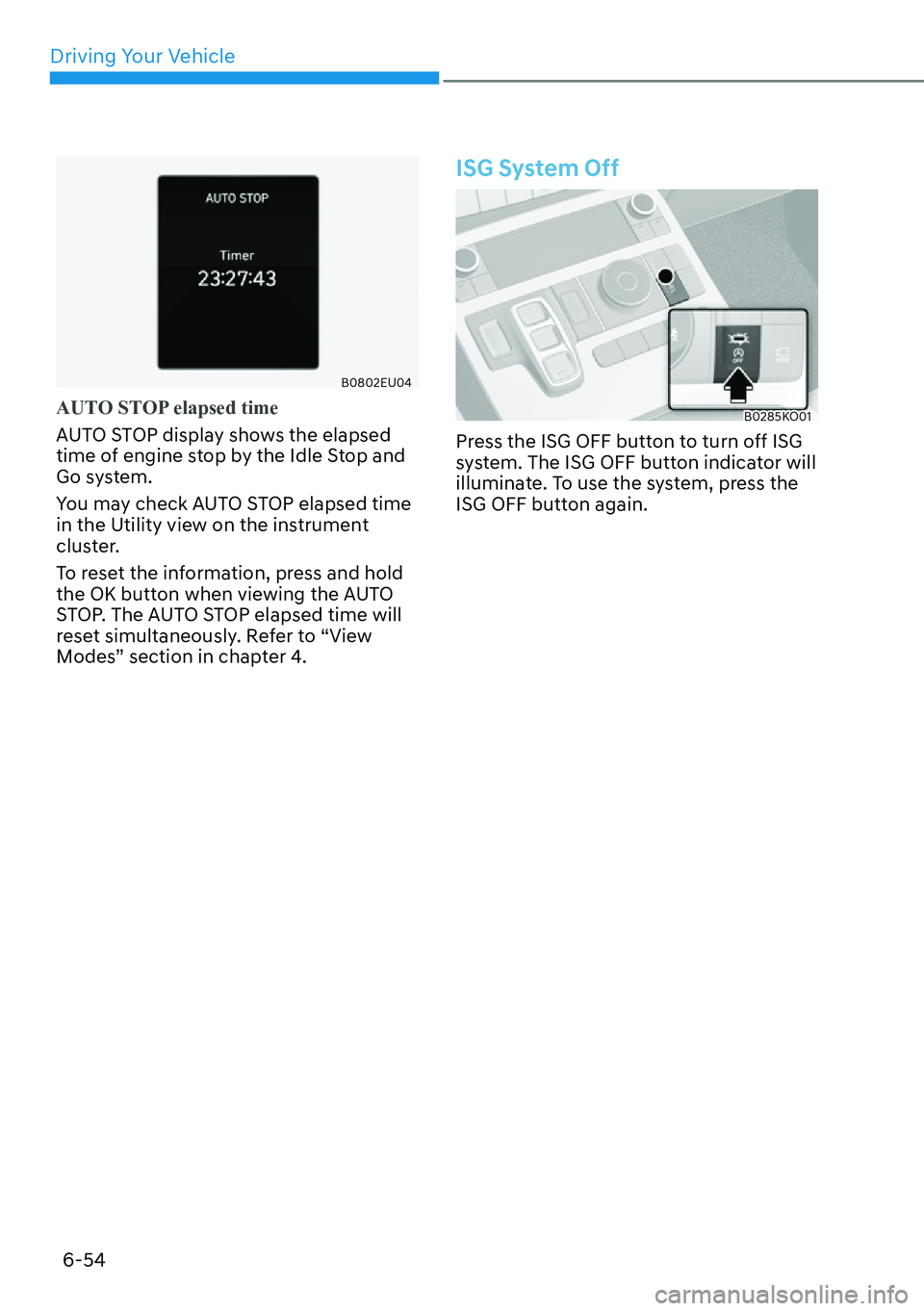
B0802EU04
AUTO STOP elapsed time
AUTO STOP display shows the elapsed
time o
f engine stop by the Idle Stop and
Go system.
You may check AUTO STOP elapsed time
in the Utility view on the instrument
cluster.
To reset the information, press and hold
the OK button when viewing the AUTO
STOP. The AUTO STOP elapsed time will
reset simultaneously. Refer to “View
Modes” section in chapter 4.
ISG System Off
B0285KO01
Press the ISG OFF button to turn off ISG
system. The ISG OFF button indicator will
illuminate. To use the system, press the
ISG OFF button again.
Page 454 of 661
Driver Assistance System7-52
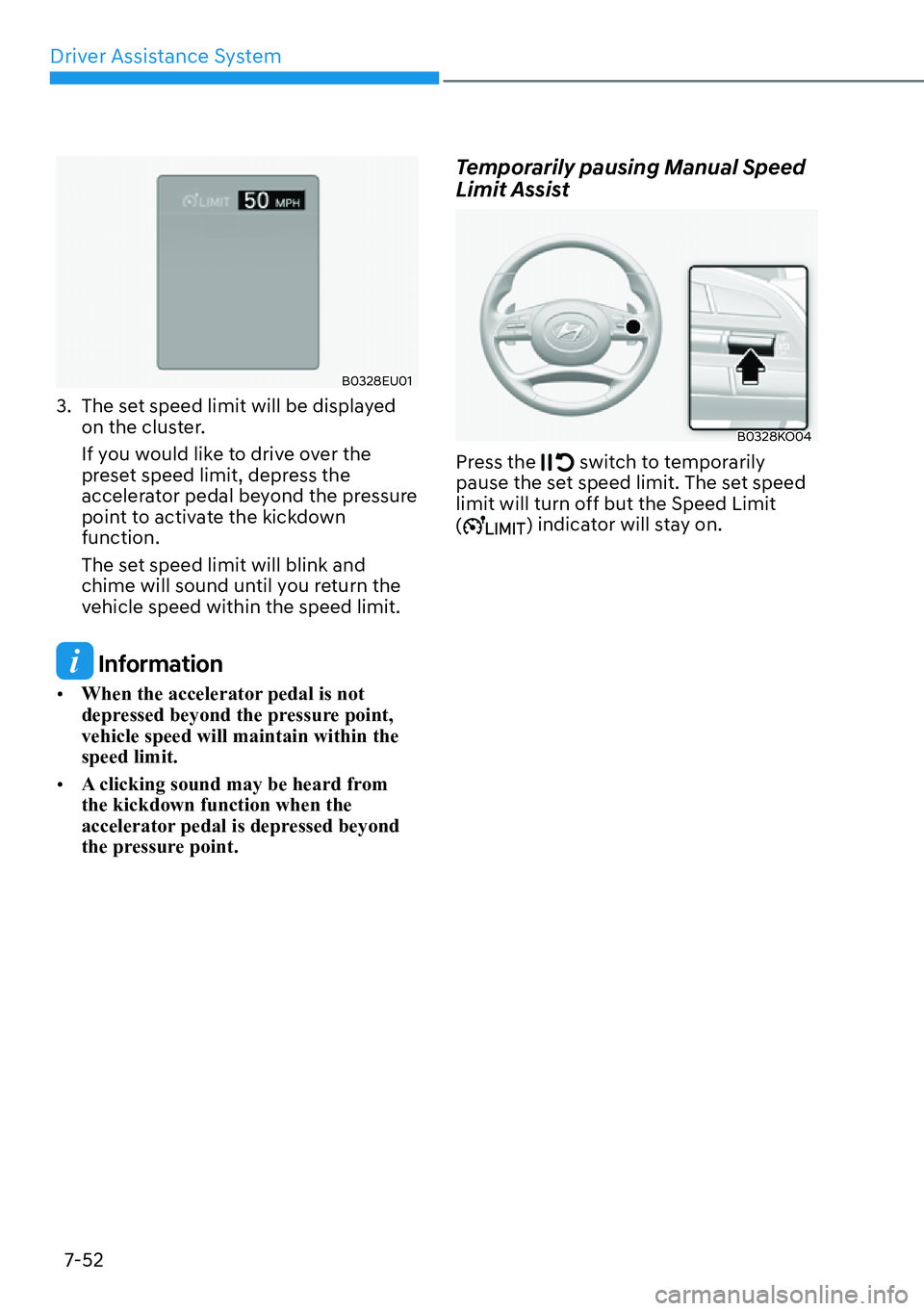
B0328EU01
3. The set speed limit will be displayed on the cluster.
If you would like to drive over the
preset speed limit, depress the
accelerator pedal beyond the pressure
point to activate the kickdown
function.
The set speed limit will blink and
chime will sound until you return the
vehicle speed within the speed limit.
Information
�[�When the accelerator pedal is not
depressed beyond the pressure point,
vehicle speed will maintain within the
speed limit.
�[� A clicking sound may be heard from
the kickdown function when the
accelerator pedal is depressed beyond
the pressure point.
Temporarily pausing Manual Speed
Limit Assist
B0328KO04
Press the switch to temporarily
pause the set speed limit. The set speed
limit will turn off but the Speed Limit
(
) indicator will stay on.