2023 HYUNDAI IONIQ 6 lane assist
[x] Cancel search: lane assistPage 371 of 582
7
7-27
• Forward Collision-Avoidance Assist may not operate for 15 seconds after
the vehicle is started, or the front view
camera is initialized.
Information This device complies with Part 15 of the FCC
rules.
Operation is subject to the following three
conditions:
1. This device may not cause harmful interference, and
2. This device must accept any interference received, including interference that may
cause undesired operation.
3. Changes or modifications not expressly approved by the party responsible for
compliance could void the user’s authority
to operate the device.
Information Radio frequency radiation exposure
information:
This equipment complies with FCC radiation
exposure limits set forth for an uncontrolled
environment.
This equipment should be installed and
operated with minimum distance of 8 in. (20
cm) between the radiator (antenna) and your
body.
This transmitter must not be co-located or
operating in conjunction with any other
antenna or transmitter.
Lane Keeping Assist (LKA)
While driving over a certain speed, Lane
Keeping Assist detects lane markings (or
road edges) and may warn you if your
vehicle leaves the lane without using the
turn signal and may assist with steering to
prevent your vehicle departing from its
travel lane.
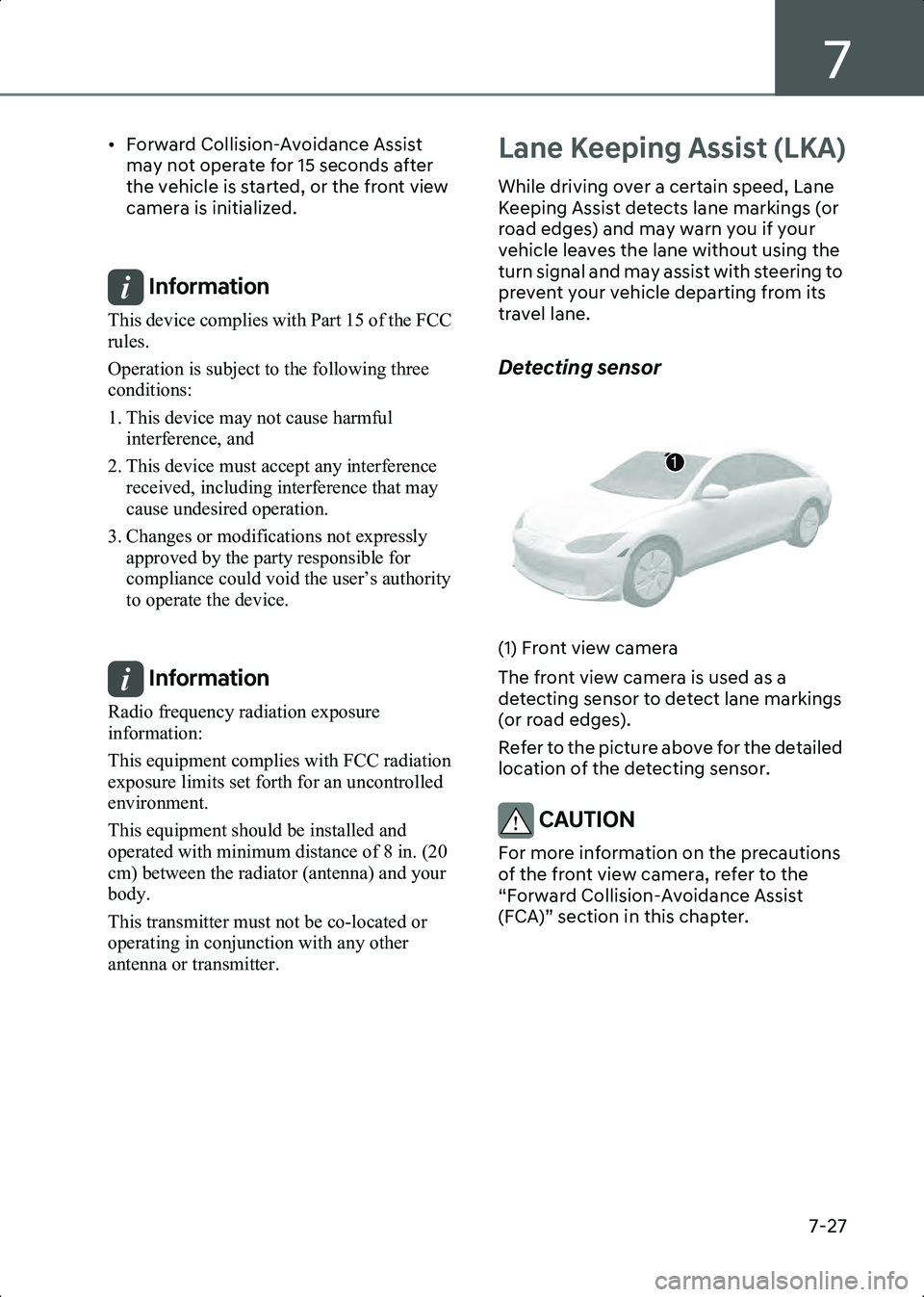
Detecting sensor
B7000901(1) Front view camera
The front view camera is used as a
detecting sensor to detect lane markings
(or road edges).
Refer to the picture above for the detailed
location of the detecting sensor.
CAUTION For more information on the precautions
of the front view camera, refer to the
“Forward Collision-Avoidance Assist
(FCA)” section in this chapter.
1
Hyundai_CE_en_US.book Page 27
Page 372 of 582
Driver Assistance System
7-28
Lane Keeping Assist Settings
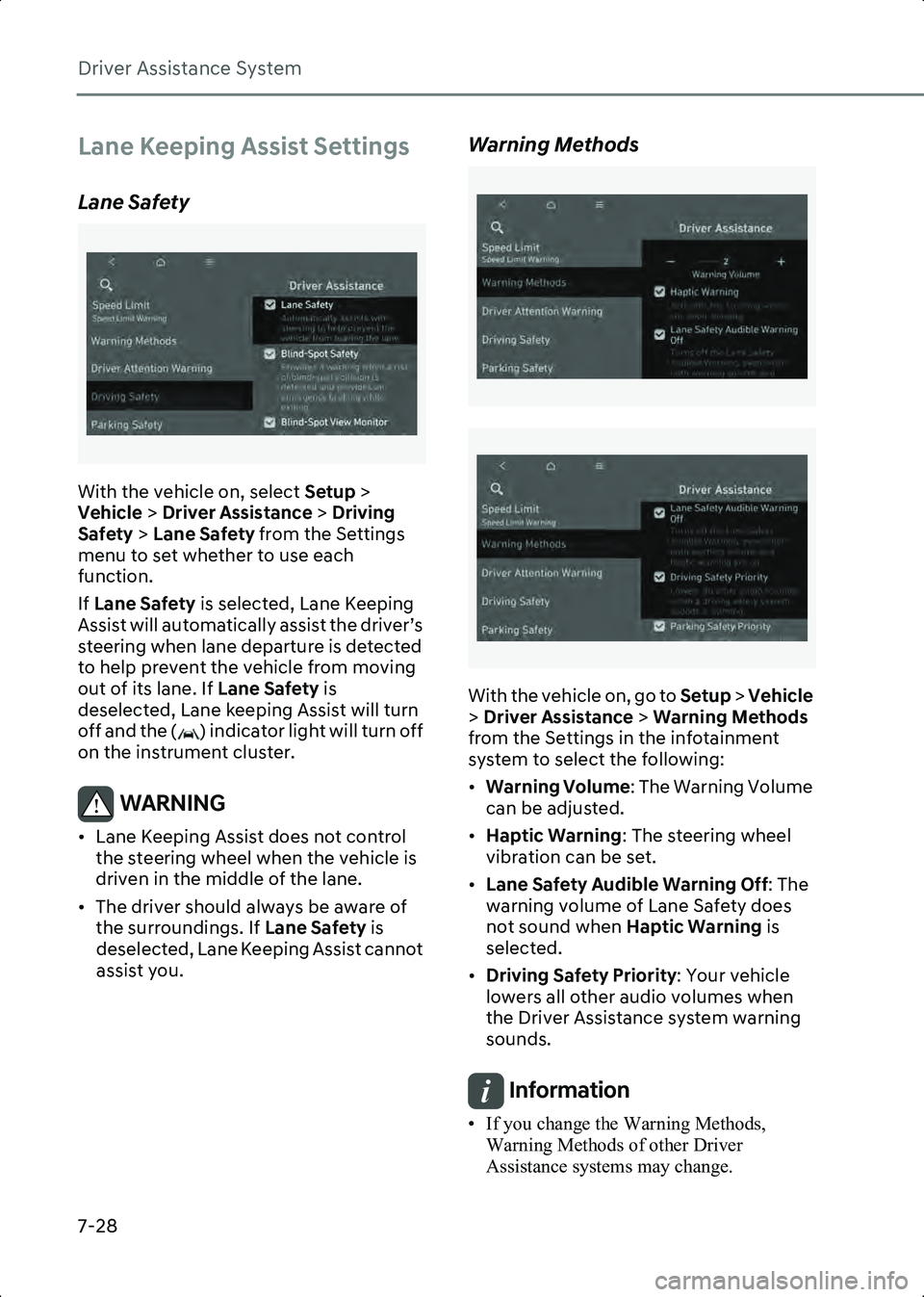
Lane Safety
B7001001
With the vehicle on, select Setup >
Vehicle > Driver Assistance > Driving
Safety > Lane Safety from the Settings
menu to set whether to use each
function.
If Lane Safety is selected, Lane Keeping
Assist will automatically assist the driver’s
steering when lane departure is detected
to help prevent the vehicle from moving
out of its lane. If Lane Safety is
deselected, Lane keeping Assist will turn
off and the ( ) indicator light will turn off
on the instrument cluster.
WARNING • Lane Keeping Assist does not control the steering wheel when the vehicle is
driven in the middle of the lane.
• The driver should always be aware of the surroundings. If Lane Safety is
deselected, Lane Keeping Assist cannot
assist you.
Warning Methods
B7000205_2
B7000205_3
With the vehicle on, go to Setup > Vehicle
> Driver Assistance > Warning Methods
from the Settings in the infotainment
system to select the following:
• Warning Volume : The Warning Volume
can be adjusted.
• Haptic Warning : The steering wheel
vibration can be set.
• Lane Safety Audible Warning Off : The
warning volume of Lane Safety does
not sound when Haptic Warning is
selected.
• Driving Safety Priority : Your vehicle
lowers all other audio volumes when
the Driver Assistance system warning
sounds.
Information • If you change the Warning Methods, Warning Methods of other Driver
Assistance systems may change.
Hyundai_CE_en_US.book Page 28
Page 373 of 582
7
7-29
• If the vehicle is restarted, Warning Methods will maintain the last setting.
• There may be no Settings menu depending on the feature applied to your vehicle.
• Even though 0 is selected for Warning
Volume, the Hands-Off warning volume
will not be turned off but Warning volume
will sound as 1.
• When Haptic Warning is deselected while
Warning Volume is selected as 0, Warning
Volume will activate and be selected as 2.
• When Warning Volume is selected as 0
while Haptic Warning is deselected,
steering wheel vibration will activate.
Lane Keeping Assist
Operation
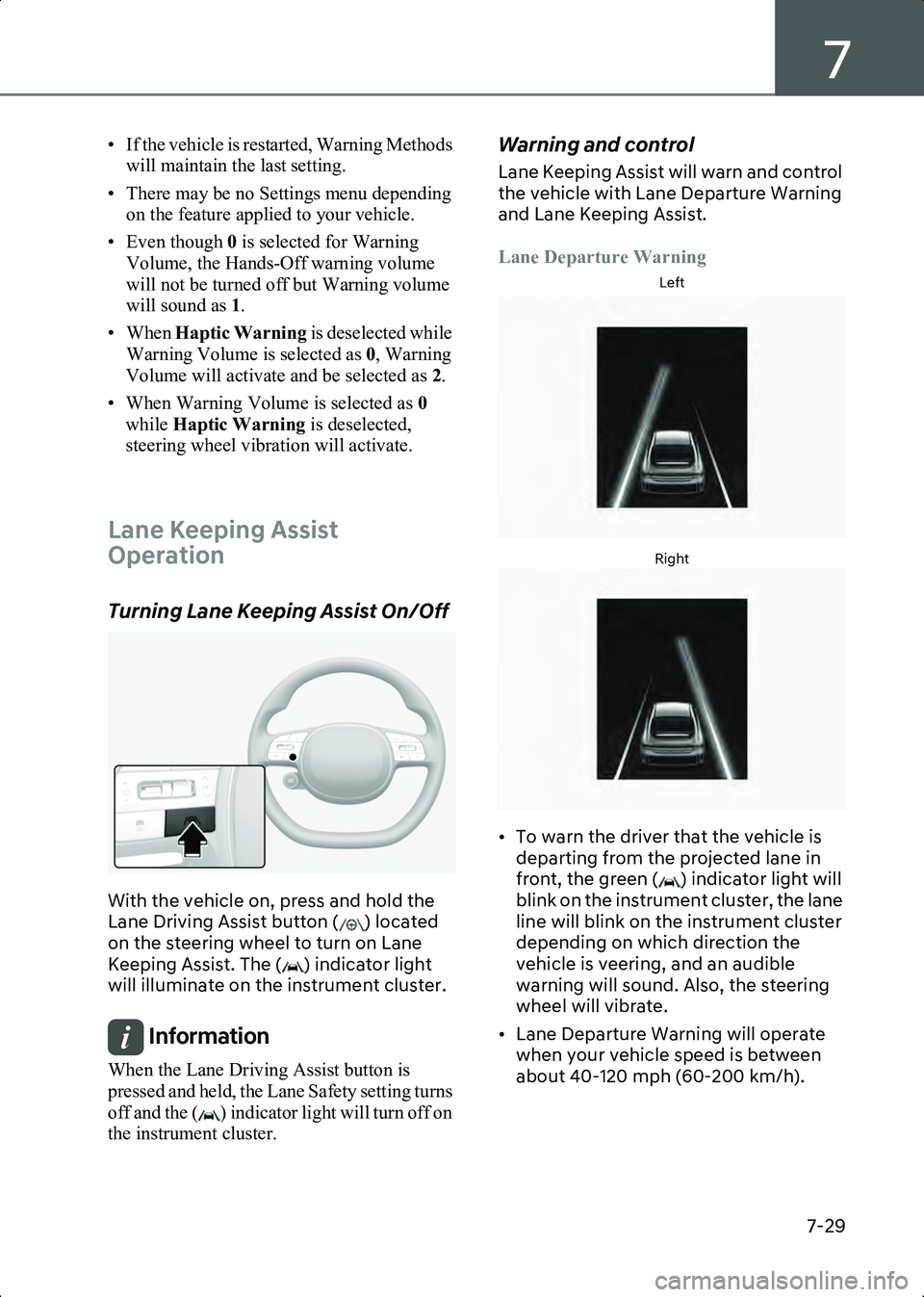
Turning Lane Keeping Assist On/Off
B7001101
With the vehicle on, press and hold the
Lane Driving Assist button ( ) located
on the steering wheel to turn on Lane
Keeping Assist. The ( ) indicator light
will illuminate on the instrument cluster.
Information When the Lane Driving Assist button is
pressed and held, the Lane Safety setting turns
off and the ( ) indicator light will turn off on
the instrument cluster.
Warning and control
Lane Keeping Assist will warn and control
the vehicle with Lane Departure Warning
and Lane Keeping Assist.
Lane Departure Warning
Left
B7001102Right
B7001103
• To warn the driver that the vehicle is departing from the projected lane in
front, the green ( ) indicator light will
blink on the instrument cluster, the lane
line will blink on the instrument cluster
depending on which direction the
vehicle is veering, and an audible
warning will sound. Also, the steering
wheel will vibrate.
• Lane Departure Warning will operate when your vehicle speed is between
about 40-120 mph (60-200 km/h).
Hyundai_CE_en_US.book Page 29
Page 374 of 582

Driver Assistance System
7-30
Lane Keeping Assist
• To warn the driver that the vehicle is departing from the projected lane in
front, the green ( ) indicator light will
blink on the cluster, and the steering
wheel will make adjustments to keep
vehicle inside the lane.
• Lane Keeping Assist will operate when your vehicle speed is between about
40-120 mph (60-200 km/h).
Hands-off warning
B7001104
If the driver takes their hands off the
steering wheel for several seconds, the
'Keep hands on steering wheel' warning
message will appear on the instrument
cluster, and an audible warning will sound
in stages.
WARNING • The steering wheel may not be assisted if the steering wheel is held very tight or
the steering wheel is steered over a
certain degree.
• Lane Keeping Assist does not operate at all times. It is the responsibility of the
driver to safely steer the vehicle and to
maintain the vehicle in its lane.
• The hands-off warning message may appear late depending on road
conditions. Always have your hands on
the steering wheel while driving.
• If the steering wheel is held very lightly, the hands-off warning message may appear because Lane Keeping Assist
may not recognize that the driver has
their hands on the steering wheel.
• If you attach objects to the steering wheel, the hands-off warning may not
work properly.
Information • For more information on instrument cluster settings, refer to the “Cluster Display
Control” section in chapter 4.
• When lane markings (or road edges) are detected, the lane lines on the instrument
cluster will change from grey to white and
the green ( ) indicator light will
illuminate.
• When the lane markings (or road edges) are detected and Highway Lane Change Assist
is on, the lane lines on the instrument
cluster may change to green.
Lane undetected
B7001105Lane detected
B7001106
Hyundai_CE_en_US.book Page 30
Page 375 of 582
7
7-31
• The images and colors in the instrument cluster may differ depending on the
instrument cluster type or theme selected
from the instrument cluster.
• Even though the steering is assisted by Lane Keeping Assist, the driver may control the
steering wheel.
• The steering wheel may feel heavier or lighter when the steering wheel is assisted
by Lane Keeping Assist than when it is not.
Lane Keeping Assist
Malfunction and Limitations
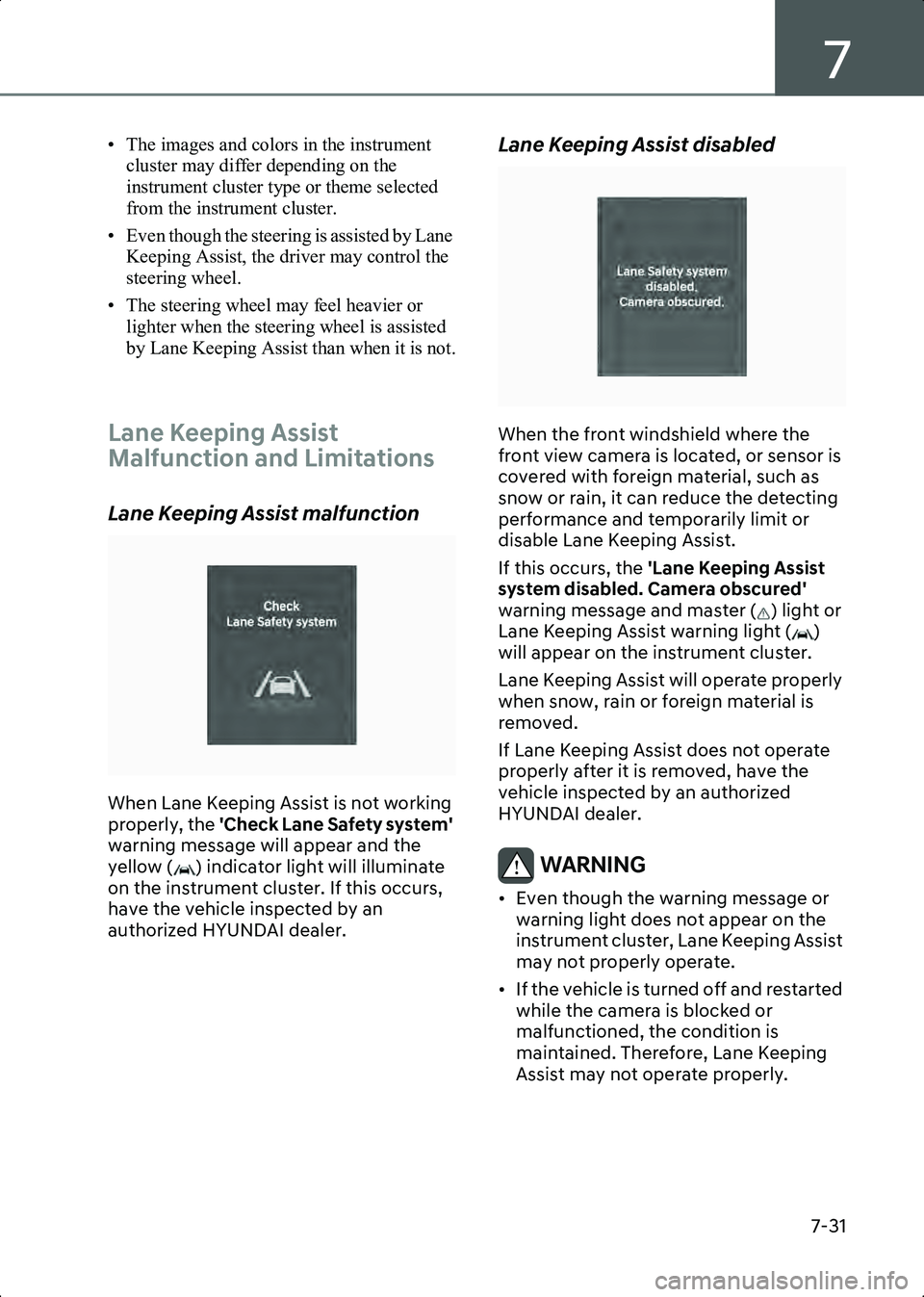
Lane Keeping Assist malfunction
B7001201
When Lane Keeping Assist is not working
properly, the 'Check Lane Safety system'
warning message will appear and the
yellow ( ) indicator light will illuminate
on the instrument cluster. If this occurs,
have the vehicle inspected by an
authorized HYUNDAI dealer.
Lane Keeping Assist disabled
B7001202
When the front windshield where the
front view camera is located, or sensor is
covered with foreign material, such as
snow or rain, it can reduce the detecting
performance and temporarily limit or
disable Lane Keeping Assist.
If this occurs, the 'Lane Keeping Assist
system disabled. Camera obscured'
warning message and master ( ) light or
Lane Keeping Assist warning light ( )
will appear on the instrument cluster.
Lane Keeping Assist will operate properly
when snow, rain or foreign material is
removed.
If Lane Keeping Assist does not operate
properly after it is removed, have the
vehicle inspected by an authorized
HYUNDAI dealer.
WARNING • Even though the warning message or warning light does not appear on the
instrument cluster, Lane Keeping Assist
may not properly operate.
• If the vehicle is turned off and restarted while the camera is blocked or
malfunctioned, the condition is
maintained. Therefore, Lane Keeping
Assist may not operate properly.
Hyundai_CE_en_US.book Page 31
Page 376 of 582

Driver Assistance System
7-32
Limitations of Lane Keeping Assist
Lane Keeping Assist may not operate
properly or may operate unexpectedly
under the following circumstances:
• The lane is contaminated or difficult to detect because:
- The lane markings (or road edge) are covered with rain, snow, dirt, oil, etc.
- The color of the lane marking (or road edge) is not distinguishable from the
road
- There are markings (or road edges) on the road near the lane or the
markings (or road edges) on the road
look similar to the lane markings (or
road edge)
- The lane marking (or road edge) is indistinct or damaged
- The shadow is on the lane marking (or road edge) by a median strip, trees,
guardrail, noise barriers, etc.
• The lane number increases or decreases, or the lane markings (or
road edges) are crossing
• There are more than two lane markings (or road edges) on the road
• The lane markings (or road edges) are complicated or a structure substitutes
for the lines, such as a construction
area
• There are road markings, such as zigzag lanes, crosswalk markings and road
signs
• The lane suddenly disappears, such as at the intersection
• The lane (or road width) is very wide or narrow
• There is a road edge without a lane
• There is a boundary structure in the roadway, such as a tollbooth, sidewalk,
curb, etc.
• The distance to the front vehicle is extremely short or the vehicle in front is
covering the lane marking (or road
edge)Information For more information on the limitations of the
front view camera, refer to the “Forward
Collision-Avoidance Assist (FCA)” section in
this chapter.
WARNING Take the following precautions when
using Lane Keeping Assist:
• The driver has the responsibility to safely drive and control the vehicle. Do
not solely rely on Lane Keeping Assist.
• The operation of Lane Keeping Assist can be cancelled or not work properly
depending on road conditions and
surroundings. Always be cautious while
driving.
• Refer to the “Limitations of Lane Keeping Assist” if the lane is not
detected properly.
• When you are towing a trailer or another vehicle, turn off Lane Keeping
Assist for safety reasons.
• If the vehicle is driven at high speed, the steering wheel will not be
controlled. The driver must always
follow the speed limit when using Lane
Keeping Assist.
• If any other system’s warning message is displayed or audible warning is
generated, Lane Keeping Assist
warning message may not be displayed
and audible warning may not be
generated.
• You may not hear the warning sound of Lane Keeping Assist if the surrounding
is noisy.
• If you attach objects to the steering wheel, steering may not be assisted
properly.
• Lane Keeping Assist may not operate for 15 seconds after the vehicle is
started, or the front view camera is
initialized.
Hyundai_CE_en_US.book Page 32
Page 377 of 582
7
7-33
• Lane Keeping Assist will not operate when:
- The turn signal or hazard warning flasher is turned on.
- The vehicle is not driven in the center of the lane when Lane Keeping Assist
is turned on or right after changing a
lane.
- ESC (Electronic Stability Control) or VSM (Vehicle Stability Management)
is activated.
- The vehicle is driven on a sharp curve.
- Vehicle speed is below 35 mph (55 km/h) or above 130 mph (210 km/h).
- The vehicle makes sudden lane changes.
- The vehicle brakes suddenly.
Blind-Spot
Collision-Avoidance
Assist (BCA)
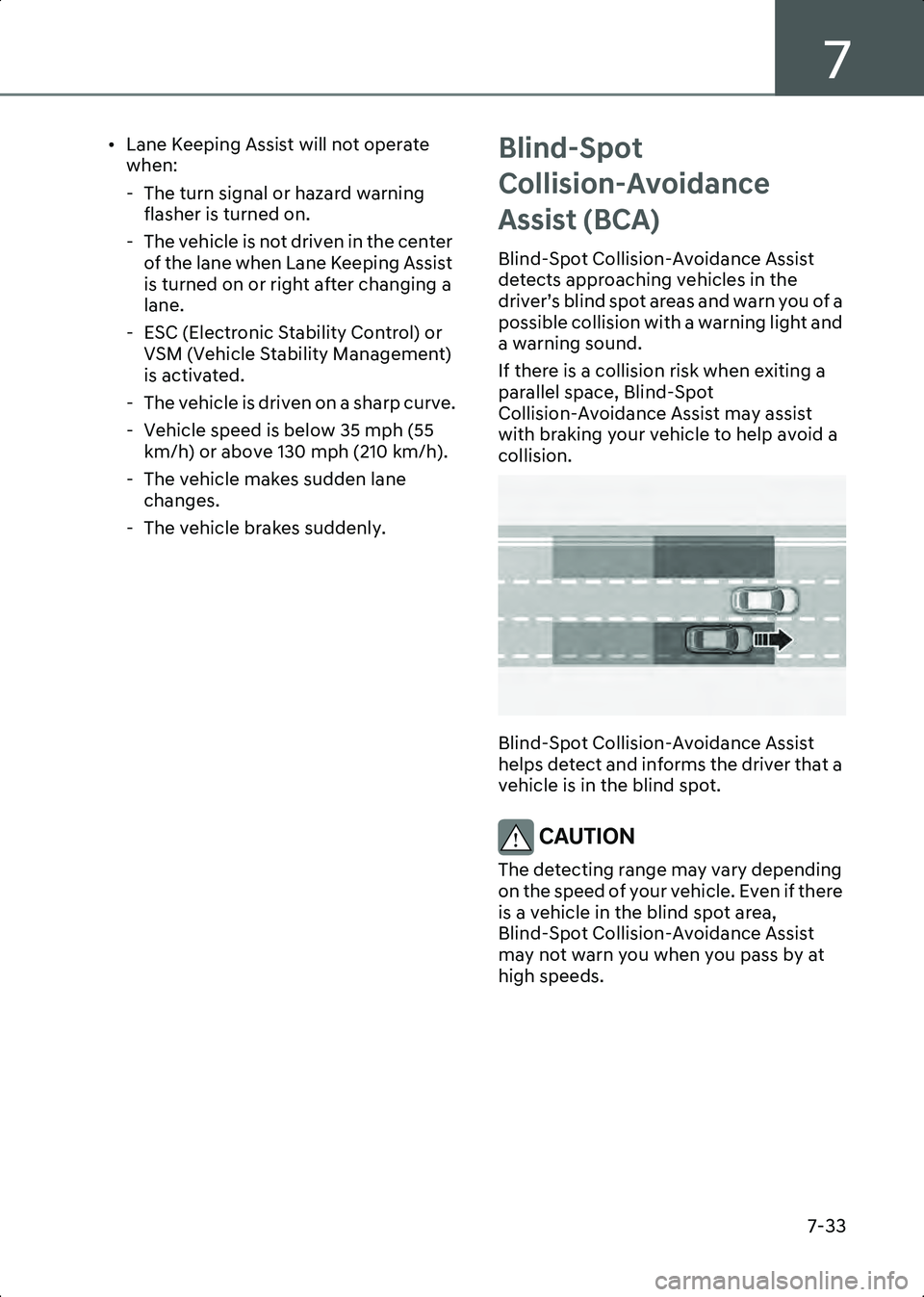
Blind-Spot Collision-Avoidance Assist
detects approaching vehicles in the
driver’s blind spot areas and warn you of a
possible collision with a warning light and
a warning sound.
If there is a collision risk when exiting a
parallel space, Blind-Spot
Collision-Avoidance Assist may assist
with braking your vehicle to help avoid a
collision.
B7001301
Blind-Spot Collision-Avoidance Assist
helps detect and informs the driver that a
vehicle is in the blind spot.
CAUTION The detecting range may vary depending
on the speed of your vehicle. Even if there
is a vehicle in the blind spot area,
Blind-Spot Collision-Avoidance Assist
may not warn you when you pass by at
high speeds.
Hyundai_CE_en_US.book Page 33
Page 381 of 582
7
7-37
• When the turn signal is turned off, the collision warning will be canceled and
Blind-Spot Collision Avoidance Assist
will return to vehicle detection state.
WARNING • The detecting range of the rear corner radar is determined by a standard road
width, therefore, on a narrow road,
Blind-Spot Collision-Avoidance Assist
may detect other vehicles two lanes
over and warn you. In contrast, on a
wide road, Blind-Spot
Collision-Avoidance Assist may not be
able to detect a vehicle driving in the
next lane and may not warn you.
• When the hazard warning flasher is on, the collision warning by the turn signal
will not operate.
Information The images and colors in the instrument
cluster may differ depending on the
instrument cluster type or theme selected from
the settings menu.
Collision-Avoidance Assist (while
exiting parallel spot)
B7001503
• To warn the driver of a collision, the warning light on the side view mirror
will blink and a warning message will
appear on the instrument cluster. At the same time, an audible warning will
sound, warning light on the head-up
display (if equipped) will blink and the
steering wheel will vibrate.
• Emergency braking will be assisted to help prevent collision with the vehicle
in the blind spot area.
• Blind-Spot Collision-Avoidance Assist will operate when your vehicle speed is
below 2 mph (3 km/h) and the speed of
the vehicle in the blind spot area is
above 3 mph (5 km/h).
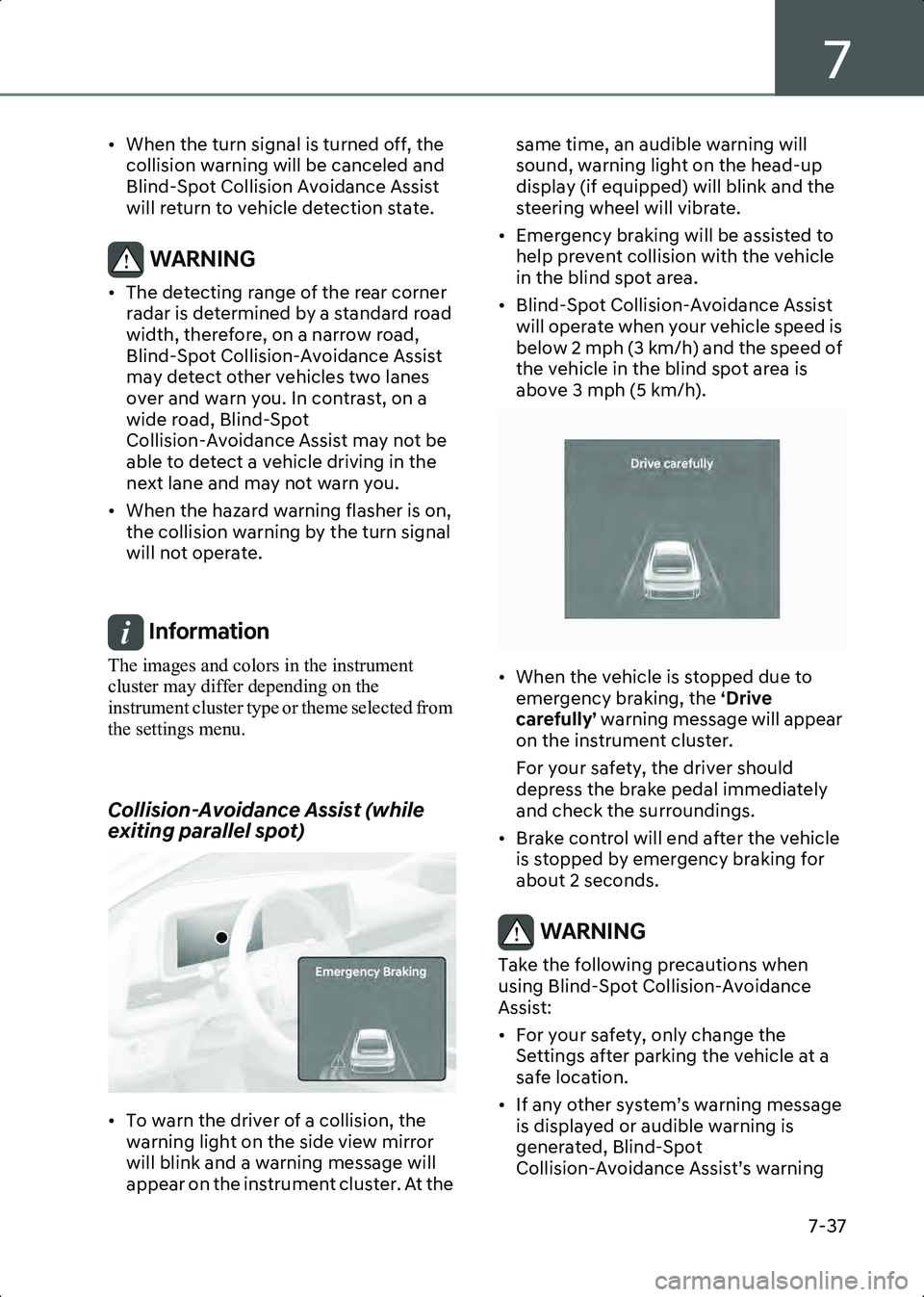
B7001504
• When the vehicle is stopped due to emergency braking, the ‘Drive
carefully’ warning message will appear
on the instrument cluster.
For your safety, the driver should
depress the brake pedal immediately
and check the surroundings.
• Brake control will end after the vehicle is stopped by emergency braking for
about 2 seconds.
WARNING Take the following precautions when
using Blind-Spot Collision-Avoidance
Assist:
• For your safety, only change the Settings after parking the vehicle at a
safe location.
• If any other system’s warning message is displayed or audible warning is
generated, Blind-Spot
Collision-Avoidance Assist’s warning
Hyundai_CE_en_US.book Page 37