2023 HYUNDAI IONIQ 6 section 8
[x] Cancel search: section 8Page 9 of 582

1
1-3
Introduction
Congratulations, and thank you for choosing HYUNDAI. We are pleased to welcome you
to the growing number of discerning people who drive HYUNDAIs. We are very proud of the advanced engineering and high-quality construction of each HYUNDAI we build.
Your Owner’s Manual will introduce you to the features and operation of your new
HYUNDAI. To become familiar with your new HYUNDAI, so that you can fully enjoy it,
read this Owner’s Manual carefully before driving your new vehicle.
This manual contains important safety information and instructions intended to
familiarize you with your vehicle’s controls and safety features so you can safely operate
your vehicle.
This manual also contains information on maintenance designed to enhance safe
operation of the vehicle. It is recommended that all service and maintenance on your car
be performed by an authorized HYUNDAI dealer. HYUNDAI dealers are prepared to
provide high-quality service, maintenance and any other assistance that may be
required.
This Owner’s Manual should be considered a permanent part of your vehicle, and should
be kept in the vehicle so you can refer to it at any time. The manual should stay with the
vehicle if you sell it to provide the next owner with important operating, safety and
maintenance information.
HYUNDAI MOTOR AMERICA
CAUTION Severe vehicle damage may result from the use of poor quality lubricants that do not
meet HYUNDAI specifications. You must always use high quality lubricants that meet the
specifications listed in the Vehicle Specifications section of the Owner’s Manual.
Copyright 2023 HYUNDAI Motor America. All rights reserved. No part of this publication
may be reproduced, stored in any retrieval system or transmitted in any form or by any
means without the prior written permission of HYUNDAI Motor America.
Hyundai_CE_en_US.book Page 3
Page 11 of 582
1
1-5
A100A04L
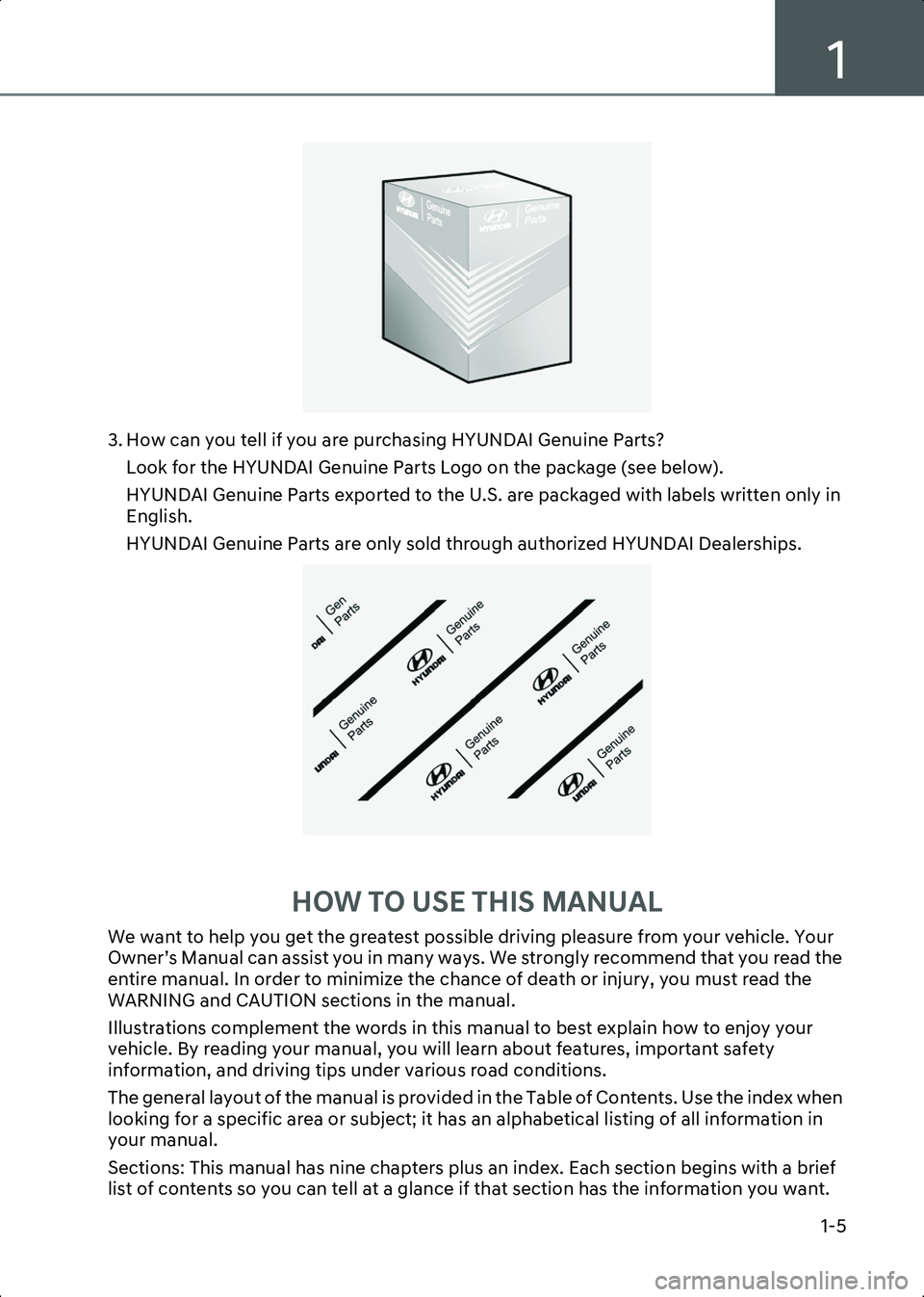
3. How can you tell if you are purchasing HYUNDAI Genuine Parts?Look for the HYUNDAI Genuine Parts Logo on the package (see below).
HYUNDAI Genuine Parts exported to the U.S. are packaged with labels written only in
English.
HYUNDAI Genuine Parts are only sold through authorized HYUNDAI Dealerships.
A100A03L
HOW TO USE THIS MANUAL
We want to help you get the greatest possible driving pleasure from your vehicle. Your
Owner’s Manual can assist you in many ways. We strongly recommend that you read the
entire manual. In order to minimize the chance of death or injury, you must read the
WARNING and CAUTION sections in the manual.
Illustrations complement the words in this manual to best explain how to enjoy your
vehicle. By reading your manual, you will learn about features, important safety
information, and driving tips under various road conditions.
The general layout of the manual is provided in the Table of Contents. Use the index when
looking for a specific area or subject; it has an alphabetical listing of all information in
your manual.
Sections: This manual has nine chapters plus an index. Each section begins with a brief
list of contents so you can tell at a glance if that section has the information you want.
Hyundai_CE_en_US.book Page 5
Page 15 of 582
1
1-9
Understanding Your Electric Vehicle
Electric vehicles are driven using a battery and an electric motor. Understand the
characteristics of your electric vehicle and check the features that you must know before
driving it.
Characteristics of Your Electric Vehicle
The characteristics that differentiate electric vehicles from gasoline vehicles are as
follows:
• Electric vehicles are eco-friendly because they do not use fossil fuels for driving. Additionally, unlike gasoline vehicles, noise and vibration are minimal, and the
vehicle’s lifespan is relatively long.
• When slowing down or driving downhill, regenerative braking is used. Regenerative braking charges the high voltage battery and minimizes energy loss.
• If the high voltage battery is running low, you can charge the vehicle using the AC charger, DC charger, or portable charging cables. For more information, refer to the
"Charging Your Electric Vehicle" section in this chapter.
Information Regenerative braking uses an electric motor when decelerating and braking, and it transforms
kinetic energy to electrical energy in order to charge the high voltage battery.
Battery information
The batteries used in the electric vehicle are as follows:
•High voltage battery (high capacity) : Drives the motor and operates the air
conditioner and heater. It can be charged via an AC charger, DC charger, or portable
charger.
• 12 V battery : Operates all lights, wipers, and audio system. The 12 V battery charge can
also be maintained by the high voltage battery at parked condition at certain
conditions.
Main components of your electric vehicle
The main components of your electric vehicle and their functions are as follows:
• On-Board Charger (OBC) : Charges the high voltage battery by converting the power
grid’s AC power to DC power.
• Inverter : Converts power from direct current (DC) to alternating current (AC) and
supplies power to the motor, and converts power from AC to DC to charge the high
voltage battery during deceleration and braking.
• Low Voltage DC-DC Converter (LDC) : Converts the high voltage battery’s power
source to a low voltage (12 V) power source for supply of power to the electrical devices
on the vehicle.
Hyundai_CE_en_US.book Page 9
Page 27 of 582
1
1-21
Disconnecting the charging connector in an emergency
If the unlock button is not functioning properly due to a discharged battery or abnormal
electrical wiring, the charging connector cannot be disconnected from the vehicle.
CAUTION Do not disconnect the charging connector forcibly. Doing so may damage the charging
connector or the charging inlet on the vehicle.
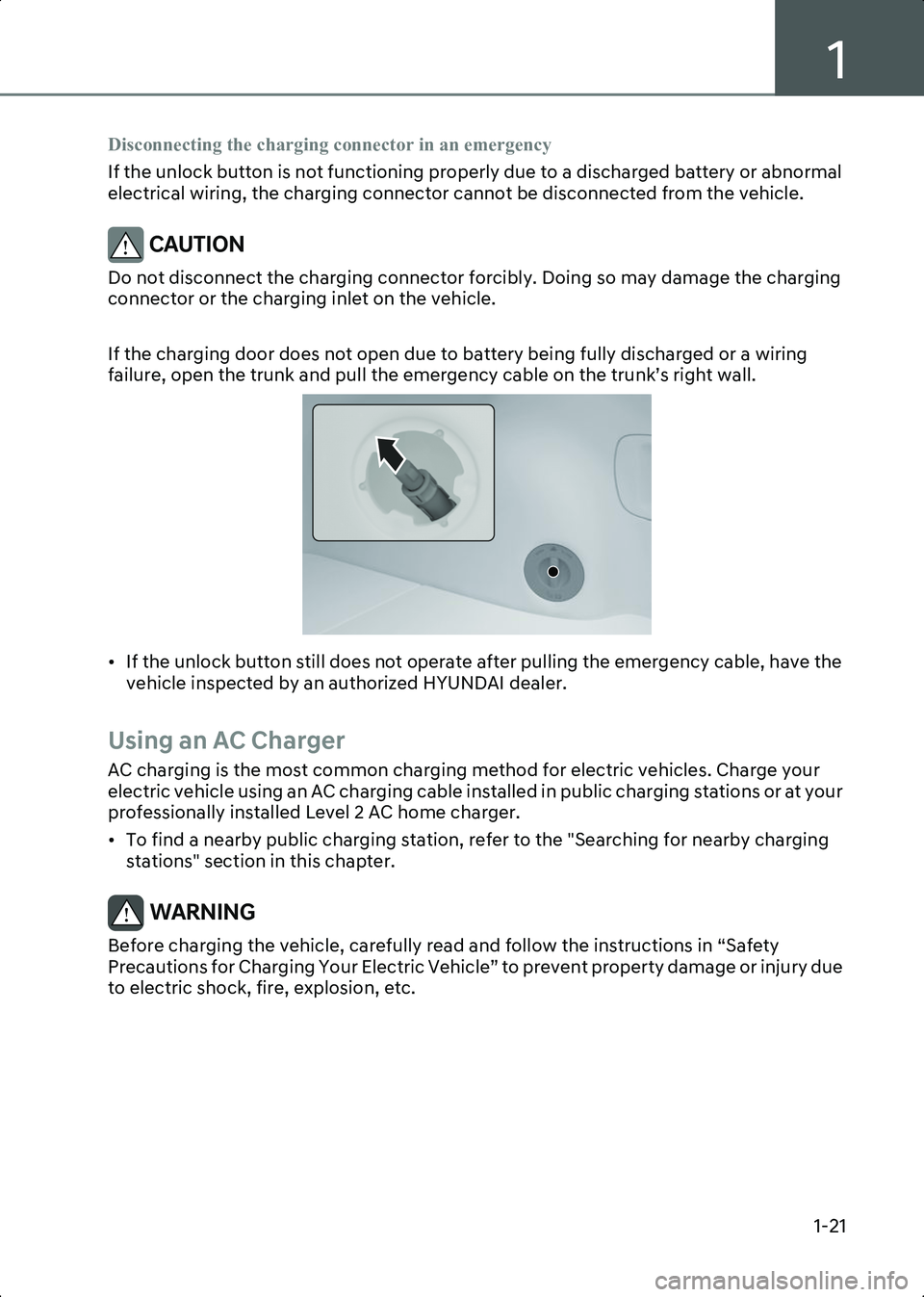
If the charging door does not open due to battery being fully discharged or a wiring
failure, open the trunk and pull the emergency cable on the trunk’s right wall.
B0000904
• If the unlock button still does not operate after pulling the emergency cable, have the vehicle inspected by an authorized HYUNDAI dealer.
Using an AC Charger
AC charging is the most common charging method for electric vehicles. Charge your
electric vehicle using an AC charging cable installed in public charging stations or at your
professionally installed Level 2 AC home charger.
• To find a nearby public charging station, refer to the "Searching for nearby charging stations" section in this chapter.
WARNING Before charging the vehicle, carefully read and follow the instructions in “Safety
Precautions for Charging Your Electric Vehicle” to prevent property damage or injury due
to electric shock, fire, explosion, etc.
Hyundai_CE_en_US.book Page 21
Page 30 of 582

Introduction/Getting Started with Your Electric Vehicle
1-24
Information • If the charging connector locking mode is set to Always or While Charging , unlock the door
by pressing the button on the smart key or the button on the driver’s door, and disconnect the
charging connector from the charging inlet.
- For more information, refer to the "Setting charging connector locking mode" section in this chapter.
• During AC charging, the quality of radio reception may degrade in some areas.
Using a DC Charger
If you need to charge the vehicle in a shorter time, you can charge at high speeds using
a DC charger installed in public charging stations.
• To find a nearby charging station, refer to the "Searching for nearby charging stations" section in this chapter.
WARNING Before charging the vehicle, carefully read and follow the instructions in “Setting
charging connector locking mode” to prevent property damage or injury due to electric
shock, fire, explosion, etc.
CAUTION Battery performance and life may deteriorate if the DC charger is used constantly. Use
AC charging unless DC charging is necessary.
Hyundai_CE_en_US.book Page 24
Page 32 of 582
Introduction/Getting Started with Your Electric Vehicle
1-26
6. When charging is complete, hold the charging connector handle with the unlock button pressed and pull on the charging connector to disconnect it from the charging
inlet.
• Depending on the DC charger types, some DC chargers may not have a charger connector unlock button so it may be necessary to stop at the DC charger control
panel or by charger company's app.
CAUTION Before disconnecting the charging connector, check if there is an unlock button on the
connector handle. If the connector handle is equipped with an unlock button, forcibly
disconnecting the connector without pressing the button may damage the charging
connector or charging inlet on the vehicle.
NOTICE • For more information, refer to the “Setting charging connector locking mode” section in this chapter.
7. Close the charging inlet cover.
8. Press the charging door to completely close it.
Using a Portable Charger (ICCB)
If the vehicle cannot be moved to a public charging station, you can charge the vehicle
using a separately purchased In-Cable Control Box (ICCB) in places where general power
(AC 120 V) is supplied.
WARNING Before charging the vehicle, carefully read and follow the instructions in “Setting
charging connector locking mode” to prevent property damage or injury due to electric
shock, fire, explosion, etc.
CAUTION To prevent property damage or injury due to fire or explosion, follow the instructions
below.
• Only use a genuine HYUNDAI portable charger (if equipped).
• Do not let children operate or touch the portable charger. Doing so may lead to unexpected accidents.
• Try to avoid using an extension cord, but if you must use to reach a 120 V outlet, ensure it is a medium to heavy duty grounded extension cord rated at 15 A minimum.
• The charger power you are using must comply with regulations and safely accommodate the Voltage, Current (Amps), and Power (Watts) ratings. If not, the
vehicle may not be charged or safety hazards, such as fire, may occur.
Hyundai_CE_en_US.book Page 26
Page 37 of 582

1
1-31
WARNING Do not touch interior of the charging connector of the charging cable or the charging
inlet of the vehicle.
7. Remove the charging connector protection cap of the portable charging cable, hold the charging connector handle, and connect it to the AC charging inlet of the vehicle.
Push it until you hear a click.
• When charging starts, the estimated charging time will be displayed on the instrument cluster for about one minute.
Information • If you open the driver’s door while charging, the estimated charging time will also be displayed on the instrument cluster for about one minute.
• When scheduled charging is set, a message saying “Waiting to charge at scheduled time” will be displayed.
• When scheduled air conditioner or heater operates while waiting for the scheduled charging, the estimated charging time will be displayed as ‘-’.
8. When charging is complete, hold the charging connector handle with the unlock button pressed and pull on the charging connector to disconnect it from the charging
inlet.
Information If you have set the charging connector locking mode as Alwaysor While Charging , unlock the
door by pressing the button on the smart key or the button on the driver’s door, and disconnect
the charging connector from the charging inlet.
• For more information, refer to the “Setting charging connector locking mode” section in this chapter.
9. Close the charging inlet cover.
10.Press the charging door to completely close it.
Using the scheduled charging function
The scheduled charging function allows you to charge your vehicle using low cost, late
night power until the next departure time.
Information You can use the scheduled charging function only when using an AC charger or the portable
charger (ICCB: In-Cable Control Box). For more information about connecting an AC charger and
portable charger, refer to the “Using an AC Charger”and “Using a Portable Charger (ICCB)”
section in this chapter.
Hyundai_CE_en_US.book Page 31
Page 38 of 582
Introduction/Getting Started with Your Electric Vehicle
1-32
On the infotainment system, select EV > Scheduled Charging and Climate > Scheduled
Charging , set the date and time of when to charge the battery, and select an option.
• For more information, refer to the “Setting Scheduled Charging and Climate” section in this chapter.
• When scheduled charging is set and the AC charger or the portable charger (ICCB) is connected for charging, the indicator light gradually illuminates for three minutes to
indicate that scheduled charging is set.
• When scheduled charging is set, charging is not started immediately when the AC charger or portable charger (ICCB) is connected. To charge the vehicle immediately,
select EV > Scheduled Charging and Climate > Scheduled Charging on the screen and
deactivate the scheduled charge setting.
Information • You can set up or cancel scheduled charging using the HYUNDAI BlueLink app on your smartphone. For more information, refer to the user's manual provided in the infotainment
system and the quick reference guide.
• Charging may start immediately after a charger is connected to the vehicle, depending on the charging time calculated when setting up the scheduled charging.
Hyundai_CE_en_US.book Page 32