2023 HYUNDAI IONIQ 5 climate control
[x] Cancel search: climate controlPage 299 of 680
05
5-107
Information
Operating the system primarily in Fresh
mode is recommended. Use Recirculation mode temporarily only when needed.
Prolonged operation of the heater in
Recirculation mode and without the air conditioning ON can cause fogging of the
windshield. In addition, prolonged use of
the air conditioning ON in Recirculation
mode may result in excessively dry,
dehumidified air in the cabin and may
promote formation of musty vent odor due
to stagnant air.
WARNING
• Continued use of the climate control
system operation in Recirculation
mode for a prolonged period of
time may cause drowsiness to the
occupants in the cabin. This may lead
to loss of vehicle control which may
lead to an accident.
• Continued use of the climate control
system operation in Recirculation
mode with the air conditioning OFF
may allow humidity to increase
inside the cabin. This may cause
condensation to accumulate on the
windshield and obscure visibility.
• Do not sleep in your vehicle or
remain parked in your vehicle with
the windows up and either the
heater or the air conditioning ON for
prolonged periods of time. Doing so
may increase the levels of carbon
dioxide in the cabin which may lead
to serious injury or death.
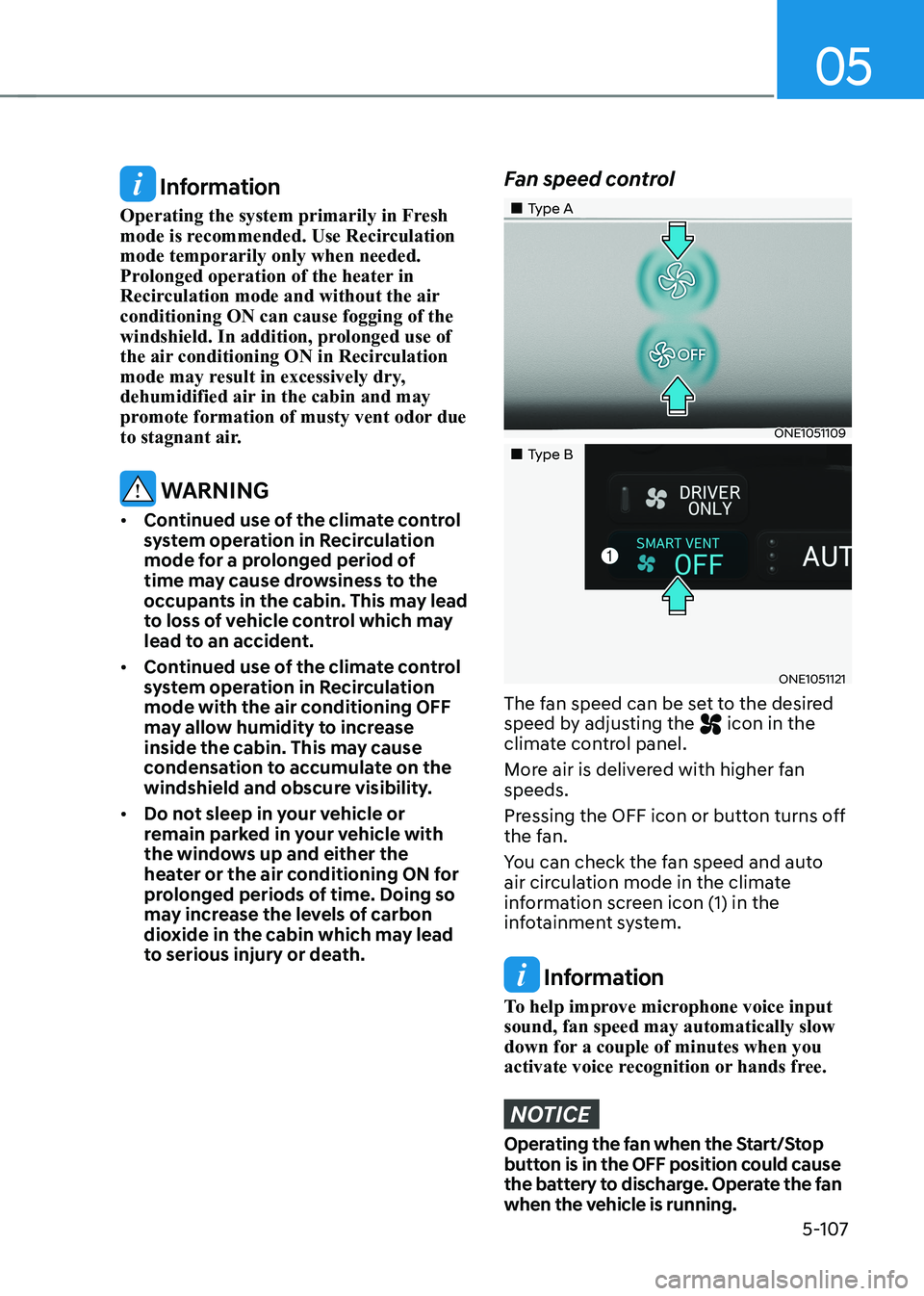
Fan speed control
„„Type A
ONE1051109
„„Type B
ONE1051121
The fan speed can be set to the desired
speed by adjusting the
icon in the
climate control panel.
More air is delivered with higher fan speeds.
Pressing the OFF icon or button turns off
the fan.
You can check the fan speed and auto
air circulation mode in the climate
information screen icon (1) in the
infotainment system.
Information
To help improve microphone voice input sound, fan speed may automatically slow
down for a couple of minutes when you
activate voice recognition or hands free.
NOTICE
Operating the fan when the Start/Stop
button is in the OFF position could cause
the battery to discharge. Operate the fan
when the vehicle is running.
Page 300 of 680
Convenience Features
5-108
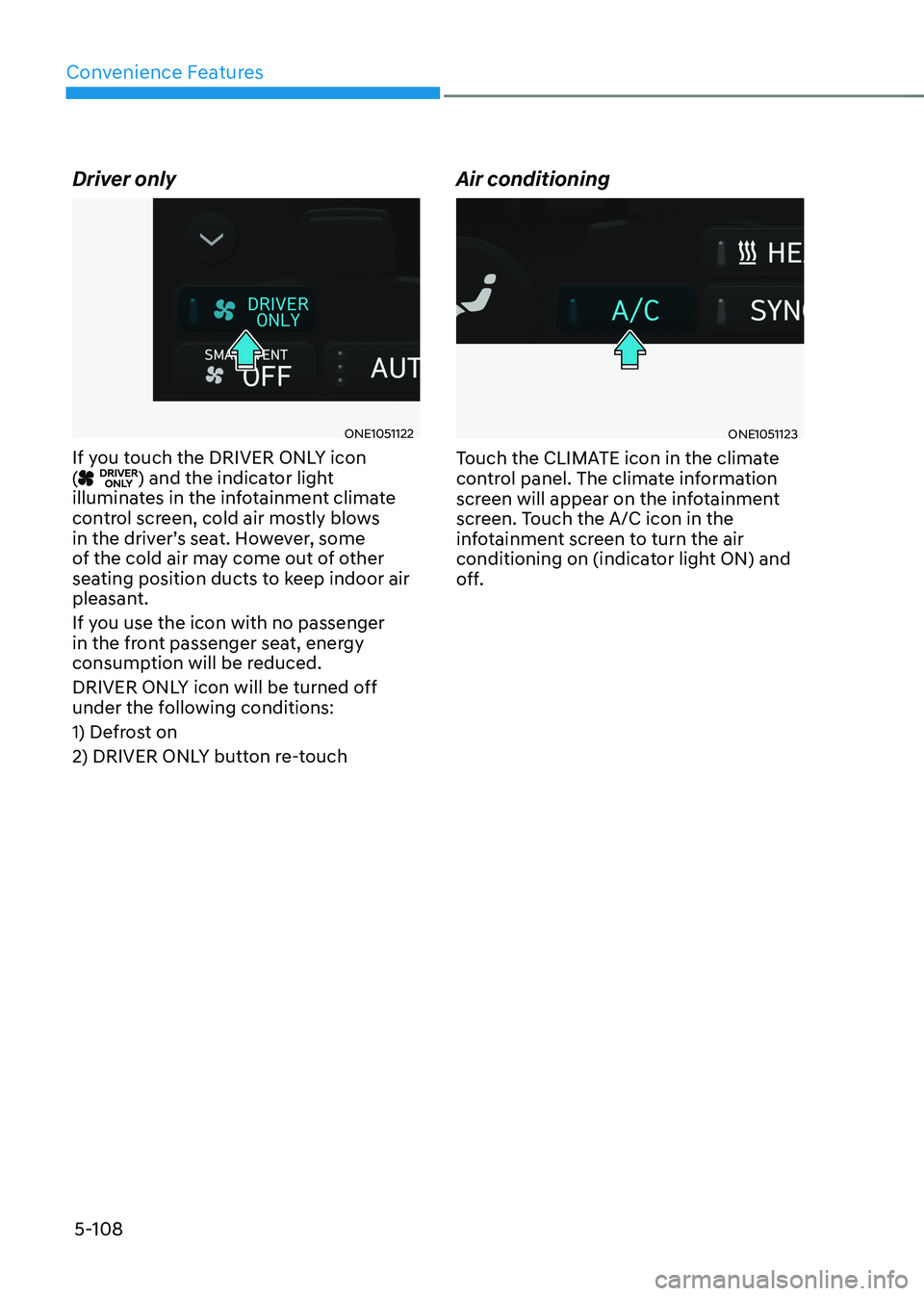
Driver only
ONE1051122
If you touch the DRIVER ONLY icon (
) and the indicator light
illuminates in the infotainment climate
control screen, cold air mostly blows
in the driver’s seat. However, some
of the cold air may come out of other
seating position ducts to keep indoor air
pleasant.
If you use the icon with no passenger
in the front passenger seat, energy
consumption will be reduced.
DRIVER ONLY icon will be turned off
under the following conditions:
1) Defrost on
2) DRIVER ONLY button re-touch Air conditioning
ONE1051123
Touch the CLIMATE icon in the climate
control panel. The climate information
screen will appear on the infotainment
screen. Touch the A/C icon in the
infotainment screen to turn the air
conditioning on (indicator light ON) and
off.
Page 301 of 680
05
5-109
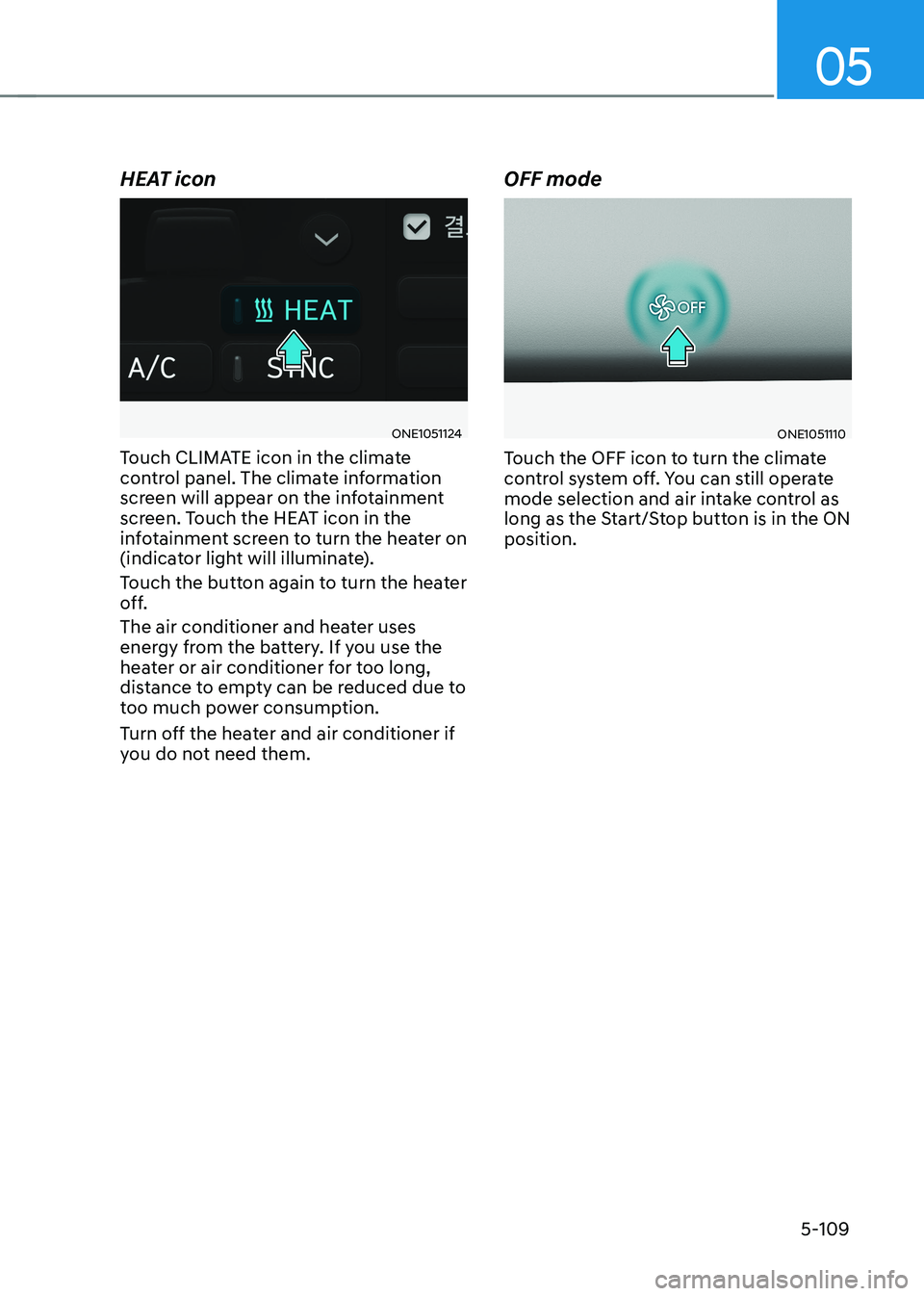
HEAT icon
ONE1051124
Touch CLIMATE icon in the climate
control panel. The climate information
screen will appear on the infotainment
screen. Touch the HEAT icon in the
infotainment screen to turn the heater on
(indicator light will illuminate).
Touch the button again to turn the heater
off.
The air conditioner and heater uses
energy from the battery. If you use the
heater or air conditioner for too long,
distance to empty can be reduced due to
too much power consumption.
Turn off the heater and air conditioner if
you do not need them. OFF modeONE1051110
Touch the OFF icon to turn the climate
control system off. You can still operate
mode selection and air intake control as
long as the Start/Stop button is in the ON position.
Page 302 of 680
Convenience Features
5-110
System Operation
Cooling / Ventilation
1. Select the Face Level (
) mode in the
infotainment screen.
2. Set the air intake control to fresh or recirculation mode.
3. Set the temperature to the desired position.
4. Set the fan speed to the desired speed.
Heating
1. Select the Floor Level (
) mode in
the infotainment screen.
2. Set the air intake control to fresh or recirculation mode.
3. Set the temperature to the desired position.
4. Set the fan speed to the desired speed.
5. If desired, turn the air conditioning ON
with the temperature set high in order
to dehumidify the air before it enters
into the cabin.
If the windshield fogs up, select the Front
Defrost (
) mode.
Operation Tips
• To keep dust or unpleasant fumes
from entering the vehicle through the
ventilation system, temporarily set the
air intake control to the recirculation
mode. Return the control to the
Recirculation mode to the Fresh mode
when the unpleasant air outside has
diminished. This will help keep the
driver alert and comfortable.
• To help prevent the inside of the
windshield from fogging, set the air
intake control to fresh mode and the
fan speed to the desired position, turn
on the air conditioning system, and
adjust the temperature control to the
desired temperature. Air conditioning
Your HYUNDAI Vehicle air conditioning
system is filled with R-1234yf refrigerant.
1. Touch the [CLIMATE] icon to display
climate information the infotainment
screen.
2. Select A/C icon (indicator light ON) in the climate information screen to
activate the air-condition.
3. Set the temperature low.
4. Set the direction of air flow by
touching the mode selection icon.
5. Touch the HEAT icon (indicator light OFF) to turn on the air-condition.
When maximum cooling is desired, set
the temperature to the lowest position,
then set the fan speed control to the
highest setting.
Air conditioning system operation tips
• If the vehicle has been parked in
direct sunlight during hot weather,
open the windows for a short time
to let the hot air inside the vehicle escape.
• After sufficient cooling has been
achieved, switch back from
recirculation mode to fresh mode.
• To help reduce moisture inside of
the windows on rainy or humid
days, decrease the humidity inside
the vehicle by operating the air
conditioning system with the windows
and sunroof closed.
• Use the air conditioning system
every month only for a few minutes
to ensure maximum system
performance.
• If you operate air conditioner
excessively, the difference between
the temperature of the outside air and
that of the windshield could cause
the outer surface of the windshield to
fog up, causing loss of visibility. In this
case, set the mode selection to the
position and fan speed control to the
lowest speed.
Page 303 of 680
![HYUNDAI IONIQ 5 2023 Owners Manual 05
5-111
System Maintenance
Climate control air filter
OHI048581L
[A] : Outside air, [B] : Recirculated air
[C] : Climate control air filter, [D] : Blower
[E] : Evaporator core, [F] : PTC & Inner con](/manual-img/35/56168/w960_56168-302.png "HYUNDAI IONIQ 5 2023 Owners Manual 05
5-111
System Maintenance
Climate control air filter
OHI048581L
[A] : Outside air, [B] : Recirculated air
[C] : Climate control air filter, [D] : Blower
[E] : Evaporator core, [F] : PTC & Inner con")
05
5-111
System Maintenance
Climate control air filter
OHI048581L
[A] : Outside air, [B] : Recirculated air
[C] : Climate control air filter, [D] : Blower
[E] : Evaporator core, [F] : PTC & Inner condenser
The cabin air filter is installed behind the
front trunk. It filters the dust or other
pollutants that enter the vehicle through
the heating and air conditioning system.
Have the cabin air filter replaced by an
authorized HYUNDAI dealer according to
the maintenance schedule. If the vehicle
is being driven in severe conditions such
as dusty or rough roads, more frequent
cabin air filter inspections and changes
are required.
If the air flow rate suddenly decreases,
have the system inspected at an
authorized HYUNDAI dealer.
Checking the amount of air
conditioner refrigerant and
compressor lubricant
When the amount of refrigerant is low,
the performance of the air conditioning
is reduced. Overfilling also reduces the
performance of the air conditixoning
system.
Therefore, if abnormal operation is
found, have the system inspected by an
authorized HYUNDAI dealer.
NOTICE
It is important that the correct type and
amount of oil and refrigerant is used.
Otherwise, damage to the compressor
and abnormal system operation may
occur. To prevent damage, the air
conditioning system in your vehicle
should only be serviced by trained and
certified technicians.
NOTICE
The refrigerant system should only
be serviced by trained and certified
technicians to insure proper and safe
operation.
The refrigerant system should be
serviced in a well-ventilated place.
The air conditioning evaporator (cooling
coil) shall never be repaired or replaced
with one removed from a used or
salvaged vehicle and new replacement
MAC evaporators shall be certified
(and labeled) as meeting SAE Standard J2842.
Page 308 of 680
Convenience Features
5-116
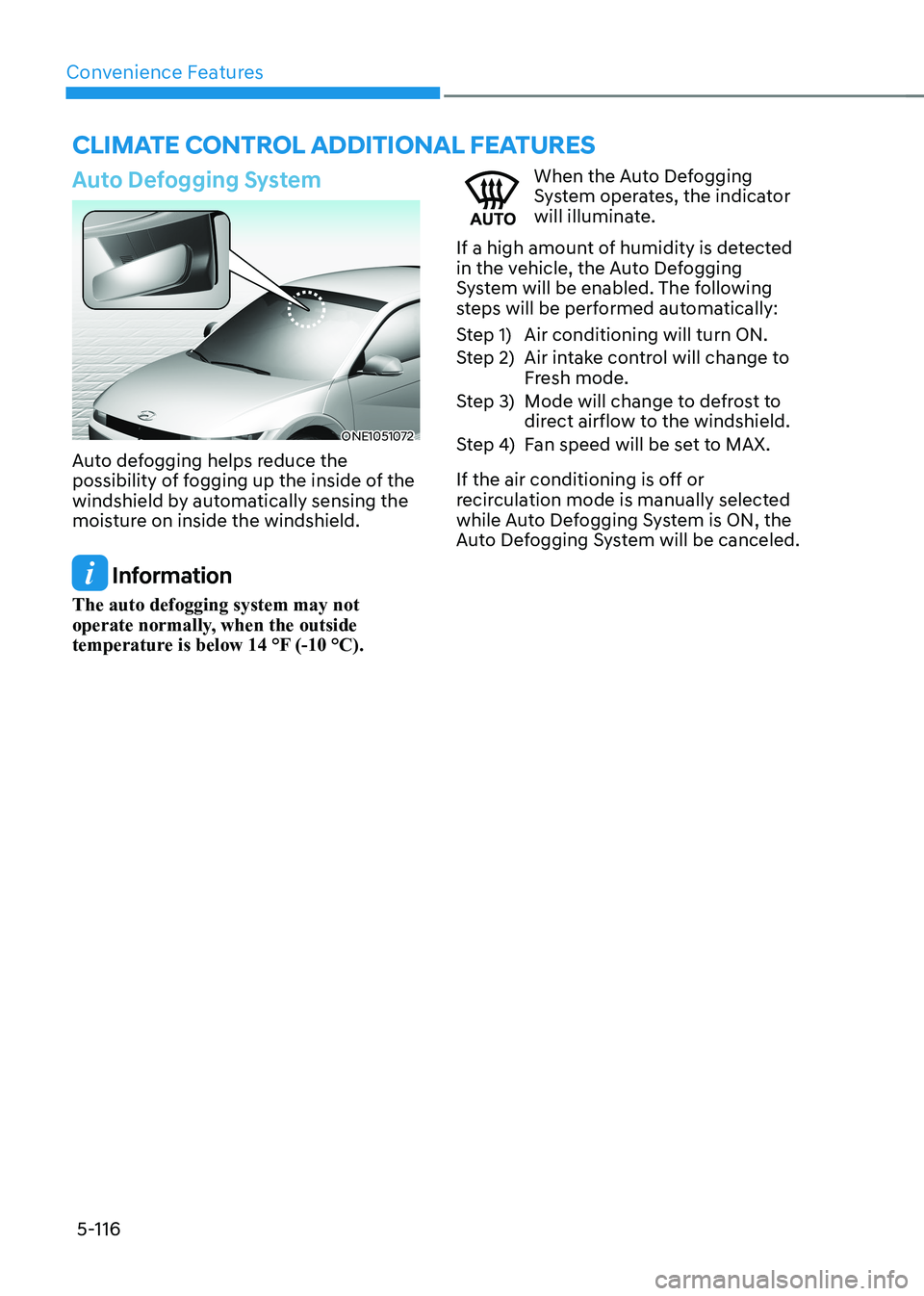
Auto Defogging System
ONE1051072
Auto defogging helps reduce the
possibility of fogging up the inside of the
windshield by automatically sensing the
moisture on inside the windshield.
Information
The auto defogging system may not
operate normally, when the outside
temperature is below 14 °F (-10 °C).
When the Auto Defogging
System operates, the indicator
will illuminate.
If a high amount of humidity is detected
in the vehicle, the Auto Defogging
System will be enabled. The following
steps will be performed automatically:
Step 1) Air conditioning will turn ON.
Step 2) Air intake control will change to Fresh mode.
Step 3) Mode will change to defrost to direct airflow to the windshield.
Step 4) Fan speed will be set to MAX.
If the air conditioning is off or
recirculation mode is manually selected
while Auto Defogging System is ON, the
Auto Defogging System will be canceled.
clImaTe conTrol addITIonal feaTUres
Page 309 of 680

05
5-117
Turning the Auto Defogging System ON or OFF
Climate control system
Touch the front windshield defroster
icon for 3 seconds when the Start/Stop
button is in the ON position. When the
Auto Defogging System is turned off, the
ADS OFF symbol will blink 3 times and
ADS OFF will be displayed on the climate
control information screen.
When the Auto Defogging System is
turned on, the ADS OFF symbol will blink 6 times without a signal.
Infotainment system
Auto Defogging System can be turned
on and off by selecting ‘Setup →
Vehicle Settings → Climate → Defog/
Defrost Options → Auto Defog’ from the
infotainment system screen.
For detailed information, refer to the
separately supplied infotainment
system manual.
Information
• When the air conditioning is turned
on by Auto Defogging System, if you
try to turn off the air conditioning, the
indicator will blink 3 times and the air conditioning will not be turned off.
• To maintain the effectiveness and
efficiency of the Auto Defogging
System, do not select Recirculation mode while the system is operating.
• When Auto Defogging System is operating, fan speed adjustment,
temperature adjustment, and air intake
control selection are all disabled.
NOTICE
Do not remove the sensor cover located
on the upper end of the windshield glass.
Damage to system parts could occur
and may not be covered by your vehicle
warranty.
Auto Dehumidify (if equipped)
To increase cabin air quality and reduce
windshield misting, recirculation mode
switches off automatically after about
5 minutes, depending on the outside
temperature, and the air intake will
change to fresh mode.
Turning Auto Dehumidify ON or OFF
Climate control system
To turn the Auto Dehumidify feature on
or off, select Face level () mode and
touch the air intake control icon at least
five times within three seconds. When
Auto Dehumidify is turned on, the air
intake control button indicator will blink
6 times. When turned off, the indicator will blink 3 times.
Infotainment system
Auto Dehumidify can be turned on and
off by selecting ‘Setup → Vehicle Settings
→ Climate → Automatic Ventilation →
Auto Dehumidify’ from the infotainment
system screen.
Information
If the battery (12V) is discharged or
disconnected, Auto dehumidify settings
will be reset. Readjust the settings to
turning Auto dehumidify option ON or
OFF.
For detailed information, refer to the separately supplied infotainment system manual.
Page 310 of 680

Convenience Features
5-118
Recirculating Air When Washer
Fluid Is Used
Recirculation mode automatically
activates to reduce any objectionable
scent of the washer fluid from entering
the cabin when the windshield washer is used.
Turning Activate upon Washer Fluid
Use ON or OFF
Activate upon Washer Fluid Use can be
turned on and off by selecting ‘Setup →
Vehicle Settings → Climate → Recirculate
Air → Activate upon Washer Fluid Use
(or Interlocking washer fluid)’ from the
infotainment system screen.
For detailed information, refer to the
separately supplied infotainment
system manual.
Auto. Controls That Use Climate
Control Settings (for driver’s
seat)
The temperature of the driver’s seat
warmer, air ventilated seat and heated
steering wheel is automatically
controlled depending on the inside and
outside temperature of the vehicle when
the vehicle is running.
To use these features, it must be
enabled from the Settings menu in the
infotainment system screen. Select: - Setup → Vehicle Settings → Seat →
Heated/Ventilated Features → Heated/
Ventilated Features → Auto. Controls
That Use Climate Control Settings
For more details on Auto Comfort
Control, refer to “Seat Warmers” and
“Air ventilation seats” section in chapter
3 and “Heated Steering Wheel” section
in this chapter.
Smart ventilation
The smart ventilation system maintains
pleasant/fresh air condition inside
the passenger compartment by
automatically detecting/controlling
the temperature and humidity, when
you drive the vehicle with the climate
control system in the OFF position.
When the smart ventilation system
starts to operate, the message “SMART
VENTILATION ON” appears for 5 seconds. • The smart ventilation system stops
operating, when the BLOWER DOWN
OFF button of the climate control
system is selected.
• The smart ventilation system stops
operating, when any button of the
climate control system is selected for
operation.
• The smart ventilation system may not
operate, when the vehicle is driven at
low speed.