Page 108 of 533
3-25
Convenient features of your vehicle
3
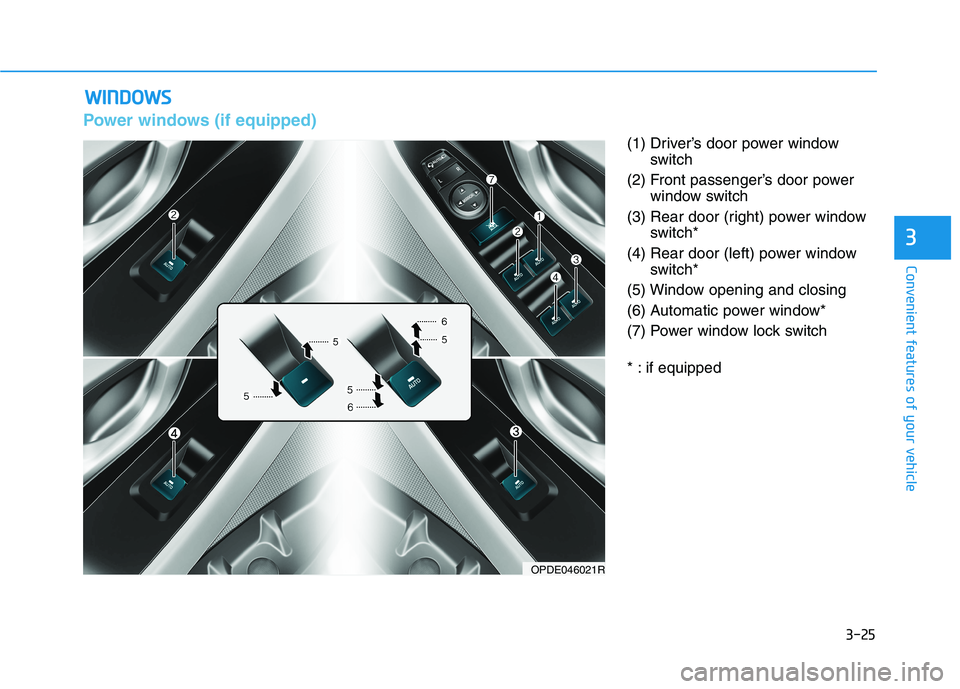
Power windows (if equipped)
(1) Driver’s door power window
switch
(2) Front passenger’s door power
window switch
(3) Rear door (right) power window
switch*
(4) Rear door (left) power window
switch*
(5) Window opening and closing
(6) Automatic power window*
(7) Power window lock switch
* : if equipped
W WI
IN
ND
DO
OW
WS
S
OPDE046021R
Page 110 of 533
3-27
Convenient features of your vehicle
3
Auto down window (if equipped)
Pressing the power window switch
momentarily to the second detent
position (6) completely lowers the
window even when the switch is
released. To stop the window at the
desired position whilst the window is
in operation, pull up or press down
and release the switch.
Auto up/down window
(if equipped)
Pressing or pulling up the power win-
dow switch momentarily to the sec-
ond detent position (6) completely
lowers or lifts the window even when
the switch is released. To stop the
window at the desired position whilst
the window is in operation, pull up or
press down and release the switch.
To reset the power windows
If the power windows do not operate
normally, the automatic power win-
dow system must be reset as follows:
1. Place the ignition switch to the ON
position.
2. Close the window and continue
pulling up on the power window
switch for at least one second.
If the power windows do not operate
properly after resetting, it is recom-
mended that the system be checked
by an authorised HYUNDAI dealer.
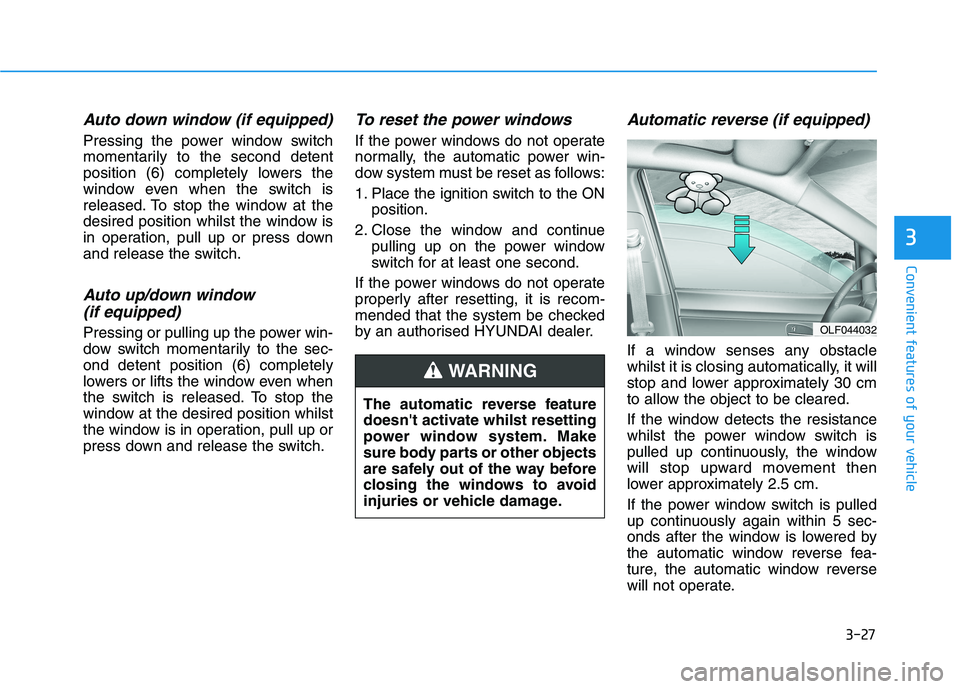
Automatic reverse (if equipped)
If a window senses any obstacle
whilst it is closing automatically, it will
stop and lower approximately 30 cm
to allow the object to be cleared.
If the window detects the resistance
whilst the power window switch is
pulled up continuously, the window
will stop upward movement then
lower approximately 2.5 cm.
If the power window switch is pulled
up continuously again within 5 sec-
onds after the window is lowered by
the automatic window reverse fea-
ture, the automatic window reverse
will not operate.
OLF044032
The automatic reverse feature
doesn't activate whilst resetting
power window system. Make
sure body parts or other objects
are safely out of the way before
closing the windows to avoid
injuries or vehicle damage.
WARNING
Page 111 of 533
3-28
Convenient features of your vehicle
Information
The automatic reverse feature is only
active when the “Auto Up” feature is
used by fully pulling up the switch to
the second detent.
Do not install any accessories on
the windows. The automatic reverse
feature may not operate.
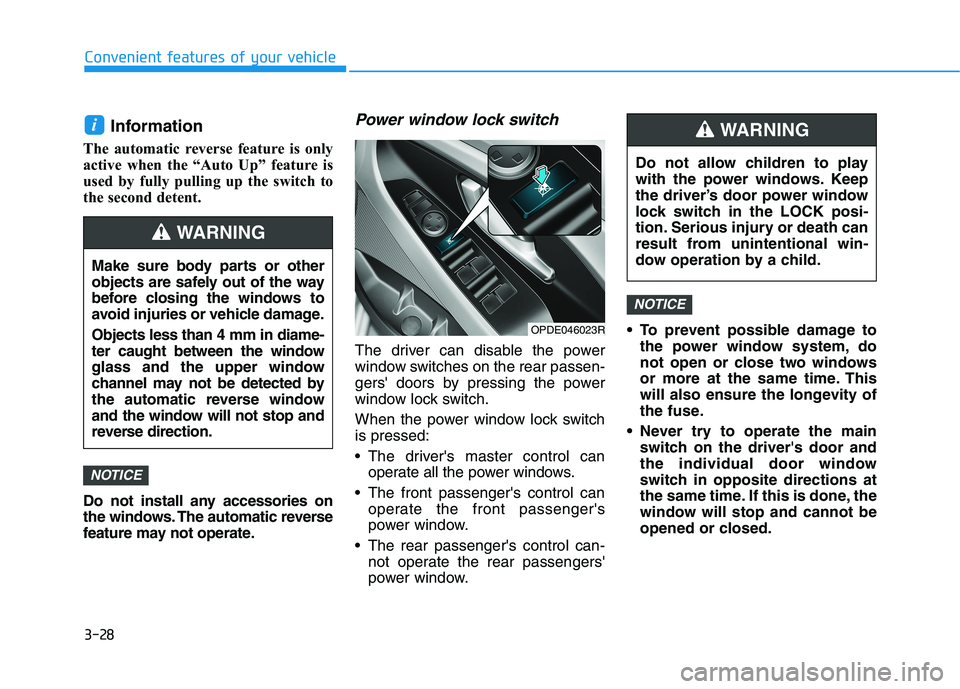
Power window lock switch
The driver can disable the power
window switches on the rear passen-
gers' doors by pressing the power
window lock switch.
When the power window lock switch
is pressed:
The driver's master control can
operate all the power windows.
The front passenger's control can
operate the front passenger's
power window.
The rear passenger's control can-
not operate the rear passengers'
power window. To prevent possible damage to
the power window system, do
not open or close two windows
or more at the same time. This
will also ensure the longevity of
the fuse.
Never try to operate the main
switch on the driver's door and
the individual door window
switch in opposite directions at
the same time. If this is done, the
window will stop and cannot be
opened or closed.
NOTICE
NOTICE
i
Make sure body parts or other
objects are safely out of the way
before closing the windows to
avoid injuries or vehicle damage.
Objects less than 4 mm in diame-
ter caught between the window
glass and the upper window
channel may not be detected by
the automatic reverse window
and the window will not stop and
reverse direction.
WARNING
Do not allow children to play
with the power windows. Keep
the driver’s door power window
lock switch in the LOCK posi-
tion. Serious injury or death can
result from unintentional win-
dow operation by a child.
WARNING
OPDE046023R
Page 115 of 533
3-32
Convenient features of your vehicle
When the sunshade is opened
If you pull the sunroof control lever
rearward, the sunroof glass will slide
all the way open. To stop the sunroof
movement at any point, pull or push
the sunroof control lever momentarily.
Information
Only the front glass of the panorama
sunroof opens and closes.
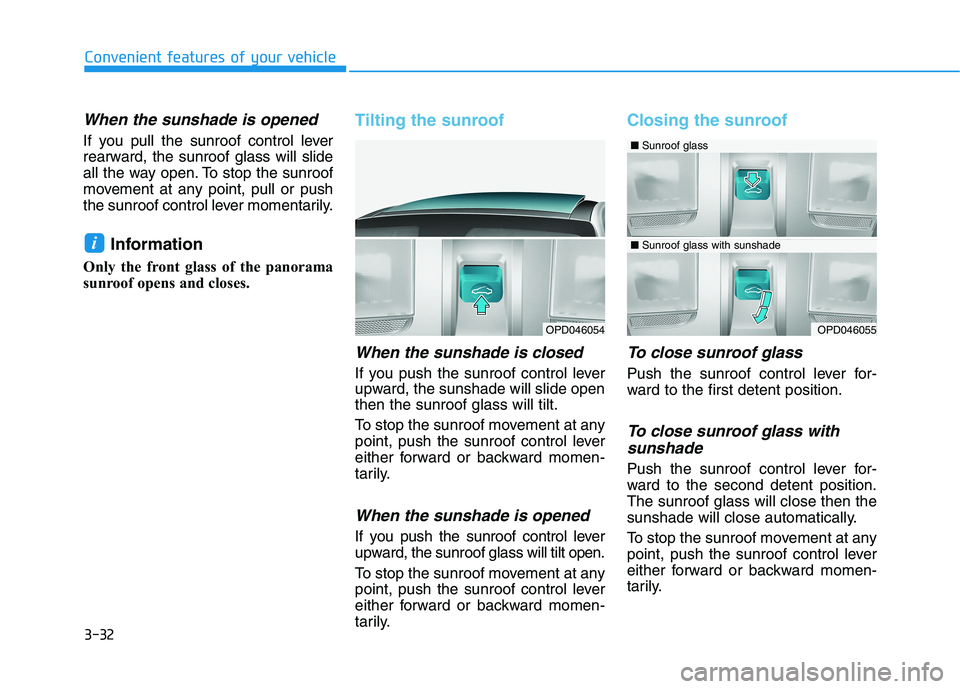
Tilting the sunroof
When the sunshade is closed
If you push the sunroof control lever
upward, the sunshade will slide open
then the sunroof glass will tilt.
To stop the sunroof movement at any
point, push the sunroof control lever
either forward or backward momen-
tarily.
When the sunshade is opened
If you push the sunroof control lever
upward, the sunroof glass will tilt open.
To stop the sunroof movement at any
point, push the sunroof control lever
either forward or backward momen-
tarily.
Closing the sunroof
To close sunroof glass
Push the sunroof control lever for-
ward to the first detent position.
To close sunroof glass with
sunshade
Push the sunroof control lever for-
ward to the second detent position.
The sunroof glass will close then the
sunshade will close automatically.
To stop the sunroof movement at any
point, push the sunroof control lever
either forward or backward momen-
tarily.
i
OPD046054OPD046055
■Sunroof glass
■Sunroof glass with sunshade
Page 116 of 533
3-33
Convenient features of your vehicle
3
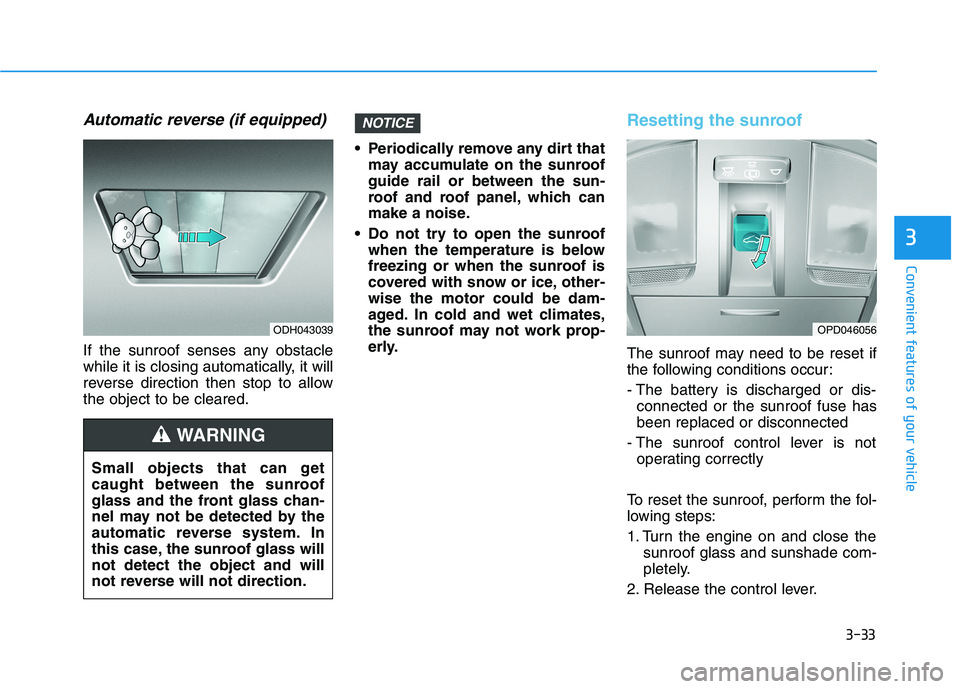
Automatic reverse (if equipped)
If the sunroof senses any obstacle
while it is closing automatically, it will
reverse direction then stop to allow
the object to be cleared. Periodically remove any dirt that
may accumulate on the sunroof
guide rail or between the sun-
roof and roof panel, which can
make a noise.
Do not try to open the sunroof
when the temperature is below
freezing or when the sunroof is
covered with snow or ice, other-
wise the motor could be dam-
aged. In cold and wet climates,
the sunroof may not work prop-
erly.
Resetting the sunroof
The sunroof may need to be reset if
the following conditions occur:
- The battery is discharged or dis-
connected or the sunroof fuse has
been replaced or disconnected
- The sunroof control lever is not
operating correctly
To reset the sunroof, perform the fol-
lowing steps:
1. Turn the engine on and close the
sunroof glass and sunshade com-
pletely.
2. Release the control lever.
NOTICE
Small objects that can get
caught between the sunroof
glass and the front glass chan-
nel may not be detected by the
automatic reverse system. In
this case, the sunroof glass will
not detect the object and will
not reverse will not direction.
WARNING
OPD046056ODH043039
Page 122 of 533

3-39
Convenient features of your vehicle
3
Closing the fuel filler door
1. To install the fuel tank cap, turn it
clockwise until it “clicks” one time.
2. Close the fuel filler door until it is
latched securely.
Petrol is highly flammable and
explosive. Failure to follow
these guidelines may result in
SERIOUS INJURY or DEATH:
Read and follow all warnings
posted at the service station.
Before refuelling, note the
location of the Emergency
Petrol Shut-Off, if available, at
the service station.
Before touching the fuel noz-
zle, you should eliminate the
potential build-up of static
electricity by touching a metal
part of the vehicle, a safe dis-
tance away from the fuel filler
neck, nozzle, or other fuel
source, with your bare hand.
(Continued)
WARNING
(Continued)
When refuelling, always move
the shift lever to the P (Park)
position (for automatic trans-
mission/
dual clutch transmis-
sion) or first gear or R
(Reverse, for manual transmis-
sion), set the parking brake,
and place the ignition switch
to the LOCK/OFF position.
Sparks produced by electrical
components related to the
engine can ignite fuel
vapours
causing a fire.
When using an approved
portable fuel container, be
sure to place the container on
the ground prior to refuelling.
Static electricity discharge
from the container can ignite
fuel vapours causing a fire.
Once refuelling has begun,
contact between your bare
hand and the vehicle should
be maintained until the filling
is complete.
(Continued)
(Continued)
Do not use mobile phones
whilst refuelling. Electric cur-
rent and/or electronic interfer-
ence from mobile phones can
potentially ignite fuel vapours
and cause a fire.
Do not get back into a vehicle
once you have begun refu-
elling. You can generate a
build-up of static electricity by
touching, rubbing or sliding
against any item or fabric
capable of producing static
electricity. Static electricity
discharge can ignite fuel
vapours causing a fire. If you
must re-enter the vehicle, you
should once again eliminate
potentially dangerous static
electricity discharge by touch-
ing a metal part of the vehicle,
away from the fuel filler neck,
nozzle or other fuel source,
with your bare hand.
(Continued)
Page 128 of 533
3-45
Convenient features of your vehicle
3
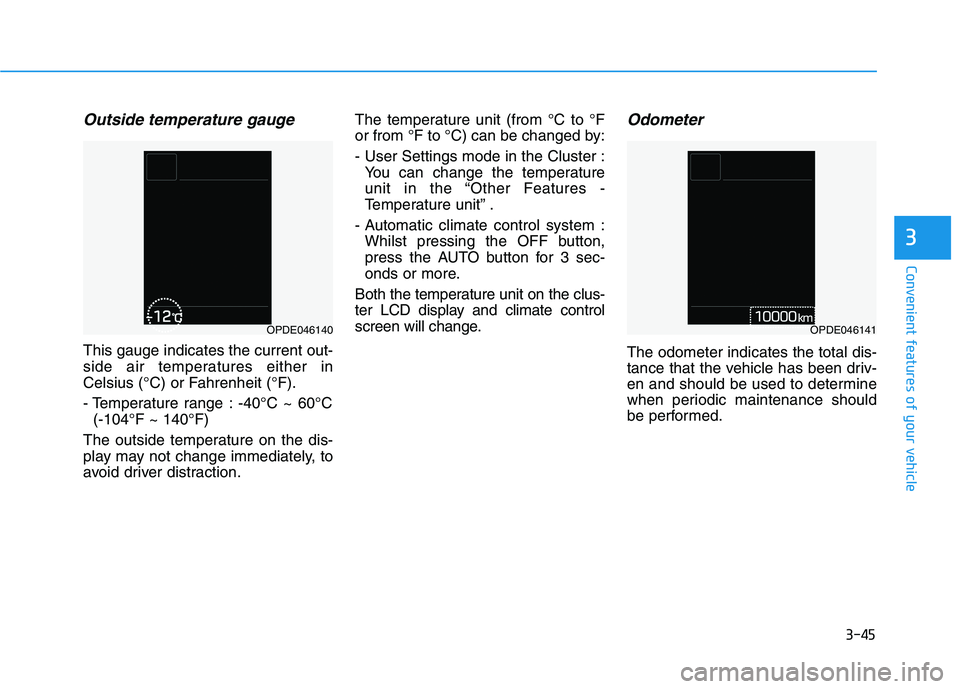
Outside temperature gauge
This gauge indicates the current out-
side air temperatures either in
Celsius (°C) or Fahrenheit (°F).
- Temperature range : -40°C ~ 60°C
(-104°F ~ 140°F)
The outside temperature on the dis-
play may not change immediately, to
avoid driver distraction.The temperature unit (from °C to °F
or from °F to °C) can be changed by:
- User Settings mode in the Cluster :
You can change the temperature
unit in the “Other Features -
Temperature unit” .
- Automatic climate control system :
Whilst pressing the OFF button,
press the AUTO button for 3 sec-
onds or more.
Both the temperature unit on the clus-
ter LCD display and climate control
screen will change.
Odometer
The odometer indicates the total dis-
tance that the vehicle has been driv-
en and should be used to determine
when periodic maintenance should
be performed.
OPDE046140OPDE046141
Page 130 of 533
3-47
Convenient features of your vehicle
3
For example
: Indicates that shifting up to 3rd
gear is recommended (current-
ly the shift lever is in the 2nd or
1st gear).
: Indicates that shifting down to
3rd gear is recommended (cur-
rently the shift lever is in the 4th,
5th, or 6th gear).
When the system is not working prop-
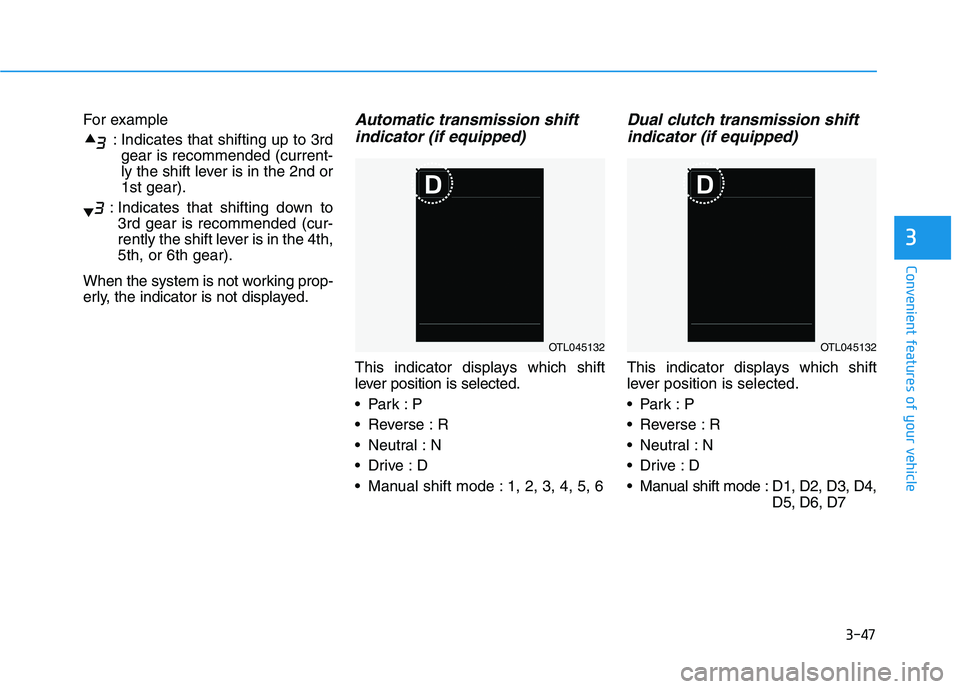
erly, the indicator is not displayed.Automatic transmission shift
indicator (if equipped)
This indicator displays which shift
lever position is selected.
Reverse : R
Neutral : N
Manual shift mode : 1, 2, 3, 4, 5, 6
Dual clutch transmission shift
indicator (if equipped)
This indicator displays which shift
lever position is selected.
Reverse : R
Neutral : N
Manual shift mode : D1, D2, D3, D4,
D5, D6, D7
OTL045132OTL045132