2023 HONDA PILOT display
[x] Cancel search: displayPage 702 of 814

701
uuMaintenance MinderTMuTo Use Maintenance MinderTM
Continued
Maintenance
U.S. models
*1: If a Maintenance Minder message does not appear more than 12 months after the display is reset,
change the engine oil every year.
# : See information on maintenance and emissions warranty.
CODEMaintenance Main Items
A
●Replace engine oil*1
B●Replace engine oil*1 and oil filter●Inspect front and rear brakes●Inspect these items: • Tie rod ends, steering gearbox, and boots
• Suspension components
• Driveshaft boots
• Brake hoses and lines (including ABS/VSA®)
• All fluid levels and condition of fluids
• Exhaust system
#
•Fuel lines and connections#
*2: If you drive in dusty conditions, replace the air cleaner element every 15,000 miles (24,000 km).
*3: If you drive primarily in urban areas that have high concentrations of soot in the air from industry and
from diesel-powered vehicles, replace the dust and pollen filter every 15,000 miles (24,000 km).
*4: If you drive regularly in very high temperatures (over 110°F, 43°C), in very low temperatures (under -20°F, -29°C), or towing a trailer, replace every 60,000 miles (100,000 km).
*5: Driving in mountainous areas at very low vehicle speeds or trailer towing results in higher level of mechanical (Shear) stress to fluid. This requires differential fluid changes more frequently than
recommended by the Maintenance Minder. If you regularly drive your vehicle under these conditions,
have the differential fluid changed at 7,500 miles (12,000 km), then every 15,000 miles (24,000 km).
*6: If a Maintenance Minder message does not appear more than 36 months after the display for item 7 is reset, change the brake fluid every 3 years.
CODEMaintenance Sub Items
1
●Rotate tires
2●Replace air cleaner element*2
●Replace dust and pollen filter*3
●Inspect drive belt
3
●Replace transmission fluid●Replace transfer fluid*
4●Replace spark plugs●Replace timing belt and inspect water pump*4
5●Replace engine coolant
6●Replace rear differential fluid*, *5
7●Replace brake fluid*6
* Not available on all models
23 PILOT-31T906000_03.book 701 ページ 2022年10月31日 月曜日 午前10時26分
Page 703 of 814

702
uuMaintenance MinderTMuTo Use Maintenance MinderTM
Maintenance
Canadian models
*1: If a Maintenance Minder message does not appear more than 12 months after the display is reset,
change the engine oil every year.
*2: If you drive in dusty conditions, replace the air cleaner element every 24,000 km (15,000 miles).
*3: If you drive primarily in urban areas that have high concentrations of soot in the air from industry and from diesel-powered vehicles, replace the dust and pollen filter every 24,000 km (15,000 miles).
*4: If you drive regularly in very high temperatures (over 43°C, 110°F), in very low temperatures (under -29°C, -20°F), or towing a trailer, replace every 100,000 km (60,000 miles).
*5: Driving in mountainous areas at very low vehicle speeds or trailer towing results in higher level of mechanical (Shear) stress to fluid. This requires differential fluid changes more frequently than
recommended by the Maintenance Minder. If you regularly drive your vehicle under these conditions,
have the differential fluid changed at 12,000 km (7,500 miles), then every 24,000 km (15,000 miles).
*6: If a Maintenance Minder message does not appear more than 36 months after the display for item 7 is reset, change the brake fluid every 3 years.
# : See information on maintenance and emissions warranty.
CODEMaintenance Main Items
A
●Replace engine oil*1
0●Replace engine oil*1 and oil filter
CODEMaintenance Sub Items
1
●Rotate tires
2●Replace air cleaner element*2
●Replace dust and pollen filter*3
●Inspect drive belt
3
●Replace transmission fluid●Replace transfer fluid
4●Replace spark plugs●Replace timing belt and inspect water pump*4
5●Replace engine coolant
6●Replace rear differential fluid*5
7●Replace brake fluid*6
9●Service front and rear brakes●Inspect these items: • Tie rod ends, steering gearbox, and boots
• Suspension components
• Driveshaft boots
• Brake hoses and lines (including ABS/VSA ®)
• All fluid levels and condition of fluids
• Exhaust system
#
•Fuel lines and connections#
23 PILOT-31T906000_03.book 702 ページ 2022年10月31日 月曜日 午前10時26分
Page 704 of 814

Continued703
uuMaintenance MinderTMuTo Use Maintenance MinderTM
Maintenance
Reset the maintenance minder information display if you have performed the
maintenance service.
1. Set the power mode to ON.
2. Press the (home) button.
3. Roll the left selector wheel until is displayed.
4. Press the left selector wheel to go to the Maintenance Minder screen.
5. Press and hold the left selector wheel for about 10 seconds to enter the reset
mode.
6. Roll the left selector wheel to select a ma intenance item to reset, or to select All
due items (You can also select Cancel to end the process).
7. Press the left selector wheel to reset the selected item.
8. Repeat from step 5 for other items you wish to reset.
■Resetting the Display1Resetting the Display
NOTICE
Failure to reset the Maintenance MinderTM display
after a maintenance servic e results in the system
showing incorrect maintenance intervals, which can
lead to serious mechanical problems.
The dealer will reset the Maintenance Minder
TM
display after completing th e required maintenance
service. If someone other than a dealer performs
maintenance service, reset the Maintenance
Minder
TM display yourself.
You can also reset the Maintenance Minder
TM display
using the audio/information screen.
2 Customized Features P. 429
Models with 9-in. Color Touchscreen
Models with A-type meter
Left Selector Wheel
(home) Button
23 PILOT-31T906000_03.book 703 ページ 2022年10月31日 月曜日 午前10時26分
Page 705 of 814
704
uuMaintenance MinderTMuTo Use Maintenance MinderTM
Maintenance
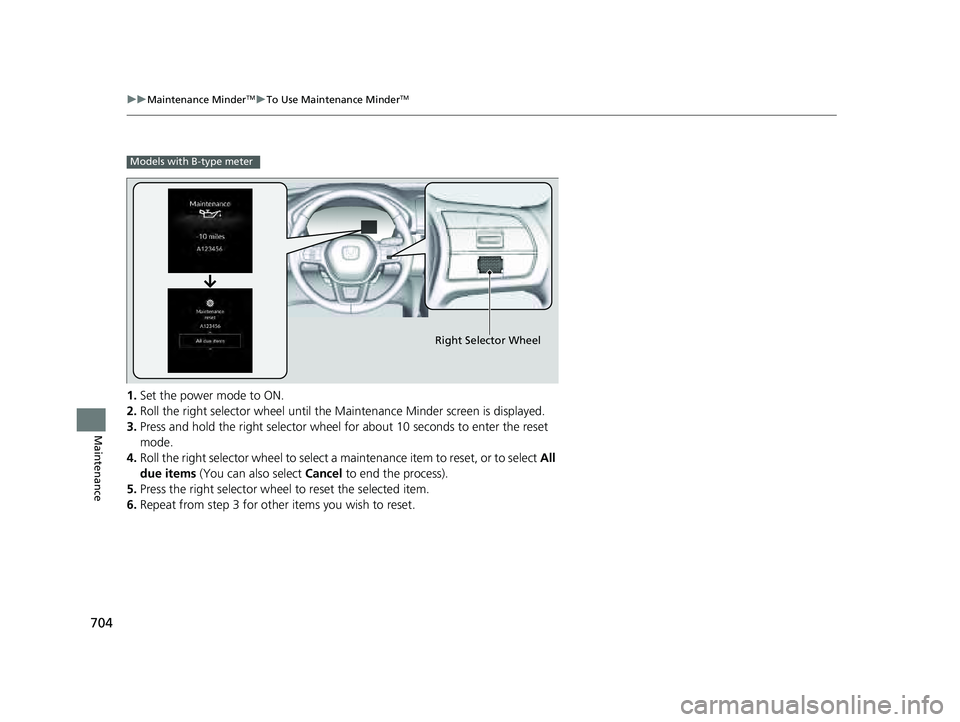
1. Set the power mode to ON.
2. Roll the right selector wheel until the Maintenance Minder screen is displayed.
3. Press and hold the right selector wheel for about 10 seconds to enter the reset
mode.
4. Roll the right selector wheel to select a maintenance item to reset, or to select All
due items (You can also select Cancel to end the process).
5. Press the right selector wheel to reset the selected item.
6. Repeat from step 3 for other items you wish to reset.
Models with B-type meter
Right Selector Wheel
23 PILOT-31T906000_03.book 704 ページ 2022年10月31日 月曜日 午前10時26分
Page 708 of 814
707
uuMaintenance Under the Hood uOpening the Hood
Maintenance
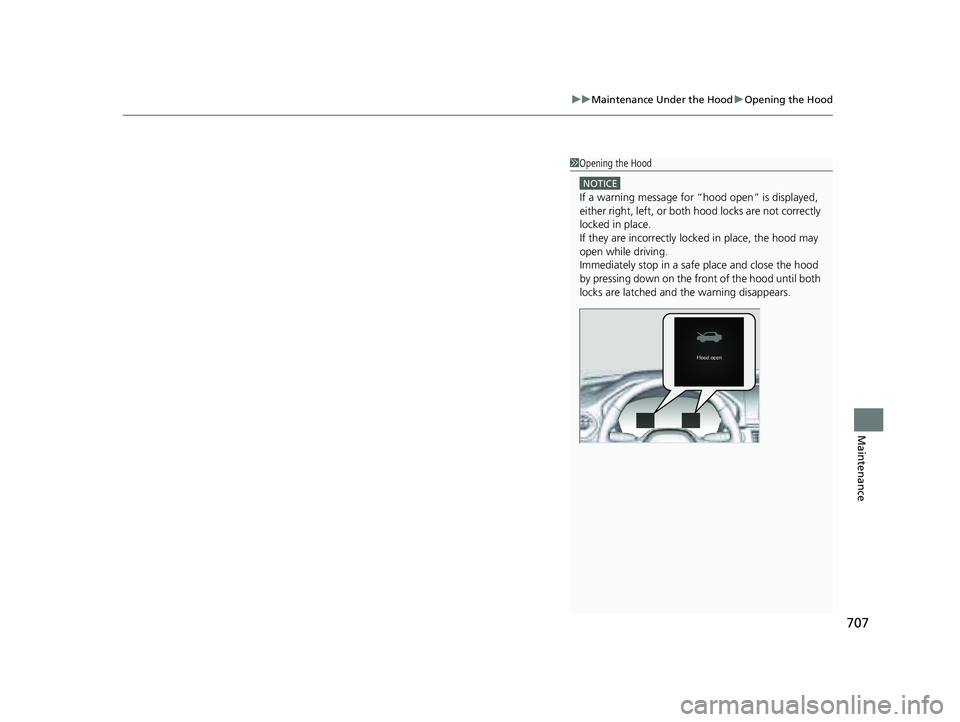
1Opening the Hood
NOTICE
If a warning message for “hood open” is displayed,
either right, left, or both hood locks are not correctly
locked in place.
If they are incorrectly locked in place, the hood may
open while driving.
Immediately stop in a safe place and close the hood
by pressing down on the front of the hood until both
locks are latche d and the warning disappears.
23 PILOT-31T906000_03.book 707 ページ 2022年10月31日 月曜日 午前10時26分
Page 738 of 814

737
Maintenance
Battery
Checking the Battery
The condition of the battery is monitored by a
sensor located on the negative terminal of the
battery. If there is a problem with this sensor,
the driver information interface will display a
warning message. If this happens, have your
vehicle inspected by a dealer.
Check the battery termina ls for corrosion monthly.
If your vehicle’s battery is disconnected or goes dead:
• The audio system is disabled.
2 Audio System Theft Protection P. 295
•The clock resets*.
2 Clock P. 176
•
The immobilizer system needs to be reset.
2 Immobilizer System Indicator P. 112
1Battery
WARNING: Battery post, terminals,
and related accessories contain lead
and lead compounds.
Wash your hands after handling.
When you find corrosion, cl ean the battery terminals
by applying a baking powder and water solution.
Clean the terminals with a damp towel. Cloth/towel
dry the battery. Coat the terminals with grease to
help prevent future corrosion.
When replacing the battery, the replacement must be
of the same specifications.
Consult a dealer for more information.
3WARNING
The battery gives off explosive hydrogen
gas during normal operation.
A spark or flame can cause the battery to
explode with enough force to kill or
seriously hurt you.
When conducting any battery
maintenance, wear prot ective clothing and
a face shield, or have a skilled technician do
it.
Canadian models only
* Not available on all models
23 PILOT-31T906000_03.book 737 ページ 2022年10月31日 月曜日 午前10時26分
Page 775 of 814

774
uuIndicator Coming On/Blinking uIf the Electric Power Steering (EPS) System Indicator Comes On
Handling the Unexpected
If the Electric Power Steeri ng (EPS) System Indicator
Comes On
■Reasons for the indicator to come on
• Comes on when there is a problem with the EPS system or Driver
Attention Monitor System.
■What to do when the indicator comes on
• Stop the vehicle in a safe place and restart the engine.
If the indicator comes on and stays on, immediately have your vehicle
inspected by a dealer.
• If Do not drive displays on the driv er information interface,
immediately stop in a safe place and contact a dealer.
23 PILOT-31T906000_03.book 774 ページ 2022年10月31日 月曜日 午前10時26分
Page 805 of 814

Index
804
Index
Index
A
ABS (Anti-lock Brake System)................... 659
AC Power Outlet ....................................... 274
Accessories and Modifications ................. 747
Accessory Power Sockets .......................... 273
Adaptive Cruise Control (ACC) with Low Speed Follow ........................................... 590
Additives
Coolant ................................................... 714
Engine Oil ................................................ 709
Washer .................................................... 717
Additives, Engine Oil ................................ 709
Adjusting Armrest ................................................... 258
Clock ....................................................... 176
Front Seats .............................................. 239
Head Restraints................................ 253, 257
Mirrors .................................................... 236
Sound.............................................. 302, 346
Steering Wheel ........................................ 235
Third row seat ......................................... 249
Agile Handling Assist ................................ 557
Air Conditioning System (Climate Control System) .................................................... 283
Defrosting the Windshield and
Windows ............................................... 285
Dust and Pollen Filter ............................... 741
Sensor ..................................................... 289
Synchronized Mode ................................. 286
Using Automatic Climate Control ............ 283
Air Pressure ....................................... 729, 791 Airbags
........................................................ 59
Advanced Airbags ..................................... 65
After a Collision ........................................ 62
Airbag Care............................................... 76
Event Data Recorder .................................... 0
Front Airbags (SRS) .................................... 62
Indicator............................................ 73, 106
Knee Airbags............................................. 67
Passenger Airbag Off Indicator .................. 74
Sensors ..................................................... 59
Side Airbags .............................................. 70
Side Curtain Airbags.................................. 72
AM/FM Radio .................................... 304, 352
Android Auto
TM................................ 322, 392
Anti-lock Brake System (ABS) .................. 659
Indicator.................................................. 106
Apple CarPlay ................................... 318, 385
Armrest ..................................................... 258
AT&T Hotspot ........................................... 384
Audio ........................................................ 130
Audio Remote Controls ........................... 296
Audio System ............................ 292, 301, 326
Adjusting the Sound........................ 302, 346
Android Auto
TM............................... 322, 392
Audio/Information Screen........................ 328
Display Setup .................................. 303, 347
Error Messages ........................................ 398
General Information ................................ 400
Home Screen........................................... 334
How to Update ....................................... 340
How to Update Wirelessly ....................... 344 How to Update with a USB Device .......... 345
iPod ................................................ 306, 367
Limitations for Manual
Operation ............................. 348, 461, 481
MP3/WMA/AAC ............................. 309, 370
Reactivating ............................................ 295
Recommended Devices ........................... 401
Remote Controls ..................................... 296
Security Code ......................................... 295
Selecting an Audio Source ...................... 348
Start Up .................................................. 327
Status Area ............................................. 339
System Updates ...................................... 340
System Updates Settings ......................... 341
Theft Protection ...................................... 295
USB Flash Drives...................................... 401
USB Ports ................................................ 293
Wallpaper Setup ..................................... 332
Audio/Information Screen ....................... 328
Authorized Manuals ................................ 800
Auto Door Locking/Unlocking ................ 195
Auto High-Beam ...................................... 226
Indicator ................................................. 108
Auto Idle Stop .......................................... 542
OFF Button ............................................. 543
Automatic Brake Hold ............................. 656
Indicator ......................................... 102, 656
Automatic Brake Hold System
Indicator ......................................... 102, 656
Automatic Folding Door Mirror .............. 238
Automatic Intermittent Wipers .............. 230
23 PILOT-31T906000_03.book 804 ページ 2022年10月31日 月曜日 午前10時26分