317
uuGeneral Information on the Audio System uCompatible iPod, iPhone, and USB Flash Drives
Features
Compatible iPod, iPhone , and USB Flash Drives
•A USB flash drive of 256 MB or higher is recommended.
• Some digital audio players may not be compatible.
• Some USB flash drives (e.g., a device with security lockout) may not work.
• Some software files may not allow for audio play or text data display.
• Some versions of MP3, WMA, AAC, FLAC, or WAV formats may be unsupported.
*1 : Models with 9-in. Color Touchscreen
*2 : Models with 7-in. Color Touchscreen
■iPod and iPhone Model Compatibility
Model
Made for iPod touch (6th to 7th generation) released between 2015 and 2019
Made for iPhone 5/iPhone 5s/iPhone 5c/iPhone 6/iPhone 6 Plus/iPhone 6S/iPhone 6S
Plus/iPhone SE/iPhone 7/iPhone 7 Plus/iPhon e 8/iPhone 8 Plus/iPhone X/iPhone XS/
iPhone XS Max/iPhone XR/iP hone 11/iPhone 11 Pro/iPhone 11 Pro Max/iPhone SE
(2nd generation)/iPhone 12/iPhone 12 Pro/iPhone 12 Pro Max/iPhone 12 mini
Model
Made for iPod touch (5th to 6th generation) released between 2012 and 2015
Made for iPhone 4s/iPhone 5/iPhone 5s/iPhone 5c/iPhone 6/iPhone 6 Plus/iPhone 6S/
iPhone 6S Plus/iPhone SE/i Phone 7/iPhone 7 Plus/iPhone 8/iPhone 8 Plus/iPhone X/
iPhone XS/iPhone XS Max/iP hone XR/iPhone 11/iPhone 11 Pro/iPhone 11 Pro Max/
iPhone SE (2nd generation)/iPhone 12/iPhone 12 Pro/iPhone 12 Pro Max/
iPhone 12 mini
1 iPod and iPhone Model Compatibility
This system may not work with all software versions
of these devices.
The Lightning connector work s with iPhone 5, iPhone
5s, iPhone 5c, iPhone 6, iPhone 6 Plus, iPhone 6S,
iPhone 6S Plus, iPhone SE, iPhone 7, iPhone 7 Plus,
iPhone 8, iPhone 8 Plus, iP hone X, iPhone XS, iPhone
XS Max, iPhone XR, iPhone 11, iPhone 11 Pro, iPhone
11 Pro Max, iPhone SE (2nd generation), iPhone 12,
iPhone 12 Pro, iPhone 12 Pro Max, iPhone 12 mini,
iPod touch (5th
*1, 6th, 7th*2 generation).
The 30-pin connector works with iPhone 4s
*1.
USB works with iPhone 4s
*1, iPhone 5, iPhone 5s,
iPhone 5c, iPhone 6, iPhone 6 Plus, iPhone 6S, iPhone
6S Plus, iPhone SE, iPhone 7, iPhone 7 Plus, iPhone 8,
iPhone 8 Plus, iPhone X, iP hone XS, iPhone XS Max,
iPhone XR, iPhone 11, iPhone 11 Pro, iPhone 11 Pro
Max, iPhone SE (2nd gene ration), iPhone 12, iPhone
12 Pro, iPhone 12 Pro Max, iPhone 12 mini, iPod
touch (5th
*1, 6th, 7th*2 generation).
Models with 7-in. Color Touchscreen
Models with 9-in. Color Touchscreen
■USB Flash Drives1 USB Flash Drives
Files on the USB flash drive are played in their stored
order. This order may be different from the order
displayed on your PC or device.
23 HR-V-313V06000_01.book 317 ページ 2022年4月4日 月曜日 午前10時49分
408
Features
Refuel Recommend
Your vehicle is equipped with a feature that automatically calculates when to refuel.
This feature will notify you when refueling is recommended as well as enable you to
search for gas stations that are loca ted in the vicinity of your vehicle.
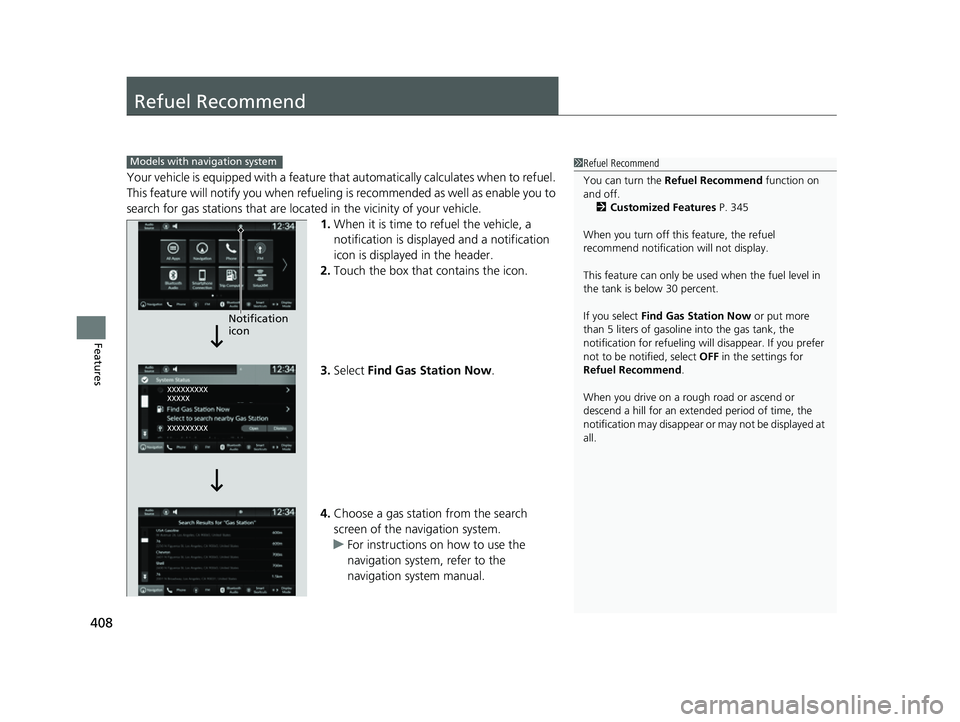
1. When it is time to refuel the vehicle, a
notification is displayed and a notification
icon is displayed in the header.
2. Touch the box that contains the icon.
3. Select Find Gas Station Now .
4. Choose a gas station from the search
screen of the navigation system.
u For instructions on how to use the
navigation system, refer to the
navigation system manual.
1Refuel Recommend
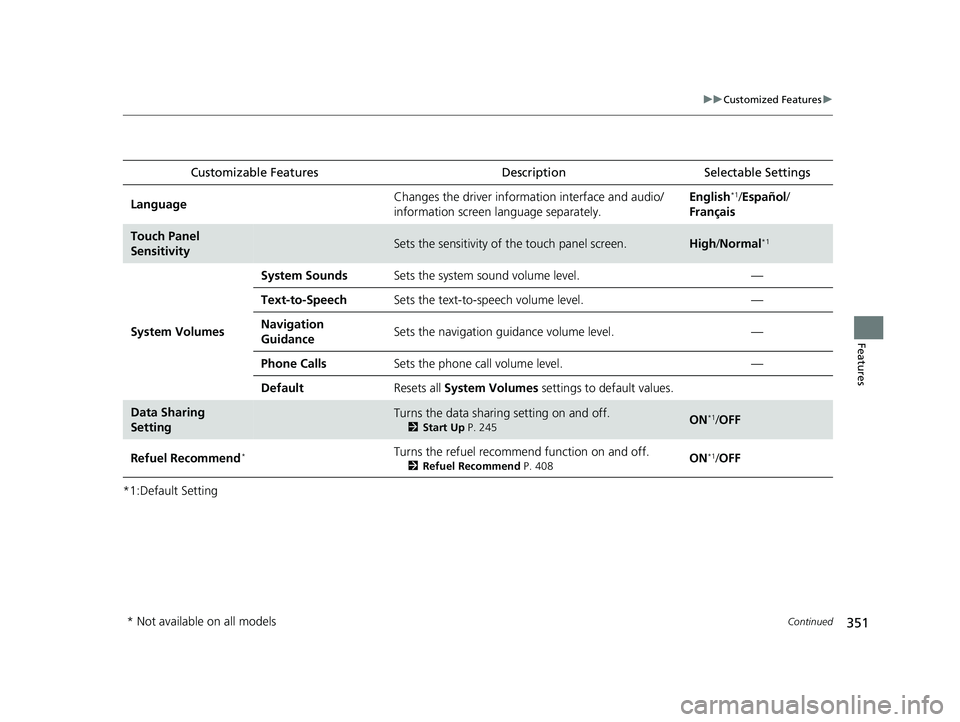
You can turn the Refuel Recommend function on
and off.
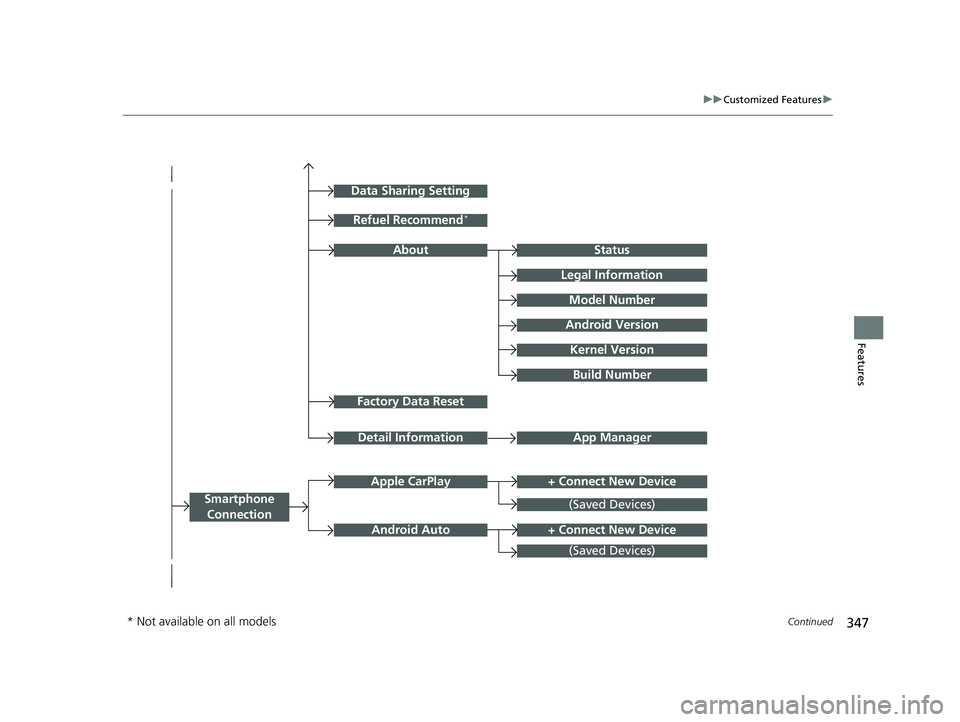
2 Customized Features P. 345
When you turn off this feature, the refuel
recommend notification will not display.
This feature can only be used when the fuel level in
the tank is below 30 percent.
If you select Find Gas Station Now or put more
than 5 liters of gasoline into the gas tank, the
notification for refueling will disappear. If you prefer
not to be notified, select OFF in the settings for
Refuel Recommend .
When you drive on a rough road or ascend or
descend a hill for an ex tended period of time, the
notification may disappear or may not be displayed at
all.Models with navigation system
Notification
icon
23 HR-V-313V06000_01.book 408 ページ 2022年4月4日 月曜日 午前10時49分