Page 112 of 840
110
uuIndicators u
Instrument Panel
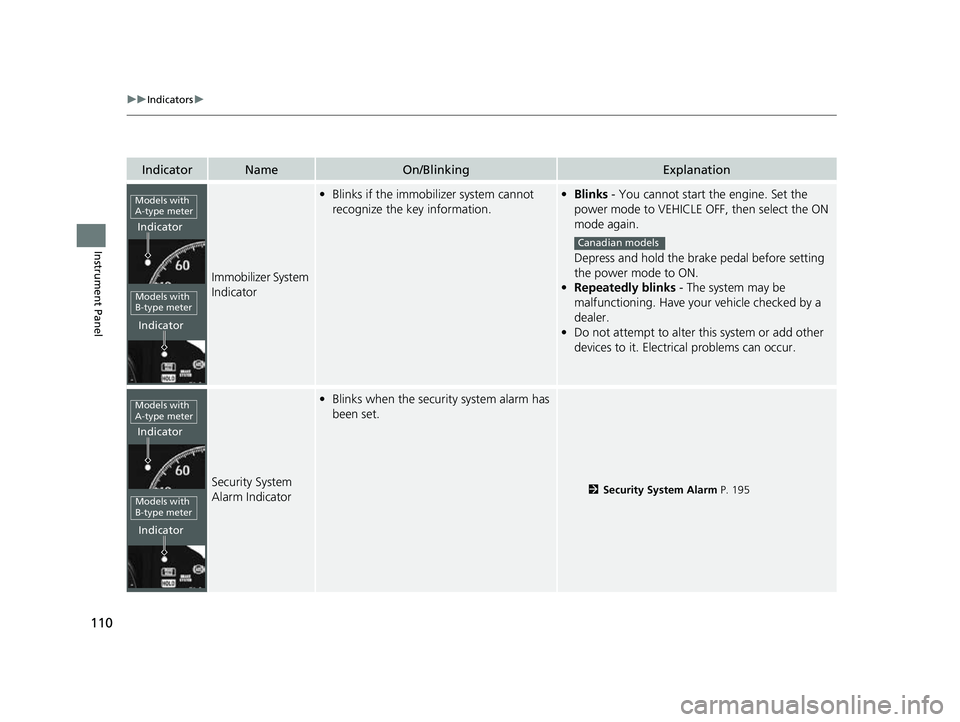
IndicatorNameOn/BlinkingExplanation
Immobilizer System
Indicator
•Blinks if the immobilizer system cannot
recognize the key information.•Blinks - You cannot start the engine. Set the
power mode to VEHICLE OFF, then select the ON
mode again.
Depress and hold the brake pedal before setting
the power mode to ON.
• Repeatedly blinks - The system may be
malfunctioning. Have your vehicle checked by a
dealer.
• Do not attempt to alter this system or add other
devices to it. Electrical problems can occur.
Security System
Alarm Indicator
•Blinks when the security system alarm has
been set.
2 Security System Alarm P. 195
Models with
A-type meter
Indicator
Indicator
Models with
B-type meter
Canadian models
Models with
A-type meter
Indicator
Indicator
Models with
B-type meter
23 CIVIC HATCHBACK TYPE R-31T406100_03.book 110 ページ 2022年6月23日 木曜日 午後9時28分
Page 113 of 840
111
uuIndicators u
Continued
Instrument Panel
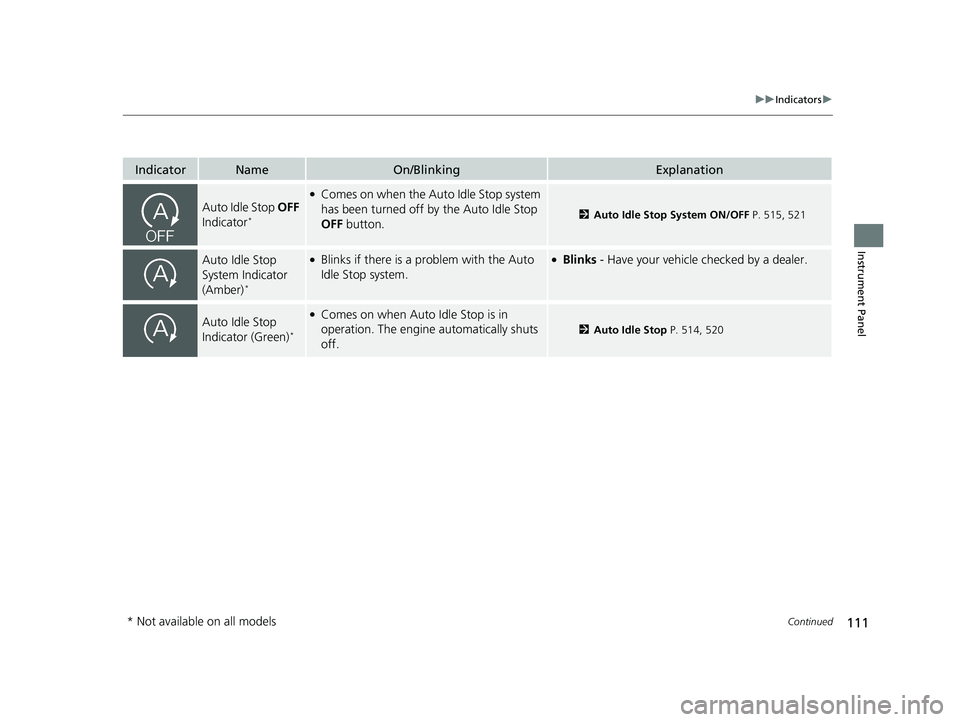
IndicatorNameOn/BlinkingExplanation
Auto Idle Stop OFF
Indicator*
●Comes on when the Auto Idle Stop system
has been turned off by the Auto Idle Stop
OFF button.
2Auto Idle Stop System ON/OFF P. 515, 521
Auto Idle Stop
System Indicator
(Amber)
*
●Blinks if there is a problem with the Auto
Idle Stop system.●Blinks - Have your vehicle checked by a dealer.
Auto Idle Stop
Indicator (Green)*
●Comes on when Auto Idle Stop is in
operation. The engine automatically shuts
off.
2 Auto Idle Stop P. 514, 520
* Not available on all models
23 CIVIC HATCHBACK TYPE R-31T406100_03.book 111 ページ 2022年6月23日 木曜日 午後9時28分
Page 127 of 840
125
uuGauges and Driver Information Interface uDriver Information Interface (A-type Meter)
Continued
Instrument Panel
Driver Information In terface (A-type Meter)
The driver information interface shows info rmation such as the estimated travelable
distance and fuel economy of the vehicle. It also displays messages such as warnings
and other helpful information.
When a warning message displays, please check the message and contact a dealer
and have the vehicle inspected if necessary . Please refer to the pages below if the
Engine oil pressure low or Engine temperature too hot message is displayed.
2If the Engine oil pressure low Warning Appears P. 795
2 Overheating P. 791
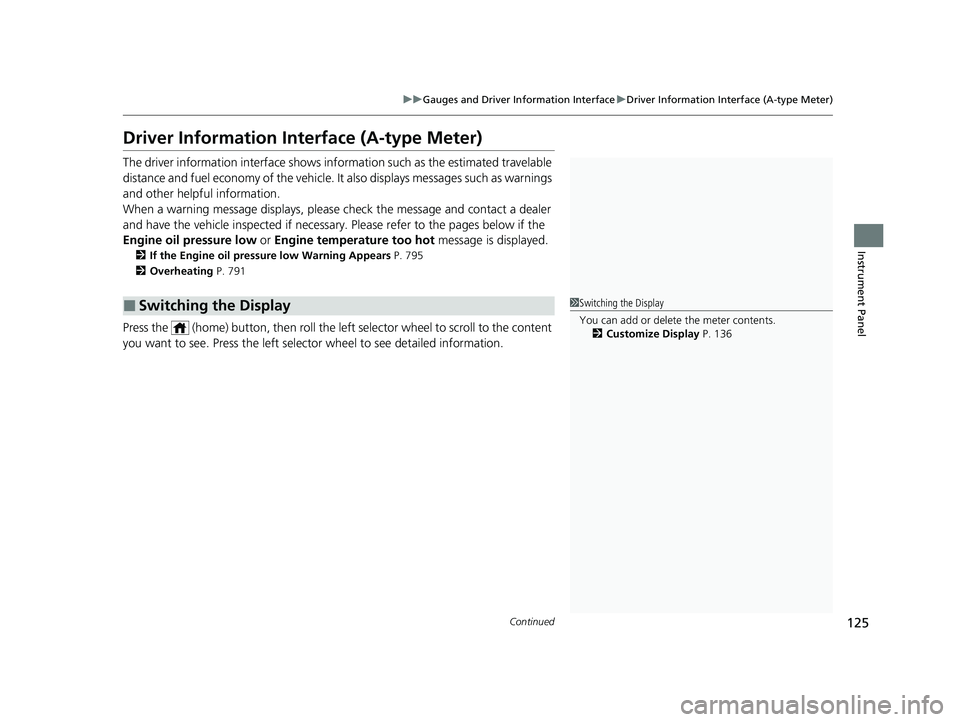
Press the (home) button, th en roll the left selector wheel to scroll to the content
you want to see. Press the left sele ctor wheel to see detailed information.
■Switching the Display1Switching the Display
You can add or delete the meter contents.
2 Customize Display P. 136
23 CIVIC HATCHBACK TYPE R-31T406100_03.book 125 ページ 2022年6月23日 木曜日 午後9時28分
Page 156 of 840
154
uuGauges and Driver Information Interface uDriver Information Interface Right Side Area (B-type-Meter)
Instrument Panel
Driver Information Inte rface Right Side Area
(B-type-Meter)
The driver information interface shows information such as the estimated travelable
distance and fuel economy of the vehicle. It also displays messages such as warnings
and other helpful information.
When a warning message displays, please check the message and contact a dealer
and have the vehicle inspected if necessary . Please refer to the pages below if the
Engine oil pressure low or Engine temperature too hot message is displayed.
2If the Engine oil pressure low Warning Appears P. 795
2 Overheating P. 791
23 CIVIC HATCHBACK TYPE R-31T406100_03.book 154 ページ 2022年6月23日 木曜日 午後9時28分
Page 245 of 840
Continued243
uuInterior Convenience Items uOther Interior Convenience Items
Controls
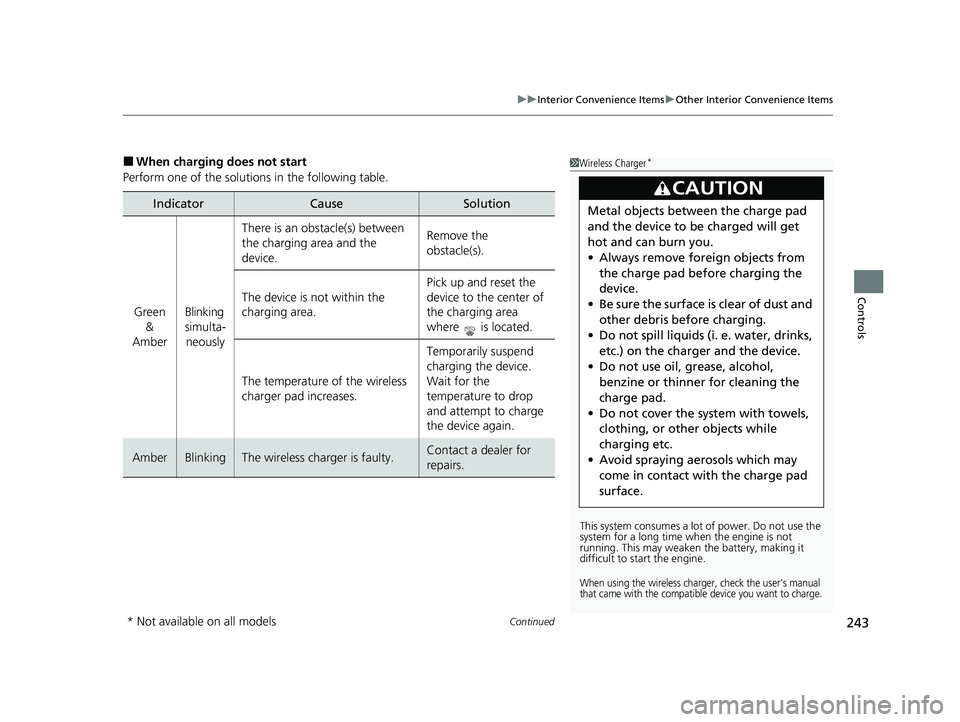
■When charging does not start
Perform one of the solutions in the following table.
IndicatorCauseSolution
Green &
AmberBlinking
simulta- neously
There is an obstacle(s) between
the charging area and the
device.Remove the
obstacle(s).
The device is not within the
charging area. Pick up and reset the
device to the center of
the charging area
where is located.
The temperature of the wireless
charger pad increases. Temporarily suspend
charging the device.
Wait for the
temperature to drop
and attempt to charge
the device again.
AmberBlinkingThe wireless charger is faulty.Contact a dealer for
repairs.
1
Wireless Charger*
This system consumes a lot of power. Do not use the
system for a long time when the engine is not
running. This may weaken the battery, making it
difficult to start the engine.
When using the wireless charger, check the user's manual
that came with the compatible device you want to charge.
3CAUTION
Metal objects between the charge pad
and the device to be charged will get
hot and can burn you.
• Always remove foreign objects from
the charge pad before charging the
device.
• Be sure the surface is clear of dust and
other debris before charging.
• Do not spill liquids (i. e. water, drinks,
etc.) on the charger and the device.
• Do not use oil, grease, alcohol,
benzine or thinner for cleaning the
charge pad.
• Do not cover the system with towels,
clothing, or other objects while
charging etc.
• Avoid spraying aerosols which may
come in contact with the charge pad
surface.
* Not available on all models
23 CIVIC HATCHBACK TYPE R-31T406100_03.book 243 ページ 2022年6月23日 木曜日 午後9時28分
Page 304 of 840
302
uuAudio System Basic Operation uSystem Updates
Features
System Updates
The audio system's firmware can be update d with a Wi-Fi connection, or with a USB
device.
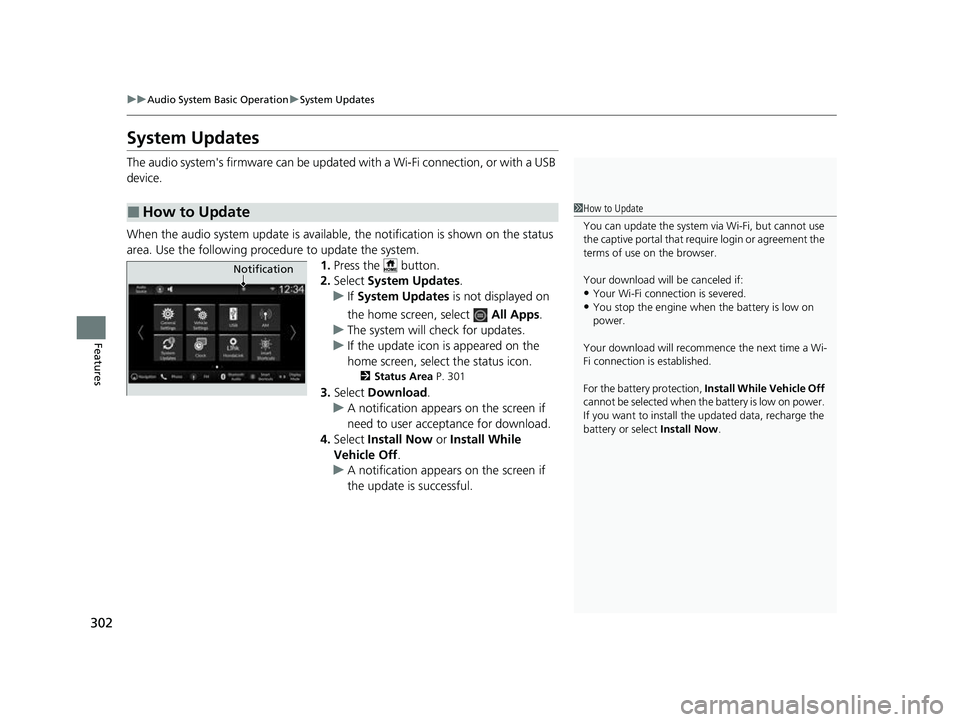
When the audio system update is available, the notification is shown on the status
area. Use the following proc edure to update the system.
1.Press the button.
2. Select System Updates .
u If System Updates is not displayed on
the home screen, select All Apps.
u The system will check for updates.
u If the update icon is appeared on the
home screen, select the status icon.
2 Status Area P. 301
3.Select Download .
u A notification appears on the screen if
need to user acceptance for download.
4. Select Install Now or Install While
Vehicle Off .
u A notification appears on the screen if
the update is successful.
■How to Update1How to Update
You can update the system vi a Wi-Fi, but cannot use
the captive portal that require login or agreement the
terms of use on the browser.
Your download will be canceled if:
•Your Wi-Fi connection is severed.
•You stop the engine when the battery is low on
power.
Your download will recommence the next time a Wi-
Fi connection is established.
For the battery protection, Install While Vehicle Off
cannot be selected when th e battery is low on power.
If you want to install the updated data, recharge the
battery or select Install Now.
Notification
23 CIVIC HATCHBACK TYPE R-31T406100_03.book 302 ページ 2022年6月23日 木曜日 午後9時28分
Page 416 of 840
414
Features
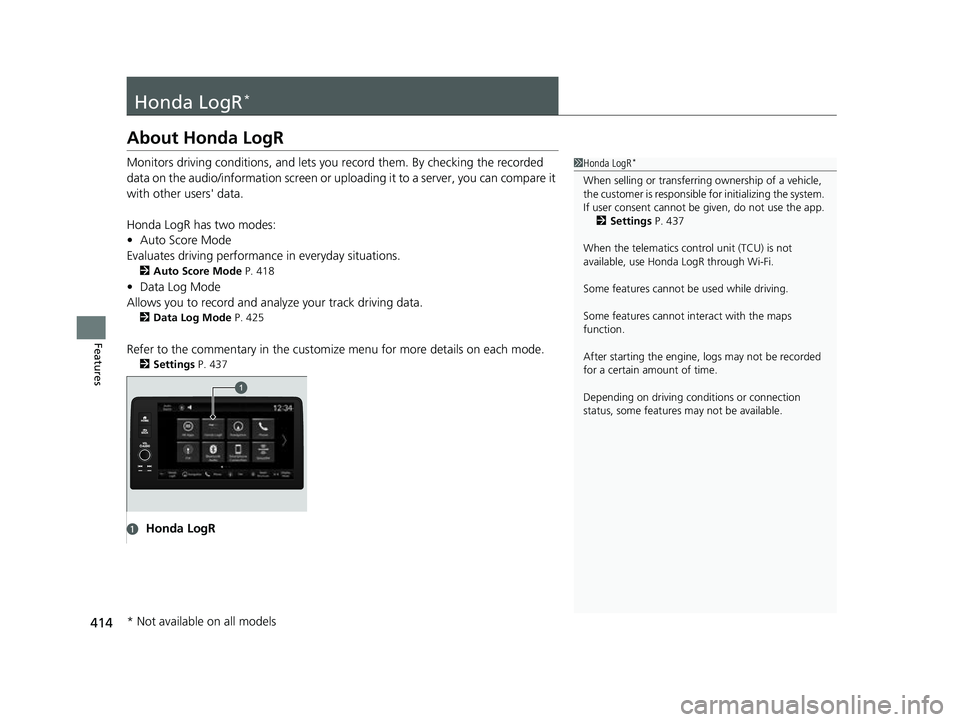
Honda LogR*
About Honda LogR
Monitors driving conditions, and lets you record them. By checking the recorded
data on the audio/information screen or uploading it to a server, you can compare it
with other users' data.
Honda LogR has two modes:
• Auto Score Mode
Evaluates driving performance in everyday situations.
2Auto Score Mode P. 418
•Data Log Mode
Allows you to record and anal yze your track driving data.
2Data Log Mode P. 425
Refer to the commentary in the customiz e menu for more details on each mode.
2Settings P. 437
1Honda LogR*
When selling or transferri ng ownership of a vehicle,
the customer is responsible for initializing the system.
If user consent cannot be given, do not use the app.
2 Settings P. 437
When the telematics control unit (TCU) is not
available, use Honda LogR through Wi-Fi.
Some features cannot be used while driving.
Some features cannot in teract with the maps
function.
After starting the engine, l ogs may not be recorded
for a certain amount of time.
Depending on driving condi tions or connection
status, some features may not be available.
aHonda LogR
* Not available on all models
23 CIVIC HATCHBACK TYPE R-31T406100_03.book 414 ページ 2022年6月23日 木曜日 午後9時28分
Page 488 of 840
486
Driving
Before Driving
Driving Preparation
Check the following items before you start driving.
• Make sure there are no obstructions on th e windows, door mirrors, exterior
lights, or other parts of the vehicle.
u Remove any frost, snow, or ice.
u Remove any snow on the roof, as this can slip down and obstruct your field of
vision while driving. If frozen solid , remove ice once it has softened.
u When removing ice from around the wheel s, be sure not to damage the wheel
or wheel components.
• Make sure the hood is securely closed.
u If the hood opens while driving, your front view will be blocked.
• Make sure the tires are in good condition.
u Check air pressures, and check for damage and excessive wear.
2Checking and Maintaining Tires P. 736
•Make sure there are no people or ob jects behind or around the vehicle.
u There are blind spots from the inside.
• Check the front bumper ducts for mud, le aves, and road debris that could build
up and prevent proper cooling performance.
■Exterior Checks1 Exterior Checks
NOTICE
When doors are frozen s hut, use warm water around
the door edges to melt any ice. Do not try to force
them open, as this can damage the rubber trim
around the doors. When done, wipe dry to avoid
further freezing.
Do not pour warm water into the key cylinder.
You will be unable to insert the key if the water
freezes in the hole.
Heat from the engine and exhaust can ignite
flammable material s left under the hood, causing a
fire. If you've parked y our vehicle for an extended
period, inspect and remove any debris that may have
collected, such as dried grass and leaves that have
fallen or have been carried in for use as a nest by a
small animal. Also, check under the hood for leftover
flammable materials after you or someone else has
performed maintenance on your vehicle.
Models without Auto Idle Stop
23 CIVIC HATCHBACK TYPE R-31T406100_03.book 486 ページ 2022年6月23日 木曜日 午後9時28分