2023 FORD SUPER DUTY phone
[x] Cancel search: phonePage 222 of 738
Use the following guidelines to avoidelectrostatic charge build-up, which canproduce a spark, when filling anungrounded fuel container:
•Only use an approved fuel container totransfer fuel to your vehicle. Place thecontainer on the ground when filling it.
•Do not fill a fuel container when it isinside your vehicle (including the cargoarea).
•Keep the fuel pump nozzle in contactwith the fuel container when filling it.
•Do not use a device that holds the fuelpump nozzle lever in the fill position.
ADDING FUEL FROM A PORTABLEFUEL CONTAINER
WARNING: Do not pry open thefuel tank filler valve. This could damagethe fuel system. Failure to follow thisinstruction could result in fire, personalinjury or death.
WARNING: Do not dispose of fuelin the household refuse or the publicsewage system. Use an authorized wastedisposal facility.
When refueling the vehicle fuel tank froma fuel container, do the following:
1.Fully open the fuel filler door.
2.Turn the fuel filler capcounterclockwise and remove it.
3.Add fuel to your vehicle from the fuelcontainer.
4.To replace the fuel filler cap, turn itclockwise until you feel a strongresistance and it clicks.
5.Fully close the fuel filler door.
Note:If your vehicle runs out of fuel add aminimum of 1.3 gal (5 L) of fuel to restartthe engine.
Note:You may need to switch the ignitionfrom off to on several times after refuelingto allow the fuel system to pump the fuelfrom the tank to the engine. Whenrestarting, cranking time takes a fewseconds longer than normal.
REFUELING
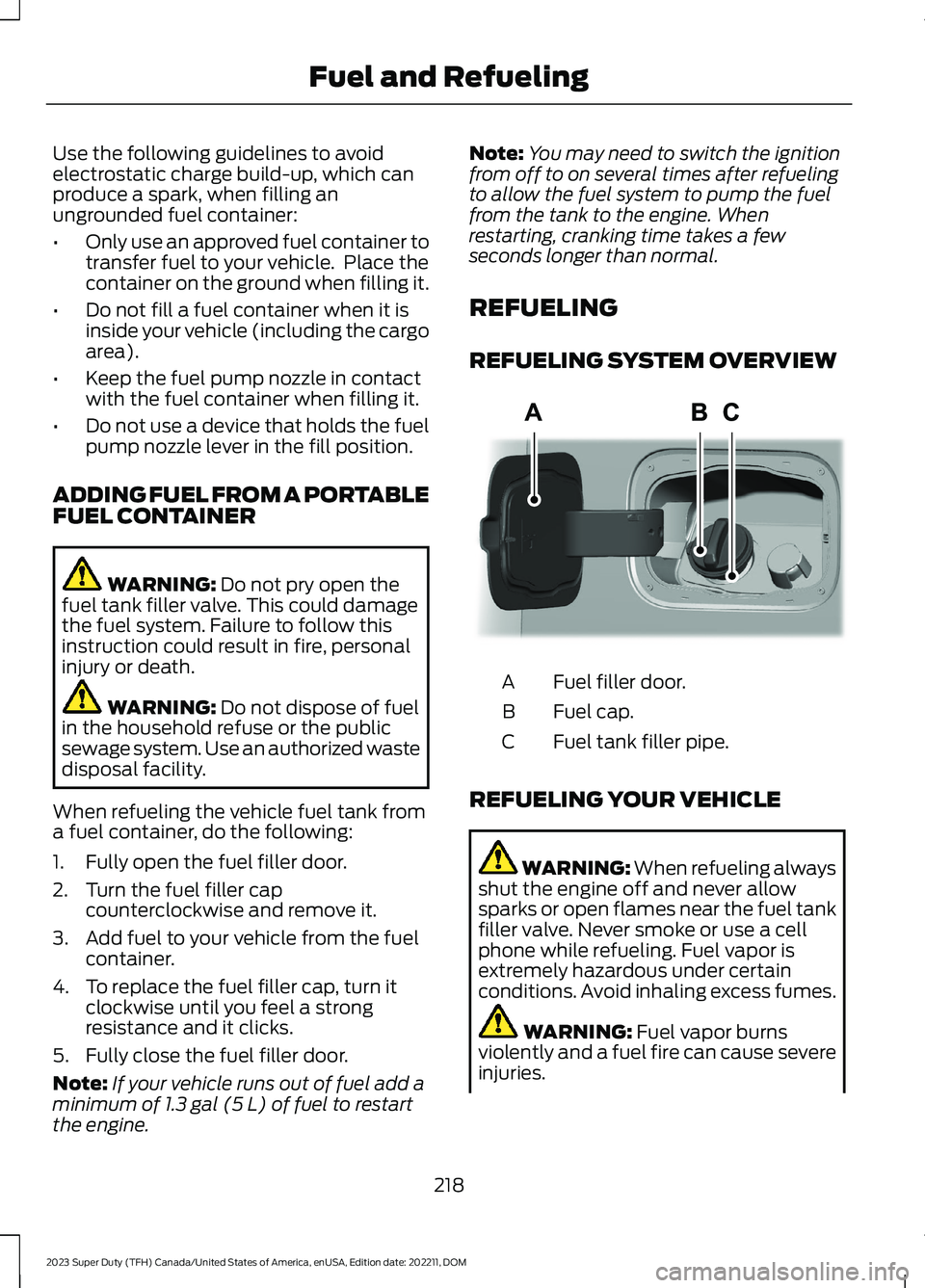
REFUELING SYSTEM OVERVIEW
Fuel filler door.A
Fuel cap.B
Fuel tank filler pipe.C
REFUELING YOUR VEHICLE
WARNING: When refueling alwaysshut the engine off and never allowsparks or open flames near the fuel tankfiller valve. Never smoke or use a cellphone while refueling. Fuel vapor isextremely hazardous under certainconditions. Avoid inhaling excess fumes.
WARNING: Fuel vapor burnsviolently and a fuel fire can cause severeinjuries.
218
2023 Super Duty (TFH) Canada/United States of America, enUSA, Edition date: 202211, DOMFuel and RefuelingAAE346555
Page 416 of 738
OFF-ROAD DRIVING
WHAT IS OFF-ROAD DRIVING
Off-road driving is driving your vehicle onunsurfaced roads or trails, made from dirt,rocks, sand and mud.
BASIC OFF-ROAD DRIVINGTECHNIQUES
Off-road Driving Hints
Before taking your vehicle off-roading, abasic vehicle inspection should be done tomake sure that the vehicle is in top workingcondition. It is always recommended thatat least two vehicles are used whileoff-roading. The buddy system helps makesure that help is close at hand should avehicle become stuck or damaged. It is alsowise to take supplies such as a first aid kit,supply of water, tow strap, cell or satellitephone with you any time an off-roadexcursion is planned.
1.Grip the steering wheel with thumbson the outside of the rim. This willreduce the risk of injury due to abruptsteering wheel motions that occurwhen negotiating rough terrain.
2.Throttle, brake and steering inputsshould be made in a smooth andcontrolled manner. Sudden inputs tothe controls can cause loss of tractionor upset the vehicle, especially whileon loose terrain or while crossingobstacles such as rocks or logs.
3.Look ahead on your route notingupcoming obstacles, or any otherfactors which may indicate a changein available traction, and adjust thevehicle speed and route accordingly.
4.When driving off-road, if the front orrear suspension is bottoming outand/or excessive contact with theskid-plates is encountered, reducevehicle speed to avoid potentialdamage to the vehicle.
5.When with other vehicles, it isrecommended that communication isused, and the lead vehicle notify othervehicles of obstacles that could causepotential vehicle damage.
6.Always keep available groundclearance in mind and pick a route thatminimizes the risk of catching theunderside of the vehicle on an obstacle.
7.When negotiating low speed obstacles,applying light brake pressure inconjunction with the throttle will helpprevent the vehicle from jerking andwill allow you to negotiate the obstaclein a more controlled manner. Using 4Lwill also help with this.
8.Off-roading requires a high degree ofconcentration. Even if your local lawdoes not prohibit alcohol use whiledriving off-road, Ford stronglyrecommends against drinking if youplan to off-road.
Crossing Obstacles
•Review the path ahead beforeattempting to cross any obstacle. It isbest if the obstacle is reviewed fromoutside the vehicle so that there is agood understanding of terrain conditionboth in front of and behind theobstacle.
•Approach obstacles slowly.
412
2023 Super Duty (TFH) Canada/United States of America, enUSA, Edition date: 202211, DOMDriving Hints
Page 556 of 738
Changing the Wi-Fi HotspotFrequency
Note:The vehicle hotspot frequency bandis selectable depending upon your devicecapabilities. You will not be able to connectyour device to the vehicle hotspot if it doesnot support the selected frequency band.
Select the settings option on thefeature bar.
1.Press Vehicle Hotspot.
2.Press Settings.
3.Press Edit.
4.Select a frequency.
VEHICLE WI-FI HOTSPOT –
TROUBLESHOOTING
VEHICLE WI-FI HOTSPOT –FREQUENTLY ASKED QUESTIONS
Why can I not see the Wi-Fi hotspotname when I search for Wi-Finetworks on my cell phone or otherdevice?
•Make sure Wi-Fi hotspot visibility is on.
•The system does not provide a Wi-Fihotspot at this time.
•Check what frequency the hotspot istransmitting in the vehicle hotspotsettings menu. If the frequency is 5 GHzand your device cannot see thenetwork, change the frequency to 2.4GHz.
552
2023 Super Duty (TFH) Canada/United States of America, enUSA, Edition date: 202211, DOMVehicle Wi-Fi HotspotE280315
Page 567 of 738
CENTER DISPLAY
PRECAUTIONS
WARNING: Driving while distractedcan result in loss of vehicle control, crashand injury. We strongly recommend thatyou use extreme caution when using anydevice that may take your focus off theroad. Your primary responsibility is thesafe operation of your vehicle. Werecommend against the use of anyhand-held device while driving andencourage the use of voice-operatedsystems when possible. Make sure youare aware of all applicable local lawsthat may affect the use of electronicdevices while driving.
CENTER DISPLAY
LIMITATIONS
Speed-restricted Features
For your safety, features that are notcritical while driving are not available whenthe vehicle is moving at or above 5 mph(8 km/h).
STATUS BAR
The bar is on top of the display andindicates the status of your vehicle'sfeatures.
Audio System
Audio system muted.
Connected Device
Cell phone microphone muted.
Phone call in progress.
Media player connected usingBluetooth®.
Cell phone network signalstrength.
Cell phone roaming.
Text message received.
Unread email message.
Automatic crash notificationsystem off.
Cell phone battery status.
Vehicle Data
Wi-Fi available.
Wi-Fi connected.
Vehicle data sharing on.
Vehicle data sharing off.
Vehicle location sharing on.
Vehicle data and vehicle locationsharing on.
563
2023 Super Duty (TFH) Canada/United States of America, enUSA, Edition date: 202211, DOMCenter Display OverviewE353221 E353213 E353208 E335295 E353216 E335293 E353219 E335292
Page 568 of 738
Vehicle Software Update
See Software Update Indicators (page583).
Wireless Accessory Charger
Wireless accessory chargeractive.
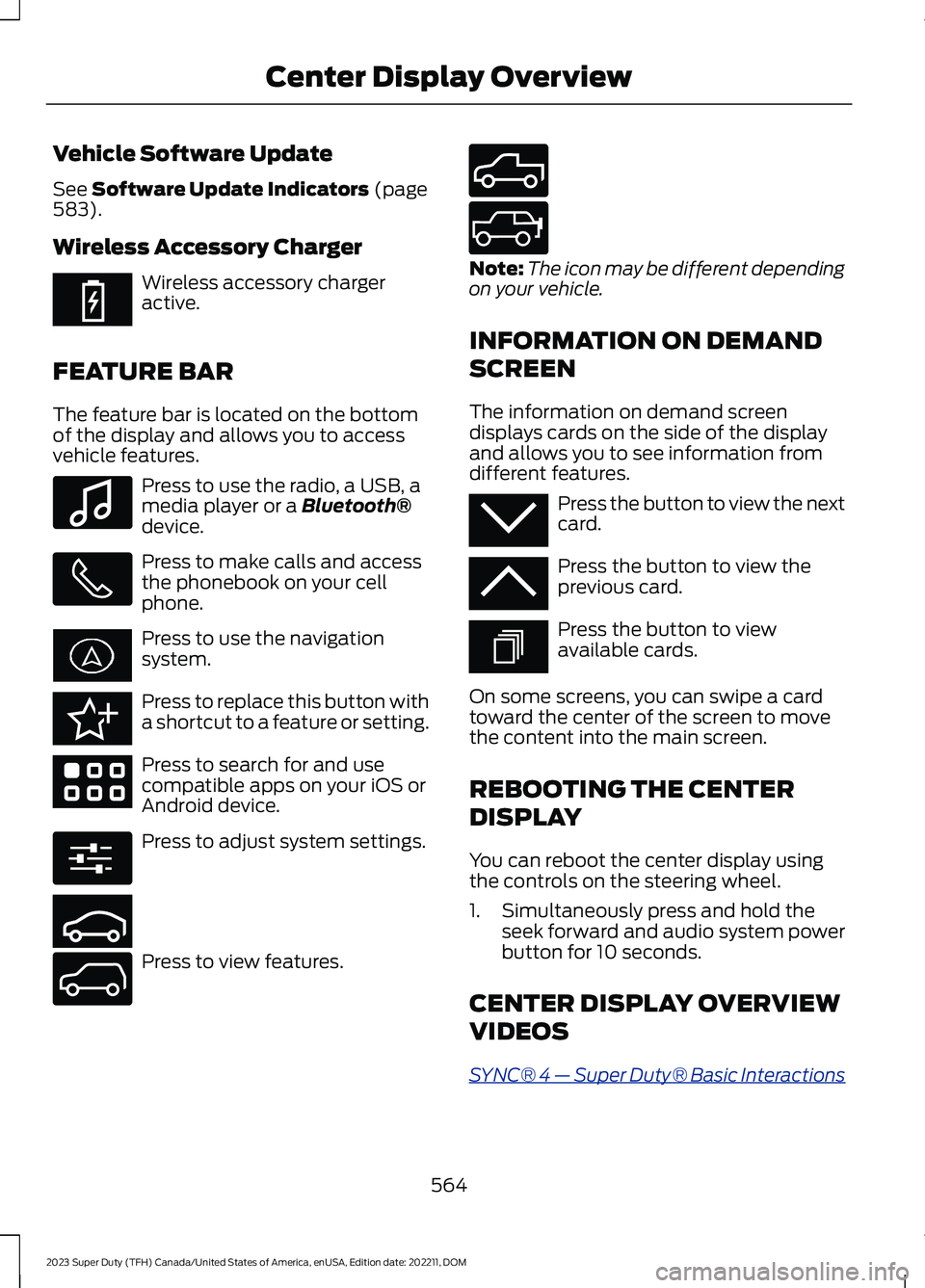
FEATURE BAR
The feature bar is located on the bottomof the display and allows you to accessvehicle features.
Press to use the radio, a USB, amedia player or a Bluetooth®device.
Press to make calls and accessthe phonebook on your cellphone.
Press to use the navigationsystem.
Press to replace this button witha shortcut to a feature or setting.
Press to search for and usecompatible apps on your iOS orAndroid device.
Press to adjust system settings.
Press to view features.
Note:The icon may be different dependingon your vehicle.
INFORMATION ON DEMAND
SCREEN
The information on demand screendisplays cards on the side of the displayand allows you to see information fromdifferent features.
Press the button to view the nextcard.
Press the button to view theprevious card.
Press the button to viewavailable cards.
On some screens, you can swipe a cardtoward the center of the screen to movethe content into the main screen.
REBOOTING THE CENTER
DISPLAY
You can reboot the center display usingthe controls on the steering wheel.
1.Simultaneously press and hold theseek forward and audio system powerbutton for 10 seconds.
CENTER DISPLAY OVERVIEW
VIDEOS
SYNC® 4 — Super Duty® Basic Interactions
564
2023 Super Duty (TFH) Canada/United States of America, enUSA, Edition date: 202211, DOMCenter Display OverviewE353214 E100027 E358432 E353220 E280315 E353210 E335299 E335300 E347104 E353212 E353211 E353209
Page 569 of 738
FORD ASSISTANT
USING FORD ASSISTANT
The digital assistant allows you to controlvehicle features using conversationalrequests.
To begin a voice interaction using the wakeword, say the selected wake word, thensay your command.
Press the voice interactionbutton on the steering wheel. Atone sounds before you can sayyour command.
Note:You may need to enable yourvehicle's modem to use certain voicecommands. See Enabling and Disablingthe Modem (page 548).
Note:When you are not driving, additionalcommands are available by using popularchat applications. Use FordPass to setup aconversation with your Ford assistant.
Voice Command Examples
To see examples of what voice commandsyou can use with different features:
Press the button on thetouchscreen.
1.Press Ford Assistant.
2.Press Voice Command Help.
3.Select a feature.
FORD ASSISTANT SETTINGS
To access the settings menu:
Press the button on thetouchscreen.
1.Press Ford Assistant.
From the settings menu you can do thefollowing:
•Switch listen for wake word on or off.
•Set the preferred wake word.
•Switch advance mode on or off.
•Switch phone confirmation on or off.
•Switch the commands list on or off.
•View the commands help menu.
Press the button next to a menuoption for more information.
FORD ASSISTANT – FREQUENTLYASKED QUESTIONS
Why does the system notunderstand what I am saying?
•You are speaking too soon. When usingthe button of the steering wheel, waitfor the tone before you speak.
Why does the system notunderstand the name of a track orartist?
•Bluetooth® does not support voicecommands.Connect your device to aUSB port.
•You are not saying the name exactlyas it appears on your device. Say thename of the track or artist exactly as itappears on your device. Spell out anyabbreviations in the name.
•The system does not recognize somespecial characters contained in thename of a song or artist, for example*, - or +. Rename the files on yourdevice or use the touchscreen to selectand play the track.
565
2023 Super Duty (TFH) Canada/United States of America, enUSA, Edition date: 202211, DOMVoice InteractionE142599 E280315 E280315 E366956
Page 570 of 738
Why does the system notunderstand the name of a contactin the phonebook on my device andcalls the wrong contact?
•You are not saying the name exactlyas it appears on your device. Say thefirst and last name of the contactexactly as it appears on your device.Spell out any abbreviations in thename.
•The name contains special characters,for example *, - or +. Rename thecontact on your device or use thetouchscreen to select and call thecontact.
Why does the system notunderstand foreign names ofcontacts in the phonebook on mydevice?
•The system applies phoneticpronunciation rules of the selectedlanguage to the names of contacts inthe phonebook on your device. Selectthe name of the contact on thetouchscreen and use the Hear it optionto get an idea of how the systemexpects you to pronounce it.
Why do the system voice promptsand the pronunciation of somewords not seem accurate?
•The system uses text-to-speechtechnology and a syntheticallygenerated voice rather than apre-recorded human voice.
566
2023 Super Duty (TFH) Canada/United States of America, enUSA, Edition date: 202211, DOMVoice Interaction
Page 571 of 738
WHAT IS ALEXA BUILT-IN
Allows you to use Alexa in your vehicle forauto specific use cases on the road andgives you access to an ever evolvingnumber of skills that help to make your lifemore productive, entertaining, andconnected while using your vehicle.
ALEXA BUILT-IN
REQUIREMENTS
To use Alexa, all of the following mustoccur:
•Your vehicle modem is enabled.
•You are logged into an existing Amazonaccount.
•Vehicle location services are enabled.
•Vehicle connectivity and vehicle datasharing is enabled.
SIGNING INTO YOUR
ACCOUNT
Press the button in the statusbar and follow the on-screenprompts.
To sign in using the settings menu:
1.Press Settings on the touchscreen.
2.Press Amazon Alexa.
3.Press Get Started.
4.Sign into your account by eitherscanning the QR code or entering theon-screen code into the Amazonwebsite.
5.Once logged in, follow the on-screenprompts.
6.When complete, the vehicle informsyou that Alexa is ready to be used inthe vehicle.
Signing Out of Your Account
1.Press Settings on the touchscreen.
2.Press Amazon Alexa.
3.Press Sign Out.
USING ALEXA BUILT-IN
To use Alexa, say “Alexa” or press the voiceinteraction button on the steering wheeland then say “Alexa” to invoke Alexa tostart listening.
Note:If the wake word is not enabled, youcan only use the voice interaction button.
You can use Alexa for the following andmore:
•Entertainment.
•Hands-free calling.
•Traffic and navigation.
•Vehicle controls.
•Smart home device control.
•Weather and news information.
ALEXA BUILT-IN SETTINGS
Enabling the Wake Word
1.Press Settings on the touchscreen.
2.Press Amazon Alexa.
3.Switch Listen for Wake Word on or off.
Note:If the wake word is not enabled, youcan only use the voice interaction button.
Contact List
Displays a list of connected phones andcontact sharing status for each phone.
To change the contact sharing status:
1.Press Settings on the touchscreen.
2.Press Amazon Alexa.
3.Press Contact List.
567
2023 Super Duty (TFH) Canada/United States of America, enUSA, Edition date: 202211, DOMAlexa Built-InE368039