2023 FORD SUPER DUTY start stop button
[x] Cancel search: start stop buttonPage 132 of 738
OPENING AND CLOSING THE
WINDOWS
WARNING: Do not leave childrenunattended in your vehicle and do notlet them play with the power windows.Failure to follow this instruction couldresult in personal injury.
WARNING: When closing thepower windows, verify they are free ofobstruction and make sure that childrenand pets are not in the proximity of thewindow openings.
Press the window control switchto open the window. Lift thewindow control switch to closethe window.
Note:The power windows operate with theignition on, and for several minutes after youswitch the ignition off or until you open afront door.
To reduce wind noise or pulsing noise whenone window is open, slightly open theopposite window.
One-Touch Open
Fully press the window control switch andrelease it. Press again or lift it to stop thewindow.
One-Touch Close
Fully lift the window control switch andrelease it. Press again or lift it to stop thewindow.
Resetting One-Touch Close
Carry out all steps within 30 seconds ofstarting the sequence.
1.Close the window.
2.Press and hold the window controlswitch until the window is fully open.Keep the window control switchpressed for a few seconds.
3.Lift and hold the window control switchuntil the window is fully closed. Keepthe window control switch held for afew seconds.
4.Press and hold the window controlswitch until the window is fully open.Keep the window control switchpressed for a few seconds.
5.Lift and hold the window control switchuntil the window is fully closed. Keepthe window control switch held for afew seconds.
Note:Repeat the procedure if the windowdoes not close when you use one-touch.
GLOBAL OPENING
WHAT IS GLOBAL OPENING
You can use the remote control to openthe windows with the ignition off.
USING GLOBAL OPENING
1.Press and release the unlock button onthe remote control.
2.Press and hold the unlock button onthe remote control.
3.Release the button when the windowsstart to open.
Press the lock or the unlock button on theremote control to stop global opening.
Note:You can use global opening for ashort period of time when you unlock yourvehicle using the remote control.
128
2023 Super Duty (TFH) Canada/United States of America, enUSA, Edition date: 202211, DOMWindows
Page 153 of 738
WHAT IS REMOTE START
The system allows you to remotely startyour vehicle and to adjust the interiortemperature according to the settings thatyou chose.
REMOTE START
PRECAUTIONS
WARNING: Do not start the enginein a closed garage or in other enclosedareas. Exhaust fumes are toxic. Alwaysopen the garage door before you startthe engine. Failure to follow thisinstruction could result in personal injuryor death.
REMOTE START LIMITATIONS
Remote start does not work under thefollowing conditions:
•The alarm horn is sounding.
•The hood is open.
•The transmission is not in park (P).
•The ignition is on.
•The battery voltage is below theminimum operating voltage.
•Remote start is not enabled.
Note:Do not use remote start if the fuellevel is low.
ENABLING REMOTE START
1.Press Settings on the touchscreen.
2.Press Vehicle.
3.Press Remote Start Setup.
4.Switch Remote Start on or off.
Note:To remote start with FordPass, makesure that the modem is enabled. SeeConnecting FordPass to the Modem(page 548).
REMOTELY STARTING AND
STOPPING THE VEHICLE
Remotely Starting the Vehicle
Press the button on the remotecontrol.
Within three seconds, press thebutton on the remote control.
Within three seconds, press thebutton again.
Note:You can also use FordPass to startthe vehicle.
Note:The vehicle doors lock when yousuccessfully remote start your vehicle.
Note:The turn signal lamps flash twice.
Note:The parking lamps turn on when thevehicle is running.
Note:The horn sounds if the system failsto start.
Note:All other vehicle systems remain offwhen you have remotely started the vehicle.
Note:The vehicle remains secured whenyou have remotely started the vehicle. Avalid key must be inside your vehicle toswitch the ignition on and drive your vehicle.
Remotely Stopping the Vehicle
Press the button on the remotecontrol.
149
2023 Super Duty (TFH) Canada/United States of America, enUSA, Edition date: 202211, DOMRemote Start (If Equipped)E138623 E138625 E138625
Page 154 of 738
EXTENDING THE REMOTE
START DURATION
To extend the remote start duration duringremote start, do the following:
Press the button on the remotecontrol.
Within three seconds, press thebutton on the remote control.
Within three seconds, press thebutton again.
If the duration is set to 15 minutes, theduration extends by another 15 minutes.This provides a total of 30 minutes.
Note:Remote start can only be extendedonce.
Note:A maximum of two remote starts, orone remote start with an extension, areallowed. To reset the restart procedureswitch the vehicle to on, then to off.
REMOTE START REMOTE
CONTROL INDICATORS
Remote Control Feedback
An LED on the remote control providesstatus feedback of remote start or stopcommands.
StatusLED
Remote startsuccessful.Solid green.
Remote stopsuccessful.Solid red.
Request failed orstatus not received.Blinking red.
Status incomplete.Blinking green.
REMOTE START SETTINGS
Climate Control Settings
1.Press Settings on the touchscreen.
2.Press Vehicle Settings.
3.Press Remote Start Setup.
4.Press Climate Control.
5.Press Auto or Last settings.
Note:If you switch the auto mode on, thesystem attempts to heat or cool the interiorto 72°F (22°C). When you switch the vehicleon, the climate control system returns tothe last used settings.
Note:If you switch the last settings on, thesystem remembers the last used settings.
Heated Seat Settings (If Equipped)
1.Press Settings on the touchscreen.
2.Press Vehicle Settings.
3.Press Remote Start Setup.
4.Press Seats.
5.Press Auto or Off.
Note:If you switch the heated seat settingson, the heated seats turn on during coldweather.
Note:You cannot adjust the heated seatsettings when you remotely start yourvehicle.
Heated Steering Wheel Settings (If
Equipped)
1.Press Settings on the touchscreen.
2.Press Vehicle Settings.
3.Press Remote Start Setup.
4.Press Seats and Steering Wheel.
5.Press Auto or Off.
Note:If you switch the heated steeringwheel settings on, the heated steering wheelturns on during cold weather.
150
2023 Super Duty (TFH) Canada/United States of America, enUSA, Edition date: 202211, DOMRemote Start (If Equipped)E138623 E138625
Page 194 of 738
WHAT IS UTILITY IDLE MODE
Utility idle mode allows you to remove thekey from the ignition and keep the vehicleand bed power point running.
SWITCHING UTILITY IDLE
MODE ON AND OFF
Switching Utility Idle On
1.Start the vehicle. See Starting andStopping the Engine (page 202).
2.Press Features on the touchscreen.
3.Press Pro Power Onboard.
4.Press Generator Mode.
5.Press Utility Idle.
6.Turn the key to position 0.
7.Remove the key from the ignition.
Switching Utility Idle Off using theKey
1.Insert the key into the ignition.
2.Turn the key to position III.
Switching Utility Idle Off using theCenter Display Screen
1.Start the vehicle. See Starting andStopping the Engine (page 202).
2.Press Features on the touchscreen.
3.Press Pro Power Onboard.
4.Press Generator Mode.
5.Press Utility Idle.
6.Press Turn Vehicle Off.
WHAT IS GENERATOR MODE
Generator mode uses the vehicle engineto increase power to the bed power outletsup to the rating listed on the power outletlabel.
SWITCHING GENERATOR
MODE ON AND OFF
Using the Center Display Screen
1.Start the vehicle. See Starting andStopping the Engine (page 202).
2.Press Features on the touchscreen.
3.Press Pro Power Onboard.
4.Press Generator Mode.
Using the Instrument Panel
Press the button to switchbetween off, convenience mode,and generator mode.
RESETTING GROUND FAULT
DETECTION
After disconnecting all electrical loads theground fault can be reset using theswitches on the power point, on theinstrument panel or on the touchscreen.
Use the controls on the touchscreen to testthe ground fault detection circuit.
190
2023 Super Duty (TFH) Canada/United States of America, enUSA, Edition date: 202211, DOMOnboard Generator (If Equipped)E311311
Page 207 of 738
Switching the Ignition On
Turn the key to position II. All electricalcircuits and accessories are operationaland the warning lamps and indicatorsilluminate.
PUSH BUTTON IGNITION
SWITCH (IF EQUIPPED)
Switching the Ignition Off
When the ignition is on or in accessorymode, press the push button ignitionswitch once without your foot on the brakepedal.
Switching the Ignition toAccessory Mode
When the ignition is off, press the pushbutton ignition switch once without yourfoot on the brake pedal.
All electrical circuits and accessories areoperational and the warning lamps andindicators illuminate.
Note:Your vehicle has a battery saverfeature that shuts your vehicle off when itdetects a certain amount of battery drain,or after approximately 30 minutes ofinactivity in accessory mode.
Note:The system may not function if theremote control is close to metal objects orelectronic devices, for example keys or a cellphone.
Note:You need a valid key inside yourvehicle to switch the ignition on and startthe engine.
STARTING THE ENGINE
STARTING A GASOLINE ENGINE -VEHICLES WITHOUT: PUSHBUTTON START
Before starting your vehicle, check thefollowing:
•Make sure that the headlamps andelectrical accessories are off.
•Make sure that the parking brake is on.
•Make sure that the transmission is inpark (P).
1.Fully press the brake pedal.
Note:Do not touch the accelerator pedal.
2.Turn the key to position III.
Note:The engine may continue crankingfor up to 15 seconds or until it starts.
Note:The engine takes longer to start atlower temperatures. It may crank for severalseconds when very cold.
STARTING A GASOLINE ENGINE -VEHICLES WITH: PUSH BUTTONSTART
Before starting your vehicle, check thefollowing:
•Make sure that the headlamps andelectrical accessories are off.
•Make sure that the parking brake is on.
•Make sure that the transmission is inpark (P).
1.Fully press the brake pedal.
Note:Do not touch the accelerator pedal.
203
2023 Super Duty (TFH) Canada/United States of America, enUSA, Edition date: 202211, DOMStarting and Stopping the EngineE357998 E322354
Page 208 of 738
2.Press the push button ignition switch.
Note:The engine may continue crankingfor up to 15 seconds or until it starts.
Note:The engine takes longer to start atlower temperatures. It may crank for severalseconds when very cold.
STARTING A DIESEL ENGINE -VEHICLES WITHOUT: PUSHBUTTON START
Before starting your vehicle, check thefollowing:
•Make sure that the headlamps andelectrical accessories are off.
•Make sure that the parking brake is on.
•Make sure that the transmission is inpark (P).
1.Turn the key to position II.
Note:Wait until the glow plug indicatorturns off.
2.Fully press the brake pedal.
Note:Do not touch the accelerator pedal.
3.Turn the key to position III.
Note:The engine may continue crankingfor up to 15 seconds or until it starts.
Note:The engine takes longer to start atlower temperatures. It may crank for severalseconds when very cold.
Glow Plug Indicator
If it illuminates, wait until theglow plug indicator turns offbefore starting the engine.
STARTING A DIESEL ENGINE -VEHICLES WITH: PUSH BUTTONSTART
Before starting your vehicle, check thefollowing:
•Make sure that the headlamps andelectrical accessories are off.
•Make sure that the parking brake is on.
•Make sure that the transmission is inpark (P).
1.Fully press the brake pedal.
Note:Do not touch the accelerator pedal.
2.Press the push button ignition switch.
Note:The engine may continue crankingfor up to 15 seconds or until it starts.
Note:The engine takes longer to start atlower temperatures. It may crank for severalseconds when very cold.
Glow Plug Indicator
The engine does not start untilthe glow plug indicator turns off.This may take several secondsin extremely cold conditions.
204
2023 Super Duty (TFH) Canada/United States of America, enUSA, Edition date: 202211, DOMStarting and Stopping the EngineE357998 E322357 E322354 E357998
Page 209 of 738
RESTARTING THE ENGINE AFTERSTOPPING IT - VEHICLES WITH:PUSH BUTTON START
The system allows you to start the enginewithin 10 seconds of switching it off, evenif it does not detect a valid passive key.
Within 10 seconds of switching the engineoff, fully press the brake pedal and pressthe push button ignition switch. After 10seconds, you can no longer start the engineif the system does not detect a validpassive key.
When you start the engine, it remainsrunning until you press the push buttonignition switch, even if your vehicle doesnot detect a valid passive key. If you openand close a door when the engine isrunning, the system searches for a validpassive key.
ENGINE BLOCK HEATER (IF
EQUIPPED)
ENGINE BLOCK HEATERPRECAUTIONS
WARNING: Failure to follow engineblock heater instructions could result inproperty damage or serious personalinjury.
WARNING: Do not use your heaterwith ungrounded electrical systems ortwo-pronged adapters. There is a risk ofelectrical shock.
WARNING: Do not fully close thehood, or allow it to drop under its ownweight when using the engine blockheater. This could damage the powercable and may cause an electrical shortresulting in fire, injury and propertydamage.
We recommend that you do the followingfor a safe and correct operation:
•Use a 16-gauge outdoor extension cordthat is product certified byUnderwriter’s Laboratory (UL) orCanadian Standards Association(CSA). This extension cord must besuitable for use outdoors, in coldtemperatures, and be clearly markedSuitable for Use with OutdoorAppliances. Do not use an indoorextension cord outdoors. This couldresult in an electric shock or become afire hazard.
•Use as short an extension cord aspossible.
•Do not use multiple extension cords.
•Make sure that when in operation, theextension cord plug and engine blockheater cord plug connections are freeand clear of water. This could cause anelectric shock or fire.
•If the engine block heater cord is underthe hood, do not remove the wiringfrom its original location. Do not closethe hood on the extension wiring.
•Park your vehicle in a clean area, clearof combustible materials.
•Firmly connect the engine block heatercord and the extension cord.
•Check the extension cord for heatanywhere when the system has beenoperating for approximately 30minutes.
•Unplug and properly stow the systembefore starting and driving your vehicle.The protective cover seals theterminals of the engine block heatercord plug when not in use.
•Check the engine block heater systemfor proper operation before winter.
205
2023 Super Duty (TFH) Canada/United States of America, enUSA, Edition date: 202211, DOMStarting and Stopping the Engine
Page 210 of 738
HOW DOES THE ENGINE BLOCKHEATER WORK
The engine block heater warms the enginecoolant. This allows the climate controlsystem to quickly respond. The equipmentincludes a heater element installed in theengine block and a wire harness. You canconnect the system to a grounded 110 voltAC electrical source.
Note:The engine block heater is mosteffective when outdoor temperatures arebelow 0°F (-18°C). We recommend the useof engine block heater to improve enginecold start performance.
USING THE ENGINE BLOCKHEATER
Make sure the receptacle terminals areclean and dry prior to use. Clean them witha dry cloth if necessary.
The heater uses 0.4 to 1.0 kilowatt-hoursof energy per hour of use. The system doesnot have a thermostat. It achievesmaximum temperature afterapproximately three hours of operation.Using the engine block heater longer thanthree hours does not improve systemperformance and unnecessarily useselectricity.
STOPPING THE ENGINE
STOPPING THE ENGINE WHENYOUR VEHICLE IS STATIONARY -VEHICLES WITHOUT: PUSHBUTTON START
1.Shift into park (P).
2.Apply the parking brake.
3.Wait until the engine reaches idlespeed.
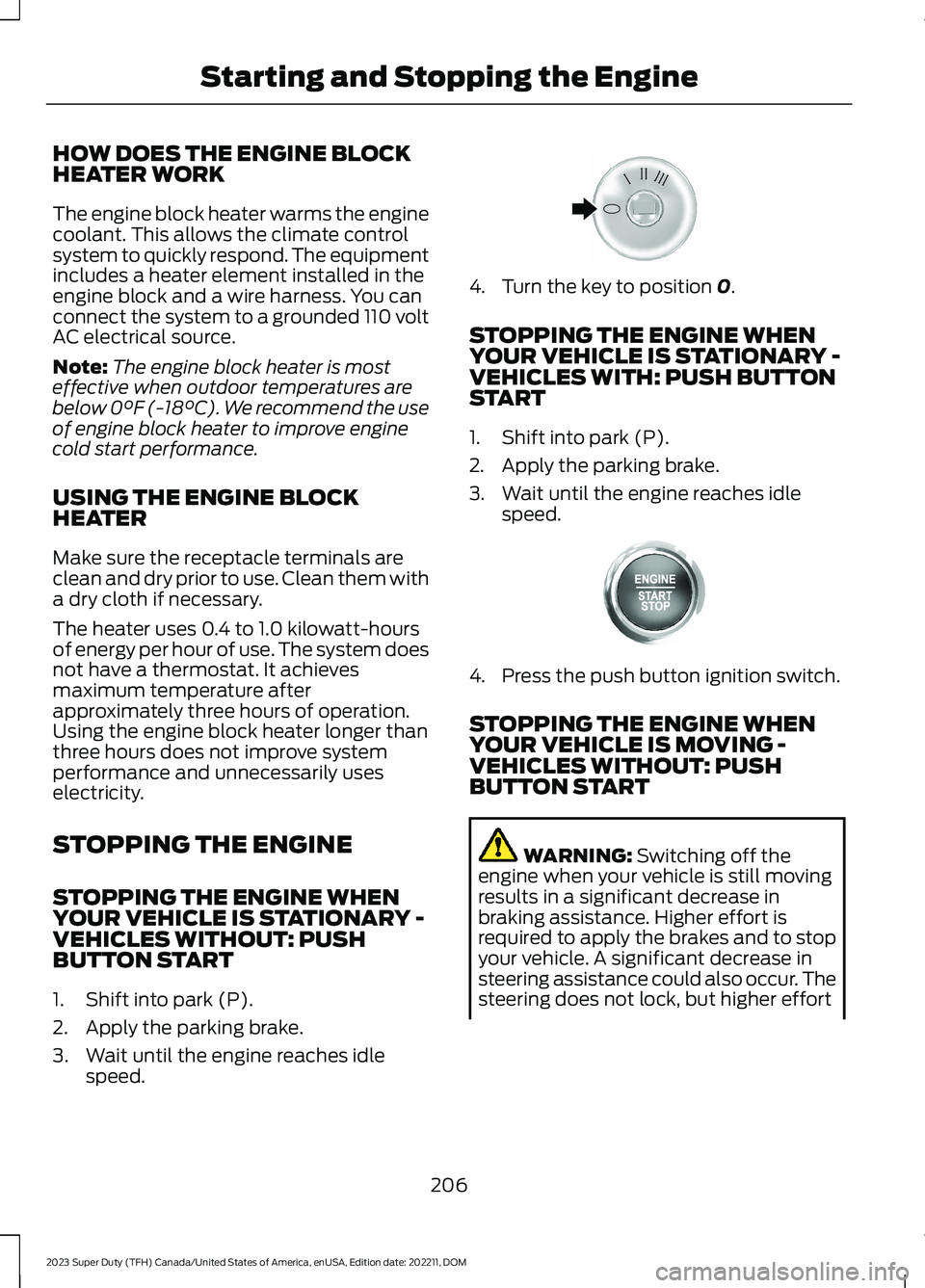
4.Turn the key to position 0.
STOPPING THE ENGINE WHENYOUR VEHICLE IS STATIONARY -VEHICLES WITH: PUSH BUTTONSTART
1.Shift into park (P).
2.Apply the parking brake.
3.Wait until the engine reaches idlespeed.
4.Press the push button ignition switch.
STOPPING THE ENGINE WHENYOUR VEHICLE IS MOVING -VEHICLES WITHOUT: PUSHBUTTON START
WARNING: Switching off theengine when your vehicle is still movingresults in a significant decrease inbraking assistance. Higher effort isrequired to apply the brakes and to stopyour vehicle. A significant decrease insteering assistance could also occur. Thesteering does not lock, but higher effort
206
2023 Super Duty (TFH) Canada/United States of America, enUSA, Edition date: 202211, DOMStarting and Stopping the EngineE322405 E357998