2023 FORD SUPER DUTY brake
[x] Cancel search: brakePage 59 of 738
•When the ignition is on, a warninginforms the driver about the status ofeach seat, following each seat buckleor unbuckle. You can acknowledge this,or the system will time out after 60seconds.
•If a seatbelt is unfastened, a secondwarning informs the driver about whichseatbelt was unfastened. A warningremains until all occupied seatbelts arefastened.
SEATBELT REMINDERINDICATORS
A warning lamp illuminates if the ignitionis on, a front seat is occupied and theseatbelt has not been fastened.
The warning lamp illuminatesuntil you fasten your seatbelt.
SEATBELT REMINDER AUDIBLEWARNINGS
A warning tone sounds and the warninglamp illuminates if you are not wearingyour seatbelt when your vehicle exceedsa relatively low speed.
The warning tone sounds for a short periodof time or until you fasten your seatbelt.
SWITCHING THE SEATBELTREMINDER ON AND OFF
WARNING: While the systemallows you to deactivate it, this systemis designed to improve your chances ofbeing safely belted and surviving anaccident. We recommend you leave thesystem activated for yourself and otherswho may use the vehicle.
Note:The driver and front passengerwarnings switch off independently. Whenyou perform this procedure for one seatingposition, do not buckle the other position asthis cancels the process.
Read Steps 1 - 4 before proceeding withthe programming procedure.
Make sure that:
•You set the parking brake.
•The transmission is in park (P).
•The ignition is off.
•You close all vehicle doors.
•You unfasten the driver and frontpassenger seatbelts.
1.Switch the ignition on. Do not start theengine.
2.Wait about one minute until theseatbelt warning light switches off.After Step 2, wait an additional fiveseconds before proceeding with Step3. Once you start Step 3, you mustcomplete the procedure within 30seconds.
3.For the seating position you areswitching off, fasten then unfasten theseatbelt three times at a moderatespeed, ending in the unfastened state.After Step 3, the seatbelt warning lightswitches on.
4.When the seatbelt warning light is on,fasten then unfasten the seatbelt. AfterStep 4, the seatbelt warning lightflashes for confirmation.
This switches the feature off for thatseating position if it is currently on.
This switches the feature on for thatseating position if it is currently off.
55
2023 Super Duty (TFH) Canada/United States of America, enUSA, Edition date: 202211, DOMSeatbeltsE71880
Page 74 of 738
Note:Do not leave a key card in hightemperatures. This can damage the keycard, causing it to no longer function.
Locking and Unlocking YourVehicle
Tap your key card on the exteriorkey reader, over the keyless entrykeypad, to lock or unlock thedriver door. If your vehicle is locked and youtap your key card on the key reader, yourvehicle unlocks. If your vehicle is unlockedand you tap your key card on the keyreader, your vehicle locks. See Locatingthe Key Readers (page 73).
Note:The key reader only works when usedin close proximity with a compatible keycard. The key reader may not function if youhold the key card more than 1.6 in (4 cm)away.
Note:Hold your key card over the exteriorkey reader for a few seconds to lock orunlock all doors.
Note:Only Ford issued key cards arecompatible with your vehicle.
Starting Your Vehicle
Using the Exterior Key Reader
You can start your vehicle without havingto tap your key card on the interior keyreader if you press the ignition switchwithin 60 seconds of unlocking yourvehicle using the exterior key reader.
1.Tap your key card on the exterior keyreader, over the keyless entry keypad,to unlock your vehicle. See Locatingthe Key Readers (page 73).
2.Enter your vehicle.
3.Fully press the brake pedal.
4.Press the push button ignition switch.See Starting and Stopping theEngine (page 202).
Using the Interior Key Reader
1.Tap your key card on the key reader. Atone sounds from your vehicle whenthe key reader recognizes the key card.See Locating the Key Readers (page73).
2.Fully press the brake pedal.
3.Press the push button ignition switch.See Starting and Stopping theEngine (page 202).
Adding and Deleting Key Cards
Your vehicle comes with two near fieldcommunication-enabled key cards,referred to as factory key cards.
You can purchase additional key cards andadd them to your vehicle at any time.These are considered user key cards andare not the same as factory key cards.Contact an authorized dealer to purchaseuser key cards.
Note:A single key card can be associatedwith multiple vehicles.
Note:You cannot add or delete factory keycards. Only authorized service technicianscan add or delete factory key cards.
Note:Make sure you install FordPass onyour mobile device and activate FordPassConnect on your vehicle.
Adding a Key Card
1.Start your vehicle with any key.
2.Press Settings on the touchscreen.
3.Press Vehicle.
4.Press Keys.
5.Press Add Key Card.
6.Follow the prompts on thetouchscreen.
70
2023 Super Duty (TFH) Canada/United States of America, enUSA, Edition date: 202211, DOMKeys and Remote ControlsE368487
Page 76 of 738
Note:You need two factory keys in yourvehicle to complete the setup of a digitalkey. Factory keys are the keys that camewith your vehicle.
Sharing a Digital Key
You can share keys to other users from theowner phone by using Apple Wallet orGoogle Wallet.
Note:Check with your device'smanufacturer for the latest information onsharing a key.
Deleting a Digital Key
Deleting Your Own Digital Key
You can delete your digital key from yourown device by using Apple Wallet orGoogle Wallet.
Note:Check with your device'smanufacturer for the latest information ondeleting a key.
Deleting a Shared Key Remotely
You can delete a shared key remotely fromthe owner phone by using Apple Wallet orGoogle Wallet.
Note:Check with your device'smanufacturer for the latest information ondeleting a key.
Deleting All Digital Keys
1.Start your vehicle with a factory key.
Note:A factory key is a key that came withyour vehicle.
2.Perform a system reset. SeePerforming a System Reset (page584).
Note:If you have added user key cards toyour vehicle, the reset deletes those as well.
Locking and Unlocking YourVehicle
Tap your device on the exteriorkey reader, over the keyless entrykeypad, to lock or unlock thedriver door. See Locating the KeyReaders (page 73).
If your vehicle is locked and you tap yourdevice on the key reader, your vehicleunlocks. If your vehicle is unlocked and youtap your device on the key reader, yourvehicle locks.
Note:Hold your device over the exterior keyreader for a few seconds to lock or unlockall doors.
Starting Your Vehicle
Using the Exterior Key Reader
You can start your vehicle without havingto tap your device on the interior key readerif you press the ignition switch within 60seconds of unlocking your vehicle usingthe exterior key reader.
1.
Tap your key card or digitalkey on the key reader, over the keylessentry keypad. See Locating the KeyReaders (page 73).
2.Enter your vehicle.
3.Fully press the brake pedal.
4.Press the push button ignition switch.See Starting and Stopping theEngine (page 202).
Using the Interior Key Reader
1.Fully press the brake pedal.
72
2023 Super Duty (TFH) Canada/United States of America, enUSA, Edition date: 202211, DOMKeys and Remote ControlsE368487 E368487
Page 83 of 738
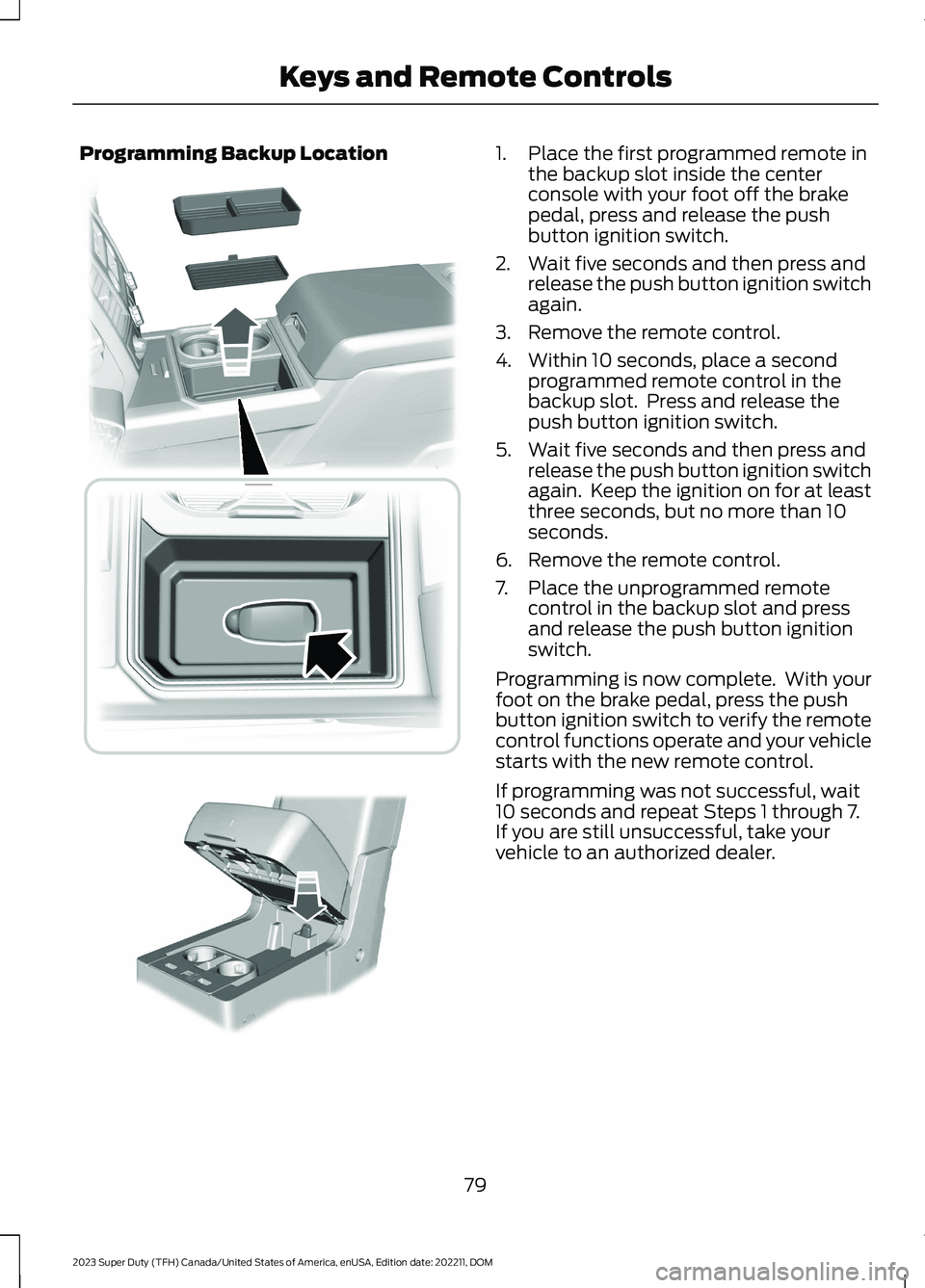
Programming Backup Location1.Place the first programmed remote inthe backup slot inside the centerconsole with your foot off the brakepedal, press and release the pushbutton ignition switch.
2.Wait five seconds and then press andrelease the push button ignition switchagain.
3.Remove the remote control.
4.Within 10 seconds, place a secondprogrammed remote control in thebackup slot. Press and release thepush button ignition switch.
5.Wait five seconds and then press andrelease the push button ignition switchagain. Keep the ignition on for at leastthree seconds, but no more than 10seconds.
6.Remove the remote control.
7.Place the unprogrammed remotecontrol in the backup slot and pressand release the push button ignitionswitch.
Programming is now complete. With yourfoot on the brake pedal, press the pushbutton ignition switch to verify the remotecontrol functions operate and your vehiclestarts with the new remote control.
If programming was not successful, wait10 seconds and repeat Steps 1 through 7.If you are still unsuccessful, take yourvehicle to an authorized dealer.
79
2023 Super Duty (TFH) Canada/United States of America, enUSA, Edition date: 202211, DOMKeys and Remote Controls E226701 E269950
Page 124 of 738
4.Switch Daytime Running Lights on oroff.
The daytime running lamps turn on whenall of the following occur:
•You switch the system on.
•You switch your vehicle on.
•The transmission is not in park (P) forvehicles with automatic transmissionsor you release the parking brake forvehicles with manual transmissions.
•The lighting control is in the autolampsposition.
•The headlamps are off.
Note:Other lighting control positions donot turn on the daytime running lamps.
SWITCHING THE DAYTIMERUNNING LAMPS ON AND OFF -VEHICLES WITH: DAYTIMERUNNING LAMPS (DRL)
WARNING: The daytime runninglamps system does not activate the rearlamps and may not provide adequatelighting during low visibility drivingconditions. Make sure you switch theheadlamps on, as appropriate, during alllow visibility conditions. Failure to do somay result in a crash.
Daytime running lamps are always onunless you switch on the headlamps oryour vehicle is in park (P).
USING THE FRONT FOG LAMPS (If
Equipped)
To switch the lamps on or off:
1.Set the lighting control to the parkinglamps, headlamps or autolampsposition.
Note:When the lighting control is in theautolamps position, you cannot switch thefog lamps on unless the low beamheadlamps are on.
2.
Press the button on thelighting control to switch the front foglamps on or off.
Note:Only switch the front fog lamps onduring reduced visibility.
Note:The brightness of the daytime runninglamps may decrease when the front foglamps are switched on.
Note:The front fog lamps lights switch offautomatically when high beams areactivated.
Front Fog Lamps Indicator
It illuminates when you switchthe front fog lamps on.
SWITCHING THE CARGO LAMPSON (If Equipped)
Press the button in the lightingcontrol or in the rear cargo box.
SWITCHING THE SPOT LAMPS ONAND OFF (If Equipped)
The spot lamp buttons are near the lightingcontrol.
Press the button to switch on theleft-hand spot lamp.
Press the button to switch on theright-hand spot lamp.
Move the position of the exterior mirrorsto adjust the aim.
120
2023 Super Duty (TFH) Canada/United States of America, enUSA, Edition date: 202211, DOMExterior Lighting E189587 E340436 E340437
Page 143 of 738

WHAT ARE THE INSTRUMENT
CLUSTER WARNING LAMPS
Warning lamps alert you to a vehiclecondition that could become serious.Some lamps illuminate when you startyour vehicle to make sure they work. If anylamps remain on after starting your vehicle,refer to the respective system warninglamp for further information.
INSTRUMENT CLUSTER
WARNING LAMPS
Depending on your vehicle options, somewarning lamps can appear different or notat all.
Anti-Lock Brake System
If it illuminates when you aredriving, this indicates amalfunction. Your vehiclecontinues to have normal braking withoutthe anti-lock brake system function. Haveyour vehicle checked as soon as possible.
Battery
It illuminates when you switchthe ignition on.
If it illuminates when the engineis running, this indicates your vehiclerequires service. Have your vehiclechecked as soon as possible.
Brake System
It illuminates when you apply theparking brake and the ignition ison. If it illuminates when yourvehicle is moving, make sure theparking brake is released. If theparking brake is released, thisindicates low brake fluid level or the brakesystem requires service. Have your vehiclechecked as soon as possible.
Note:Indicators may vary depending onregion.
Diesel Exhaust Fluid
Illuminates when the dieselexhaust fluid is low,contaminated or the systemrequires service. See Selective CatalyticReduction System (page 226).
Door Ajar
It illuminates when you switchthe ignition on and remains on ifany door is open.
Electric Parking Brake
It illuminates or flashes when theelectric parking brake requiresservice.
Note:Indicators may vary depending onregion.
Engine Coolant Temperature
If it illuminates, safely stop yourvehicle and switch the vehicleoff.
139
2023 Super Duty (TFH) Canada/United States of America, enUSA, Edition date: 202211, DOMInstrument ClusterE67020 E67021 E270480 E67024 E163176 E249859 E325775 E103308
Page 145 of 738
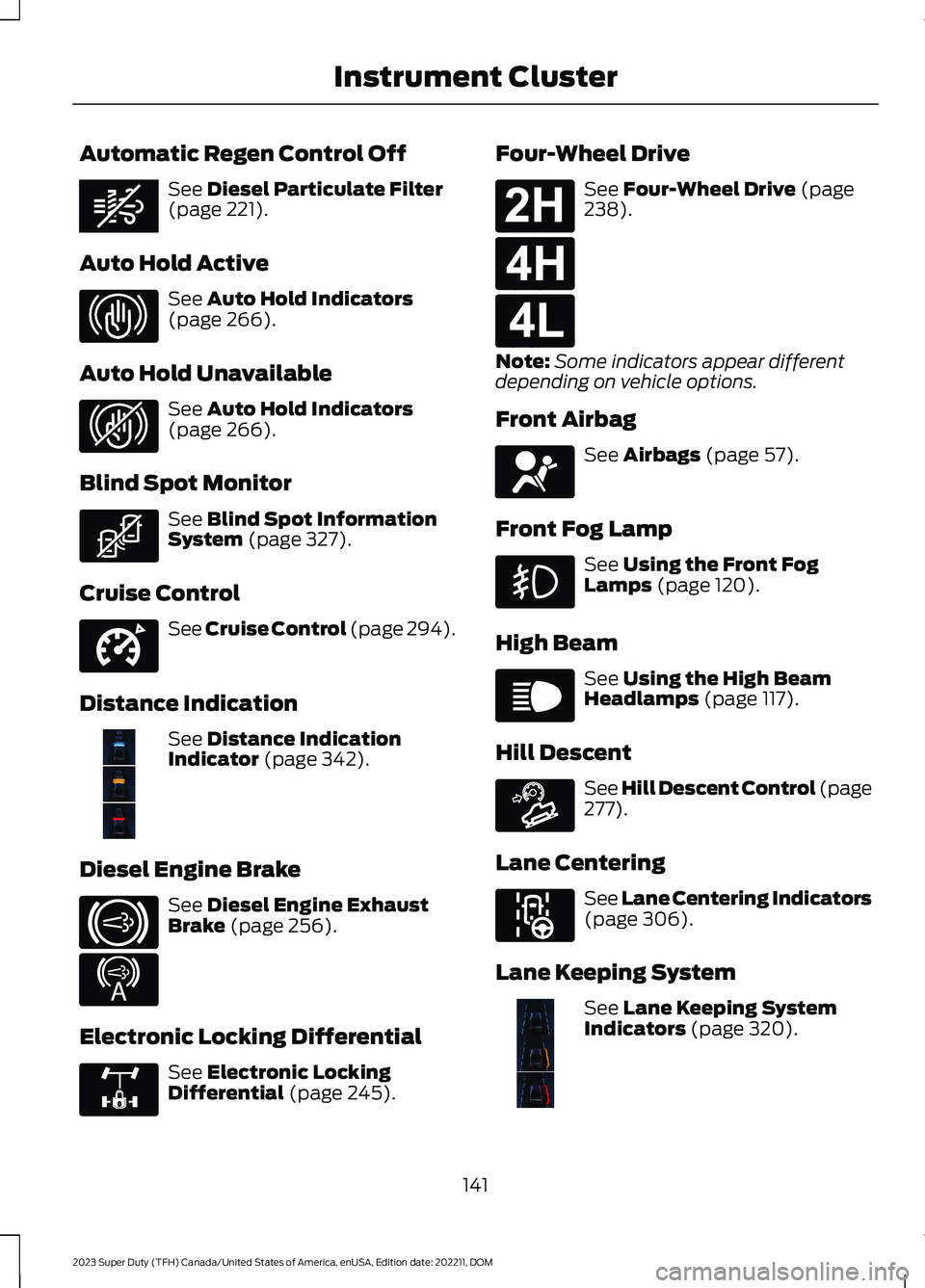
Automatic Regen Control Off
See Diesel Particulate Filter(page 221).
Auto Hold Active
See Auto Hold Indicators(page 266).
Auto Hold Unavailable
See Auto Hold Indicators(page 266).
Blind Spot Monitor
See Blind Spot InformationSystem (page 327).
Cruise Control
See Cruise Control (page 294).
Distance Indication
See Distance IndicationIndicator (page 342).
Diesel Engine Brake
See Diesel Engine ExhaustBrake (page 256).
Electronic Locking Differential
See Electronic LockingDifferential (page 245).
Four-Wheel Drive
See Four-Wheel Drive (page238).
Note:Some indicators appear differentdepending on vehicle options.
Front Airbag
See Airbags (page 57).
Front Fog Lamp
See Using the Front FogLamps (page 120).
High Beam
See Using the High BeamHeadlamps (page 117).
Hill Descent
See Hill Descent Control (page277).
Lane Centering
See Lane Centering Indicators(page 306).
Lane Keeping System
See Lane Keeping SystemIndicators (page 320).
141
2023 Super Duty (TFH) Canada/United States of America, enUSA, Edition date: 202211, DOMInstrument ClusterE362285 E323448 E323449 E323542 E332905 E381968 E171217 E234452 E325779 E181778 E181779 E181780 E67017 E67019 E163171 E297977 E382218
Page 207 of 738
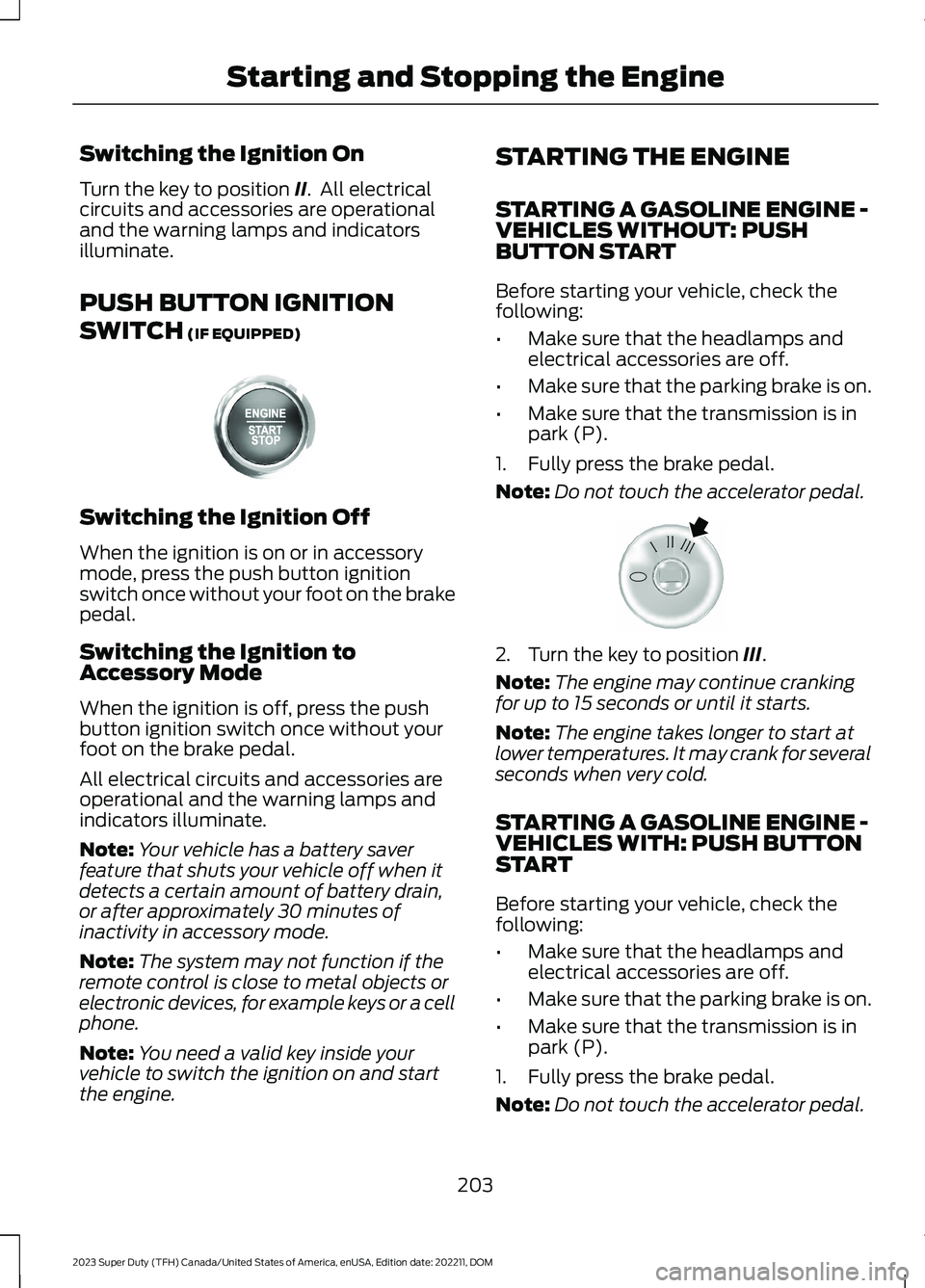
Switching the Ignition On
Turn the key to position II. All electricalcircuits and accessories are operationaland the warning lamps and indicatorsilluminate.
PUSH BUTTON IGNITION
SWITCH (IF EQUIPPED)
Switching the Ignition Off
When the ignition is on or in accessorymode, press the push button ignitionswitch once without your foot on the brakepedal.
Switching the Ignition toAccessory Mode
When the ignition is off, press the pushbutton ignition switch once without yourfoot on the brake pedal.
All electrical circuits and accessories areoperational and the warning lamps andindicators illuminate.
Note:Your vehicle has a battery saverfeature that shuts your vehicle off when itdetects a certain amount of battery drain,or after approximately 30 minutes ofinactivity in accessory mode.
Note:The system may not function if theremote control is close to metal objects orelectronic devices, for example keys or a cellphone.
Note:You need a valid key inside yourvehicle to switch the ignition on and startthe engine.
STARTING THE ENGINE
STARTING A GASOLINE ENGINE -VEHICLES WITHOUT: PUSHBUTTON START
Before starting your vehicle, check thefollowing:
•Make sure that the headlamps andelectrical accessories are off.
•Make sure that the parking brake is on.
•Make sure that the transmission is inpark (P).
1.Fully press the brake pedal.
Note:Do not touch the accelerator pedal.
2.Turn the key to position III.
Note:The engine may continue crankingfor up to 15 seconds or until it starts.
Note:The engine takes longer to start atlower temperatures. It may crank for severalseconds when very cold.
STARTING A GASOLINE ENGINE -VEHICLES WITH: PUSH BUTTONSTART
Before starting your vehicle, check thefollowing:
•Make sure that the headlamps andelectrical accessories are off.
•Make sure that the parking brake is on.
•Make sure that the transmission is inpark (P).
1.Fully press the brake pedal.
Note:Do not touch the accelerator pedal.
203
2023 Super Duty (TFH) Canada/United States of America, enUSA, Edition date: 202211, DOMStarting and Stopping the EngineE357998 E322354