2023 FORD SUPER DUTY USB
[x] Cancel search: USBPage 580 of 738
Note:Closing an app on your device willclose it on the touchscreen.
Note:For troubleshooting assistance selectMobile Apps List under Mobile Apps Help.
SWITCHING APPLE CARPLAY
ON AND OFF
Enabling Apple CarPlay with USB
1.Connect your device to a USB port.
2.Follow the instructions on your deviceand the touchscreen.
Note:Selecting "Enable Wireless CarPlay"on your device will prepare the device forwireless carplay when you re-enter thevehicle.
Enabling Apple CarPlay withWireless
1.Pair your device to Bluetooth®.
2.Follow the instructions on your deviceand the touchscreen.
Disabling Apple CarPlay
Select the settings option on thefeature bar.
1.Press Phone List.
2.Select your device from the list.
3.Press Disable.
Re-Enabling Apple CarPlay
Select the settings option on thefeature bar.
1.Press Phone List.
2.Select your device from the list.
3.Press Connect to Apple CarPlay.
SWITCHING ANDROID AUTO
ON AND OFF
Enabling Android Auto with USB
(If Equipped)
1.Connect your device to a USB port.
2.Follow the instructions on thetouchscreen.
Note:Certain features of the system arenot available when you are using AndroidAuto.
Enabling Android Auto withWireless
1.Pair your device to Bluetooth®.
2.Follow the instructions on your deviceand the touchscreen.
Note:Certain Android Devices do notsupport Android Auto Wireless. Pleasecheck your Android OS version forcompatibility.
Disabling Android Auto
Select the settings option on thefeature bar.
1.Press Phone List.
2.Select your device from the list.
3.Press Disable.
Re-Enabling Android Auto
Select the settings option on thefeature bar.
1.Press Phone List.
2.Select your device from the list.
3.Press Connect to Android Auto.
576
2023 Super Duty (TFH) Canada/United States of America, enUSA, Edition date: 202211, DOMApps
Page 583 of 738
CONNECTED NAVIGATION (IF
EQUIPPED)
Your vehicle may be equipped withconnected navigation. Depending on yourversion, you are given a 90 day or 3 yeartrial. After the trial period, you need to signup to continue the experience. Foradditional information, visit ford.com/connectedservices.
Note:If you do not sign up or renew yoursubscription, you can still use navigationthrough a connected device.
ACCESSING NAVIGATION
Press the button to accessNavigation.
Note:As the driver, be aware of all localtraffic regulations and road attributes, andoperate your vehicle in a safe and legalmanner.
NAVIGATION MAP UPDATES
To update your map data over Wi-Fi, yourvehicle must be connected to a Wi-Fiaccess point. For USB updates and otherdetails, contact dealers at1-866-462-8837 in the United States andCanada, or 800-557-5539 in Mexico.
Note:If you find map data errors, you mayreport them by going towww.here.com/mapcreator.
ADJUSTING THE MAP
ZOOMING THE MAP IN AND OUT
You can use pinch gestures to zoom in andout. Place two fingers on the screen andmove them apart to zoom in. Place twofingers on the screen and bring themtogether to zoom out.
CHANGING THE FORMAT OF THEMAP
Press the Menu button.
1.Press the Map Orientation tile.
2.Select a map orientation.
LIVE TRAFFIC
WHAT IS LIVE TRAFFIC
You can observe real-time road congestionwhen live traffic is on.
SWITCHING LIVE TRAFFIC ONAND OFF
Press the Menu button.
1.Press the Traffic on Map tile.
2.Press Traffic on or Traffic Off.
SETTING A DESTINATION
SETTING A DESTINATION USINGTHE TEXT ENTRY SCREEN
1.Press the search bar at the top of thescreen.
579
2023 Super Duty (TFH) Canada/United States of America, enUSA, Edition date: 202211, DOMNavigation (If Equipped) E328845 E328845
Page 587 of 738
Note:Software updates require approvalto download or install with AutomaticUpdates switched off.
Scheduling and InstallingSoftware Updates
Scheduling Software Updates
From the Software Updates menu:
1.Press Schedule Updates.
2.Select the days and time for updates.
3.Press Save.
The more days that updates arescheduled, the more frequently yourvehicle installs new updates. Werecommend selecting a time you normallydo not need your vehicle, such as overnight.
Some updates require your vehicle to beswitched off.
Note:The schedule you set is recurring. IfAutomatic Updates is on, every time anon-drivable update is available, it installson this schedule unless you change it. Youare notified on your touchscreen andconnected device prior to a non-drivableupdate, with an option to reschedule it.
Installing Software Updates
Using the Status Bar
1.Press a Software Update indicator onyour touchscreen when it appears.
2.Follow the instructions on thetouchscreen.
Using the Touchscreen
From the Software Updates menu:
1.Press Update Details.
2.Press Update Now.
Viewing Software Update Details
From the Software Updates menu:
1.Press Update Details.
SOFTWARE UPDATE
INDICATORS
You can press the indicators in the statusbar when they appear for moreinformation.
Vehicle software updatereminder, schedule required,confirmation of default schedulerequired, or consent required.
Vehicle software updatecanceled, update not successful,or precondition not met.
Vehicle software updatesuccessful.
583
2023 Super Duty (TFH) Canada/United States of America, enUSA, Edition date: 202211, DOMVehicle Software UpdatesE327787 E327788 E353218
Page 724 of 738

What Is Live Traffic............................................579Load Carrying.................................................351Load Carrying Precautions........................351Loading Your Trailer....................................366Locating the 360 DegreeCameras......................................................290Locating the Auxiliary Switches............586Locating the Auxiliary SwitchWiring............................................................586Locating the Blind Spot InformationSystem Sensors........................................328Locating the Brake Fluid Reservoir.......249Locating the Cross Traffic AlertSensors.........................................................336Locating the Exit Warning Sensors.......333Locating the Keyless Entry Keypad.........87Locating the Key Readers............................73Locating the Memory FunctionButtons...........................................................177Locating the Outlets...................................188Locating the Power Outlets......................185Locating the Pre-Collision AssistSensors..........................................................341Locating the Rear View Camera.............287Locating the Safety ComplianceCertification Labels..................................352Locating the Tire label...............................478Locating the USB Ports..............................183Locating the Wireless AccessoryCharger..........................................................195Locating Your Vehicle....................................74Locking the Rear Window Controls.......129
M
Maintenance.................................................44012V Battery...........................................................45612V Battery – Troubleshooting.....................459Coolant.................................................................450Engine Air Filter..................................................445Engine Oil.............................................................444Exterior Bulbs.......................................................461Interior Bulbs......................................................468Maintenance Precautions.......................440Making and Receiving a Phone Call.......571Manually Dimming the InteriorMirror...............................................................131
Manually Releasing the Electric ParkingBrake..............................................................253Manually Shifting Gears............................235Shifting Using the Buttons on the ColumnShifter................................................................235Manual Seats.................................................162Adjusting the Head Restraint.........................162Adjusting the Lumbar Support.....................164Adjusting the Seat Backrest...........................164Folding the Seats.................................................171Head Restraint Components.........................162Installing the Head Restraint.........................163Moving the Seat Backward andForward.............................................................163Removing the Head Restraint........................163Unfolding the Seats.............................................171Massage Seats...............................................167Adjusting the Massage Seat Settings........168Massage Seat Limitations...............................167Memory Function..........................................177Memory Function Precautions.................177Memory Function Videos...........................178Mislock...............................................................82Mislock Limitations..............................................82Switching Mislock On and Off.........................82What Is Mislock.....................................................82Mobile CommunicationsEquipment...................................................674Mobile Device Data........................................29Moonroof Bounce-Back.............................135Overriding Moonroof Bounce-Back.............135What Is Moonroof Bounce-Back..................135Moonroof.........................................................134Moonroof Bounce-Back...................................135Moonroof Videos..........................................135Motorcraft Parts - 6.7L Diesel.................523Motorcraft Parts - 6.8L, Gasoline..........524Motorcraft Parts - 7.3L, Gasoline...........525Muting the Audio.........................................554
N
Navigation Map Updates..........................579Navigation......................................................579Adjusting the Map.............................................579Live Traffic............................................................579Route Guidance.................................................580Setting a Destination........................................579
720
2023 Super Duty (TFH) Canada/United States of America, enUSA, Edition date: 202211, DOMIndex
Page 726 of 738
Passive Anti-Theft System.......................103How Does the Passive Anti-Theft SystemWork...................................................................103What Is the Passive Anti-TheftSystem...............................................................103Perchlorate.....................................................673Performing a System Reset....................584Personalized Settings.................................145Personal Profiles...........................................577Phone Menu..................................................569Phone..............................................................569Phone Precautions.....................................569Pickup Bed Anchor Points.......................356Installing and Removing the Pickup BedTie-Down Cleats............................................357Locating the Pickup Bed AnchorPoints................................................................356Pickup Bed Anchor Point LoadCapacities........................................................357Pickup Bed Anchor PointPrecautions.....................................................356Pickup Bed.....................................................356Pickup Bed Anchor Points..............................356Tailgate Anchor Points....................................358Pickup Bed Precautions............................356Pickup Bed Videos......................................358Playing Media Using Bluetooth®...........574Playing Media Using the USB Port.........183Playing or Pausing the AudioSource...........................................................553Post-Crash Alert System..........................423How Does the Post-Crash Alert SystemWork...................................................................423Post-Crash Alert System Limitations........423Switching the Post-Crash Alert SystemOff.......................................................................423What Is the Post-Crash AlertSystem..............................................................423Power Outlet Indicators.............................186Power Outlet Limitations..........................185Power Outlet..................................................185Power Outlet Precautions.........................185Power Outlet Videos...................................186Power Running Board Precautions........107Power Running Board Settings...............107Power Running Boards...............................107Power Running Boards –Troubleshooting............................................108
Power Running Boards –Troubleshooting........................................108Power Running Boards – Frequently AskedQuestions.........................................................108Power Running Boards Videos...............108Power Seats...................................................164Adjusting the Head Restraint.........................165Adjusting the Lumbar Support......................167Adjusting the Seat Backrest...........................166Adjusting the Seat Cushion............................166Adjusting the Seat Height................................167Head Restraint Components.........................164Installing the Head Restraint.........................166Moving the Seat Backward andForward.............................................................166Removing the Head Restraint.......................165Power Take-Off............................................236How Does the Power Take-Off Work.........236What is the Split Shaft Capability...............237Power-UpSee: Software Update Settings...................582See: Vehicle Software Updates...................582Pre-Collision Assist Limitations.............339Pre-Collision Assist Precautions...........338Pre-Collision Assist.....................................338Automatic Emergency Braking.....................342Distance Alert......................................................342Distance Indication............................................341Evasive Steering Assist....................................343Pre-Collision Assist –Troubleshooting............................................343Pre-Collision Assist –Troubleshooting........................................343Pre-Collision Assist – Frequently AskedQuestions........................................................345Pre-Collision Assist – InformationMessages.........................................................344Pre-Collision Assist – WarningLamps...............................................................343Pre-Collision Assist Videos......................345Predictive Speed Assist............................306Adjusting the Set Speed Tolerance............307How Does Predictive Speed AssistWork..................................................................306Predictive Speed Assist Alerts......................307Predictive Speed Assist Indicators.............308Predictive Speed Assist Limitations...........307Predictive Speed Assist Precautions.........306
722
2023 Super Duty (TFH) Canada/United States of America, enUSA, Edition date: 202211, DOMIndex
Page 733 of 738
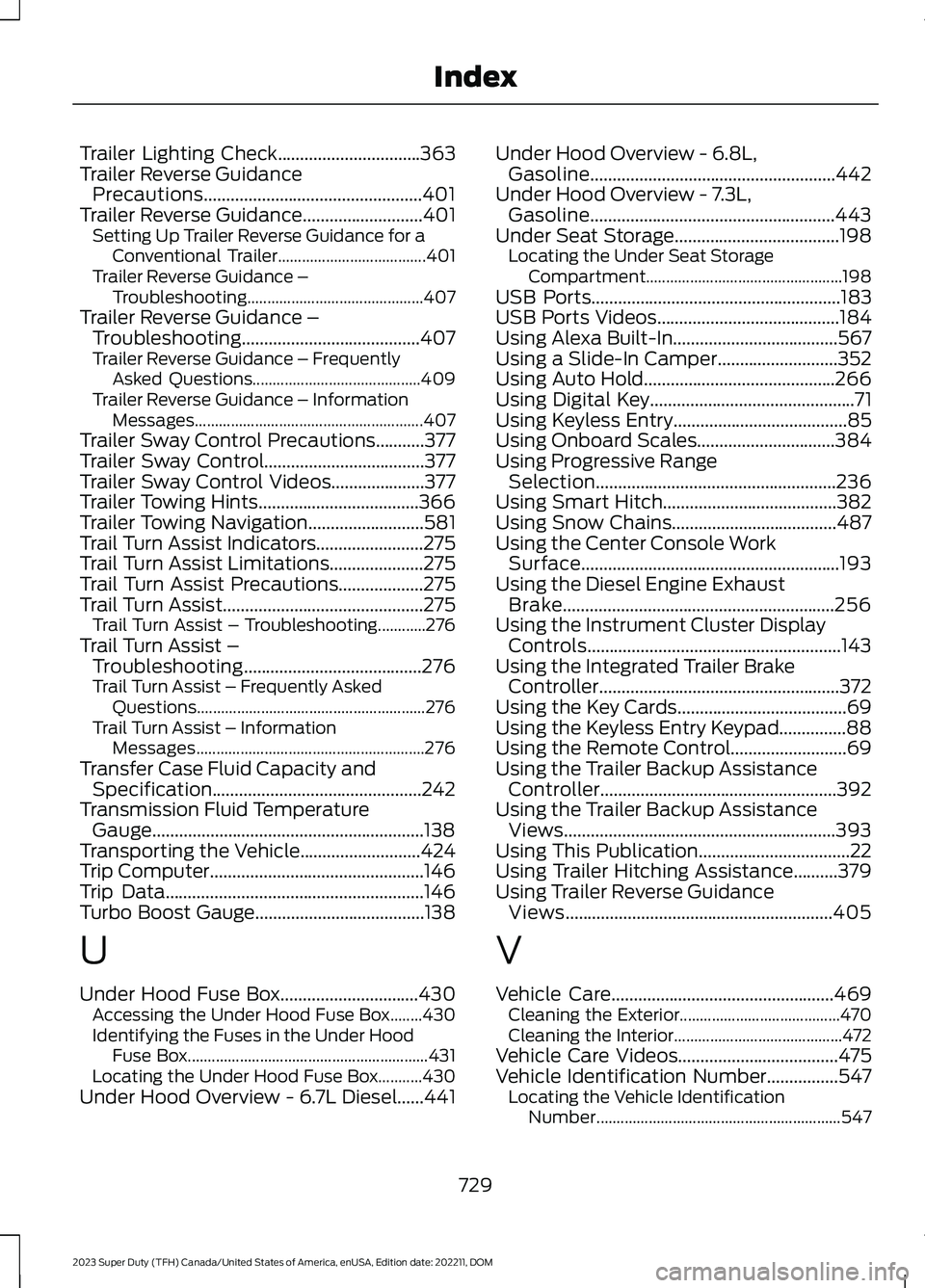
Trailer Lighting Check................................363Trailer Reverse GuidancePrecautions.................................................401Trailer Reverse Guidance...........................401Setting Up Trailer Reverse Guidance for aConventional Trailer.....................................401Trailer Reverse Guidance –Troubleshooting............................................407Trailer Reverse Guidance –Troubleshooting........................................407Trailer Reverse Guidance – FrequentlyAsked Questions..........................................409Trailer Reverse Guidance – InformationMessages.........................................................407Trailer Sway Control Precautions...........377Trailer Sway Control....................................377Trailer Sway Control Videos.....................377Trailer Towing Hints....................................366Trailer Towing Navigation..........................581Trail Turn Assist Indicators........................275Trail Turn Assist Limitations.....................275Trail Turn Assist Precautions...................275Trail Turn Assist.............................................275Trail Turn Assist – Troubleshooting............276Trail Turn Assist –Troubleshooting........................................276Trail Turn Assist – Frequently AskedQuestions.........................................................276Trail Turn Assist – InformationMessages.........................................................276Transfer Case Fluid Capacity andSpecification...............................................242Transmission Fluid TemperatureGauge.............................................................138Transporting the Vehicle...........................424Trip Computer................................................146Trip Data..........................................................146Turbo Boost Gauge......................................138
U
Under Hood Fuse Box...............................430Accessing the Under Hood Fuse Box........430Identifying the Fuses in the Under HoodFuse Box............................................................431Locating the Under Hood Fuse Box...........430Under Hood Overview - 6.7L Diesel......441
Under Hood Overview - 6.8L,Gasoline.......................................................442Under Hood Overview - 7.3L,Gasoline.......................................................443Under Seat Storage.....................................198Locating the Under Seat StorageCompartment.................................................198USB Ports........................................................183USB Ports Videos.........................................184Using Alexa Built-In.....................................567Using a Slide-In Camper...........................352Using Auto Hold...........................................266Using Digital Key..............................................71Using Keyless Entry.......................................85Using Onboard Scales...............................384Using Progressive RangeSelection......................................................236Using Smart Hitch.......................................382Using Snow Chains.....................................487Using the Center Console WorkSurface..........................................................193Using the Diesel Engine ExhaustBrake.............................................................256Using the Instrument Cluster DisplayControls.........................................................143Using the Integrated Trailer BrakeController......................................................372Using the Key Cards......................................69Using the Keyless Entry Keypad...............88Using the Remote Control..........................69Using the Trailer Backup AssistanceController.....................................................392Using the Trailer Backup AssistanceViews.............................................................393Using This Publication..................................22Using Trailer Hitching Assistance..........379Using Trailer Reverse GuidanceViews............................................................405
V
Vehicle Care..................................................469Cleaning the Exterior........................................470Cleaning the Interior..........................................472Vehicle Care Videos....................................475Vehicle Identification Number................547Locating the Vehicle IdentificationNumber.............................................................547
729
2023 Super Duty (TFH) Canada/United States of America, enUSA, Edition date: 202211, DOMIndex