2023 FORD EXPLORER ESP
[x] Cancel search: ESPPage 250 of 573
Setting the Adaptive Cruise Speedfrom a Complete Stop
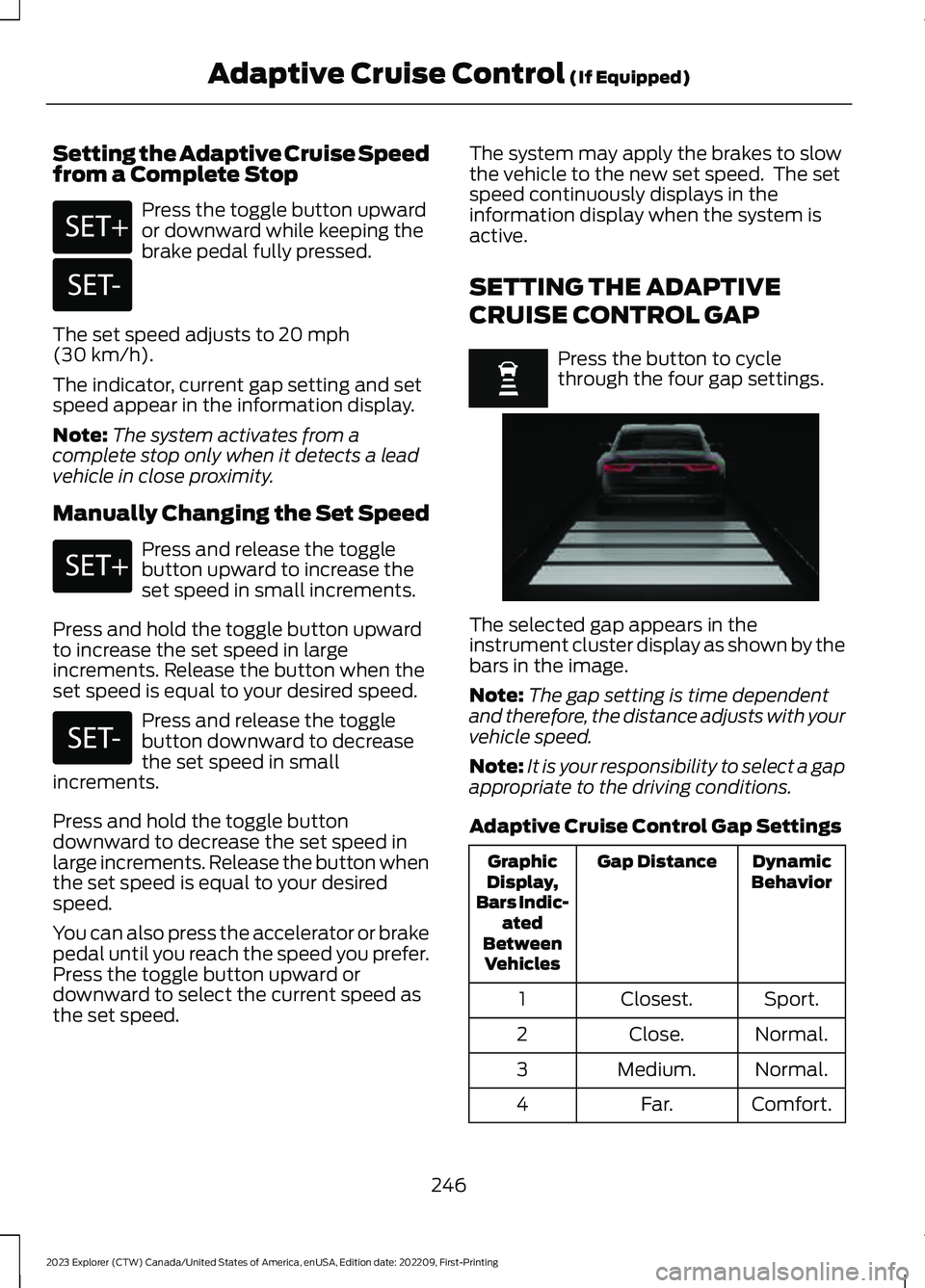
Press the toggle button upwardor downward while keeping thebrake pedal fully pressed.
The set speed adjusts to 20 mph(30 km/h).
The indicator, current gap setting and setspeed appear in the information display.
Note:The system activates from acomplete stop only when it detects a leadvehicle in close proximity.
Manually Changing the Set Speed
Press and release the togglebutton upward to increase theset speed in small increments.
Press and hold the toggle button upwardto increase the set speed in largeincrements. Release the button when theset speed is equal to your desired speed.
Press and release the togglebutton downward to decreasethe set speed in smallincrements.
Press and hold the toggle buttondownward to decrease the set speed inlarge increments. Release the button whenthe set speed is equal to your desiredspeed.
You can also press the accelerator or brakepedal until you reach the speed you prefer.Press the toggle button upward ordownward to select the current speed asthe set speed.
The system may apply the brakes to slowthe vehicle to the new set speed. The setspeed continuously displays in theinformation display when the system isactive.
SETTING THE ADAPTIVE
CRUISE CONTROL GAP
Press the button to cyclethrough the four gap settings.
The selected gap appears in theinstrument cluster display as shown by thebars in the image.
Note:The gap setting is time dependentand therefore, the distance adjusts with yourvehicle speed.
Note:It is your responsibility to select a gapappropriate to the driving conditions.
Adaptive Cruise Control Gap Settings
DynamicBehaviorGap DistanceGraphicDisplay,Bars Indic-atedBetweenVehicles
Sport.Closest.1
Normal.Close.2
Normal.Medium.3
Comfort.Far.4
246
2023 Explorer (CTW) Canada/United States of America, enUSA, Edition date: 202209, First-PrintingAdaptive Cruise Control (If Equipped)E246884 E246885 E246884 E246885 E255686
Page 252 of 573
When you override the system, the greenindicator illuminates and the vehicle icondoes not appear in the instrument clusterdisplay.
The system resumes operation when yourelease the accelerator pedal. The vehiclespeed decreases to the set speed, or alower speed if following a slower vehicle.
ADAPTIVE CRUISE CONTROL
INDICATORS - VEHICLES
WITH: INTELLIGENT ADAPTIVE
CRUISE CONTROL
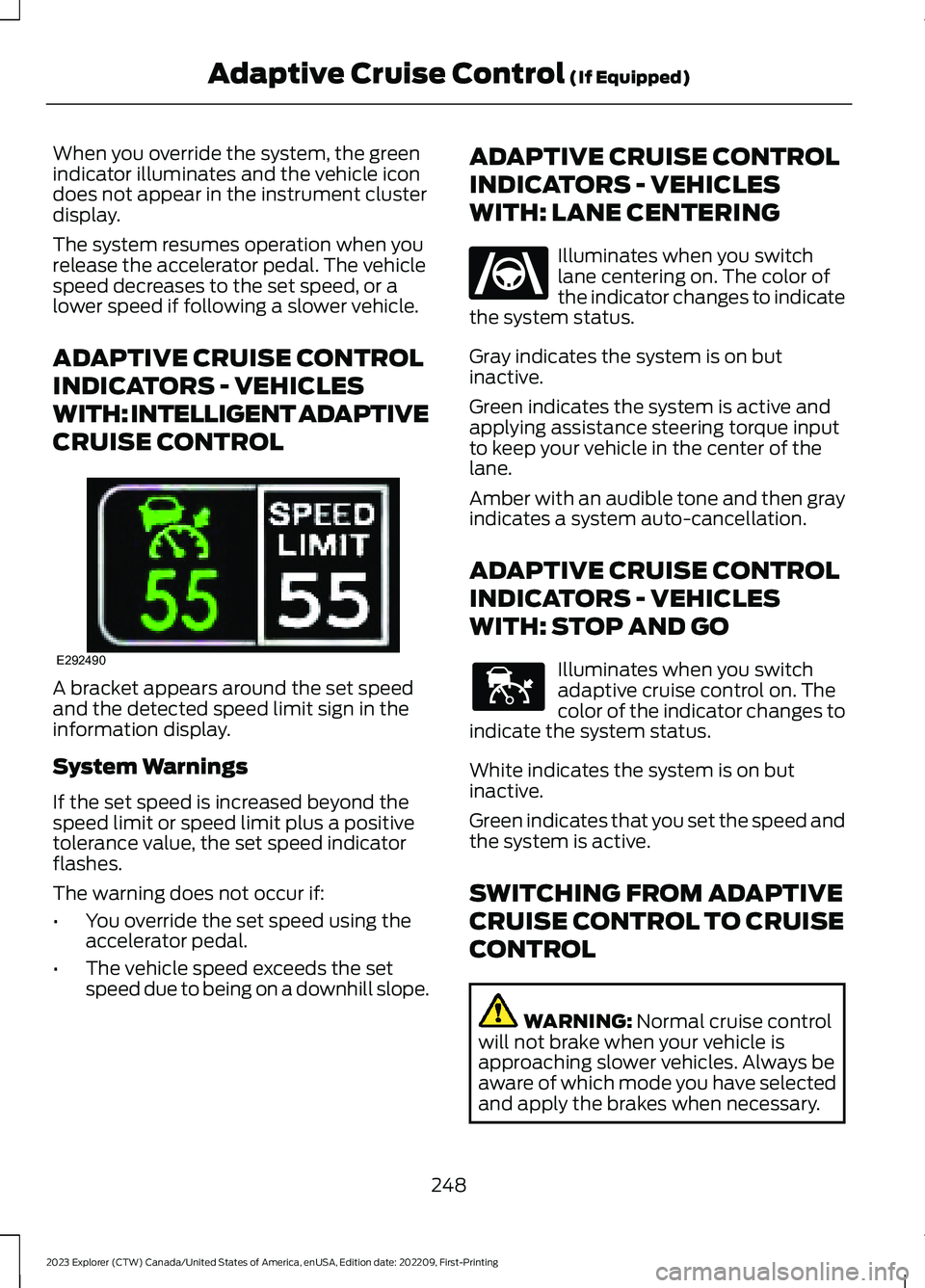
A bracket appears around the set speedand the detected speed limit sign in theinformation display.
System Warnings
If the set speed is increased beyond thespeed limit or speed limit plus a positivetolerance value, the set speed indicatorflashes.
The warning does not occur if:
•You override the set speed using theaccelerator pedal.
•The vehicle speed exceeds the setspeed due to being on a downhill slope.
ADAPTIVE CRUISE CONTROL
INDICATORS - VEHICLES
WITH: LANE CENTERING
Illuminates when you switchlane centering on. The color ofthe indicator changes to indicatethe system status.
Gray indicates the system is on butinactive.
Green indicates the system is active andapplying assistance steering torque inputto keep your vehicle in the center of thelane.
Amber with an audible tone and then grayindicates a system auto-cancellation.
ADAPTIVE CRUISE CONTROL
INDICATORS - VEHICLES
WITH: STOP AND GO
Illuminates when you switchadaptive cruise control on. Thecolor of the indicator changes toindicate the system status.
White indicates the system is on butinactive.
Green indicates that you set the speed andthe system is active.
SWITCHING FROM ADAPTIVE
CRUISE CONTROL TO CRUISE
CONTROL
WARNING: Normal cruise controlwill not brake when your vehicle isapproaching slower vehicles. Always beaware of which mode you have selectedand apply the brakes when necessary.
248
2023 Explorer (CTW) Canada/United States of America, enUSA, Edition date: 202209, First-PrintingAdaptive Cruise Control (If Equipped)E292490 E262175 E144529
Page 253 of 573
Use the touchscreen to select thefollowing:
1.Select Settings.
2.Select Driver Assist.
3.Select Cruise Control.
4.Select Normal.
The cruise control indicatorreplaces the adaptive cruisecontrol indicator if you selectnormal cruise control. The gap settingdoes not display, and the system does notrespond to lead vehicles. Automaticbraking remains active to maintain setspeed. The system remembers the lastsetting when you start your vehicle.
SWITCHING LANE CENTERING
ON AND OFF
The cruise controls are on the steeringwheel. See Cruise Control (page 81).
Press the button.
The indicator appears in the informationdisplay. When the system is on, the colorof the indicator changes to indicate thesystem status. See Adaptive CruiseControl Indicators (page 248).
Note:Adaptive cruise control must be onbefore you can switch lane centering on.
Activating Lane Centering
The system only activates when all of thefollowing occur:
•You have adaptive cruise control withstop-and-go on.
•Your hands are on the steering wheel.
•The system detects both lanemarkings.
Note:If it does not detect valid lanemarkings, the system stays inactive untilvalid markings are available.
You can override the system at any timeby steering your vehicle.
System Alerts and AutomaticCancellation
You must keep your hands on the steeringwheel at all times.
When the system is active and detects nosteering activity for a certain period of time,the system alerts you to put your hands onthe steering wheel. If you do not react tothe warnings the system cancels and slowsyour vehicle down to idle speeds whilemaintaining steering control.
The system also alerts you if your vehiclecrosses lane markings without detectedsteering activity.
Note:The system may detect a light gripor touch on the steering wheel as hands-offdriving.
When an external condition cancels thesystem, for example, no lane markingsavailable, a tone sounds and a messageappears in the information display.
If your vehicle starts to slowdown, you must provide steeringinput to the wheel and press andrelease the button to regain full systemperformance.
Automatic cancellation can also occur if:
•The lane becomes too wide or toonarrow.
•The system cannot detect valid lanemarkings.
•Lane markings are crossed.
Note:The system disables until the nextkey cycle if your vehicle slows down due todriver inactivity twice within a key cycle.
249
2023 Explorer (CTW) Canada/United States of America, enUSA, Edition date: 202209, First-PrintingAdaptive Cruise Control (If Equipped)E71340 E262175
Page 254 of 573

SWITCHING INTELLIGENT
MODE ON AND OFF
WARNING: You are responsible forcontrolling your vehicle at all times. Thesystem is designed to be an aid and doesnot relieve you of your responsibility todrive with due care and attention. Failureto follow this instruction could result inthe loss of control of your vehicle,personal injury or death.
1.Press Settings on the touchscreen.
2.Press Driver Assistance.
3.Press Cruise Control.
4.Press Intelligent.
Changing the Set Speed withIntelligent Adaptive Cruise Control
When intelligent mode is on, the systemadjusts the set speed to the speed limitdetected by the camera and the speedlimit information provided by thenavigation system.
Note:The set speed adjusts when thesystem detects a different maximum speedlimit.
Note:The speed limit information providedby the navigation map data may beinaccurate or out of date. See Navigation(page 449).
Note:The system alerts you if the set speedincreases beyond the speed limit. SeeAdaptive Cruise Control Indicators (page248).
If the system does not detect a speed limit,the vehicle speed remains at the currentset speed.
You can override the set speed at any time.You may need to override or cancel thesystem in certain situations such asinclement weather or if an incorrect speedis set.
Note:The system may not detect and readspeed limit signs with conditionalinformation, for example, when a sign isflashing, during specific time ranges, orwhen children are present.
Note:Under certain conditions, the systemmay not adjust the vehicle speed until afteryour vehicle passes the speed limit sign.
ADJUSTING THE SET SPEED
TOLERANCE
You can set a permanent speed tolerancethat is above or below the detected speedlimit.
1.Press Settings on the touchscreen.
2.Press Driver Assistance.
3.Press Cruise Control.
4.Press Intelligent.
5.Press Tolerance.
6.Use + and - to set the tolerance.
Note:You cannot set the tolerance morethan 20 mph (30 km/h) above or below therecognized speed.
ADAPTIVE CRUISE CONTROL
– TROUBLESHOOTING
ADAPTIVE CRUISE CONTROL –INFORMATION MESSAGES -VEHICLES WITH: LANECENTERING
Note:Depending on your vehicle optionsand instrument cluster type, not allmessages display or are available.
250
2023 Explorer (CTW) Canada/United States of America, enUSA, Edition date: 202209, First-PrintingAdaptive Cruise Control (If Equipped)
Page 258 of 573

DRIVER ALERT
PRINCIPLE OF OPERATION
WARNING: You are responsible forcontrolling your vehicle at all times. Thesystem is designed to be an aid and doesnot relieve you of your responsibility todrive with due care and attention. Failureto follow this instruction could result inthe loss of control of your vehicle,personal injury or death.
WARNING: The system may notfunction if the sensor is blocked.
WARNING: Take regular restbreaks if you feel tired. Do not wait forthe system to warn you.
WARNING: Certain driving stylesmay result in the system warning youeven if you are not feeling tired.
WARNING: In cold and severeweather conditions the system may notfunction. Rain, snow and spray can alllimit sensor performance.
WARNING: The system will notoperate if the sensor cannot track theroad lane markings.
WARNING: If damage occurs in theimmediate area surrounding the sensor,have your vehicle checked as soon aspossible.
WARNING: The system may notcorrectly operate if your vehicle is fittedwith a suspension kit not approved byus.
Note:Keep the windshield free fromobstructions. For example, bird droppings,insects and snow or ice.
Note:If the camera is blocked or if thewindshield is damaged, the system may notfunction.
Note:The system remembers the on or offsetting in the information display menuthrough ignition cycles.
Note:If enabled in the menu, the systemactivates at speeds above 40 mph(64 km/h). When below the activationspeed, the information display informs thedriver that the system is unavailable.
The system automatically monitors yourdriving behavior using various inputsincluding the front camera sensor.
If the system detects that your drivingalertness is reduced below a certainthreshold, the system alerts you using achime and a message in the cluster display.
USING DRIVER ALERT
Switching the System On and Off
Switch the system on or off using thetouchscreen. See Settings (page 458).
When active, the system monitors youralertness level based upon your drivingbehavior in relation to the lane markings,and other factors.
System Warnings
Note:The system does not issue warningsbelow approximately 40 mph (64 km/h).
254
2023 Explorer (CTW) Canada/United States of America, enUSA, Edition date: 202209, First-PrintingDriving AidsE249505
Page 259 of 573

Note:If you receive a warning you shouldconsider resting, even if the currentassessment is within the typical range.
The warning system has two stages. Atfirst, the system issues a temporarywarning that you need to take a rest. Thismessage only appears for a short time. Ifthe system detects further reduction indriving alertness, it may issue anotherwarning that remains in the informationdisplay for a longer time. You can press OKon the steering wheel control to clear thewarning.
Resetting the System
You can reset the system by either:
•Switching the ignition off and on.
•Stopping the vehicle and then openingand closing the driver’s door.
LANE KEEPING SYSTEM
WARNING: You are responsible forcontrolling your vehicle at all times. Thesystem is designed to be an aid and doesnot relieve you of your responsibility todrive with due care and attention. Failureto follow this instruction could result inthe loss of control of your vehicle,personal injury or death.
WARNING: Always drive with duecare and attention when using andoperating the controls and features onyour vehicle.
WARNING: In cold and severeweather conditions the system may notfunction. Rain, snow and spray can alllimit sensor performance.
WARNING: Large contrasts inoutside lighting can limit sensorperformance.
WARNING: The system will notoperate if the sensor cannot track theroad lane markings.
WARNING: The sensor mayincorrectly track lane markings as otherstructures or objects. This can result ina false or missed warning.
WARNING: The system may notoperate properly if the sensor is blocked.Keep the windshield free fromobstruction.
WARNING: If damage occurs in theimmediate area surrounding the sensor,have your vehicle checked as soon aspossible.
WARNING: The system may notcorrectly operate if your vehicle is fittedwith a suspension kit not approved byus.
Note:The system works above 40 mph(64 km/h).
Note:The system works as long as thecamera can detect one lane marking.
Note:When you select aid or alert and aidmode and the system detects no steeringactivity for a short period, the system alertsyou to put your hands on the steering wheel.The system may detect a light grip ortouch on the steering wheel as hands offdriving.
Note:The system may not function if thecamera is blocked, or if the windshield isdamaged or dirty.
255
2023 Explorer (CTW) Canada/United States of America, enUSA, Edition date: 202209, First-PrintingDriving Aids
Page 266 of 573
Note:You do not need to enter an exacttrailer width measurement. You only needto confirm that the width of the trailer is8.2 ft (2.5 m) or less.
If no, the system turns off.
If yes, the menu goes to the next screen.
•Enter length of trailer:
Toggling up or down using the menubuttons increases or decreases themeasurement by 1 ft (0.3 m). Select alength that is equal to or within 1 ft (0.3 m)of the actual measured length. Forexample, if the actual measured length is25 ft (7.6 m), toggle the length in the menuto 25 ft (8 m). When you enter the lengthof the trailer, this saves the system setup.
Note:When you connect a trailer, but donot setup a trailer in the blind spotinformation system, the system turns offand a warning appears in the informationdisplay.
Note:If the trailer is a bike rack or cargorack with electrical lighting, enter a lengthof 3 ft (1 m). Cross Traffic Alert remains onfor trailers with a length of 3 ft (1 m) or less.
Note:The system requires propermeasurement and measurement entry tofunction as designed.
System Operation
If you select a trailer in the informationdisplay prior to connecting a trailer, thesystem loads that configuration and theinformation display shows a messagewhen you connect the trailer. A secondmessage appears stating cross traffic alertis off, unless a trailer is set up with a lengthof 3 ft (1 m). The blind spot informationsystem with trailer tow still functionsnormally when driving forward.
If you connect a trailer, a message appearsindicating that you attached a trailer. If youhave not selected a trailer previously,another message appears requesting youto select one of the trailers in the list or adda new trailer. The blind spot informationsystem with trailer tow does not functionwithout a trailer selected. If you do notselect a trailer, a message appears in theinformation display stating the system hasturned this feature off.This message mightnot appear until your vehicle speed reaches22 mph (35 km/h).
The blind spot information system withtrailer tow activates when driving forwardfor that particular trailer set up. If you cyclethe ignition, the blind spot informationsystem with trailer tow continues tofunction using the last trailer you selected.
Trailer Considerations
The system works with a trailer with a frontwidth of 8.2 ft (2.5 m) or less, and a totallength from the trailer hitch ball to the rearof the trailer of 33 ft (10 m) or less.
Some trailers could cause a slight changein system performance:
•Wide box trailers, especially thosewider than the towing vehicle, couldcause false alerts to occur when drivingnext to infrastructure or near parkedcars. A false alert could also occurwhile making a 90-degree turn ordriving through a roundabout.
•Wide trailers that have a total lengthgreater than 20 ft (6 m) could causedelayed alerts when a vehicle ispassing at high speeds.
262
2023 Explorer (CTW) Canada/United States of America, enUSA, Edition date: 202209, First-PrintingDriving Aids
Page 270 of 573

Cross Traffic Alert Indicator
When the system detects anapproaching vehicle, a tonesounds, a warning lampilluminates in the relevant exterior mirrorand arrows appear in the informationdisplay to show which side theapproaching vehicle is coming from.
Note:If arrows do not display, a messageappears in the information display.
If the system malfunctions, a warning lampilluminates in the instrument cluster anda message appears in the informationdisplay. Have your vehicle checked as soonas possible.
Note:In exceptional conditions, the systemcould alert you, even when there is nothingin the detection zone, for example a vehiclepassing further away from your vehicle.
Cross Traffic Alert Information Messages
ActionMessage
Displays instead of indication arrows when the systemdetects a vehicle. Check for approaching traffic.Cross Traffic Alert
Indicates blocked cross traffic alert system sensors. Cleanthe sensors. If the message continues to appear, have yourvehicle checked as soon as possible.
Cross Traffic Not Avail-able Sensor Blocked SeeManual
The system has malfunctioned. Have your vehicle checkedas soon as possible.Cross Traffic SystemFault
Displays if you attach a trailer to your vehicle.Cross Traffic Alert Deac-tivated Trailer Attached
SPEED SIGN RECOGNITION (IF
EQUIPPED)
Principle of Operation
WARNING: You are responsible forcontrolling your vehicle at all times. Thesystem is designed to be an aid and doesnot relieve you of your responsibility todrive with due care and attention. Failureto follow this instruction could result inthe loss of control of your vehicle,personal injury or death.
WARNING: In cold and severeweather conditions the system may notfunction. Rain, snow and spray can alllimit sensor performance.
WARNING: The system may notoperate properly if the sensor is blocked.Keep the windshield free fromobstruction.
The system is designed to detect speedlimit signs to inform you of the currentspeed limit. Detected speed signs appearin the information display. The sensor isbehind the interior mirror.
Note:Do not carry out windshield repairsin the immediate area surrounding thesensor.
266
2023 Explorer (CTW) Canada/United States of America, enUSA, Edition date: 202209, First-PrintingDriving AidsE268294