2023 FORD EXPEDITION warning
[x] Cancel search: warningPage 343 of 658

WHAT IS DRIVER ALERT
Driver alert alerts you if it determines thatyou are becoming drowsy or if your drivingdeteriorates.
HOW DOES DRIVER ALERT
WORK
Driver Alert calculates your alertness levelbased on your driving behavior in relationto the lane markings and other factorsthrough use of the front camera sensorbehind the interior mirror.
DRIVER ALERT PRECAUTIONS
WARNING: You are responsible forcontrolling your vehicle at all times. Thesystem is designed to be an aid and doesnot relieve you of your responsibility todrive with due care and attention. Failureto follow this instruction could result inthe loss of control of your vehicle,personal injury or death.
WARNING: Take regular restbreaks if you feel tired. Do not wait forthe system to warn you.
WARNING: Certain driving stylesmay result in the system warning youeven if you are not feeling tired.
WARNING: In cold and severeweather conditions the system may notfunction. Rain, snow and spray can alllimit sensor performance.
WARNING: The system will notoperate if the sensor cannot track theroad lane markings.
WARNING: If damage occurs in theimmediate area surrounding the sensor,have your vehicle checked as soon aspossible.
WARNING: The system may notcorrectly operate if your vehicle is fittedwith a suspension kit not approved byus.
WARNING: The system may notoperate properly if the sensor is blocked.Keep the windshield free fromobstruction.
Note:If something is blocking the cameraor damaged the windshield, Driver Alert maynot function.
DRIVER ALERT LIMITATIONS
Driver alert may not function correctly if:
•The sensor cannot track the road lanemarkings.
•Your vehicle's speed is less thanapproximately 40 mph (65 km/h).
339
2023 Expedition (TB8) Canada/United States of America, enUSA, Edition date: 202207, DOMDriver AlertE309385
Page 344 of 658
SWITCHING DRIVER ALERT ON
AND OFF - VEHICLES WITH: 12
INCH SCREEN
1.Press Features on the touchscreen.
2.Press Driver Assistance.
3.Switch Driver Alert on or off.
Note:The system remains on or offdepending on how it was last set.
Resetting Driver Alert
You can reset the system by either:
•Switching the ignition off and on.
•Opening and closing the driver doorwhen your vehicle is stationary, and itis safe to do so.
SWITCHING DRIVER ALERT ON
AND OFF - VEHICLES WITH:
15.5 INCH CENTER DISPLAY
SCREEN/15 INCH SCREEN
To switch the system on or off, use thetouchscreen:
1.Access the vehicle drawer.
2.Press SETTINGS.
3.Press Driver Assistance.
4.Switch Driver Alert on or off.
Note:The system remains on or offdepending on how it was last set.
Resetting Driver Alert
You can reset the system by either:
•Switching the ignition off and on.
•Stopping the vehicle and then openingand closing the driver door.
DRIVER ALERT – TROUBLESHOOTING
DRIVER ALERT – INFORMATION MESSAGES
ActionMessage
Stop and rest as soon as it is safe to do so.Driver Alert Warning Rest Now
Take a rest soon.Driver Alert Warning Rest Suggested
340
2023 Expedition (TB8) Canada/United States of America, enUSA, Edition date: 202207, DOMDriver Alert
Page 345 of 658

WHAT IS SPEED SIGN
RECOGNITION
Speed sign recognition detects speed limitsigns to inform you of the current speedlimit. Detected speed signs appear in theinstrument cluster display.
HOW DOES SPEED SIGN
RECOGNITION WORK
Speed sign recognition uses a sensorbehind the interior mirror to detect speedsigns.
If your vehicle has speed sign recognitionwith navigation, stored speed sign datamay influence the indicated speed limitvalue.
SPEED SIGN RECOGNITION
PRECAUTIONS
WARNING: You are responsible forcontrolling your vehicle at all times. Thesystem is designed to be an aid and doesnot relieve you of your responsibility todrive with due care and attention. Failureto follow this instruction could result inthe loss of control of your vehicle,personal injury or death.
WARNING: In cold and severeweather conditions the system may notfunction. Rain, snow and spray can alllimit sensor performance.
WARNING: The system may notoperate properly if the sensor is blocked.Keep the windshield free fromobstruction.
Note:Do not carry out windshield repairsin the immediate area surrounding thesensor.
Note:If your vehicle has a suspension kitnot approved by Ford, the system may notcorrectly function.
Note:The system may not detect all speedsigns and may incorrectly read signs.
Note:Always fit our original parts whenreplacing headlamp bulbs. Other bulbs mayreduce system performance.
SPEED SIGN RECOGNITION
LIMITATIONS
Speed sign recognition may not operatecorrectly due to:
•Outdated map data.
•Incorrect recognition of speed limits bythe sensor of signs on parallel roads orexit ramps.
•Missed recognition of faded, dirty, ordistorted signs.
SPEED SIGN RECOGNITION
INDICATORS
When the system detects a speed limitsign, it appears in the instrument clusterdisplay.
341
2023 Expedition (TB8) Canada/United States of America, enUSA, Edition date: 202207, DOMSpeed Sign Recognition (If Equipped)E317824
Page 346 of 658
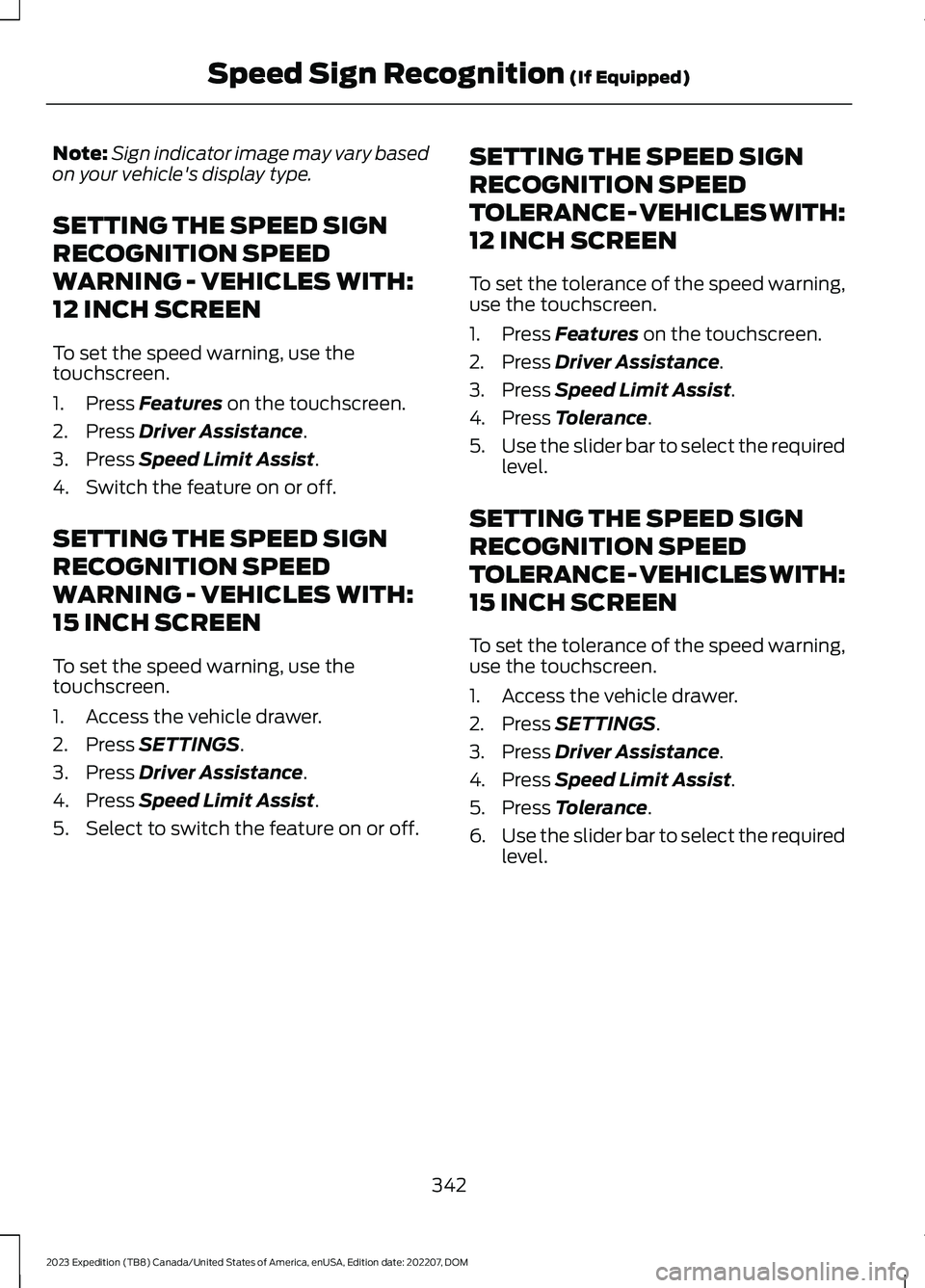
Note:Sign indicator image may vary basedon your vehicle's display type.
SETTING THE SPEED SIGN
RECOGNITION SPEED
WARNING - VEHICLES WITH:
12 INCH SCREEN
To set the speed warning, use thetouchscreen.
1.Press Features on the touchscreen.
2.Press Driver Assistance.
3.Press Speed Limit Assist.
4.Switch the feature on or off.
SETTING THE SPEED SIGN
RECOGNITION SPEED
WARNING - VEHICLES WITH:
15 INCH SCREEN
To set the speed warning, use thetouchscreen.
1.Access the vehicle drawer.
2.Press SETTINGS.
3.Press Driver Assistance.
4.Press Speed Limit Assist.
5.Select to switch the feature on or off.
SETTING THE SPEED SIGN
RECOGNITION SPEED
TOLERANCE - VEHICLES WITH:
12 INCH SCREEN
To set the tolerance of the speed warning,use the touchscreen.
1.Press Features on the touchscreen.
2.Press Driver Assistance.
3.Press Speed Limit Assist.
4.Press Tolerance.
5.Use the slider bar to select the requiredlevel.
SETTING THE SPEED SIGN
RECOGNITION SPEED
TOLERANCE - VEHICLES WITH:
15 INCH SCREEN
To set the tolerance of the speed warning,use the touchscreen.
1.Access the vehicle drawer.
2.Press SETTINGS.
3.Press Driver Assistance.
4.Press Speed Limit Assist.
5.Press Tolerance.
6.Use the slider bar to select the requiredlevel.
342
2023 Expedition (TB8) Canada/United States of America, enUSA, Edition date: 202207, DOMSpeed Sign Recognition (If Equipped)
Page 349 of 658
LOAD CARRYING
PRECAUTIONS
Keep your loaded vehicle weightwithin its design rating capability,with or without a trailer. Properlyloading your vehicle providesmaximum return of vehicle designperformance. Before you load yourvehicle, become familiar with thefollowing terms for determiningyour vehicle’s weight rating, withor without a trailer, from thevehicle’s Tire and LoadingInformation label or SafetyCompliance Certification label.
WARNING: Theappropriate loading capacity ofyour vehicle can be limited eitherby volume capacity (how muchspace is available) or by payloadcapacity (how much weight thevehicle should carry). Once youhave reached the maximumpayload of your vehicle, do notadd more cargo, even if there isspace available. Overloading orimproperly loading your vehiclecan contribute to loss of vehiclecontrol and vehicle rollover.
WARNING: Exceeding theSafety Compliance Certificationlabel vehicle weight limits canadversely affect theperformance and handling ofyour vehicle, cause vehicledamage and can result in theloss of control of your vehicle,serious personal injury or death.
WARNING: Do not usereplacement tires with lowerload carrying capacities than theoriginal tires because they maylower your vehicle's GVWR andGAWR limitations. Replacementtires with a higher limit than theoriginal tires do not increase theGVWR and GAWR limitations.
WARNING: Do not exceedthe GVWR or the GAWRspecified on the certificationlabel.
WARNING: Exceeding anyvehicle weight rating canadversely affect theperformance and handling ofyour vehicle, cause vehicledamage and can result in theloss of control of your vehicle,serious personal injury or death.
WARNING: When loadingthe roof racks, we recommendyou evenly distribute the load,as well as maintain a low centerof gravity. Loaded vehicles, withhigher centers of gravity, may
345
2023 Expedition (TB8) Canada/United States of America, enUSA, Edition date: 202207, DOMLoad Carrying
Page 353 of 658
the load capacity to transport thecement and your friend home. Inmetric units, the calculation wouldbe: 635 kilograms - (2 x 99kilograms) - (9 x 45 kilograms) =635 - 198 - 405 = 32 kilograms.
The above calculations alsoassume that the loads arepositioned in your vehicle in amanner that does not overloadthe front or the rear gross axleweight rating specified for yourvehicle on the Safety ComplianceCertification label.
ROOF RACK
ROOF RACK PRECAUTIONS
WARNING: Read and follow themanufacturer's instructions when youare fitting a roof rack.
WARNING: When loading the roofracks, we recommend you evenlydistribute the load, as well as maintaina low center of gravity. Loaded vehicles,with higher centers of gravity, mayhandle differently than unloadedvehicles. Take extra precautions, suchas slower speeds and increased stoppingdistance, when driving a heavily loadedvehicle.
Note:If you use a roof rack, the fuelconsumption of your vehicle will be higherand you may experience different drivingcharacteristics.
You must place loads directly on thecrossbars fitted to the roof rack side rails.
Make sure that you securely fasten theload. Check the tightness of the loadbefore driving and at each fuel stop.
ROOF RACK LOAD CAPACITIES
Maximum Recommended LoadDescription
125 lb (56 kg)Vehicles with a moonroof.
200 lb (90 kg)Vehicles without a moonroof.
Note:The maximum roof load is based onevenly distributing the load on the crossbars.
Note:When using a roof rack system, youmust subtract the weight of the roof racksystem from the maximum recommendedload to determine your actual maximumcargo load. See the roof rack systemmanufacturer for more information.
349
2023 Expedition (TB8) Canada/United States of America, enUSA, Edition date: 202207, DOMLoad Carrying
Page 354 of 658
LUGGAGE COMPARTMENT
PRECAUTIONS
WARNING: Make sure that youproperly secure objects in the luggagecompartment. Failure to follow thisinstruction could result in personal injuryin the event of a sudden stop or crash.
WARNING: Do not place objectson the luggage cover. Failure to followthis instruction could result in personalinjury or death in the event of a suddenstop or crash.
WARNING: The appropriateloading capacity of your vehicle can belimited either by volume capacity (howmuch space is available) or by payloadcapacity (how much weight the vehicleshould carry). Once you have reachedthe maximum payload of your vehicle,do not add more cargo, even if there isspace available. Overloading orimproperly loading your vehicle cancontribute to loss of vehicle control andvehicle rollover.
WARNING: Make sure that you fullyclose the liftgate to prevent exhaustfumes from entering your vehicle. If youare unable to fully close the liftgate,open the air vents or the windows toallow fresh air to enter your vehicle.Failure to follow this instruction couldresult in personal injury or death.
WARNING: Do not exceed themaximum front and rear axle loads foryour vehicle.
Note: When loading long objects into yourvehicle, for example pipes, timber orfurniture, be careful not to damage theinterior trim.
INSTALLING AND REMOVING
THE LUGGAGE
COMPARTMENT CARGO NET
WARNING: This net is not designedto restrain objects during a collision orheavy braking.
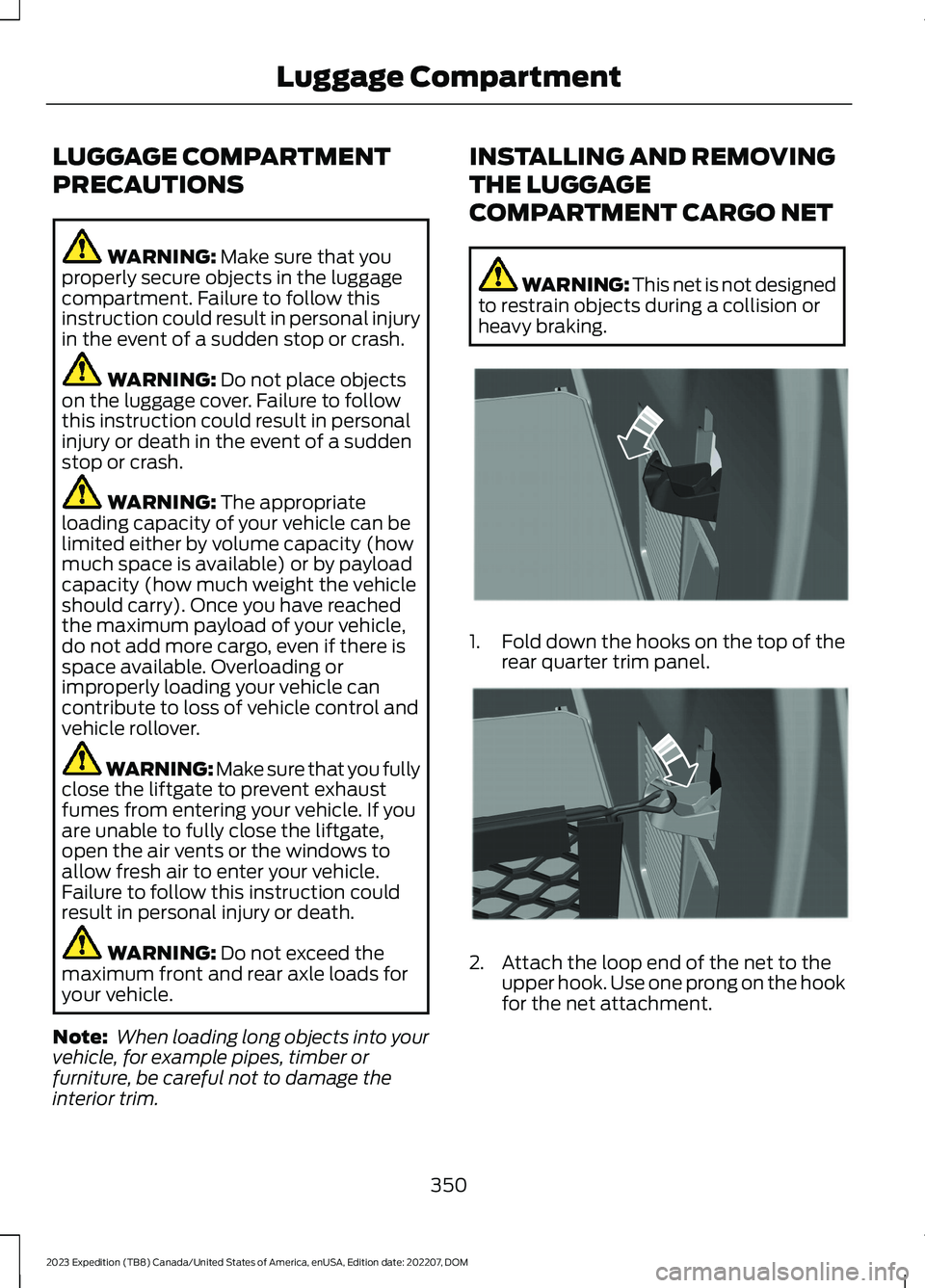
1.Fold down the hooks on the top of therear quarter trim panel.
2.Attach the loop end of the net to theupper hook. Use one prong on the hookfor the net attachment.
350
2023 Expedition (TB8) Canada/United States of America, enUSA, Edition date: 202207, DOMLuggage CompartmentE275127 E275126
Page 356 of 658
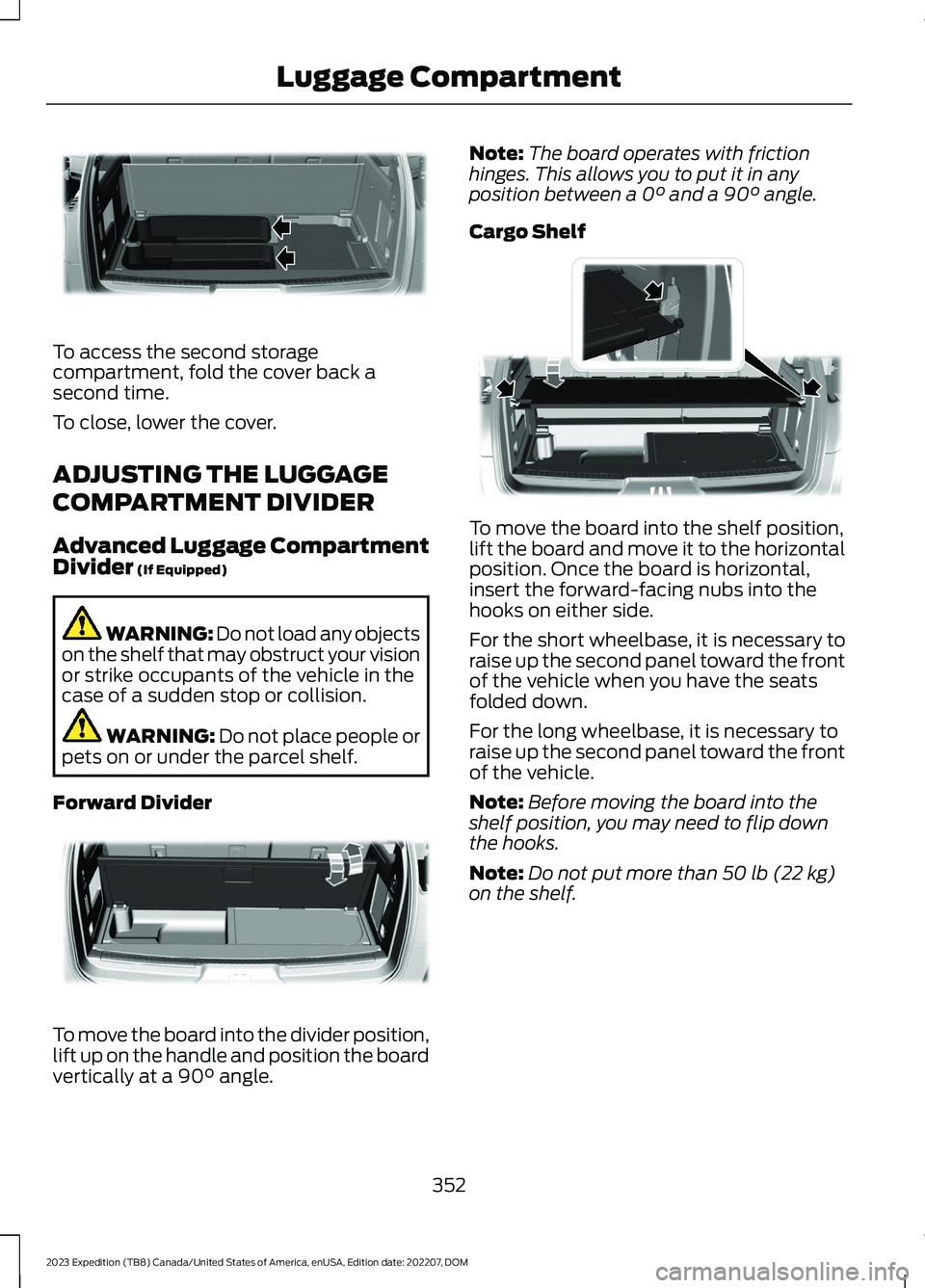
To access the second storagecompartment, fold the cover back asecond time.
To close, lower the cover.
ADJUSTING THE LUGGAGE
COMPARTMENT DIVIDER
Advanced Luggage CompartmentDivider (If Equipped)
WARNING: Do not load any objectson the shelf that may obstruct your visionor strike occupants of the vehicle in thecase of a sudden stop or collision.
WARNING: Do not place people orpets on or under the parcel shelf.
Forward Divider
To move the board into the divider position,lift up on the handle and position the boardvertically at a 90° angle.
Note:The board operates with frictionhinges. This allows you to put it in anyposition between a 0° and a 90° angle.
Cargo Shelf
To move the board into the shelf position,lift the board and move it to the horizontalposition. Once the board is horizontal,insert the forward-facing nubs into thehooks on either side.
For the short wheelbase, it is necessary toraise up the second panel toward the frontof the vehicle when you have the seatsfolded down.
For the long wheelbase, it is necessary toraise up the second panel toward the frontof the vehicle.
Note:Before moving the board into theshelf position, you may need to flip downthe hooks.
Note:Do not put more than 50 lb (22 kg)on the shelf.
352
2023 Expedition (TB8) Canada/United States of America, enUSA, Edition date: 202207, DOMLuggage CompartmentE250825 E250828 E250829