2022 TOYOTA HIGHLANDER display
[x] Cancel search: displayPage 416 of 568
4166-3. Do-it-yourself maintenance
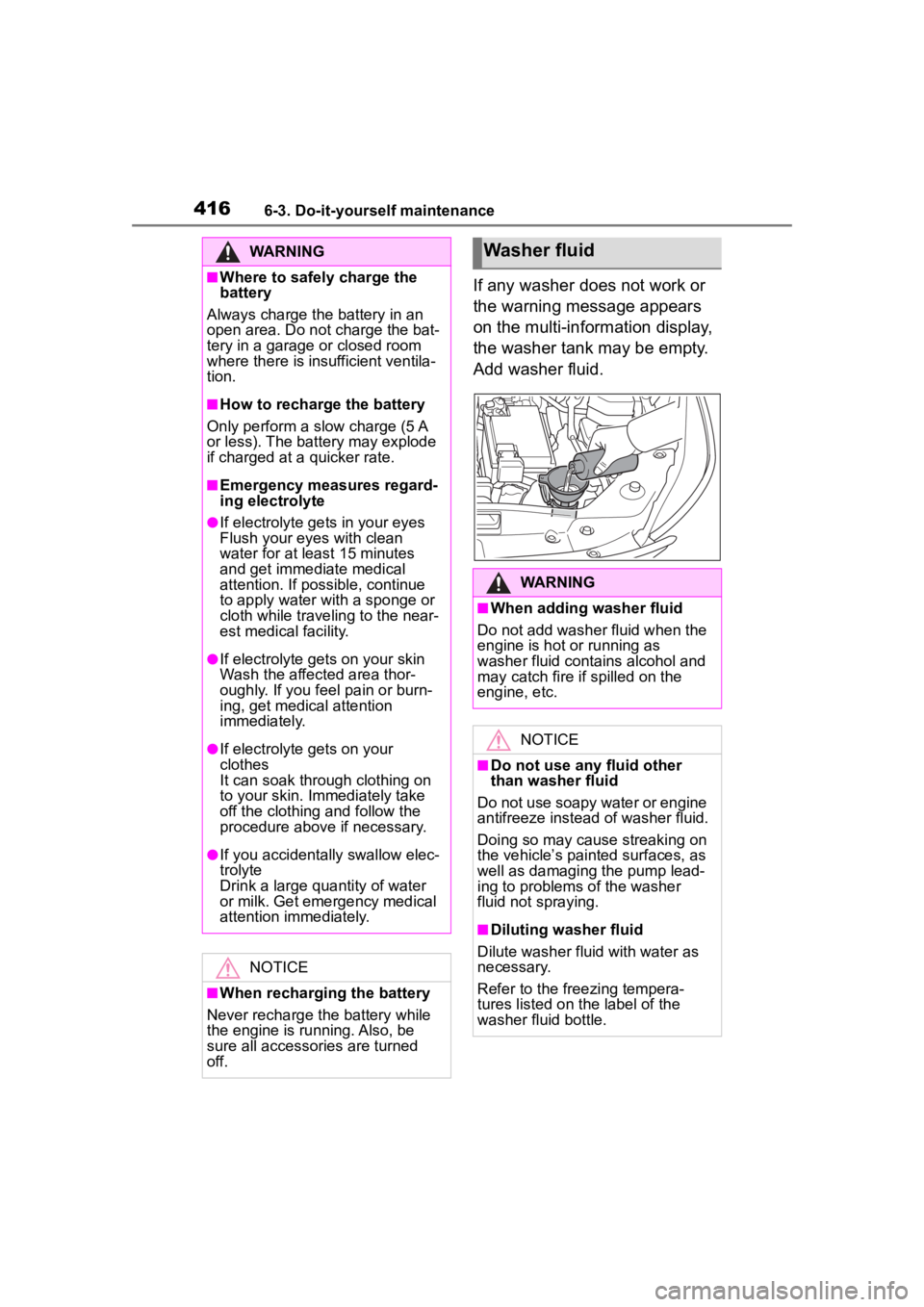
If any washer does not work or
the warning message appears
on the multi-information display,
the washer tank may be empty.
Add washer fluid.
WARNING
■Where to safely charge the
battery
Always charge the battery in an
open area. Do not charge the bat-
tery in a garage or closed room
where there is insufficient ventila-
tion.
■How to recharge the battery
Only perform a slow charge (5 A
or less). The battery may explode
if charged at a quicker rate.
■Emergency measures regard-
ing electrolyte
●If electrolyte gets in your eyes
Flush your eyes with clean
water for at least 15 minutes
and get immediate medical
attention. If possible, continue
to apply water with a sponge or
cloth while traveling to the near-
est medical facility.
●If electrolyte gets on your skin
Wash the affected area thor-
oughly. If you fee l pain or burn-
ing, get medical attention
immediately.
●If electrolyte gets on your
clothes
It can soak through clothing on
to your skin. Immediately take
off the clothing and follow the
procedure above if necessary.
●If you accidentally swallow elec-
trolyte
Drink a large quantity of water
or milk. Get emergency medical
attention immediately.
NOTICE
■When recharging the battery
Never recharge the battery while
the engine is running. Also, be
sure all accessories are turned
off.
Washer fluid
WARNING
■When adding washer fluid
Do not add washer fluid when the
engine is hot or running as
washer fluid contains alcohol and
may catch fire if spilled on the
engine, etc.
NOTICE
■Do not use any fluid other
than washer fluid
Do not use soapy water or engine
antifreeze instead of washer fluid.
Doing so may cause streaking on
the vehicle’s painted surfaces, as
well as damaging the pump lead-
ing to problems of the washer
fluid not spraying.
■Diluting washer fluid
Dilute washer fluid with water as
necessary.
Refer to the freezing tempera-
tures listed on the label of the
washer fluid bottle.
Page 420 of 568
4206-3. Do-it-yourself maintenance
sure warning system after tire rota-
tion.
Your vehicle is equipped with a
tire pressure warning system
that uses tire pressure warning
valves and transmitters to detect
low tire inflation pressure before
serious problems arise.
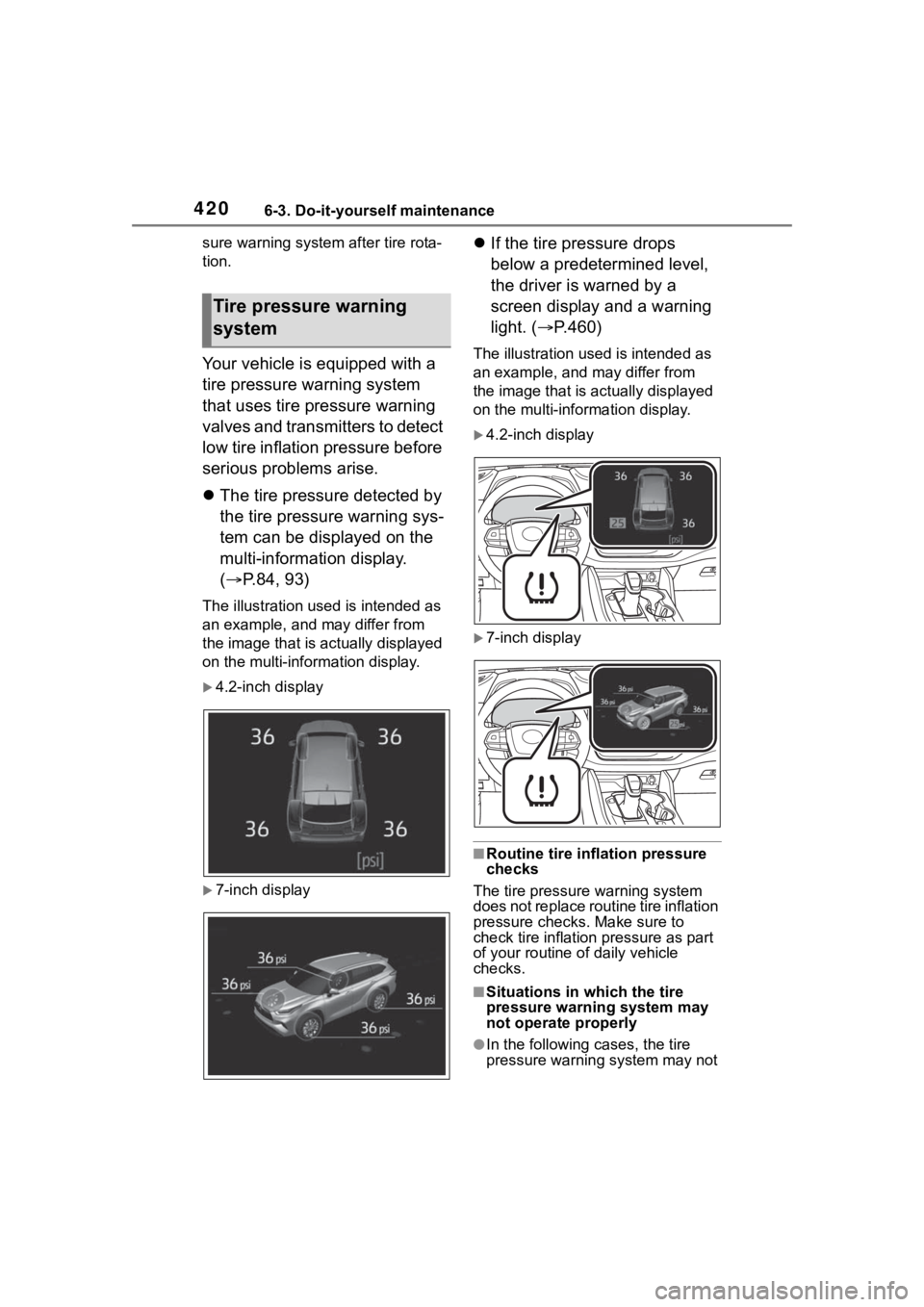
The tire pressure detected by
the tire pressure warning sys-
tem can be displayed on the
multi-information display.
( P.84, 93)
The illustration used is intended as
an example, and may differ from
the image that is actually displayed
on the multi-information display.
4.2-inch display
7-inch display
If the tire pressure drops
below a predetermined level,
the driver is warned by a
screen display and a warning
light. ( P.460)
The illustration used is intended as
an example, and may differ from
the image that is actually displayed
on the multi-information display.
4.2-inch display
7-inch display
■Routine tire inflation pressure
checks
The tire pressure warning system
does not replace routine tire inflation
pressure checks . Make sure to
check tire inflation pressure as part
of your routine o f daily vehicle
checks.
■Situations in which the tire
pressure warning system may
not operate properly
●In the following cases, the tire
pressure warning system may not
Tire pressure warning
system
Page 421 of 568

4216-3. Do-it-yourself maintenance
6
Maintenance and care
operate properly.
• If non-genuine Toyota wheels are used.
• A tire has been replaced with a tire that is not an OE (Original
Equipment) tire.
• A tire has been replaced with a tire that is not of the specified size.
• Tire chains, etc. are equipped.
• An auxiliary-supported run-flat tire
is equipped.
• If a window tint that affects the
radio wave signals is installed.
• If there is a lot of snow or ice on the vehicle, particularly around the
wheels or wheel housings.
• If the tire inflation pressure is extremely higher than the speci-
fied level.
• If the spare tire is in a location subject to poor radio wave signal
reception.
*
• If wheel without the tire pressure
warning valve and transmitter is
used.
• If the ID code on the tire pressure warning valves and transmitters is
not registered in the tire pressure
warning computer.
*: Vehicles with full-size spare tire
only
●Performance may be affected in
the following situations.
• Near a TV tower, electric power plant, gas station, radio station,
large display, airpo rt or other facil-
ity that generates strong radio
waves or electrical noise
• When carrying a portable radio, cellular phone, cordless phone or
other wireless communication
device
●If tire position information is not
correctly displayed due to the
radio wave conditions, the display
may be corrected by driving and
changing the radio wave condi-
tions.
●When the vehicle is parked, the
time taken for the warning to start
or go off could be extended.
●When tire inflation pressure
declines rapidly for example when
a tire has burst, the warning may
not function.
■Warning performance of the tire
pressure warning system
The warning of the tire pressure
warning system w ill change in
accordance with the conditions
under which it was initialized. For
this reason, the system may give a
warning even if th e tire pressure
does not reach a low enough level,
or if the pressure is higher than the
pressure that was adjusted to when
the system was initialized.
Page 424 of 568

4246-3. Do-it-yourself maintenance
■How to initialize the tire
pressure warning system
4.2-inch display
1 Park the vehicle in a safe
place and turn the engine
switch off.
Initialization cannot be performed
while the vehicle is moving.
2Adjust the tire inflation pres-
sure to the specified cold tire
inflation pressure level.
( P.505)
Make sure to adjust the tire pres-
sure to the specifie d cold tire infla-
tion pressure level. The tire
pressure warning system will oper-
ate based on this pressure level.
3 Turn the engine switch to
ON.
4 Press or of the meter
control switch to select .
5 Press or of the meter
control switch, select and
then press and hold .
6 Press or of the meter
control switch, select “TPWS”
and then press .
7 Press or of the meter
control switch, select “Set
Pressure” and then press
and hold .
7-inch display
1 Park the vehicle in a safe
place and turn the engine
switch off.
Initialization cannot be performed while the vehicle is moving.
2
Adjust the tire inflation pres-
sure to the specified cold tire
inflation pressure level.
( P.505)
Make sure to adjust the tire pres-
sure to the specifie d cold tire infla-
tion pressure level. The tire
pressure warning system will oper-
ate based on this pressure level.
3Turn the engine switch to
ON.
4 Press or of the meter
control switch to select .
5 Press or of the meter
control switch, select and
then press and hold .
6 Press or of the meter
control switch, select “TPWS”
and then press .
7 Press or of the meter
control switch, select “Set
Pressure” and then press
and hold .
“Setting Tire Pressure Warning
System” will be displayed on the
multi-information display and the
tire pressure warning light will
blink 3 times.
When the message disappears,
initialization is complete.
A message is displayed on the
multi-information display. Also,
“--” is displayed for inflation
pressure of each tire on the
multi-information display while
Page 425 of 568

4256-3. Do-it-yourself maintenance
6
Maintenance and care
the tire pressure warning sys-
tem determines the position.
Drive the vehicle at approxi-
mately 25 mph (40 km/h) or
more for approximately 10 to 30
minutes until the inflation pres-
sure of each tire is displayed on
the multi-information display.
When initialization is complete,
the inflation pressure of each
tire will be displayed on the
multi-information display.
Even if the vehicle is not driven
at approximately 25 mph (40
km/h) or more, initialization can
be completed by driving for a
long time. However, if initializa-
tion does not complete after
driving for 1 hour or more, park
the vehicle in a safe place for
approximately 20 minutes and
then drive the vehicle again.
■Initializing the tire pressure
warning system
Initialize the syst em with the tire
inflation pressure adjusted to the
specified level.
■Initialization procedure
●Make sure to carry out initializa-
tion after adjusting the tire inflation
pressure.
Also, make sure the tires are cold
before carrying out initialization or
tire inflation pressure adjustment.
●If you have accidentally turned the
engine switch off during initializa-
tion, it is not necessary to restart
the initialization ag ain as initializa-
tion will restart aut omatically when
the engine switch has been turned
to ON for the next time.
●If you accidentally restart the ini- tialization when initialization is not
necessary, adjust the tire inflation
pressure to the s
pecified level
when the tires are cold, and con-
duct initialization again.
●While the position of each tire is
being determined and the inflation
pressures are not being displayed
on the multi-information display, if
the inflation pressure of a tire
drops, the tire pressure warning
light will come on.
■When initializat ion of the tire
pressure warning system has
failed
Initialization may take longer to
complete if the vehi cle is driven on
an unpaved road. When performing
initialization, drive on a paved road if
possible. Depending on the driving
environment and condition of the
tires, initialization will be completed
in approximately 10 to 30 minutes. If
initialization is not complete after
driving approximately 10 to 30 min-
utes, continue driving for a while.
If the inflation pressure of each tire
is not displayed after driving for
approximately 1 ho ur, perform the
following procedure.
●Park the vehicle in a safe place for
approximately 20 minutes. Then
drive straight (with occasional left
and right turns) at approximately
25 mph (40 km/h) or more for
approximately 10 to 30 minutes.
However, in the following situations,
the tire inflation pr essure will not be
recorded and the system will not
operate properly. Perform initializa-
tion again.
●If the vehicle is reversed during
initialization, the data up to that
point is reset, so p erform the ini-
tialization procedure again from
the beginning.
●When operating the tire pressure
warning reset switch, the tire pres-
sure warning light does not blink 3
times.
Page 426 of 568
4266-3. Do-it-yourself maintenance
●After performing initialization, the
tire pressure warning light blinks
for 1 minute then stays on while
driving.
If the inflation pressure of each tire
is still not displayed, have the vehi-
cle inspected by your Toyota dealer.
Every tire pressure warning
valve and transmitter has a
unique ID code. When replacing
a tire pressure warning valve
and transmitter, it is necessary
to register the ID code. When
registering the ID codes, per-
form the following procedure.
4.2-inch display
1 Park the vehicle in a safe
place and turn the engine
switch off.
Initialization cannot be performed
while the vehicle is moving.
2Adjust the tire inflation pres-
sure to the specified cold tire
inflation pressure level.
( P.505)
Make sure to adjust the tire pres-
sure to the specifie d cold tire infla- tion pressure level. The tire
pressure warning system will oper-
ate based on this
pressure level.
3Turn the engine switch to
ON.
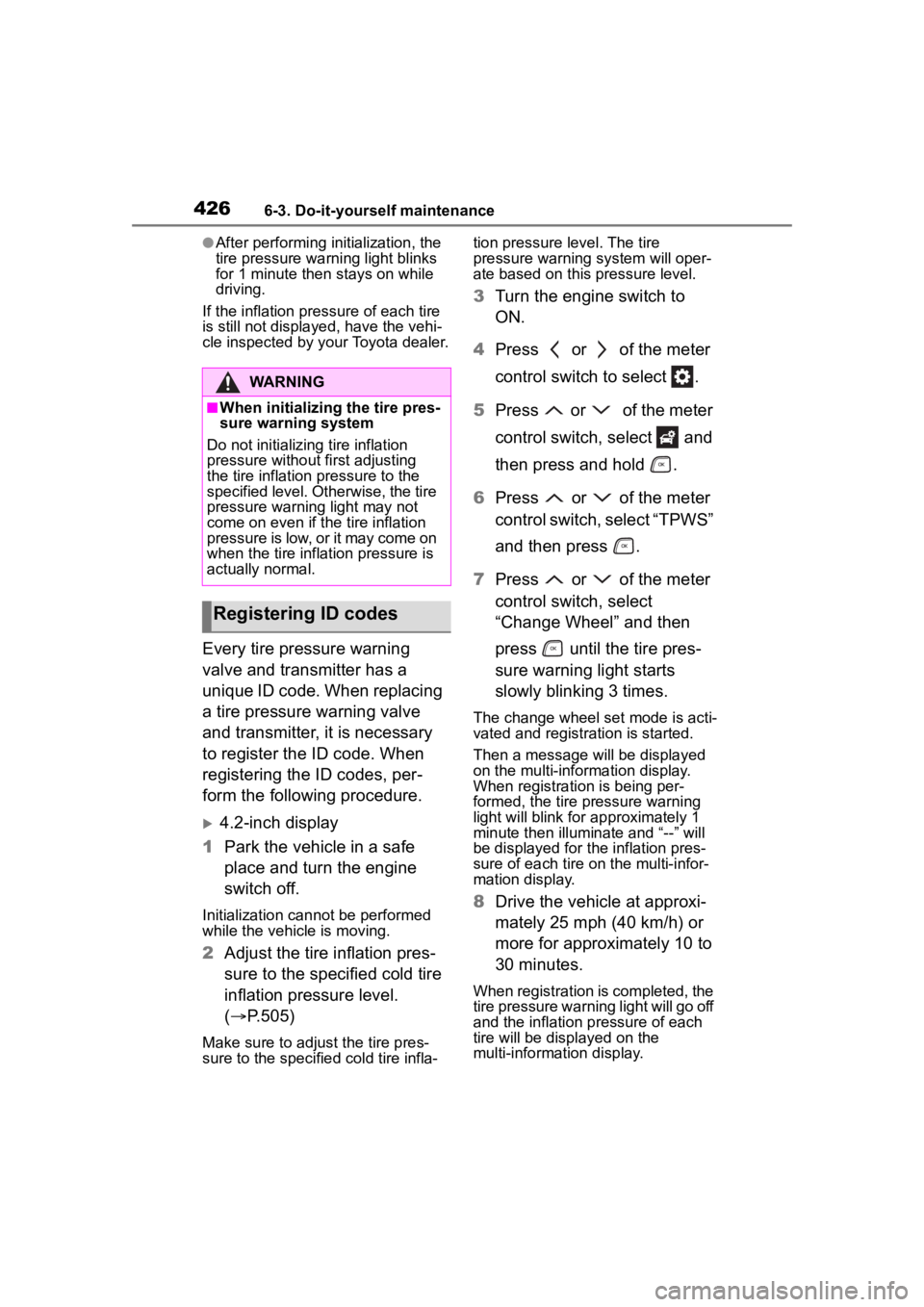
4 Press or of the meter
control switch to select .
5 Press or of the meter
control switch, select and
then press and hold .
6 Press or of the meter
control switch, select “TPWS”
and then press .
7 Press or of the meter
control switch, select
“Change Wheel” and then
press until the tire pres-
sure warning light starts
slowly blinking 3 times.
The change wheel set mode is acti-
vated and registra tion is started.
Then a message will be displayed
on the multi-information display.
When registration is being per-
formed, the tire pressure warning
light will blink for approximately 1
minute then illuminate and “--” will
be displayed for the inflation pres-
sure of each tire on the multi-infor-
mation display.
8 Drive the vehicle at approxi-
mately 25 mph (40 km/h) or
more for approximately 10 to
30 minutes.
When registration is completed, the
tire pressure warni ng light will go off
and the inflation pressure of each
tire will be disp layed on the
multi-information display.
WARNING
■When initializing the tire pres-
sure warning system
Do not initializing tire inflation
pressure without first adjusting
the tire inflation pressure to the
specified level. Otherwise, the tire
pressure warning light may not
come on even if the tire inflation
pressure is low, or it may come on
when the tire inflation pressure is
actually normal.
Registering ID codes
Page 427 of 568

4276-3. Do-it-yourself maintenance
6
Maintenance and care
Even if the vehicle is not driven at
approximately 25 mph (40 km/h) or
more, registration can be com-
pleted by driving for a long time.
However, if registration does not
complete after driving for 1 hour or
more, perform the procedure again
from the beginning.
9 Initialize the tire pressure
warning system. ( P.424)
7-inch display
1 Park the vehicle in a safe
place and turn the engine
switch off.
Initialization cannot be performed
while the vehicle is moving.
2Adjust the tire inflation pres-
sure to the specified cold tire
inflation pressure level.
( P.505)
Make sure to adjust the tire pres-
sure to the specifie d cold tire infla-
tion pressure level. The tire
pressure warning system will oper-
ate based on this pressure level.
3 Turn the engine switch to
ON.
4 Press or of the meter
control switch to select .
5 Press or of the meter
control switch, select and
then press and hold .
6 Press or of the meter
control switch, select “TPWS”
and then press .
7 Press or of the meter
control switch, select
“Change Wheel” and then press until the tire pres-
sure warning light starts
slowly blinking 3 times.
The change wheel set mode is acti-
vated and registra
tion is started.
Then a message will be displayed
on the multi-information display.
When registration is being per-
formed, the tire pressure warning
light will blink for approximately 1
minute then illumi nate and “--” will
be displayed for the inflation pres-
sure of each tire o n the multi-infor-
mation display.
8 Drive the vehicle at approxi-
mately 25 mph (40 km/h) or
more for approximately 10 to
30 minutes.
When registration is completed, the
tire pressure warni ng light will go off
and the inflation pressure of each
tire will be disp layed on the
multi-information display.
Even if the vehicle is not driven at
approximately 25 mph (40 km/h) or
more, registration can be com-
pleted by driving for a long time.
However, if registration does not
complete after driving for 1 hour or
more, perform the p rocedure again
from the beginning.
9 Initialize the tire pressure
warning system. ( P.424)
■When registering ID codes
●ID code registrati on is performed
while driving at a vehicle speed of
approximately 25 mph (40 km/h)
or more.
●Before performing ID code regis-
tration, make sure that no wheels
with tire pressure warning valve
and transmitters installed are near
the vehicle.
●Make sure to initi alize the tire
pressure warning system after
Page 429 of 568
4296-3. Do-it-yourself maintenance
6
Maintenance and care
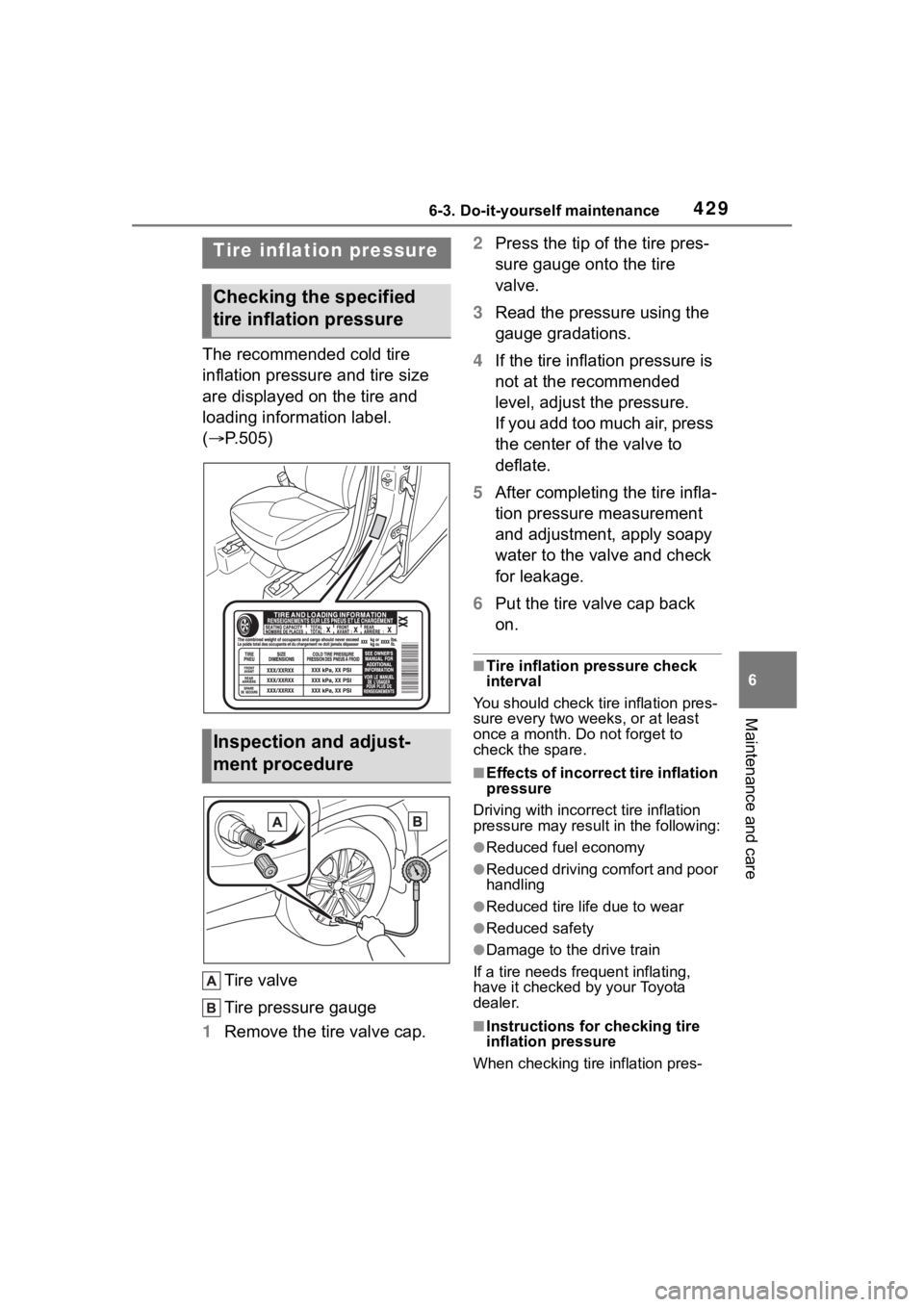
The recommended cold tire
inflation pressure and tire size
are displayed on the tire and
loading information label.
(P.505)
Tire valve
Tire pressure gauge
1 Remove the tire valve cap. 2
Press the tip of the tire pres-
sure gauge onto the tire
valve.
3 Read the pressure using the
gauge gradations.
4 If the tire inflation pressure is
not at the recommended
level, adjust the pressure.
If you add too much air, press
the center of the valve to
deflate.
5 After completing the tire infla-
tion pressure measurement
and adjustment, apply soapy
water to the valve and check
for leakage.
6 Put the tire valve cap back
on.
■Tire inflation pressure check
interval
You should check ti re inflation pres-
sure every two week s, or at least
once a month. Do not forget to
check the spare.
■Effects of incorrect tire inflation
pressure
Driving with incorrec t tire inflation
pressure may resul t in the following:
●Reduced fuel economy
●Reduced driving comfort and poor
handling
●Reduced tire life due to wear
●Reduced safety
●Damage to the drive train
If a tire needs frequent inflating,
have it checked by your Toyota
dealer.
■Instructions for checking tire
inflation pressure
When checking tire inflation pres-
Tire inflation pressure
Checking the specified
tire inflation pressure
Inspection and adjust-
ment procedure