2022 TOYOTA GR SUPRA start stop button
[x] Cancel search: start stop buttonPage 116 of 356
1163-1. CONTROLS
2Apply drive mode.
3 Release the parking brake.
4 Drive away.
The Auto Start/Stop function
helps save fuel. The system
switches off the engine during a
stop, for instance in traffic jam or
at traffic lights. Drive-ready state
remains switched on. The
engine starts automatically for
driving off.
After each engine start using the
Start/Stop button, the Auto
Start/Stop function is ready. The
function is activated from
speeds of approx. 3 mph/5
km/h.
Depending on the selected driv-
ing mode, refer to page 131, the
system is automatically acti-
vated or deactivated.
The engine is switched off auto-
matically during a stop under the
following conditions:
The selector lever is in selec-
tor lever position D.
The brake pedal remains
pressed while the vehicle is
stationary.
The driver's safety belt is
buckled or the driver's door is
closed.
If the engine was not switched
off automatically when the vehi-
cle stopped, the engine can be
switched off manually:
Press the brake pedal force-
fully again from the current
pedal position.
Engage selector lever posi-
tion P.
If all functional preconditions are
fulfilled, the engine switches off.
The air flow from the air condi-
tioner is reduced when the
engine is switched off.
Auto Start/Stop function
Concept
General information
Engine stop
Functional requirementsManual engine stop
Air conditioner when the
engine is switched off
Page 118 of 356

1183-1. CONTROLS
door is open.
The hood was unlocked.
Some indicator lights light up for
a varied length of time.
The engine can only be started
via the Start/Stop button.
Even if driving off was not
intended, the deactivated
engine starts up automatically in
the following situations:
Excessive warming of the
car's interior when the air con-
ditioning is switched on.
Excessive cooling of the car's
interior when the heating is
switched on.
Where there is a risk of win-
dow condensation when the
automatic air conditioning is
switched on.
The steering wheel is turned.
Change from selector lever
position D to N or R.
Change from selector lever
position P to N, D, or R.
Vehicle battery is heavily dis-
charged.
Start of an oil level measure-
ment.
Depending on the vehicle equip- ment and country-specific ver-
sion, the vehicle features a
variety of sensors for assessing
the traffic situation. The Auto
Start/Stop function uses this
information to adapt to various
traffic situations in a proactive
manner.
For instance, this applies to the
following situations:
If a situation is detected in
which the stopping time is
expected to be very short, the
engine is not switched off
automatically. A message
appears on the Control Dis-
play, depending on the situa-
tion.
If a situation is detected in
which the vehicle needs to
drive off immediately, the
engine is started automati-
cally.
The function may be restricted if
the navigation data is invalid,
outdated or not available, for
example.
The engine is not automatically
switched off.
The engine is started during an
automatic engine stop.
System limits
Additional functions Auto
Start/Stop
Activating/deactivating the
system manually
Concept
Page 119 of 356

1193-1. CONTROLS
3
CONTROLS
Press the button.
The Auto Start/Stop function is
also deactivated in selector
lever position M.
The Auto Start/Stop function is
also deactivated in SPORT driv-
ing mode of the Sport mode
switch.
■General information
During an automatic engine
stop, the vehicle can be
switched off permanently, for
instance when leaving it.
1 Press the Start/Stop button.
Drive-ready state is switched
off.
Standby state is switched on.
Selector lever position P is
engaged automatically.
2 Set the parking brake.
In certain situations, the Auto
Start/Stop function is deacti-
vated automatically for safety
reasons, for instance if no driver
is detected.
The Auto Start/Stop function no
longer switches off the engine
automatically. A vehicle mes-
sage is displayed. It is possible
to continue driving. Have the
system checked by your Toyota
dealer.
The parking brake is used to
prevent the vehicle from rolling
when it is parked.
Using the button
Via selector lever position
Via the Sport mode switch
Switching off the vehicle
during an automatic engine
stop
Automatic deactivation
General information
Malfunction
Parking brake
Concept
Page 120 of 356
1203-1. CONTROLS
■General information
To use as emergency brake
while driving:
Pull the switch and hold it. The
vehicle brakes hard while the
switch is being pulled.
A vehicle message is displayed.
If the vehicle is slowed down to
Safety information
WARNING
An unsecured vehicle can begin
to move and possibly roll away.
There is a risk of an accident.
Before exiting, secure the vehicle
against rolling.
In order to ensure that the vehicle
is secured against rolling away,
follow the following:
●Set the parking brake.
●On uphill grades or on a down-
hill slope, turn the front wheels
in the direction of the curb.
●On uphill grades or on a down-
hill slope, also secure the vehi-
cle, for instance with a wheel
chock.
WARNING
Unattended children or animals in
the vehicle can cause the vehicle
to move and endanger them-
selves and traffic, for instance due
to the following actions:
●Pressing the Start/Stop button.
●Releasing the parking brake.
●Opening and closing the doors
or windows.
●Engaging selector lever position
N.
●Using vehicle equipment.
There is a risk of accidents or inju-
ries. Do not leave children or ani-
mals unattended in the vehicle.
Take the remote control with you
when exiting and lock the vehicle.
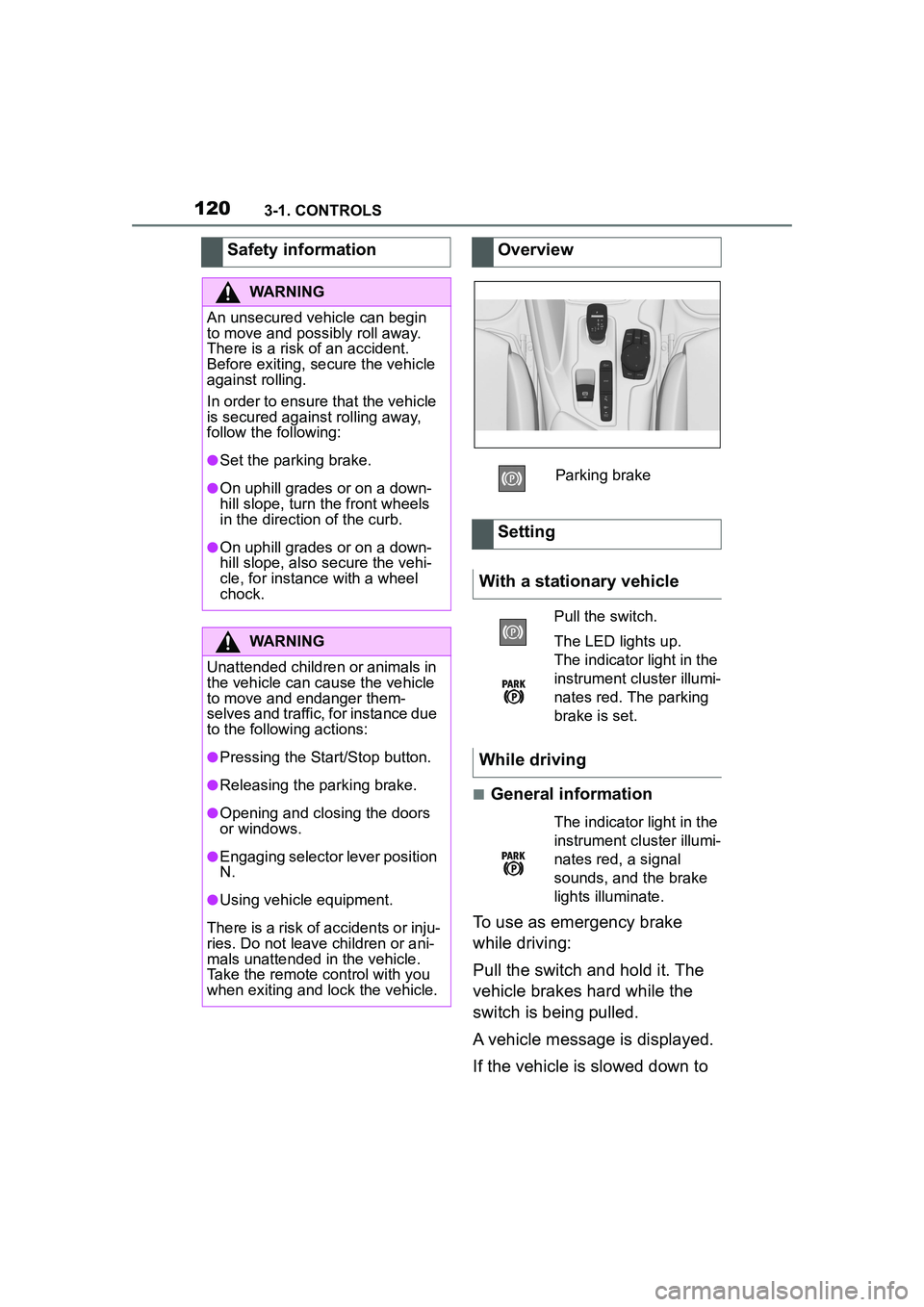
Overview
Parking brake
Setting
With a stationary vehicle
Pull the switch.
The LED lights up.
The indicator light in the
instrument cluster illumi-
nates red. The parking
brake is set.
While driving
The indicator light in the
instrument cluster illumi-
nates red, a signal
sounds, and the brake
lights illuminate.
Page 130 of 356
1303-1. CONTROLS
Electronically unlock the trans-
mission lock to maneuver vehi-
cle from a danger area.
Unlocking is possible, if the
starter can spin the engine.
Before unlocking the transmis-
sion lock, set the parking brake
to prevent the vehicle from roll-
ing away.
1Press and hold down brake
pedal.
2 Press the Start/Stop button.
The starter must audibly
start. Hold the Start/Stop but-
ton pressed.
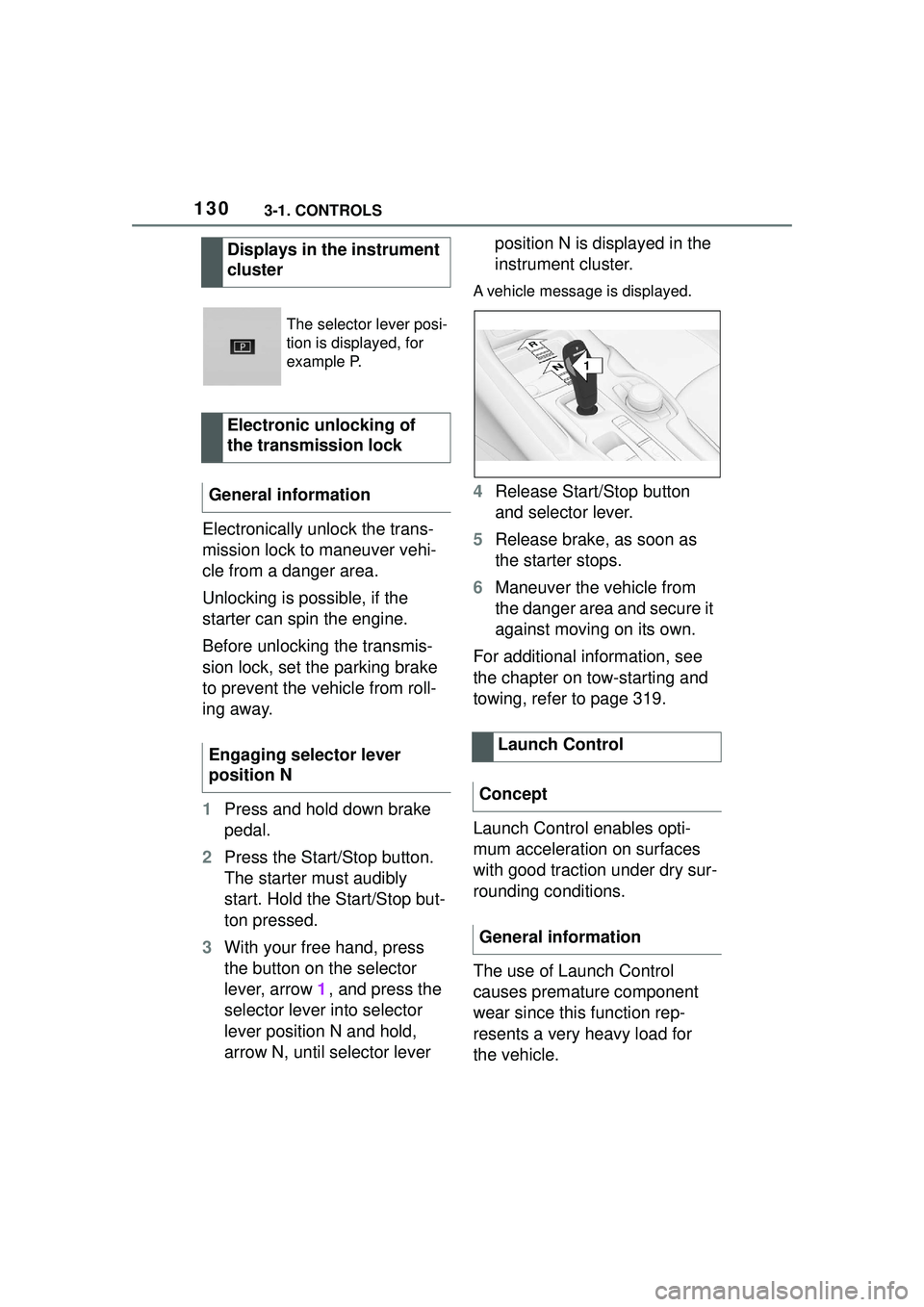
3 With your free hand, press
the button on the selector
lever, arrow 1, and press the
selector lever into selector
lever position N and hold,
arrow N, until selector lever position N is displayed in the
instrument cluster.
A vehicle message is displayed.
4
Release Start/Stop button
and selector lever.
5 Release brake, as soon as
the starter stops.
6 Maneuver the vehicle from
the danger area and secure it
against moving on its own.
For additional information, see
the chapter on tow-starting and
towing, refer to page 319.
Launch Control enables opti-
mum acceleration on surfaces
with good traction under dry sur-
rounding conditions.
The use of Launch Control
causes premature component
wear since this function rep-
resents a very heavy load for
the vehicle.
Displays in the instrument
cluster
The selector lever posi-
tion is displayed, for
example P.
Electronic unlocking of
the transmission lock
General information
Engaging selector lever
position N
Launch Control
Concept
General information
1
R
N
Page 178 of 356

1783-1. CONTROLS
Only objects that are detected
by the system are taken into
account.
The following situations may not
be detected, for instance:
Thus, a system reaction might
not come or might come late.
The following situations may not
be detected, for instance:
Slow moving vehicles when
you approach them at high
speed.
Vehicles that suddenly swerve in front of you, or
sharply decelerating vehicles.
Vehicles with an unusual rear
appearance.
Two-wheeled vehicles ahead
of you.
If the vehicle speed exceeds
approx. 155 mph/250 km/h, the
system is deactivated temporar-
ily. When the vehicle slows
down to below this speed, the
system is reactivated.
Additional information:
• Cameras, refer to page 40.
• Radar sensors, refer to page 41.
The system may not be fully
functional in the following situa-
tions:
In tight curves.
If the driving stability control
systems are limited or deacti-
vated, for instance VSC OFF.
Up to 10 seconds after the
start of the engine via the
Start/Stop button.
The more sensitive the warning
System limits
Safety information
WARNING
The system is designed to oper-
ate in certain conditions and cir-
cumstances. Due to conditions or
other factors, the system may not
respond. There may be a risk of
accident or risk of damage to
property. Actively intervene as
warranted. Refer to the informa-
tion in this Owner’s Manual
regarding the scope of the sys-
tem’s operation and limitations.
Detection range
Upper speed limit
System limits of the sensors
Functional limitations
Warning sensitivity
Page 182 of 356

1823-1. CONTROLS
stepping on the accelerator
pedal or by actively moving the
steering wheel.
The system’s ability to detect
objects may be limited in some
circumstances. Refer to the
information in this Owner’s Man-
ual regarding the limitations of
the system and actively inter-
vene as warranted.
The system responds to pedes-
trians and cyclists when the
speed of the vehicle is below
approx. 53 mph/85 km/h.
The system's detection potential
is limited.
Thus, a warning might not be
issued or be issued late.The following situations may not
be detected, for instance:
Partially covered pedestrians.
Pedestrians that are not
detected as such because of
the viewing angle or contour.
Pedestrians outside of the
detection range.
Pedestrians having a body
size less than 32 in/80 cm.
Additional information:
• Cameras, refer to page 40.
• Radar sensors, refer to page 41.
The system may not be fully
functional or may not be avail-
able in the following situations:
If the driving stability control
systems are deactivated, for
instance VSC OFF.
Up to 10 seconds after the
start of the engine via the
Start/Stop button.
The lane departure warning
alerts when the vehicle is about
to run off the road or exit the
lane.
System limits
Safety information
WARNING
The system is designed to oper-
ate in certain conditions and cir-
cumstances. Due to conditions or
other factors, the system may not
respond. There may be a risk of
accident or risk of damage to
property. Actively intervene as
warranted. Refer to the informa-
tion in this Owner’s Manual
regarding the scope of the sys-
tem’s operation and limitations.
Upper speed limit
Detection range
System limits of the sensors
Functional limitations
Lane departure warning
Concept
Page 187 of 356

1873-1. CONTROLS
3
CONTROLS
When lane markings are cov-
ered in snow, ice, dirt or
water.
In tight curves or on narrow
lanes.
When lane markings are cov-
ered by objects.
When driving very close to the
vehicle in front of you.
Up to 10 seconds after the
start of the engine via the
Start/Stop button.
A vehicle message may be dis-
played when the system is not
fully functional.
*: if equipped
Blind spot monitor detects vehi-
cles in the blind spot or vehicles
approaching from behind in the
adjacent lane. A warning is
issued in various gradations in
these situations. Radar sensors monitor the area
behind and next to the vehicle
when traveling faster than a
minimum speed.
The minimum speed is coun-
try-specific and is displayed in
the menu for the Toyota Supra
Safety systems.
The system indicates whether
there are vehicles in the blind
spot, arrow 1, or approaching
from behind in the adjacent
lane, arrow
2.
The light in the exterior mirror
lights up dimmed.
Before you change lanes after
setting the turn signal, the sys-
tem issues a warning in the situ-
ations described above.
The light in the exterior mirror
flashes and the steering wheel
vibrates.
Blind spot monitor*
Concept
General information
Safety information
WARNING
The system cannot serve as a
substitute for the driver’s personal
judgment in assessing visibility
and traffic situation. There is a risk
of an accident. Adjust driving style
to traffic conditions. Watch traffic
closely and actively intervene
where appropriate.