2022 LEXUS ES350 fuel
[x] Cancel search: fuelPage 80 of 468

782-1. Instrument cluster
switches to display the following items:
Drive information 1
Drive information 2
Gear position
Tire pressure ( P.322)
Units
Display off
Main meter moved to the right
Press or of the meter control
switches and select . Then press or to display the following
items:
Drive information 1
Drive information 2
Eco Driving Indicator
G-force
Gear Position
Tire pressure ( P.322)
Display off
■Drive information 1/Drive informa-
tion 2
Displays drive information such as the
following:
Use the displayed values as a reference
only.
Drive information 1
• Current fuel consumption
• Average fuel economy (after reset)
Drive information 2
• Distance (driving range)
• Average vehicle speed (after reset)
Displayed items (listed below) can be changed on . (
P.80)
Current fuel consumption
Bar type: Displays instantaneous current
fuel consumption
Average fuel economy
After reset: Displays average fuel con-
sumption since the display was reset
*1
After start: Displays average fuel con-
sumption since engine start
After refuel: Displays average fuel con-
sumption since refuel
Average vehicle speed
After reset: Displays average vehicle
speed since the display was reset
*1
After start: Displays average vehicle speed
since engine start
Elapsed time
After reset: Displays elapsed time since the
display was reset
*1
After start: Displays elapsed time since
engine start
Distance
Driving range: Displays driving range with
remaining fuel
*2, 3
After start: Displays the distance driven
since engine start
Other
Blank: No item
*1: To reset, display the desired item and
press and hold “OK” of the meter con-
trol switches.
*2: This distance is computed based on your average fuel consumption. As a
result, the actual distance that can be
driven may differ from that displayed.
*3: When only a small amount of fuel is
Page 81 of 468

792-1. Instrument cluster
2
Vehicle status information and indicators
added to the tank, the display may not
be updated.
When refueling, turn the engine switch
off. If the vehicle is refueled without
turning the engine switch off, the display
may not be updated.
■Eco Driving IndicatorEco Driving Indicator Light
During Eco-friendly acceleration (Eco
driving), the Eco Driving Indicator Light
will turn on. When the acceleration
exceeds the Zone of Eco driving, or when
the vehicle is stopped, the light turns off.
Eco Driving Indicator Zone Display
Suggests the Zone of Eco driving with cur-
rent Eco driving ratio based on accelera-
tion.
Eco driving ratio based on acceler-
ation
If the acceleration exceeds the Zone of
Eco driving, the right side of the Eco Dri-
ving Indicator Zone Display will illuminate.
At this time, the Eco Driving Indicator Light
will turn off.
Zone of Eco driving
■Boost gauge
Displays the boost pressure. The dis-
play will change color if the specified
pressure is exceeded.
This display is intended for use as a guide-
line. Depending on factors such as the
road surface condition, temperature and
vehicle speed, the display may not show
the actual condition of the vehicle.
■G-force (F SPORT models)
Displays lateral G-forces on the vehi-
cle.
Acceleration G-force on the vehi-
cle
Current G-force value (analyzed
value of front/rear and left/right G-
forces)
Record of the maximum G-forces
This display is intended for use as a guide-
line. Depending on factors such as the
road surface condition, temperature and
vehicle speed, the display may not show
the actual condition of the vehicle.
Resetting the record of maximum
G-forces
Press and hold “OK” of the meter control
switches to reset the record.
Peak hold function
If lateral G-forces of 0.5 G or greater are
A
B
C
D
A
B
C
Page 89 of 468

872-1. Instrument cluster
2
Vehicle status information and indicators
Center Display
Remote Touch (P.256)
“MENU” button
Touchpad
Press the “MENU” button on the
Remote Touch, then select on the
screen, and then select “Trip Informa-
tion” or “History”.
■Trip information
If a screen other than “Trip Informa-
tion” is displayed, select “Trip Informa-
tion”.
Resetting the consumption data
Fuel consumption in the past 15
minutes
Current fuel consumption
Average vehicle speed since the
engine was started.
Elapsed time since the engine was
started.
Cruising range
Average fuel consumption for the past 15
minutes is divided by color into past aver-
ages and averages attained since the
engine switch was last turned to IGNI-
TION ON mode. Use the displayed aver-
age fuel consumption as a reference.
The image is an example only, and may
vary slightly from actual conditions.
■History
If a screen other than “History” is dis-
played, select “History”.
Fuel consumption screen
Fuel consumption information can
be displayed on the Center Display.
12.3-inch display model: The con-
sumption screen can be displayed
on the side display.
System components
Consumption
A
B
C
D
A
B
C
D
E
F
Page 90 of 468

882-1. Instrument cluster
Best recorded fuel consumption
Latest fuel consumption
Previous fuel consumption record
Resetting the history data
Updating the latest fuel consump-
tion data
The average fuel consumption history is
divided by color into past averages and the
average fuel consumption since the last
updated. Use the displayed average fuel
consumption as a reference.
The image is an example only, and may
vary slightly from actual conditions.
■Updating the history data
Update the latest fuel consumption by
selecting “Update” to measure the current
fuel consumption again.
■Resetting the data
The fuel consumption data can be deleted
by selecting “Clear”.
■Cruising range
Displays the estimated maximum distance
that can be driven with the quantity of fuel
remaining.
This distance is computed based on your
average fuel consumption.
As a result, the actual distance that can be
driven may differ from that displayed.
Display the vehicle information on the
side display ( P.259), and then select
or to display the desired
screen.
■Trip information (type A)
Displays the average fuel consumption
for the past 10 minutes in 1 minute
intervals, as well as the cruising range.
The image is an example only, and may
vary slightly from actual conditions.
Use the displayed average fuel consump-
tion as a reference.
■Trip information (type B)
Displays the cruising range, latest fuel
consumption and the amount of time
elapsed since the engine was started.
The image is an example only, and may
vary slightly from actual conditions.
A
B
C
D
E
Using the side display (12.3-inch
display model)
Page 91 of 468

892-1. Instrument cluster
2
Vehicle status information and indicators
Use the displayed average fuel consump-
tion as a reference.
■History
Displays the average fuel consumption
and highest fuel consumption.
The image is an example only, and may
vary slightly from actual conditions.
Use the displayed average fuel consump-
tion as a reference.
Page 135 of 468
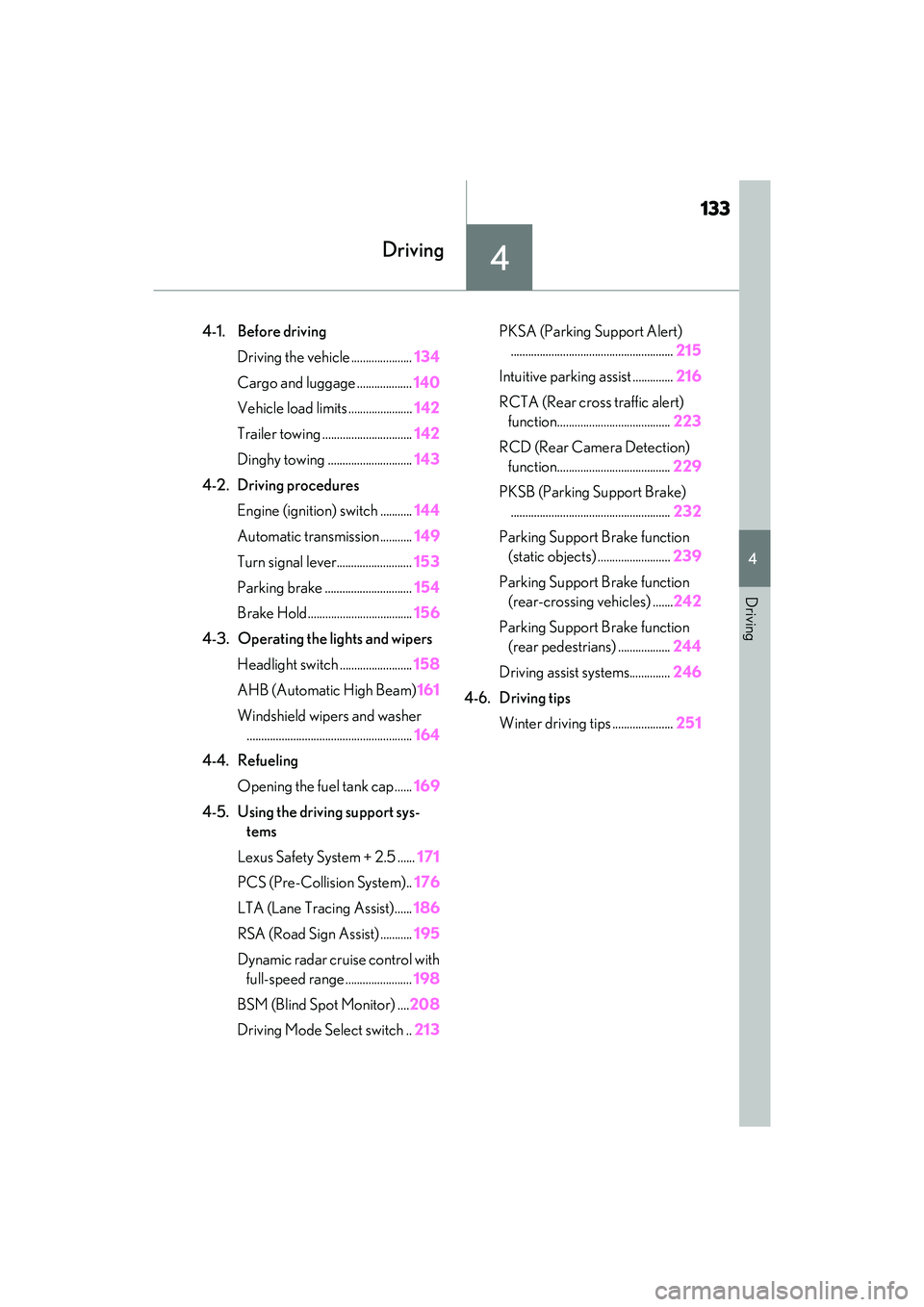
133
4
4
Driving
Driving
4-1. Before drivingDriving the vehicle ..................... 134
Cargo and luggage ................... 140
Vehicle load limits ...................... 142
Trailer towing ............................... 142
Dinghy towing ............................. 143
4-2. Driving procedures Engine (ignition) switch ........... 144
Automatic transmission ........... 149
Turn signal lever.......................... 153
Parking brake .............................. 154
Brake Hold.................................... 156
4-3. Operating the lights and wipers Headlight switch ......................... 158
AHB (Automatic High Beam) 161
Windshield wipers and washer ......................................................... 164
4-4. Refueling
Opening the fuel tank cap ...... 169
4-5. Using the driving support sys- tems
Lexus Safety System + 2.5 ...... 171
PCS (Pre-Collision System).. 176
LTA (Lane Tracing Assist)...... 186
RSA (Road Sign Assist) ........... 195
Dynamic radar cruise control with full-speed range ....................... 198
BSM (Blind Spot Monitor) .... 208
Driving Mode Select switch .. 213PKSA (Parking Support Alert)
........................................................ 215
Intuitive parking assist .............. 216
RCTA (Rear cross traffic alert) function....................................... 223
RCD (Rear Camera Detection) function....................................... 229
PKSB (Parking Support Brake) ....................................................... 232
Parking Support Brake function (static objects) ......................... 239
Parking Support Brake function (rear-crossing vehicles) ....... 242
Parking Support Brake function (rear pedestrians) .................. 244
Driving assist systems.............. 246
4-6. Driving tips Winter driving tips ..................... 251
Page 137 of 468

1354-1. Before driving
4
Driving
●A warning message is displayed on the
multi-information display while the sys-
tem is operating. (P.353)
■Breaking in your new Lexus
To extend the life of the vehicle, observing
the following precautions is recommended:
●For the first 186 miles (300 km):
Avoid sudden stops.
●For the first 621 miles (1000 km):
• Do not drive at extremely high speeds.
• Avoid sudden acceleration.
• Do not drive continuously in low gears.
• Do not drive at a constant speed for
extended periods.
■Operating your vehicle in a foreign
country
Comply with the releva nt vehicle registra-
tion laws and confirm the availability of the
correct fuel. ( P.390)
WARNING
Observe the following precautions.
Failure to do so may result in death or
serious injury.
■When starting the vehicle
Always keep your foot on the brake
pedal while stopped with the engine run-
ning. This prevents the vehicle from
creeping.
■When driving the vehicle
●Do not drive if you are unfamiliar with
the location of the brake and accelera-
tor pedals to avoid depressing the
wrong pedal.
• Accidentally depressing the accelera- tor pedal instead of the brake pedal
will result in sudden acceleration that
may lead to an accident.
• When backing up, you may twist your body around, leading to a difficulty in
operating the pedals. Make sure to
operate the pedals properly.
• Make sure to keep a correct driving posture even when moving the vehicle
only slightly. This allows you to depress
the brake and accelerator pedals
properly.
• Depress the brake pedal using your right foot. Depressing the brake pedal
using your left foot may delay
response in an emer gency, resulting in
an accident.
●Do not drive the vehicle over or stop
the vehicle near flammable materials
such as leaves, paper or rags.
The exhaust system and exhaust gases
can be extremely hot. These hot parts
may cause a fire if there is any flamma-
ble material nearby.
●During normal driving, do not turn off
the engine. Turning the engine off
while driving will not cause loss of
steering or braking control, but the
power assist to these systems will be
lost. This will make it more difficult to
steer and brake, so you should pull
over and stop the vehicle as soon as it
is safe to do so.
However, in the event of an emer-
gency, such as if it becomes impossible
to stop the vehicle in the normal way:
P.344
●Use engine braking (downshift) to
maintain a safe sp eed when driving
down a steep hill.
Using the brakes continuously may
cause the brakes to overheat and lose
effectiveness. ( P.149)
Page 160 of 468

1584-3. Operating the lights and wipers
4-3.Op erating the lights and wipers
Operating the switch turns on
the lights as follows:U.S.A.
Canada
1 The side marker, parking
lights/daytime running lights
( P.158), tail, license plate and
instrument panel lights turn on.
2 The headlights and all the
lights listed above (except daytime
running lights) turn on.
3 The headlights, parking
lights/daytime running lights (
P.158) and all the lights listed
above turn on and off automatically.
4 (U.S.A.) Off
■AUTO mode can be used when
The engine switch is in IGNITION ON
mode.
■Daytime running light system
●The daytime running lights illuminate
using the same lights as the parking lights
and illuminate brighter than the parking
lights.
●To make your vehicle more visible to
other drivers during daytime driving, the
daytime running lights turn on automati-
cally when all of the following conditions
are met. (The daytime running lights are
not designed for use at night.)
• The engine is running
• The parking brake is released
• The headlight switch is in the or
* position
*: When the surroundings are bright
The daytime running lights remain on after
they illuminate, even if the parking brake is
set again.
●For the U.S.A.: Daytime running lights
can be turned off by operating the head-
light switch to position.
●Compared to turning on the headlights,
the daytime running light system offers
greater durability and consumes less
electricity, so it can help improve fuel
economy.
■Headlight control sensor
The sensor may not function properly if an
object is placed on the sensor, or anything
that blocks the sensor is affixed to the wind-
shield.
Doing so interferes with the sensor detect-
ing the level of ambient light and may cause
the automatic headlight system to malfunc-
tion.
Headlight switch
The headlights can be operated
manually or automatically.
Turning on the headlights
A
B