2022 HYUNDAI TUCSON reverse
[x] Cancel search: reversePage 357 of 638
Driving your vehicle
6-72
NOTICE
To prevent engine and/or transmission
overheating:
• When towing a trailer on steep
grades (in excess of 6%) pay close
attention to the engine coolant
temperature gauge to ensure the
engine does not overheat. If the
needle of the coolant temperature
gauge moves towards “H” (HOT),
pull over and stop as soon as it is
safe to do so, and allow the engine
to idle until it cools down. You may
proceed once the engine has cooled
sufficiently.
• If you tow a trailer with the maximum
gross vehicle weight and maximum
trailer weight, it can cause the
engine or transmission to overheat.
When driving in such conditions,
allow the engine to idle until it cools
down. You may proceed once the
engine or transmission has cooled
sufficiently.
• When towing a trailer, your vehicle
speed may be much slower than the
general flow of traffic, especially
when climbing an uphill grade. Use
the right hand lane when towing a
trailer on an uphill grade. Choose
your vehicle speed according to the
maximum posted speed limit for
vehicles with trailers, the steepness
of the grade, and your trailer weight.
Parking on hills
Generally, if you have a trailer attached
to your vehicle, you should not park your
vehicle on a hill.
However, if you ever have to park your
trailer on a hill, here’s how to do it:
1. Pull the vehicle into the parking space.
Turn the steering wheel in the
direction of the curb (right if headed
down hill, left if headed up hill).
2. Shift the gear to P (Park).
3. Set the parking brake and shut off the
vehicle.
4. Place wheel chocks under the trailer
wheels on the down hill side of the
wheels.
5. Start the vehicle, hold the brakes, shift
to neutral, release the parking brake
and slowly release the brakes until the
trailer chocks absorb the load.
6. Reapply the brakes and parking
brakes.
7. Shift the gear to P (Park) when the
vehicle is parked on a uphill grade and
in R (Reverse) on a downhill.
8. Shut off the vehicle and release the
vehicle brakes but leave the parking
brake set.
WARNING
To prevent serious or fatal injury:
• Do not get out of the vehicle without
the parking brake firmly set. If you
have left the engine running, the
vehicle can move suddenly. You and
others could be seriously or fatally
injured.
• Do not apply the accelerator pedal to
hold the vehicle on an uphill.
Page 364 of 638

Driving SafetyForward Collision–Avoidance Assist (FCA) (Front view camera only) ...................7-2
Forward Collision–Avoidance Assist (FCA) (Sensor fusion) ...................................7-15
Lane Keeping Assist (LKA) ........................................................................\
...............7-31
Blind-Spot Collision-Avoidance Assist (BCA) ........................................................7-37
Safe exit warning ( SEW) ........................................................................\
..................7-51
Manual Speed Limit Assist (MSLA) ........................................................................\
7-57
Intelligent speed limit assist (ISLA ) ........................................................................\
7-60
Driver Attention Warning (DAW) ........................................................................\
....7-65
Blind-Spot View Monitor (BVM) ........................................................................\
.......7-7 1
Driving ConvenienceCruise Control (CC) ........................................................................\
.........................7-7 3
Smart Cruise Control (SCC) ........................................................................\
.............7-7 7
Navigation-Based Smart Cruise Control (NSCC) ..................................................7-94
Lane Following Assist (LFA) ........................................................................\
............7-101
Highway Driving Assist (HDA) ........................................................................\
.......7-105
Parking SafetyRear View Monitor (RVM) ........................................................................\
...............7-112
Surround View Monitor (SVM) ........................................................................\
......7-116
Rear Cross-Traffic Collision-Avoidance Assist (RCCA) ........................................7-122
Reverse Parking Distance Warning (PDW) ............................................................7-133
Forward/Reverse Parking Distance Warning (PDW) ...........................................7-136
Reverse Parking Collision-Avoidance Assist (PCA) ..............................................7-141
Remote Smart Parking Assist (RSPA) ....................................................................7-149
Declaration of conformity ........................................................................\
...................7-163
7. Driver assistance system
Driver assistance system
7
Page 477 of 638
Driver assistance system
7-114
Rear view
Operating conditions
• Shift the gear to R (Reverse), the
image will appear on the screen.
• Press the Parking/View button (1)
while the gear is in P (Park), the image
will appear on the screen.
Off conditions
• The rear view cannot be turned off
when the gear is in R (Reverse).
• Press the Parking/View button (1)
again while the gear is in P (Park) with
the rear view on the screen, the rear
view will turn off.
• Shift the gear from R (Reverse) to P
(Park), the rear view will turn off.
Extended rear view function
The rear view will maintain showing on
the screen to help you when parking.
Operating conditions
Shift the gear from R (Reverse) to N
(Neutral) or D (Drive), the rear view will
appear on the screen.
Off conditions
• When vehicle speed is above 6 mph
(10 km/h), the rear view will turn off.
• Shift the gear to P (Park), the rear view
will turn off.
• If you press the Parking/View button,
the screen is off.
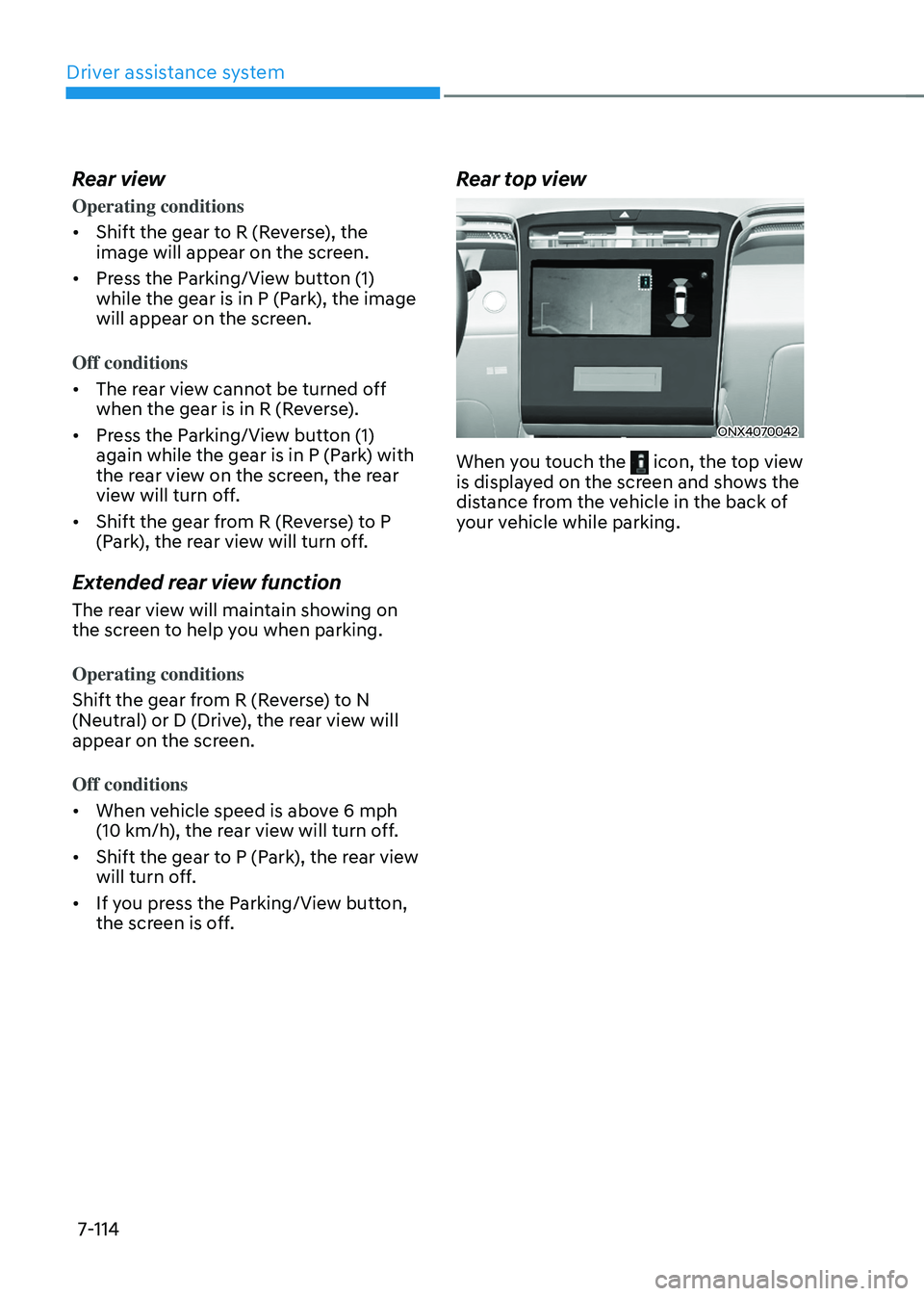
Rear top view
ONX4070042
When you touch the icon, the top view is displayed on the screen and shows the
distance from the vehicle in the back of
your vehicle while parking.
Page 482 of 638
07
7-119
Surround View Monitor
Operation
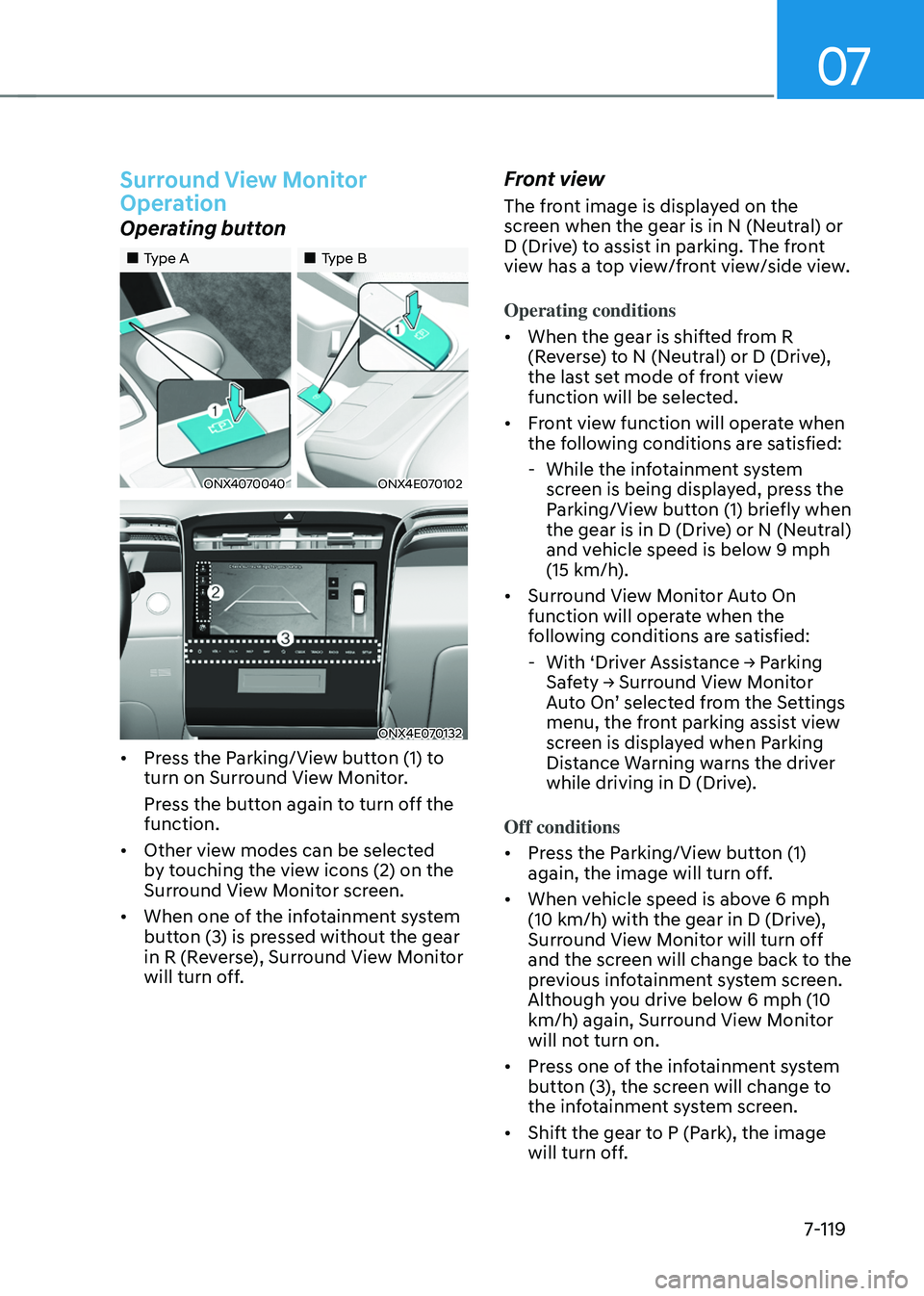
Operating button
„„Type A„„Type B
ONX4070040ONX4E070102
ONX4E070132
• Press the Parking/View button (1) to
turn on Surround View Monitor.
Press the button again to turn off the
function.
• Other view modes can be selected
by touching the view icons (2) on the
Surround View Monitor screen.
• When one of the infotainment system
button (3) is pressed without the gear
in R (Reverse), Surround View Monitor
will turn off.
Front view
The front image is displayed on the
screen when the gear is in N (Neutral) or
D (Drive) to assist in parking. The front
view has a top view/front view/side view.
Operating conditions
• When the gear is shifted from R
(Reverse) to N (Neutral) or D (Drive),
the last set mode of front view
function will be selected.
• Front view function will operate when
the following conditions are satisfied:
-While the infotainment system
screen is being displayed, press the
Parking/View button (1) briefly when
the gear is in D (Drive) or N (Neutral)
and vehicle speed is below 9 mph
(15 km/h).
• Surround View Monitor Auto On
function will operate when the
following conditions are satisfied:
-With ‘Driver Assistance → Parking Safety → Surround View Monitor Auto On’ selected from the Settings menu, the front parking assist view
screen is displayed when Parking
Distance Warning warns the driver
while driving in D (Drive).
Off conditions
• Press the Parking/View button (1)
again, the image will turn off.
• When vehicle speed is above 6 mph
(10 km/h) with the gear in D (Drive),
Surround View Monitor will turn off
and the screen will change back to the
previous infotainment system screen.
Although you drive below 6 mph (10
km/h) again, Surround View Monitor
will not turn on.
• Press one of the infotainment system
button (3), the screen will change to
the infotainment system screen.
• Shift the gear to P (Park), the image
will turn off.
Page 483 of 638
Driver assistance system7-120
Rear view
The rear image is displayed on the screen
when the gear is in R (Revers) or P (Park)
to assist in parking. The rear view has a
top view/rear view/side view/3D view.
Operating conditions
• Shift the gear to R (Reverse), the
image will appear on the screen.
• Press the Parking/View button (1)
while the gear is in P (Park), the image
will appear on the screen.
Off conditions
• The image cannot be turned off when
the gear is in R (Reverse).
• Shift the gear from R (Reverse) to P
(Park), the image will turn off.
• Press the Parking/View button (1)
again while the gear is in P (Park) with
the image on the screen.
Surround View Monitor
Malfunction and Limitations
Surround View Monitor malfunction
When Surround View Monitor is not
working properly, or the screen flickers,
or the camera image does not display
normally, we recommend that the
vehicle be inspected by an authorized
HYUNDAI dealer.
Limitations of Surround View
Monitor
• When the vehicle is stopped for a long
time in winter or when the vehicle is
parked in an indoor parking lot, the
exhaust fumes may temporarily blur
the image.
• The screen may be displayed
abnormally, and an icon will appear at
the top left side of the screen under
the following circumstances:
-The liftgate is opened
-The driver or front passenger door
is opened
-The side view mirror is folded
Page 488 of 638
07
7-125
• Rear Cross-Traffic Safety system
will operate when all the following
conditions are satisfied:
-The gear is shifted to R (Reverse)
-Vehicle speed is below 5 mph (8
km/h)
-The approaching vehicle is within
approximately 82 ft. (25 m) from the
left or right side of your vehicle
-The speed of the vehicle
approaching from the left and right
is above 3 mph (5 km/h)
Information
If the operating conditions are satisfied,
there will be a warning whenever the
vehicle approaches from the left or right
side even though your vehicle speed is 0
mph (0 km/h).
OHY059034ONX4E070057
ONX4E070133
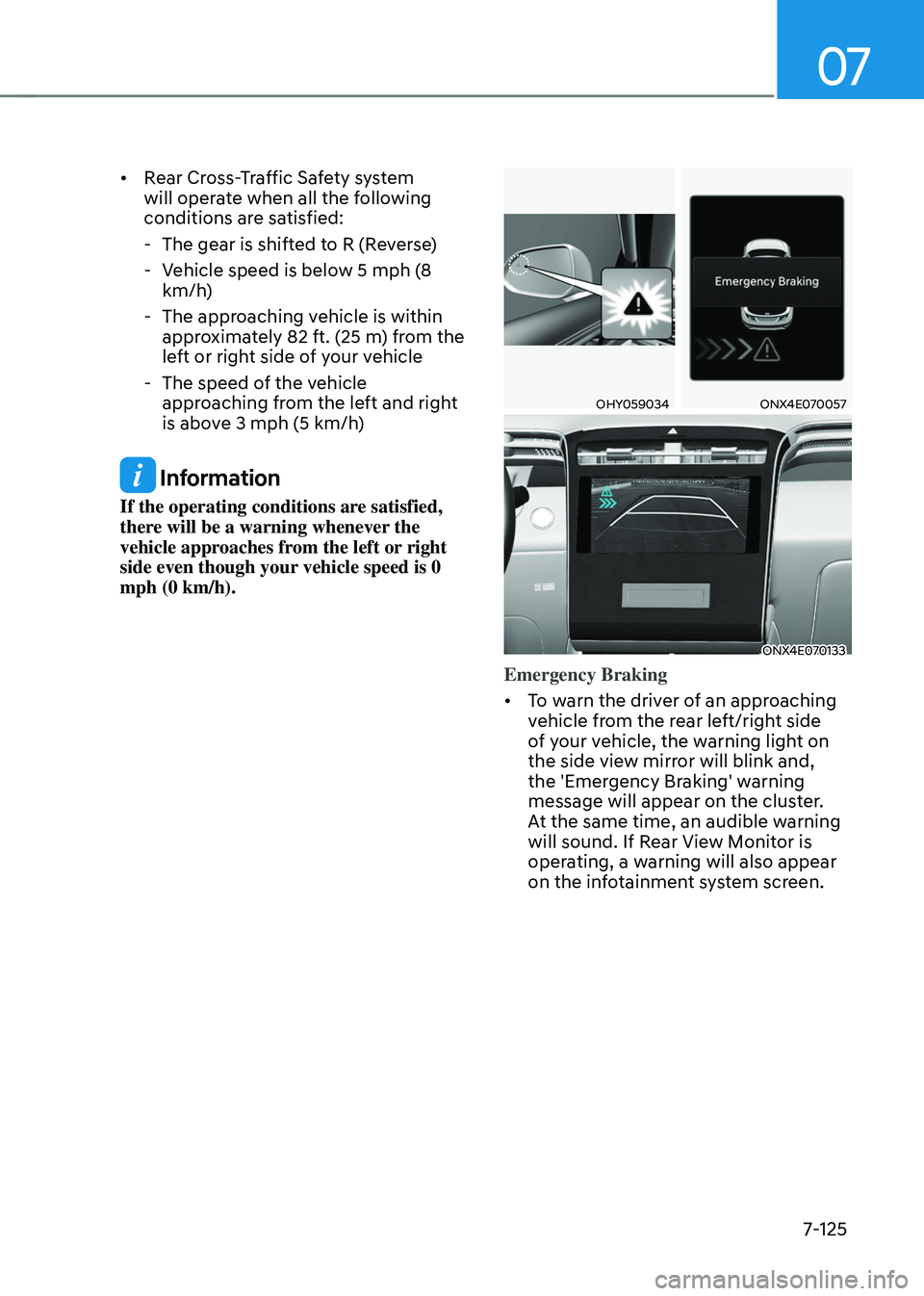
Emergency Braking
• To warn the driver of an approaching
vehicle from the rear left/right side
of your vehicle, the warning light on
the side view mirror will blink and,
the 'Emergency Braking' warning
message will appear on the cluster.
At the same time, an audible warning
will sound. If Rear View Monitor is
operating, a warning will also appear
on the infotainment system screen.
Page 489 of 638
Driver assistance system
7-126
• Rear Cross-Traffic Safety system
will operate when all the following
conditions are satisfied:
-The gear is shifted to R (Reverse)
-Vehicle speed is below 5 mph (8
km/h)
-The approaching vehicle is within
approximately 5 ft. (1.5 m) from the
left or right side of your vehicle
-The speed of the vehicle
approaching from the left and right
is above 3 mph (5 km/h)
• Emergency braking will be assisted
to help prevent collision with
approaching vehicles from the left
and right.
WARNING
Brake control will end when:
-The approaching vehicle is out of the
detecting range
-The approaching vehicle passes
behind your vehicle
-The approaching vehicle does not
drive toward your vehicle
-The approaching vehicle speed slows
down
-The driver depresses the brake pedal
with sufficient power
ONX4E070058
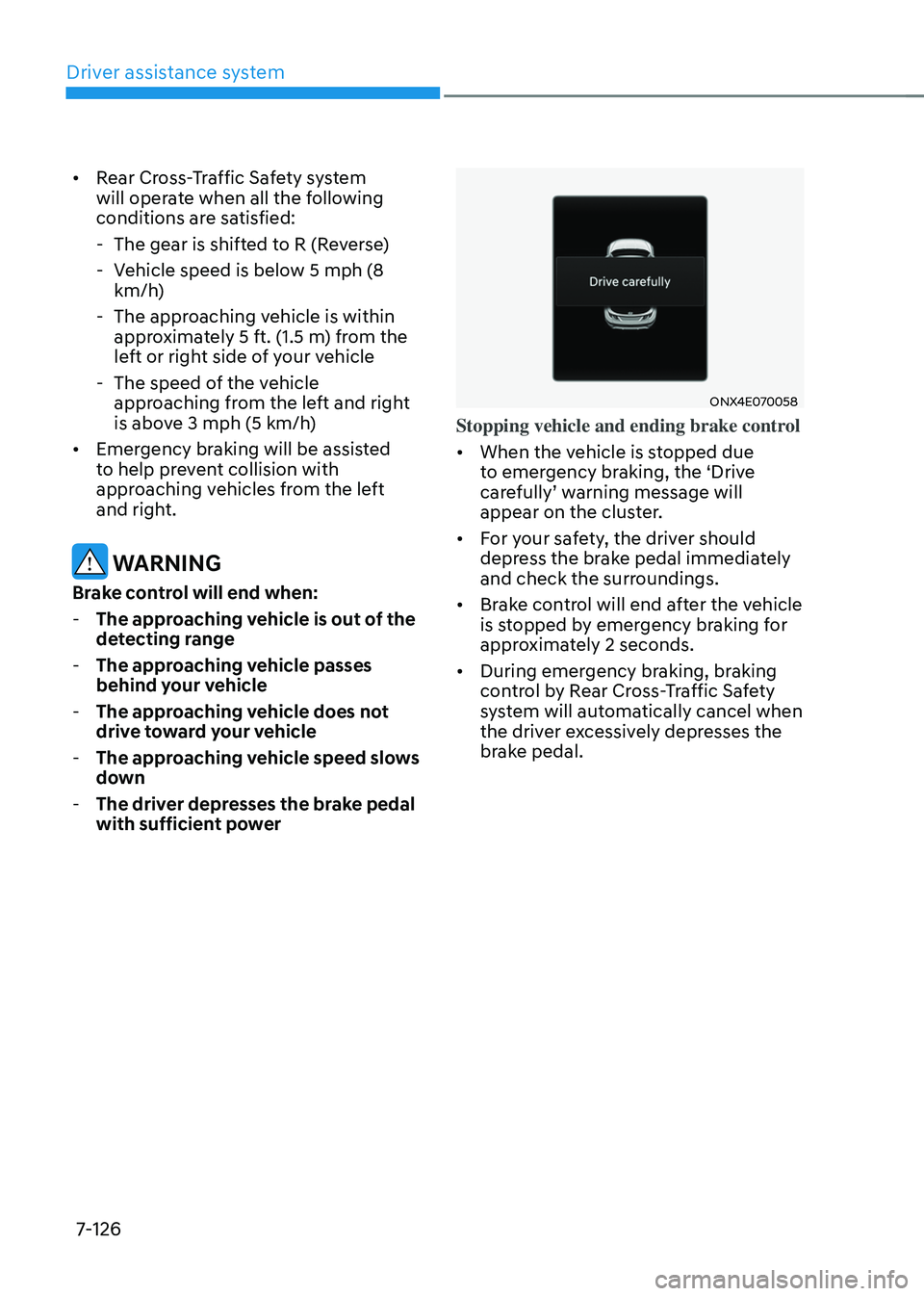
Stopping vehicle and ending brake control
• When the vehicle is stopped due
to emergency braking, the ‘Drive
carefully’ warning message will appear on the cluster.
• For your safety, the driver should
depress the brake pedal immediately
and check the surroundings.
• Brake control will end after the vehicle
is stopped by emergency braking for
approximately 2 seconds.
• During emergency braking, braking
control by Rear Cross-Traffic Safety
system will automatically cancel when
the driver excessively depresses the
brake pedal.
Page 490 of 638
07
7-127
WARNING
Take the following precautions when
using Rear Cross-Traffic Safety system:
• For your safety, change the Settings
after parking the vehicle at a safe
location.
• If any other system’s warning
message is displayed or audible
warning is generated, Rear Cross-
Traffic Safety system’s warning
message may not be displayed
and audible warning may not be
generated.
• You may not hear the warning sound
of Rear Cross-Traffic Safety system if
the surrounding is noisy.
• Rear Cross-Traffic Safety system may
not operate if the driver applies the
brake pedal to avoid collision.
• During Rear Cross-Traffic Safety
system operation, the vehicle may
stop suddenly injuring passengers
and shifting loose objects. Always
have the seat belt on and keep loose
objects secured.
• Even if there is a problem with Rear
Cross-Traffic Safety system, the
vehicle’s basic braking performance
will operate normally.
• When Rear Cross-Traffic Safety
system is operating, braking control
by the system will automatically
cancel when the driver excessively
depresses the accelerator pedal.
• Rear Cross-Traffic Safety system does
not operate in all situations or cannot
avoid all collisions.
• Rear Cross-Traffic Safety system may
warn the driver late or may not warn
the driver depending on the road and
driving conditions. •
The driver is solely responsible to
operate the vehicle in a safe manner.
Do not solely depend on Rear
Cross-Traffic Safety system. Rather,
maintain a safe braking distance, and
if necessary, depress the brake pedal
to reduce driving speed or to stop
the vehicle.
• Never deliberately operate Rear
Cross-Traffic Safety system on
people, animal, objects, etc. It may
cause serious injury or death.
CAUTION
The brake control may not operate
properly depending on the status of
ESC (Electronic Stability Control).
There will only be a warning when:
-The ESC (Electronic Stability Control)
warning light is on
-ESC (Electronic Stability Control) is
engaged in a different function
Information
If the system assists you with braking,
the driver must immediately depress
the brake pedal and check vehicle
surroundings.
-Brake control will end when the driver
depresses the brake pedal with sufficient
power.
-After shifting the gear to R (Reverse),
braking control will operate once for left
and right vehicle approach.