Page 158 of 548

04
4-15
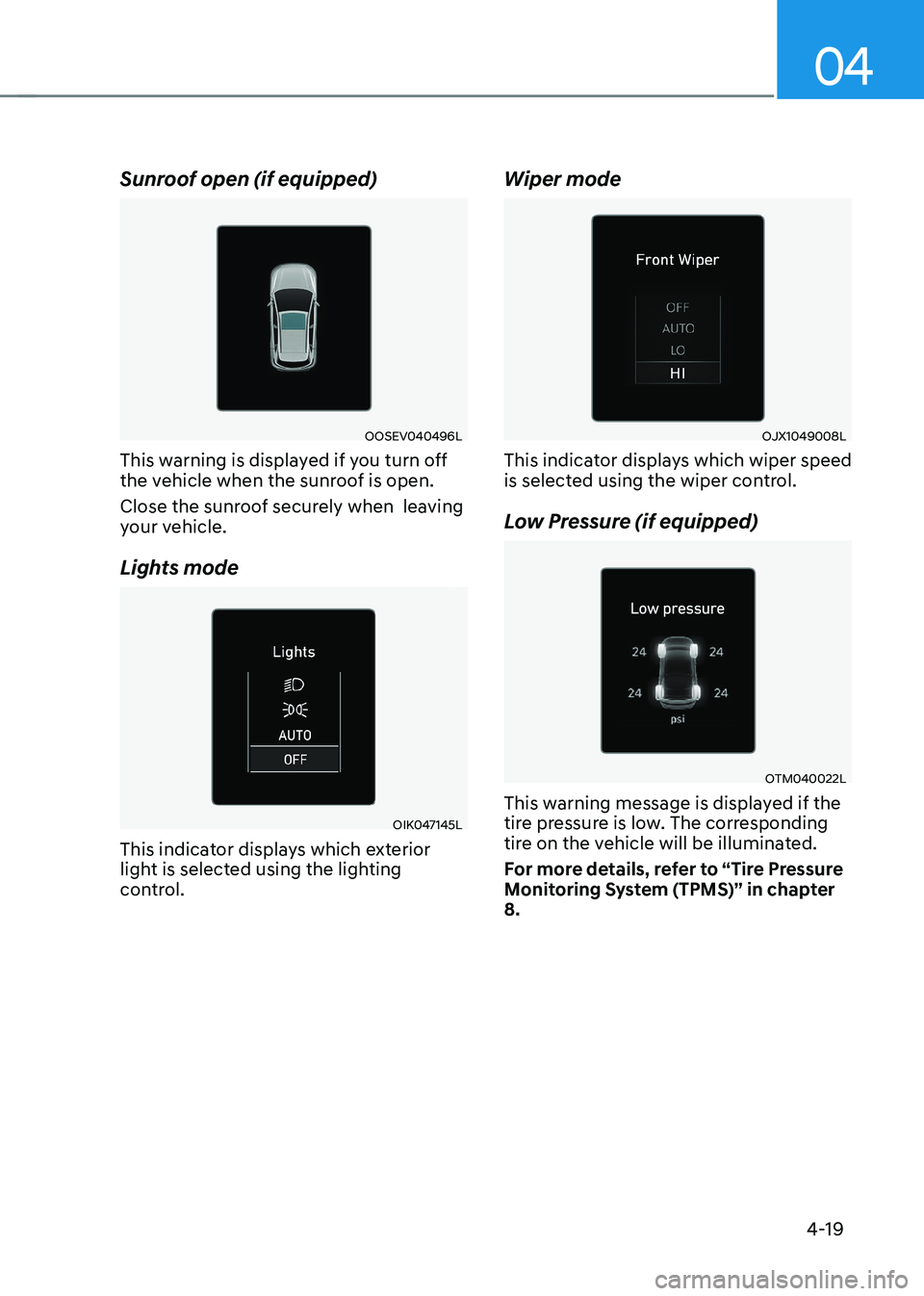
High Beam Assist (HBA)
indicator light (if equipped)
This warning light illuminates:
• When the high-beam is on with the
light switch in the AUTO light position.
• If your vehicle detects oncoming or
preceding vehicles, High Beam Assist
will switch the high beam to low beam
automatically.
For more details, refer to “High Beam
Assist (HBA)” in this chapter 5.
Light ON Indicator Light
This indicator light illuminates:
• When the tail lights or headlamps are on.
LED Headlamp Warning
Light (if equipped)
This warning light illuminates:
• When the START/STOP button is in the ON position.
- It illuminates for approximately 3 seconds and then goes off.
• When there is a malfunction with the LED headlamp.
In this case, we recommend that you
have the vehicle inspected by an an
authorized HYUNDAI dealer.
This warning light blinks:
When there is a malfunction with a LED
headlamp related part.
In this case, we recommend that you
have the vehicle inspected by an an
authorized HYUNDAI dealer.
NOTICE
Continuous driving with the LED
Headlamp Warning Light on or blinking
can reduce LED headlamp life. Cruise Indicator Light (if equipped)
This indicator light illuminates:
•
When the cruise control system is enabled.
For more details, refer to “Cruise
Control (CC)” in chapter 7.
SPORT Mode Indicator Light
This indicator light illuminates:
• When you select “SPORT” mode as
drive mode.
For more details, refer to “Drive Mode
Integrated Control System” in chapter 6.
ECO Mode Indicator Light (if equipped)
This indicator light illuminates:
• When you select “ECO” mode as drive mode.
For more details, refer to “Drive Mode
Integrated Control System” in chapter 6.
ECO+ Mode Indicator (if equipped)
This indicator light illuminates:
• When you select "ECO+" mode as
drive mode.
For more details, refer to "Drive Mode
Integrated Control System" in chapter 6.
Page 159 of 548
Instrument cluster
4-16
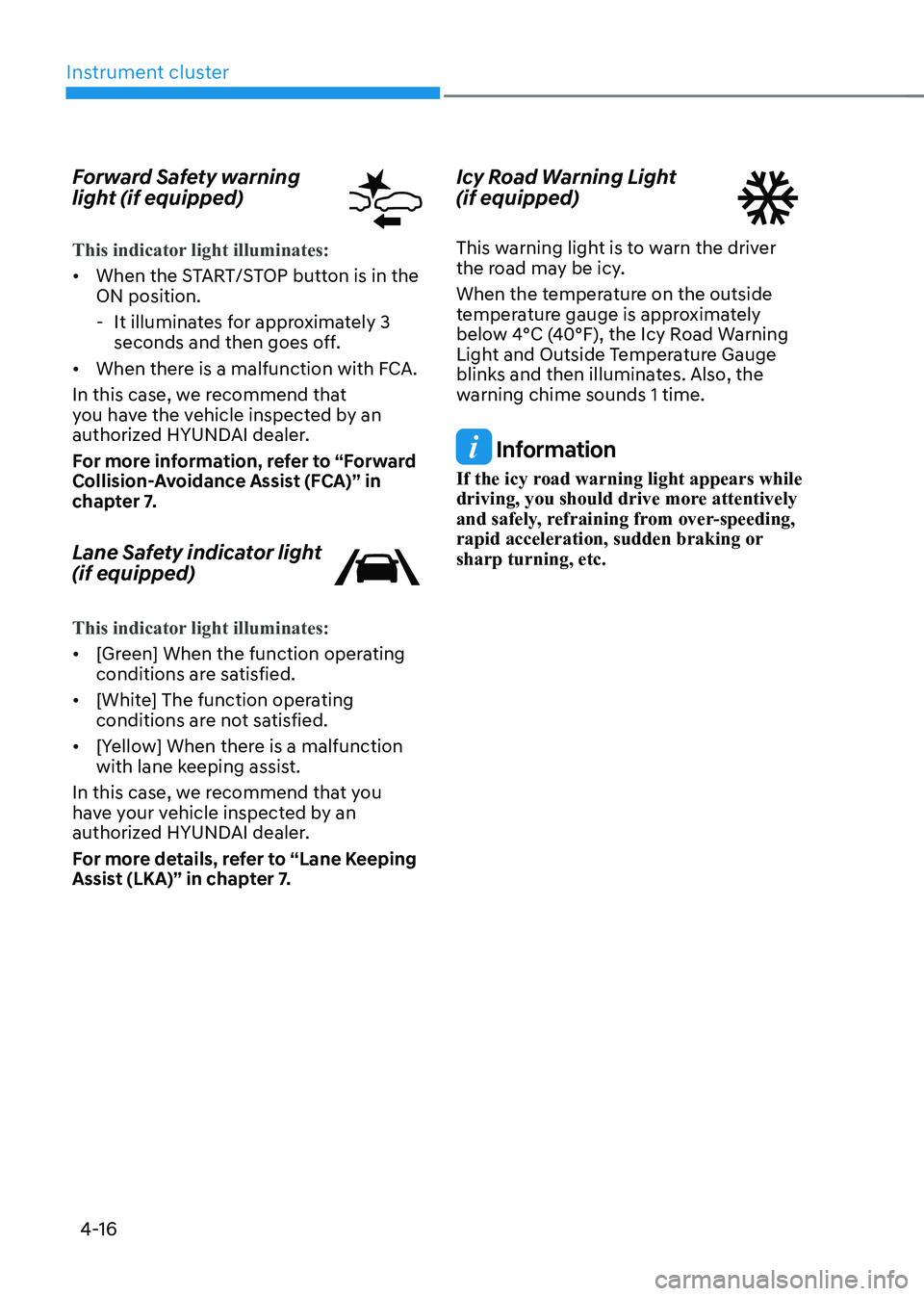
Forward Safety warning
light (if equipped)
This indicator light illuminates:
•
When the START/STOP button is in the ON position.
- It illuminates for approximately 3 seconds and then goes off.
• When there is a malfunction with FCA.
In this case, we recommend that
you have the vehicle inspected by an
authorized HYUNDAI dealer.
For more information, refer to “Forward
Collision-Avoidance Assist (FCA)” in
chapter 7.
Lane Safety indicator light (if equipped)
This indicator light illuminates:
• [Green] When the function operating
conditions are satisfied.
• [White] The function operating
conditions are not satisfied.
• [Yellow] When there is a malfunction
with lane keeping assist.
In this case, we recommend that you
have your vehicle inspected by an
authorized HYUNDAI dealer.
For more details, refer to “Lane Keeping
Assist (LKA)” in chapter 7. Icy Road Warning Light (if equipped)
This warning light is to warn the driver
the road may be icy.
When the temperature on the outside
temperature gauge is approximately
below 4°C (40°F), the Icy Road Warning
Light and Outside Temperature Gauge
blinks and then illuminates. Also, the
warning chime sounds 1 time.
Information
If the icy road warning light appears while
driving, you should drive more attentively
and safely, refraining from over-speeding,
rapid acceleration, sudden braking or sharp turning, etc.
Page 162 of 548
04
4-19
Sunroof open (if equipped)
OOSEV040496L
This warning is displayed if you turn off
the vehicle when the sunroof is open.
Close the sunroof securely when leaving
your vehicle.
Lights mode
OIK047145L
This indicator displays which exterior
light is selected using the lighting
control. Wiper mode
OJX1049008L
This indicator displays which wiper speed
is selected using the wiper control.
Low Pressure (if equipped)
OTM040022L
This warning message is displayed if the
tire pressure is low. The corresponding
tire on the vehicle will be illuminated.
For more details, refer to “Tire Pressure
Monitoring System (TPMS)” in chapter 8.
Page 163 of 548

Instrument cluster
4-20
Turn on FUSE SWITCH
OPDE046119
This warning message is displayed if
the fuse switch located on the fuse box
under the steering wheel is OFF.
You should turn the fuse switch on.
For more details, refer to “Fuses” in
chapter 9.
Heated Steering Wheel turned off (if equipped)
This message is displayed if you turn off
the heated steering wheel.
For more details, refer to “Heated
Steering Wheel” in chapter 5.
Check headlight (if equipped)
This warning message is displayed if the
headlamps are not operating properly. A
headlamp bulb may need to be replaced.
Information
Make sure to replace the burned out bulb with a new one of the same wattage rating. Check High Beam Assist (HBA)
system (if equipped)
This warning message is displayed if
there is a problem with High Beam
Assist. We recommend that you have
the vehicle inspected by an authorized
HYUNDAI dealer.
For more information, refer to “High
Beam Assist (HBA)” in chapter 5.
Check Forward Safety system (if equipped)
This warning message is displayed if
there is a malfunction with Forward
Collision-Avoidance Assist. We
recommend that you have the vehicle
inspected by an authorized HYUNDAI
dealer.
For more details, refer to “Forward
Collision-Avoidance Assist (FCA)” in
chapter 7.
Check Driver Attention Warning
(DAW) system (if equipped)
This warning message is displayed
if there is a problem with the Driver
Attention Warning.
We recommend that you have the
vehicle inspected by an authorized
HYUNDAI dealer.
For more information, refer to “Driver
Attention Warning (DAW)” in chapter 7.
Check Lane Keeping Assist (LKA)
system (if equipped)
This warning message is displayed if
there is a problem with Lane Keeping
Assist. We recommend that you have
the vehicle inspected by an authorized
HYUNDAI dealer.
For more information, refer to “Lane
Keeping Assist (LKA)” in chapter 7.
Page 171 of 548
Instrument cluster
4-28
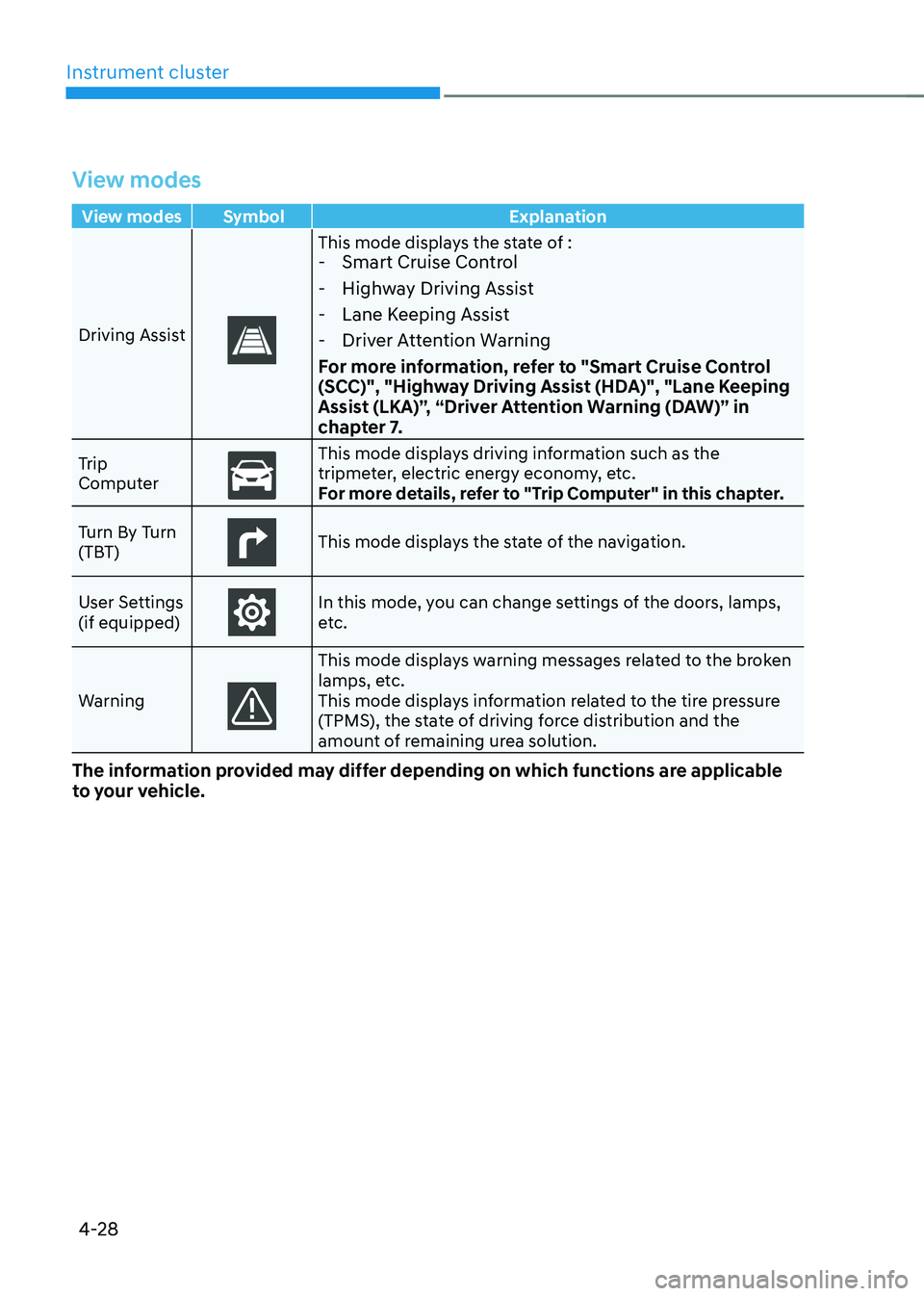
View modes
View modes Symbol Explanation
Driving Assist
This mode displays the state of : - Smart Cruise Control
- Highway Driving Assist
- Lane Keeping Assist
- Driver Attention Warning
For more information, refer to "Smart Cruise Control
(SCC)", "Highway Driving Assist (HDA)", "Lane Keeping
Assist (LKA)”, “Driver Attention Warning (DAW)” in
chapter 7.
Trip
Computer
This mode displays driving information such as the
tripmeter, electric energy economy, etc.
For more details, refer to "Trip Computer" in this chapter.
Turn By Turn
(TBT)
This mode displays the state of the navigation.
User Settings (if equipped)
In this mode, you can change settings of the doors, lamps,
etc.
Warning
This mode displays warning messages related to the broken
lamps, etc.
This mode displays information related to the tire pressure
(TPMS), the state of driving force distribution and the
amount of remaining urea solution.
The information provided may differ depending on which functions are applicable
to your vehicle.
Page 172 of 548
04
4-29
Trip computer mode
OOSEV040516L
The trip computer mode displays
information related to vehicle
driving parameters including Energy
consumption, tripmeter information and
vehicle speed.
For more information, refer to "Trip
Computer" in this chapter.
Turn By Turn (TBT) mode
OOSH049027L
Turn-by-turn navigation, distance/time
to destination information is displayed
when Turn by Turn view is selected. Driving Assist mode
OOSH049028L
SCC/HDA/LKA
This mode displays the state of the Smart
Cruise Control, Highway Driving Assist
and Lane Keeping Assist.
For more details, refer to each function
information in chapter 7.
OIG059288L
Driver Attention Warning
This mode displays the state of Driver
Attention Warning.
For more details, refer to “Driver
Attention Warning (DAW)” in chapter 7.
Page 173 of 548

Instrument cluster
4-30
Master warning group
OIG059097L
This warning light informs the driver the
following situations.
- Forward Collision-Avoidance Assist malfunction (if equipped)
- Forward Collision-Avoidance Assist radar blocked (if equipped)
- Blind-Spot Collision Warning malfunction (if equipped)
- Blind-Spot Collision Warning radar blocked (if equipped)
- LED headlamp malfunction (if equipped)
- High Beam Assist malfunction (if equipped)
- Smart Cruise Control malfunction (if equipped)
- Smart Cruise Control radar blocked (if equipped)
- Tire Pressure Monitoring System (TPMS) malfunction
The Master Warning Light illuminates
if one or more of the above warning
situations occur.
At this time, a Master Warning icon (
)
will appear on the LCD display.
If the warning situation is solved, the
master warning light will be turned
off and the Master Warning icon will
disappear.
OOSEV048110L
Tire Pressure
This mode displays information related to
Tire Pressure.
For more details, refer to "Tire Pressure
Monitoring System (TPMS)" in chapter 8.
Page 175 of 548

Instrument cluster
4-32
1. Driver Assistance
Items Explanation
SCC
Reaction To adjust the sensitivity of Smart Cruise Control. •
Fast/Normal/Slow
For more details, refer to ''Smart Cruise Control (SCC)'' in chapter 7.
Driving
Convenience •
Highway Driving Assist
To activate or deactivate Highway Driving Assist.
For more details, refer to the "Highway Driving Assist (HDA)" in chapter 7. • Auto Highway Speed Control
To activate or deactivate Navigation-based Smart Cruise Control
For more details, refer to the "Navigation-based Smart Cruise Control
(NSCC)" in chapter 7.
Warning Timing To adjust the warning timing of the driver assistance system.•
Normal / Late
Warning Volume To adjust the warning volume of the driver assistance system.•
High / Medium / Low
Driver
Attention Warning •
Leading Vehicle Departure Alert
• Inattentive Driving Warning
To alert the driver's inattentive driving.
For more details, refer to the "Driver Attention Warning (DAW)" in
chapter 7.
Forward Safety To adjust Forward Collision-Avoidance Assist (FCA)•
Active Assist/Warning Only/Off
For more details, refer to the "Forward Collision-Avoidance Assist (FCA)"
in chapter 7.
Lane Safety To adjust Lane Keeping Assist (LKA) function.•
Assist/Warning Only/Off
For more details, refer to the "Lane Keeping Assist (LKA)" in chapter 7.