Page 137 of 548
Safety system
3-58
Why didn’t my air bag go off in a
collision?
There are certain types of accidents in
which the air bag would not be expected
to provide additional protection. These
include rear impacts, second or third
collisions in multiple impact accidents,
as well as low speed impacts. Damage to
the vehicle indicates a collision energy
absorption, and is not an indicator of
whether or not an air bag should have
inflated.Air bag collision sensors WARNING
To reduce the risk of an air bag
deploying unexpectedly and causing
serious injury or death: • Do not hit or allow any objects to
impact the locations where air bags
or sensors are installed.
• Do not perform maintenance on or
around the air bag sensors. If the
location or angle of the sensors is
altered, the air bags may deploy
when they should not or may not
deploy when they should.
• Installing bumper guards with non-
genuine Hyundai or non-equivalent
parts may adversely affect the
collision and air bag deployment
performance.
To ensure correct function of the
air bag system we recommend to
replace the bumper with genuine
Hyundai part or the equivalent (of
the genuine part) specified for your
vehicle.
• Place the START/STOP button to the
LOCK/OFF or ACC position, when the
vehicle is being towed to prevent
inadvertent air bag deployment.
• We recommend that all air bag
repairs are conducted by an
authorized HYUNDAI dealer.
Page 168 of 548
04
4-25
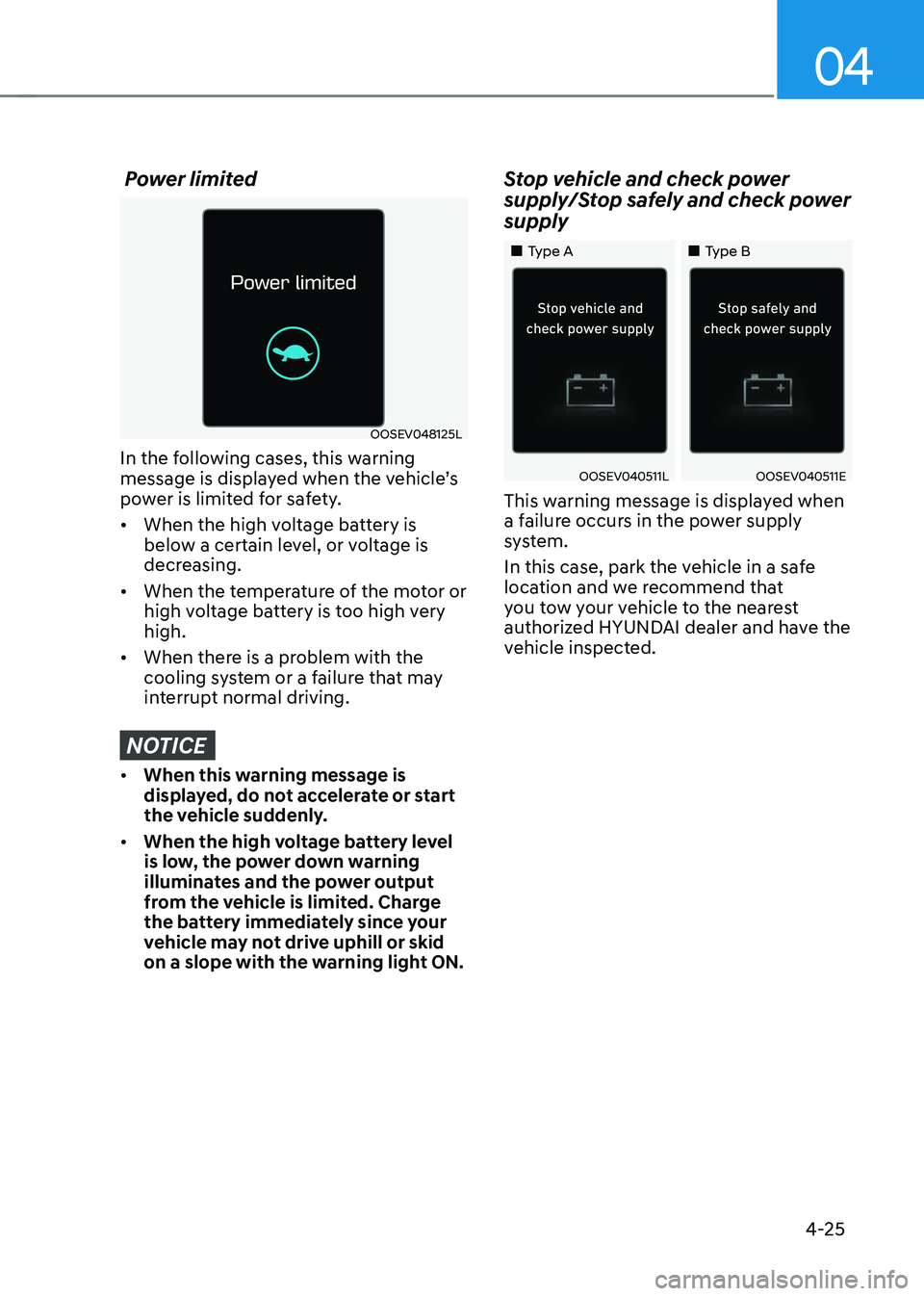
Power limited
OOSEV048125L
In the following cases, this warning
message is displayed when the vehicle’s
power is limited for safety. • When the high voltage battery is
below a certain level, or voltage is
decreasing.
• When the temperature of the motor or
high voltage battery is too high very high.
• When there is a problem with the
cooling system or a failure that may
interrupt normal driving.
NOTICE
• When this warning message is
displayed, do not accelerate or start
the vehicle suddenly.
• When the high voltage battery level
is low, the power down warning
illuminates and the power output
from the vehicle is limited. Charge
the battery immediately since your
vehicle may not drive uphill or skid
on a slope with the warning light ON. Stop vehicle and check power
supply/Stop safely and check power supply
„„Type A
„„Type B
OOSEV040511LOOSEV040511E
This warning message is displayed when
a failure occurs in the power supply
system.
In this case, park the vehicle in a safe
location and we recommend that
you tow your vehicle to the nearest
authorized HYUNDAI dealer and have the
vehicle inspected.
Page 191 of 548
05
5 -7
Mechanical key
If the Smart Key does not operate
normally, you can lock or unlock the door
by using the mechanical key.
OCN7050008
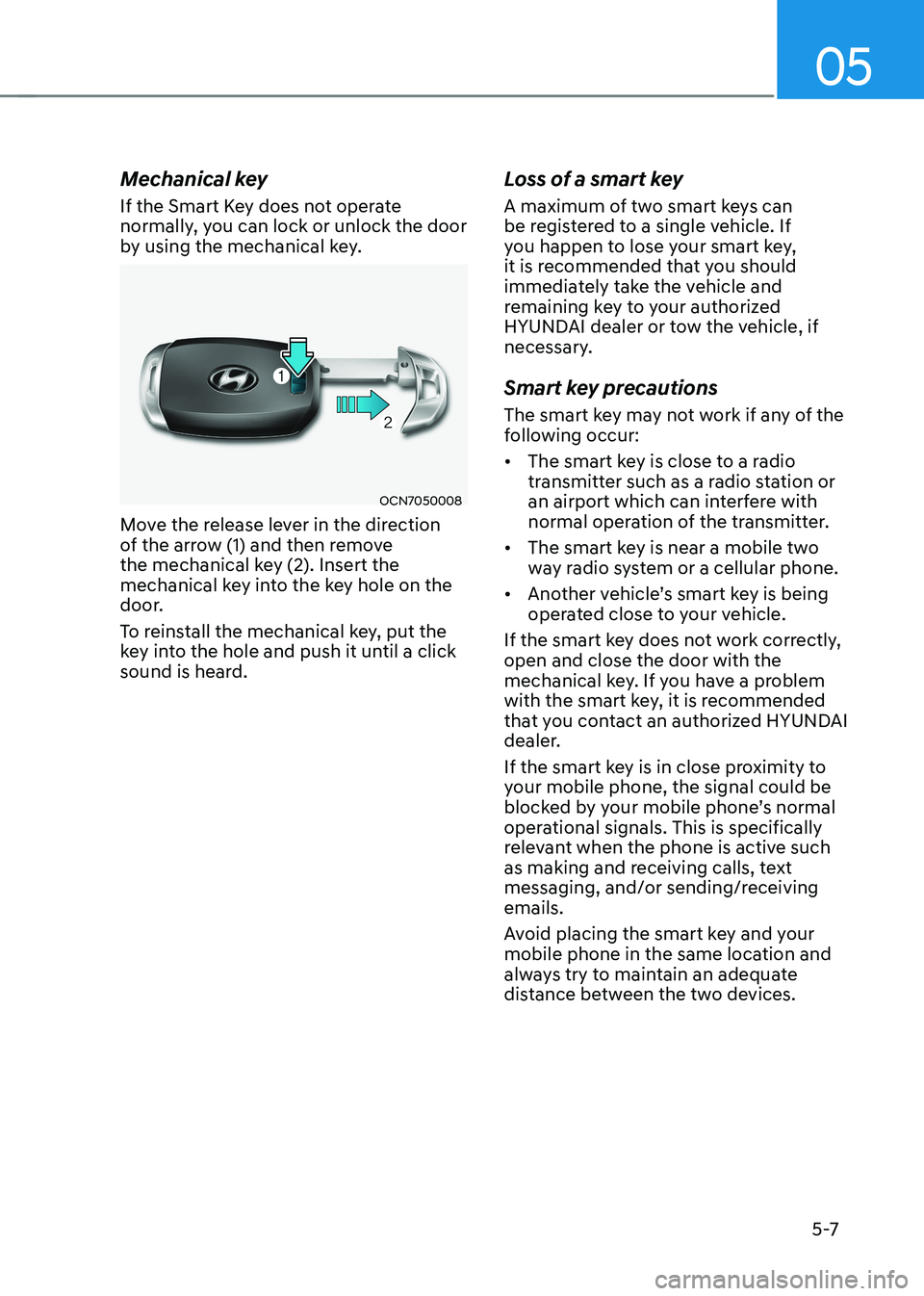
Move the release lever in the direction
of the arrow (1) and then remove
the mechanical key (2). Insert the
mechanical key into the key hole on the
door.
To reinstall the mechanical key, put the
key into the hole and push it until a click
sound is heard. Loss of a smart key
A maximum of two smart keys can
be registered to a single vehicle. If
you happen to lose your smart key,
it is recommended that you should
immediately take the vehicle and
remaining key to your authorized
HYUNDAI dealer or tow the vehicle, if
necessary.
Smart key precautions
The smart key may not work if any of the
following occur: •
The smart key is close to a radio
transmitter such as a radio station or
an airport which can interfere with
normal operation of the transmitter.
• The smart key is near a mobile two
way radio system or a cellular phone.
• Another vehicle’s smart key is being
operated close to your vehicle.
If the smart key does not work correctly, open and close the door with the
mechanical key. If you have a problem
with the smart key, it is recommended
that you contact an authorized HYUNDAI
dealer.
If the smart key is in close proximity to
your mobile phone, the signal could be
blocked by your mobile phone’s normal
operational signals. This is specifically
relevant when the phone is active such
as making and receiving calls, text
messaging, and/or sending/receiving emails.
Avoid placing the smart key and your
mobile phone in the same location and
always try to maintain an adequate
distance between the two devices.
Page 194 of 548
Convenient features
5-10
Operating door locks from
outside the vehicle
Mechanical key
OOSEV048001
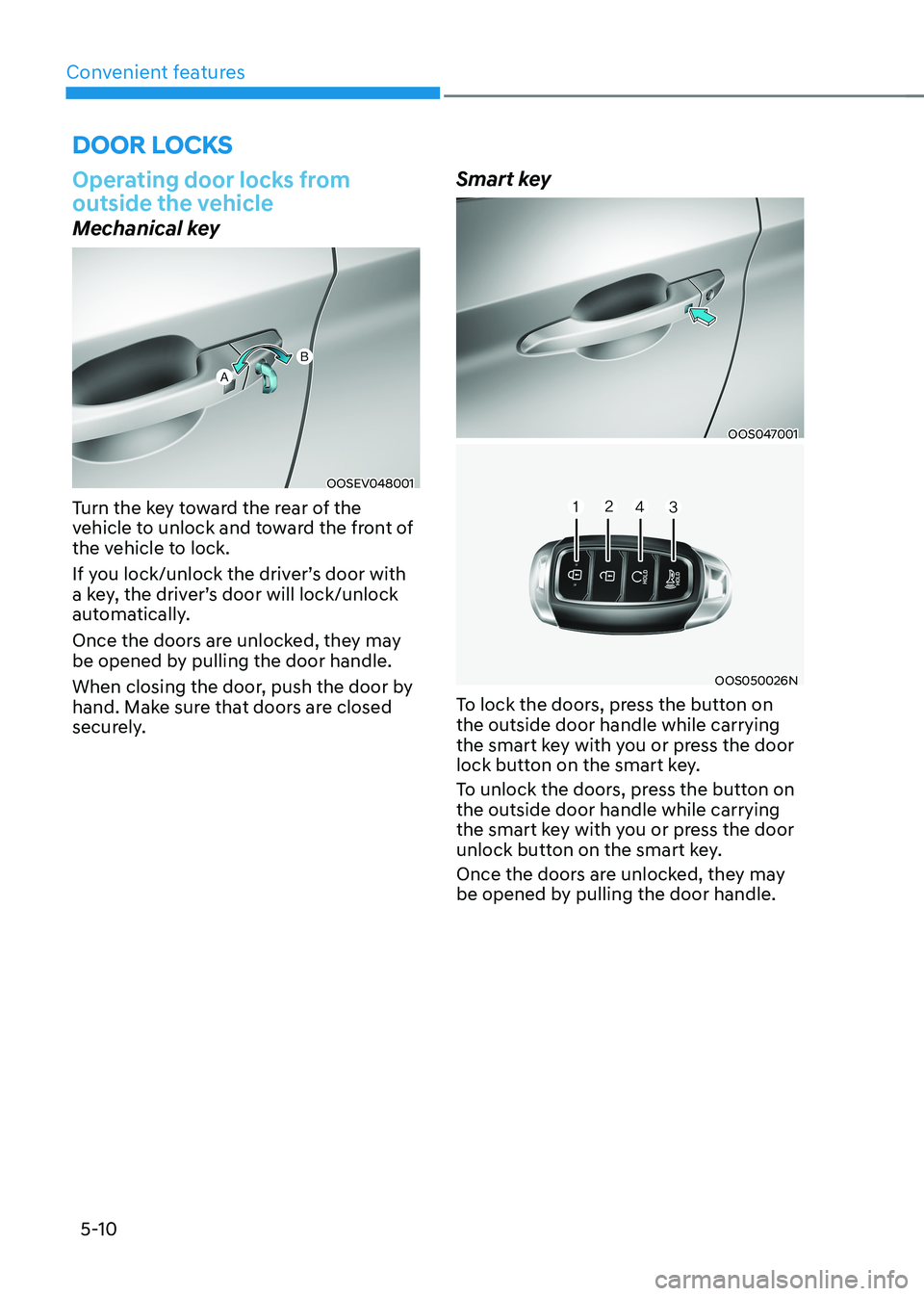
Turn the key toward the rear of the
vehicle to unlock and toward the front of
the vehicle to lock.
If you lock/unlock the driver’s door with
a key, the driver’s door will lock/unlock
automatically.
Once the doors are unlocked, they may
be opened by pulling the door handle.
When closing the door, push the door by
hand. Make sure that doors are closed
securely. Smart key
OOS047001
OOS050026N
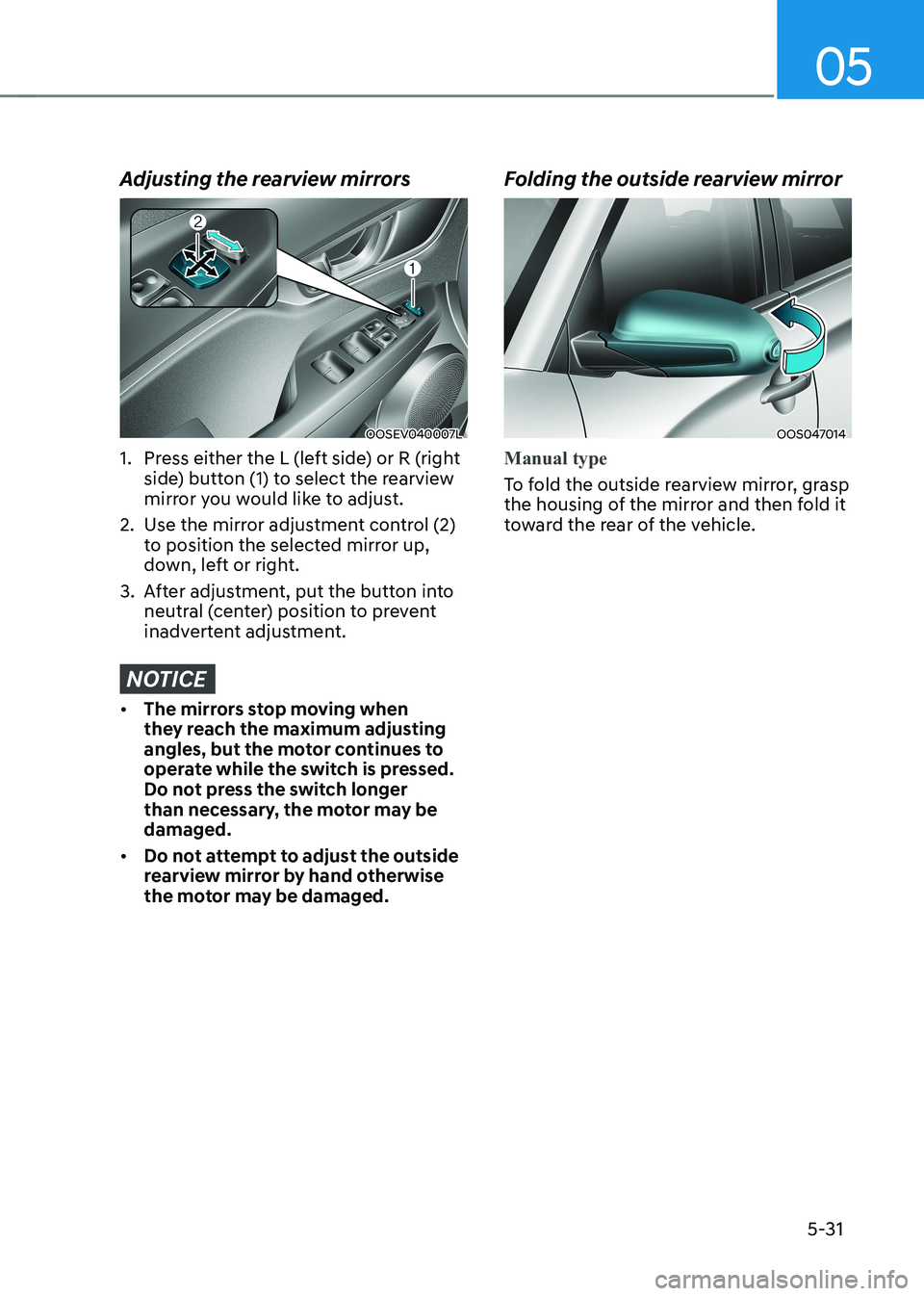
To lock the doors, press the button on the outside door handle while carrying
the smart key with you or press the door
lock button on the smart key.
To unlock the doors, press the button on the outside door handle while carrying
the smart key with you or press the door
unlock button on the smart key.
Once the doors are unlocked, they may
be opened by pulling the door handle.
Door locks
Page 201 of 548
05
5-17
Tilt steering/Telescopic steering
WARNING
Never adjust the steering wheel while
driving. You may lose steering control
and cause severe personal injury, death
or accidents.
Information
After adjustment, sometimes the lock-
release lever may not lock the steering wheel.
It is not a malfunction. This occurs when
two gears are not engaged correctly. In this case, adjust the steering wheel again and then lock the steering wheel.OOS047006
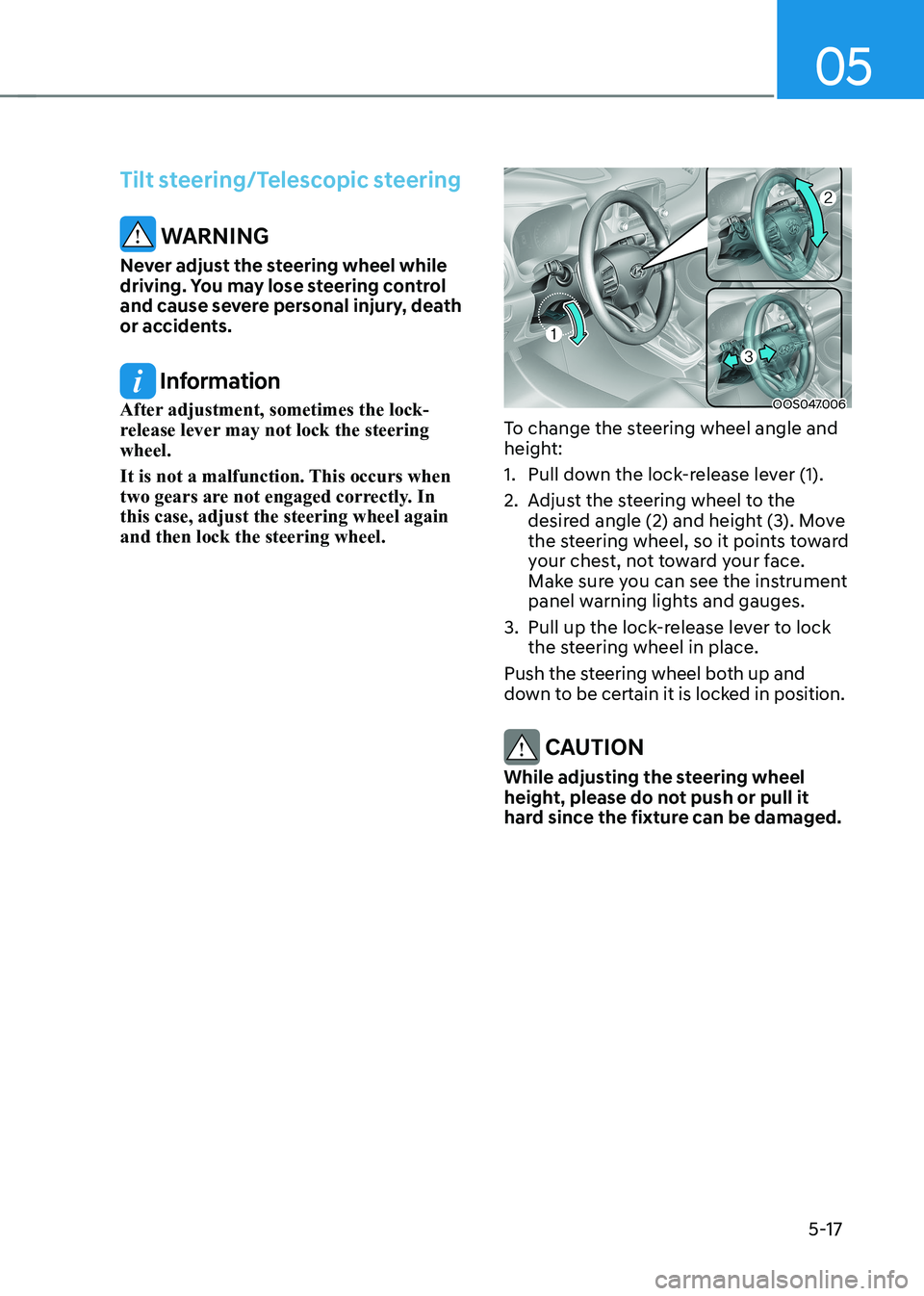
To change the steering wheel angle and
height:
1. Pull down the lock-release lever (1).
2. Adjust the steering wheel to the desired angle (2) and height (3). Move
the steering wheel, so it points toward
your chest, not toward your face.
Make sure you can see the instrument
panel warning lights and gauges.
3. Pull up the lock-release lever to lock the steering wheel in place.
Push the steering wheel both up and
down to be certain it is locked in position.
CAUTION
While adjusting the steering wheel
height, please do not push or pull it
hard since the fixture can be damaged.
Page 203 of 548
05
5-19
mirrors
Inside rearview mirror
Before you start driving, adjust the
rearview mirror to the center on the view
through the rear window.
WARNING
Make sure your line of sight is not
obstructed. Do not place objects in the
rear seat, cargo area, or behind the rear
headrests which could interfere with
your vision through the rear window.
WARNING
To prevent serious injury during an
accident or deployment of the air bag,
do not modify the rearview mirror and
do not install a wide mirror.
WARNING
NEVER adjust the mirror while driving.
This may cause loss of vehicle control
resulting in an accident.
NOTICE
When cleaning the mirror, use a paper
towel or similar material dampened
with glass cleaner. Do not spray glass
cleaner directly on the mirror as that
may cause the liquid cleaner to enter
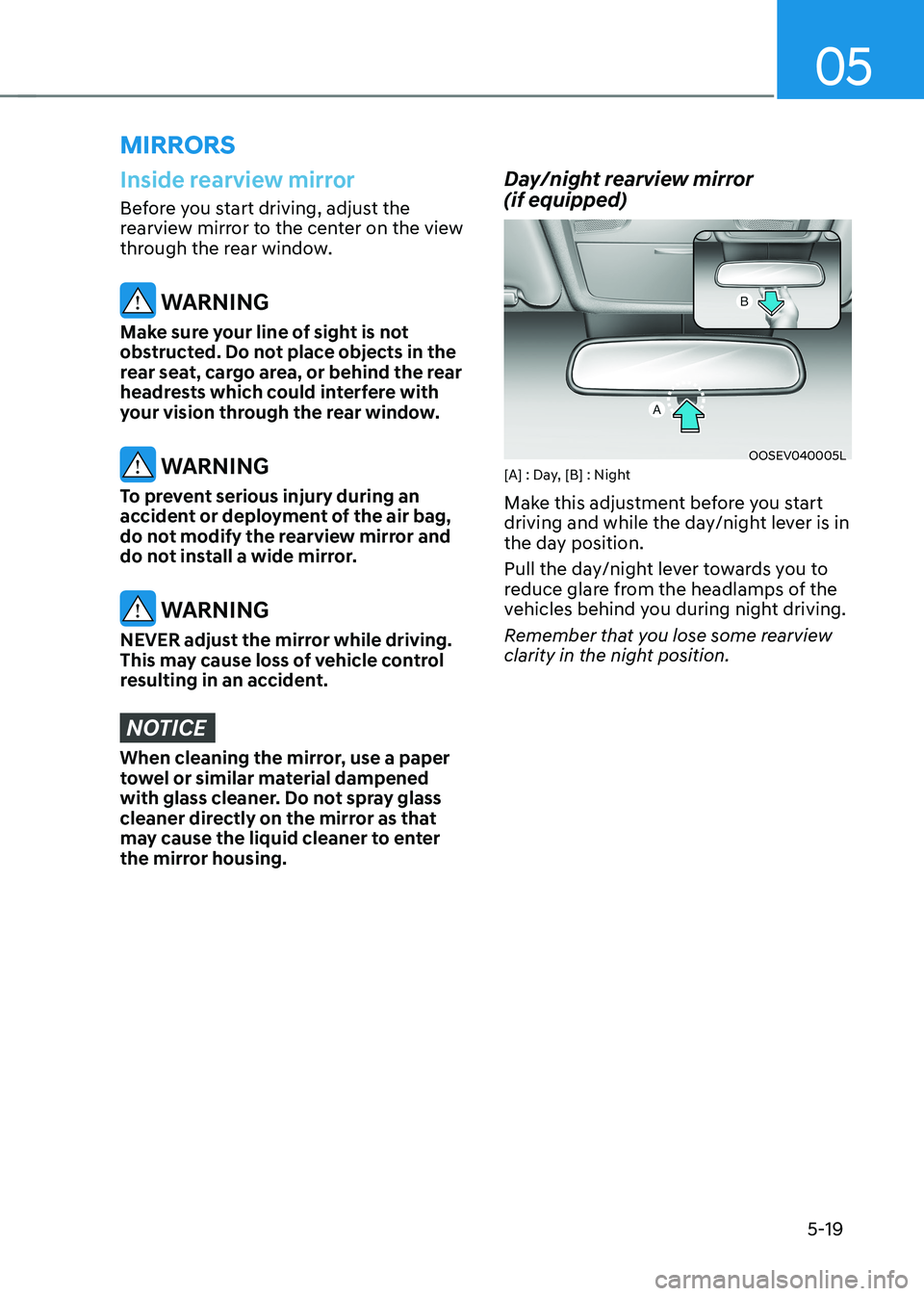
the mirror housing. Day/night rearview mirror (if equipped)
OOSEV040005L
[A] : Day, [B] : Night
Make this adjustment before you start
driving and while the day/night lever is in
the day position.
Pull the day/night lever towards you to
reduce glare from the headlamps of the
vehicles behind you during night driving.
Remember that you lose some rearview
clarity in the night position.
Page 215 of 548
05
5-31
Adjusting the rearview mirrors
OOSEV040007L
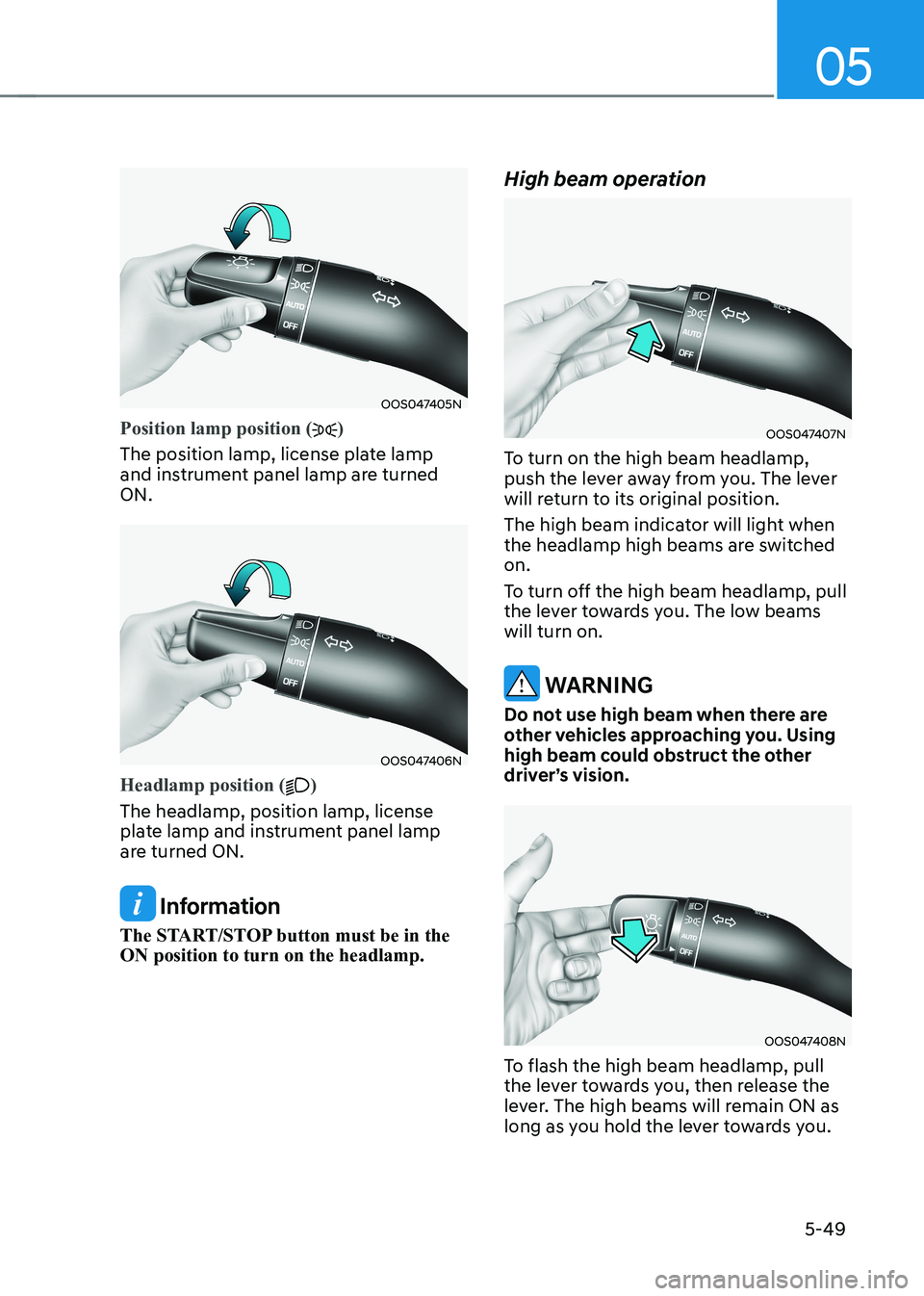
1. Press either the L (left side) or R (right side) button (1) to select the rearview
mirror you would like to adjust.
2. Use the mirror adjustment control (2) to position the selected mirror up,
down, left or right.
3. After adjustment, put the button into neutral (center) position to prevent
inadvertent adjustment.
NOTICE
• The mirrors stop moving when
they reach the maximum adjusting
angles, but the motor continues to
operate while the switch is pressed.
Do not press the switch longer
than necessary, the motor may be damaged.
• Do not attempt to adjust the outside
rearview mirror by hand otherwise
the motor may be damaged. Folding the outside rearview mirror
OOS047014
Manual type
To fold the outside rearview mirror, grasp
the housing of the mirror and then fold it
toward the rear of the vehicle.
Page 233 of 548
05
5-49
OOS047405N
Position lamp position ()
The position lamp, license plate lamp
and instrument panel lamp are turned ON.
OOS047406N
Headlamp position ()
The headlamp, position lamp, license
plate lamp and instrument panel lamp
are turned ON.
Information
The START/STOP button must be in the ON position to turn on the headlamp. High beam operation
OOS047407N
To turn on the high beam headlamp,
push the lever away from you. The lever
will return to its original position.
The high beam indicator will light when
the headlamp high beams are switched on.
To turn off the high beam headlamp, pull
the lever towards you. The low beams will turn on.
WARNING
Do not use high beam when there are
other vehicles approaching you. Using
high beam could obstruct the other
driver’s vision.
OOS047408N
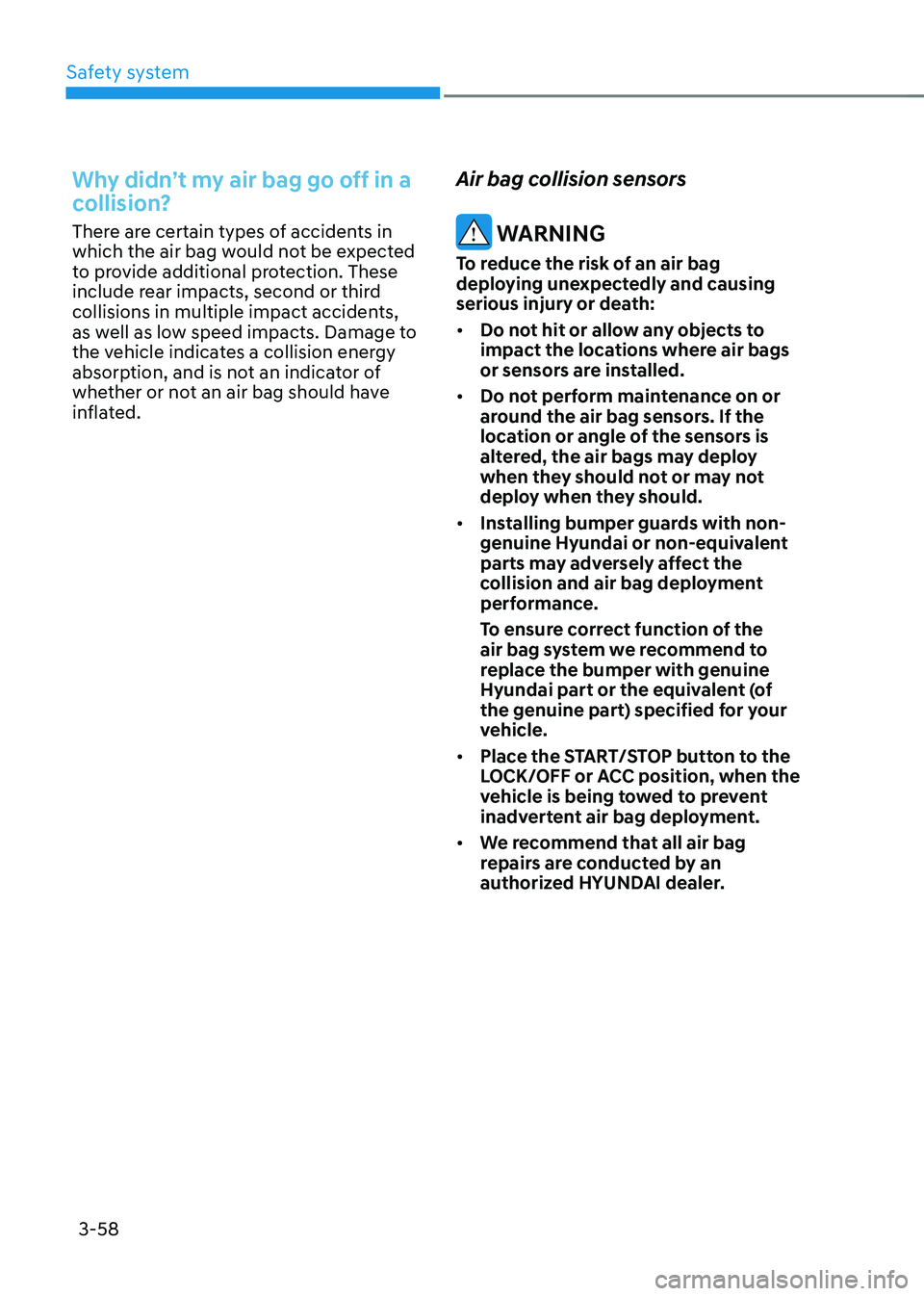
To flash the high beam headlamp, pull
the lever towards you, then release the
lever. The high beams will remain ON as
long as you hold the lever towards you.