2022 HYUNDAI ELANTRA HYBRID ECO mode
[x] Cancel search: ECO modePage 255 of 529
Driving your vehicle
6-10
Starting the engine
WARNING
• Always wear appropriate shoes when
operating your vehicle.
Unsuitable shoes, such as high heels,
ski boots, sandals, flip-flops, etc.,
may interfere with your ability to use
the brake and accelerator pedals.
• Do not start the vehicle with the
accelerator pedal depressed. The
vehicle can move and lead to an
accident.
• Wait until the engine rpm is normal.
The vehicle may suddenly move if
the brake pedal is released when the rpm is high.
Information
• The engine will start by pressing the Engine Start/Stop button, only when the smart key is in the vehicle.
• Even if the smart key is in the vehicle,
if it is far away from the driver, the engine may not start.
• When the Engine Start/Stop button
is in the ACC or ON position, if any
door is open, the system checks for the
smart key. If the smart key is not in the vehicle, the “
” indicator will blink
and the warning "Key not in vehicle"
will come on and if all doors are closed,
the chime will also sound for about 5 seconds. Keep the smart key in the
vehicle when using the ACC position or if the vehicle engine is ON.
Information
Depress the brake pedal and clutch pedal until the engine starts.
1. Always carry the smart key with you. 2. Make sure the parking brake is applied.
3. Make sure the shift lever is in P (Park).
4. Depress the brake pedal.
5. Press the Engine Start/Stop button.
Information
• Do not wait for the engine to warm up
while the vehicle remains stationary. Start driving at moderate engine
speeds. (Aggressive accelerating and decelerating should be avoided.)
• Always start the vehicle with your foot
on the brake pedal. Do not depress the
accelerator while starting the vehicle.
Do not rev the engine while warming it up.
Page 261 of 529
Driving your vehicle
6-16
OJS058139L
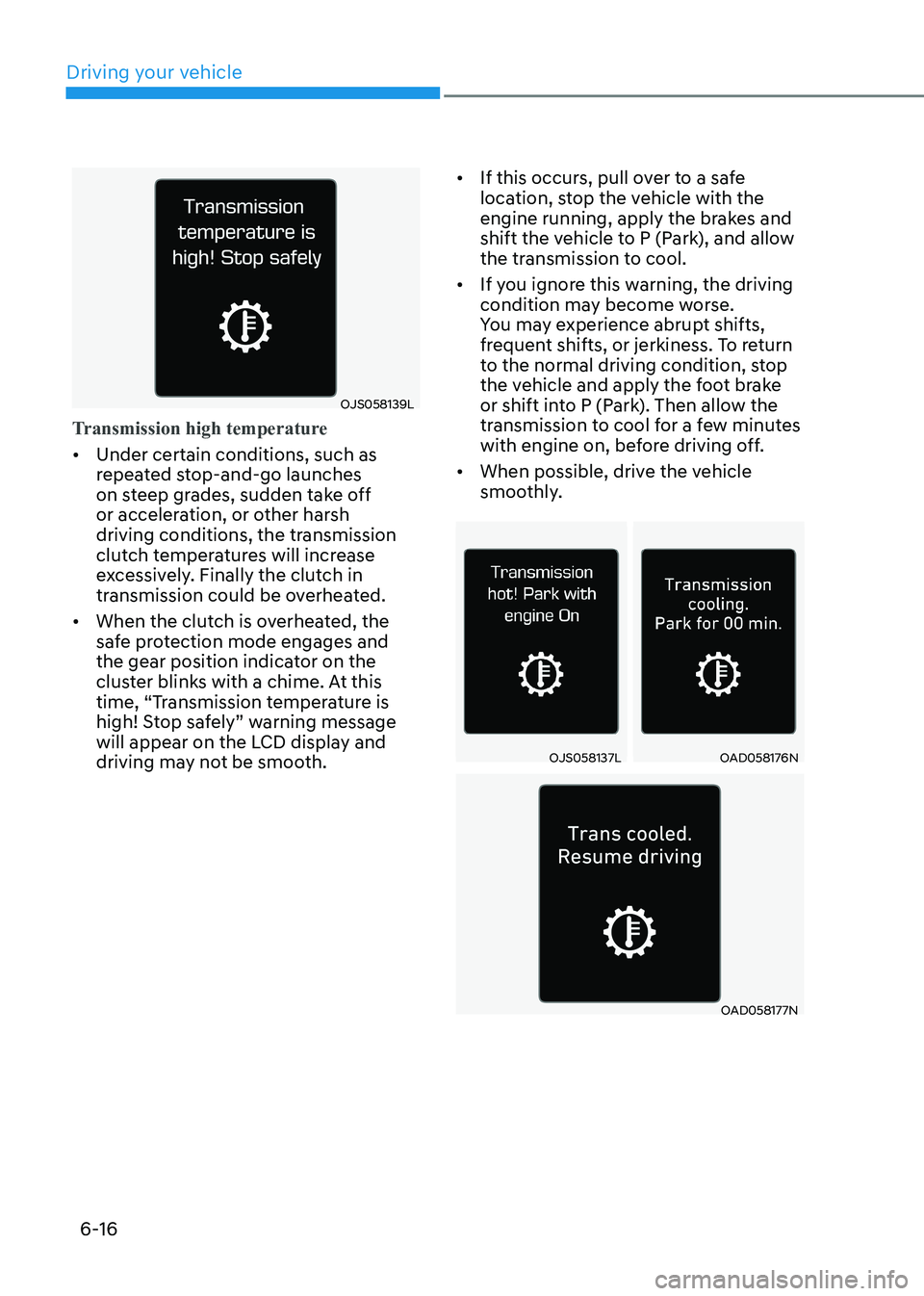
Transmission high temperature
• Under certain conditions, such as
repeated stop-and-go launches
on steep grades, sudden take off
or acceleration, or other harsh
driving conditions, the transmission
clutch temperatures will increase
excessively. Finally the clutch in
transmission could be overheated.
• When the clutch is overheated, the
safe protection mode engages and
the gear position indicator on the
cluster blinks with a chime. At this
time, “Transmission temperature is
high! Stop safely” warning message
will appear on the LCD display and
driving may not be smooth. •
If this occurs, pull over to a safe
location, stop the vehicle with the
engine running, apply the brakes and
shift the vehicle to P (Park), and allow
the transmission to cool.
• If you ignore this warning, the driving
condition may become worse.
You may experience abrupt shifts,
frequent shifts, or jerkiness. To return
to the normal driving condition, stop
the vehicle and apply the foot brake
or shift into P (Park). Then allow the
transmission to cool for a few minutes
with engine on, before driving off.
• When possible, drive the vehicle
smoothly.
OJS058137LOAD058176N
OAD058177N
Page 263 of 529
Driving your vehicle
6-18
R (Reverse)
Use this position to drive the vehicle
backward.
NOTICE
Always come to a complete stop before
shifting into or out of R (Reverse); you
may damage the transaxle if you shift
into R (Reverse) while the vehicle is in
motion.
N (Neutral)
The wheels and transaxle are not engaged.
Use N (Neutral) if you need to restart a
stalled engine, or if it is necessary to stop
with the engine ON. Shift into P (Park)
if you need to leave your vehicle for any
reason.
Always depress the brake pedal when
you are shifting from N (Neutral) to
another gear.
D (Drive)
This is the normal driving position. The
transmission will automatically shift
through a 6-gear sequence, providing
the best fuel economy and power.
For extra power when passing another
vehicle or driving uphill, depress the
accelerator fully. The transmission will
automatically downshift to the next
lower gear (or gears, as appropriate).
The DRIVE MODE switch, located on the
shift lever console, allows the driver to
switch from NORMAL mode to SPORT mode (if equipped)
For more information, refer to "Drive
Mode Integrated Control System" later
in this chapter.
WARNING
• Do not shift into gear unless your
foot is firmly on the brake pedal.
Shifting into gear when the engine
is running at high speed can cause
the vehicle to move very rapidly. You
may lose control of the vehicle and
cause accidents.
• Do not drive with the shift lever in N
(Neutral). The engine brake will not
work and may lead to an accident.
NOTICE
Always make sure the vehicle is
stationary, at a complete stop, before
selecting D (Drive).
Page 267 of 529
Driving your vehicle
6-22
Good driving practices
• Never move the shift lever from P
(Park) or N (Neutral) to any other
position with the accelerator pedal
depressed.
• Never move the shift lever into P
(Park) when the vehicle is in motion.
Be sure the vehicle is completely
stopped before you attempt to shift
into R (Reverse) or D (Drive).
• Do not move the shift lever to N
(Neutral) when driving. Doing so
may result in an accident because
of a loss of engine braking and the
transmission could be damaged.
• When driving uphill or downhill,
always shift to D (Drive) for driving
forward or shift to R (Reverse) for
driving backwards, and check the
gear position indicated on the cluster
before driving. Driving in the opposite
direction of the selected gear, can
lead to a dangerous situation by
shutting off the engine and affecting
the braking performance.
• Do not drive with your foot resting
on the brake pedal. Even light, but
consistent pedal pressure can result
in the brakes overheating, brake wear
and possibly even brake failure.
• When driving in sports mode, slow
down before shifting to a lower gear.
Otherwise, the lower gear may not
be engaged if the engine rpms are
outside of the allowable range.
• Always apply the parking brake when
leaving the vehicle. Do not depend on
placing the transmission in P (Park) to
keep the vehicle from moving.
• Exercise extreme caution when
driving on a slippery surface. Be
especially careful when braking,
accelerating or shifting gears. On a
slippery surface, an abrupt change
in vehicle speed can cause the drive
wheels to lose traction and may cause
loss of vehicle control resulting in an
accident. •
Optimum vehicle performance and
economy is obtained by smoothly
depressing and releasing the
accelerator.
WARNING
To reduce the risk of SERIOUS INJURY
or DEATH: • ALWAYS wear your seatbelt. In a
collision, an unbelted occupant
is significantly more likely to be
seriously injured or killed than a
properly belted occupant.
• Avoid high speeds when cornering or turning.
• Do not make quick steering wheel
movements, such as sharp lane
changes or fast, sharp turns.
• The risk of rollover is greatly
increased if you lose control of your
vehicle at highway speeds.
• Loss of control often occurs if two or
more wheels drop off the roadway
and the driver over steers to reenter
the roadway.
• In the event your vehicle leaves
the roadway, do not steer sharply.
Instead, slow down before pulling
back into the travel lanes.
• HYUNDAI recommends you follow all
posted speed limits.
WARNING
If your vehicle is stuck in snow, mud,
sand, etc., you may attempt to free the
vehicle by rocking it back and forth. Do
not attempt this procedure if people or
objects are anywhere near. Vehicle may
suddenly move forward or backward as
it becomes unstuck, causing injury or
damage to nearby people or objects.
Page 268 of 529
06
6-23
OOSH069019L
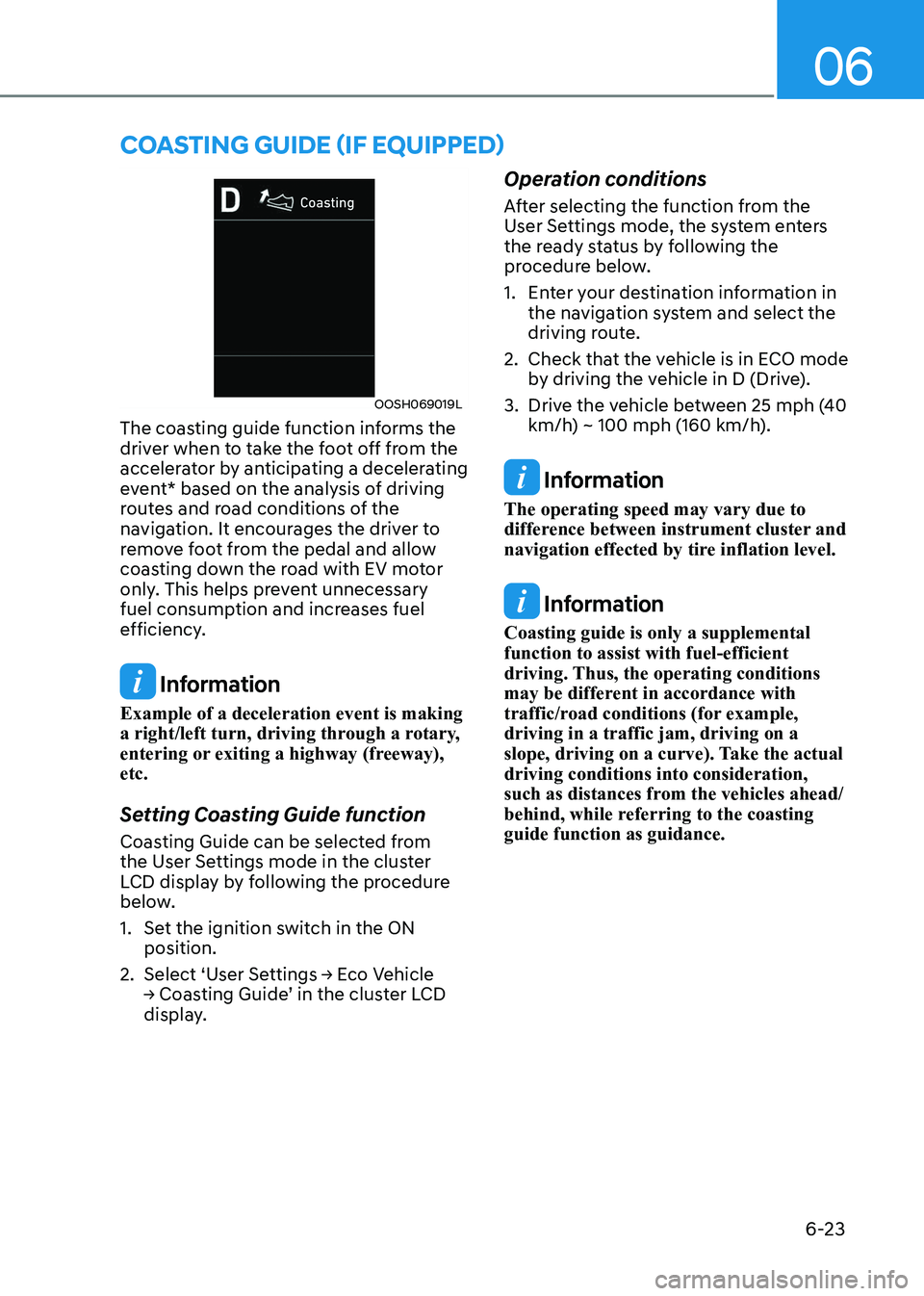
The coasting guide function informs the
driver when to take the foot off from the
accelerator by anticipating a decelerating
event* based on the analysis of driving
routes and road conditions of the
navigation. It encourages the driver to
remove foot from the pedal and allow
coasting down the road with EV motor
only. This helps prevent unnecessary
fuel consumption and increases fuel
efficiency.
Information
Example of a deceleration event is making
a right/left turn, driving through a rotary,
entering or exiting a highway (freeway), etc.
Setting Coasting Guide function
Coasting Guide can be selected from
the User Settings mode in the cluster
LCD display by following the procedure
below.
1. Set the ignition switch in the ON position.
2. Select ‘User Settings → Eco Vehicle
→ Coasting Guide’ in the cluster LCD
display. Operation conditions
After selecting the function from the
User Settings mode, the system enters
the ready status by following the
procedure below.
1. Enter your destination information in
the navigation system and select the
driving route.
2. Check that the vehicle is in ECO mode by driving the vehicle in D (Drive).
3. Drive the vehicle between 25 mph (40 km/h) ~ 100 mph (160 km/h).
Information
The operating speed may vary due to
difference between instrument cluster and
navigation effected by tire inflation level.
Information
Coasting guide is only a supplemental function to assist with fuel-efficient
driving. Thus, the operating conditions
may be different in accordance with
traffic/road conditions (for example, driving in a traffic jam, driving on a
slope, driving on a curve). Take the actual driving conditions into consideration,
such as distances from the vehicles ahead/
behind, while referring to the coasting guide function as guidance.
coasting guiDe (if equippeD)
Page 277 of 529
Driving your vehicle
6-32
Anti-lock Brake System (ABS)
WARNING
An Anti-Lock Braking System (ABS) or
an Electronic Stability Control (ESC)
system will not prevent accidents
due to improper or dangerous driving
maneuvers. Even though vehicle
control is improved during emergency
braking, always maintain a safe
distance between you and objects
ahead of you. Vehicle speeds should
always be reduced during extreme
road conditions. The braking distance
for cars equipped with ABS or ESC
may be longer than for those without
these systems in the following road
conditions.
Drive your vehicle at reduced speeds
during the following conditions: • Rough, gravel or snow-covered
roads.
• On roads where the road surface is
pitted or has different surface height.
The safety features of an ABS or ESC
equipped vehicle should not be tested
by high speed driving or cornering. This
could endanger the safety of yourself or
others.
ABS is an electronic braking system that
helps prevent a braking skid. ABS allows
the driver to steer and brake at the same time. Using ABS
To obtain the maximum benefit from
your ABS in an emergency situation,
do not attempt to modulate your brake
pressure and do not try to pump your
brakes. Depress your brake pedal as hard as possible.
When you apply your brakes under
conditions which may lock the wheels,
you may hear sounds from the brakes,
or feel a corresponding sensation in the
brake pedal. This is normal and it means
your ABS is active.
ABS does not reduce the time or distance
it takes to stop the vehicle.
Always maintain a safe distance from the
vehicle in front of you.
ABS will not prevent a skid that results
from sudden changes in direction, such
as trying to take a corner too fast or
making a sudden lane change. Always
drive at a safe speed for the road and
weather conditions.
ABS cannot prevent a loss of stability.
Always steer moderately when braking
hard. Severe or sharp steering wheel
movement can still cause your vehicle to
veer into oncoming traffic or off the road.
On loose or uneven road surfaces,
operation of the anti-lock brake system
may result in a longer stopping distance
than for vehicles equipped with a
conventional brake system.
The ABS warning light (
) will stay on
for several seconds after the ignition
switch is in the ON position. During
that time, the ABS will go through self-
diagnosis and the light will go off if
everything is normal. If the light stays on,
you may have a problem with your ABS.
Contact an authorized HYUNDAI dealer as soon as possible.
Page 280 of 529
06
6-35
Indicator lights
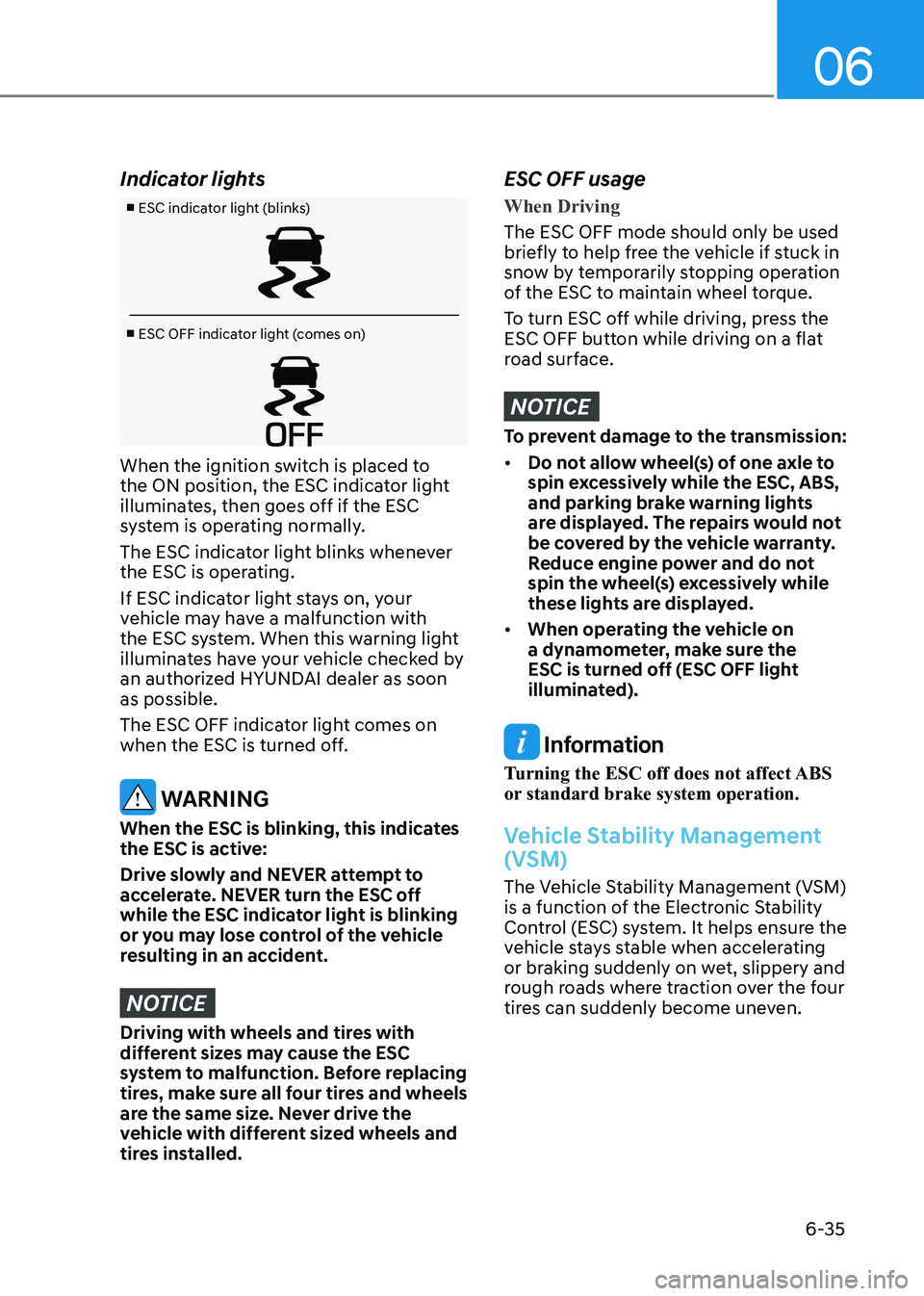
■ ESC indicator light (blinks)
■ ESC OFF indicator light (comes on)
When the ignition switch is placed to
the ON position, the ESC indicator light
illuminates, then goes off if the ESC
system is operating normally.
The ESC indicator light blinks whenever
the ESC is operating.
If ESC indicator light stays on, your
vehicle may have a malfunction with
the ESC system. When this warning light
illuminates have your vehicle checked by
an authorized HYUNDAI dealer as soon as possible.
The ESC OFF indicator light comes on
when the ESC is turned off.
WARNING
When the ESC is blinking, this indicates
the ESC is active:
Drive slowly and NEVER attempt to
accelerate. NEVER turn the ESC off
while the ESC indicator light is blinking
or you may lose control of the vehicle
resulting in an accident.
NOTICE
Driving with wheels and tires with
different sizes may cause the ESC
system to malfunction. Before replacing
tires, make sure all four tires and wheels
are the same size. Never drive the
vehicle with different sized wheels and
tires installed.
ESC OFF usage
When Driving
The ESC OFF mode should only be used
briefly to help free the vehicle if stuck in
snow by temporarily stopping operation
of the ESC to maintain wheel torque.
To turn ESC off while driving, press the
ESC OFF button while driving on a flat
road surface.
NOTICE
To prevent damage to the transmission: • Do not allow wheel(s) of one axle to
spin excessively while the ESC, ABS,
and parking brake warning lights
are displayed. The repairs would not
be covered by the vehicle warranty.
Reduce engine power and do not
spin the wheel(s) excessively while
these lights are displayed.
• When operating the vehicle on
a dynamometer, make sure the
ESC is turned off (ESC OFF light
illuminated).
Information
Turning the ESC off does not affect ABS
or standard brake system operation.
Vehicle Stability Management
(VSM)
The Vehicle Stability Management (VSM)
is a function of the Electronic Stability
Control (ESC) system. It helps ensure the
vehicle stays stable when accelerating
or braking suddenly on wet, slippery and
rough roads where traction over the four
tires can suddenly become uneven.
Page 284 of 529
06
6-39
SPORT mode
SPORT mode manages the
driving dynamics by
automatically adjusting the
steering effort, the engine
and transmission control
logic for enhanced driver
performance.
• When SPORT mode is selected by
using the DRIVE MODE button, the
SPORT indicator will illuminate.
• Whenever the engine is restarted,
the Drive Mode will revert back to
NORMAL mode. If SPORT mode is
desired, re-select SPORT mode from
the DRIVE MODE button.
• When SPORT mode is activated:
- The engine rpm will tend to remain raised over a certain length of time
even after releasing the accelerator
- Upshifts are delayed when accelerating
Information
In SPORT mode, the fuel efficiency may
decrease. SMART mode
SMART mode selects the
proper driving mode among
ECO, NORMAL, and SPORT
by judging the driver’s driving
habits (for example, Economic
or Aggressive (Sportive)) from
the brake pedal depression or
the steering wheel operation.
• Toggle the DRIVE MODE button to
select SMART mode. When SMART
mode is selected, the indicator
illuminates on the instrument cluster.
• SMART mode automatically controls
the vehicle driving, such as gear
shifting patterns and engine torque,
in accordance with the driver’s driving habits.
• Whenever the engine is restarted, the
drive mode remains in SMART mode.
Information
• When you mildly drive the vehicle
in SMART mode, the driving mode
changes to SMART ECO mode to
improve fuel efficiency. However, the
actual fuel efficiency may differ in
accordance with your driving situations
(for example, upward/downward slope, vehicle deceleration/acceleration).
• When you dynamically drive the
vehicle in SMART mode by abruptly
decelerating or sharply turning the
driving mode changes to SMART
SPORT mode. However, it may
adversely affect fuel economy.