2022 HYUNDAI ELANTRA HYBRID ECO mode
[x] Cancel search: ECO modePage 212 of 529
05
5-65
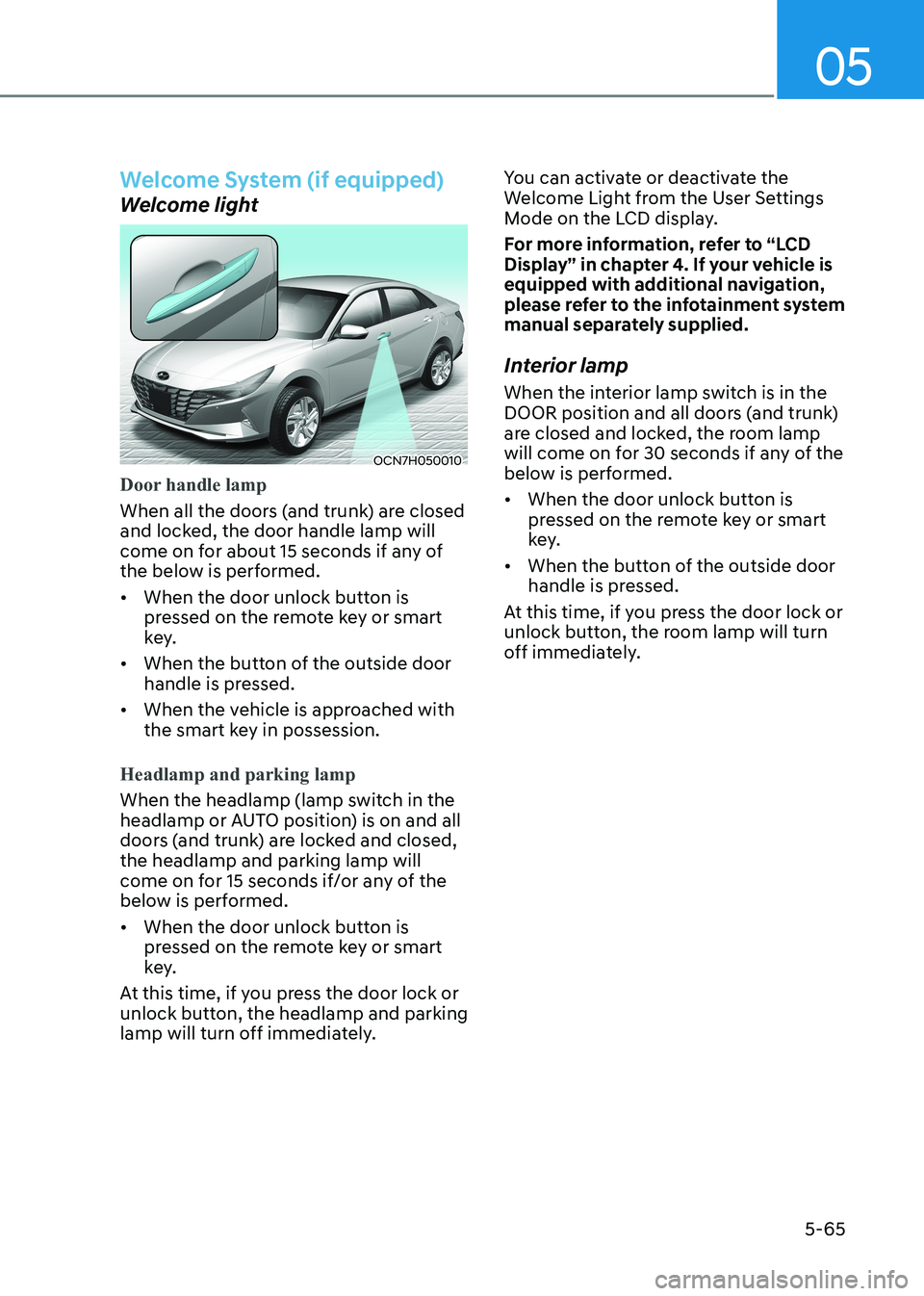
Welcome System (if equipped)
Welcome light
OCN7H050010
Door handle lamp
When all the doors (and trunk) are closed
and locked, the door handle lamp will
come on for about 15 seconds if any of
the below is performed.
• When the door unlock button is pressed on the remote key or smart
key.
• When the button of the outside door handle is pressed.
• When the vehicle is approached with the smart key in possession.
Headlamp and parking lamp
When the headlamp (lamp switch in the
headlamp or AUTO position) is on and all
doors (and trunk) are locked and closed, the headlamp and parking lamp will
come on for 15 seconds if/or any of the
below is performed.
• When the door unlock button is pressed on the remote key or smart
key.
At this time, if you press the door lock or
unlock button, the headlamp and parking
lamp will turn off immediately. You can activate or deactivate the
Welcome Light from the User Settings
Mode on the LCD display.
For more information, refer to “LCD
Display” in chapter 4. If your vehicle is
equipped with additional navigation,
please refer to the infotainment system
manual separately supplied.
Interior lamp
When the interior lamp switch is in the
DOOR position and all doors (and trunk)
are closed and locked, the room lamp
will come on for 30 seconds if any of the
below is performed.
• When the door unlock button is pressed on the remote key or smart
key.
• When the button of the outside door handle is pressed.
At this time, if you press the door lock or
unlock button, the room lamp will turn
off immediately.
Page 221 of 529
Convenient Features
5 -74
Temperature conversion
If the battery has been discharged or
disconnected, the temperature mode
display will reset to Centigrade.
To change the temperature unit from °C
to °F or °F to °C : - Automatic climate control system Press the AUTO button for 3 seconds
while pressing the OFF button.
- Instrument clusterAutomatic climate control system
Go to User Settings → Other →
Temperature Unit.
The temperature unit on both the
cluster LCD display and the climate
control screen will change.
Information
When starting the vehicle in cold weather
using manual temperature control,
operate the system in the following method
to improve heating. - Turn off or lower the blower, right after starting the engine.
- Allow the engine to warm up during
this time since the air flow from the
heater is still cold.
- After a few minutes of engine warm up,
turn on or set the fan to a higher level
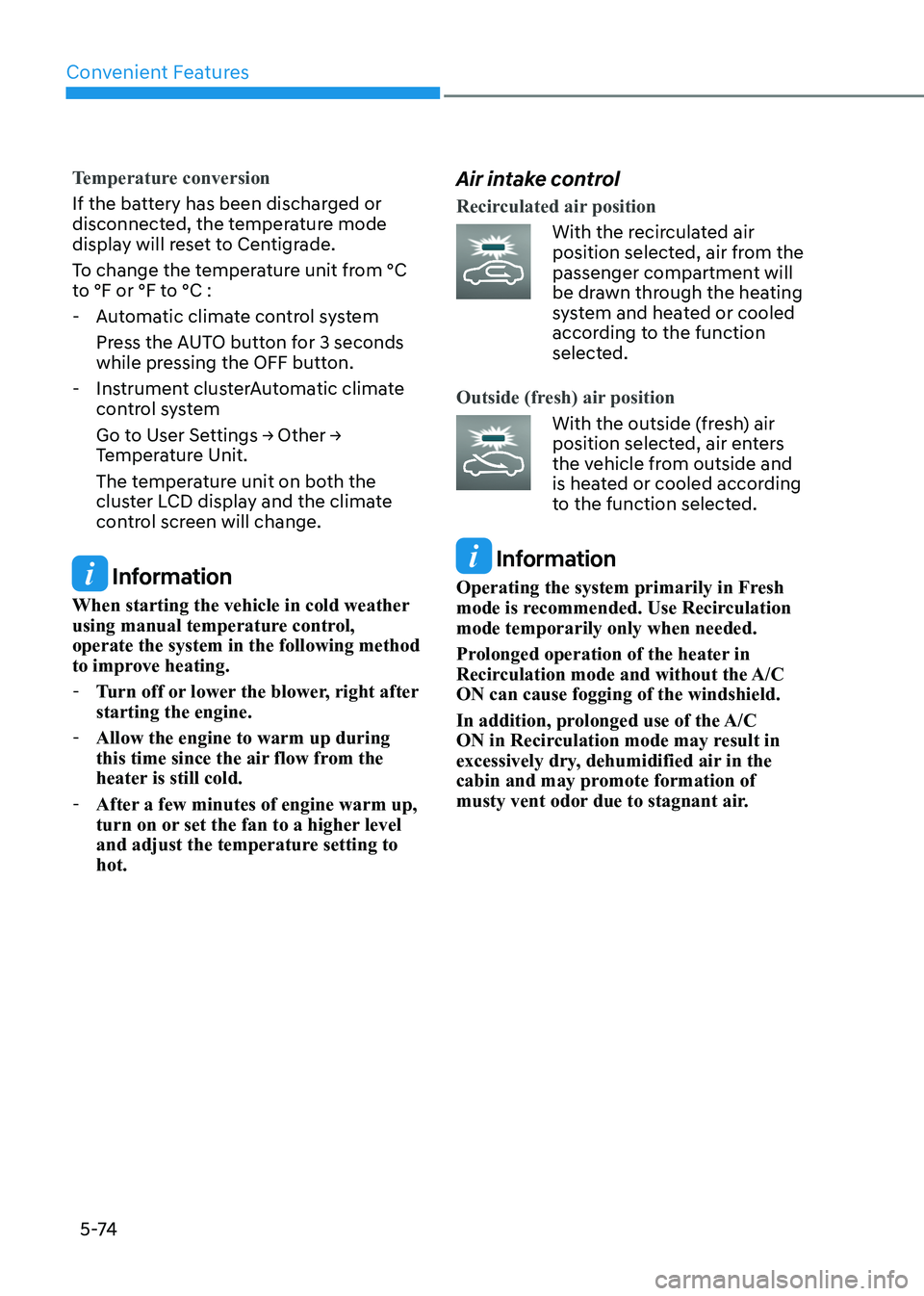
and adjust the temperature setting to hot. Air intake control
Recirculated air position
With the recirculated air
position selected, air from the
passenger compartment will
be drawn through the heating
system and heated or cooled
according to the function
selected.
Outside (fresh) air position
With the outside (fresh) air
position selected, air enters
the vehicle from outside and
is heated or cooled according
to the function selected.
Information
Operating the system primarily in Fresh
mode is recommended. Use Recirculation mode temporarily only when needed.
Prolonged operation of the heater in
Recirculation mode and without the A/C ON can cause fogging of the windshield.
In addition, prolonged use of the A/C
ON in Recirculation mode may result in
excessively dry, dehumidified air in the
cabin and may promote formation of
musty vent odor due to stagnant air.
Page 229 of 529
Convenient Features
5-82
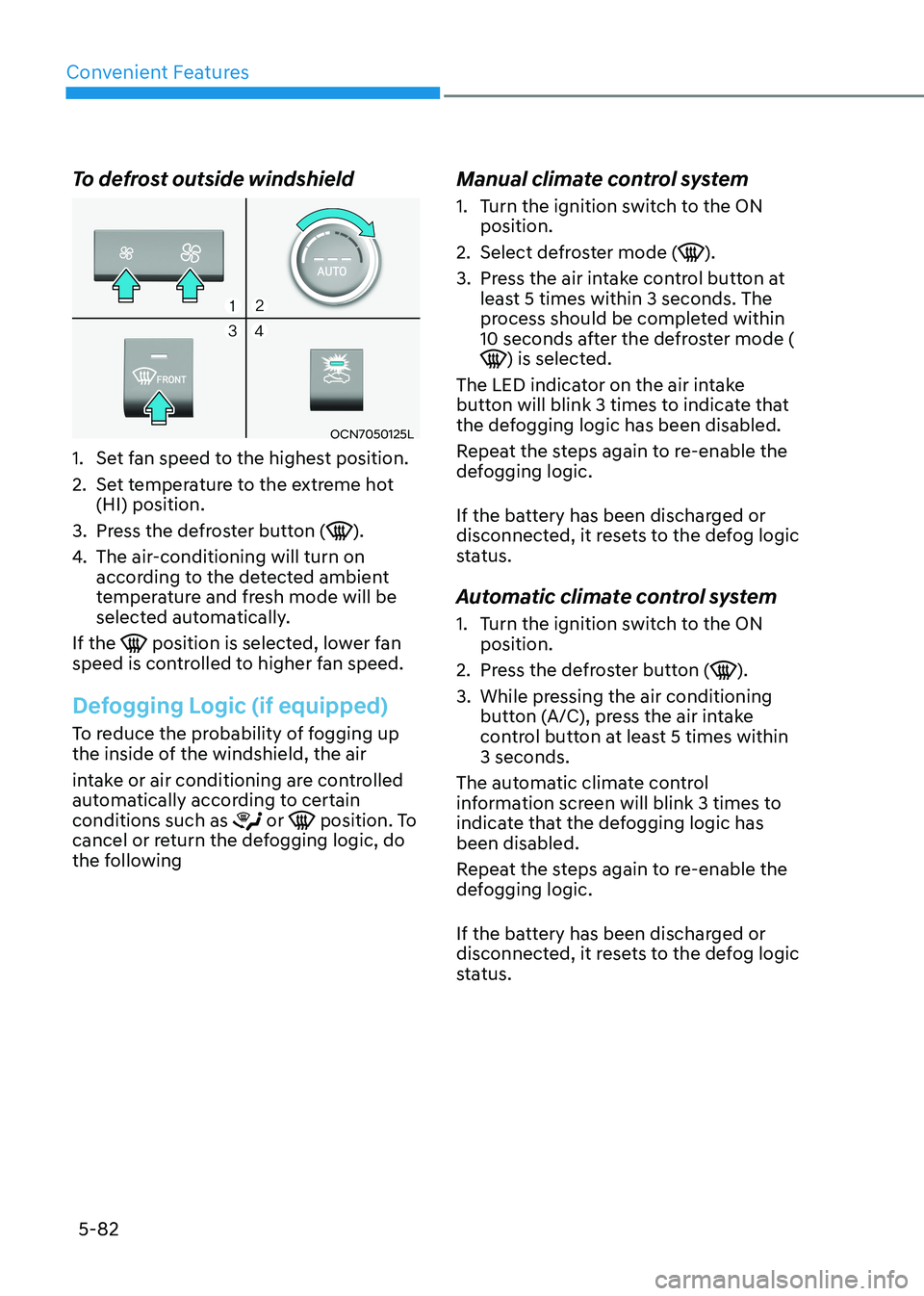
To defrost outside windshield
OCN7050125L
1. Set fan speed to the highest position.
2. Set temperature to the extreme hot (HI) position.
3. Press the defroster button (
).
4. The air-conditioning will turn on
according to the detected ambient
temperature and fresh mode will be
selected automatically.
If the
position is selected, lower fan
speed is controlled to higher fan speed.
Defogging Logic (if equipped)
To reduce the probability of fogging up
the inside of the windshield, the air
intake or air conditioning are controlled
automatically according to certain conditions such as
or position. To
cancel or return the defogging logic, do
the following Manual climate control system
1. Turn the ignition switch to the ON
position.
2. Select defroster mode (
).
3. Press the air intake control button at least 5 times within 3 seconds. The
process should be completed within
10 seconds after the defroster mode (
) is selected.
The LED indicator on the air intake
button will blink 3 times to indicate that
the defogging logic has been disabled.
Repeat the steps again to re-enable the
defogging logic.
If the battery has been discharged or
disconnected, it resets to the defog logic
status.
Automatic climate control system
1. Turn the ignition switch to the ON position.
2. Press the defroster button (
).
3. While pressing the air conditioning button (A/C), press the air intake
control button at least 5 times within 3 seconds.
The automatic climate control
information screen will blink 3 times to
indicate that the defogging logic has been disabled.
Repeat the steps again to re-enable the
defogging logic.
If the battery has been discharged or
disconnected, it resets to the defog logic
status.
Page 230 of 529
05
5-83
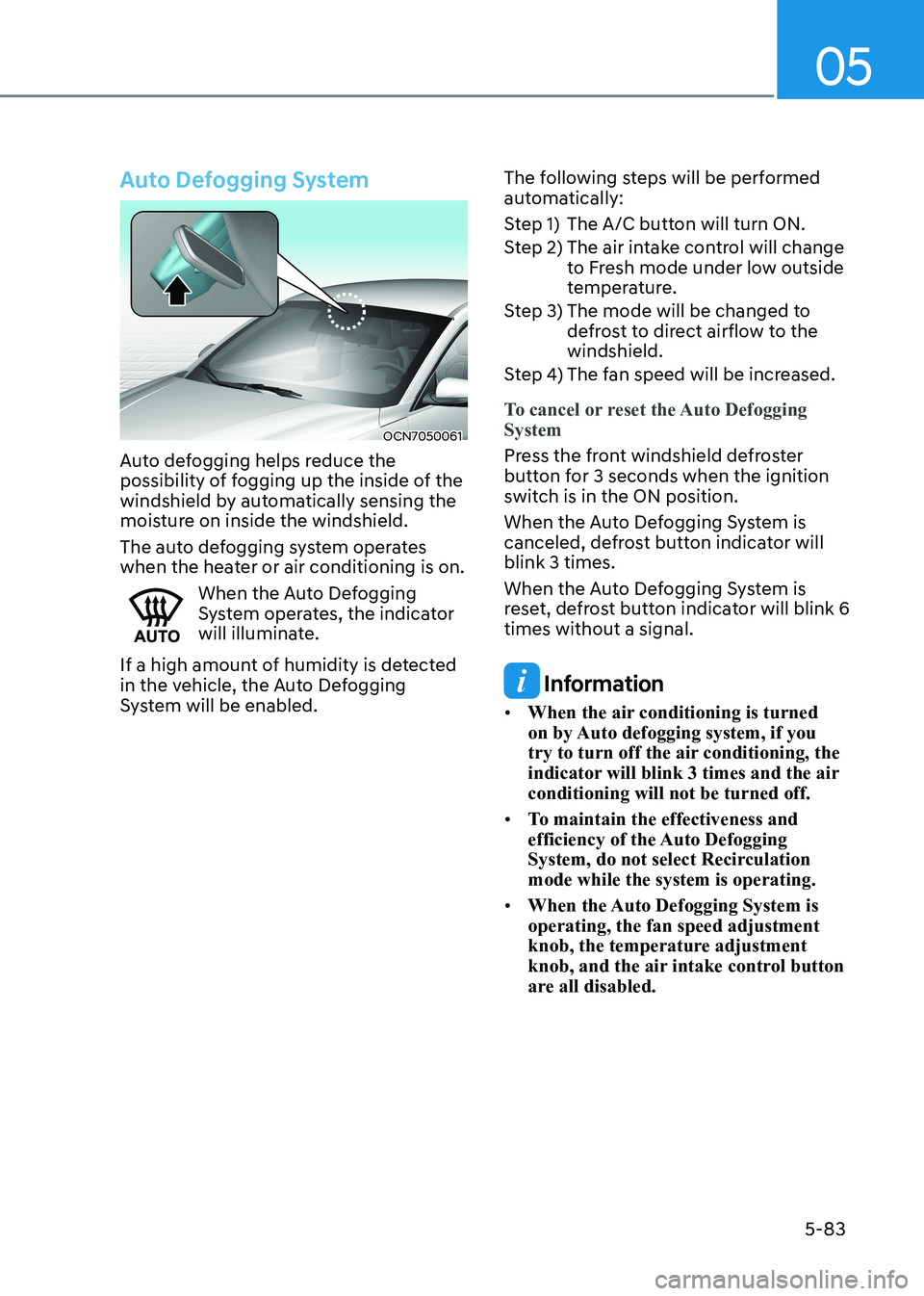
Auto Defogging System
OCN7050061
Auto defogging helps reduce the
possibility of fogging up the inside of the
windshield by automatically sensing the
moisture on inside the windshield.
The auto defogging system operates
when the heater or air conditioning is on.
When the Auto Defogging
System operates, the indicator
will illuminate.
If a high amount of humidity is detected
in the vehicle, the Auto Defogging
System will be enabled. The following steps will be performed
automatically:
Step 1) The A/C button will turn ON.
Step 2) The air intake control will change
to Fresh mode under low outside
temperature.
Step 3) The mode will be changed to defrost to direct airflow to the windshield.
Step 4) The fan speed will be increased.
To cancel or reset the Auto Defogging System
Press the front windshield defroster
button for 3 seconds when the ignition
switch is in the ON position.
When the Auto Defogging System is
canceled, defrost button indicator will blink 3 times.
When the Auto Defogging System is
reset, defrost button indicator will blink 6 times without a signal.
Information
• When the air conditioning is turned
on by Auto defogging system, if you
try to turn off the air conditioning, the
indicator will blink 3 times and the air conditioning will not be turned off.
• To maintain the effectiveness and
efficiency of the Auto Defogging
System, do not select Recirculation mode while the system is operating.
• When the Auto Defogging System is operating, the fan speed adjustment
knob, the temperature adjustment
knob, and the air intake control button
are all disabled.
Page 232 of 529
05
5-85
Sunroof Inside Air Recirculation (if equipped)
When the sunroof is opened, outside
(fresh) air will be automatically selected.
At this time, if you press the air intake
control button, recirculated air position
will be selected but will change back
to outside (fresh) air after 3 minutes.
When the sunroof is closed, the air
intake position will return to the original
position that was selected.
Auto Comfort Control
(for driver’s seat) (if equipped)
The temperature of the driver’s seat
warmer, air ventilation seat and
heated steering wheel is automatically
controlled depending on the inside and
outside temperature of the vehicle when the engine is running.
To use this function, it must be
activated from the Settings menu in the
Infotainment system screen. Select: - All menus → Setup → Vehicle → Heated
/ Ventilated Features
For more details on Auto Comfort
Control, refer to “Seat warmers and
air ventilation seat” in chapter 3, and
“Heated steering wheel” in chapter 5
Automatic Ventilation (if equipped)
The system automatically selects the
fresh mode when the climate control
system operates over a certain period of
time (approximately 30 minutes) in low
temperature with the recirculation mode
selected.
To cancel or reactivate the
Automatic Ventilation
When the air conditioning system is on,
select Face Level
mode and press the
air recirculation mode button at least 5
times within 3 seconds while pressing
the A/C button.
When the automatic ventilation is
canceled, the indicator blinks 3 times.
When the automatic ventilation is
activated, the indicator blinks 6 times.
climate cOntROl aDDitiOnal featuReS
Page 237 of 529
![HYUNDAI ELANTRA HYBRID 2022 Owners Manual Convenient Features
5-90
Wireless Cellular Phone
Charging System (if equipped)
OCN7050070
[A] : Charging pad
There is a wireless cellular phone charger
inside the front console.
The system is](/manual-img/35/56241/w960_56241-236.png "HYUNDAI ELANTRA HYBRID 2022 Owners Manual Convenient Features
5-90
Wireless Cellular Phone
Charging System (if equipped)
OCN7050070
[A] : Charging pad
There is a wireless cellular phone charger
inside the front console.
The system is")
Convenient Features
5-90
Wireless Cellular Phone
Charging System (if equipped)
OCN7050070
[A] : Charging pad
There is a wireless cellular phone charger
inside the front console.
The system is available when all doors
are closed, and when the ignition switch is in the ON position
To charge a cellular phone
The wireless cellular phone charging
system charges only the Qi-enabled
cellular phones. Read the label on the
cellular phone accessory cover or visit
your cellular phone manufacturer’s
website to check whether your cellular
phone supports the Qi technology.
The wireless charging process starts
when you put a Qi-enabled cellular
phone on the wireless charging unit.
1. Remove other items, including the smart key, from the wireless charging
unit. If not, the wireless charging
process may be interrupted. Place
the cellular phone on the center of
the charging pad (
).
2. The indicator light is orange when the cellular phone is charging. The
indicator light turns green when
phone charging is complete.
3. You can turn ON or OFF the wireless charging function in the user settings
mode on the instrument cluster. For
further information, refer to the “LCD
Display Modes” in this chapter.
If your cellular phone is not charging:
- Slightly change the position of the cellular phone on the charging pad.
- Make sure the indicator light is orange.
The indicator light will blink orange for 10
seconds if there is a malfunction in the
wireless charging system.
In this case, temporarily stop the
charging process, and re-attempt to
charge your cellular phone again.
The system warns you with a message
on the LCD display if the cellular phone
is still on the wireless charging unit after
the engine is turned OFF and the front door is opened.
Information
For some manufacturers’ cellular phones, the system may not warn you even though
the cellular phone is left on the wireless
charging unit. This is due to the particular
characteristic of the cellular phone and
not a malfunction of the wireless charging.
NOTICE
• The wireless cellular phone charging system may not support certain
cellular phones, which are not
verified for the Qi specification (
).
• When placing your cellular phone on the charging mat, position the
phone in the middle of the mat for
optimal charging performance. If
your cellular phone is off to the side,
the charging rate may be less and in
some cases the cellular phone may
experience higher heat conduction.
• In some cases, the wireless charging may stop temporarily when the
Remote Key or Smart Key is used,
either when starting the vehicle or
locking/unlocking the doors, etc.
• When charging certain cellular phones, the charging indicator
may not change to green when the
cellular phone is fully charged.
Page 241 of 529
Convenient Features
5-94
Steering wheel Audio Control
OCN7050073L
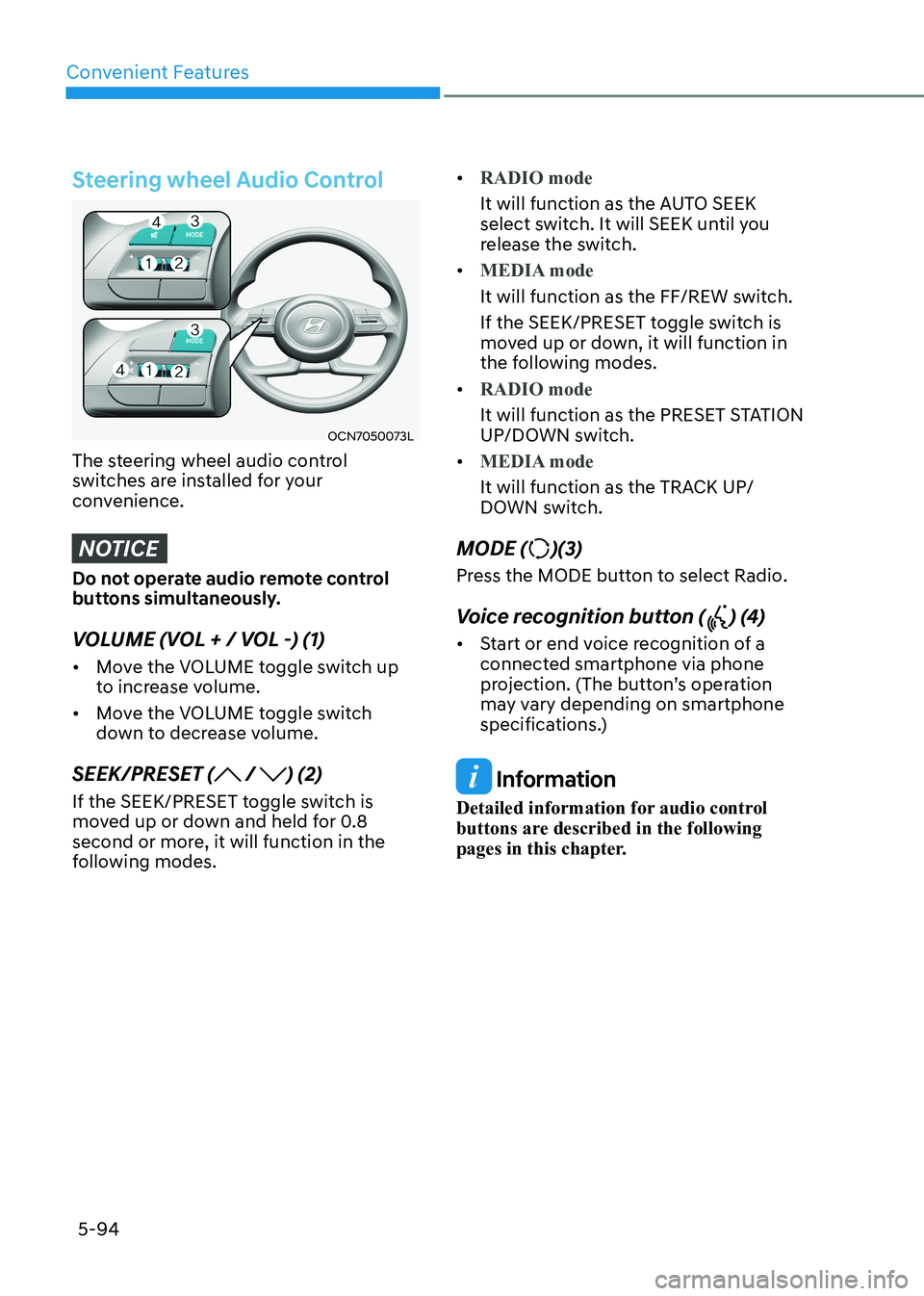
The steering wheel audio control
switches are installed for your
convenience.
NOTICE
Do not operate audio remote control
buttons simultaneously.
VOLUME (VOL + / VOL -) (1) • Move the VOLUME toggle switch up
to increase volume.
• Move the VOLUME toggle switch
down to decrease volume.
SEEK/PRESET (
/ ) (2)
If the SEEK/PRESET toggle switch is
moved up or down and held for 0.8
second or more, it will function in the
following modes. •
RADIO mode
It will function as the AUTO SEEK
select switch. It will SEEK until you
release the switch.
•
MEDIA mode
It will function as the FF/REW switch.
If the SEEK/PRESET toggle switch is
moved up or down, it will function in
the following modes.
•
RADIO mode
It will function as the PRESET STATION
UP/DOWN switch.
•
MEDIA mode
It will function as the TRACK UP/
DOWN switch.
MODE (
)(3)
Press the MODE button to select Radio.
Voice recognition button (
) (4)
• Start or end voice recognition of a
connected smartphone via phone
projection. (The button’s operation
may vary depending on smartphone
specifications.)
Information
Detailed information for audio control
buttons are described in the following
pages in this chapter.
Page 252 of 529
06
6 -7
Starting the engine
WARNING
Always wear appropriate shoes when
operating your vehicle.
Unsuitable shoes, such as high heels,
ski boots, sandals, flip-flops, etc., may
interfere with your ability to use the
brake and accelerator pedals.
Information
Depress the brake pedal and clutch pedal until the engine starts.
1. Make sure the parking brake is applied.
2. Make sure the shift lever is in P (Park).
3. Depress the brake pedal.
4. Turn the ignition switch to the START
position. Hold the key (maximum of
10 seconds) until the engine starts and
release it.
Information
• It is best to maintain a moderate engine speed until the vehicle engine comes
up to normal operating temperature.
Avoid harsh or abrupt acceleration or deceleration while the engine is still cold.
• Whether the engine is cold or warm,
always start the vehicle with your foot
on the brake pedal. Do not depress the
accelerator while starting the vehicle.
Do not rev the engine while warming it up.
NOTICE
To prevent damage to the vehicle: • Do not hold the ignition key in the
START position for more than 10
seconds. Wait 5 to 10 seconds before trying again.
• Do not push or tow your vehicle to
start the engine.
Turning off the engine
1. Stop the vehicle and depress the brake pedal fully.
2. Shift the gear to P (Park).
3. Turn the ignition switch to the off position and apply the parking brake.