2022 FORD BRONCO SPORT battery
[x] Cancel search: batteryPage 64 of 494
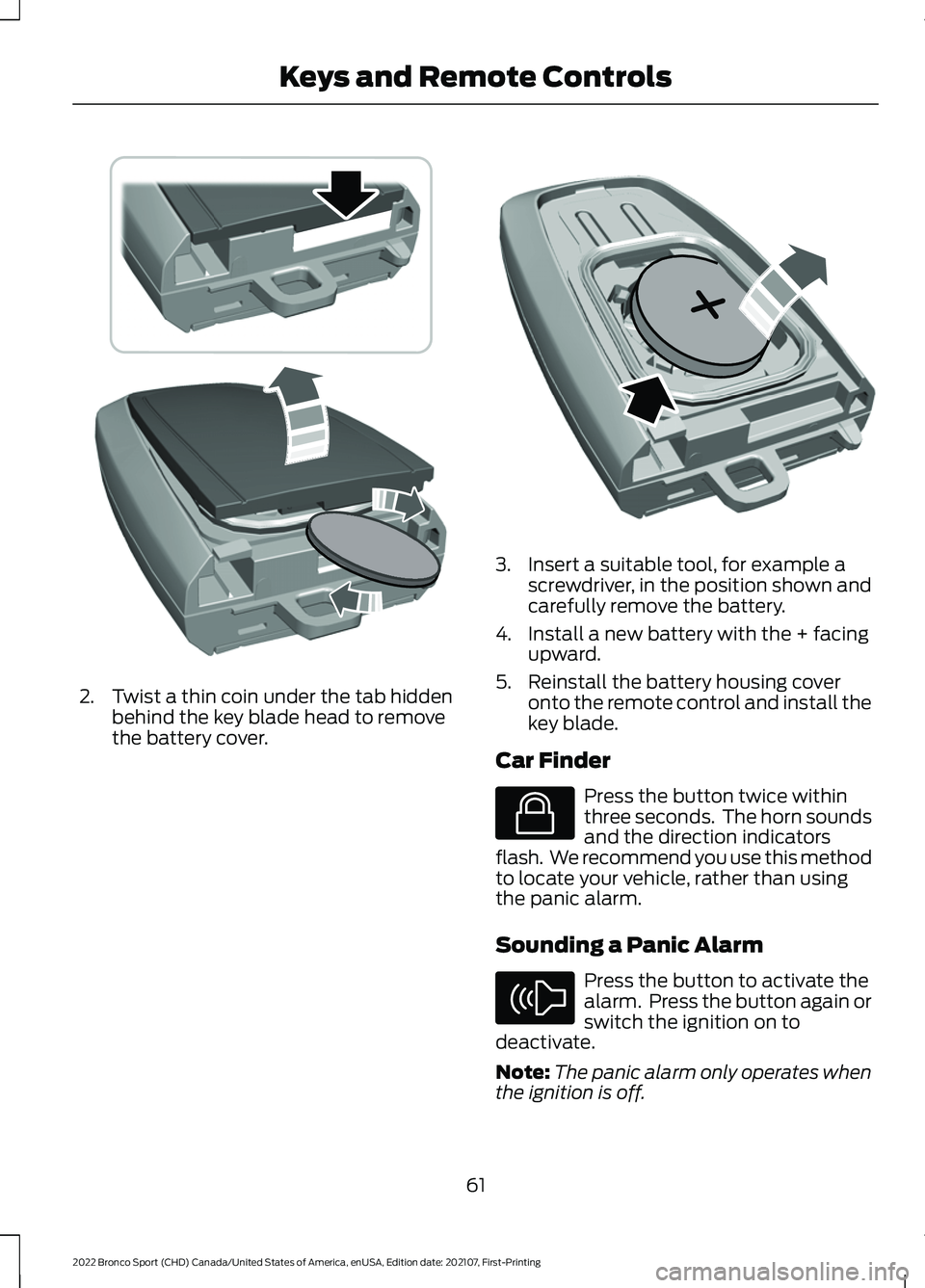
2. Twist a thin coin under the tab hidden
behind the key blade head to remove
the battery cover. 3. Insert a suitable tool, for example a
screwdriver, in the position shown and
carefully remove the battery.
4. Install a new battery with the + facing upward.
5. Reinstall the battery housing cover onto the remote control and install the
key blade.
Car Finder Press the button twice within
three seconds. The horn sounds
and the direction indicators
flash. We recommend you use this method
to locate your vehicle, rather than using
the panic alarm.
Sounding a Panic Alarm Press the button to activate the
alarm. Press the button again or
switch the ignition on to
deactivate.
Note: The panic alarm only operates when
the ignition is off.
61
2022 Bronco Sport (CHD) Canada/United States of America, enUSA, Edition date: 202107, First-Printing Keys and Remote ControlsE303824 E218402 E138623 E138624
Page 72 of 494
Activating Passive Key
General Information
You can unlock and lock your vehicle
without taking the keys out of your pocket
or purse when the passive key is within 3 ft
(1 m) of your vehicle. Passive key uses a
sensor on the back of the door handle for
unlocking and a separate sensor on the
face of each door handle for locking.
The system does not function if:
• The vehicle battery has no charge.
• The passive key battery has no charge.
• The passive key frequencies are
jammed.
Note: The system may not operate if the
passive key is close to metal objects or
electronic devices, for example keys or a cell
phone.
Note: If the system does not operate, use
the key blade to lock and unlock your
vehicle. See
Remote Control (page 57).
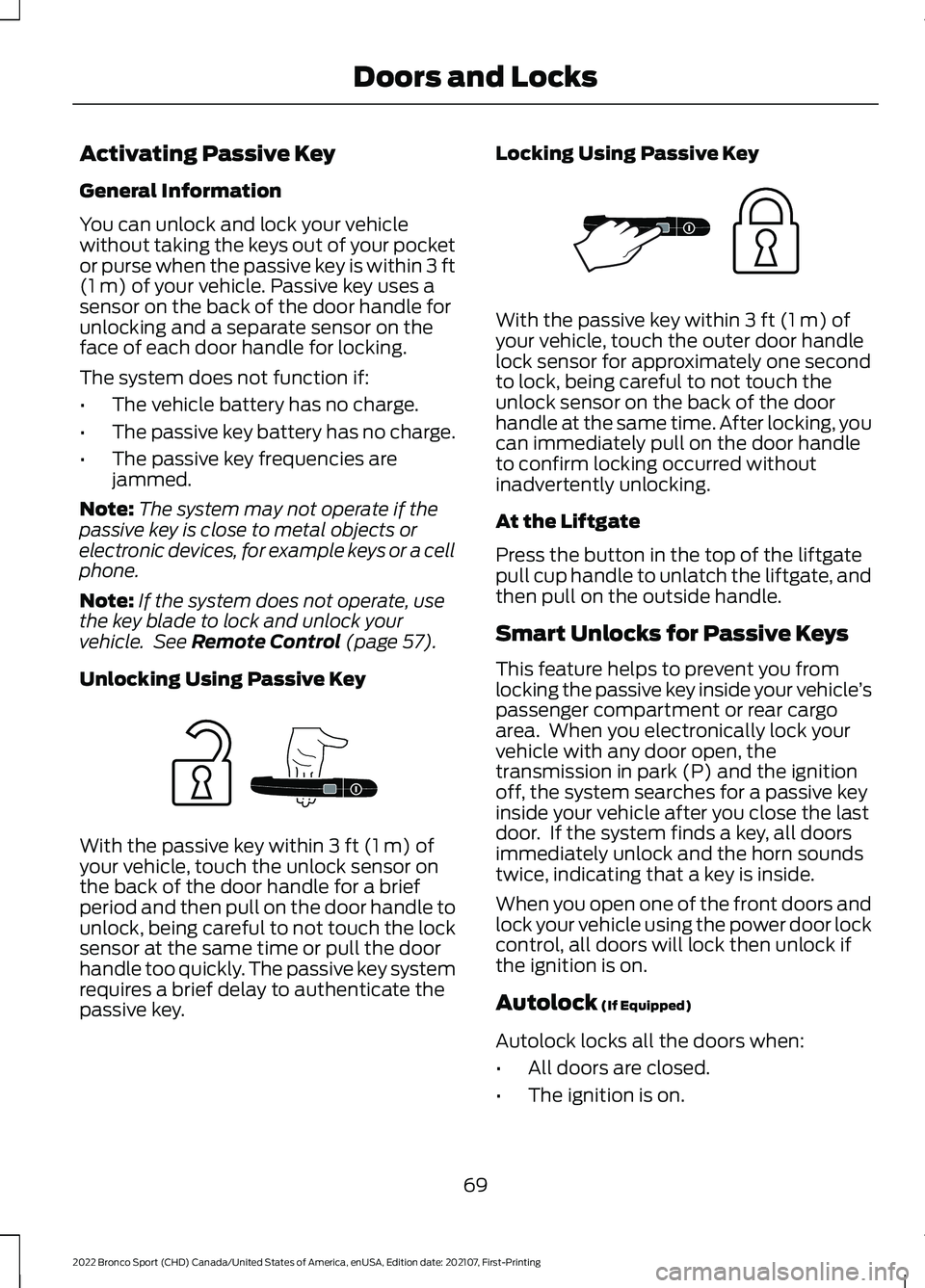
Unlocking Using Passive Key With the passive key within
3 ft (1 m) of
your vehicle, touch the unlock sensor on
the back of the door handle for a brief
period and then pull on the door handle to
unlock, being careful to not touch the lock
sensor at the same time or pull the door
handle too quickly. The passive key system
requires a brief delay to authenticate the
passive key. Locking Using Passive Key With the passive key within
3 ft (1 m) of
your vehicle, touch the outer door handle
lock sensor for approximately one second
to lock, being careful to not touch the
unlock sensor on the back of the door
handle at the same time. After locking, you
can immediately pull on the door handle
to confirm locking occurred without
inadvertently unlocking.
At the Liftgate
Press the button in the top of the liftgate
pull cup handle to unlatch the liftgate, and
then pull on the outside handle.
Smart Unlocks for Passive Keys
This feature helps to prevent you from
locking the passive key inside your vehicle ’s
passenger compartment or rear cargo
area. When you electronically lock your
vehicle with any door open, the
transmission in park (P) and the ignition
off, the system searches for a passive key
inside your vehicle after you close the last
door. If the system finds a key, all doors
immediately unlock and the horn sounds
twice, indicating that a key is inside.
When you open one of the front doors and
lock your vehicle using the power door lock
control, all doors will lock then unlock if
the ignition is on.
Autolock
(If Equipped)
Autolock locks all the doors when:
• All doors are closed.
• The ignition is on.
69
2022 Bronco Sport (CHD) Canada/United States of America, enUSA, Edition date: 202107, First-Printing Doors and LocksE248555 E248556
Page 73 of 494
•
You shift into any gear putting your
vehicle in motion.
• Your vehicle reaches a speed greater
than 4 mph (7 km/h).
Autolock repeats when:
• You open, then close any door while
the ignition is on and your vehicle speed
is
4 mph (7 km/h) or lower.
• Your vehicle reaches a speed greater
than
4 mph (7 km/h).
Autounlock
Autounlock unlocks all the doors when:
• The ignition is on, all the doors are
closed, and your vehicle has been
moving at a speed greater than
7 mph
(12 km/h).
• Your vehicle comes to a stop and you
switch the ignition off or to the
accessory position.
• You open the driver door within 10
minutes of switching the ignition off or
to accessory.
Note: The doors do not autounlock if you
electronically lock your vehicle after you
switch the ignition off and before you open
the driver door.
Enabling or Disabling Autounlock
To enable or disable autounlock, see an
authorized dealer.
Auto Relock
If you press the unlock button on the
remote control and do not open a door
within 45 seconds, your vehicle locks and
the alarm arms.
Illuminated Entry
The interior lamps and some exterior
lamps illuminate when you unlock the
doors with the remote control. The illuminated entry system turns off the
lights if:
•
The ignition is on.
• You press the remote control lock
button.
• After 25 seconds of illumination.
The lights do not turn off if:
• You turn them on with the lamp
control.
• Any door is open.
Illuminated Exit
The interior lamps and some exterior
lamps illuminate when all doors are closed
and you switch the ignition off.
The lamps turn off if all the doors remain
closed and:
• More than 25 seconds have elapsed.
• You lock your vehicle from the outside.
Battery Saver
If you leave the courtesy lamps, interior
lamps or headlamps on, the battery saver
shuts them off 10 minutes after you switch
the ignition off.
Accessory Mode Battery Saver for
Passive Keys
If you leave the ignition on after leaving
your vehicle, it turns off 15 minutes after
you close all of the doors.
KEYLESS ENTRY
(IF EQUIPPED)
SECURICODE™ KEYLESS ENTRY
KEYPAD
The keypad is located near the driver
window. It is invisible until touched and
then it lights up so you can see and touch
the appropriate buttons.
70
2022 Bronco Sport (CHD) Canada/United States of America, enUSA, Edition date: 202107, First-Printing Doors and Locks
Page 94 of 494
POWER WINDOWS
WARNING: Do not leave children
unattended in your vehicle and do not
let them play with the power windows.
Failure to follow this instruction could
result in personal injury. WARNING:
When closing the
power windows, verify they are free of
obstruction and make sure that children
and pets are not in the proximity of the
window openings. Press the control to open the
window. Lift the control to close
the window.
To reduce wind noise or pulsing noise when
just one window is open, slightly open the
opposite window.
One-Touch Down
(If Equipped)
Press the switch fully and release it. Press
again or lift it to stop the window.
One-Touch Up
(If Equipped)
Lift the switch fully and release it. Press or
lift it again to stop the window.
Resetting One-Touch Up
Start the engine.
1. Lift and hold the window switch until you fully close the door window.
Continue to hold the switch for a few
seconds after you close the window.
2. Release the window switch.
3. Press and hold the window switch until
you fully open the door window.
4. Release the window switch.
5. Lift and hold the window switch until you fully close the window. 6. Test for correct window operation by
carrying out the one-touch down and
one-touch up features.
Rear Window Lock Press the control to lock or
unlock the rear window controls.
It illuminates when you lock the
rear window controls.
Bounce-Back
(If Equipped)
The window stops and reverses if it detects
an obstruction.
Overriding the Bounce-Back Feature WARNING:
If you override
bounce-back, the window does not
reverse if it detects an obstacle. Take
care when closing the windows to avoid
personal injury or damage to your
vehicle.
Pull up the window switch and hold within
a few seconds of the window reaching the
bounce-back position. The window travels
up with no bounce-back protection. The
window stops if you release the switch
before the window fully closes.
Resetting Bounce-Back WARNING: Bounce-back is off until
you reset the memory. Take care when
closing the windows to avoid personal
injury or damage to your vehicle.
If you have disconnected the battery, you
must reset the bounce-back memory
separately for each window.
1. Lift and hold the switch until the window is fully closed.
2. Release the switch.
91
2022 Bronco Sport (CHD) Canada/United States of America, enUSA, Edition date: 202107, First-Printing Windows and Mirrors
Page 101 of 494

Adaptive Cruise Control
The speed control system
indicator light changes color to
indicate what mode the system
is in. See How Does Adaptive Cruise
Control With Stop and Go Work (page
203).
On (white light): Illuminates when you
switch on the adaptive cruise control
system. Turns off when the speed control
system is turned off.
Engaged (green light): Illuminates when
you engage the adaptive cruise control
system. Turns off when you disengage the
speed control system.
Anti-Lock Braking System If it illuminates when you are
driving, this indicates a system
error. You continue to have the
normal braking (without ABS) unless the
brake system warning lamp also
illuminates. Have the system checked by
an authorized dealer.
Automatic High Beam Control Illuminates when this feature is
on. See
Switching Automatic
High Beam Control On and Off
(page
89).
Auto Hold Active Illuminates when the system
holds your vehicle stationary.
Auto Hold Unavailable Illuminates when the system is
on, but unavailable to hold your
vehicle stationary. Auto-Start-Stop Illuminates when the engine
shuts down or in conjunction
with a message.
Battery If it illuminates while driving, it
indicates a system error. Switch
off all unnecessary electrical
equipment and have the system checked
by an authorized dealer immediately.
Blind Spot Monitor Illuminates when you switch this
feature off or in conjunction with
a message. See
Blind Spot
Information System (page 220).
Brake System Warning Lamp WARNING:
Driving your vehicle
with the warning lamp on is dangerous.
A significant decrease in braking
performance may occur. It may take you
longer to stop your vehicle. Have your
vehicle checked as soon as possible.
Driving extended distances with the
parking brake engaged can cause brake
failure and the risk of personal injury.
Note: Indicators vary depending on region.
This lamp is a dual function lamp and
illuminates when:
• You apply the parking brake with the
ignition on.
• Your vehicle has a brake fault or low
brake fluid level, regardless of parking
brake position.
98
2022 Bronco Sport (CHD) Canada/United States of America, enUSA, Edition date: 202107, First-Printing Instrument ClusterE323440 E323448 E323449 E323450
Page 112 of 494

Details
Message
Select park (P) for the system to restartthe engine.
Auto StartStop Shift to P, then Restart
Engine
The system is not functioning. You need torestart the engine.
Auto StartStop Manual Restart Required
Conditions are not met for the auto-start-stop system to properly function.
Auto StartStop Not Available
Battery and Charging System Details
Message
The charging system needs servicing. If the
warning stays on or continues to come on, have the system checked as soon as possible.
Check Charging System
The charging system needs servicing. If the
warning stays on or continues to come on, have the system checked as soon as possible.
Charging System Service Soon
The charging system needs servicing. Have thesystem checked as soon as possible.
Charging System Service Now
The battery management system determines
that the 12V battery is at a low state of charge.
Start the engine to charge the battery or charge the battery using an aftermarket battery
charger. This message clears once you restart your vehicle and the battery state of charge recovers.
Battery State of Charge Low
The battery management system determinesthat the battery is at a low state of charge.
Switch the ignition off as soon as possible to
protect the battery. This message clears once you restart your vehicle and the battery state of charge recovers. Turning off unnecessary electrical loads allows for a faster battery state-of-charge recovery.
Turn Power Off To Save Battery
109
2022 Bronco Sport (CHD) Canada/United States of America, enUSA, Edition date: 202107, First-Printing Information Displays
Page 116 of 494
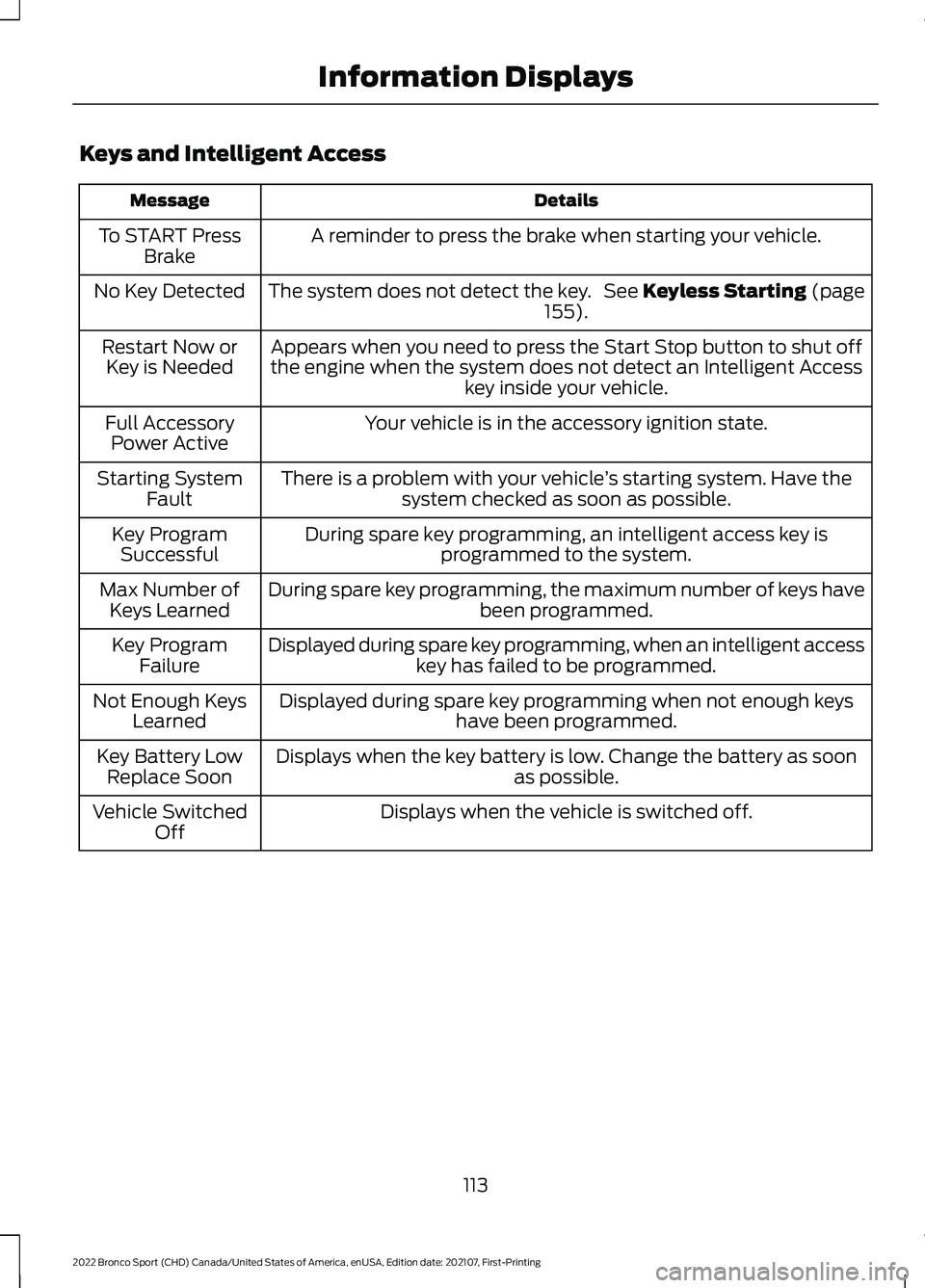
Keys and Intelligent Access
Details
Message
A reminder to press the brake when starting your vehicle.
To START Press
Brake
The system does not detect the key. See Keyless Starting (page 155).
No Key Detected
Appears when you need to press the Start Stop button to shut off
the engine when the system does not detect an Intelligent Access key inside your vehicle.
Restart Now or
Key is Needed
Your vehicle is in the accessory ignition state.
Full Accessory
Power Active
There is a problem with your vehicle ’s starting system. Have the
system checked as soon as possible.
Starting System
Fault
During spare key programming, an intelligent access key isprogrammed to the system.
Key Program
Successful
During spare key programming, the maximum number of keys have been programmed.
Max Number of
Keys Learned
Displayed during spare key programming, when an intelligent accesskey has failed to be programmed.
Key Program
Failure
Displayed during spare key programming when not enough keys have been programmed.
Not Enough Keys
Learned
Displays when the key battery is low. Change the battery as soon as possible.
Key Battery Low
Replace Soon
Displays when the vehicle is switched off.
Vehicle Switched
Off
113
2022 Bronco Sport (CHD) Canada/United States of America, enUSA, Edition date: 202107, First-Printing Information Displays
Page 123 of 494
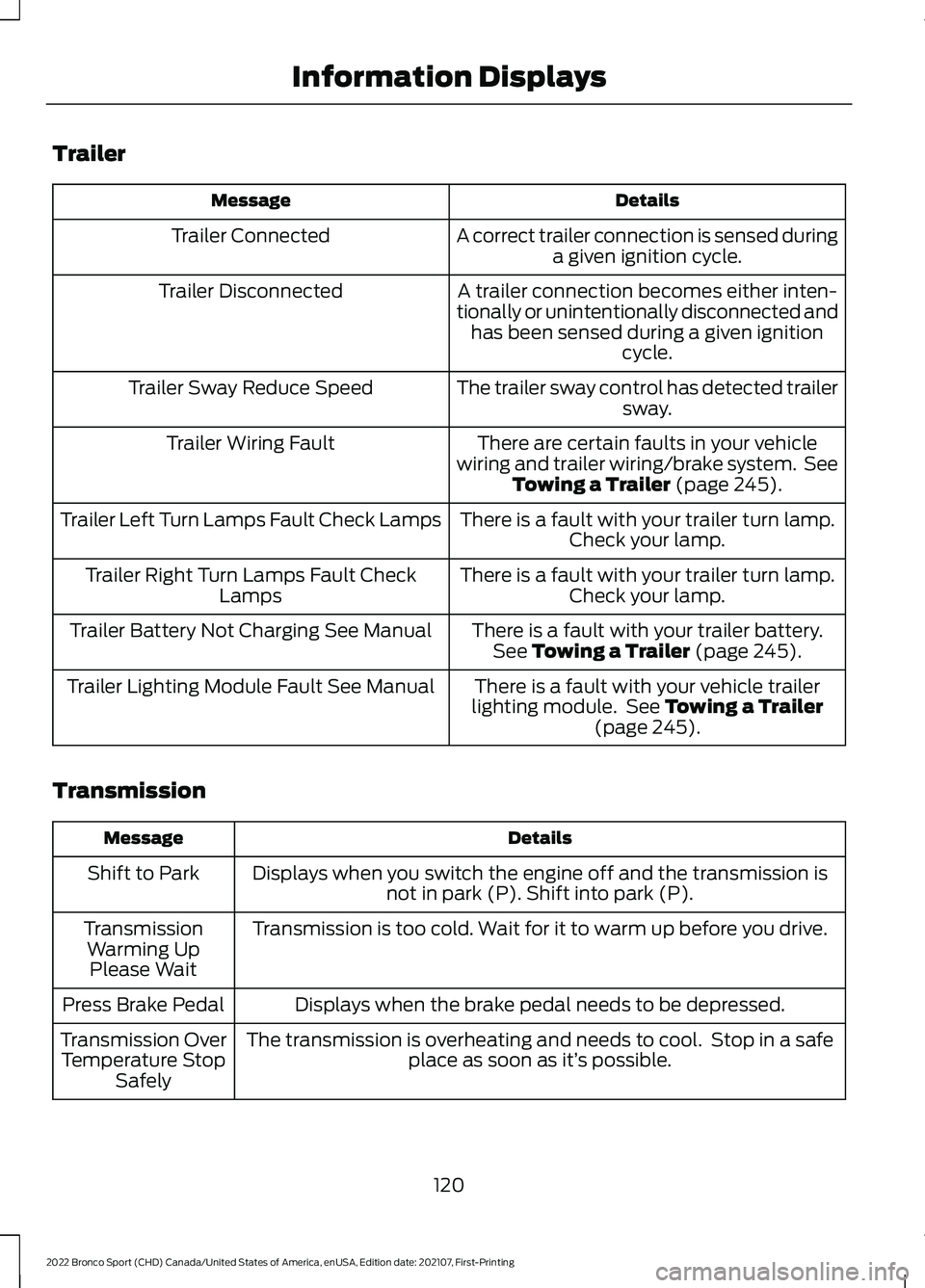
Trailer
Details
Message
A correct trailer connection is sensed duringa given ignition cycle.
Trailer Connected
A trailer connection becomes either inten-
tionally or unintentionally disconnected and has been sensed during a given ignition cycle.
Trailer Disconnected
The trailer sway control has detected trailersway.
Trailer Sway Reduce Speed
There are certain faults in your vehicle
wiring and trailer wiring/brake system. See Towing a Trailer (page 245).
Trailer Wiring Fault
There is a fault with your trailer turn lamp.Check your lamp.
Trailer Left Turn Lamps Fault Check Lamps
There is a fault with your trailer turn lamp.Check your lamp.
Trailer Right Turn Lamps Fault Check
Lamps
There is a fault with your trailer battery.See
Towing a Trailer (page 245).
Trailer Battery Not Charging See Manual
There is a fault with your vehicle trailer
lighting module. See
Towing a Trailer
(page 245).
Trailer Lighting Module Fault See Manual
Transmission Details
Message
Displays when you switch the engine off and the transmission isnot in park (P). Shift into park (P).
Shift to Park
Transmission is too cold. Wait for it to warm up before you drive.
Transmission
Warming UpPlease Wait
Displays when the brake pedal needs to be depressed.
Press Brake Pedal
The transmission is overheating and needs to cool. Stop in a safeplace as soon as it’ s possible.
Transmission Over
Temperature Stop Safely
120
2022 Bronco Sport (CHD) Canada/United States of America, enUSA, Edition date: 202107, First-Printing Information Displays