Page 338 of 546
3365-7. Bluetooth® Audio
AYGO_OM_Europe_OM9A012E
Operating a Bluetooth® enabled portable
player
: If equipped
Power
Vo lu m e
Changing the audio source/
playback
Selecting a track, fast-forward-
ing or rewinding
Random play or back buttonRepeat play
Selecting an album
Selecting a track or selecting
items
Playback/pause
Displaying text message1
2
3
4
5
6
7
8
9
10
Page 339 of 546
3375-7. Bluetooth® Audio
5
Audio system
AYGO_OM_Europe_OM9A012E
Press () to select desired album.
Turn the “MENU” knob or press the “” or “” button to select the
desired track.
Press and hold the “” or “” button.
Pressing (RPT) changes modes in the following order:
Track repeat Album repeat Off
Pressing (RDM) changes modes in the following order:
Album random All track random Off
Press ( ).
Press (Text) to display or hide the album title.
If there are continuing texts, is displayed.
Press and hold the button to display the remaining texts.
■Bluetooth® audio system functions
Depending on the portable player that is connected to the system, certain
functions may not be available.
■Display
P. 309
Selecting an album
Selecting a track
Fast-forwarding and rewinding tracks
Repeat play
Random play
Playing and pausing tracks
Switching the display
Page 340 of 546
3385-8. Bluetooth® Phone
AYGO_OM_Europe_OM9A012E
Making a phone call
Select “Phonebook” using the “MENU” knob.
Select the desired name using the knob and press the off-hook
switch.
By pressing (Add S. Dial) and one of the speed dial buttons
(from [1] to [5]) while the desired name is selected, it can
be registered as a speed dial.
Press (A-Z) to display the registered names in alphabetical
order of the initial.
Select “Speed dials” using the “MENU” knob.
Press the desired preset button (from [1] to [5]) and
press the off-hook switch.
To delete a registered speed dial, after selecting the desired preset
button (from [1] to [5]) press (Delete) and then
press (Yes).
: If equipped
To enter the “TEL” mode, press the off-hook switch.
Dialing by selecting a name
Speed dialing
Page 353 of 546
351
6Interior features
AYGO_OM_Europe_OM9A012E6-1. Using the air conditioning
system and defogger
Manual air conditioning
system ............................. 352
Automatic air conditioning
system ............................. 358
Seat heaters ...................... 364
6-2. Using the interior lights
Interior lights list ................. 366
• Interior light.................... 366
6-3. Using the storage features
List of storage features ...... 367
• Glove box ...................... 368
• Card holders .................. 368
• Cup holders ................... 368
• Bottle holders ................ 369
Luggage compartment
features............................ 371
6-4. Other interior features
Other interior features ........ 373
• Sun visors...................... 373
• Vanity mirrors ................ 373
• Clock ............................. 374
• Outside temperature
display ........................... 375
• Power outlet .................. 376
Page 362 of 546
3606-1. Using the air conditioning system and defogger
AYGO_OM_Europe_OM9A012E■
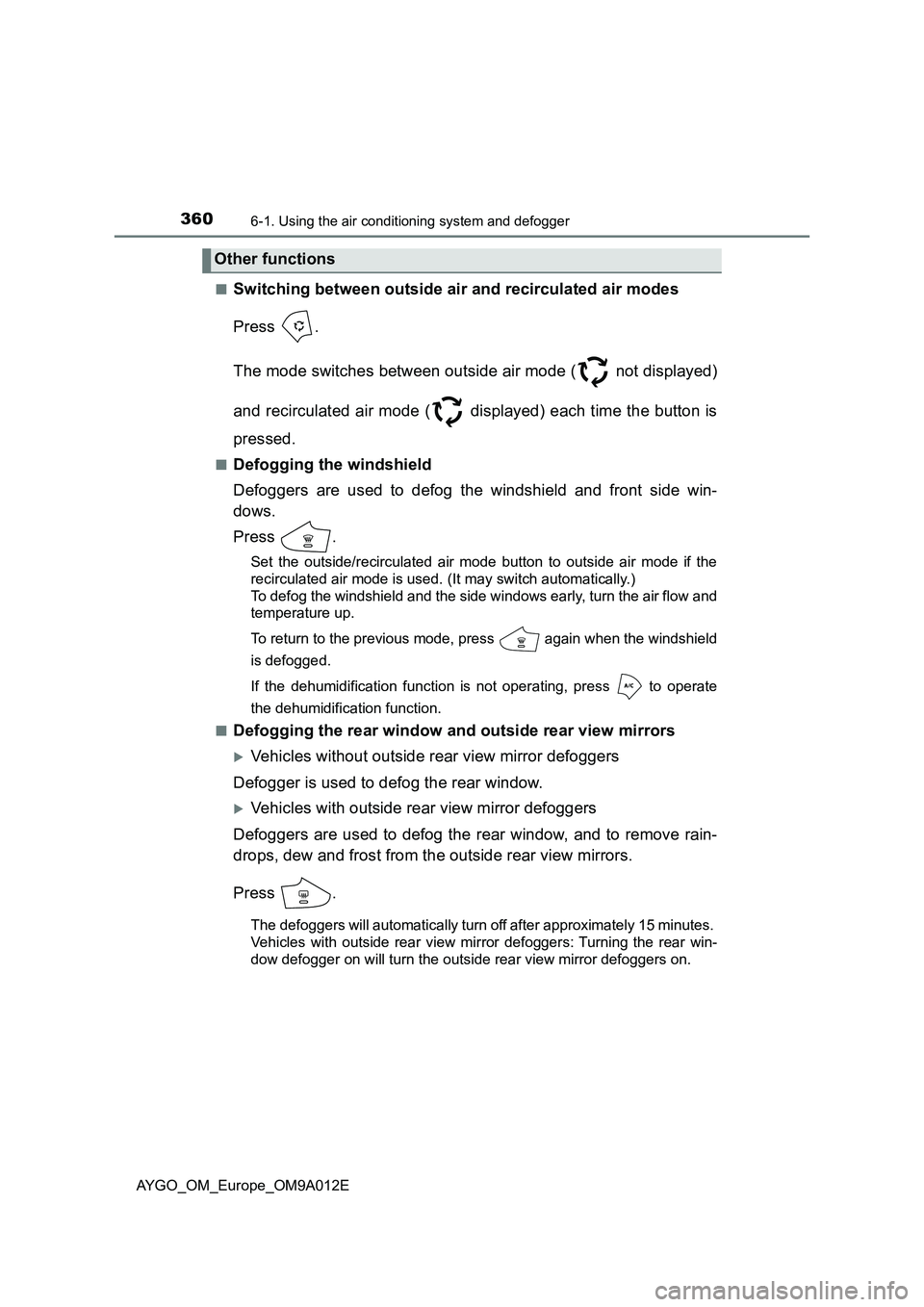
Switching between outside air and recirculated air modes
Press .
The mode switches between outside air mode ( not displayed)
and recirculated air mode ( displayed) each time the button is
pressed.
■Defogging the windshield
Defoggers are used to defog the windshield and front side win-
dows.
Press .
Set the outside/recirculated air mode button to outside air mode if the
recirculated air mode is used. (It may switch automatically.)
To defog the windshield and the side windows early, turn the air flow and
temperature up.
To return to the previous mode, press again when the windshield
is defogged.
If the dehumidification function is not operating, press to operate
the dehumidification function.
■
Defogging the rear window and outside rear view mirrors
Vehicles without outside rear view mirror defoggers
Defogger is used to defog the rear window.
Vehicles with outside rear view mirror defoggers
Defoggers are used to defog the rear window, and to remove rain-
drops, dew and frost from the outside rear view mirrors.
Press .
The defoggers will automatically turn off after approximately 15 minutes.
Vehicles with outside rear view mirror defoggers: Turning the rear win-
dow defogger on will turn the outside rear view mirror defoggers on.
Other functions
Page 376 of 546
3746-4. Other interior features
AYGO_OM_Europe_OM9A012E
Vehicles with a multimedia system
Refer to the “Multimedia owner’s manual”.
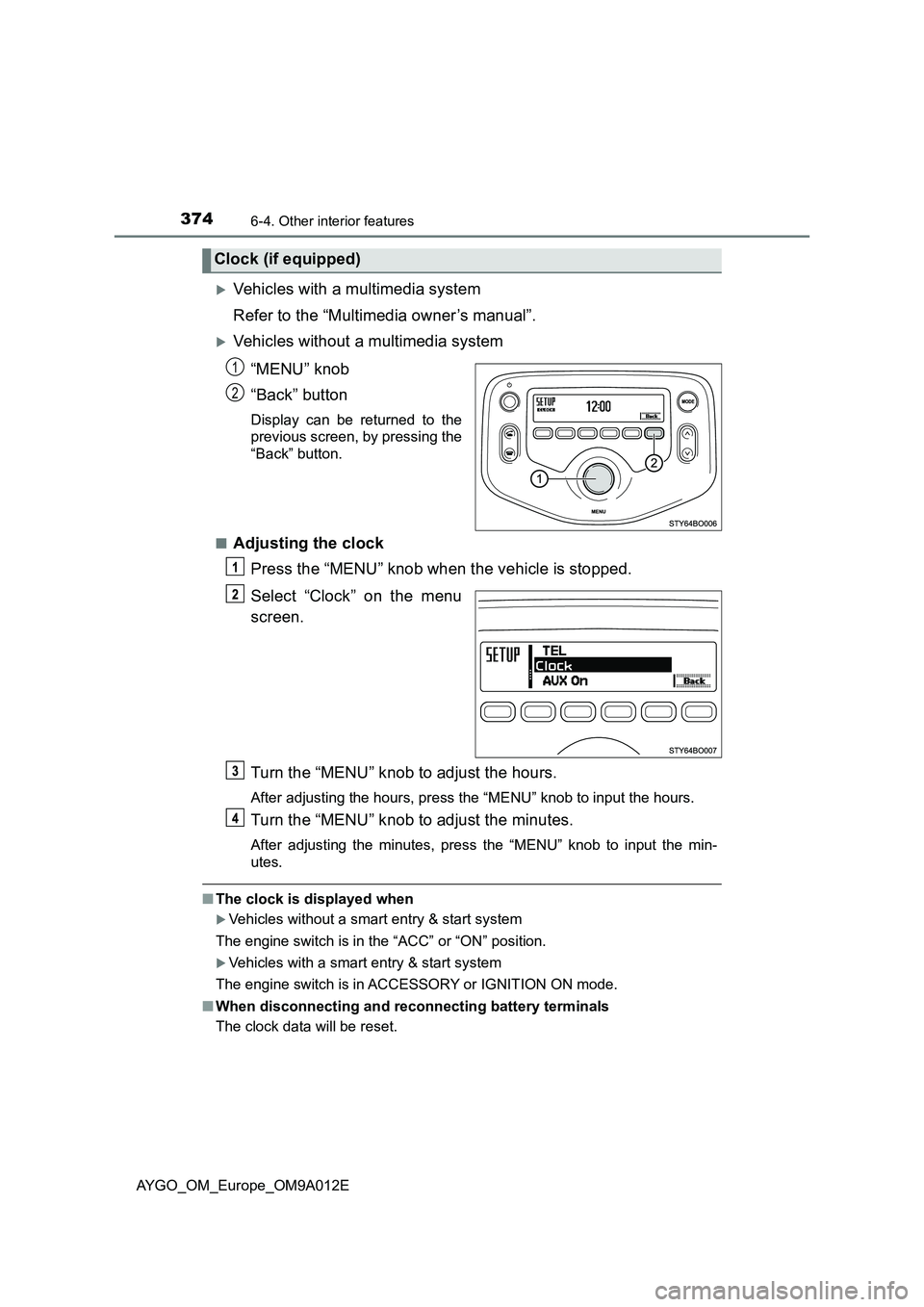
Vehicles without a multimedia system
“MENU” knob
“Back” button
Display can be returned to the
previous screen, by pressing the
“Back” button.
■
Adjusting the clock
Press the “MENU” knob when the vehicle is stopped.
Select “Clock” on the menu
screen.
Turn the “MENU” knob to adjust the hours.
After adjusting the hours, press the “MENU” knob to input the hours.
Turn the “MENU” knob to adjust the minutes.
After adjusting the minutes, press the “MENU” knob to input the min-
utes.
■The clock is displayed when
Vehicles without a smart entry & start system
The engine switch is in the “ACC” or “ON” position.
Vehicles with a smart entry & start system
The engine switch is in ACCESSORY or IGNITION ON mode.
■When disconnecting and reconnecting battery terminals
The clock data will be reset.
Clock (if equipped)
1
2
Page 377 of 546

3756-4. Other interior features
6
Interior features
AYGO_OM_Europe_OM9A012E
The temperature display shows temperature within the range of -40°C
(-40°F) to
50°C (122°F).
■The outside temperature is displayed when
Vehicles without a smart entry & start system
The engine switch is in the “ON” position.
Vehicles with a smart entry & start system
The engine switch is in IGNITION ON mode.
■Outside temperature display
In the following situations, the correct outside temperature may not be dis-
played, or the display may take longer than normal to change.
●When stopped, or driving at low speeds (approximately 25 km/h [16 mph] or
less)
●When the outside temperature has changed suddenly (at the entrance/exit
of a garage, tunnel, etc.)
●When the time the vehicle runs is very short (approximately 2 minutes or
less)
■When “– –” is displayed
The system may be malfunctioning. Take your vehicle to any authorized Toy-
ota retailer or Toyota authorized repairer, or any reliable repairer.
■When the outside temperature is low
When the outside temperature becomes 3°C (37°F) or lower, the temperature
reading flashes 10 times to warn the driver that roads may be icy.
Type B only: The display automatically switches over to the outside tempera-
ture display. After flashing 10 times or one of the “DISP” buttons is pushing,
the display will return to the previous display.
Outside temperature display
Manual transmissionMulti-mode manual
transmission
Page 470 of 546
4688-2. Steps to take in an emergency
AYGO_OM_Europe_OM9A012E
To inject the sealant and inflate
the tire, turn the compressor
switch on.
Inflate the tire until the specified
air pressure is reached.
The sealant will be injected
and the pressure will surge
and then gradually
decrease.
The air pressure gauge will
display the actual tire infla-
tion pressure about 1 minute
(5 minutes at low tempera-
ture) after the switch is
turned on.
Inflate to specified air pres-
sure.
• If the tire inflation pressure is still lower than the specified point after
inflation for 35 minutes with the switch on, the tire is too damaged to
be repaired. Turn the compressor switch off and contact any autho-
rized Toyota retailer or Toyota authorized repairer, or any reliable
repairer.
• If the tire inflation pressure exceeds the specified air pressure, let out
some air to adjust the tire inflation pressure. ( P. 477, 518)
1
2
3