Page 126 of 280
124MULTIMEDIA
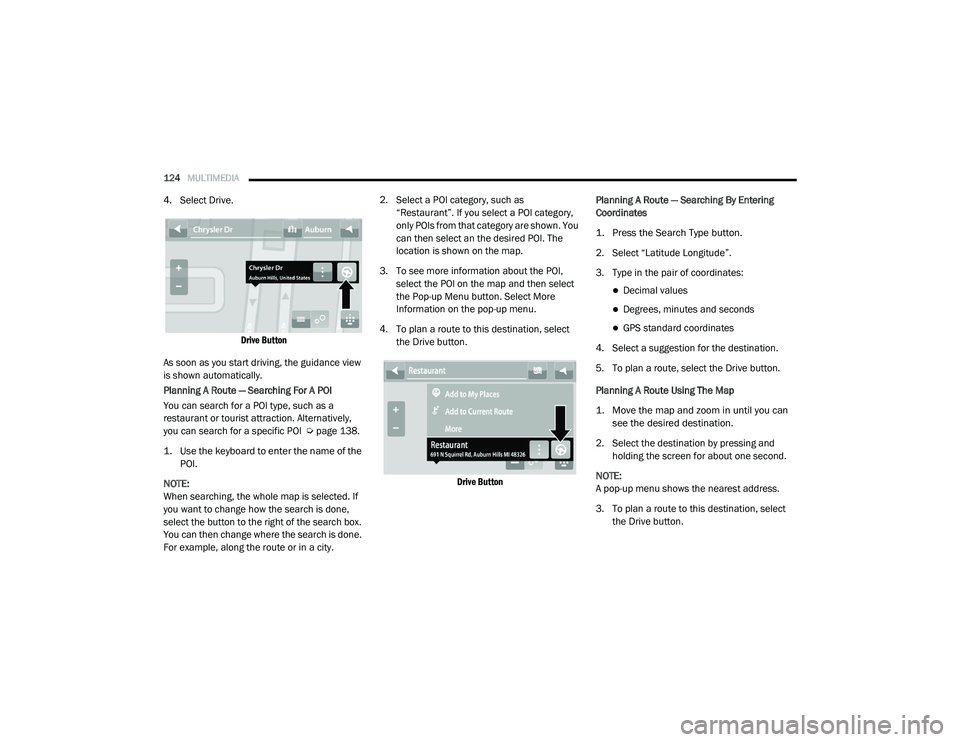
4. Select Drive.
Drive Button
As soon as you start driving, the guidance view
is shown automatically.
Planning A Route — Searching For A POI
You can search for a POI type, such as a
restaurant or tourist attraction. Alternatively,
you can search for a specific POI Ú page 138.
1. Use the keyboard to enter the name of the POI.
NOTE:
When searching, the whole map is selected. If
you want to change how the search is done,
select the button to the right of the search box.
You can then change where the search is done.
For example, along the route or in a city. 2. Select a POI category, such as
“Restaurant”. If you select a POI category,
only POIs from that category are shown. You
can then select an the desired POI. The
location is shown on the map.
3. To see more information about the POI, select the POI on the map and then select
the Pop-up Menu button. Select More
Information on the pop-up menu.
4. To plan a route to this destination, select the Drive button.
Drive Button
Planning A Route — Searching By Entering
Coordinates
1. Press the Search Type button.
2. Select “Latitude Longitude”.
3. Type in the pair of coordinates:
Decimal values
Degrees, minutes and seconds
GPS standard coordinates
4. Select a suggestion for the destination.
5. To plan a route, select the Drive button.
Planning A Route Using The Map
1. Move the map and zoom in until you can see the desired destination.
2. Select the destination by pressing and holding the screen for about one second.
NOTE:
A pop-up menu shows the nearest address.
3. To plan a route to this destination, select the Drive button.
21_VM_OM_EN_USC_t.book Page 124
Page 128 of 280
126MULTIMEDIA
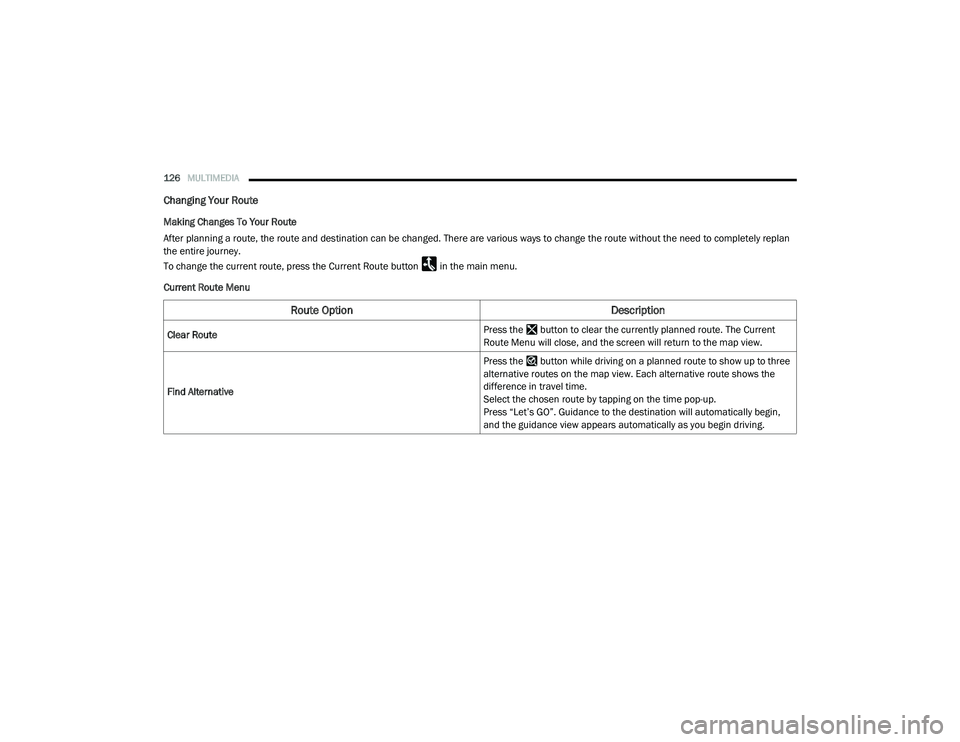
Changing Your Route
Making Changes To Your Route
After planning a route, the route and destination can be changed. There are various ways to change the route without the need to completely replan
the entire journey.
To change the current route, press the Current Route button in the main menu.
Current Route Menu
Route Option Description
Clear Route Press the button to clear the currently planned route. The Current
Route Menu will close, and the screen will return to the map view.
Find Alternative Press the button while driving on a planned route to show up to three
alternative routes on the map view. Each alternative route shows the
difference in travel time.
Select the chosen route by tapping on the time pop-up.
Press “Let’s GO”. Guidance to the destination will automatically begin,
and the guidance view appears automatically as you begin driving.
21_VM_OM_EN_USC_t.book Page 126
Page 131 of 280
MULTIMEDIA129
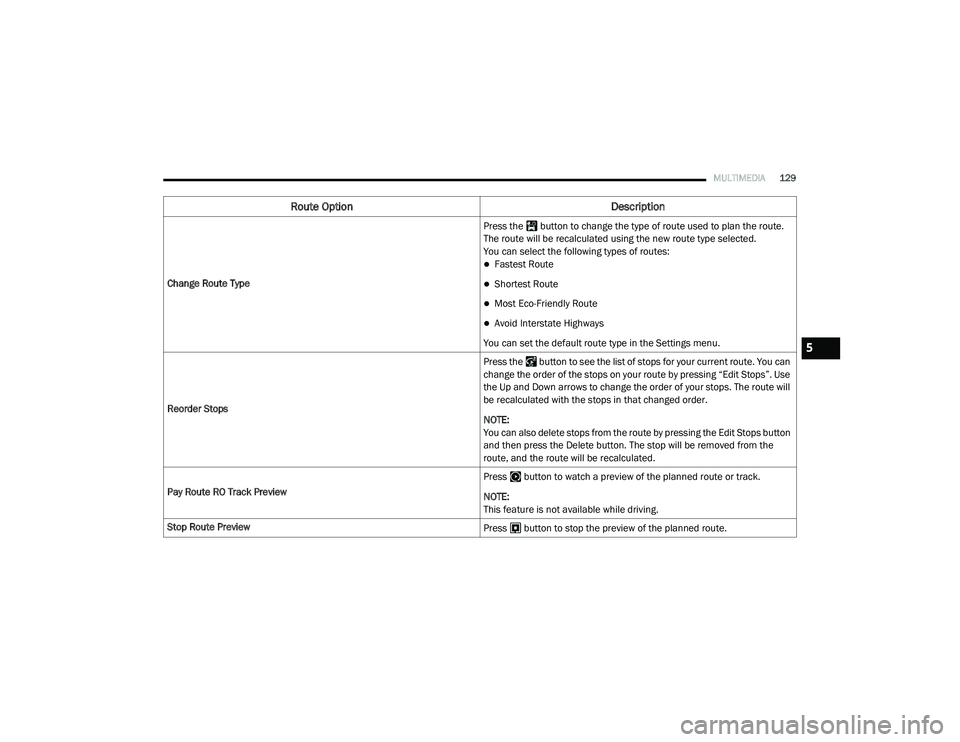
Change Route Type Press the button to change the type of route used to plan the route.
The route will be recalculated using the new route type selected.
You can select the following types of routes:
Fastest Route
Shortest Route
Most Eco-Friendly Route
Avoid Interstate Highways
You can set the default route type in the Settings menu.
Reorder Stops Press the button to see the list of stops for your current route. You can
change the order of the stops on your route by pressing “Edit Stops”. Use
the Up and Down arrows to change the order of your stops. The route will
be recalculated with the stops in that changed order.
NOTE:
You can also delete stops from the route by pressing the Edit Stops button
and then press the Delete button. The stop will be removed from the
route, and the route will be recalculated.
Pay Route RO Track Preview Press button to watch a preview of the planned route or track.
NOTE:
This feature is not available while driving.
Stop Route Preview Press button to stop the preview of the planned route.
Route OptionDescription
5
21_VM_OM_EN_USC_t.book Page 129
Page 132 of 280
130MULTIMEDIA
Voice Command — If Equipped
About Voice command
Instead of pressing the touchscreen to control
your navigation system, you can use your voice
to control navigation.
For example, to switch to 2D view, you can say
“2D view”.
To view a list of available commands, press the
“Help” button in the Main menu and then press
“What can I say?”.
Using Voice Control The following example shows how to use voice
control to plan a journey to your Home address:
1. Push the Voice Recognition button on
the steering wheel to turn on the
microphone.
A screen will pop up with examples of com -
mands.
NOTE:
Press the Help button in the Main menu then
press “What can I say?” to see a full list of
commands.
2. When you hear a beep, say a command of your choice. For example, you can say
“Navigate home”.
NOTE:
For accurate results, speak normally without
trying to articulate words in an unnatural way. If
there is excessive road noise, for example, you
may need to speak directly into the microphone.
3. If the command is correct, say “Yes”. NOTE:
If the command is incorrect, say “No” and
repeat the command after you hear the prompt
and tone again. Your navigation system plans a
route from your current location to your destina-
tion. To stop your navigation system from
listening out for further commands, say
“Cancel”.
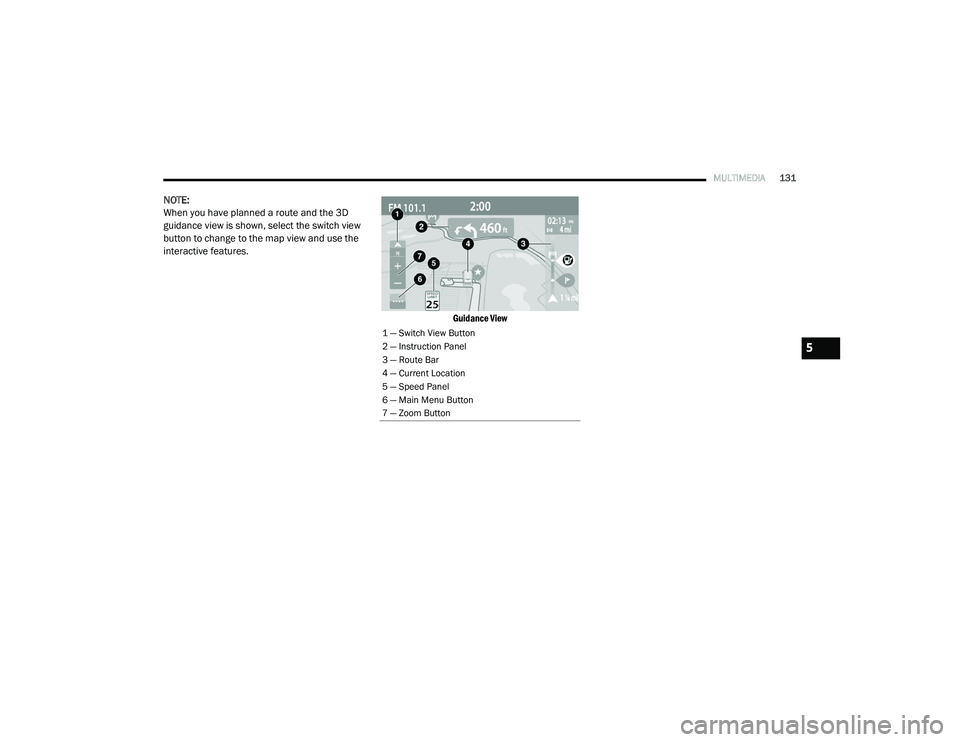
Guidance View
The guidance view is used to guide you along
the route to your destination. As soon as you
start driving, your navigation system will
immediately start guiding you to your
destination with spoken instructions and visual
instructions on the touchscreen. You can also
see your current location and details along your
route, including 3D buildings in some cities. The
guidance view is normally in 3D. To show a 2D
map with the map moving in your direction of
travel, change the 2D and 3D settings
Ú
page 135.
WARNING!
ALWAYS drive safely with your hands on the
wheel. You have full responsibility and
assume all risks related to the use of the
Uconnect features and applications in this
vehicle. Only use Uconnect when it is safe to
do so. Failure to do so may result in an
accident involving serious injury or death.
21_VM_OM_EN_USC_t.book Page 130
Page 133 of 280
MULTIMEDIA131
NOTE:
When you have planned a route and the 3D
guidance view is shown, select the switch view
button to change to the map view and use the
interactive features.
Guidance View
1 — Switch View Button
2 — Instruction Panel
3 — Route Bar
4 — Current Location
5 — Speed Panel
6 — Main Menu Button
7 — Zoom Button
5
21_VM_OM_EN_USC_t.book Page 131
Page 134 of 280
132MULTIMEDIA
Feature Description
Switch View Button Select the Switch View button to change between the map view and the
guidance view.
Instruction Panel Press this button to view the following information:
The direction of your next turn
The distance to your next turn
Lane guidance at some intersections
Route Bar The Route Bar is shown when you have planned a route. The Route Bar
contains arrival information, such as the estimated time of arrival, the
length of drive time from your current location, and information about the
next stop, if you have stops on the route. The bottom of the Route Bar
represents the current location and shows the distance to the next stop
on your route.
Current Location This symbol shows the current location. By pressing the icon, the location
will be saved.
Speed Panel Press the Speed Panel button to view the following information (if
available):
The speed limit at your location
The name of the street you are driving on
NOTE:
If you drive more than 3 mph (5 km/h) over the speed limit, the Speed
Panel turns red. If you drive less than 3 mph (5 km/h) over the speed limit,
the Speed Panel turns orange.
21_VM_OM_EN_USC_t.book Page 132
Page 136 of 280
134MULTIMEDIA
Feature Description
Back Button Press the Back button to return to an overview of the route. If no route is
planned, pressing this button moves the map to put your current location
at the center.
Map Symbols Symbols are used on the map to show the destination and saved places
Ú
page 138.
Map symbols include:
Your destination
Your home location
A stop on your route
A location saved in My Places
Traffic Information — If Equipped Select the Traffic Information button to display information about traffic
delays.
Selected Location Press and hold the Selected Location button to select a location on the
map. Select the Pop-up Menu button to show options for the location, or
select the Drive button to plan a route to the location.
Current Location This symbol shows your current location on the map.
Your Route If you have a planned route, it will appear on the map. You can select the
route to clear it, change the route type, add a stop, or save changes to
your route Ú
page 126.
Main Menu Button Press the Main Menu button to open the main menu.
21_VM_OM_EN_USC_t.book Page 134
Page 137 of 280
MULTIMEDIA135
Voices
About Voices
Your navigation system uses sound for some or
all of the following:
Driving directions
Warnings that you set
By selecting “Settings” in the main menu, then
selecting “Voices,” you can change the settings
for how voice instructions are given. Instruction
settings include the following:
Read Early Instructions Out Loud : This setting
allows to you to hear early instructions. For
example, an early instruction could be, “After
two miles, take the exit right”.
Read Road Numbers Out Loud (if equipped):
Use this setting to control whether road
numbers are read out loud as part of naviga -
tion instructions.
Read Road Sign Information Out Loud (if
equipped): Use this setting to control whether
road sign information is read out loud as part
of navigation instructions.
Read Street Names Out Loud (if equipped):
Use this setting to control whether street
names are read out loud as part of navigation
instructions.
Read Foreign Street Names Out Loud (if
equipped): Use this setting to control whether
foreign street names are read out loud as
part of navigation instructions. Changing The Volume Level
To change the volume of your navigation
system, use the Volume knob on the radio when
an instruction is being given.
Settings
About Settings
You can change the way your
navigation system looks and behaves.
Most of the settings on your system
can be accessed by pressing the
Settings button in the Main Menu.
Zoom Button
Press the zoom in + button to zoom in and the zoom out – button to zoom
out.
Switch View Button Press the Switch View button to change between the map view and the
guidance view.
Feature
Description
5
21_VM_OM_EN_USC_t.book Page 135