2021 LEXUS ES350 ECO mode
[x] Cancel search: ECO modePage 138 of 464
1384-1. Before driving
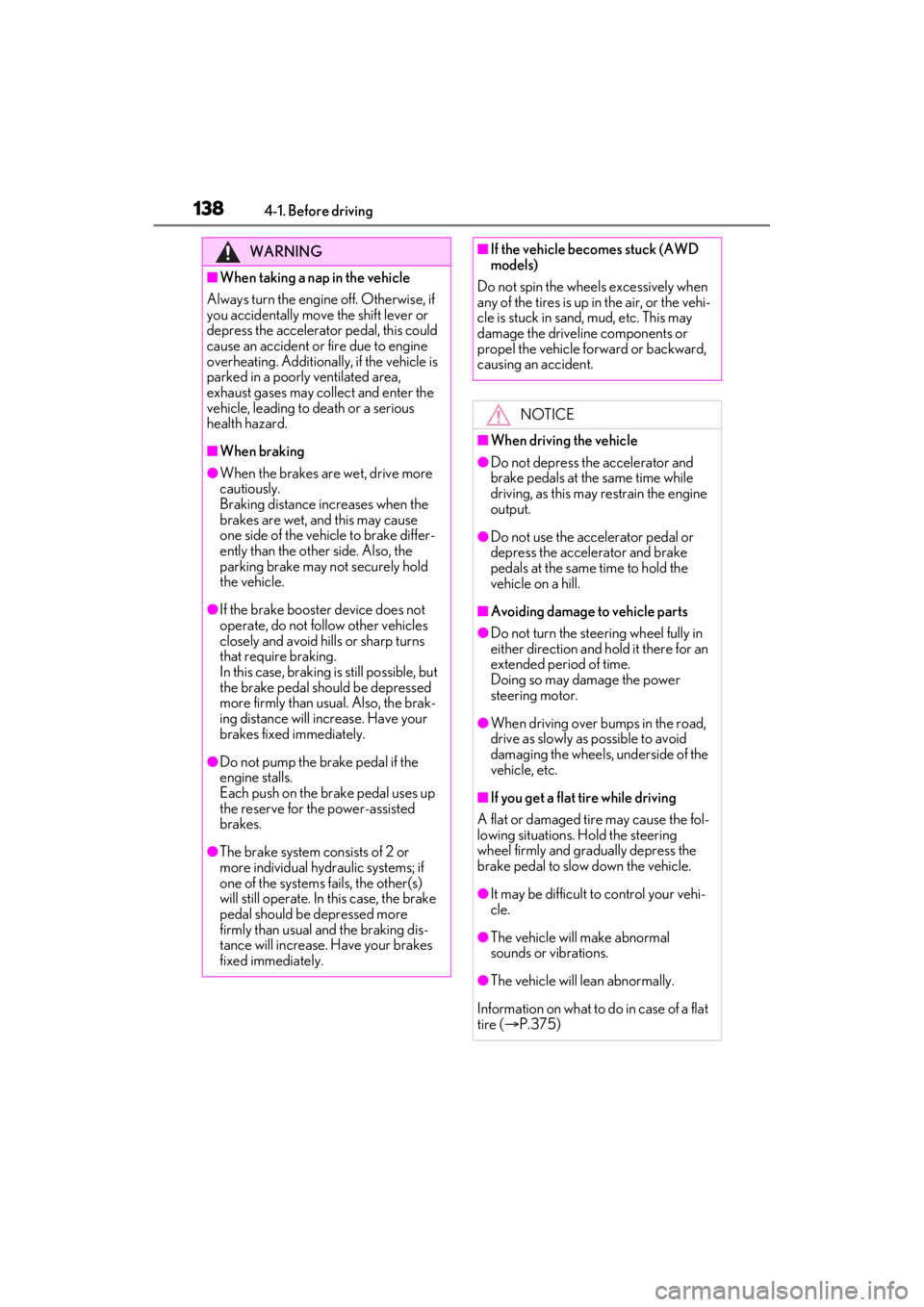
WARNING
■When taking a nap in the vehicle
Always turn the engine off. Otherwise, if
you accidentally move the shift lever or
depress the accelerator pedal, this could
cause an accident or fire due to engine
overheating. Additionally, if the vehicle is
parked in a poorly ventilated area,
exhaust gases may collect and enter the
vehicle, leading to death or a serious
health hazard.
■When braking
●When the brakes are wet, drive more
cautiously.
Braking distance increases when the
brakes are wet, and this may cause
one side of the vehicle to brake differ-
ently than the other side. Also, the
parking brake may not securely hold
the vehicle.
●If the brake booster device does not
operate, do not follow other vehicles
closely and avoid hills or sharp turns
that require braking.
In this case, braking is still possible, but
the brake pedal should be depressed
more firmly than usual. Also, the brak-
ing distance will increase. Have your
brakes fixed immediately.
●Do not pump the brake pedal if the
engine stalls.
Each push on the brake pedal uses up
the reserve for the power-assisted
brakes.
●The brake system consists of 2 or
more individual hydraulic systems; if
one of the systems fails, the other(s)
will still operate. In this case, the brake
pedal should be depressed more
firmly than usual and the braking dis-
tance will increase. Have your brakes
fixed immediately.
■If the vehicle becomes stuck (AWD
models)
Do not spin the wheels excessively when
any of the tires is up in the air, or the vehi-
cle is stuck in sand, mud, etc. This may
damage the driveline components or
propel the vehicle forward or backward,
causing an accident.
NOTICE
■When driving the vehicle
●Do not depress the accelerator and
brake pedals at th e same time while
driving, as this may restrain the engine
output.
●Do not use the accelerator pedal or
depress the accelerator and brake
pedals at the same time to hold the
vehicle on a hill.
■Avoiding damage to vehicle parts
●Do not turn the steering wheel fully in
either direction and hold it there for an
extended period of time.
Doing so may damage the power
steering motor.
●When driving over bumps in the road,
drive as slowly as possible to avoid
damaging the wheels, underside of the
vehicle, etc.
■If you get a flat tire while driving
A flat or damaged tire may cause the fol-
lowing situations. Hold the steering
wheel firmly and gradually depress the
brake pedal to slow down the vehicle.
●It may be difficult to control your vehi-
cle.
●The vehicle will make abnormal
sounds or vibrations.
●The vehicle will lean abnormally.
Information on what to do in case of a flat
tire ( P.375)
Page 142 of 464
1424-1. Before driving
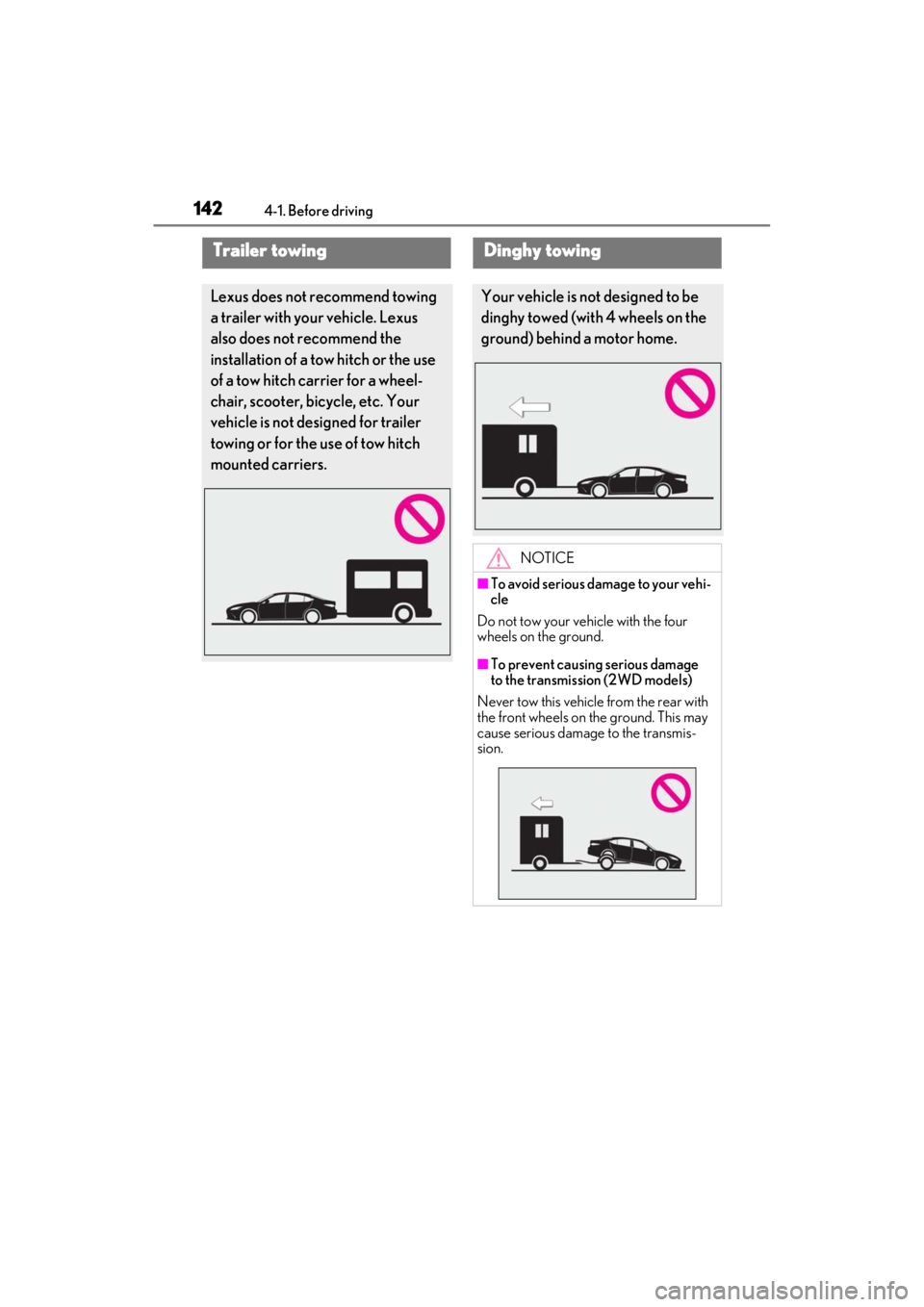
Trailer towing
Lexus does not recommend towing
a trailer with your vehicle. Lexus
also does not recommend the
installation of a tow hitch or the use
of a tow hitch carrier for a wheel-
chair, scooter, bicycle, etc. Your
vehicle is not designed for trailer
towing or for the use of tow hitch
mounted carriers.
Dinghy towing
Your vehicle is not designed to be
dinghy towed (with 4 wheels on the
ground) behind a motor home.
NOTICE
■To avoid serious damage to your vehi-
cle
Do not tow your vehicle with the four
wheels on the ground.
■To prevent causing serious damage
to the transmissi on (2WD models)
Never tow this vehicle from the rear with
the front wheels on the ground. This may
cause serious damage to the transmis-
sion.
Page 144 of 464

1444-2. Driving procedures
4-2.Driving procedures
1Press the parking brake switch to
check that the parking brake is set.
(P.154)
Parking brake indicator will come on.
2 Check that the shift lever is in P.
3 Firmly depress the brake pedal.
and a message will be displayed on
the multi-information display.
If it is not displayed, the engine cannot be
started.
4 Press the engine switch shortly and
firmly.
When operating the engine switch, one
short, firm press is enough. It is not neces-
sary to press and hold the switch.
The engine will crank until it starts or for up
to 30 seconds, whichever is less.
Continue depressing the brake pedal until
the engine is completely started.
The engine can be started from any engine switch mode.
■Engine switch illumination
According to the situation, the engine
switch illumination operates as follows.
●When a door is opened, or the engine
switch mode is changed from ACCES-
SORY or IGNITION ON mode to off,
the engine switch illumination slowly
blinks.
●When depressing the brake pedal with
carrying the electronic key on your per-
son, the engine switch illumination rapidly
blinks.
●When the engine sw itch is in ACCES-
SORY or IGNITION ON mode, the
engine switch illumination illuminates.
■If the engine does not start
●The engine immobilizer system may not
have been deactivated. ( P.61)
Contact your Lexus dealer.
●If a message related to start-up is shown
on the multi-information display, read the
message and follow the instructions.
●If the door is unlock ed with the mechani-
cal key, the engine cannot be started
using the smart access system with push-
button start. Refer to P.388 to start the
engine. However, if the electronic key is
carried inside the vehicle and the doors
are locked ( P.97), the engine can be
started.
Engine (ignition) switch
Performing the following opera-
tions when carryin g the electronic
key on your person starts the
engine or changes engine switch
modes.
Starting the engine
Page 145 of 464

1454-2. Driving procedures
4
Driving
■If the battery is discharged
The engine cannot be started using the
smart access system with push-button start.
Refer to P.389 to restart the engine.
■Electronic key battery depletion
P.92
■Conditions affe cting operation
P.108
■Notes for the entry function
P.108
■Steering lock function
●After turning the engine switch off and
opening and closing the doors, the steer-
ing wheel will be lock ed due to the steer-
ing lock function. Operating the engine
switch again automatically cancels the
steering lock.
●When the steering lock cannot be
released, “Push Engine Switch while
Turning Steering Whee l in Either Direc-
tion” will be displayed on the multi-infor-
mation display.
Check that the shift leve r is set in P. Press
the engine switch shor tly and firmly while
turning the steering wheel left and right.
●To prevent the steering lock motor from
overheating, operation of the motor may
be suspended if the engine is turned on
and off repeatedly in a short period of
time. In this case, refrain from operating
the engine switch. After about 10 sec-
onds, the steering lock motor will resume
functioning.
■If there is a malfun ction in the smart
access system with push-button start
If “Access System with Elec. Key Malfunc-
tion See Owner’s Manual” is displayed on
the multi-information display, the system
may be malfunctioning. Have the vehicle inspected by your Lexus dealer immedi-
ately.
■Electronic key battery
P.341
■Operation of the engine switch
●If the switch is no t pressed shortly and
firmly, the engine switch mode may not
change or the engine may not start.
●If attempting to restart the engine imme-
diately after turning th e engine switch off,
the engine may not start in some cases.
After turning the engine switch off, please
wait a few seconds be fore restarting the
engine.
■Customization
If the smart access system with push-button
start has been deactivated in a customized
setting, refer to P.419.
WARNING
■When starting the engine
Always start the engine while sitting in
the driver’s seat. Do not depress the
accelerator pedal while starting the
engine under any circumstances.
Doing so may cause an accident result-
ing in death or serious injury.
■Caution while driving
If engine failure occurs while the vehicle
is moving, do not lock or open the doors
until the vehicle reaches a safe and com-
plete stop. Activation of the steering lock
in this circumstance may lead to an acci-
dent, resulting in death or serious injury.
NOTICE
■When starting the engine
●Do not race a cold engine.
●If the engine becomes difficult to start
or stalls frequently, have your vehicle
checked by your Lexus dealer imme-
diately.
Page 149 of 464
1494-2. Driving procedures
4
Driving
*1: Shifting to the D position allows the sys-tem to select a gear suitable for the
driving conditions. Setting the shift lever
to the D position is recommended for
normal driving. You can choose shift
range suitable for your driving situation
by operating the paddle shift switches.
*2: Selecting shift ranges using S mode restricts the upper li mit of the possible
gear ranges, controls engine braking
force, and prevents unnecessary
upshifting.
■When driving with dynamic radar cruise
control with full-speed range activated
Even when performing the following
actions with the intent of enabling engine
braking, engine braking will not be acti-
vated because dynamic radar cruise con-
trol with full-speed range will not be
canceled.
●While driving in the D position or S mode,
downshifting to 7, 6, 5 or 4. ( P.195)
●When switching the driving mode to
sport mode while driving in D position.
( P.210)
■Restraining sudden start (Drive-Start
Control)
P.135
■AI-SHIFT
The AI-SHIFT automatica lly selects the suit-
able gear according to driver performance
and driving conditions.
The AI-SHIFT automatically operates when
the shift lever is in D. (Shifting the shift lever
to the S position or using the paddle shift
cancels the function.)
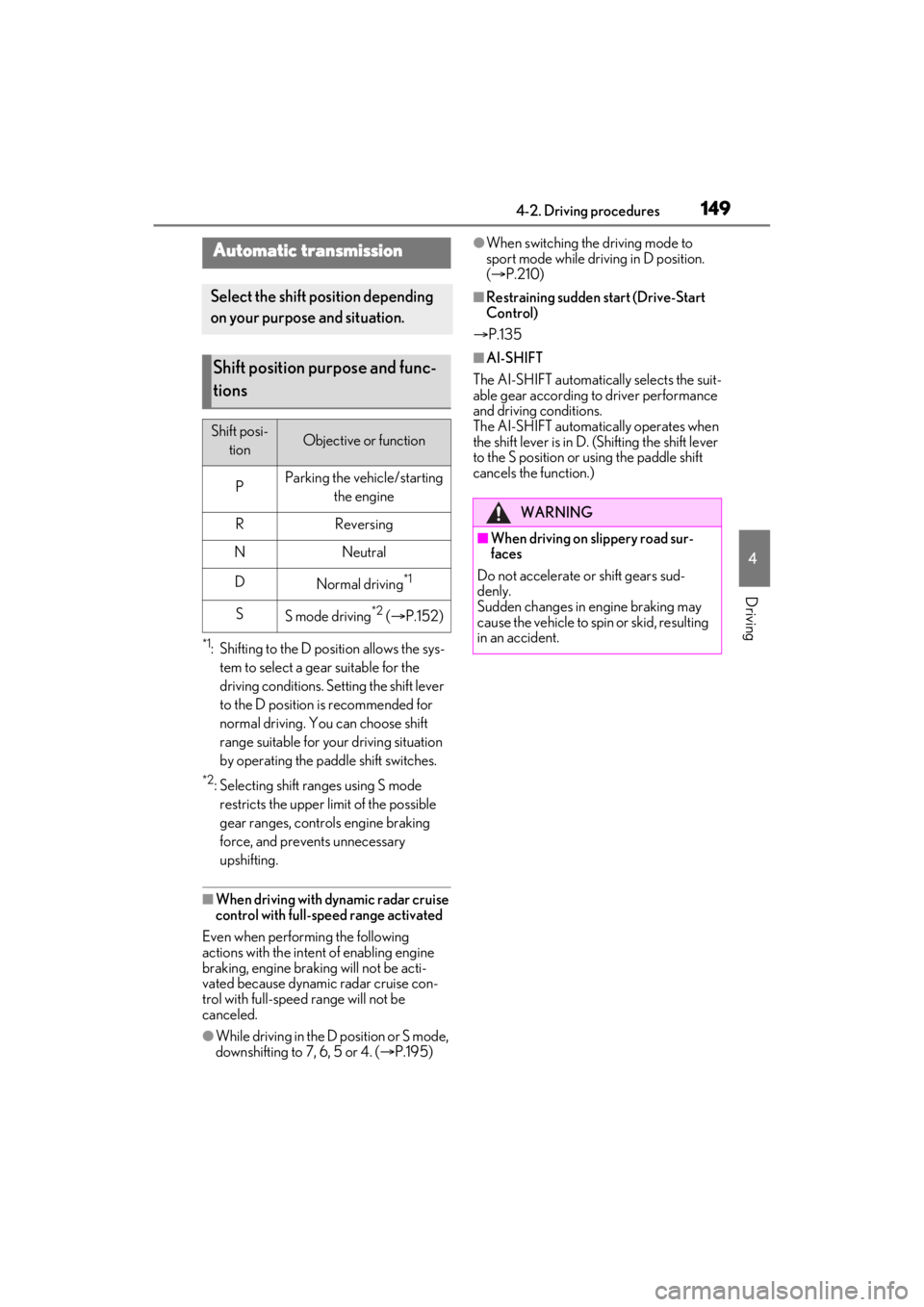
Automatic transmission
Select the shift position depending
on your purpose and situation.
Shift position purpose and func-
tions
Shift posi-
tionObjective or function
PParking the vehicle/starting the engine
RReversing
NNeutral
DNormal driving*1
SS mode driving*2 ( P.152)
WARNING
■When driving on slippery road sur-
faces
Do not accelerate or shift gears sud-
denly.
Sudden changes in engine braking may
cause the vehicle to sp in or skid, resulting
in an accident.
Page 155 of 464

1554-2. Driving procedures
4
Driving
■Turning the automatic mode off
While the vehicle is stopped, pull and
hold the parking brake switch until a
message is shown on the multi-infor-
mation display
■Parking brake operation
●When the engine swit ch is not in IGNI-
TION ON mode, the parking brake can-
not be released using the parking brake
switch.
●When the engine swit ch is not in IGNI-
TION ON mode, automatic mode (auto-
matic brake setting and releasing) is not
available.
■Parking brake automatic release func-
tion
●When the shift lever is shifted from P, the
parking brake will be released in auto-
matic mode.
●When all of the foll owing conditions are
met in manual mode, the parking brake
can be released by depressing the accel-
erator pedal.
• The driver’s door is closed
• The driver is wearing the seat belt
• The shift lever is in D, S or R
■If “Parking Brake Temporarily Unavail-
able” is displayed on the multi-informa-
tion display
If the parking brake is operated repeatedly
over a short period of time, the system may
restrict operation to prevent overheating. If
this happens, refrain from operating the
parking brake. Normal operation will return
after about 1 minute.
■If “Parking Brake Unavailable” or “EPB
Unavailable” is displayed on the multi-
information display
Operate the parking brake switch. If the
message does not disappear after operat-
ing the switch several times, the system may
be malfunctioning. Have the vehicle
inspected by your Lexus dealer.
■Parking brake operation sound
When the parking brake operates, a motor
sound (whirring sound) may be heard. This
does not indicate a malfunction.
■Parking brake indicator light
●Depending on the engine switch mode,
the parking brake indicator light will turn
on and stay on as described below:
IGNITION ON mode: Comes on until
the parking brake is released.
Not in IGNITION ON mode: Stays on
for approximately 15 seconds.
●When the engine switch is turned off with
the parking brake set, the parking brake
indicator light will stay on for about 15
seconds. This does not indicate a mal-
function.
■When the parking brake switch mal-
functions
Automatic mode (automatic brake setting
and releasing) will be turned on automati-
cally.
■Parking the vehicle
P.134
■Parking brake engaged warning buzzer
A buzzer will sound if the vehicle is driven
with the parking brake engaged. “EPB
Applied” is displayed on the multi-informa-
tion display (with the vehicle reached a
speed of 3 mph [5 km/h]).
■If the brake system warning light comes
on
P.361
■Usage in winter time
P.251
Page 158 of 464
1584-3. Operating the lights and wipers
4-3.Operating the lights and wipers
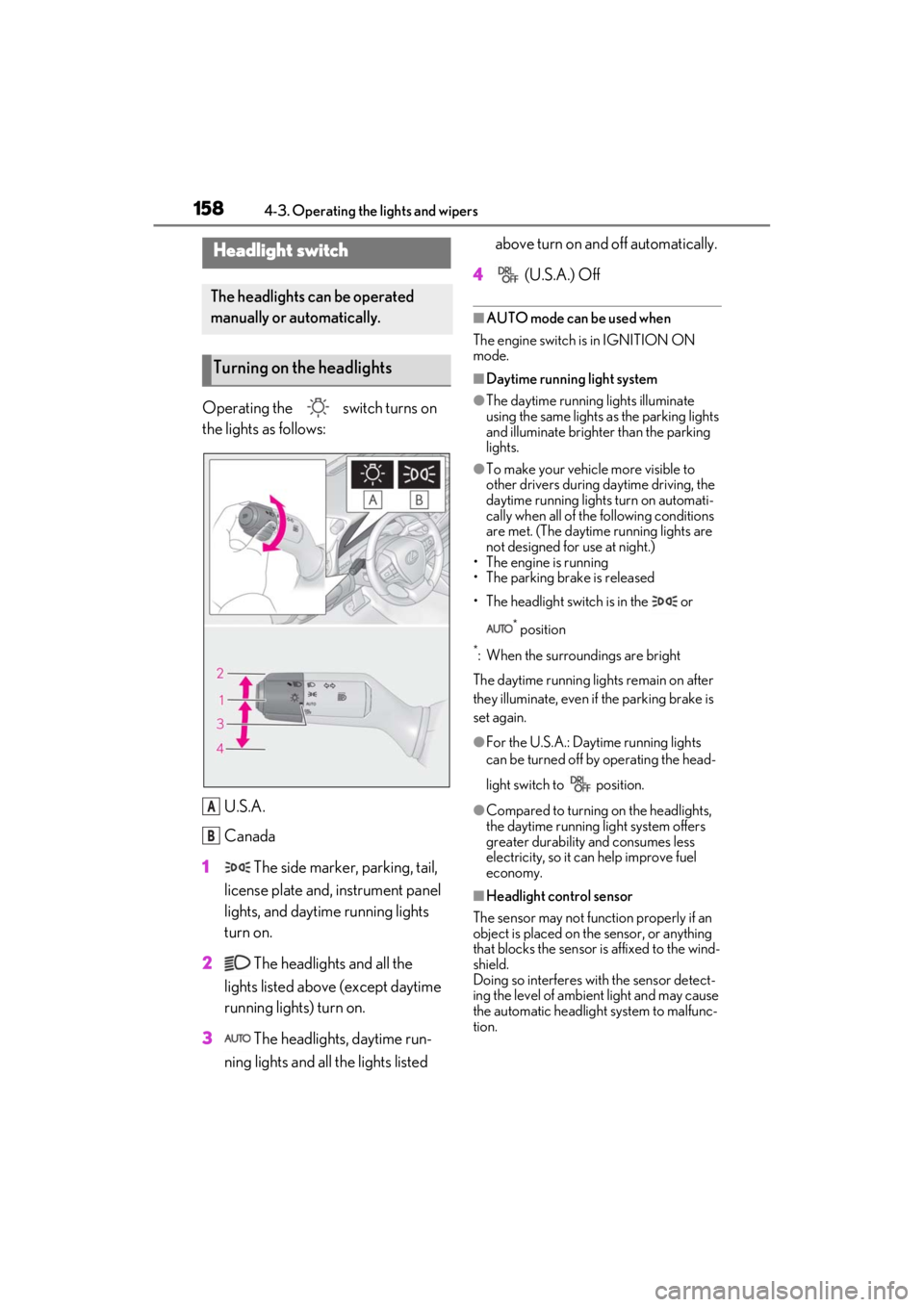
Operating the switch turns on
the lights as follows:U.S.A.
Canada
1 The side marker, parking, tail,
license plate and, instrument panel
lights, and daytime running lights
turn on.
2 The headlights and all the
lights listed above (except daytime
running lights) turn on.
3 The headlights, daytime run-
ning lights and all the lights listed above turn on and off automatically.
4 (U.S.A.) Off
■AUTO mode can be used when
The engine switch is in IGNITION ON
mode.
■Daytime running light system
●The daytime running lights illuminate
using the same lights as the parking lights
and illuminate brighter than the parking
lights.
●To make your vehicle more visible to
other drivers during daytime driving, the
daytime running lights turn on automati-
cally when all of the following conditions
are met. (The daytime running lights are
not designed for use at night.)
• The engine is running
• The parking brake is released
• The headlight switch is in the or
* position
*: When the surroundings are bright
The daytime running lights remain on after
they illuminate, even if the parking brake is
set again.
●For the U.S.A.: Daytime running lights
can be turned off by operating the head-
light switch to position.
●Compared to turning on the headlights,
the daytime running light system offers
greater durability and consumes less
electricity, so it can help improve fuel
economy.
■Headlight control sensor
The sensor may not function properly if an
object is placed on the sensor, or anything
that blocks the sensor is affixed to the wind-
shield.
Doing so interferes with the sensor detect-
ing the level of ambien t light and may cause
the automatic headlight system to malfunc-
tion.
Headlight switch
The headlights can be operated
manually or automatically.
Turning on the headlights
A
B
Page 159 of 464

1594-3. Operating the lights and wipers
4
Driving
■Automatic light off system
●When the headlights come on: The head-
lights and tail lights turn off 30 seconds
after the driver’s door is opened and
closed if the engine switch is turned to
ACCESSORY mode or turned off. (The
lights turn off immediately if on
the key is pressed after all the doors are
locked.)
●When only the tail lights come on: The tail
lights turn off automatically if the engine
switch is turned to ACCESSORY mode
or turned off and the driver’s door is
opened.
For the U.S.A.: To turn the lights on again,
turn the engine swit ch to IGNITION ON
mode, or turn the light switch off once and
then back to or .
For Canada: To turn the lights on again, turn
the engine switch to IGNITION ON mode,
or turn the light switch to position once
and then back to or .
■Light reminder buzzer
A buzzer sounds when the engine switch is
turned off or turned to ACCESSORY
mode and the driver’s door is opened while
the lights are turned on.
■Automatic headlight leveling system (if
equipped)
The level of the headlights is automatically
adjusted according to the number of pas-
sengers and the loading condition of the
vehicle to ensure that the headlights do not
interfere with other road users.
■Windshield wiper linked headlight illu-
mination
When driving during daytime with the
headlight switch turned to , if the wind-
shield wipers are used, the headlights will
turn on automatically after several seconds
to help enhance the visibility of your vehicle.
■Battery-saving function
In order to prevent the battery of the vehi-
cle from discharging, if the headlights
and/or tail lights are on when the engine
switch is turned off the battery saving func-
tion will operate and automatically turn off
all the lights after approximately 20 min-
utes.
When the engine switch is turned to IGNI-
TION ON mode, the battery-saving func-
tion will be disabled.
When any of the following are performed,
the battery-saving function is canceled
once and then reactivated. All the lights will
turn off automatically 20 minutes after the
battery-saving function has been reacti-
vated:
●When the headlight switch is operated
●When a door is opened or closed
■Welcome light illumination control
The parking lights, tail lights and license
plate lights automatically turn on at night
when the doors are unlocked using the
entry function or wireless remote control if
the light switch is in the position.
■Customization
Settings (e.g. light sensor sensitivity) can be
changed.
(Customizable features: P.419)
NOTICE
■To prevent battery discharge
Do not leave the lights on longer than
necessary when the engine is not run-
ning.