2021 KIA SPORTAGE lock
[x] Cancel search: lockPage 332 of 631
Driving your vehicle
465
• Even with the anti-lock brake sys-tem, your vehicle still requires suf-
ficient stopping distance. Always
maintain a safe distance from the
vehicle in front of you.
• Always slow down when cornering. The anti-lock brake system cannot
prevent accidents resulting from
excessive speeds.
• On loose or uneven road surfaces, operation of the anti-lock brake
system may result in a longer stop-
ping distance than for vehicles
equipped with a conventional
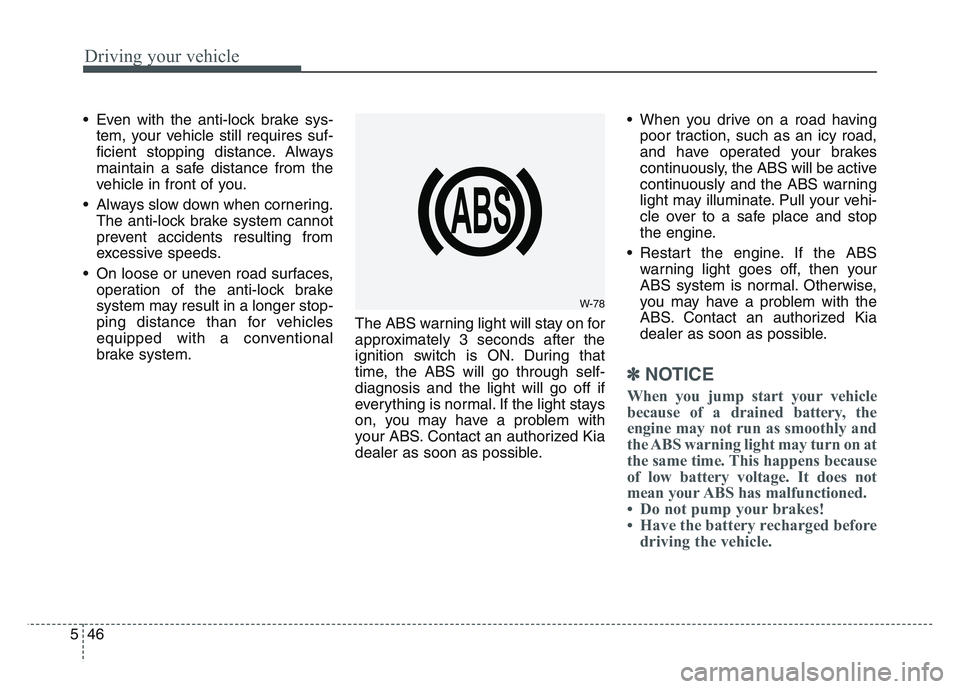
brake system. The ABS warning light will stay on for
approximately 3 seconds after the
ignition switch is ON. During that
time, the ABS will go through self-
diagnosis and the light will go off if
everything is normal. If the light stays
on, you may have a problem with
your ABS. Contact an authorized Kia
dealer as soon as possible. • When you drive on a road having
poor traction, such as an icy road,
and have operated your brakes
continuously, the ABS will be active
continuously and the ABS warning
light may illuminate. Pull your vehi-
cle over to a safe place and stop
the engine.
• Restart the engine. If the ABS warning light goes off, then your
ABS system is normal. Otherwise,
you may have a problem with the
ABS. Contact an authorized Kia
dealer as soon as possible.
✽NOTICE
When you jump start your vehicle
because of a drained battery, the
engine may not run as smoothly and
the ABS warning light may turn on at
the same time. This happens because
of low battery voltage. It does not
mean your ABS has malfunctioned.
• Do not pump your brakes!
• Have the battery recharged beforedriving the vehicle.
W-78
Page 333 of 631
5 47
Driving your vehicle
Electronic stability control
(ESC)
The Electronic Stability Control
(ESC) system is designed to stabi-
lize the vehicle during cornering
maneuvers. ESC checks where you
are steering and where the vehicle is
actually going. ESC applies the
brakes at individual wheels and inter-
venes with engine management sys-
tem to stabilize the vehicle.The Electronic stability control (ESC)
system is an electronic system
designed to help the driver maintain
vehicle control under adverse condi-
tions. It is not a substitute for safe
driving practices. Factors including
speed, road conditions and driver
steering input can all affect whether
ESC will be effective in preventing a
loss of control. It is still your respon-
sibility to drive and corner at reason-
able speeds and to leave a sufficient
margin of safety.
When you apply your brakes under
conditions which may lock the
wheels, you may hear a “tik-tik’’
sound from the brakes, or feel a cor-
responding sensation in the brake
pedal. This is normal and it means
your ESC is active.
✽NOTICE
A click/clunk type sound may be
heard once per ignition cycle in the
engine compartment when the vehi-
cle begins to move after the engine is
started. These conditions are normal
and indicate that Electronic stabili-
ty control (ESC) System is function-
ing properly.
WARNING
Never drive too fast for the road
conditions or too quickly when
cornering. Electronic stability
control (ESC) will not prevent
accidents. Excessive speed in
turns, abrupt maneuvers and
hydroplaning on wet surfaces
can still result in serious acci-
dents. Only a safe and attentive
driver can prevent accidents by
avoiding maneuvers that cause
the vehicle to lose traction.
Even with ESC installed, always
follow all the normal precautions
for driving - including driving at
safe speeds for the conditions.
Page 342 of 631
Driving your vehicle
565
• Don't "ride" the brake pedal.Resting your foot on the brake
pedal while driving can be danger-
ous because the brakes might
overheat and lose their effective-
ness. It also increases the wear of
the brake components.
• If a tire goes flat while you are driv- ing, apply the brakes gently and
keep the vehicle pointed straight
ahead while you slow down. When
you are moving slowly enough for it
to be safe to do so, pull off the road
and stop in a safe place.
• If your vehicle is equipped with an Automatic Transmission, don't let
your vehicle creep forward. To
avoid creeping forward, keep your
foot firmly on the brake pedal when
the vehicle is stopped.
• Be cautious when parking on a hill. Firmly engage the parking brake
and place the shift lever in P (auto-
matic transmission). If your vehicle
is facing downhill, turn the front
wheels into the curb to help keep
the vehicle from rolling. If your vehicle is facing uphill, turn
the front wheels away from the
curb to help keep the vehicle from
rolling. If there is no curb or if it is
required by other conditions to
keep the vehicle from rolling, block
the wheels.
• Under some conditions your park- ing brake can freeze in the
engaged position. This is most like-
ly to happen when there is an
accumulation of snow or ice
around or near the rear brakes or if
the brakes are wet. If there is a risk
that the parking brake may freeze,
apply it only temporarily while you
put the shift lever in P (automatic
transmission) and block the rear
wheels so the vehicle cannot roll.
Then release the parking brake.
• Do not hold the vehicle on an incline with the accelerator pedal.
This can cause the transmission to
overheat. Always use the brake
pedal or parking brake.
Page 353 of 631
5 67
Driving your vehicle
Limitation of the system
Forward Collision-Avoidance Assist
(FCA) is designed to monitor the
vehicle or pedestrians ahead in the
roadway through camera recogni-
tion to warn the driver that a colli-
sion is imminent, and if necessary,
apply emergency braking.
In certain situations, the camera may
not be able to detect the vehicle or
pedestrians ahead. In these cases,
FCA may not operate normally. The
driver must pay careful attention in
the following situations where FCA
operation may be limited.
Recognizing vehicles
The sensor may be limited when:
• The front view camera is blockedwith a foreign object or debris
• The camera lens is contaminated due to tinted, filmed or coated
windshield, damaged glass, or
stuck of foreign matter (sticker,
bug, etc.) on the glass
• Inclement weather such as heavy rain or snow obscures the field of
view of camera
• There is interference by electro- magnetic waves
• The front view camera recognition is limited
• The vehicle in front is too small to be detected (for example a motor-
cycle etc.)
• The vehicle in front is an oversize vehicle or trailer that is too big to
be detected by the camera recog-
nition system (for example a tractor
trailer, etc.)
• The camera's field of view is not well illuminated (either too dark or
too much reflection or too much
backlight that obscures the field of
view) • The vehicle in front does not have
their rear lights or their rear lights
does not turned ON or their rear
lights are located unusually.
• The outside brightness changes suddenly, for example when enter-
ing or exiting a tunnel
• When light coming from a street light or an oncoming vehicle is
reflected on a wet road surface
such as a puddle in the road
• The field of view in front is obstructed by sun glare
• The vehicle in front is driving errat- ically
• The vehicle is on unpaved or uneven rough surfaces, or road
with sudden gradient changes.
• The vehicle drives inside a build- ing, such as a basement parking
lot
• The front view camera does not recognize the entire vehicle in
front.
Page 354 of 631
Driving your vehicle
685
• The front view camera is damaged.
• The brightness outside is too lowsuch as when the headlamps are
not on at night or the vehicle is
going through a tunnel.
• The shadow is on the road by a median strip, trees, etc.
• The vehicle drives through a toll- gate.
• The windshield glass is fogged up; a clear view of the road is obstruct-
ed.
• The rear part of the vehicle in front is not normally visible. (the vehicle
turns in other direction or the vehi-
cle is overturned.)
• The adverse road conditions cause excessive vehicle vibrations while
driving
• The sensor recognition changes suddenly when passing over a
speed bump• The vehicle in front
is moving longitudinally to the driv-
ing direction • The vehicle in front is stopped lon-
gitudinally
• The vehicle in front is driving towards your vehicle or reversing
• You are on a roundabout and the vehicle in front circles
• It is difficult to secure the field of view of the front view camera such
as backlight, reflected light, and
darkness.
• When the front camera is blocked by continuous washer spray and
wiper operation.
• The vehicle in front is a special purpose vehicle, a trailer, or a truck
loading with unusual shape of lug-
gage.
• The ambient light is too high or low.
• The front view camera is contami- nated by front glass tinting, attach-
ing film, water proof coating, dam-
aged, foreign material such as a
sticker, worm, etc. • If not using headlamp or using
weak light in the night or in a tun-
nel.
• Backlight is shining in the driving direction of the vehicle. (Including
oncoming vehicle headlights.)
• When the rear part of the front vehicle is small or low.
• When a trailer or other vehicle is towing the front vehicle.
• When the ground clearance of the front vehicle is high.
• When a front vehicle makes sud- den lane changes unexpectedly.
Page 358 of 631
Driving your vehicle
725
Detecting pedestrians
The sensor may be limited when:
• The pedestrian is not fully detectedby the camera recognition system,
for example, if the pedestrian is
leaning over or is not fully walking
upright
• The pedestrian is moving very quickly or appears abruptly in the
camera detection area
• The pedestrian is wearing clothing that easily blends into the back-
ground, making it difficult to be
detected by the camera recogni-
tion system
• The outside lighting is too bright (e.g. when driving in bright sunlight
or in sun glare) or too dark (e.g.
when driving on a dark rural road
at night)
• It is difficult to detect and distin- guish the pedestrian from other
objects in the surroundings, for
example, when there is a group of
pedestrians, or a large crowd. • There is an item similar to a per-
son's body structure
• The pedestrian is small
• The pedestrian has impaired mobility
• The sensor recognition is limited
• The camera is blocked with a for- eign object or debris
• Inclement weather such as heavy rain or snow obscures the field of
view of the radar sensor or camera
• When light coming from a street light or an oncoming vehicle is
reflected on a wet road surface
such as a puddle in the road
• The field of view in front is obstructed by sun glare
• The windshield glass is fogged up.
• Adverse road conditions cause excessive vehicle vibrations while
driving
• When the pedestrian suddenly appears in front of the vehicle • When there is any other electro-
magnetic interference
• When a construction area, rail or other metal object is near the
pedestrian.
Page 369 of 631
5 83
Driving your vehicle
Limitation of the system
FCA is an assistant system for a driv-
er in a certain risky driving condition
and it does not take every responsi-
bility for all risks from driving condi-
tion.
FCA monitors the driving situations
through the radar and the camera
sensor. Thus, for a situation out of
the sensing range, FCA may not nor-
mally operate. The driver should pay
great caution in the following situa-
tions. FCA operation may be limited.
Recognizing vehicles
The sensor may be limited when:
• The front view camera or frontradar sensor is blocked with a for-
eign object or debris
• The camera lens is contaminated due to tinted, filmed or coated
windshield, damaged glass, or
stuck of foreign matter (sticker,
bug, etc.) on the glass
• Inclement weather such as heavy rain or snow obscures the field of
view of the radar sensor or camera
• There is interference by electro- magnetic waves
• There is severe irregular reflection from the radar sensor
• The front view camera/front radar sensor recognition is limited
• The vehicle in front is too small to be detected (for example a motor-
cycle etc.)
• The vehicle in front is an oversize vehicle or trailer that is too big to
be detected by the camera recog-
nition system (for example a tractor
trailer, etc.)(Continued)
• The regular braking functionwill operate normally even if
There is a problem with the
FCA brake control system or
other functions. In this case,
the braking control will not
operate in an imminent colli-
sion.
• FCA may not activate accord- ing to driving condition, traffic
on the road, weather, road
condition, etc.
• FCA may not activate in response to all types of vehi-
cles.
Page 370 of 631
Driving your vehicle
845
• The camera's field of view is notwell illuminated (either too dark or
too much reflection or too much
backlight that obscures the field of
view)
• The vehicle in front does not have their rear lights or their rear lights
does not turned ON or their rear
lights are located unusually.
• The outside brightness changes suddenly, for example when enter-
ing or exiting a tunnel
• When light coming from a street light or an oncoming vehicle is
reflected on a wet road surface
such as a puddle in the road
• The field of view in front is obstructed by sun glare
• The vehicle in front is driving errat- ically
• The vehicle is on unpaved or uneven rough surfaces, or road
with sudden gradient changes.
• The vehicle is driven near areas containing metal substances as a
construction zone, railroad, etc. • The vehicle drives inside a build-
ing, such as a basement parking
lot
• The front view camera does not recognize the entire vehicle in
front.
• The front view camera is damaged.
• The brightness outside is too low such as when the headlamps are
not on at night or the vehicle is
going through a tunnel.
• The shadow is on the road by a median strip, trees, etc.
• The vehicle drives through a toll- gate.
• The windshield glass is fogged up; a clear view of the road is obstruct-
ed.
• The rear part of the vehicle in front is not normally visible. (the vehicle
turns in other direction or the vehi-
cle is overturned.)
• The adverse road conditions cause excessive vehicle vibrations while
driving
• The sensor recognition changes suddenly when passing over a
speed bump • The vehicle in front is moving lon-
gitudinally to the driving direction
• The vehicle in front is stopped lon- gitudinally
• The vehicle in front is driving towards your vehicle or reversing
• You are on a roundabout and the vehicle in front circles
• It is difficult to secure the field of view of the front view camera such
as backlight, reflected light, and
darkness.
• When the front camera is blocked by continuous washer spray and
wiper operation.
• The vehicle in front is a special purpose vehicle, a trailer, or a truck
loading with unusual shape of lug-
gage.
• The ambient light is too high or low.
• The front view camera is contami- nated by front glass tinting, attach-
ing film, water proof coating, dam-
aged, foreign material such as a
sticker, worm, etc.
• When the front view camera (including lens) or front radar is
damaged.