2021 HYUNDAI TUCSON HYBRID park assist
[x] Cancel search: park assistPage 380 of 630
07
7-21
WARNING
Take the following precautions when
using Forward Collision-Avoidance
Assist:
• For your safety, change the Settings
after parking the vehicle at a safe
location.
• With ‘Active assist’ or ‘Warning only’
selected, when ESC is turned off by
pressing and holding the ESC OFF
button for more than 3 seconds,
Forward Collision-Avoidance Assist
will turn off automatically. In this
case, Forward Collision-Avoidance
Assist cannot be set from the
Settings menu and the
warning
light will illuminate on the cluster
which is normal. If ESC is turned on
by pressing the ESC OFF button,
Forward Collision-Avoidance Assist
will maintain the last setting.
• Forward Collision-Avoidance Assist
does not operate in all situations or
cannot avoid all collisions.
• The driver should hold the
responsibility to control the vehicle.
Do not solely depend on Forward
Collision-Avoidance Assist. Rather,
maintain a safe braking distance, and
if necessary, depress the brake pedal
to reduce driving speed or to stop
the vehicle.
• Never deliberately operate Forward
Collision-Avoidance Assist on people,
objects, etc. It may cause serious
injury or death.
• Forward Collision-Avoidance
Assist may not operate if the driver
depresses the brake pedal to avoid
collision. •
Depending on the road and driving
conditions, Forward Collision-
Avoidance Assist may warn the driver
late or may not warn the driver.
• During Forward Collision-Avoidance
Assist operation, the vehicle may
stop suddenly injuring passengers
and shifting loose objects. Always
have the seat belt on and keep loose
objects secured.
• If any other system’s warning
message is displayed or audible
warning is generated, Forward
Collision-Avoidance Assist warning
message may not be displayed
and audible warning may not be
generated.
• You may not hear the warning sound
of Forward Collision-Avoidance
Assist if the surrounding is noisy.
• Forward Collision-Avoidance
Assist may turn off or may not
operate properly or may operate
unnecessarily depending on the road
conditions and the surroundings.
WARNING
• Even if there is a problem with
Forward Collision-Avoidance
Assist, the vehicle’s basic braking
performance will operate normally.
• During emergency braking, braking
control by Forward Collision-
Avoidance Assist will automatically
cancel when the driver excessively
depresses the accelerator pedal or
sharply steers the vehicle.
Page 395 of 630
Driver assistance system
7-36
Blind-spot Collision-avoidanCe assist (BCa)
(
iF e
quipped
)
Blind-Spot Collision-Avoidance Assist
is designed to help detect and monitor
approaching
v
ehicles
in the driv
er’s
blind spot ar
ea and warn the driver
of a possible collision with a warning
message and audible warning.
In addition, if there is a risk of collision
when changing lanes or driving forward
out of a parking space,Blind-Spot
Collision-Avoidance Assist will help avoid
a collision by applying the brake.
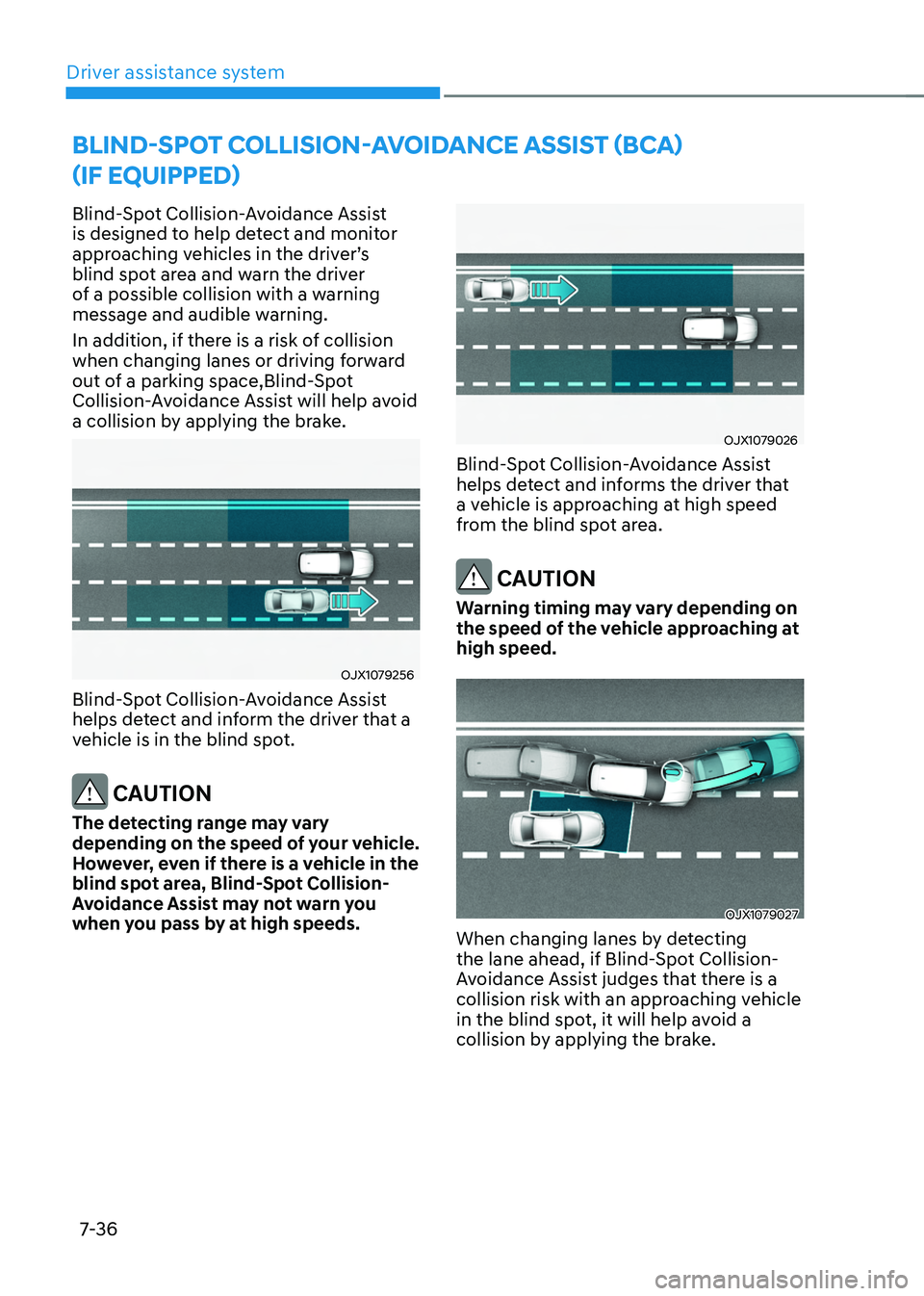
OJX1079256
Blind-Spot Collision-Avoidance Assist
helps detect and inform the driver that a
vehicle is in the blind spot.
CAUTION
The detecting range may vary
depending on the speed of your vehicle.
However, even if there is a vehicle in the
blind spot area, Blind-Spot Collision-
Avoidance Assist may not warn you
when you pass by at high speeds.
OJX1079026
Blind-Spot Collision-Avoidance Assist
helps detect and informs the driver that
a vehicle is approaching at high speed
from the blind spot area.
CAUTION
Warning timing may vary depending on
the speed of the vehicle approaching at
high speed.
OJX1079027
When changing lanes by detecting
the lane ahead, if Blind-Spot Collision-
Avoidance Assist judges that there is a
collision risk with an approaching vehicle
in the blind spot, it will help avoid a
collision by applying the brake.
Page 396 of 630
07
7-37
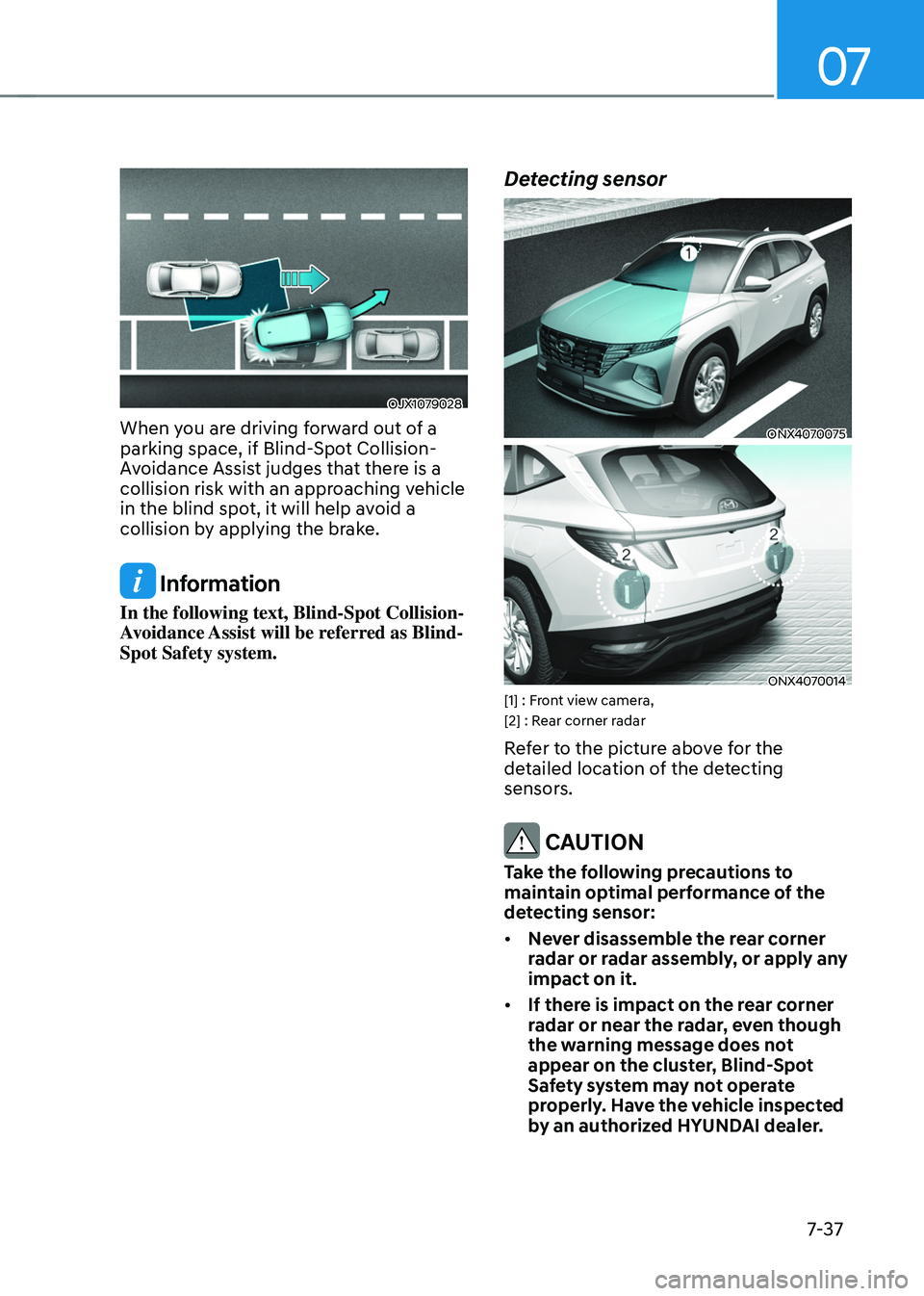
OJX1079028
When you are driving forward out of a
parking space, if Blind-Spot Collision-
Avoidance Assist judges that there is a
collision risk with an approaching vehicle
in the blind spot, it will help avoid a
collision by applying the brake.
Information
In the following text, Blind-Spot Collision-
Avoidance Assist will be referred as Blind-
Spot Safety system.
Detecting sensor
ONX4070075
ONX4070014[1] : Front view camera,
[2] : Rear corner radar
Refer to the picture above for the
detailed location of the detecting
sensors.
CAUTION
Take the following precautions to
maintain optimal performance of the
detecting sensor:
• Never disassemble the rear corner
radar or radar assembly, or apply any
impact on it.
• If there is impact on the rear corner
radar or near the radar, even though
the warning message does not
appear on the cluster, Blind-Spot
Safety system may not operate
properly. Have the vehicle inspected
by an authorized HYUNDAI dealer.
Page 403 of 630
Driver assistance system
7-44
WARNING
Take the following precautions when
using Blind-Spot Safety system:
• For your safety, change the Settings
after parking the vehicle at a safe
location.
• If any other system’s warning
message is displayed or audible
warning is generated, Blind-Spot
Safety system’s warning message
may not be displayed and audible
warning may not be generated.
• You may not hear the warning sound
of Blind-Spot Safety system if the
surrounding is noisy.
• Blind-Spot Safety system may not
operate if the driver applies the
brake pedal to avoid collision.
• When Blind-Spot Safety system
is operating, braking control by
the function will automatically
cancel when the driver excessively
depresses the accelerator pedal or
sharply steers the vehicle.
• During Blind-Spot Safety system
operation, the vehicle may stop
suddenly injuring passengers and
shifting loose objects. Always have
the seat belt on and keep loose
objects secured.
• Even if there is a problem with Blind-
Spot Safety system, the vehicle’s
basic braking performance will
operate normally.
• Blind-Spot Safety system does not
operate in all situations or cannot
avoid all collisions. •
Blind-Spot Safety system may warn
the driver late or may not warn the
driver depending on the road and
driving conditions.
• Driver should maintain control
of the vehicle at all times. Do not
depend on Blind-Spot Safety system.
Maintain a safe braking distance, and
if necessary, depress the brake pedal
to reduce driving speed or to stop
the vehicle.
• Never operate Blind-Spot Safety
system on people, animal, objects,
etc. It may cause serious injury or
death.
WARNING
The brake control may not operate
properly depending on the status of
ESC (Electronic Stability Control).
There will only be a warning when:
-The ESC (Electronic S
tability Control)
warning light is on
- ESC (Electronic S
tability Control) is
engaged in a different function
Page 419 of 630
Driver assistance system
7-60
OJK070008L
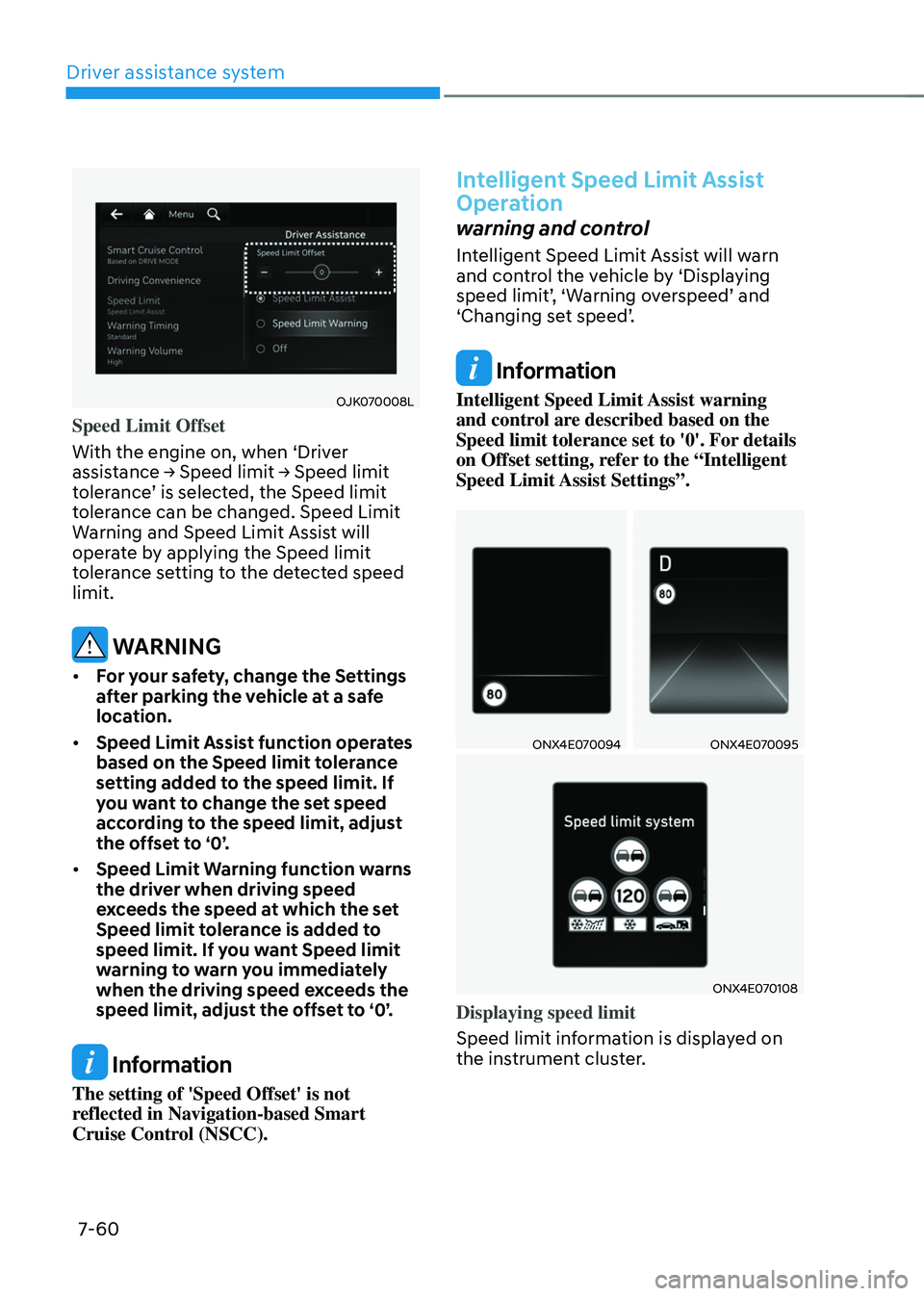
Speed Limit Offset
With the engine on, when ‘Driver
assistance
→ Speed limit → Speed limit toler
ance’
is select
ed,
the Speed limit toler
ance can be changed. Speed Limit
Warning and Speed Limit Assist will
operate by applying the Speed limit
tolerance setting to the detected speed
limit.
WARNING
• For your safety, change the Settings
after parking the vehicle at a safe
location.
• Speed Limit Assist function operates
based on the Speed limit tolerance
setting added to the speed limit. If
you want to change the set speed
according to the speed limit, adjust
the offset to ‘0’.
• Speed Limit Warning function warns
the driver when driving speed
exceeds the speed at which the set
Speed limit tolerance is added to
speed limit. If you want Speed limit
warning to warn you immediately
when the driving speed exceeds the
speed limit, adjust the offset to ‘0’.
Information
The setting of 'Speed Offset' is not
reflected in Navigation-based Smart
Cruise Control (NSCC).
Intelligent Speed Limit Assist
Operation
warning and control
Intelligent Speed Limit Assist will warn
and control the vehicle by ‘Displaying
speed
limit’
,
‘W
arning
o
verspeed’
and ‘Changing se
t
speed’
.
Information
Intelligent Speed Limit Assist warning
and control are described based on the
Speed limit tolerance set to '0'. For details
on Offset setting, refer to the “Intelligent
Speed Limit Assist Settings”.
ONX4E070094ONX4E070095
ONX4E070108
Displaying speed limit
Speed limit information is displayed on
the instrument cluster.
Page 425 of 630
Driver assistance system
7-66
• The driver’s attention lev el is display ed on the scale of 1 t
o 5. The lower the
level is, the more inattentive the driver
is.
• The level decreases when the driver
does not take a break for a certain
period of time.
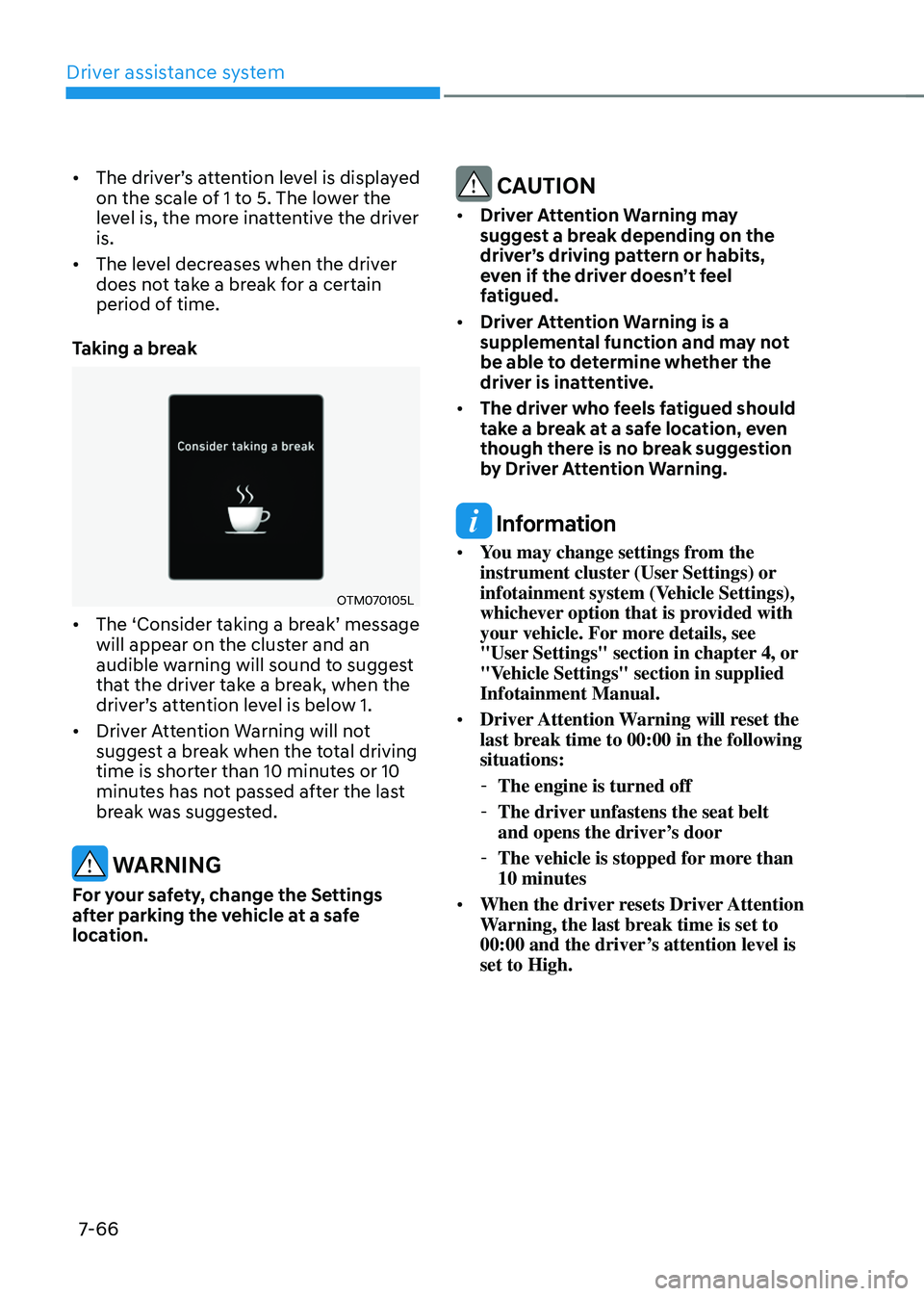
Taking a break
OTM070105L
• The ‘Consider taking a br eak’ message will appear on the clust
er and an
audible warning will sound to suggest
that the driver take a break, when the
driver’s
a
ttention
le
vel
is belo
w
1.
• Driver A
ttention Warning will not
suggest a break when the total driving
time is shorter than 10 minutes or 10
minutes has not passed after the last
break was suggested.
WARNING
For your safety, change the Settings
after parking the vehicle at a safe
location.
CAUTION
• Driver Attention Warning may
suggest a break depending on the
driver’s driving pattern or habits,
even if the driver doesn’t feel
fatigued.
• Driver Attention Warning is a
supplemental function and may not
be able to determine whether the
driver is inattentive.
• The driver who feels fatigued should
take a break at a safe location, even
though there is no break suggestion
by Driver Attention Warning.
Information
• You may change settings from the
instrument cluster (User Settings) or
infotainment system (Vehicle Settings),
whichever option that is provided with
your vehicle. For more details, see
"User Settings" section in chapter 4, or
"Vehicle Settings" section in supplied
Infotainment Manual.
• Driver Attention Warning will reset the
last break time to 00:00 in the following
situations:
-The engine is turned off
-The driver unfastens the seat belt
and opens the driver
’s door
-The vehicle is stopped for mor
e than
10 minutes
• When the driver resets Driver Attention
Warning, the last break time is set to
00:00 and the driver’s attention level is
set to High.
Page 428 of 630
07
7-69
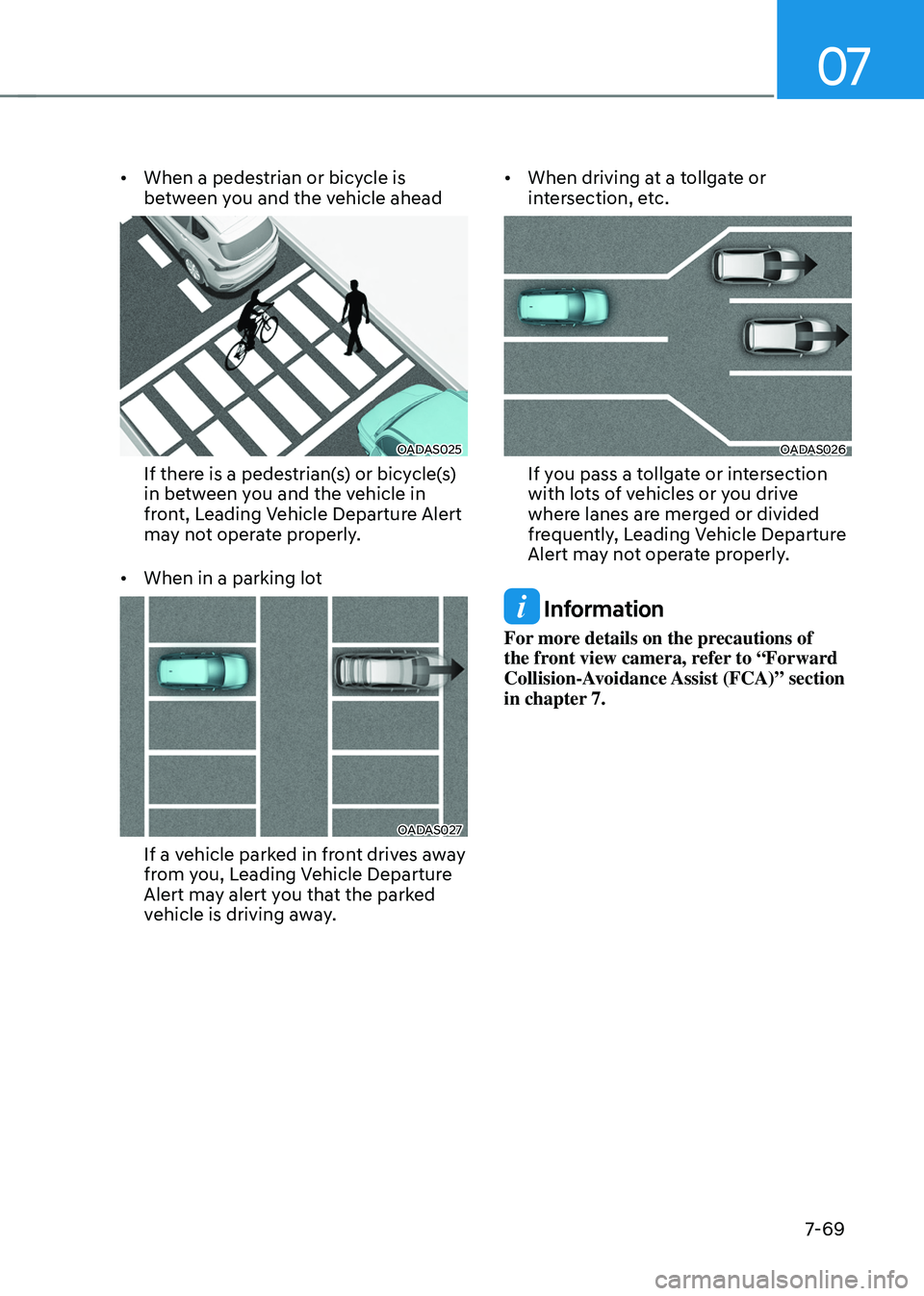
• When a pedestrian or bicycle is
between you and the vehicle ahead
OADAS025
If there is a pedestrian(s) or bicycle(s)
in between you and the vehicle in
front, Leading Vehicle Departure Alert
may not operate properly.
• When in a parking lot
OADAS027
If a vehicle parked in front drives away
from you, Leading Vehicle Departure
Alert may alert you that the parked
vehicle is driving away. •
When driving at a tollgate or
intersection, etc.
OADAS026
If you pass a tollgate or intersection
with lots of vehicles or you drive
where lanes are merged or divided
frequently, Leading Vehicle Departure
Alert may not operate properly.
Information
For more details on the precautions of
the front view camera, refer to “Forward
Collision-Avoidance Assist (FCA)” section
in chapter 7.
Page 440 of 630
07
7-81
Smart Cruise Control Operation
Operating conditions
Smart Cruise Control will operate when
the following conditions are satisfied.
Basic function
• The gear is in D (Drive)
• The
driv
er’s
door is closed
• EPB (Electr
onic Parking Brake) is not
applied
• Your vehicle speed is within the
operating speed range
- 5~110 mph (10~180 km/h): when
ther
e is no vehicle in front
- 0~110 mph (0~180 km/h
): when
there is a vehicle in front
• ESC (Electronic Stability Control) or
ABS is on
• ESC (Electronic Stability Control) or
ABS is not controlling the vehicle
• Engine rpm is not in the red zone
• Forward Collision-Avoidance Assist
brake control is not operating
• Remote Smart Parking Assist brake
control is not operating (if equipped)
Information
At a stop, if there is no vehicle in front of
your vehicle, Smart Cruise Control will
turn on when the brake pedal is depressed. Overtaking Acceleration Assist
Overtaking Acceleration Assist will
operate when the turn signal indicator
is turned on to the left (left-hand drive)
or turned on to the right (right-hand
drive) while Smart Cruise Control is
operating, and the following conditions
are satisfied:
•
Your vehicle speed is above 40 mph
(60 km/h)
• The hazard warning flasher is off
• A vehicle is detected in front of your
vehicle
• Deceleration is not needed to
maintain distance with the vehicle in
front
WARNING
• When the turn signal indicator is
turned on to the left while there is
a vehicle ahead, the vehicle may
accelerate temporarily. Pay attention
to the road conditions at all times.
• Regardless of your countries driving
direction, Overtaking Acceleration
Assist will operate when the
conditions are satisfied. When
using the function in countries with
different driving direction, always
check the road conditions at all
times.