Page 104 of 589

Automatic High Beam Control
Precautions
WARNING: The system does not
relieve you of your responsibility to drive
with due care and attention. You may
need to override the system if it does not
turn the high beams on or off. WARNING:
Do not use the system
in poor visibility, for example fog, heavy
rain, spray or snow. WARNING:
You may need to
override the system when approaching
other road users. WARNING:
You may need to
override the system during inclement
weather.
Automatic High Beam Control
Requirements
The system turns the high beams on if all
of the following occur:
• You switch the system on.
• You set the lighting control to the
autolamps position.
• The ambient light level is low enough
that you require high beams.
• There is no traffic in front of your
vehicle.
• The vehicle speed is greater than
approximately
32 mph (52 km/h). Automatic High Beam Control
Limitations
The system turns the high beams off if any
of the following occur:
•
You switch the system off.
• You set the lighting control to any
position except autolamps.
• The ambient light level is high enough
that you do not require high beams.
• The system detects an approaching
vehicle's headlamps or rear lamps.
• The system detects severe rain, snow
or fog.
• The system detects street lighting.
• The camera has reduced visibility.
• The vehicle speed falls below
approximately
27 mph (44 km/h).
Switching Automatic High Beam
Control On and Off
1. Press
Settings on the touchscreen.
2. Press
Vehicle Settings.
3. Press
Lighting.
4. Switch
Auto Highbeam on or off.
Automatic High Beam Control
Indicators Illuminates to confirm when the
system is ready to assist.
101
Escape (CTC) Canada/United States of America, Vehicles Built From: 02-11-2020, enUSA, Edition date: 202011, First-Printing Exterior Lighting
Page 105 of 589
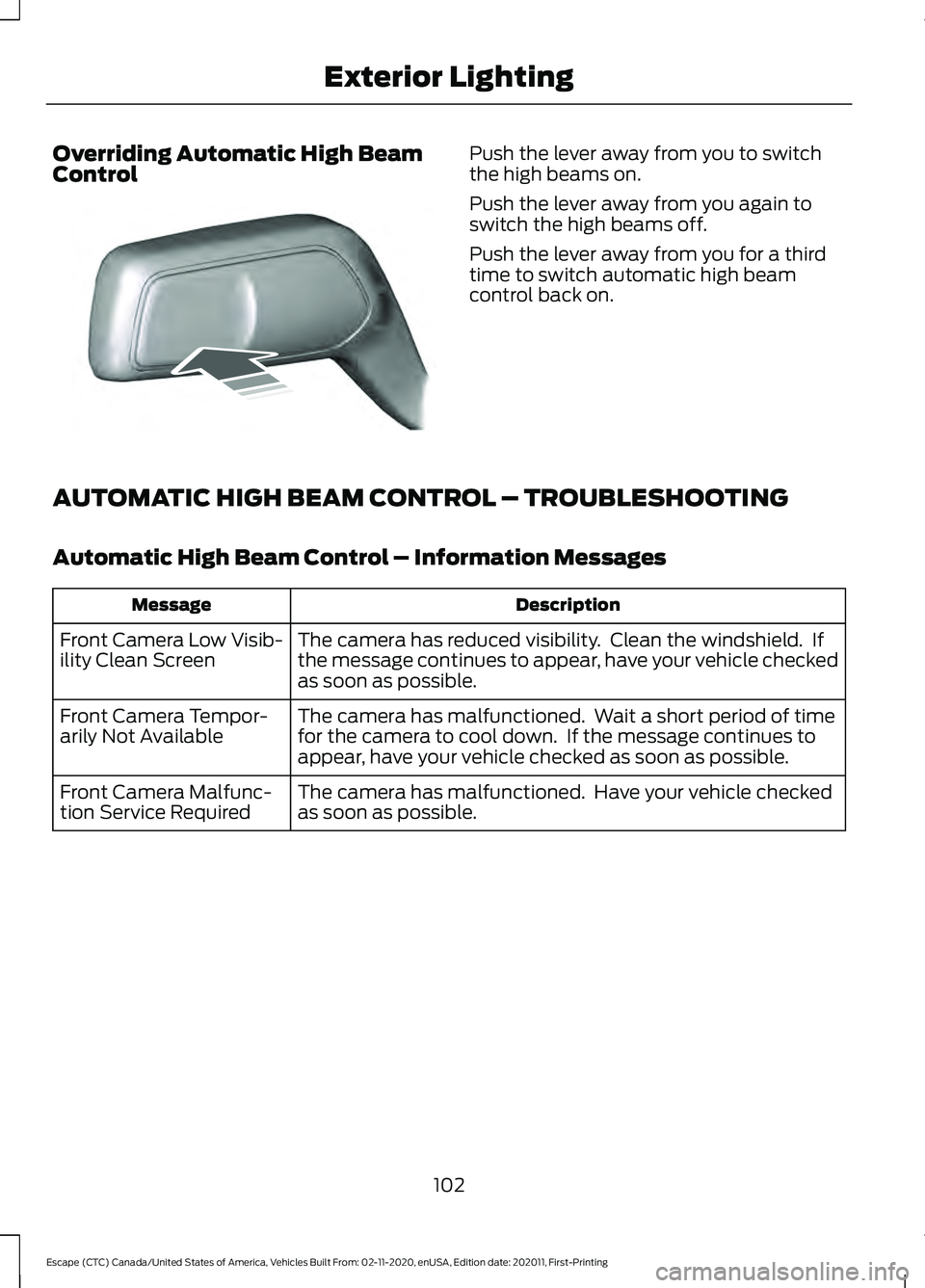
Overriding Automatic High Beam
Control Push the lever away from you to switch
the high beams on.
Push the lever away from you again to
switch the high beams off.
Push the lever away from you for a third
time to switch automatic high beam
control back on.
AUTOMATIC HIGH BEAM CONTROL – TROUBLESHOOTING
Automatic High Beam Control – Information Messages Description
Message
The camera has reduced visibility. Clean the windshield. If
the message continues to appear, have your vehicle checked
as soon as possible.
Front Camera Low Visib-
ility Clean Screen
The camera has malfunctioned. Wait a short period of time
for the camera to cool down. If the message continues to
appear, have your vehicle checked as soon as possible.
Front Camera Tempor-
arily Not Available
The camera has malfunctioned. Have your vehicle checked
as soon as possible.
Front Camera Malfunc-
tion Service Required
102
Escape (CTC) Canada/United States of America, Vehicles Built From: 02-11-2020, enUSA, Edition date: 202011, First-Printing Exterior LightingE248603
Page 106 of 589
SWITCHING ALL OF THE
INTERIOR LAMPS ON AND OFF
The lamps turn on under the following
conditions:
•
You open any door.
• You press a button on the remote
control.
• You press the all lamps on button on
the overhead console. Press to switch all interior lamps
on or off.
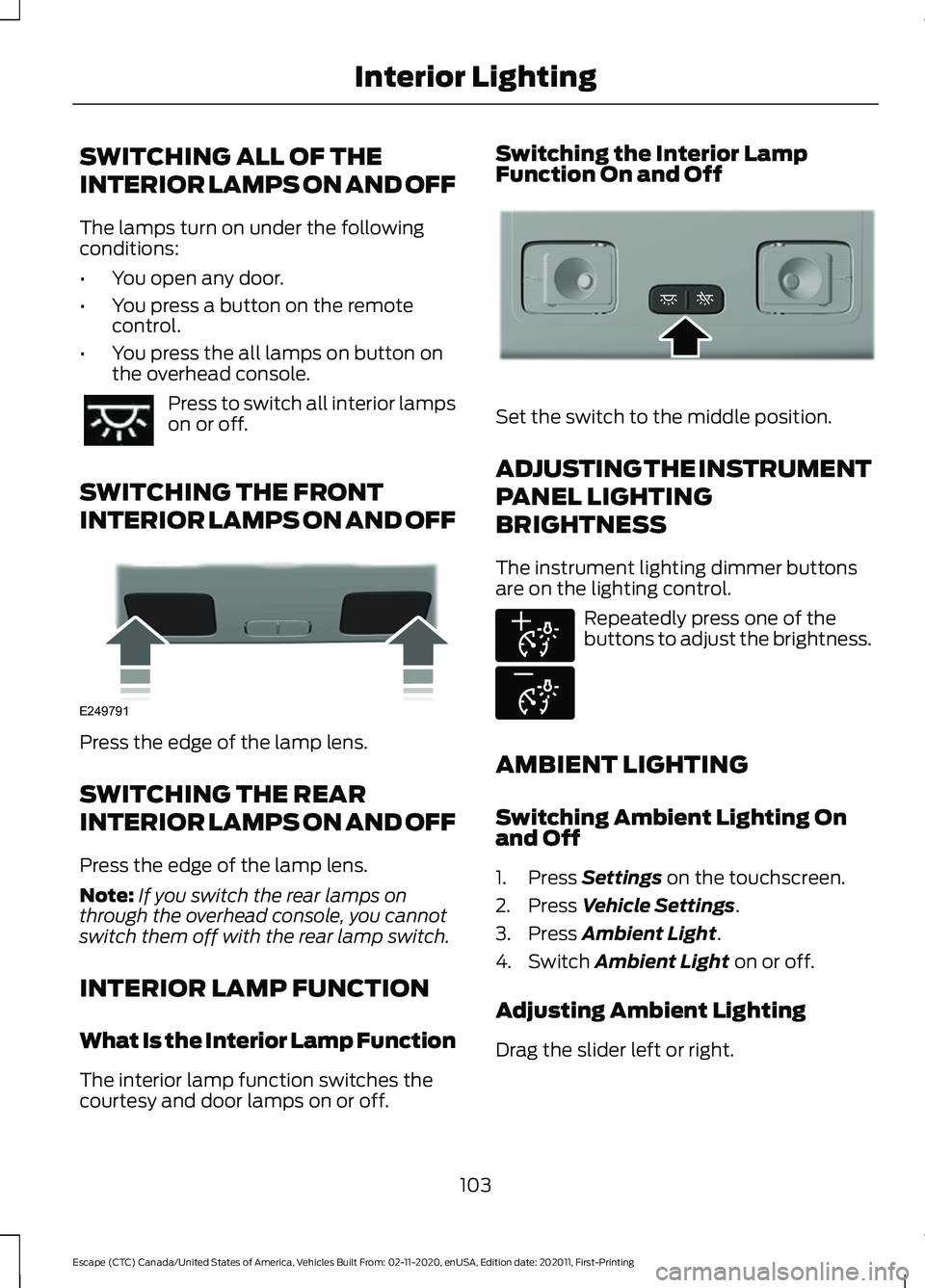
SWITCHING THE FRONT
INTERIOR LAMPS ON AND OFF Press the edge of the lamp lens.
SWITCHING THE REAR
INTERIOR LAMPS ON AND OFF
Press the edge of the lamp lens.
Note:
If you switch the rear lamps on
through the overhead console, you cannot
switch them off with the rear lamp switch.
INTERIOR LAMP FUNCTION
What Is the Interior Lamp Function
The interior lamp function switches the
courtesy and door lamps on or off. Switching the Interior Lamp
Function On and Off
Set the switch to the middle position.
ADJUSTING THE INSTRUMENT
PANEL LIGHTING
BRIGHTNESS
The instrument lighting dimmer buttons
are on the lighting control.
Repeatedly press one of the
buttons to adjust the brightness.
AMBIENT LIGHTING
Switching Ambient Lighting On
and Off
1. Press Settings on the touchscreen.
2. Press
Vehicle Settings.
3. Press
Ambient Light.
4. Switch
Ambient Light on or off.
Adjusting Ambient Lighting
Drag the slider left or right.
103
Escape (CTC) Canada/United States of America, Vehicles Built From: 02-11-2020, enUSA, Edition date: 202011, First-Printing Interior Lighting E249791 E299443 E291299 E296433
Page 107 of 589
INTERIOR LIGHTING –
TROUBLESHOOTING
Interior Lighting – Frequently
Asked Questions
Why do my courtesy lamps or interior
lamps turn off when I have them
switched on when I switch my vehicle
off?
The battery saver turns the courtesy
lamps and interior lamps off after a
short period of time after you switch
your vehicle off.
104
Escape (CTC) Canada/United States of America, Vehicles Built From: 02-11-2020, enUSA, Edition date: 202011, First-Printing Interior Lighting
Page 108 of 589
OPENING AND CLOSING THE
WINDOWS
WARNING: Do not leave children
unattended in your vehicle and do not
let them play with the power windows.
Failure to follow this instruction could
result in personal injury. WARNING:
When closing the
power windows, verify they are free of
obstruction and make sure that children
and pets are not in the proximity of the
window openings. Press the window control switch
to open the window. Lift the
window control switch to close
the window.
To reduce wind noise or pulsing noise when
just one window is open, slightly open the
opposite window.
One-Touch Down
(If Equipped)
Press the window control switch fully and
release it. Press again or lift it to stop the
window.
One-Touch Up
(If Equipped)
Lift the window control switch fully and
release it. Press or lift it again to stop the
window.
Resetting One-Touch Up
Start the engine.
1. Lift and hold the window control switch
until you fully close the door window.
Continue to hold the window control
switch for a few seconds after you
close the window.
2. Release the window control switch. 3. Press and hold the window control
switch until you fully open the door
window.
4. Release the window control switch.
5. Lift and hold the window control switch
until you fully close the window.
6. Test for correct window operation by carrying out the one-touch down and
one-touch up features.
Accessory Delay
The window switches remain operational
for several minutes when you switch the
ignition off or until you open either front
door.
WINDOW BOUNCE-BACK (If
Equipped)
What Is Window Bounce-Back
The window stops and reverses some
distance if it detects an obstacle when
closing.
Overriding Window Bounce-Back WARNING: If you override
bounce-back, the window does not
reverse if it detects an obstacle. Take
care when closing the windows to avoid
personal injury or damage to your
vehicle. WARNING: Bounce-back is off until
you reset the memory. Take care when
closing the windows to avoid personal
injury or damage to your vehicle.
Note: The window stops if you release the
switch before the window fully closes.
105
Escape (CTC) Canada/United States of America, Vehicles Built From: 02-11-2020, enUSA, Edition date: 202011, First-Printing Windows
Page 110 of 589

INTERIOR MIRROR
PRECAUTIONS
WARNING: Do not adjust the
mirrors when your vehicle is moving. This
could result in the loss of control of your
vehicle, serious personal injury or death.
Note: Do not clean the mirror housing or
glass with harsh abrasives, fuel or other
petroleum-based cleaning products.
MANUALLY DIMMING THE
INTERIOR MIRROR
Pull the tab below the mirror toward you
to reduce glare at night.
AUTO-DIMMING INTERIOR
MIRROR (If Equipped)
What Is the Auto-Dimming Interior
Mirror
The mirror dims to reduce the effect of
bright light from behind. It returns to
normal when the bright light from behind
is no longer present or when you shift into
reverse (R).
Auto-Dimming Interior Mirror
Limitations
Do not block the sensors on the front and
back of the mirror.
Note: A rear center passenger or raised rear
center head restraint could prevent light
from reaching the sensor.
107
Escape (CTC) Canada/United States of America, Vehicles Built From: 02-11-2020, enUSA, Edition date: 202011, First-Printing Interior Mirror
Page 111 of 589
ADJUSTING THE EXTERIOR
MIRRORS
WARNING: Do not adjust the
mirrors when your vehicle is moving. This
could result in the loss of control of your
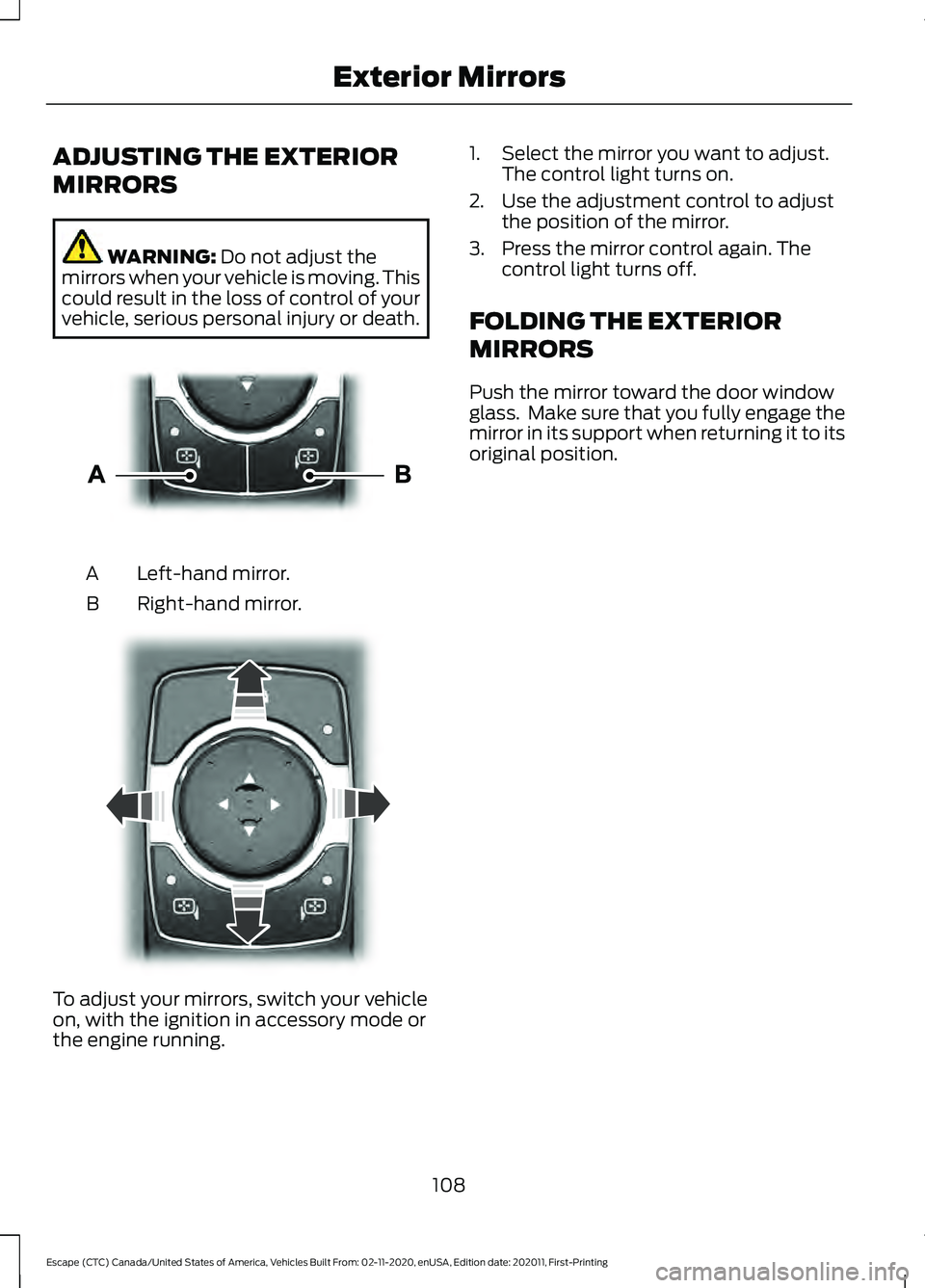
vehicle, serious personal injury or death. Left-hand mirror.
A
Right-hand mirror.
B To adjust your mirrors, switch your vehicle
on, with the ignition in accessory mode or
the engine running. 1. Select the mirror you want to adjust.
The control light turns on.
2. Use the adjustment control to adjust the position of the mirror.
3. Press the mirror control again. The control light turns off.
FOLDING THE EXTERIOR
MIRRORS
Push the mirror toward the door window
glass. Make sure that you fully engage the
mirror in its support when returning it to its
original position.
108
Escape (CTC) Canada/United States of America, Vehicles Built From: 02-11-2020, enUSA, Edition date: 202011, First-Printing Exterior MirrorsE303926 E303927
Page 125 of 589

Auto Hold
See Auto Hold (page 228).
Auto-Start-Stop See
Auto-Start-Stop (page
185).
Blind Spot Monitor See
Blind Spot Information
System (page 273).
Cruise Control See
Cruise Control (page 247).
EV Charge See
Hybrid Electric Vehicle
Information (page 180).
EV Later See
Hybrid Electric Vehicle
Information (page 180).
EV Now See
Hybrid Electric Vehicle
Information (page 180). Front Airbag See
Airbags (page 47).
Front Fog Lamps See
Switching the Front Fog
Lamps On and Off (page 99).
High Beam See
Using the High Beam
Headlamps (page 97).
Lamps On See
Exterior Lighting Control
(page 97).
Ready to Drive See
Hybrid Electric Vehicle
Information (page 180).
Stability Control See
Stability Control (page
231). See Traction Control
(page 229).
Turn Signal See Switching the Turn Signal
Lamps On and Off
(page 99).
122
Escape (CTC) Canada/United States of America, Vehicles Built From: 02-11-2020, enUSA, Edition date: 202011, First-Printing Instrument ClusterE322410 E197933 E322411 E197934 E151262 E71340 E281479 E281477 E281476 E67017 E224090 E138639 E130458