Page 165 of 792
PRIUS PRIME_OM_OM47C77U_(U)
1652-2. Charging
2
Plug-in hybrid system
●“ON/OFF”
Each time of the meter control switch is pressed, the
selected charge schedule switc hes between “On” and “Off”.
When set to “Off”, a charging schedule is ignored and charging accord-
ing to the timer is not carried out.
When is pressed, setting is complete.
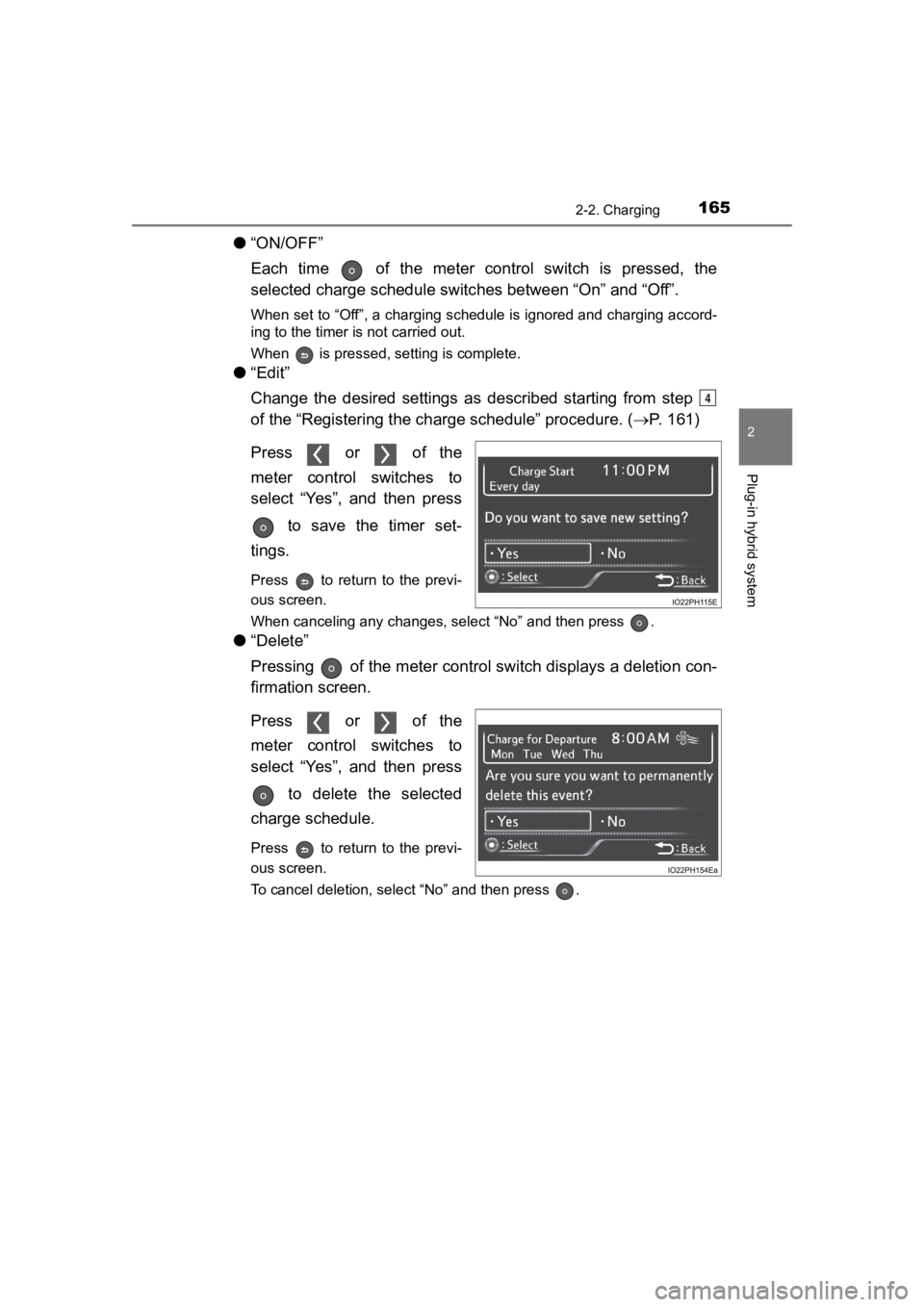
● “Edit”
Change the desired settings as described starting from step
of the “Registering the charge schedule” procedure. ( P. 161)
Press or of the
meter control switches to
select “Yes”, and then press to save the timer set-
tings.
Press to return to the previ-
ous screen.
When canceling any changes, select “No” and then press .
● “Delete”
Pressing of the meter control s witch displays a deletion con-
firmation screen.
Press or of the
meter control switches to
select “Yes”, and then press
to delete the selected
charge schedule.
Press to return to the previ-
ous screen.
To cancel deletion, select “No” and then press .
4
Page 166 of 792
166
PRIUS PRIME_OM_OM47C77U_(U)
2-2. Charging
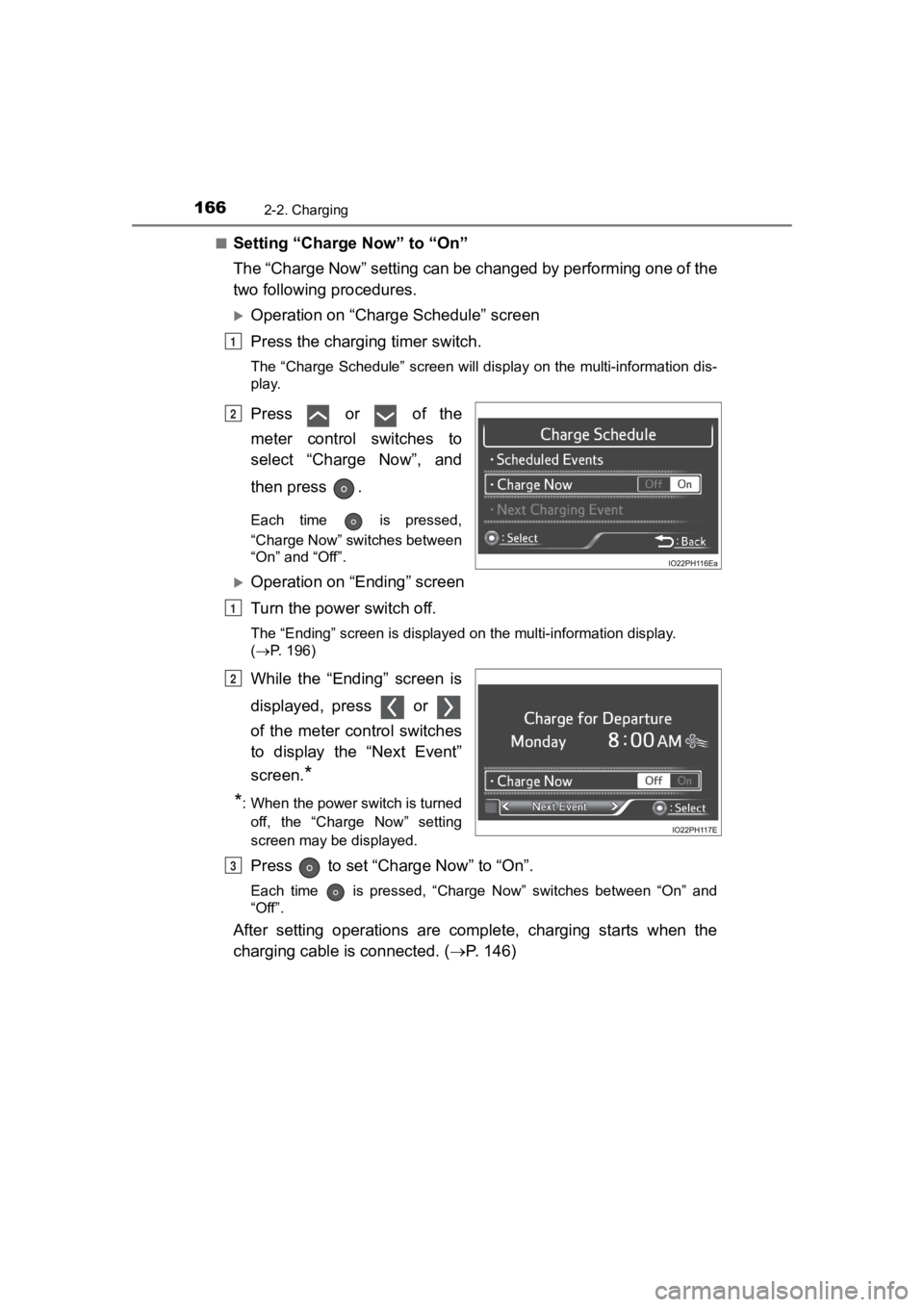
■Setting “Charge Now” to “On”
The “Charge Now” setting can be changed by performing one of the
two following procedures.
Operation on “Charge Schedule” screen
Press the charging timer switch.
The “Charge Schedule” screen will display on the multi-informat ion dis-
play.
Press or of the
meter control switches to
select “Charge Now”, and
then press .
Each time is pressed,
“Charge Now” switches between
“On” and “Off”.
Operation on “Ending” screen
Turn the power switch off.
The “Ending” screen is displayed on the multi-information displ ay.
( P. 196)
While the “Ending” screen is
displayed, press or
of the meter control switches
to display the “Next Event”
screen.
*
*
: When the power switch is turned off, the “Charge Now” setting
screen may be displayed.
Press to set “Char ge Now” to “On”.
Each time is pressed, “Charge Now” switches between “On” and
“Off”.
After setting operations are complete, charging starts when the
charging cable is connected. (P. 146)
1
2
1
2
3
Page 167 of 792
PRIUS PRIME_OM_OM47C77U_(U)
1672-2. Charging
2
Plug-in hybrid system
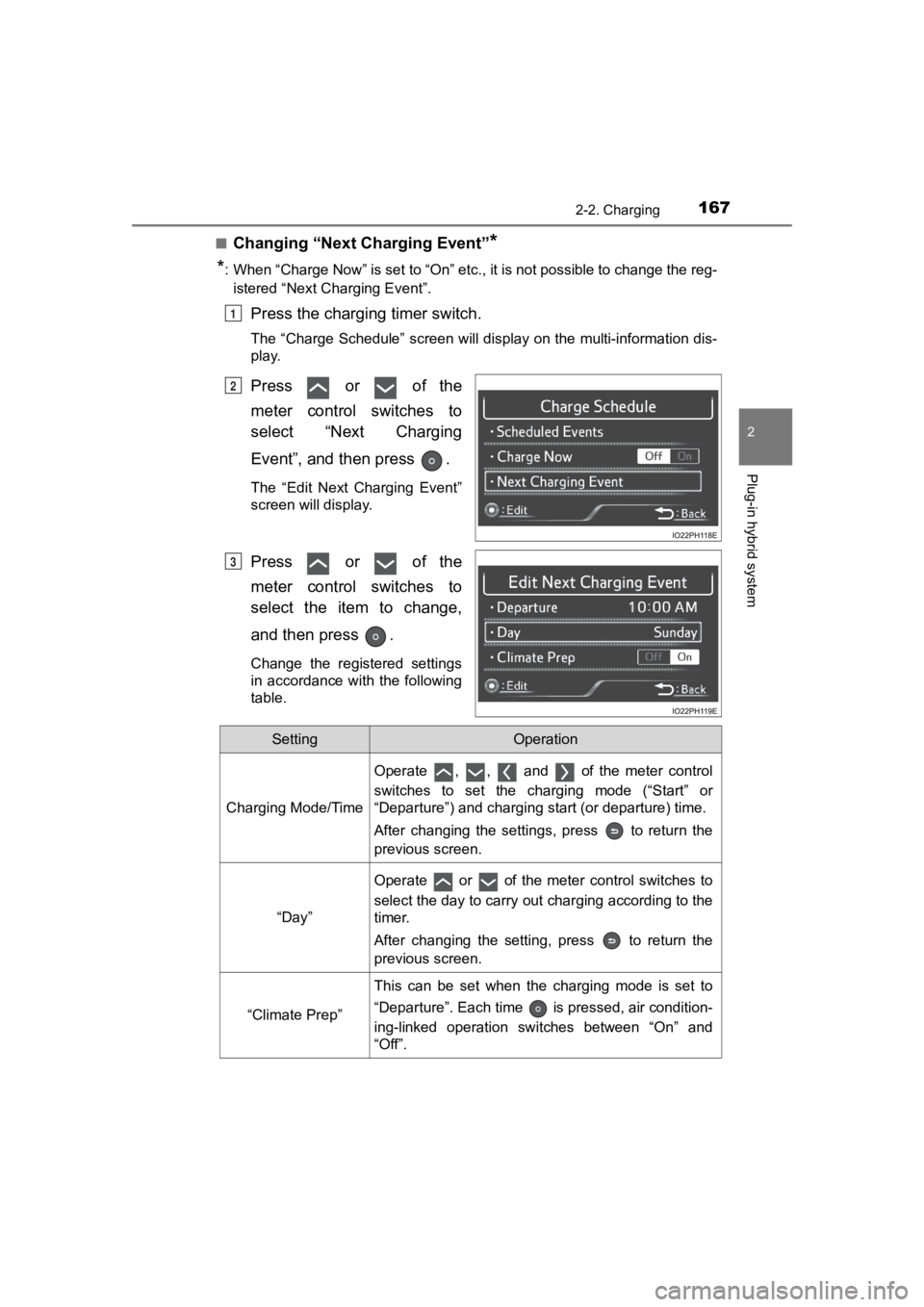
■Changing “Next Charging Event”*
*
: When “Charge Now” is set to “On” etc., it is not possible to c hange the reg-
istered “Next Charging Event”.
Press the charging timer switch.
The “Charge Schedule” screen will display on the multi-informat ion dis-
play.
Press or of the
meter control switches to
select “Next Charging
Event”, and then press .
The “Edit Next Charging Event”
screen will display.
Press or of the
meter control switches to
select the item to change,
and then press .
Change the registered settings
in accordance with the following
table.
1
2
3
SettingOperation
Charging Mode/Time
Operate , , and of the meter control
switches to set the charging mode (“Start” or
“Departure”) and charging start (or departure) time.
After changing the settings, press to return the
previous screen.
“Day”
Operate or of the meter control switches to
select the day to carry out charging according to the
timer.
After changing the setting, press to return the
previous screen.
“Climate Prep”
This can be set when the charging mode is set to
“Departure”. Each time is pressed, air condition-
ing-linked operation switches between “On” and
“Off”.
Page 168 of 792
168
PRIUS PRIME_OM_OM47C77U_(U)
2-2. Charging
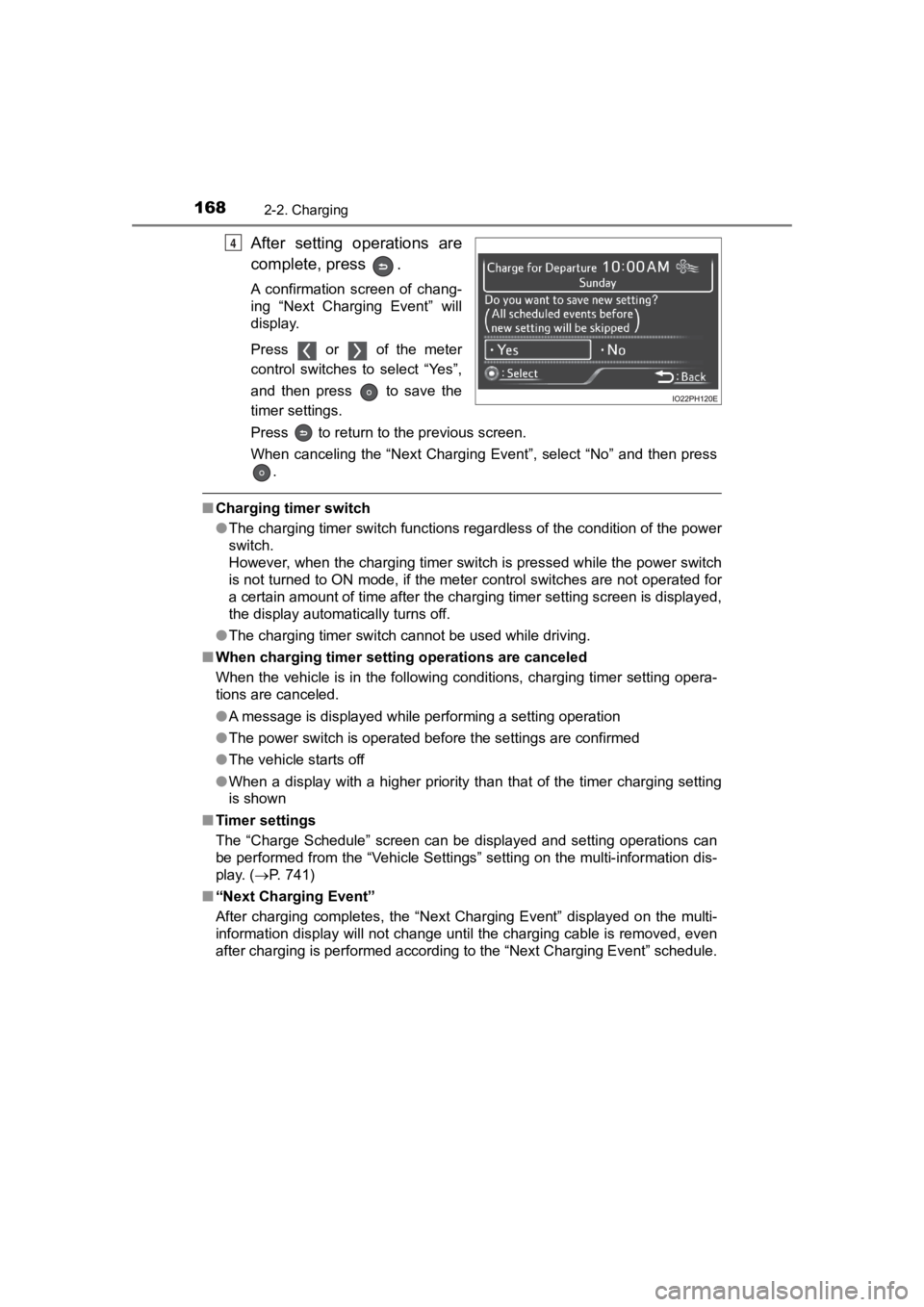
After setting operations are
complete, press .
A confirmation screen of chang-
ing “Next Charging Event” will
display.
Press or of the meter
control switches to select “Yes”,
and then press to save the
timer settings.
Press to return to the previous screen.
When canceling the “Next Charging Event”, select “No” and then press
.
■ Charging timer switch
●The charging timer switch functions regardless of the condition of the power
switch.
However, when the charging timer switch is pressed while the po wer switch
is not turned to ON mode, if the meter control switches are not operated for
a certain amount of time after the charging timer setting screen is displayed,
the display automatically turns off.
● The charging timer switch cannot be used while driving.
■ When charging timer setting operations are canceled
When the vehicle is in the following conditions, charging timer setting opera-
tions are canceled.
●A message is displayed while performing a setting operation
● The power switch is operated before the settings are confirmed
● The vehicle starts off
● When a display with a higher priority than that of the timer charging setting
is shown
■ Timer settings
The “Charge Schedule” screen can be displayed and setting opera tions can
be performed from the “Vehicle Settings” setting on the multi-i nformation dis-
play. ( P. 741)
■ “Next Charging Event”
After charging completes, the “Next Charging Event” displayed o n the multi-
information display will not change until the charging cable is removed, even
after charging is performed according to the “Next Charging Eve nt” schedule.
4
Page 169 of 792
PRIUS PRIME_OM_OM47C77U_(U)
1692-2. Charging
2
Plug-in hybrid system
■To return to original setting after changing “Next Charging Eve nt” set-
ting
Turning the setting of “Charge Now” on and then off can return the setting of
“Next Charging Event” to its original setting.
■ When “Next Charging Event” is changed while charging
●When the charging mode is “Departure”, the current charging is interrupted
or continued depending on the remaining time until the charging is com-
pleted.
● When the charging mode is “Start”, the current charging is interrupted, the
next charging will start at the set time.
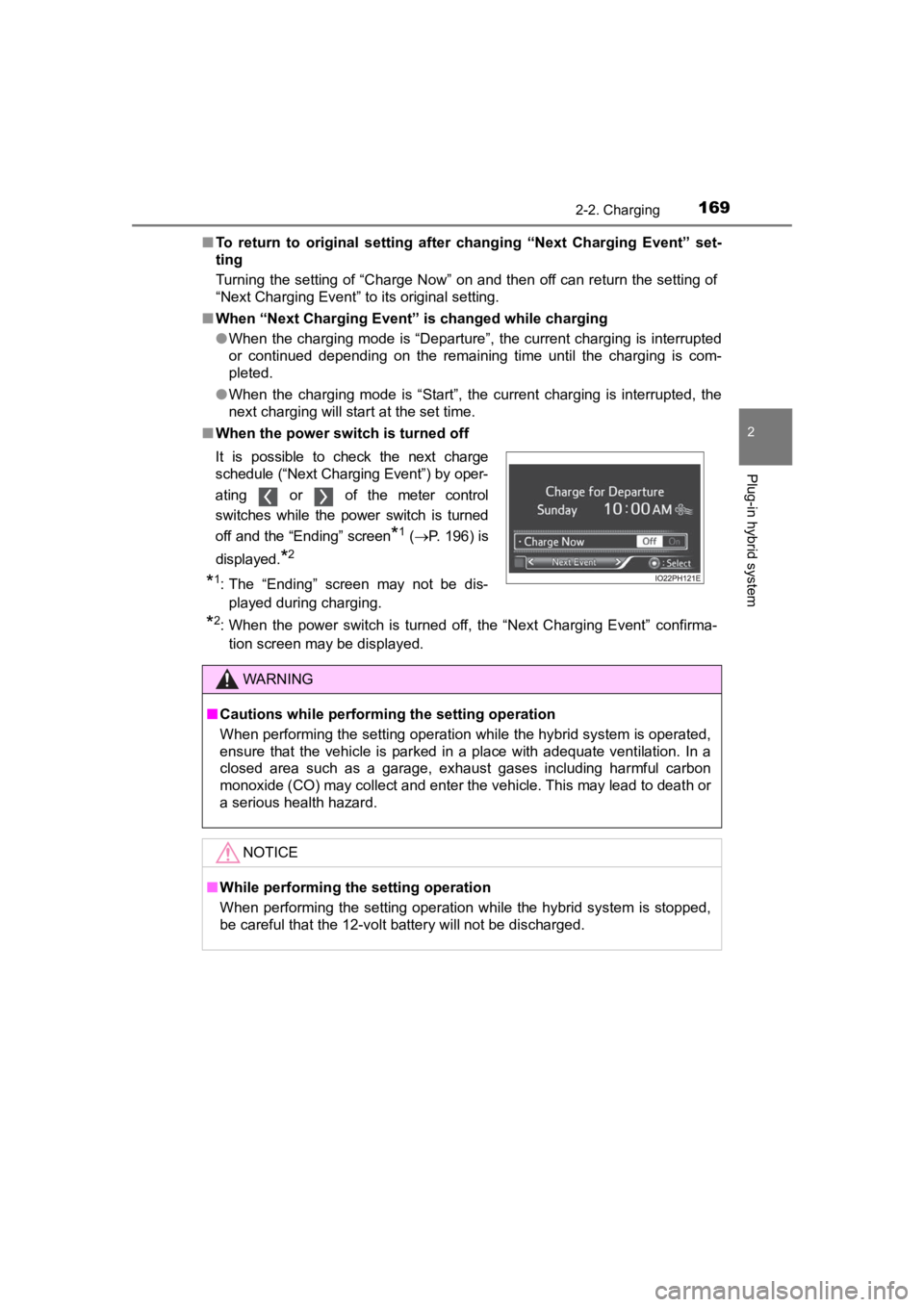
■ When the power switch is turned off
*2: When the power switch is turned off, the “Next Charging Event” confirma-
tion screen may be displayed.
It is possible to check the next charge
schedule (“Next Charging Event”) by oper-
ating or of the meter control
switches while the power switch is turned
off and the “Ending” screen
*1 (
P. 196) is
displayed.
*2
*1: The “Ending” screen may not be dis- played during charging.
WARNING
■ Cautions while performing the setting operation
When performing the setting operation while the hybrid system is operated,
ensure that the vehicle is parked in a place with adequate vent ilation. In a
closed area such as a garage, exhaust gases including harmful c arbon
monoxide (CO) may collect and enter the vehicle. This may lead to death or
a serious health hazard.
NOTICE
■ While performing the setting operation
When performing the setting operation while the hybrid system is stopped,
be careful that the 12-volt battery will not be discharged.
Page 172 of 792
172
PRIUS PRIME_OM_OM47C77U_(U)
2-2. Charging
“ON”/“OFF” button
The charge schedule switches between “ON” and “OFF” each time this
button is pressed. (P. 174)
Scroll bar
When the number of registered charge schedules exceeds 3, the d is-
played contents can be changed by operating the button.
Main content displayed on the calendar:
*1: A row with a red line indicates the current time.
*2: While a registered setting is being changed, the icon of the r elated setting
is highlighted (except when the icon overlaps with another icon ).
*3: When “Charge Now” (P. 175) is set to on, the orange icon moves to the
position of the red line and changes to display “Charge Now”.
*4: The content of the charge schedule that corresponds to the “Ne xt Charging
Event” is not displayed in the list.
■
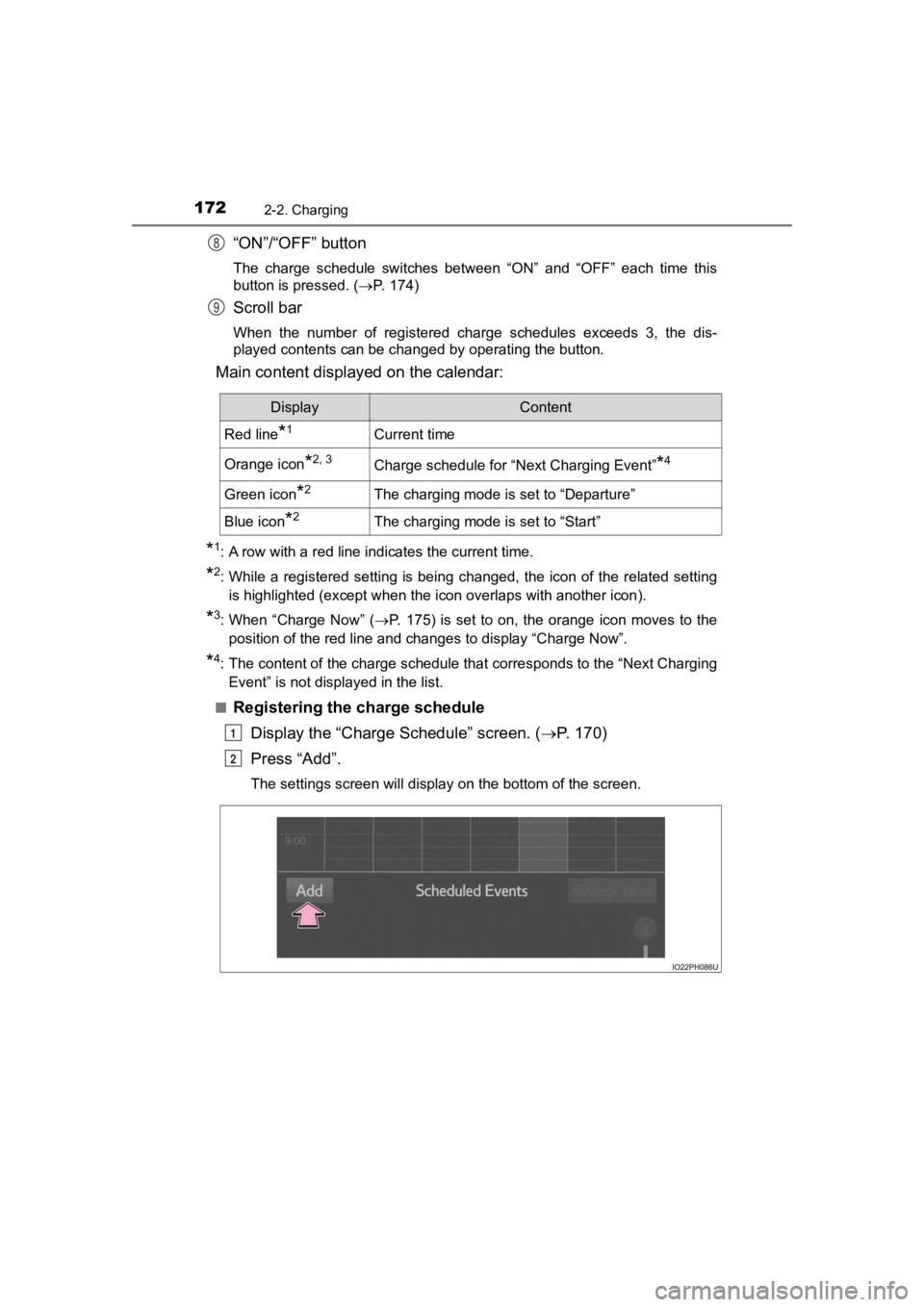
Registering the charge schedule Display the “Charge Schedule” screen. ( P. 1 7 0 )
Press “Add”.
The settings screen will display on the bottom of the screen.
8
9
DisplayContent
Red line*1Current time
Orange icon*2, 3Charge schedule for “Next Charging Event”*4
Green icon*2The charging mode is set to “Departure”
Blue icon*2The charging mode is set to “Start”
1
2
Page 174 of 792
174
PRIUS PRIME_OM_OM47C77U_(U)
2-2. Charging
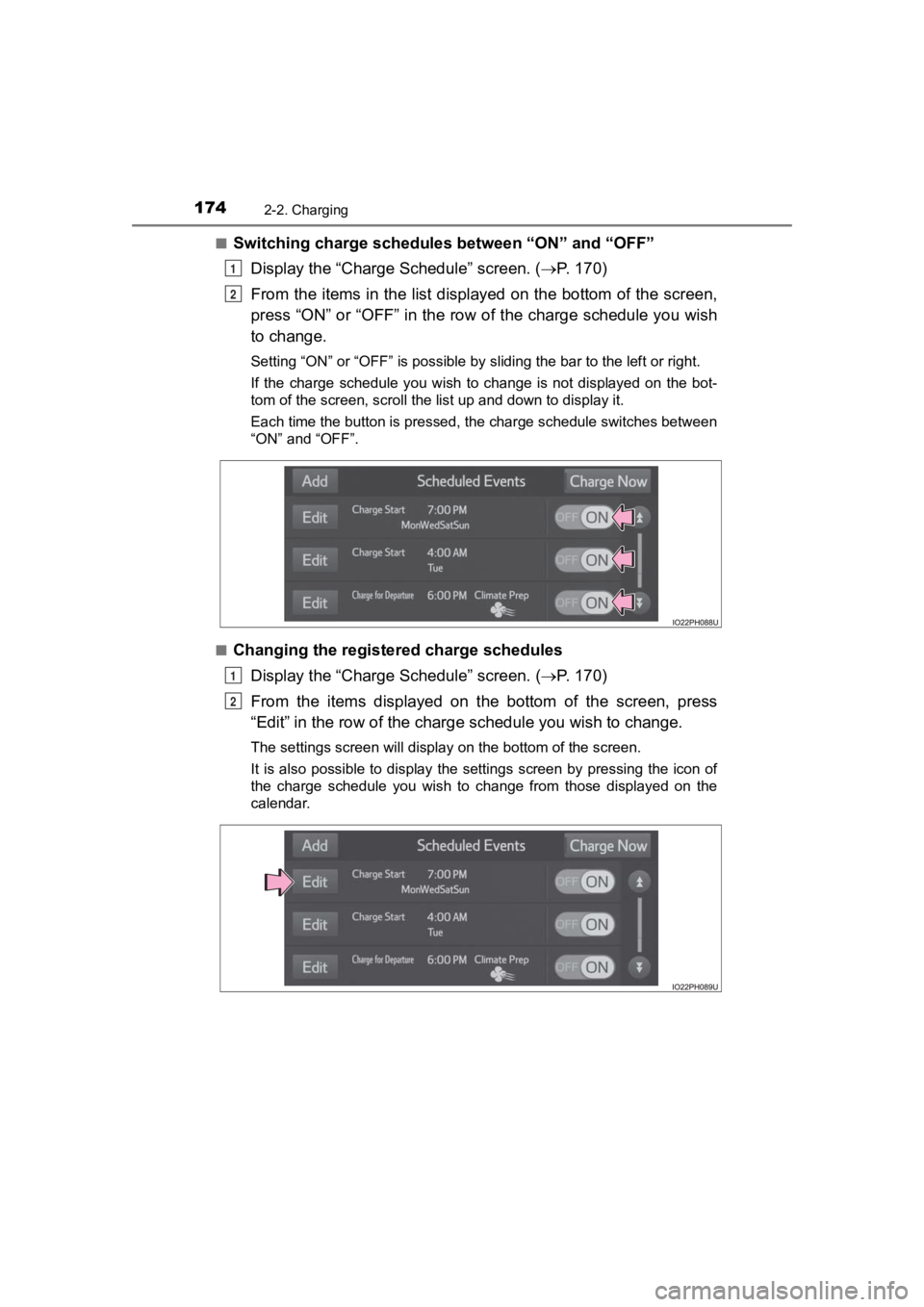
■Switching charge schedules between “ON” and “OFF”
Display the “Charge Schedule” screen. ( P. 1 7 0 )
From the items in the list displayed on the bottom of the scree n,
press “ON” or “OFF” in the row of the charge schedule you wish
to change.
Setting “ON” or “OFF” is possible by sliding the bar to the lef t or right.
If the charge schedule you wish to change is not displayed on the bot-
tom of the screen, scroll the list up and down to display it.
Each time the button is pressed, the charge schedule switches between
“ON” and “OFF”.
■
Changing the registered charge schedules Display the “Charge Schedule” screen. ( P. 1 7 0 )
From the items displayed on the bottom of the screen, press
“Edit” in the row of the char ge schedule you wish to change.
The settings screen will display on the bottom of the screen.
It is also possible to display the settings screen by pressing the icon of
the charge schedule you wish to change from those displayed on the
calendar.
1
2
1
2
Page 175 of 792
PRIUS PRIME_OM_OM47C77U_(U)
1752-2. Charging
2
Plug-in hybrid system
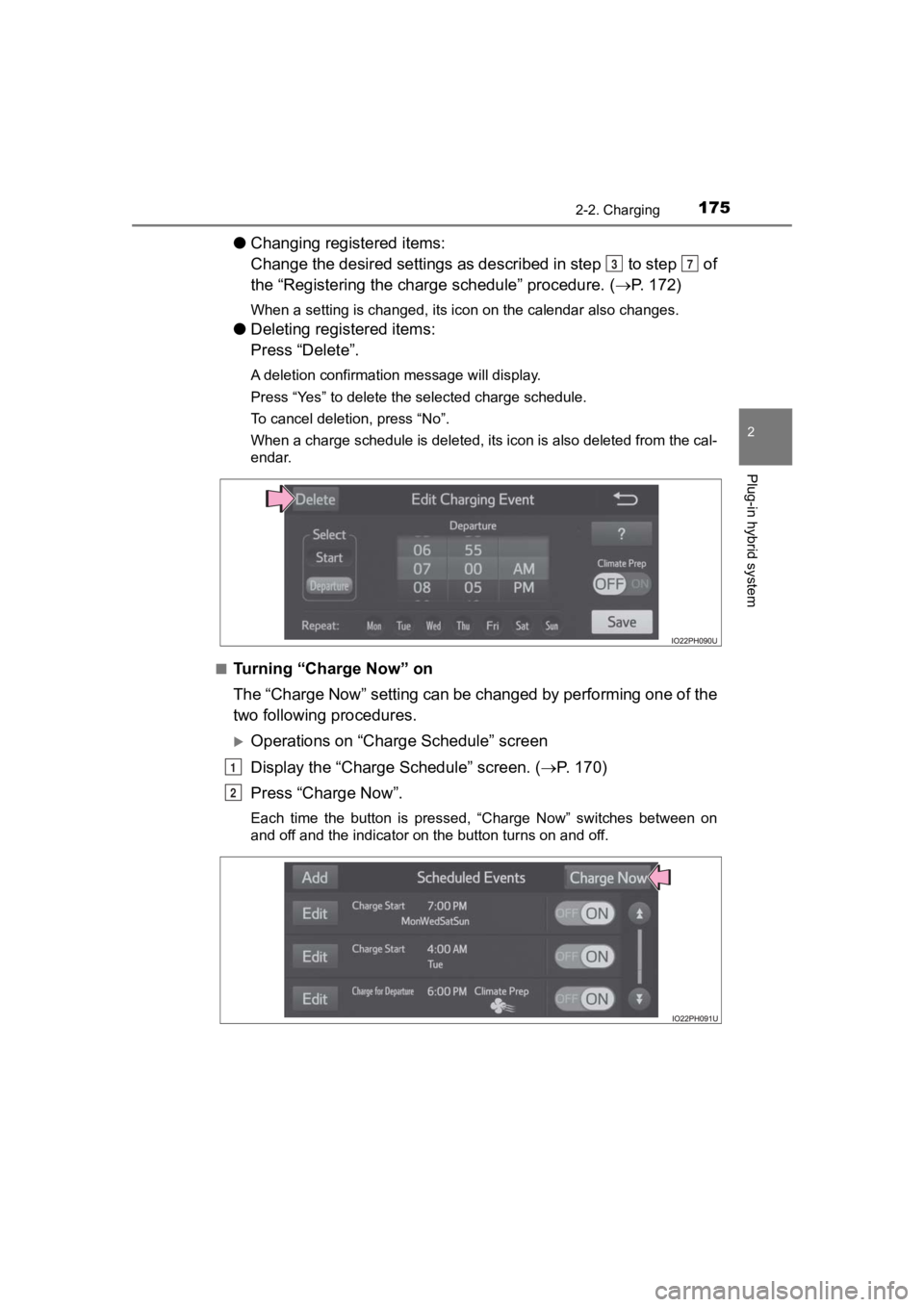
●Changing registered items:
Change the desired settings as described in step to step of
the “Registering the charge schedule” procedure. (P. 172)
When a setting is changed, its icon on the calendar also change s.
●Deleting registered items:
Press “Delete”.
A deletion confirmation message will display.
Press “Yes” to delete the selected charge schedule.
To cancel deletion, press “No”.
When a charge schedule is deleted, its icon is also deleted fro m the cal-
endar.
■
Turning “Charge Now” on
The “Charge Now” setting can be changed by performing one of th e
two following procedures.
Operations on “Charge Schedule” screen
Display the “Charge Schedule” screen. ( P. 1 7 0 )
Press “Charge Now”.
Each time the button is pressed, “Charge Now” switches between on
and off and the indicator on the button turns on and off.
37
1
2