2020 Ram ProMaster City warning
[x] Cancel search: warningPage 66 of 350
GETTING TO KNOW YOUR VEHICLE 63
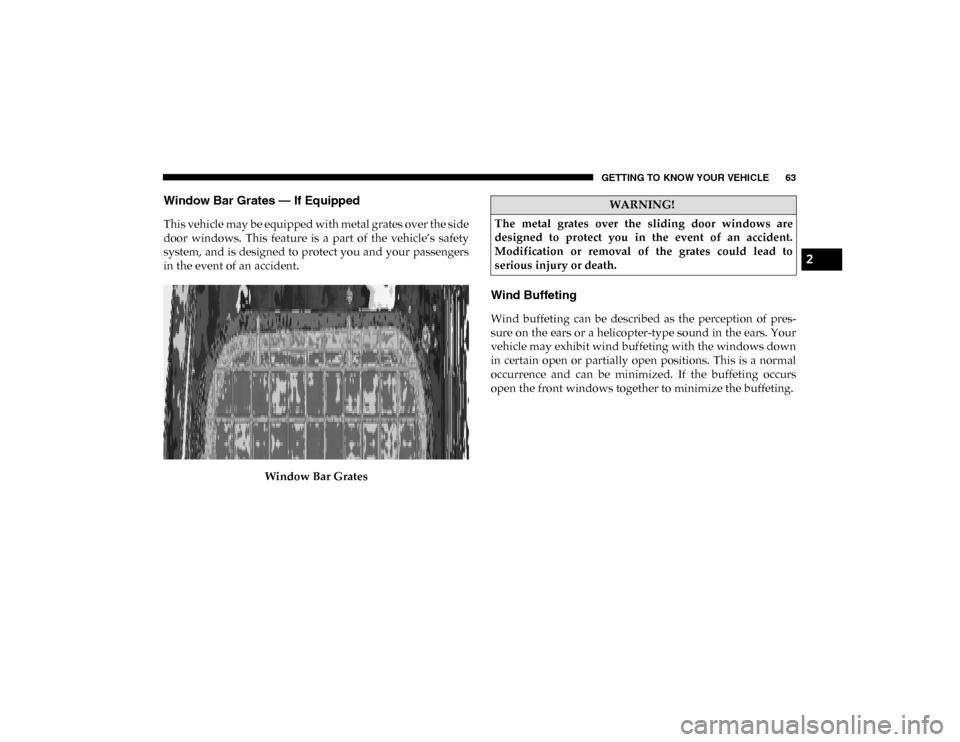
Window Bar Grates — If Equipped
This vehicle may be equipped with metal grates over the side
door windows. This feature is a part of the vehicle’s safety
system, and is designed to protect you and your passengers
in the event of an accident.Window Bar Grates
Wind Buffeting
Wind buffeting can be described as the perception of pres -
sure on the ears or a helicopter-type sound in the ears. Your
vehicle may exhibit wind buffeting with the windows down
in certain open or partially open positions. This is a normal
occurrence and can be minimized. If the buffeting occurs
open the front windows together to minimize the buffeting.
WARNING!
The metal grates over the sliding door windows are
designed to protect you in the event of an accident.
Modification or removal of the grates could lead to
serious injury or death.
2
2020_RAM_PROMASTER_CITY_OM_USA=GUID-7B6A7FCA-79B0-423F-95C5-ED2A949C3D13=1=en=.book Page 63
Page 68 of 350

GETTING TO KNOW YOUR VEHICLE 65
3. Raise the hood and place the hood prop rod in hood slotto secure the hood in the open position.
Hood Prop RodClosing
CAUTION!
Be sure to disengage the rod and secure it in close
position before closing the hood. Damage may occur.
WARNING!
Be sure the hood is fully latched before driving your
vehicle. If the hood is not fully latched, it could open
when the vehicle is in motion and block your vision.
Failure to follow this warning could result in serious
injury or death.
CAUTION!
To prevent possible damage, do not slam the hood to
close it. Lower hood to approximately 12 inches (30 cm)
and drop the hood to close. Make sure hood is fully
closed for both latches. Never drive vehicle unless hood
is fully closed, with both latches engaged.
2
2020_RAM_PROMASTER_CITY_OM_USA=GUID-7B6A7FCA-79B0-423F-95C5-ED2A949C3D13=1=en=.book Page 65
Page 70 of 350

GETTING TO KNOW YOUR VEHICLE 67
(Continued)
WARNING!
• To help protect against personal injury, passengers should not be seated in the rear cargo area. The rear
cargo space is intended for load carrying purposes only,
not for passengers, who should sit in seats and use seat
belts.
• Cargo tie-down hooks are not safe anchors for a child seat tether strap. In a sudden stop or accident, a hook
could pull loose and allow the child seat to come loose.
A child could be badly injured. Use only the anchors
provided for child seat tethers.
The weight and position of cargo and passengers can
change the vehicle center of gravity and vehicle
handling. To avoid loss of control resulting in personal
injury, follow these guidelines for loading your vehicle:
• Do not carry loads which exceed the load limits described on the label attached to the left door or left
door center pillar.
• Always place cargo evenly on the cargo floor. Put heavier objects as low and as far forward as possible.
• Place as much cargo as possible in front of the rear axle.Too much weight or improperly placed weight over or
behind the rear axle can cause the rear of the vehicle to
sway.
• Do not pile luggage or cargo higher than the top of the seatback. This could impair visibility or become a
dangerous projectile in a sudden stop or accident.
WARNING! (Continued)
2
2020_RAM_PROMASTER_CITY_OM_USA=GUID-7B6A7FCA-79B0-423F-95C5-ED2A949C3D13=1=en=.book Page 67
Page 75 of 350

72 GETTING TO KNOW YOUR VEHICLE
(Continued)
ROOF RACK — IF EQUIPPED
The crossbars and siderails are designed to carry the weight
on vehicles equipped with a luggage rack. The load must not
exceed 150 lbs (68 kg), and should be uniformly distributed
over the luggage rack crossbars.
NOTE:
If not equipped with crossbars, an authorized dealer can
order and install Mopar crossbars built specifically for this
roof rack system.
WARNING!
To avoid serious injury or death:
• Only devices designed for use in this type of outlet should be inserted into any 12 Volt outlet.
• Do not touch with wet hands.
• Close the lid when not in use and while driving the vehicle.
• If this outlet is mishandled, it may cause an electric shock and failure.
CAUTION!
• Many accessories that can be plugged in draw power from the vehicle's battery, even when not in use (i.e.,
cellular phones, etc.). Eventually, if plugged in long
enough, the vehicle's battery will discharge sufficiently
to degrade battery life and/or prevent the engine from
starting.
• Accessories that draw higher power (i.e., coolers,vacuum cleaners, lights, etc.) will degrade the battery
even more quickly. Only use these intermittently and
with greater caution.
• After the use of high power draw accessories, or long periods of the vehicle not being started (with accesso -
ries still plugged in), the vehicle must be driven a suffi -
cient length of time to allow the generator to recharge
the vehicle's battery. CAUTION!
(Continued)
2020_RAM_PROMASTER_CITY_OM_USA=GUID-7B6A7FCA-79B0-423F-95C5-ED2A949C3D13=1=en=.book Page 72
Page 76 of 350
GETTING TO KNOW YOUR VEHICLE 73
(Continued)
Distribute cargo weight evenly on the roof rack crossbars.
The roof rack does not increase the total load carrying
capacity of the vehicle. Be sure the total load of cargo inside
the vehicle plus that on the external rack does not exceed the
maximum vehicle load capacity.
To move the crossbars, loosen the attachments, located at the
upper edge of each crossbar, approximately eight turns
using the anti-theft wrench provided with the Mopar cross-
bars. Then, move the crossbar to the desired position,
keeping the crossbars parallel to the rack frame. Once the
crossbar is in the desired position, re-tighten the with the
wrench to lock the crossbar into position.
NOTE:
• To help control wind noise when the crossbars are not in use, place the front and rear crossbars approximately
24 inches (61 cm) apart. Optimal noise reduction can then
be achieved by adjusting the front crossbar forward or aft
using increments of 1 inch (2.5 cm). • If (or any metallic object) is placed over the satellite radio
antenna (if equipped), you may experience interruption of
satellite radio reception. For improved satellite radio
reception, avoid placing the rear crossbar over the satellite
radio antenna.
WARNING!
Cargo must be securely tied down before driving your
vehicle. Improperly secured loads can fly off the vehicle,
particularly at high speeds, resulting in personal injury
or property damage. Follow the roof rack cautions when
carrying cargo on your roof rack.
CAUTION!
• To prevent damage to the roof of your vehicle, DO NOT carry any loads on the roof rack without the crossbars
deployed. The load should be secured and placed on
top of the crossbars, not directly on the roof. If it is
necessary to place the load on the roof, place a blanket
or other protective layer between the load and the roof
surface.
2
2020_RAM_PROMASTER_CITY_OM_USA=GUID-7B6A7FCA-79B0-423F-95C5-ED2A949C3D13=1=en=.book Page 73
Page 79 of 350

76 GETTING TO KNOW YOUR INSTRUMENT PANEL
Instrument Cluster Descriptions
1. Speedometer• Indicates vehicle speed.
2. Fuel Gauge
• The pointer shows the level of fuel in the fuel tankwhen the ignition switch is in the ON/RUN position.
• The fuel pump arrow symbol points to the side of the vehicle where the fuel door is located.
3. Temperature Gauge
• The temperature gauge shows engine coolant tempera-ture. Any reading within the normal range indicates that
the engine cooling system is operating satisfactorily.
• The pointer will likely indicate a higher temperature when driving in hot weather or up mountain grades. It
should not be allowed to exceed the upper limits of the
normal operating range.
WARNING!
A hot engine cooling system is dangerous. You or others
could be badly burned by steam or boiling coolant. You
may want to call an authorized dealer for service if your
vehicle overheats. If you decide to look under the hood
yourself, refer to “Cooling System Pressure Cap” in
“Servicing And Maintenance” and follow the warnings
under the Cooling System Pressure Cap paragraph.
CAUTION!
Driving with a hot engine cooling system could damage
your vehicle. If the temperature gauge reads “H,” pull
over and stop the vehicle. Idle the vehicle with the air
conditioner turned off until the pointer drops back into
the normal range. If the pointer remains on the “H,” turn
the engine off immediately and call an authorized dealer
for service.
2020_RAM_PROMASTER_CITY_OM_USA=GUID-7B6A7FCA-79B0-423F-95C5-ED2A949C3D13=1=en=.book Page 76
Page 80 of 350

GETTING TO KNOW YOUR INSTRUMENT PANEL 77
4. Tachometer• Indicates the engine speed in revolutions per minute(RPM x 1000).
5. Instrument Cluster Display
• When the appropriate conditions exist, this displayshows the instrument cluster display messages. Refer
to “Instrument Cluster Display” in this chapter for
further information.
INSTRUMENT CLUSTER DISPLAY
Your vehicle will be equipped with an instrument cluster
display, which offers useful information to the driver. With
the ignition in the OFF mode, opening/closing of a door will
activate the display for viewing, and display the total miles,
or kilometers, in the odometer. Your instrument cluster
display is designed to display important information about
your vehicle’s systems and features. Using a driver interac -
tive display located on the instrument panel, your instru-
ment cluster display can show you how systems are working and give you warnings when they are not. The instrument
cluster display controls allow you to scroll through the main
menus and submenus. You can access the specific informa
-
tion you want and make selections and adjustments.
Location And Controls
The instrument cluster display features a driver interactive
display that is located in the instrument cluster.
Instrument Cluster Display Location3
2020_RAM_PROMASTER_CITY_OM_USA=GUID-7B6A7FCA-79B0-423F-95C5-ED2A949C3D13=1=en=.book Page 77
Page 84 of 350

GETTING TO KNOW YOUR INSTRUMENT PANEL 81
Push the MENU button briefly to return to the menu screen
or hold the MENU button down to return to the standard
screen without storing.
To cancel the setting:
1. Briefly push the MENU button, “ON” will flash in the
display.
2. Push the down arrow button, “OFF” will flash in the
display.
3. Push the MENU button briefly to return to the menu
screen or hold the MENU button down to return to the
standard screen without storing.
Trip B Data
This function can be used to activate (On) or deactivate (Off)
the Trip B display (Partial Trip).
Refer to “Trip Computer” in this section for further informa -
tion. To switch the function On/Off:
1. Push the
MENU button briefly. The display will flash On
or Off according to the previous setting.
2. Push and release the up or down arrow button to select.
Push the MENU button briefly to return to the menu screen
or hold the MENU button down to return to the standard
screen without storing.
Buzzer Volume
With this function, the volume of the acoustic signal which
accompanies the display of failure/warning can be adjusted
according to seven levels.
To set the desired volume:
1. Push the MENU button, the previously set volume level
will flash on the display.
2. Push and release the up or down arrow button to adjust.
3. Push the MENU button to return to the menu screen or
hold the MENU button down to return to the standard
screen without storing.
3
2020_RAM_PROMASTER_CITY_OM_USA=GUID-7B6A7FCA-79B0-423F-95C5-ED2A949C3D13=1=en=.book Page 81