2020 HYUNDAI VELOSTER light
[x] Cancel search: lightPage 265 of 480

5-47
Driving your vehicle
5
ESC OFF usage
When Driving
The ESC OFF mode should only be
used briefly to help free the vehicle if
stuck in snow or mud by temporarily
stopping operation of the ESC to
maintain wheel torque.
To turn ESC off while driving, press
the ESC OFF button while driving on
a flat road surface.To prevent damage to the trans-
mission:
Do not allow wheel(s) of one
axle to spin excessively while
the ESC, ABS, and parking brake
warning lights are displayed.
The repairs would not be cov-
ered by the vehicle warranty.
Reduce engine power and do
not spin the wheel(s) excessive-
ly while these lights are dis-
played.
When operating the vehicle on a
dynamometer, make sure the
ESC is turned off (ESC OFF light
illuminated).
Information
Turning the ESC off does not affect ABS
or standard brake system operation.
Vehicle Stability Management
(VSM)
The Vehicle Stability Management
(VSM) is a function of the Electronic
Stability Control (ESC) system. It
helps ensure the vehicle stays stable
when accelerating or braking sud-
denly on wet, slippery and rough
roads where traction over the four
tires can suddenly become uneven.
i
NOTICE
Take the following precautions
when using the Vehicle Stability
Management (VSM):
ALWAYS check the speed and
the distance to the vehicle
ahead. The VSM is not a sub-
stitute for safe driving prac-
tices.
Never drive too fast for the
road conditions. The VSM sys-
tem will not prevent acci-
dents. Excessive speed in bad
weather, slippery and uneven
roads can result in severe
accidents.
WARNING
Page 266 of 480
5-48
Driving your vehicle
VSM operation
VSM ON condition
The VSM operates when:
The Electronic Stability Control
(ESC) is on.
Vehicle speed is approximately
above 15 km/h (9 mph) on curve
roads.
Vehicle speed is approximately
above 20 km/h (12 mph) when the
vehicle is braking on rough roads.
When operating
When you apply your brakes under
conditions which may activate the
ESC, you may hear sounds from the
brakes, or feel a corresponding sen-
sation in the brake pedal. This is nor-
mal and it means your VSM is active.The VSM does not operate when:
Driving on a banked road such
as gradient or incline.
Driving rearward.
ESC OFF indicator light is on.
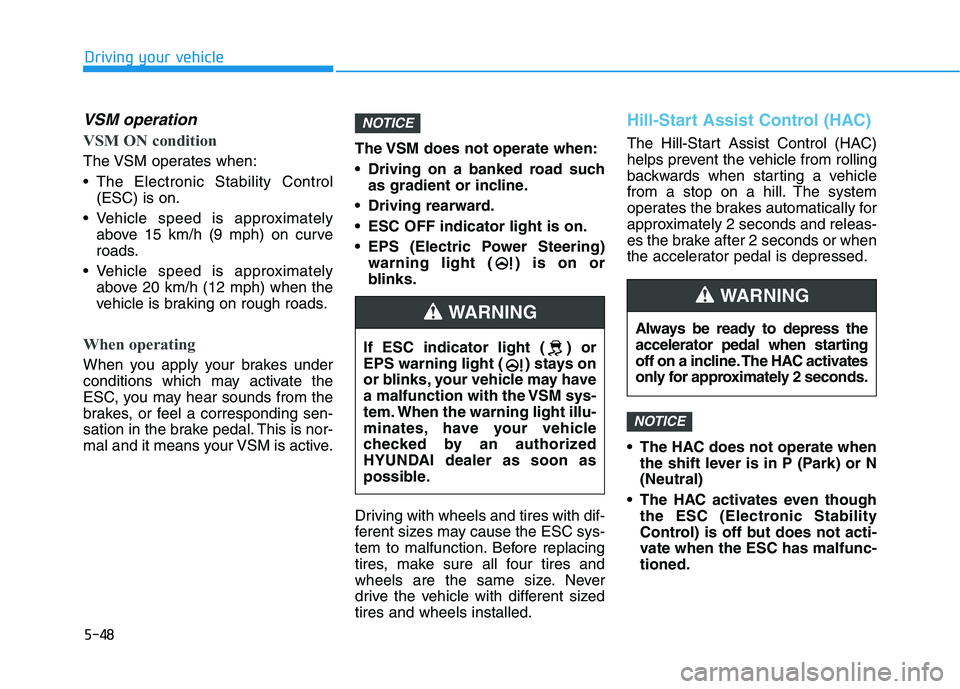
EPS (Electric Power Steering)
warning light ( ) is on or
blinks.
Driving with wheels and tires with dif-
ferent sizes may cause the ESC sys-
tem to malfunction. Before replacing
tires, make sure all four tires and
wheels are the same size. Never
drive the vehicle with different sized
tires and wheels installed.
Hill-Start Assist Control (HAC)
The Hill-Start Assist Control (HAC)
helps prevent the vehicle from rolling
backwards when starting a vehicle
from a stop on a hill. The system
operates the brakes automatically for
approximately 2 seconds and releas-
es the brake after 2 seconds or when
the accelerator pedal is depressed.
The HAC does not operate when
the shift lever is in P (Park) or N
(Neutral)
The HAC activates even though
the ESC (Electronic Stability
Control) is off but does not acti-
vate when the ESC has malfunc-
tioned.
NOTICE
NOTICE
If ESC indicator light ( ) or
EPS warning light ( ) stays on
or blinks, your vehicle may have
a malfunction with the VSM sys-
tem. When the warning light illu-
minates, have your vehicle
checked by an authorized
HYUNDAI dealer as soon as
possible.
WARNING Always be ready to depress the
accelerator pedal when starting
off on a incline. The HAC activates
only for approximately 2 seconds.
WARNING
Page 267 of 480
5-49
Driving your vehicle
5
Good Braking Practices Wet brakes can be dangerous! The
brakes may get wet if the vehicle is
driven through standing water or if it
is washed. Your vehicle will not stop
as quickly if the brakes are wet. Wet
brakes may cause the vehicle to pull
to one side.
To dry the brakes, apply the brakes
lightly until the braking action returns
to normal, taking care to keep the
vehicle under control at all times. If
the braking action does not return to
normal, stop as soon as it is safe to
do so and call an authorized
HYUNDAI dealer for assistance.
DO NOT drive with your foot resting
on the brake pedal. Even light, but
constant pedal pressure can result in
the brakes overheating, brake wear,
and possibly even brake failure.
If a tire goes flat while you are driv-
ing, apply the brakes gently and
keep the vehicle pointed straight
ahead while you slow down. When
you are moving slowly enough for it
to be safe to do so, pull off the road
and stop in a safe location.Keep your foot firmly on the brake
pedal when the vehicle is stopped to
prevent the vehicle from rolling for-
ward.
If your vehicle is equipped with
the automatic transmission/dual
clutch transmission, do not let
your vehicle creep forward. To
avoid creeping forward, keep
your foot firmly on the brake
pedal when the vehicle is
stopped.
Be cautious when parking on a
hill. Firmly engage the parking
brake and place the shift lever in
P (automatic transmission/dual
clutch transmission) or in first
or reverse gear (manual trans-
mission). If your vehicle is fac-
ing downhill, steer the front
wheels to the curb to help pre-
vent the vehicle from rolling. If
your vehicle is facing uphill, turn
the front wheels away from the
curb to help prevent the vehicle
from rolling. If there is no curb
or if the vehicle has to be kept
from rolling due to conditions
block the wheels.
NOTICEWhenever leaving the vehicle or
parking, always come to a com-
plete stop and continue to
depress the brake pedal. Move
the shift lever into 1
stgear (for
manual transmission vehicle) or
P (Park, for automatic transmis-
sion/dual clutch transmission
vehicle) position, then apply the
parking brake, and place the
ignition switch in the LOCK/OFF
position.
Vehicles parked with the park-
ing brake not applied or not
fully engaged may roll inadver-
tently and may cause injury to
the driver and others. ALWAYS
apply the parking brake before
exiting the vehicle.
WARNING
Page 270 of 480
5-52
ECO mode
When the Drive Mode is
set to ECO mode, the
engine and transmission
control logic are changed
to maximize fuel efficiency.
When the ECO mode is selected
by pressing the DRIVE MODE but-
ton, the ECO indicator will illumi-
nate.
If the vehicle is set to ECO mode,
when the engine is turned OFF
and restarted, the Drive Mode set-
ting will remain in ECO mode.
Information
Fuel efficiency depends on the driver's
driving habit and road condition.When ECO mode is activated:
The acceleration response may be
slightly reduced as the accelerator
pedal is depressed moderately.
The air conditioner performance
may be limited.
The shift pattern of the automatic
transmission may change.
The engine noise may get louder.
The above situations are normal
conditions when ECO mode is acti-
vated, to improve fuel efficiency.Limitation of ECO mode opera-
tion:
If the following conditions occur while
ECO mode is operating, the system
operation is limited even though
there is no change in ECO indicator.
When the coolant temperature is
low:
The system will be limited until
engine performance becomes nor-
mal.
When driving up a hill:
The system will be limited to gain
power when driving uphill because
engine torque is restricted.
When driving the vehicle with the
automatic transmission or the dual
clutch transmission gear shift lever
in manual shift mode:
The system will be limited due to
the shift location.
When the accelerator pedal is
deeply depressed for a few seconds:
The system will be limited, judging
that the driver wants to speed up.
i
Driving your vehicle
Page 275 of 480
5-57
Driving your vehicle
5
BCW (Blind-Spot Collision
Warning)
Operating conditions
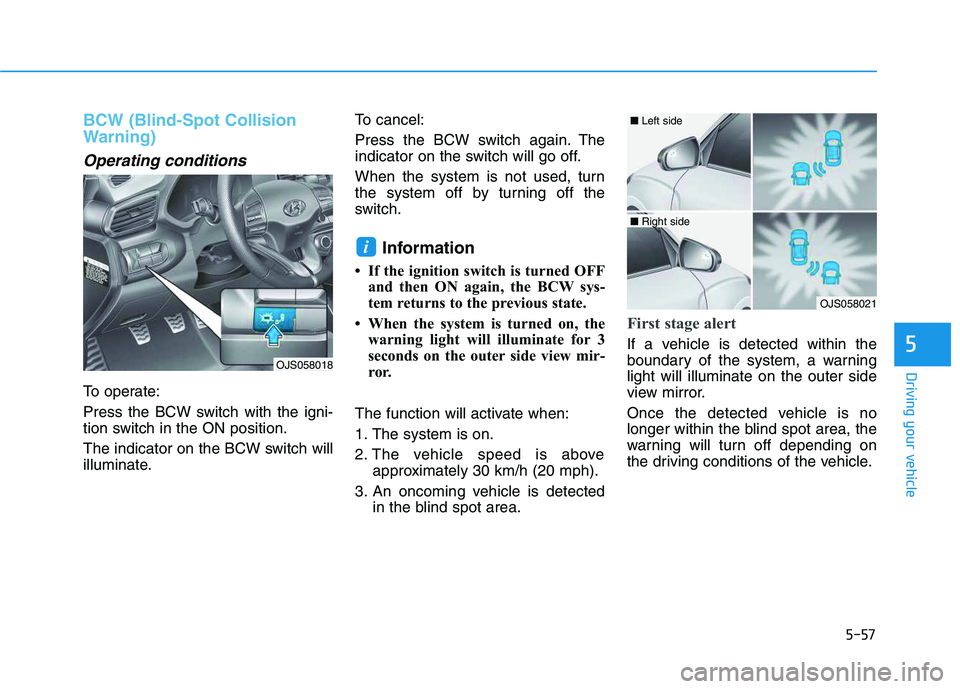
To operate:
Press the BCW switch with the igni-
tion switch in the ON position.
The indicator on the BCW switch will
illuminate.To cancel:
Press the BCW switch again. The
indicator on the switch will go off.
When the system is not used, turn
the system off by turning off the
switch.
Information
• If the ignition switch is turned OFF
and then ON again, the BCW sys-
tem returns to the previous state.
• When the system is turned on, the
warning light will illuminate for 3
seconds on the outer side view mir-
ror.
The function will activate when:
1. The system is on.
2. The vehicle speed is above
approximately 30 km/h (20 mph).
3. An oncoming vehicle is detected
in the blind spot area.
First stage alert
If a vehicle is detected within the
boundary of the system, a warning
light will illuminate on the outer side
view mirror.
Once the detected vehicle is no
longer within the blind spot area, the
warning will turn off depending on
the driving conditions of the vehicle.
i
OJS058021
■ Left side
■ Right side
OJS058018
Page 276 of 480
5-58
Driving your vehicle
The second stage alarm may be
deactivated.
- To deactivate the warning chime:
Go to the ''User Settings →Driver
Assistance and deselect Blind-
Spot Collision Warning sound'' on
the LCD display.
- To activate the warning chime:
Go to the ''User Settings →Driver
Assistance and select Blind-Spot
Collision Warning sound'' on the
LCD display.
Information
The warning chime function helps
alert the driver. Deactivate this func-
tion only when it is necessary.
i
OJS058022
■ Left side
OJS058023
■ Right side
[A] : Warning sound
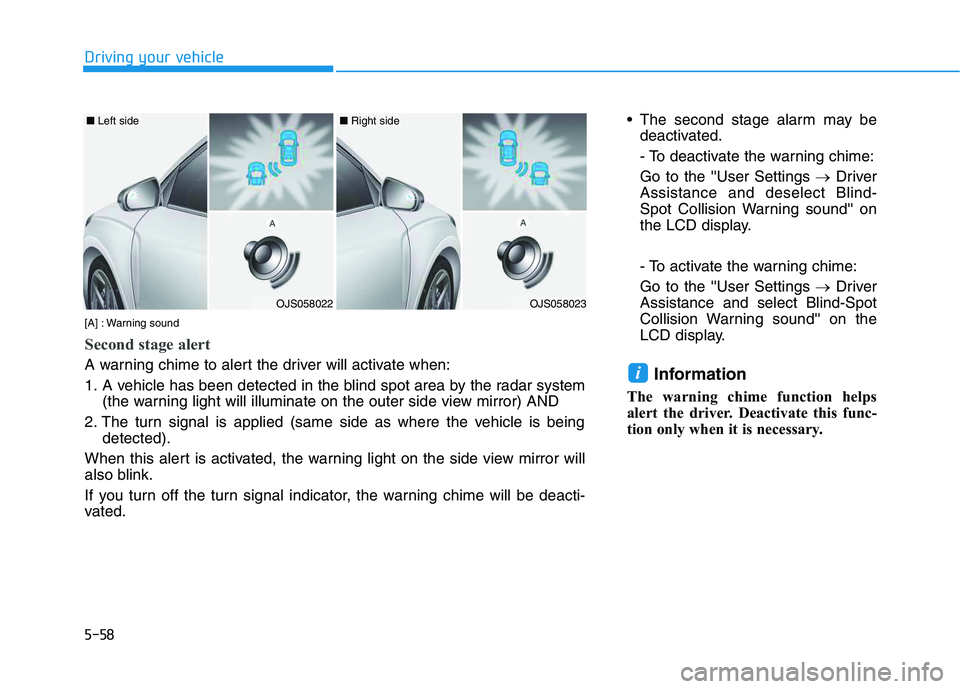
Second stage alert
A warning chime to alert the driver will activate when:
1. A vehicle has been detected in the blind spot area by the radar system
(the warning light will illuminate on the outer side view mirror) AND
2. The turn signal is applied (same side as where the vehicle is being
detected).
When this alert is activated, the warning light on the side view mirror will
also blink.
If you turn off the turn signal indicator, the warning chime will be deacti-
vated.
Page 277 of 480
5-59
Driving your vehicle
5
RCCW (Rear Cross-Traffic
Collision Warning)
The Rear Cross-Traffic Collision
Warning function monitors approach-
ing cross traffic from the left and right
side of the vehicle when your vehicle
is in reverse.
Operating conditions
To operate:
Go to the 'User Settings →Driver
Assistance and select Rear Cross-
Traffic Collision Warning' on the LCD
display.(For more details, refer to
"LCD Display" in chapter 3.)
The system will turn on and standby
to activate. The system will activate
when vehicle speed is below 10 km/h
(6 mph) and with the shift lever in R
(Reverse).
Information
The Rear Cross-Traffic Collision
Warning (RCCW) detecting range is
approximately 0.5 – 20 m (1 - 65 ft).
An approaching vehicle will be detect-
ed if their vehicle speed is within 4 - 36
km/h (2.5 - 22.5 mph).
Note that the detecting range may
vary under certain conditions. As
always, use caution and pay close
attention to your surroundings when
backing up your vehicle.
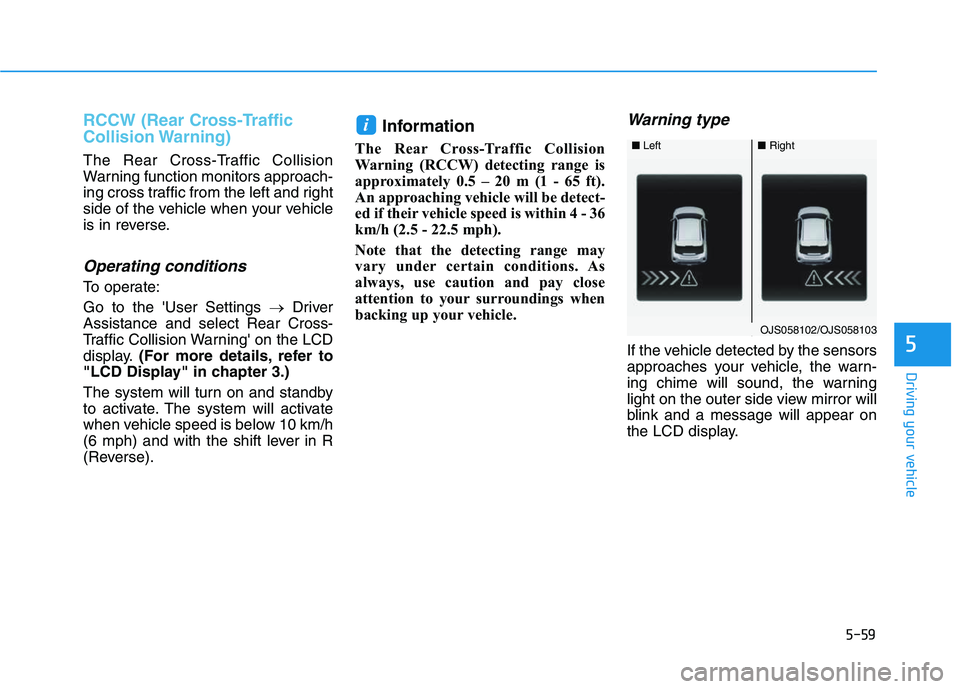
Warning type
If the vehicle detected by the sensors
approaches your vehicle, the warn-
ing chime will sound, the warning
light on the outer side view mirror will
blink and a message will appear on
the LCD display.
i
■ Left■Right
OJS058102/OJS058103
Page 278 of 480
5-60
Driving your vehicle
Information
• The warning chime will turn off
when:
- The detected vehicle moves out of
the sensing area or
- when the vehicle is right behind
your vehicle or
- when the vehicle is not approach-
ing your vehicle or
- when the other vehicle slows down.
• The system may not operate proper-
ly due to other factors or circum-
stances. Always pay attention to
your surroundings.
• If the sensing area near the rear
bumper is blocked by either a wall
or barrier or by a parked vehicle,
the system sensing area may be
reduced. The system may not work prop-
erly when the bumper has been
damaged, or if the rear bumper
has been replaced or repaired.
The sensing range differs some-
what according to the width of
the road. When the road is nar-
row, the system may detect
other vehicles in the next lane
OR when the road is wide, the
system may not detect other
vehicles in the next lane.
The system may turn off due to
strong electromagnetic waves.
NOTICE
i
The warning light on the outer
side view mirror will illumi-
nate whenever a vehicle is
detected at the rear side by
the system.
To avoid accidents, do not
focus only on the warning
light and neglect to see the
surrounding of the vehicle.
Drive safely even though the
vehicle is equipped with a
Blind-Spot Collision Warning
(BCW) system and Rear
Cross-Traffic Collision
Warning (RCCW). Do not sole-
ly rely on the system but
check your surrounding
before changing lanes or
backing the vehicle up.
The system may not alert the
driver in some conditions so
always check your surround-
ings while driving.
The Blind-Spot Collision
Warning (BCW) system and
Rear Cross-Traffic Collision
Warning (RCCW) are not a
substitute for proper and safe
driving practices. Always
drive safely and use caution
when changing lanes or back-
ing up your vehicle. The Blind-
Spot Collision Warning (BCW)
system may not detect every
object alongside the vehicle.WARNING