2020 HYUNDAI VELOSTER light
[x] Cancel search: lightPage 279 of 480
5-61
Driving your vehicle
5
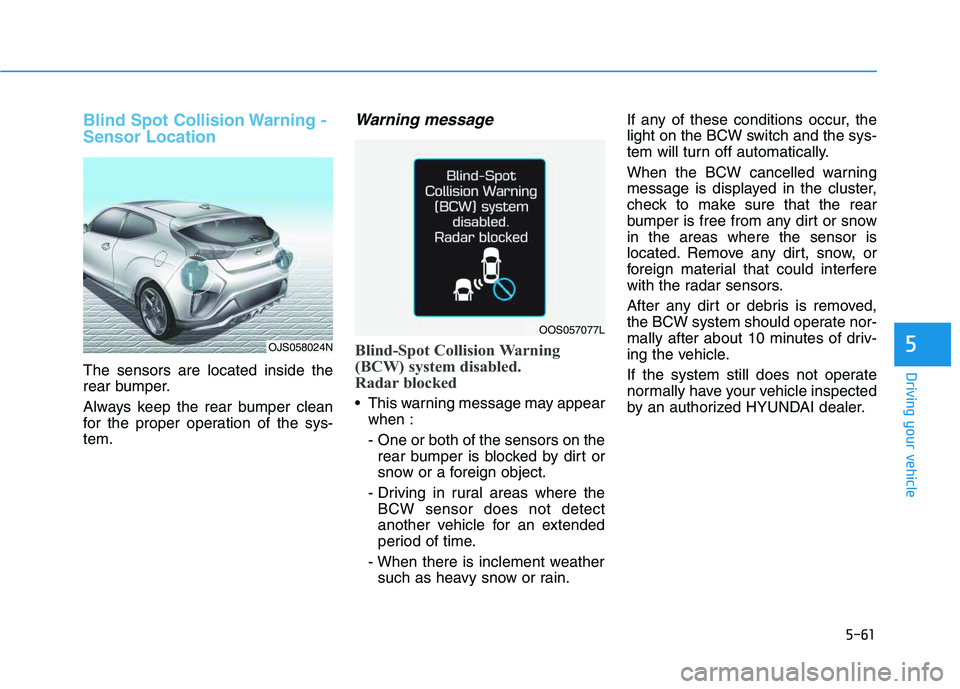
Blind Spot Collision Warning -
Sensor Location
The sensors are located inside the
rear bumper.
Always keep the rear bumper clean
for the proper operation of the sys-
tem.
Warning message
Blind-Spot Collision Warning
(BCW) system disabled.
Radar blocked
This warning message may appear
when :
- One or both of the sensors on the
rear bumper is blocked by dirt or
snow or a foreign object.
- Driving in rural areas where the
BCW sensor does not detect
another vehicle for an extended
period of time.
- When there is inclement weather
such as heavy snow or rain.If any of these conditions occur, the
light on the BCW switch and the sys-
tem will turn off automatically.
When the BCW cancelled warning
message is displayed in the cluster,
check to make sure that the rear
bumper is free from any dirt or snow
in the areas where the sensor is
located. Remove any dirt, snow, or
foreign material that could interfere
with the radar sensors.
After any dirt or debris is removed,
the BCW system should operate nor-
mally after about 10 minutes of driv-
ing the vehicle.
If the system still does not operate
normally have your vehicle inspected
by an authorized HYUNDAI dealer.
OJS058024N
OOS057077L
Page 280 of 480
5-62
Driving your vehicle
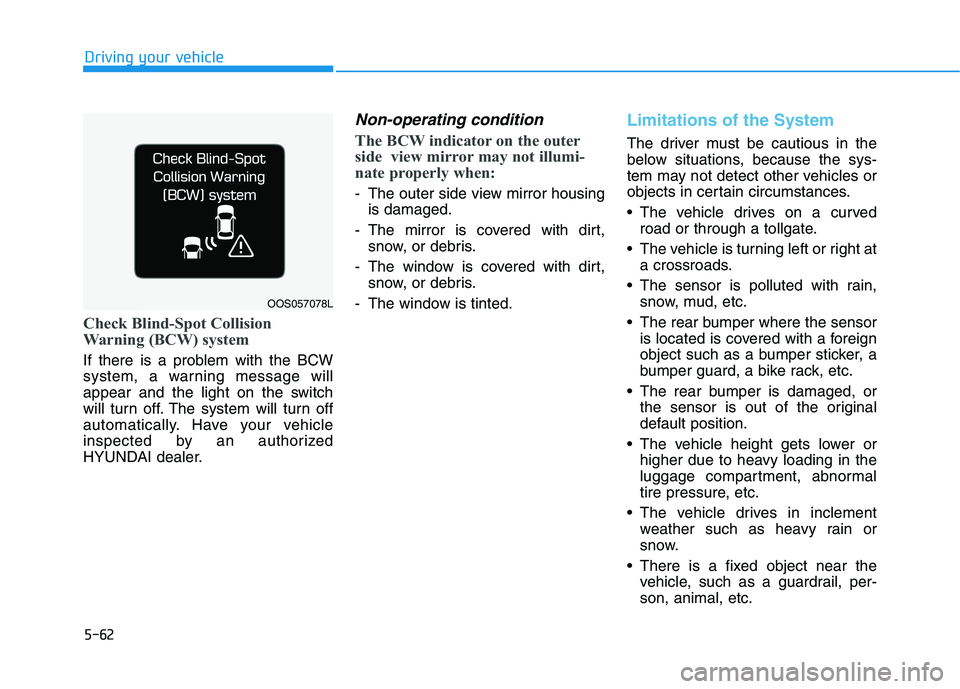
Check Blind-Spot Collision
Warning (BCW) system
If there is a problem with the BCW
system, a warning message will
appear and the light on the switch
will turn off. The system will turn off
automatically. Have your vehicle
inspected by an authorized
HYUNDAI dealer.
Non-operating condition
The BCW indicator on the outer
side view mirror may not illumi-
nate properly when:
- The outer side view mirror housing
is damaged.
- The mirror is covered with dirt,
snow, or debris.
- The window is covered with dirt,
snow, or debris.
- The window is tinted.
Limitations of the System
The driver must be cautious in the
below situations, because the sys-
tem may not detect other vehicles or
objects in certain circumstances.
The vehicle drives on a curved
road or through a tollgate.
The vehicle is turning left or right at
a crossroads.
The sensor is polluted with rain,
snow, mud, etc.
The rear bumper where the sensor
is located is covered with a foreign
object such as a bumper sticker, a
bumper guard, a bike rack, etc.
The rear bumper is damaged, or
the sensor is out of the original
default position.
The vehicle height gets lower or
higher due to heavy loading in the
luggage compartment, abnormal
tire pressure, etc.
The vehicle drives in inclement
weather such as heavy rain or
snow.
There is a fixed object near the
vehicle, such as a guardrail, per-
son, animal, etc.
OOS057078L
Page 283 of 480
5-65
Driving your vehicle
5
The warning light illumi-
nates on the LCD display,
when you cancel the FCA
system. The driver can
monitor the FCA ON/OFF status on
the LCD display. Also, the warning
light illuminates when the ESC
(Electronic Stability Control) is
turned off.
If the warning light remains ON when
the FCA is activated, have the sys-
tem checked by an authorized
HYUNDAI dealer.
The driver can select the initial warn-
ing activation time on the LCD dis-
play.
Go to the 'User Settings →Driver
assistance →Forward Collision
Warning →Late/Normal/Early'.The options for the initial Forward
Collision Warning includes the fol-
lowing:
- Early :
When this condition is selected, the
initial Forward Collision Warning is
activated earlier than normal. This
setting maximizes the amount of dis-
tance between the vehicle ahead
before the initial warning occurs.
Even though, 'Early' is selected if the
front vehicle suddenly stops the ini-
tial warning activation time may not
seem fast.
- Normal :
When this condition is selected, the
initial Forward Collision Warning is
activated normally. This setting
allows for a nominal amount of dis-
tance between the vehicle ahead
before the initial warning occurs.- Late :
When this condition is selected, the
initial Forward Collision Warning is
activated later than normal. This set-
ting reduces the amount of distance
between the vehicle ahead before
the initial warning occurs.
Select 'Late' when traffic is light and
when driving speed is slow.
Prerequisite for activation
The FCA system is on and ready
when FCA is selected on the LCD
display and when the following pre-
requisites are satisfied:
- The ESC (Electronic Stability
Control) is on.
- Driving speed exceeds approxi-
mately 10 km/h (6 mph). (The FCA
is only activated within a certain
speed range.)
- The system detects a vehicle in
front, which may collide with your
vehicle. (The FCA may not be acti-
vated or may sound a warning
alarm in accordance with the driv-
ing situation or vehicle condition.)
Page 286 of 480
5-68
Driving your vehicle
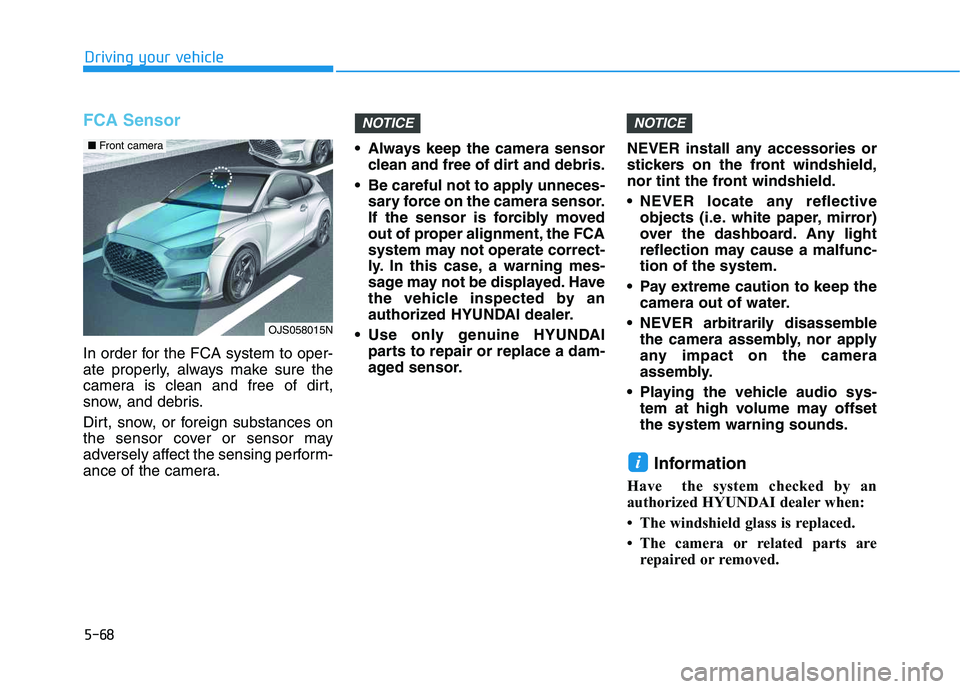
FCA Sensor
In order for the FCA system to oper-
ate properly, always make sure the
camera is clean and free of dirt,
snow, and debris.
Dirt, snow, or foreign substances on
the sensor cover or sensor may
adversely affect the sensing perform-
ance of the camera. Always keep the camera sensor
clean and free of dirt and debris.
Be careful not to apply unneces-
sary force on the camera sensor.
If the sensor is forcibly moved
out of proper alignment, the FCA
system may not operate correct-
ly. In this case, a warning mes-
sage may not be displayed. Have
the vehicle inspected by an
authorized HYUNDAI dealer.
Use only genuine HYUNDAI
parts to repair or replace a dam-
aged sensor.NEVER install any accessories or
stickers on the front windshield,
nor tint the front windshield.
NEVER locate any reflective
objects (i.e. white paper, mirror)
over the dashboard. Any light
reflection may cause a malfunc-
tion of the system.
Pay extreme caution to keep the
camera out of water.
NEVER arbitrarily disassemble
the camera assembly, nor apply
any impact on the camera
assembly.
Playing the vehicle audio sys-
tem at high volume may offset
the system warning sounds.
Information
Have the system checked by an
authorized HYUNDAI dealer when:
• The windshield glass is replaced.
• The camera or related parts are
repaired or removed.
i
NOTICENOTICE
OJS058015N
■ Front camera
Page 287 of 480
5-69
Driving your vehicle
5
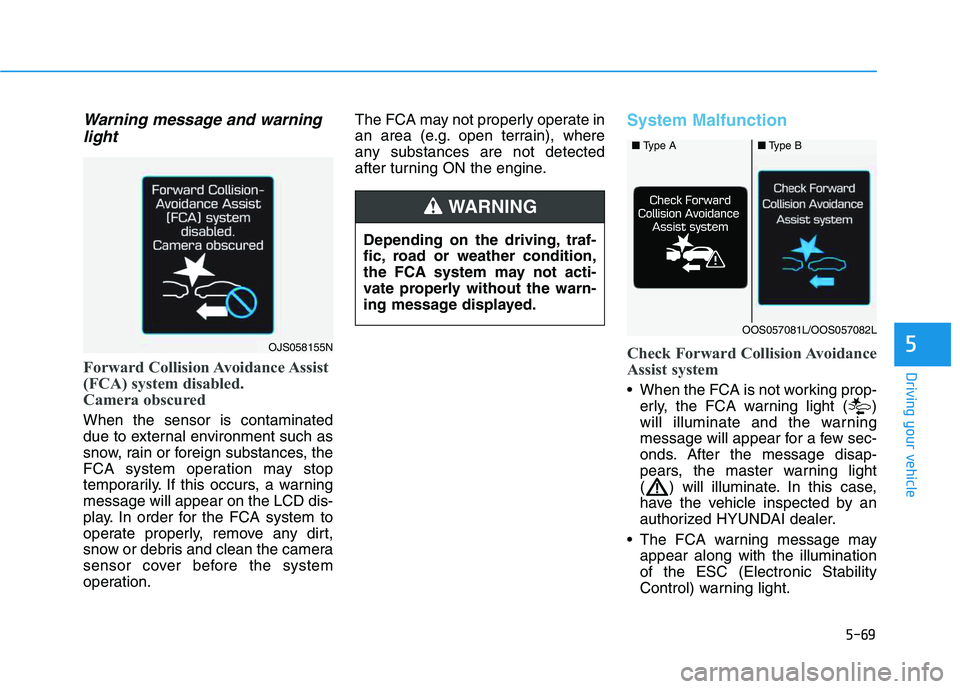
Warning message and warning
light
Forward Collision Avoidance Assist
(FCA) system disabled.
Camera obscured
When the sensor is contaminated
due to external environment such as
snow, rain or foreign substances, the
FCA system operation may stop
temporarily. If this occurs, a warning
message will appear on the LCD dis-
play. In order for the FCA system to
operate properly, remove any dirt,
snow or debris and clean the camera
sensor cover before the system
operation.The FCA may not properly operate in
an area (e.g. open terrain), where
any substances are not detected
after turning ON the engine.
System Malfunction
Check Forward Collision Avoidance
Assist system
When the FCA is not working prop-
erly, the FCA warning light ( )
will illuminate and the warning
message will appear for a few sec-
onds. After the message disap-
pears, the master warning light
( ) will illuminate. In this case,
have the vehicle inspected by an
authorized HYUNDAI dealer.
The FCA warning message may
appear along with the illumination
of the ESC (Electronic Stability
Control) warning light.
OJS058155N
■ Type A■Type B
OOS057081L/OOS057082L
Depending on the driving, traf-
fic, road or weather condition,
the FCA system may not acti-
vate properly without the warn-
ing message displayed.
WARNING
Page 289 of 480
5-71
Driving your vehicle
5
Limitations of the System
The Forward Collision avoidance
assist (FCA) system is designed to
monitor the vehicle ahead on the
roadway through camera recognition
to warn the driver that a collision is
imminent, and if necessary, apply
emergency braking.
In certain situations, the camera may
not be able to detect the vehicle
ahead. In these cases, the FCA sys-
tem may not operate normally. The
driver must pay careful attention in
the following situations where the
FCA operation may be limited.
Detecting vehicles
The sensor may be limited when:
The camera is blocked with a for-
eign object or debris
The camera lens is contaminated
due to tinted, filmed or coated
windshield, damaged glass, or
stuck of foreign matter (sticker,
bug, etc.) on the glass
Inclement weather such as heavy
rain or snow obscures the field of
camera view
There is interference by electro-
magnetic waves
The camera sensor recognition is
limited
The vehicle in front is too small to
be detected (for example a motor-
cycle or a bicycle, etc.)
The vehicle in front is an oversize
vehicle or trailer that is too big to
be detected by the camera recog-
nition system (for example a tractor
trailer, etc.)
The driver's field of view is not well
illuminated (either too dark or too
much reflection or too much back-
light that obscures the field of view)
The FCA system operates
only to detect vehicles in front
of the vehicle.
The FCA system does not
operate when the vehicle is in
reverse.
The FCA system does not
detect vehicles in the oppo-
site lane.
The FCA system does not
detect cross traffic vehicles
that are approaching.
The FCA system cannot
detect the driver approaching
the side view of a parked vehi-
cle (for example on a dead
end street.)
In these cases, you must main-
tain a safe braking distance,
and if necessary, depress the
brake pedal to reduce the driv-
ing speed in order to maintain a
safe distance.
WARNING
Page 290 of 480
5-72
Driving your vehicle
The vehicle in front does not have
their rear lights properly turned ON
The outside brightness changes
suddenly, for example when enter-
ing or exiting a tunnel
Light coming from a street light or
an oncoming vehicle is reflected on
a wet road surface such as a pud-
dle in the road
The field of view in front is
obstructed by sun glare
The windshield glass is fogged up
or frozen; a clear view of the road
is obstructed
The vehicle in front is driving errat-
ically
The vehicle drives through a con-
struction area, on an unpaved
road, or above metal materials,
such as a railway
The vehicle drives inside a build-
ing, such as a basement parking
lot
The adverse road conditions cause
excessive vehicle vibrations while
driving
The vehicle in front is moving verti-
cally to the driving direction The vehicle in front is stopped ver-
tically
The vehicle in front is driving
towards your vehicle or reversing
You are on a roundabout and the
vehicle in front circles
The camera (lens) is damaged
The brightness outside is too low
such as when the headlamps are
not on at night or the vehicle is
going through a tunnel
The shadow is on the lane marker
by a median strip, trees, etc.
Driving through a tunnel entrance,
toll gate, partially paved road
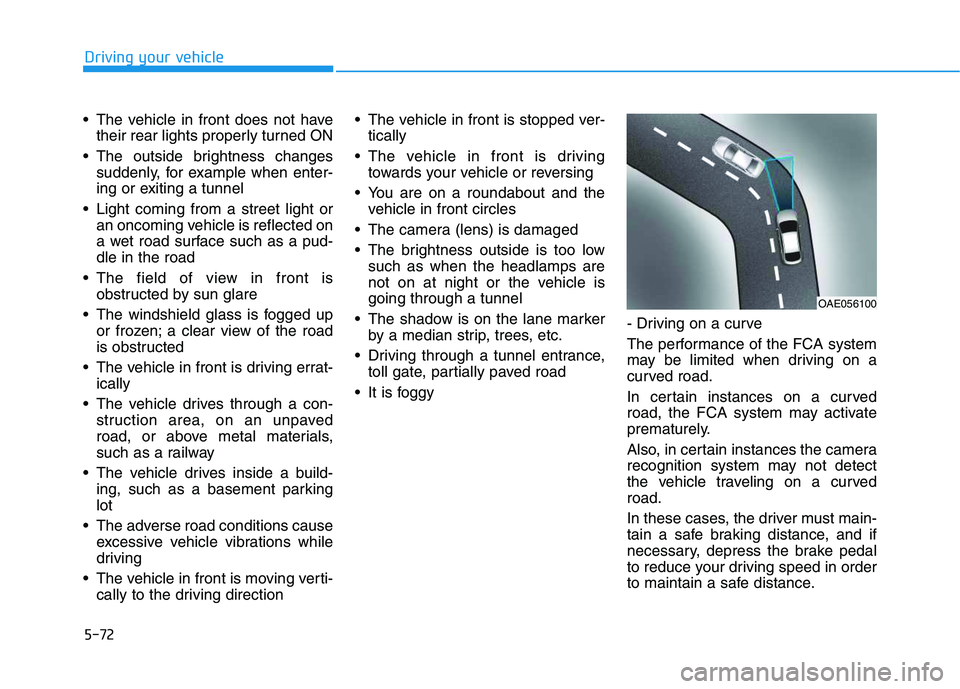
It is foggy- Driving on a curve
The performance of the FCA system
may be limited when driving on a
curved road.
In certain instances on a curved
road, the FCA system may activate
prematurely.
Also, in certain instances the camera
recognition system may not detect
the vehicle traveling on a curved
road.
In these cases, the driver must main-
tain a safe braking distance, and if
necessary, depress the brake pedal
to reduce your driving speed in order
to maintain a safe distance.
OAE056100
Page 295 of 480
5-77
Driving your vehicle
5
The warning light illumi-
nates on the LCD display,
when you cancel the FCA
system. The driver can
monitor the FCA ON/OFF status on
the LCD display. Also, the warning
light illuminates when the ESC
(Electronic Stability Control) is
turned off.
If the warning light remains ON when
the FCA is activated, have the sys-
tem checked by an authorized
HYUNDAI dealer.
The driver can select the initial warn-
ing activation time on the LCD dis-
play.
Go to the 'User Settings →Driver
assistance →Forward Collision
Warning →Late/Normal/Early'.The options for the initial Forward
Collision Warning includes the fol-
lowing:
- Early :
When this condition is selected, the
initial Forward Collision Warning is
activated earlier than normal. This
setting maximizes the amount of dis-
tance between the vehicle ahead
before the initial warning occurs.
Even though, 'Early' is selected if the
front vehicle suddenly stops the ini-
tial warning activation time may not
seem fast.
- Normal :
When this condition is selected, the
initial Forward Collision Warning is
activated normally. This setting
allows for a nominal amount of dis-
tance between the vehicle or pedes-
trian ahead before the initial warning
occurs.- Late :
When this condition is selected, the
initial Forward Collision Warning is
activated later than normal. This set-
ting reduces the amount of distance
between the vehicle or pedestrian
ahead before the initial warning
occurs.
Select 'Late' when traffic is light and
when driving speed is slow.
Prerequisite for activation
The FCA system is on and ready
when FCA is selected on the LCD
display and when the following pre-
requisites are satisfied:
- The ESC (Electronic Stability
Control) is on.
- Driving speed exceeds approxi-
mately 10 km/h (6 mph). (The FCA
is only activated within a certain
speed range.)
- The system detects a pedestrian
or a vehicle in front, which may col-
lide with your vehicle. (The FCA
may not be activated or may sound
a warning alarm in accordance
with the driving situation or vehicle
condition.)