2020 FORD TRANSIT warning light
[x] Cancel search: warning lightPage 107 of 529

AUTOMATIC HIGH BEAM
CONTROL
WARNING: The system does not
relieve you of your responsibility to drive
with due care and attention. You may
need to override the system if it does not
turn the high beams on or off. WARNING:
You may need to
override the system when approaching
other road users. WARNING:
You may need to
override the system during inclement
weather. WARNING:
Do not use the system
in poor visibility, for example fog, heavy
rain, spray or snow. WARNING:
The system may not
switch the high beams off if the lights of
oncoming vehicles are hidden by
obstacles, for example guard rails. WARNING: Inspect and replace the
windshield wiper blades regularly to
make sure the camera sensor has a clear
view. The windshield wiper blades must
be the correct length.
The system is designed to turn the high
beams on if all of the following occur:
• You switched the system on in the
information display.
• You set the lighting control to the
autolamps position. •
The ambient light level is low enough
that high beams are required.
• There is no traffic in front of your
vehicle.
• Your vehicle speed is greater than
approximately
32 mph (51 km/h).
The system is designed to turn the high
beams off if any of the following occur:
• You switch the system off in the
information display.
• You set the lighting control to any
position except autolamps.
• The ambient light level is high enough
that high beams are not required.
• The system detects an approaching
vehicle's headlamps or rear lamps.
• The system detects severe rain, snow
or fog.
• The system detects street lighting.
• The camera has reduced visibility.
• Your vehicle speed falls below
approximately
27 mph (44 km/h).
Note: The deactivation speed is lower on
curves.
Note: High beam reactivation may be
delayed in certain curvy road situations.
Note: Using much larger tires or equipping
vehicle accessories such as snowplows can
modify your vehicle's ride height and
degrade automatic high beam control
performance.
104
2020 Transit (TTH) Canada/United States of America, LK3J 19A321 HA enUSA, Edition date: 201911, First-Printing Lighting
Page 111 of 529

POWER WINDOWS
Opening and Closing the Windows
WARNING: Do not leave children
unattended in your vehicle and do not
let them play with the power windows.
Failure to follow this instruction could
result in personal injury. WARNING:
When closing the
power windows, verify they are free of
obstruction and make sure that children
and pets are not in the proximity of the
window openings. Press the control to open the
window. Lift the control to close
the window.
Note: The power windows operate with the
ignition on, and for several minutes after you
switch the ignition off or until you open a
front door.
To reduce wind noise or pulsing noise when
one window is open, slightly open the
opposite window.
One-Touch Open
Fully press the control and release it. Press
again or lift it to stop the window.
One-Touch Close
Fully lift the control and release it. Press
again or lift it to stop the window.
Resetting One-Touch Close
1. Lift and hold the switch until the window is fully closed.
2. Release the switch.
3. Lift the switch again for one more second.
4. Release the switch. 5. Lift the switch again for one more
second.
Note: Repeat the procedure if the window
does not close when you use one-touch.
Bounce-Back
The window stops and reverses if it detects
an obstruction while closing.
Overriding Bounce-Back WARNING:
If you override
bounce-back, the window does not
reverse if it detects an obstacle. Take
care when closing the windows to avoid
personal injury or damage to your
vehicle.
1. Close the window until it reaches the point of resistance and let it reverse.
2. Close the window a third time to the point of resistance. Bounce-back is
now disabled and you can close the
window manually.
Note: The window goes past the point of
resistance and you can fully close it.
Note: If the window does not close, have
your vehicle checked as soon as possible.
Resetting Bounce-Back WARNING: Bounce-back is off until
you reset the memory. Take care when
closing the windows to avoid personal
injury or damage to your vehicle.
1. Lift and hold the switch until the window is fully closed.
2. Release the switch.
3. Lift the switch again for one more second.
4. Release the switch.
108
2020 Transit (TTH) Canada/United States of America, LK3J 19A321 HA enUSA, Edition date: 201911, First-Printing Windows and Mirrors
Page 113 of 529

Loose Mirror
If your power-folding mirrors are manually
folded, they may not work properly, even
after you re-position them. You need to
reset them if:
•
The mirrors vibrate when you drive.
• The mirrors feel loose.
• The mirrors do not stay in the folded or
unfolded position.
• One of the mirrors is not in its normal
driving position.
To reset the power-fold feature, use the
power-folding mirror control to fold and
unfold the mirrors. You may hear a loud
noise as your reset the power-folding
mirrors. This sound is normal. Repeat this
process as needed each time the mirrors
are manually folded.
Fold-Away Exterior Mirrors
Push the mirror toward the door window
glass. Make sure that you fully engage the
mirror in its support when you unfold it.
INTERIOR MIRROR WARNING: Do not adjust the
mirrors when your vehicle is moving. This
could result in the loss of control of your
vehicle, serious personal injury or death.
Pull the tab below the mirror toward you
to reduce the effect of bright light from
behind.
110
2020 Transit (TTH) Canada/United States of America, LK3J 19A321 HA enUSA, Edition date: 201911, First-Printing Windows and Mirrors
Page 131 of 529

SITTING IN THE CORRECT
POSITION
WARNING: Do not recline the
seatback too far as this can cause the
occupant to slide under the seatbelt,
resulting in serious injury in the event of
a collision. WARNING:
Always sit upright
against your seatback with your feet on
the floor. WARNING:
Do not place objects
higher than the top of the seat backrest.
Failure to follow this instruction could
result in personal injury or death in the
event of a sudden stop or crash. When you use them properly, the seat,
head restraint, seatbelt and airbags will
provide optimum protection in the event
of a crash. We recommend that you follow these
guidelines:
•
Sit in an upright position with the base
of your spine as far back as possible.
• Do not recline the seat backrest so that
your torso is more than
30° from the
upright position.
• Adjust the head restraint so that the
top of it is level with the top of your
head and as far forward as possible.
Make sure that you remain
comfortable.
• Keep sufficient distance between
yourself and the steering wheel. We
recommend a minimum of
10 in
(25 cm) between your breastbone and
the airbag cover.
• Hold the steering wheel with your arms
slightly bent.
• Bend your legs slightly so that you can
press the pedals fully.
• Position the shoulder strap of the
seatbelt over the center of your
shoulder and position the lap strap
tightly across your hips.
Make sure that your driving position is
comfortable and that you can maintain full
control of your vehicle.
HEAD RESTRAINTS WARNING:
The adjustable head
restraint is a safety device. Whenever
possible it should be installed and
correctly adjusted when the seat is
occupied. An incorrectly adjusted head
restraint may provide reduced protection
to an occupant during certain rear
impacts.
128
2020 Transit (TTH) Canada/United States of America, LK3J 19A321 HA enUSA, Edition date: 201911, First-Printing SeatsE68595
Page 141 of 529

WARNING: Do not plug optional
electrical accessories into the cigar
lighter socket. Incorrect use of the cigar
lighter can cause damage not covered
by the vehicle warranty, and can result
in fire or serious injury. WARNING:
Do not use a power
point for operating a cigar lighter.
Incorrect use of the power points can
cause damage not covered by the
vehicle warranty, and can result in fire or
serious injury.
Do not use the power point over the vehicle
capacity of 12 volt DC 180 watts or a fuse
may blow.
Note: Do not hang any accessory from the
accessory plug.
Note: Always keep the power point caps
closed when not in use.
Note: The power points turn off after 30
minutes when the ignition is switched off.
The power points could turn off earlier if the
vehicle battery charge level is low.
Run the vehicle for full capacity use of the
power point.
To prevent the battery from running out of
charge:
• Do not use the power point longer than
necessary when the vehicle is not
running.
• Do not leave devices plugged in
overnight or when you park your vehicle
for extended periods.
Power points may be in the following
locations:
• Inside the instrument panel storage
compartment.
• On the front of the center console.
• Inside the cargo area. 110 Volt - 150 Watt Capacity AC
Power Outlet WARNING:
Do not keep electrical
devices plugged in the power point
whenever the device is not in use. Do not
use any extension cord with the 110 volt
AC power point, since it will defeat the
safety protection design. Doing so may
cause the power point to overload due
to powering multiple devices that can
reach beyond the 150 watt load limit and
could result in fire or serious injury. The power point is on the parking brake
console.
When the indicator light on the power point
is:
•
On: The power point is working and the
ignition is on.
• Off: The power point is off and the
ignition is off.
• Flashing: The power point is in fault
mode.
138
2020 Transit (TTH) Canada/United States of America, LK3J 19A321 HA enUSA, Edition date: 201911, First-Printing Auxiliary Power PointsE305821
Page 142 of 529

The power outlet temporarily turns off
power when in fault mode if the device
exceeds the 150 watt limit. Unplug your
device and switch the ignition off. Switch
the ignition back on, but do not plug your
device back in. Let the system cool off and
switch the ignition off to reset the fault
mode. Switch the ignition back on and
make sure the indicator light remains on.
Do not use the power point for certain
electric devices, including:
•
Cathode-ray, tube-type televisions.
• Motor loads, such as vacuum cleaners,
electric saws and other electric power
tools or compressor-driven
refrigerators.
• Measuring devices, which process
precise data, such as medical
equipment or measuring equipment.
• Other appliances requiring an
extremely stable power supply such as
microcomputer-controlled electric
blankets or touch-sensor lamps.
110 Volt - 400 Watt Capacity AC
Power Outlet WARNING: Do not keep electrical
devices plugged in the power point
whenever the device is not in use. Do not
use any extension cord with the 110 volt
AC power point, since it will defeat the
safety protection design. Doing so may
cause the power point to overload due
to powering multiple devices that can
reach beyond the 400 watt load limit
and could result in fire or serious injury.
Note: This feature has a maximum output
of 400 watts when the vehicle is in park (P).
Note: While in drive (D), the maximum
outlet output is 300 watts. The power point is on the parking brake
console.
When the indicator light on the power point
is:
•
On: The power point is working and the
ignition is on.
• Off: The power point is off and the
ignition is off.
• Flashing: The power point is in fault
mode.
The power outlet temporarily turns off
power when in fault mode if the device
exceeds the 400 watt limit. Unplug your
device and switch the ignition off. Switch
the ignition back on, but do not plug your
device back in. Let the system cool off and
switch the ignition off to reset the fault
mode. Switch the ignition back on and
make sure the indicator light remains on.
Do not use the power point for certain
electric devices, including:
• Cathode-ray, tube-type televisions.
• Motor loads, such as vacuum cleaners,
electric saws and other electric power
tools or compressor-driven
refrigerators.
139
2020 Transit (TTH) Canada/United States of America, LK3J 19A321 HA enUSA, Edition date: 201911, First-Printing Auxiliary Power PointsE305822
Page 143 of 529
•
Measuring devices, which process
precise data, such as medical
equipment or measuring equipment.
• Other appliances requiring an
extremely stable power supply such as
microcomputer-controlled electric
blankets or touch-sensor lamps.
CIGAR LIGHTER WARNING: Do not plug optional
electrical accessories into the cigar
lighter socket. Incorrect use of the cigar
lighter can cause damage not covered
by the vehicle warranty, and can result
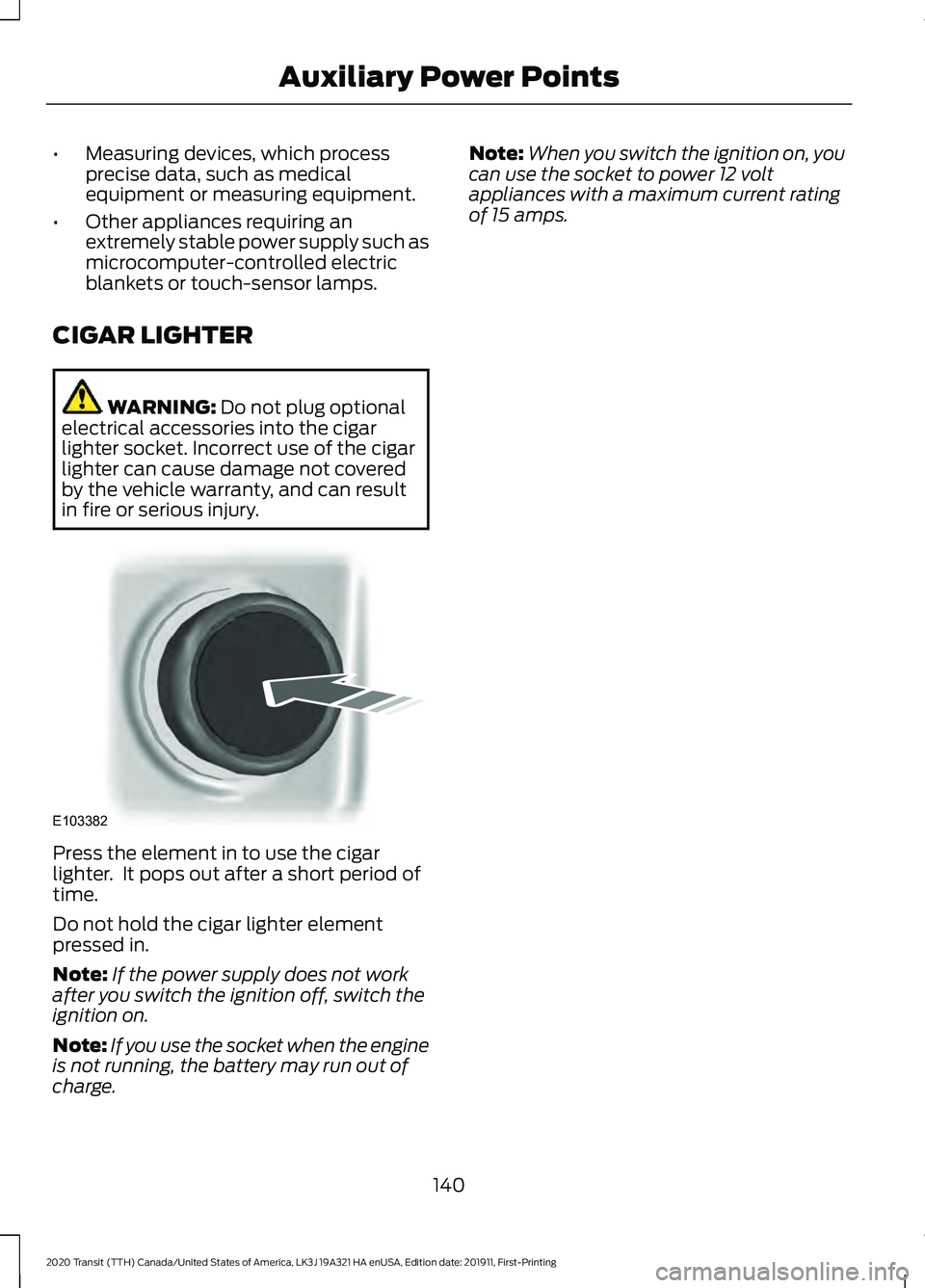
in fire or serious injury. Press the element in to use the cigar
lighter. It pops out after a short period of
time.
Do not hold the cigar lighter element
pressed in.
Note:
If the power supply does not work
after you switch the ignition off, switch the
ignition on.
Note: If you use the socket when the engine
is not running, the battery may run out of
charge. Note:
When you switch the ignition on, you
can use the socket to power 12 volt
appliances with a maximum current rating
of 15 amps.
140
2020 Transit (TTH) Canada/United States of America, LK3J 19A321 HA enUSA, Edition date: 201911, First-Printing Auxiliary Power PointsE103382
Page 152 of 529

WHAT IS AUTO-START-STOP
The system is designed to help reduce fuel
consumption and CO
2 emissions by
stopping the engine when it is idling, for
example at traffic lights.
AUTO-START-STOP
PRECAUTIONS WARNING: Apply the parking
brake, shift into park (P), switch the
ignition off and remove the key before
you leave your vehicle. Failure to follow
this instruction could result in personal
injury or death. WARNING:
Apply the parking
brake, shift into park (P), switch the
ignition off and remove the key before
you open the hood or have any service
or repair work completed. If you do not
switch the ignition off, the engine could
restart at any time. Failure to follow this
instruction could result in personal injury
or death. SWITCHING AUTO-START-
STOP ON AND OFF
The system turns on when you switch the
ignition on. Press the switch to switch the
system off.
Note: OFF
illuminates in the switch.
Press the switch again to switch the
system back on.
Note: The system is designed to turn off if
it detects a malfunction. If the system
malfunctions, have your vehicle checked as
soon as possible.
STOPPING THE ENGINE
Stop your vehicle, keep your foot on the
brake pedal and the transmission in drive
(D).
Note: Power assist steering turns off when
the engine stops.
RESTARTING THE ENGINE
Release the brake pedal or press the
accelerator pedal.
A message appears in the information
display if the system requires you to take
action. Action
Condition
Message
Press the brake pedal to
restart the engine.
The system needs to restart
the engine but requires your
confirmation.
Auto StartStop Press Brake
to Start Engine
Press the brake pedal or the
accelerator pedal to restart
the engine.
The system needs to restart
the engine but requires your
confirmation.
Auto StartStop Press a
Pedal to Start Engine
149
2020 Transit (TTH) Canada/United States of America, LK3J 19A321 HA enUSA, Edition date: 201911, First-Printing Auto-Start-Stop - 3.5L Ecoboost™, 2.0L EcoBlue