Page 97 of 448

GENERAL INFORMATION
WARNING: Driving whiledistracted can result in loss of vehiclecontrol, crash and injury. We stronglyrecommend that you use extremecaution when using any device that maytake your focus off the road. Yourprimary responsibility is the safeoperation of your vehicle. Werecommend against the use of anyhand-held device while driving andencourage the use of voice-operatedsystems when possible. Make sure youare aware of all applicable local lawsthat may affect the use of electronicdevices while driving.
You can control various systems on yourvehicle using the information displaycontrols on the steering wheel.
The information display shows thecorresponding information.
Information Display Controls
•Press the up and down arrow buttonsto scroll through and highlight theoptions within a menu.
•Press the right button to enter asubmenu.
•Press the left button to exit a submenu.
•Press the OK button to choose andconfirm settings or messages.
Menu Structure - InformationDisplay
You can access the menu using theinformation display control.
Note:It may describe options not fitted tothe vehicle you have purchased.
Trip computer 1 and 2
Trip 1
Trip 2
Reset AllReset Individual Values
Reset Trip Odometer
Reset Trip Timer
Reset Average Fuel
93
EcoSport (CBW) Canada/United States of America, Vehicles Built From: 17-06-2019, LN1J-19A321-ZFA enUSA, Edition date: 201904, First-PrintingInformation Displays
Page 98 of 448
Trip computer 1 and 2
Reset Average Speed
Set to DefaultConfigure View
Trip Odometer
Trip Timer
Average Fuel
Average Speed
Distance to Empty
Instantaneous Fuel
MyView
Digital Speedometer
Speedo/Instant. Fuel
Trip/Audio
Calm Screen
Navigation
Home
Previous Destinations
Favorite Destinations
POI Nearby
Phone
All Calls
Incoming Calls
Outgoing Calls
Missed Calls
94
EcoSport (CBW) Canada/United States of America, Vehicles Built From: 17-06-2019, LN1J-19A321-ZFA enUSA, Edition date: 201904, First-PrintingInformation Displays
Page 100 of 448

Settings
AutolockLocks
Autounlock
Mislock Chirp
Remote Unlock
Switches Inhibit
Relock
Courtesy WipeWipers
Rain Sensing
Reverse Wiper
MyKey InfoMyKey
Create MyKey
TRIP COMPUTER
Resetting the Trip Computer
Press and hold OK on the current screento reset the respective trip, distance, timeand average fuel consumption information.
All Values
Indicates all the respective trip, distance,time and average fuel consumptioninformation.
Average Fuel Consumption
Indicates the average fuel consumptionsince the function was last reset.
Instantaneous Fuel (If Equipped)
Indicates the current fuel consumption.
Distance to Empty
Indicates the approximate distance yourvehicle will travel on the fuel remaining inthe tank. Changes in driving pattern maycause the value to vary.
Outside Air Temperature
Shows the outside air temperature.
Trip Odometer
Registers the distance traveled ofindividual journeys.
Trip Timer
Registers the elapsed time of individualjourneys or the total time since the functionwas last reset.
INFORMATION MESSAGES
Note:Depending on your vehicle optionsand instrument cluster type, not all of themessages will display or be available.
96
EcoSport (CBW) Canada/United States of America, Vehicles Built From: 17-06-2019, LN1J-19A321-ZFA enUSA, Edition date: 201904, First-PrintingInformation Displays
Page 105 of 448

ActionMessage
Displays when the service interval has been reset.Service Done
Displays when the date and time is not set. If the dateand time are set and the message remains, contactan authorized dealer.
Maintenance Reminder Set ToOff
Indicates that your vehicle has reached the estimatedtime or distance for the scheduled maintenance.Contact an authorized dealer.
Service Required
MyKey
ActionMessage
Displays when you are programming a MyKey.Create MyKey
Displays when you are programming a MyKey.Hold OK to Create MyKey
Displays when trying to create a MyKey with a keyalready designated as a MyKey.Key is Already a MyKey
Displays when you are programming a MyKey and thekey is not correctly positioned in the backup slot.Place Key in Backup Location
Displays if the system fails to create a MyKey.MyKey not Created
Displays when MyKey is active.MyKey Active Drive Safely
Displays when a MyKey is in use and the MyKey speedlimit is reached.Check Speed Drive Safely
Displays when starting your vehicle, a MyKey is in useand the MyKey speed limit is on.Speed Limited to avg speedmetric:##0 km/h
Speed Limited to avg speedimperial:##0 MPH
Displays when a MyKey is in use and the vehicle speedapproaches a preset speed limit.Near Vehicle Top Speed
Displays when a MyKey is in use and the MyKey speedlimit is reached.Vehicle at Top Speed of MyKeySetting
Displays when a MyKey is in use and seatbelt reminderis activated.Buckle Up to Unmute Audio
Displays when a MyKey is in use and you try to switchthe parking aid system off.MyKey Park Aid Cannot beDeactivated
101
EcoSport (CBW) Canada/United States of America, Vehicles Built From: 17-06-2019, LN1J-19A321-ZFA enUSA, Edition date: 201904, First-PrintingInformation Displays
Page 113 of 448

Auto Mode Indicator Status
DescriptionAuto Mode IndicatorStatus
One indicator illumin-ated.•The blower motor speed is reduced.
•Use this setting to minimize the amount of noise fromthe blower motor.
•This setting increases the time taken to cool theinterior.
Two indicators illumin-ated.•The blower motor speed is moderate.
Three indicators illumin-ated.•The blower motor speed is increased.
•Use this setting to reduce the time taken to cool theinterior.
•This setting increases the amout of noise from theblower motor.
Setting the Blower Motor Speed
Note:Lights on the control illuminate toindicate the blower motor speed.
Directing Air to the Windshield AirVents
Directing Air to the InstrumentPanel Air Vents
Directing Air to the Footwell AirVents
Setting the Temperature
Turn the temperature controlcounterclockwise for cooler temperaturesettings.
Turn the temperature control clockwisefor warmer temperature settings.
109
EcoSport (CBW) Canada/United States of America, Vehicles Built From: 17-06-2019, LN1J-19A321-ZFA enUSA, Edition date: 201904, First-PrintingClimate Control
Page 121 of 448
The rear center head restraint consists of:
An energy absorbing headrestraint.A
Two steel stems.B
Guide sleeve unlock and removebutton.C
Raising the Head Restraint
Pull the head restraint up.
Lowering the Head Restraint
1.Press and hold button C.
2.Push the head restraint down.
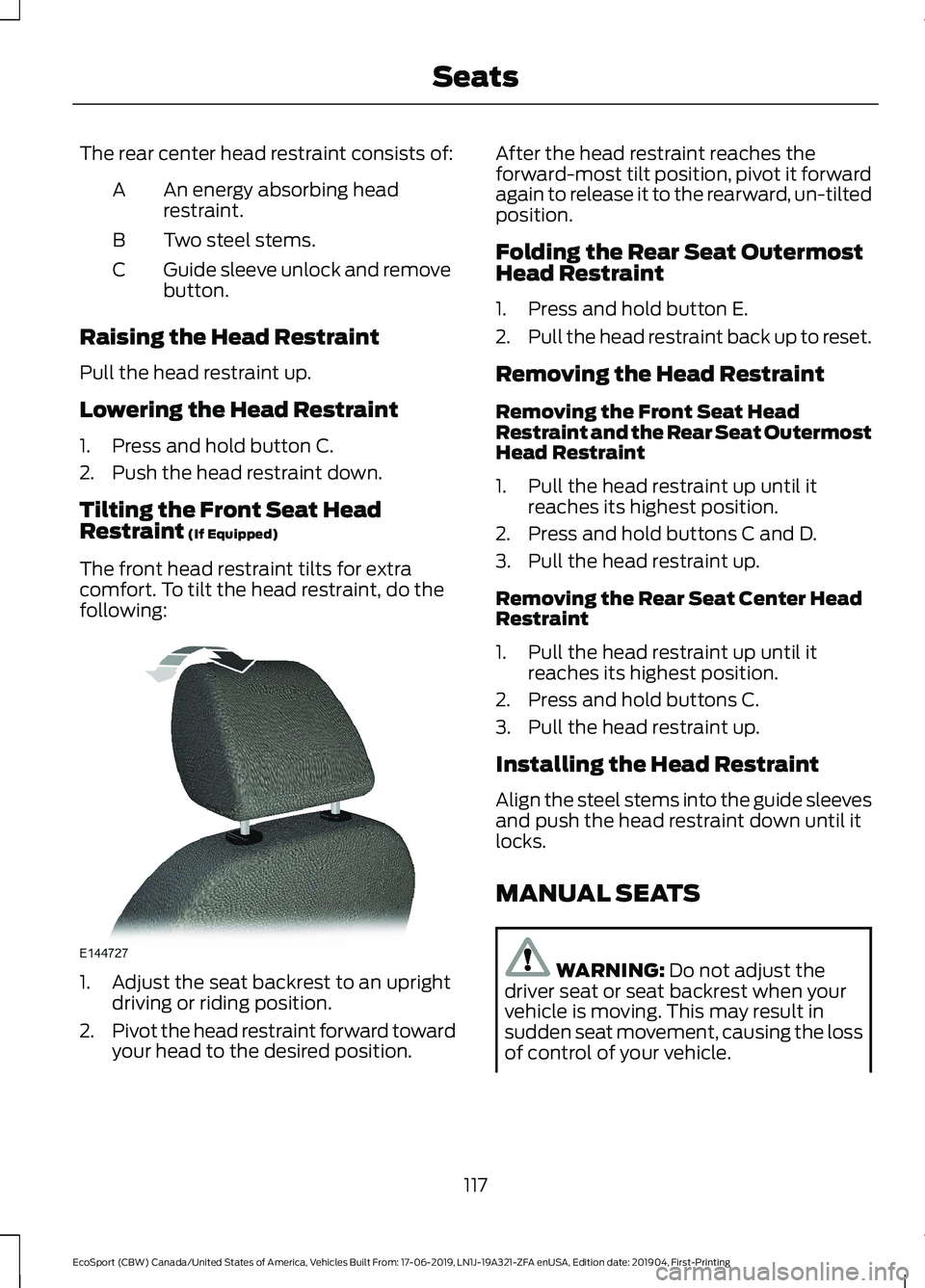
Tilting the Front Seat HeadRestraint (If Equipped)
The front head restraint tilts for extracomfort. To tilt the head restraint, do thefollowing:
1.Adjust the seat backrest to an uprightdriving or riding position.
2.Pivot the head restraint forward towardyour head to the desired position.
After the head restraint reaches theforward-most tilt position, pivot it forwardagain to release it to the rearward, un-tiltedposition.
Folding the Rear Seat OutermostHead Restraint
1.Press and hold button E.
2.Pull the head restraint back up to reset.
Removing the Head Restraint
Removing the Front Seat HeadRestraint and the Rear Seat OutermostHead Restraint
1.Pull the head restraint up until itreaches its highest position.
2.Press and hold buttons C and D.
3.Pull the head restraint up.
Removing the Rear Seat Center HeadRestraint
1.Pull the head restraint up until itreaches its highest position.
2.Press and hold buttons C.
3.Pull the head restraint up.
Installing the Head Restraint
Align the steel stems into the guide sleevesand push the head restraint down until itlocks.
MANUAL SEATS
WARNING: Do not adjust thedriver seat or seat backrest when yourvehicle is moving. This may result insudden seat movement, causing the lossof control of your vehicle.
117
EcoSport (CBW) Canada/United States of America, Vehicles Built From: 17-06-2019, LN1J-19A321-ZFA enUSA, Edition date: 201904, First-PrintingSeats
Page 132 of 448

Note:Depending on your vehicle, the powerpoint cover may open to the right or upward.
You can use the power point for electricdevices that require up to 150 watts. It ison the rear of the center console.
When the indicator light on the power pointis:
•On: The power point is working, theignition is on.
•Off: The power point is off, the ignitionis off.
•Flashing: The power point is in faultmode.
The power outlet temporarily turns offpower when in fault mode if the deviceexceeds the 150 watt limit. Unplug yourdevice and switch the ignition off. Switchthe ignition back on, but do not plug yourdevice back in. Let the system cool off andswitch the ignition off to reset the faultmode. Switch the ignition back on andmake sure the indicator light remains on.
Do not use the power point for certainelectric devices, including:
•Cathode-ray, tube-type televisions.
•Motor loads, such as vacuum cleaners,electric saws and other electric powertools or compressor-drivenrefrigerators.
•Measuring devices, which processprecise data, such as medicalequipment or measuring equipment.
•Other appliances requiring anextremely stable power supply such asmicrocomputer-controlled electricblankets or touch-sensor lamps.
128
EcoSport (CBW) Canada/United States of America, Vehicles Built From: 17-06-2019, LN1J-19A321-ZFA enUSA, Edition date: 201904, First-PrintingAuxiliary Power Points
Page 139 of 448

•Make sure the system is unplugged andproperly stowed before starting anddriving your vehicle. Make sure theprotective cover seals the prongs of theblock heater cord plug when not in use.
•Make sure the heater system ischecked for proper operation beforewinter.
Using the Engine Block Heater
Make sure the receptacle terminals areclean and dry prior to use. Clean them witha dry cloth if necessary.
The heater uses 0.4 to 1.0 kilowatt-hoursof energy per hour of use. The system doesnot have a thermostat. It achievesmaximum temperature afterapproximately three hours of operation.Using the heater longer than three hoursdoes not improve system performance andunnecessarily uses electricity.
AUTOMATIC ENGINE
SHUTDOWN
For vehicles with a keyless ignition, thisautomatically shuts down your vehicle ifit has been idling for an extended period.The ignition also turns off to save batterypower. Before your vehicle shuts down, amessage appears in the informationdisplay showing a timer counting down. Ifyou do not intervene within 30 seconds,your vehicle shuts down. Start your vehicleas normal.
Automatic Engine Shutdown Override
Note: You cannot permanently switch offthe automatic shutdown.
You can stop the shutdown, or reset thetimer, at any point before the 30-secondcountdown has expired by doing any of thefollowing:
•Interacting with your vehicle, forexample pressing the brake oraccelerator pedal.
135
EcoSport (CBW) Canada/United States of America, Vehicles Built From: 17-06-2019, LN1J-19A321-ZFA enUSA, Edition date: 201904, First-PrintingStarting and Stopping the Engine
