2020 CHEVROLET SILVERADO door lock
[x] Cancel search: door lockPage 31 of 495
Chevrolet Silverado Owner Manual (GMNA-Localizing-U.S./Canada/Mexico-
13337620) - 2020 - CTC - 1/27/20
30 Keys, Doors, and Windows
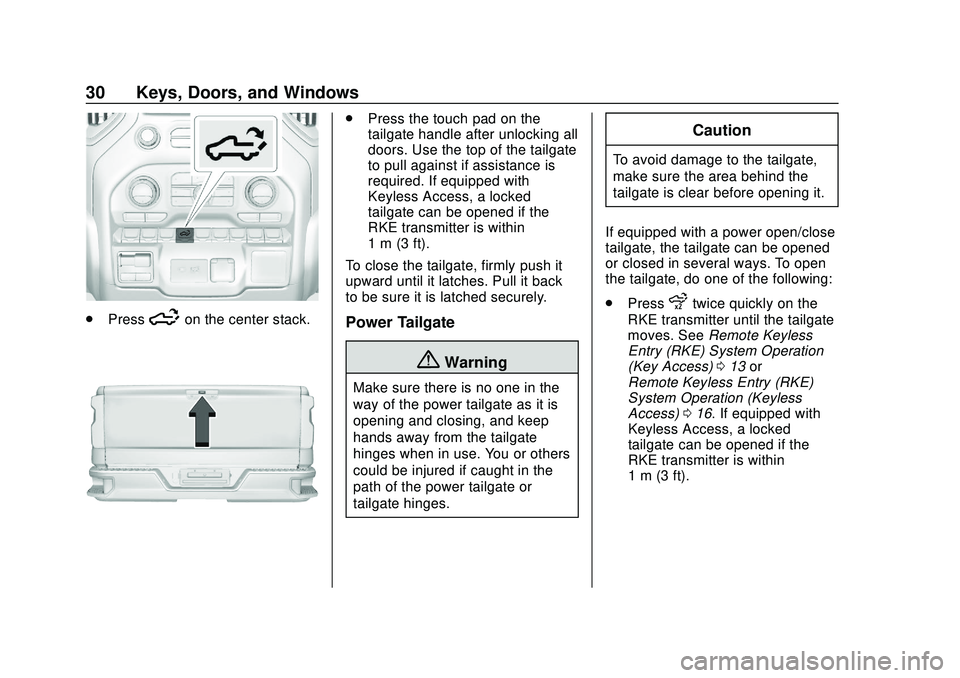
.Press5on the center stack.
.Press the touch pad on the
tailgate handle after unlocking all
doors. Use the top of the tailgate
to pull against if assistance is
required. If equipped with
Keyless Access, a locked
tailgate can be opened if the
RKE transmitter is within
1 m (3 ft).
To close the tailgate, firmly push it
upward until it latches. Pull it back
to be sure it is latched securely.
Power Tailgate
{Warning
Make sure there is no one in the
way of the power tailgate as it is
opening and closing, and keep
hands away from the tailgate
hinges when in use. You or others
could be injured if caught in the
path of the power tailgate or
tailgate hinges.
Caution
To avoid damage to the tailgate,
make sure the area behind the
tailgate is clear before opening it.
If equipped with a power open/close
tailgate, the tailgate can be opened
or closed in several ways. To open
the tailgate, do one of the following:
. Press
xtwice quickly on the
RKE transmitter until the tailgate
moves. See Remote Keyless
Entry (RKE) System Operation
(Key Access) 013 or
Remote Keyless Entry (RKE)
System Operation (Keyless
Access) 016. If equipped with
Keyless Access, a locked
tailgate can be opened if the
RKE transmitter is within
1 m (3 ft).
Page 32 of 495
Chevrolet Silverado Owner Manual (GMNA-Localizing-U.S./Canada/Mexico-
13337620) - 2020 - CTC - 1/27/20
Keys, Doors, and Windows 31
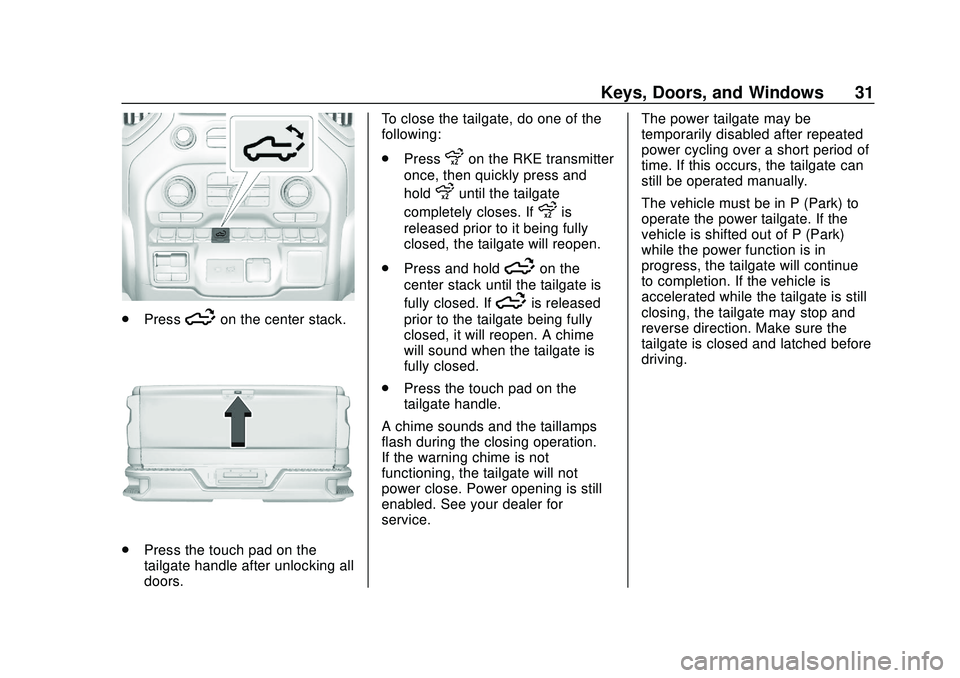
.Press5on the center stack.
.Press the touch pad on the
tailgate handle after unlocking all
doors. To close the tailgate, do one of the
following:
.
Press
xon the RKE transmitter
once, then quickly press and
hold
xuntil the tailgate
completely closes. If
xis
released prior to it being fully
closed, the tailgate will reopen.
. Press and hold
5on the
center stack until the tailgate is
fully closed. If
5is released
prior to the tailgate being fully
closed, it will reopen. A chime
will sound when the tailgate is
fully closed.
. Press the touch pad on the
tailgate handle.
A chime sounds and the taillamps
flash during the closing operation.
If the warning chime is not
functioning, the tailgate will not
power close. Power opening is still
enabled. See your dealer for
service. The power tailgate may be
temporarily disabled after repeated
power cycling over a short period of
time. If this occurs, the tailgate can
still be operated manually.
The vehicle must be in P (Park) to
operate the power tailgate. If the
vehicle is shifted out of P (Park)
while the power function is in
progress, the tailgate will continue
to completion. If the vehicle is
accelerated while the tailgate is still
closing, the tailgate may stop and
reverse direction. Make sure the
tailgate is closed and latched before
driving.
Page 34 of 495

Chevrolet Silverado Owner Manual (GMNA-Localizing-U.S./Canada/Mexico-
13337620) - 2020 - CTC - 1/27/20
Keys, Doors, and Windows 33
same side to complete the motion.
If the obstruction is not cleared, the
assist steps remain extended.
Slight movement of the steps while
extended is normal.
Kick Switch
1. Place the vehicle in P (Park)and unlock the doors.
2. Kick the switch to extend the power assist step to the tire.
A Driver Information Center
(DIC) message displays.
3. Kick the switch again to return to normal operation.
Center Stack Switch
The power assist steps can be
extended to the tire by pressing
j.
When extending the steps with
j,
the kick switch is disabled. The
vehicle must be in P (Park) or
N (Neutral).
To extend the steps:
. Press
jto extend both steps.
A DIC message displays.
. Press
jagain to extend to the
tire. A DIC message displays.
. Press
jagain to return to
normal operation. Enable/Disable
To enable or disable the power
assist steps, press and hold
jfor
four seconds. A DIC message
displays.
Cleaning
Clean the power assist steps
regularly. For an automatic car
wash, extend the steps while in
N (Neutral) using the center stack
switch. The steps will stow when
shifting into D (Drive).
Page 35 of 495
Chevrolet Silverado Owner Manual (GMNA-Localizing-U.S./Canada/Mexico-
13337620) - 2020 - CTC - 1/27/20
34 Keys, Doors, and Windows
Vehicle Security
This vehicle has theft-deterrent
features; however, they do not make
the vehicle impossible to steal.
Vehicle Alarm System
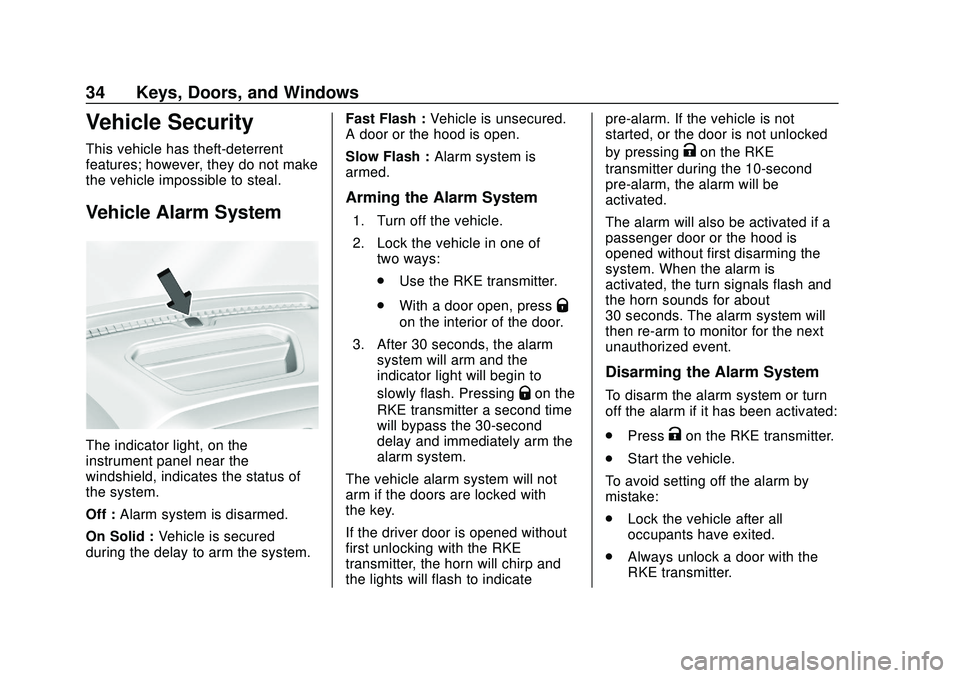
The indicator light, on the
instrument panel near the
windshield, indicates the status of
the system.
Off :Alarm system is disarmed.
On Solid : Vehicle is secured
during the delay to arm the system. Fast Flash :
Vehicle is unsecured.
A door or the hood is open.
Slow Flash : Alarm system is
armed.
Arming the Alarm System
1. Turn off the vehicle.
2. Lock the vehicle in one of two ways:
.Use the RKE transmitter.
. With a door open, press
Q
on the interior of the door.
3. After 30 seconds, the alarm system will arm and the
indicator light will begin to
slowly flash. Pressing
Qon the
RKE transmitter a second time
will bypass the 30-second
delay and immediately arm the
alarm system.
The vehicle alarm system will not
arm if the doors are locked with
the key.
If the driver door is opened without
first unlocking with the RKE
transmitter, the horn will chirp and
the lights will flash to indicate pre-alarm. If the vehicle is not
started, or the door is not unlocked
by pressing
Kon the RKE
transmitter during the 10-second
pre-alarm, the alarm will be
activated.
The alarm will also be activated if a
passenger door or the hood is
opened without first disarming the
system. When the alarm is
activated, the turn signals flash and
the horn sounds for about
30 seconds. The alarm system will
then re-arm to monitor for the next
unauthorized event.
Disarming the Alarm System
To disarm the alarm system or turn
off the alarm if it has been activated:
. Press
Kon the RKE transmitter.
. Start the vehicle.
To avoid setting off the alarm by
mistake:
. Lock the vehicle after all
occupants have exited.
. Always unlock a door with the
RKE transmitter.
Page 36 of 495

Chevrolet Silverado Owner Manual (GMNA-Localizing-U.S./Canada/Mexico-
13337620) - 2020 - CTC - 1/27/20
Keys, Doors, and Windows 35
Unlocking the driver door with
the key will not disarm the
system or turn off the alarm.
How to Detect a Tamper
Condition
IfKis pressed on the RKE
transmitter and the horn chirps three
times, an alarm occurred previously
while the alarm system was armed.
If the alarm has been activated, a
message will appear on the DIC.
Steering Column Lock
If equipped, the steering column
lock is a theft-deterrent device. This
feature locks the steering column
when the vehicle is turned off and
the driver door is opened, or when
the driver door is opened and then
the vehicle is turned off. The
steering column unlocks when the
vehicle is turned on.
The Driver Information Center (DIC)
may display one of these
messages: .
A message to service the
steering column lock indicates
that an issue has been detected
with the column lock feature and
the vehicle should be serviced.
. A message that the steering
column is locked indicates that
the engine is running, but the
steering column is still locked.
It is normal for the column to be
locked during a remote start, but
the column should unlock after
the brake pedal is pressed and
the vehicle is started. No
message will display during a
remote start.
. A message that the steering
wheel must be turned and the
vehicle must be started again
indicates that the column lock
mechanism is bound, the column
locking device was unable to
unlock the steering column, and
the vehicle did not start. If this
happens, immediately turn the
steering wheel from side to side
to unbind the column lock. If this
does not unlock the steering
column, turn the vehicle off and open the driver door to reset the
system. Then turn the vehicle on
and immediately turn the
steering wheel side to side for
about 15 seconds. In some
cases, it may take significant
force to unbind the column.
To keep the steering column from
binding, straighten the front wheels
before turning off the vehicle.
Immobilizer
See Radio Frequency Statement
0 468.
Immobilizer Operation
This vehicle has a passive
theft-deterrent system.
The system does not have to be
manually armed or disarmed.
Page 46 of 495
Chevrolet Silverado Owner Manual (GMNA-Localizing-U.S./Canada/Mexico-
13337620) - 2020 - CTC - 1/27/20
Keys, Doors, and Windows 45
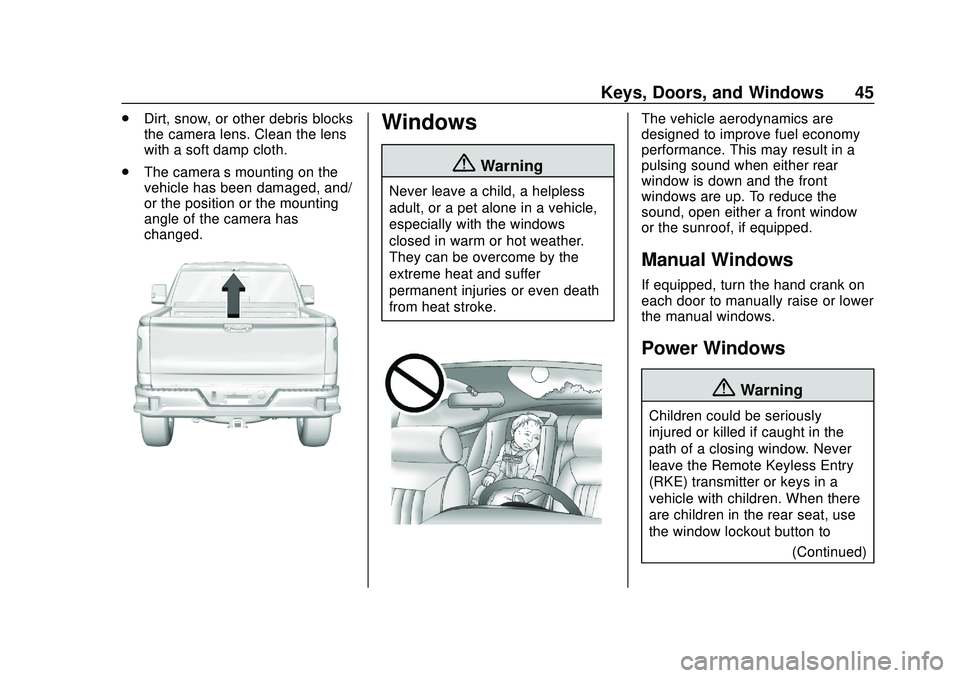
.Dirt, snow, or other debris blocks
the camera lens. Clean the lens
with a soft damp cloth.
. The camera’s mounting on the
vehicle has been damaged, and/
or the position or the mounting
angle of the camera has
changed.Windows
{Warning
Never leave a child, a helpless
adult, or a pet alone in a vehicle,
especially with the windows
closed in warm or hot weather.
They can be overcome by the
extreme heat and suffer
permanent injuries or even death
from heat stroke.
The vehicle aerodynamics are
designed to improve fuel economy
performance. This may result in a
pulsing sound when either rear
window is down and the front
windows are up. To reduce the
sound, open either a front window
or the sunroof, if equipped.
Manual Windows
If equipped, turn the hand crank on
each door to manually raise or lower
the manual windows.
Power Windows
{Warning
Children could be seriously
injured or killed if caught in the
path of a closing window. Never
leave the Remote Keyless Entry
(RKE) transmitter or keys in a
vehicle with children. When there
are children in the rear seat, use
the window lockout button to
(Continued)
Page 47 of 495
Chevrolet Silverado Owner Manual (GMNA-Localizing-U.S./Canada/Mexico-
13337620) - 2020 - CTC - 1/27/20
46 Keys, Doors, and Windows
Warning (Continued)
prevent operation of the windows.
SeeKeys (Key Access) 09or
Keys (Keyless Access) 012.
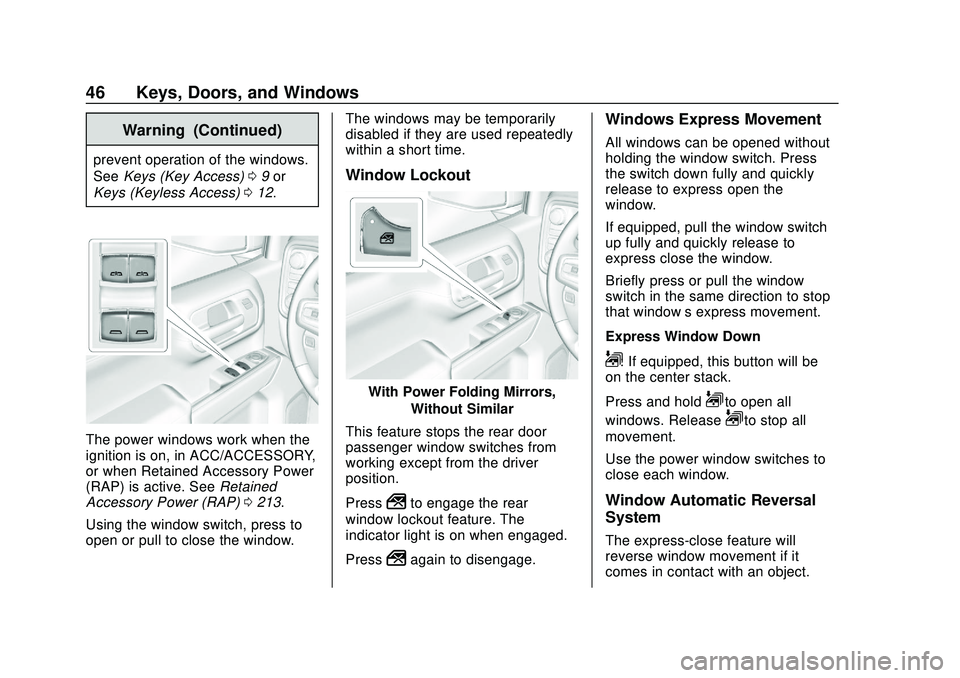
The power windows work when the
ignition is on, in ACC/ACCESSORY,
or when Retained Accessory Power
(RAP) is active. See Retained
Accessory Power (RAP) 0213.
Using the window switch, press to
open or pull to close the window. The windows may be temporarily
disabled if they are used repeatedly
within a short time.
Window Lockout
With Power Folding Mirrors,
Without Similar
This feature stops the rear door
passenger window switches from
working except from the driver
position.
Press
2to engage the rear
window lockout feature. The
indicator light is on when engaged.
Press
2again to disengage.
Windows Express Movement
All windows can be opened without
holding the window switch. Press
the switch down fully and quickly
release to express open the
window.
If equipped, pull the window switch
up fully and quickly release to
express close the window.
Briefly press or pull the window
switch in the same direction to stop
that window’s express movement.
Express Window Down
L: If equipped, this button will be
on the center stack.
Press and hold
Lto open all
windows. Release
Lto stop all
movement.
Use the power window switches to
close each window.
Window Automatic Reversal
System
The express-close feature will
reverse window movement if it
comes in contact with an object.
Page 49 of 495
Chevrolet Silverado Owner Manual (GMNA-Localizing-U.S./Canada/Mexico-
13337620) - 2020 - CTC - 1/27/20
48 Keys, Doors, and Windows
The power sliding rear window
cannot be operated manually.
Sun Visors
Pull the sun visor down to block
glare. If equipped, detach the sun
visor from the center mount to pivot
to the side window or to extend
along the rod.
If equipped, there is a lighted mirror
on the sun visor. Lift the cover
to open.
Roof
Sunroof
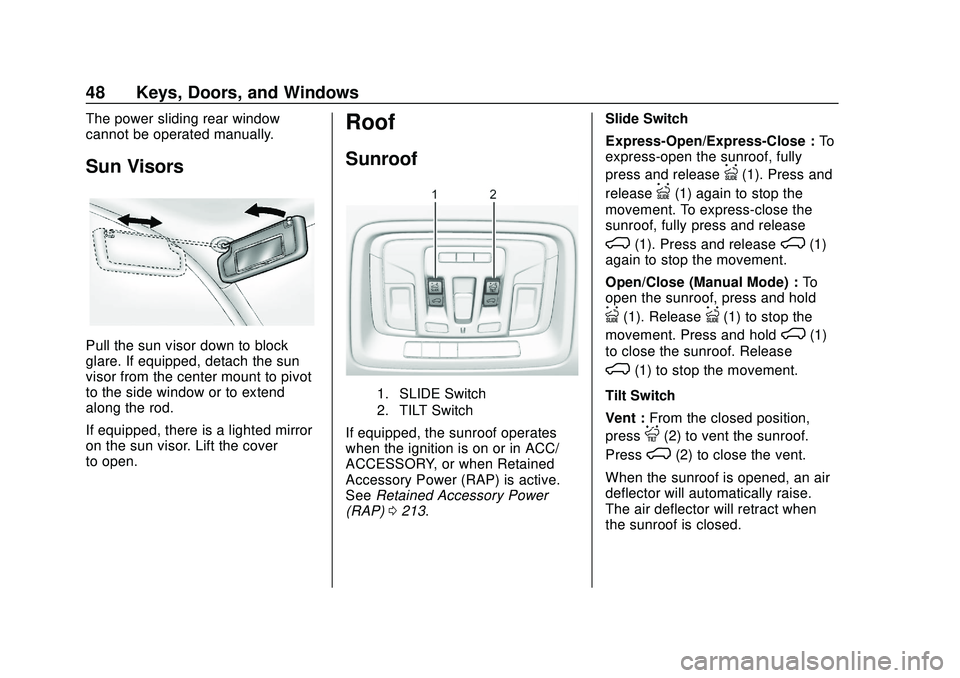
1. SLIDE Switch
2. TILT Switch
If equipped, the sunroof operates
when the ignition is on or in ACC/
ACCESSORY, or when Retained
Accessory Power (RAP) is active.
SeeRetained Accessory Power
(RAP) 0213. Slide Switch
Express-Open/Express-Close :
To
express-open the sunroof, fully
press and release
I(1). Press and
release
I(1) again to stop the
movement. To express-close the
sunroof, fully press and release
K(1). Press and releaseK(1)
again to stop the movement.
Open/Close (Manual Mode) : To
open the sunroof, press and hold
I(1). ReleaseI(1) to stop the
movement. Press and hold
K(1)
to close the sunroof. Release
K(1) to stop the movement.
Tilt Switch
Vent : From the closed position,
press
J(2) to vent the sunroof.
Press
K(2) to close the vent.
When the sunroof is opened, an air
deflector will automatically raise.
The air deflector will retract when
the sunroof is closed.