2020 BUICK ENVISION horn
[x] Cancel search: hornPage 96 of 363

Buick Envision Owner Manual (GMNA-Localizing-U.S./Canada/Mexico-
13555857) - 2020 - CRC - 2/25/19
Instruments and Controls 95
Controls Steering Wheel
Adjustment
To adjust the steering wheel:
1. Pull the lever down.
2. Move the steering wheel up
or down.
3. Pull or push the steering wheel
closer or away from you.
4. Pull the lever up to lock the
steering wheel in place. Do not adjust the steering wheel
while driving.
Steering Wheel Controls The infotainment system can be
operated by using the steering
wheel controls. See “ Steering Wheel
Controls ” in the infotainment
manual.
Heated Steering Wheel
( : If equipped with a heated
steering wheel, press to turn on or
off. A light near the button displays
when the feature is turned on. The steering wheel takes about
three minutes to reach
maximum heat.
Horn Press
a on the steering wheel pad
to sound the horn.
Windshield Wiper/Washer
Windshield Wiper with Rainsense
(AUTO Shown)
Page 138 of 363

Buick Envision Owner Manual (GMNA-Localizing-U.S./Canada/Mexico-
13555857) - 2020 - CRC - 2/25/19
Instruments and Controls 137Exit Lighting
This allows the selection of how
long the exterior lamps stay on
when leaving the vehicle when it is
dark outside.
Select Off, 30 Seconds, 60 Seconds,
or 120 Seconds.
Power Door Locks Select and the following may
display:
.
Unlocked Door Anti Lock Out
.
Auto Door Unlock
.
Delayed Door Lock
Unlocked Door Anti Lock Out
When on, this feature will keep the
driver door from locking when the
door is open. If Off is selected, the
Delayed Door Lock menu will be
available.
Select Off or On.
Auto Door Unlock
This allows selection of which of the
doors will automatically unlock when
the vehicle is shifted into P (Park). Select Off, All Doors, or Driver Door.
Delayed Door Lock
When on, this feature will delay the
locking of the doors. To override the
delay, press the power door lock
switch on the door.
Select Off or On.
Remote Lock, Unlock, Start Select and the following may
display:
.
Remote Unlock Light Feedback
.
Remote Lock Feedback
.
Remote Door Unlock
.
Remote Start Auto Cool Seats
.
Remote Start Auto Heat Seats
.
Passive Door Unlock
.
Passive Door Lock
.
Remote Left in Vehicle Alert
Remote Unlock Light Feedback
When on, the exterior lamps will
flash when unlocking the vehicle
with the RKE transmitter.
Select Off or Flash Lights. Remote Lock Feedback
This allows selection of what type of
feedback is given when locking the
vehicle with the RKE transmitter.
Select Off, Lights and Horn, Lights
Only, or Horn Only.
Remote Door Unlock
This allows selection of which doors
will unlock when pressing
K on the
RKE transmitter.
Select All Doors or Driver Door.
Remote Start Auto Cool Seats
If equipped and turned on, this
feature will turn the ventilated seats
on when using remote start on
warm days.
Select Off or On.
Remote Start Auto Heat Seats
If equipped and turned on, this
feature will turn the heated seats on
when using remote start on
cold days.
Select Off or On.
Page 139 of 363
Buick Envision Owner Manual (GMNA-Localizing-U.S./Canada/Mexico-
13555857) - 2020 - CRC - 2/25/19
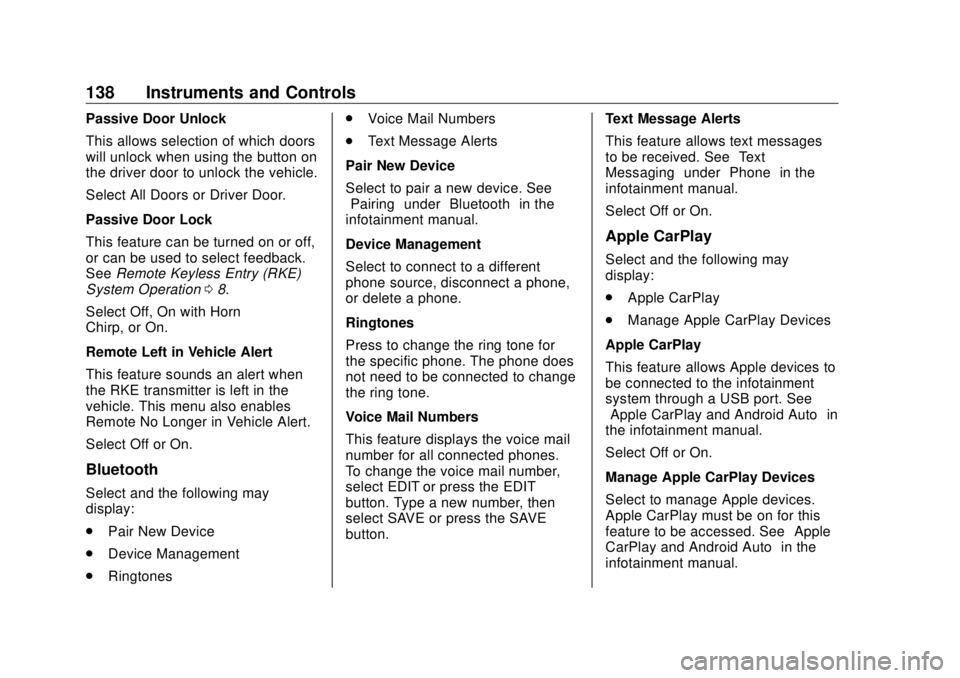
138 Instruments and Controls Passive Door Unlock
This allows selection of which doors
will unlock when using the button on
the driver door to unlock the vehicle.
Select All Doors or Driver Door.
Passive Door Lock
This feature can be turned on or off,
or can be used to select feedback.
See Remote Keyless Entry (RKE)
System Operation 0 8 .
Select Off, On with Horn
Chirp, or On.
Remote Left in Vehicle Alert
This feature sounds an alert when
the RKE transmitter is left in the
vehicle. This menu also enables
Remote No Longer in Vehicle Alert.
Select Off or On.
Bluetooth
Select and the following may
display:
.
Pair New Device
.
Device Management
.
Ringtones .
Voice Mail Numbers
.
Text Message Alerts
Pair New Device
Select to pair a new device. See
“ Pairing ” under “ Bluetooth ” in the
infotainment manual.
Device Management
Select to connect to a different
phone source, disconnect a phone,
or delete a phone.
Ringtones
Press to change the ring tone for
the specific phone. The phone does
not need to be connected to change
the ring tone.
Voice Mail Numbers
This feature displays the voice mail
number for all connected phones.
To change the voice mail number,
select EDIT or press the EDIT
button. Type a new number, then
select SAVE or press the SAVE
button. Text Message Alerts
This feature allows text messages
to be received. See “ Text
Messaging ” under “ Phone ” in the
infotainment manual.
Select Off or On.
Apple CarPlay Select and the following may
display:
.
Apple CarPlay
.
Manage Apple CarPlay Devices
Apple CarPlay
This feature allows Apple devices to
be connected to the infotainment
system through a USB port. See
“ Apple CarPlay and Android Auto ” in
the infotainment manual.
Select Off or On.
Manage Apple CarPlay Devices
Select to manage Apple devices.
Apple CarPlay must be on for this
feature to be accessed. See “ Apple
CarPlay and Android Auto ” in the
infotainment manual.
Page 261 of 363

Buick Envision Owner Manual (GMNA-Localizing-U.S./Canada/Mexico-
13555857) - 2020 - CRC - 3/12/19
260 Vehicle Care Fuses Usage
F26 Transmission
oil pump
F27 ABS
F28 –
F29 Rear window
defogger
F30 Mirror defogger
F31 –
F32 Various low current
functions
F33 –
F34 Horn
F35 –
F36 Right high-beam
headlamp
F37 Left high-beam
headlamp
F38 Automatic headlamp
leveling
F39 Front fog lamps
F40 Transmission
oil pump Fuses Usage
F41 Passenger
ventilated seat
F42 Headlamp position
F43 –
F44 Interior rearview
mirror
F45 –
F46 Driver
ventilated seat
F47 Electric steering
column lock
F48 Rear wiper
F49 –
F50 –
F51 Right low-beam
headlamps
F52 Engine control
module/
Transmission control
module
F53 –
F54 – Fuses Usage
F55 Front wiper
F56 –
F57 Left low-beam
headlamps
Relays Usage
K01 Starter
K02 A/C clutch
K03 Engine control
module
K04 Front wiper
K05 Start solenoid
K06 –
K07 –
K08 Transmission
oil pump
K09 Front wiper speed
K10 –
K11 Headlamp washers
K12 High-beam
headlamps
Page 278 of 363

Buick Envision Owner Manual (GMNA-Localizing-U.S./Canada/Mexico-
13555857) - 2020 - CRC - 3/12/19
Vehicle Care 277When the recommended
pressure is reached, the horn
sounds once and the turn
signal lamp will stop flashing
and briefly turn solid.
Repeat these steps for all
underinflated tires that have
illuminated the low tire pressure
warning light.
{ WarningOverinflating a tire could cause
the tire to rupture and you or
others could be injured. Do not
exceed the maximum pressure
listed on the tire sidewall. See
Tire Sidewall Labeling 0 267 and
Vehicle Load Limits 0 169 .
If the tire is overinflated by more
than 35 kPa (5 psi), the horn will
sound multiple times and the turn
signal lamp will continue to flash for
several seconds after filling stops.
To release and correct the pressure,
while the turn signal lamp is still
flashing, briefly press the center of the valve stem. When the
recommended pressure is reached,
the horn sounds once.
If the turn signal lamp does not flash
within 15 seconds after starting to
inflate the tire, the tire fill alert has
not been activated or is not working.
If the hazard warning flashers are
on, the tire fill alert visual feedback
will not work properly.
The TPMS will not activate the tire
fill alert properly under the following
conditions:
.
There is interference from an
external device or transmitter.
.
The air pressure from the
inflation device is not sufficient
to inflate the tire.
.
There is a malfunction in
the TPMS.
.
There is a malfunction in the
horn or turn signal lamps.
.
The identification code of the
TPMS sensor is not registered to
the system. .
The battery of the TPMS sensor
is low.
If the tire fill alert does not operate
due to TPMS interference, move the
vehicle about 1 m (3 ft) back or
forward and try again. If the tire fill
alert feature is not working, use a
tire pressure gauge.
TPMS Sensor Matching
Process Each TPMS sensor has a unique
identification code. The identification
code needs to be matched to a new
tire/wheel position after rotating the
vehicle ’ s tires or replacing one or
more of the TPMS sensors. The
TPMS sensor matching process
should also be performed after
replacing a spare tire with a road
tire containing the TPMS sensor.
The malfunction light and the DIC
message should go off at the next
ignition cycle. The sensors are
matched to the tire/wheel positions,
using a TPMS relearn tool, in the
following order: driver side front tire,
passenger side front tire, passenger
side rear tire, and driver side rear.
Page 279 of 363

Buick Envision Owner Manual (GMNA-Localizing-U.S./Canada/Mexico-
13555857) - 2020 - CRC - 3/12/19
278 Vehicle Care See your dealer for service or to
purchase a relearn tool. A TPMS
relearn tool can also be purchased.
See Tire Pressure Monitor Sensor
Activation Tool at
www.gmtoolsandequipment.com or
call 1-800-GM TOOLS
(1-800-468-6657).
There are two minutes to match the
first tire/wheel position, and
five minutes overall to match all four
tire/wheel positions. If it takes
longer, the matching process stops
and must be restarted.
The TPMS sensor matching
process is:
1. Set the parking brake.
2. Place the vehicle in Service
Mode. See Ignition Positions
0 174 . 3. Make sure the Tire Pressure
info page option is turned on.
The info pages on the DIC can
be turned on and off through
the Options menu. See Driver
Information Center (DIC) (Base
Level) 0 123 or
Driver Information Center (DIC)
(Uplevel) 0 126 .
4. Use the DIC controls on the
right side of the steering wheel
to scroll to the Tire Pressure
screen under the DIC
info page.
5. Press and hold
V in the center
of the DIC controls.
The horn sounds twice to
signal the receiver is in relearn
mode and the TIRE
LEARNING ACTIVE message
displays on the DIC screen.
6. Start with the driver side
front tire.
7. Place the relearn tool against
the tire sidewall, near the valve
stem. Then press the button to
activate the TPMS sensor.
A horn chirp confirms that the sensor identification code has
been matched to this tire and
wheel position.
8. Proceed to the passenger side
front tire, and repeat the
procedure in Step 7.
9. Proceed to the passenger side
rear tire, and repeat the
procedure in Step 7.
10. Proceed to the driver side rear
tire, and repeat the procedure
in Step 7. The horn sounds two
times to indicate the sensor
identification code has been
matched to the driver side rear
tire, and the TPMS sensor
matching process is no longer
active. The TIRE LEARNING
ACTIVE message on the DIC
display screen goes off.
11. Turn the vehicle off.
12. Set all four tires to the
recommended air pressure
level as indicated on the Tire
and Loading Information label.
Page 351 of 363
Buick Envision Owner Manual (GMNA-Localizing-U.S./Canada/Mexico-
13555857) - 2020 - CRC - 2/25/19
350 Connected Services vehicles, the SSID and
password can be changed in
the Wi-Fi Hotspot menu.
After initial set-up, your vehicle ’ s
Wi-Fi hotspot will connect
automatically to your mobile
devices. Manage data usage by
turning Wi-Fi on or off on your
mobile device, by using the myBuick
mobile app, or by contacting an
OnStar Advisor. On some vehicles,
Wi-Fi can also be managed from the
Wi-Fi Hotspot menu.
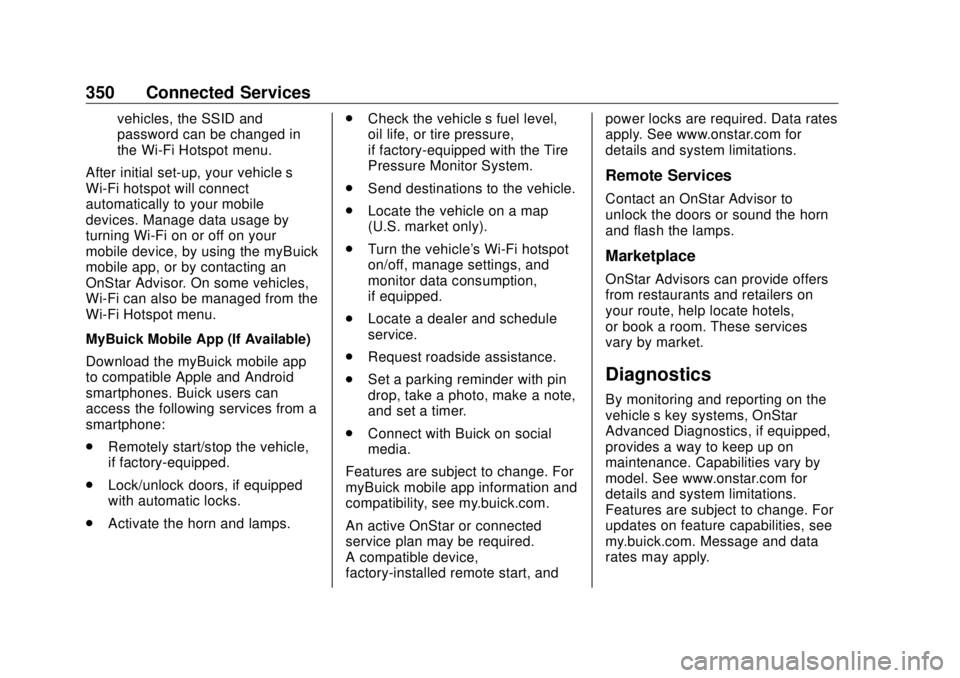
MyBuick Mobile App (If Available)
Download the myBuick mobile app
to compatible Apple and Android
smartphones. Buick users can
access the following services from a
smartphone:
.
Remotely start/stop the vehicle,
if factory-equipped.
.
Lock/unlock doors, if equipped
with automatic locks.
.
Activate the horn and lamps. .
Check the vehicle ’ s fuel level,
oil life, or tire pressure,
if factory-equipped with the Tire
Pressure Monitor System.
.
Send destinations to the vehicle.
.
Locate the vehicle on a map
(U.S. market only).
.
Turn the vehicle's Wi-Fi hotspot
on/off, manage settings, and
monitor data consumption,
if equipped.
.
Locate a dealer and schedule
service.
.
Request roadside assistance.
.
Set a parking reminder with pin
drop, take a photo, make a note,
and set a timer.
.
Connect with Buick on social
media.
Features are subject to change. For
myBuick mobile app information and
compatibility, see my.buick.com.
An active OnStar or connected
service plan may be required.
A compatible device,
factory-installed remote start, and power locks are required. Data rates
apply. See www.onstar.com for
details and system limitations.
Remote Services Contact an OnStar Advisor to
unlock the doors or sound the horn
and flash the lamps.
Marketplace OnStar Advisors can provide offers
from restaurants and retailers on
your route, help locate hotels,
or book a room. These services
vary by market.
Diagnostics By monitoring and reporting on the
vehicle ’ s key systems, OnStar
Advanced Diagnostics, if equipped,
provides a way to keep up on
maintenance. Capabilities vary by
model. See www.onstar.com for
details and system limitations.
Features are subject to change. For
updates on feature capabilities, see
my.buick.com. Message and data
rates may apply.
Page 356 of 363

Buick Envision Owner Manual (GMNA-Localizing-U.S./Canada/Mexico-
13555857) - 2020 - CRC - 2/25/19
Index 355Front Fog Lamp
Light . . . . . . . . . . . . . . . . . . . . . . . . . . 122
Front Seats
Heated and Ventilated . . . . . . . . . . 41
Front Storage . . . . . . . . . . . . . . . . . . . . 88
Fuel
Additives . . . . . . . . . . . . . . . . . . . . . 216
Economy, Driving for Better . . . 162
Filling a Portable Fuel
Container . . . . . . . . . . . . . . . . . . . 218
Filling the Tank . . . . . . . . . . . . . . . 217
Foreign Countries . . . . . . . . . . . . 216
Gauge . . . . . . . . . . . . . . . . . . . . . . . . 109
Low Fuel Warning Light . . . . . . . 122
Prohibited Fuels . . . . . . . . . . . . . . 216
Recommended . . . . . . . . . . 215, 216
Top Tier . . . . . . . . . . . . . . . . . . . . . . 215
Fuses
Engine Compartment Fuse
Block . . . . . . . . . . . . . . . . . . . . . . . . 258
Fuses and Circuit Breakers . . . 258
Instrument Panel Fuse
Block . . . . . . . . . . . . . . . . . . . . . . . . 261
Rear Compartment Fuse
Block . . . . . . . . . . . . . . . . . . . . . . . . 263
G
Garage Door Opener . . . . . . . . . . . 140 Garage Door Opener (cont'd)
Programming . . . . . . . . . . . . . . . . . 140
Gas Strut(s) . . . . . . . . . . . . . . . . . . . . 254
Gauges
Engine Coolant
Temperature . . . . . . . . . . . . . . . . . 111
Engine Oil Temperature . . . . . . . .110
Fuel . . . . . . . . . . . . . . . . . . . . . . . . . . 109
Odometer . . . . . . . . . . . . . . . . . . . . . 108
Speedometer . . . . . . . . . . . . . . . . . 108
Tachometer . . . . . . . . . . . . . . . . . . . 108
Trip Odometer . . . . . . . . . . . . . . . . 108
Voltmeter . . . . . . . . . . . . . . . . . . . . . .112
Warning Lights and
Indicators . . . . . . . . . . . . . . . . . . . 104
General Information
Service and Maintenance . . . . . 309
Towing . . . . . . . . . . . . . . . . . . . . . . . . 219
Vehicle Care . . . . . . . . . . . . . . . . . . 230
Glove Box . . . . . . . . . . . . . . . . . . . . . . . 87
GM Mobility Reimbursement
Program . . . . . . . . . . . . . . . . . . . . . . . 329
H Halogen Bulbs . . . . . . . . . . . . . . . . . . 256
Hazard Warning Flashers . . . . . . . 147
Head Restraints . . . . . . . . . . . . . . . . . 34
Head-up Display . . . . . . . . . . . . . . . . 129 Headlamps
Aiming . . . . . . . . . . . . . . . . . . . . . . . . 255
Automatic . . . . . . . . . . . . . . . . . . . . . 147
Bulb Replacement . . . . . . . . . . . . 256
Daytime Running
Lamps (DRL) . . . . . . . . . . . . . . . . 146
Flash-to-Pass . . . . . . . . . . . . . . . . . 146
High Intensity Discharge
(HID) Lighting . . . . . . . . . . . . . . . 256
High-Beam On Light . . . . . . . . . . 122
High/Low Beam Changer . . . . . 146
Lamps On Reminder . . . . . . . . . 123
Washer . . . . . . . . . . . . . . . . . . . . . . . . . 98
Heated
Rear Seats . . . . . . . . . . . . . . . . . . . . . 45
Steering Wheel . . . . . . . . . . . . . . . . . 95
Heated and Ventilated Front
Seats . . . . . . . . . . . . . . . . . . . . . . . . . . 41
Heated Mirrors . . . . . . . . . . . . . . . . . . . 28
Heater
Engine . . . . . . . . . . . . . . . . . . . . . . . . 178
Heating . . . . . . . . . . . . . . . . . . . . 153, 156
High-Beam On Light . . . . . . . . . . . . 122
Hill and Mountain Roads . . . . . . . . 167
Hill Start Assist (HSA) . . . . . . . . . . 188
Hood . . . . . . . . . . . . . . . . . . . . . . . . . . . 232
Horn . . . . . . . . . . . . . . . . . . . . . . . . . . . . . 95