2019 VOLVO S90 TWIN ENGINE transmission
[x] Cancel search: transmissionPage 12 of 669
10
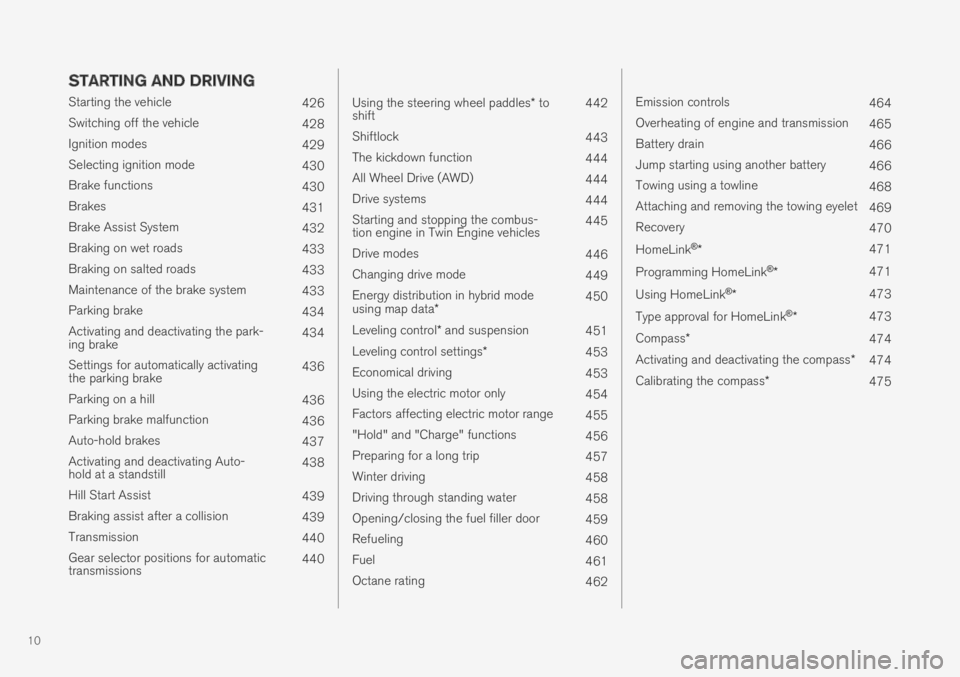
STARTING AND DRIVING
Starting the vehicle426
Switching off the vehicle428
Ignition modes429
Selecting ignition mode430
Brake functions430
Brakes431
Brake Assist System432
Braking on wet roads433
Braking on salted roads433
Maintenance of the brake system433
Parking brake434
Activating and deactivating the park-ing brake434
Settings for automatically activatingthe parking brake436
Parking on a hill436
Parking brake malfunction436
Auto-hold brakes437
Activating and deactivating Auto-hold at a standstill438
Hill Start Assist439
Braking assist after a collision439
Transmission440
Gear selector positions for automatictransmissions440
Using the steering wheel paddles* toshift442
Shiftlock443
The kickdown function444
All Wheel Drive (AWD)444
Drive systems444
Starting and stopping the combus-tion engine in Twin Engine vehicles445
Drive modes446
Changing drive mode449
Energy distribution in hybrid modeusing map data*450
Leveling control* and suspension451
Leveling control settings*453
Economical driving453
Using the electric motor only454
Factors affecting electric motor range455
"Hold" and "Charge" functions456
Preparing for a long trip457
Winter driving458
Driving through standing water458
Opening/closing the fuel filler door459
Refueling460
Fuel461
Octane rating462
Emission controls464
Overheating of engine and transmission465
Battery drain466
Jump starting using another battery466
Towing using a towline468
Attaching and removing the towing eyelet469
Recovery470
HomeLink®*471
Programming HomeLink®*471
Using HomeLink®*473
Type approval for HomeLink®*473
Compass*474
Activating and deactivating the compass*474
Calibrating the compass*475
Page 16 of 669

14
Color codes632
Replacing windshield wiper blades633
Windshield wipers in the service position634
Filling washer fluid635
SPECIFICATIONS
Type designations638
Dimensions641
Weights643
Towing capacity and tongue weight644
Engine specifications645
Engine oil specifications646
Coolant specifications647
Transmission fluid specifications647
Brake fluid specifications647
Fuel tank volume648
Air conditioning specifications648
Approved tire pressure649
INDEX
Index651
Page 81 of 669

DISPLAYS AND VOICE CONTROL
* Option/accessory.79
Memory for power front seat settings*, doormirrors and head-up display*
Central locking
Power windows, door mirrors, electric childsafety locks*
Controls for front seat
Related information
Manual front seats (p. 180)
Adjusting the power* front seats (p. 181)
Adjusting the steering wheel (p. 193)
Lighting panel and controls (p. 148)
Starting the vehicle (p. 426)
Instrument panel (p. 80)
Center display overview (p. 105)
Transmission (p. 440)
Page 195 of 669

SEATS AND STEERING WHEEL
}}
* Option/accessory.193
Steering wheel controls and horn
The steering wheel has a horn and controls fore.g. driver support systems and voice control.
Steering wheel keypads and paddles*.
Driver support system controls8.
Paddle* for manually shifting gears (auto-matic transmission).
Controls for voice commands, accessingmenus and messages, and handling phonecalls.
Horn
The horn is located in the center of the steering wheel.
Related information
Adjusting the steering wheel (p. 193)
Adjusting the steering wheel
The steering wheel can be adjusted to variouspositions.
The steering wheel's reach and height can be adjusted.
WARNING
Adjust the steering wheel and ensure it locksinto position before driving. Never adjust thesteering wheel while driving.
Steering wheel force can be adjusted withspeed-dependent power steering. Steering wheelforce is adjusted according to the vehicle's speedto give the driver an enhanced sense of controland stability.
8Speed limiter, Cruise Control, Adaptive Cruise Control*, Distance Alert* and Pilot Assist.
Page 300 of 669

||
DRIVER SUPPORT
* Option/accessory.298
Automatic transmission
Adaptive Cruise Control can follow another vehi-cle at speeds from a standstill up to 200 km/h(125 mph).
The lowest speed that can be set for AdaptiveCruise Control is 30 km/h (20 mph). When fol-lowing another vehicle, ACC can monitor thatvehicle's speed and slow your own vehicle downto a standstill, but it is not possible to set speedslower than 30 km/h (20 mph).
The highest possible speed that can be set is200 km/h (125 mph).
Related information
Adaptive Cruise Control* (p. 292)
Setting Adaptive Cruise Controltime intervals
Adaptive Cruise Control (ACC39) can be set tovarious time intervals to the vehicle ahead.
Different time intervals to thevehicle ahead can be selectedand are shown in the instru-ment panel as 1–5 horizontalbars. The more bars, the longerthe time interval. One bar rep-resents an interval ofapprox. 1 second to the vehicle ahead. 5 barsrepresents approx. 3 seconds.
The same symbol appears when the DistanceAlert function is activated.
NOTE
When the symbol in the instrument panelshows two vehicles, ACC is following the vehi-cle ahead at a preset time interval.
When only one vehicle is shown, there is novehicle ahead within a reasonable distance.
Controls for setting a time interval40.
Reduce the time interval
Increase the time interval
Distance indicator
–Press the (1) or (2) button to decrease orincrease the time interval.
> The distance indicator (3) shows the cur-rent time interval.
In order to help your vehicle follow the vehicleahead as smoothly and comfortably as possible,Adaptive Cruise Control allows the time intervalto vary noticeably in certain situations. At lowspeeds, when the distance to the vehicle aheadis short, Adaptive Cruise Control increases thetime interval slightly.
39Adaptive Cruise Control40Note: This illustration is general and details may vary depending on model.
Page 316 of 669

DRIVER SUPPORT
314
Managing Pilot Assist speed
Pilot Assist can be set to various speeds.
Setting/changing set speed
Note: This illustration is general and details may varydepending on model and market.
: Increases the set speed
: Reduces the set speed
Set speed
–Change a set speed by pressing the (1)
or (2) buttons briefly or by pressing andholding them:
Press briefly: Press briefly: each presschanges the speed in +/- 5 mph(+/- 5 km/h) increments.
Press and hold: release the button whenthe set speed indicator (3) has moved tothe desired speed.
The most recently set speed will be stored.
If speed is increased by depressing the accelera-
tor pedal while pressing the (1) button onthe steering wheel, the vehicle's speed when thebutton is pressed will be stored as the set speed.
Temporarily increasing speed using the accelera-tor pedal, e.g. when passing another vehicle, willnot affect the setting. The vehicle will return tothe set speed when the accelerator pedal isreleased.
Automatic transmission
Pilot Assist can follow another vehicle at speedsfrom a standstill up to 200 km/h (125 mph).
The lowest speed that can be set for Pilot Assistis 30 km/h (20 mph). When following anothervehicle, ACC can monitor that vehicle's speedand slow your own vehicle down to a standstill,but it is not possible to set speeds lower than30 km/h (20 mph).
The highest possible speed that can be set is200 km/h (125 mph).
Related information
Pilot Assist (p. 308)
Page 430 of 669

||
STARTING AND DRIVING
428
CAUTION
When starting in cold weather, the auto-matic transmission may shift up at slightlyhigher engine speeds than normal untilthe automatic transmission fluid reachesnormal operating temperature.
Do not race a cold engine immediatelyafter starting. This could prevent fluidsfrom properly lubricating vital compo-nents in the engine before it has reachedthe proper operating temperature.
The engine should be idling when thegear selector is moved. Never accelerateuntil the gear is fully engaged. Accelerat-ing rapidly before a gear is properlyengaged could lead to harder wear ofcomponents.
To help prevent the transmission oil fromoverheating, select P or N when idling ata standstill for prolonged periods of time.
Related information
Switching off the vehicle (p. 428)
Ignition modes (p. 429)
Adjusting the steering wheel (p. 193)
Jump starting using another battery (p. 466)
Selecting ignition mode (p. 430)
Switching off the vehicle
The vehicle can be switched off using the startknob in the tunnel console.
Start knob in the tunnel console.
To switch off the vehicle:
–Turn the start knob clockwise and release toswitch off the vehicle. The control will auto-matically return to the original position.
If the vehicle rolls:
–Turn clockwise and hold the knob until thevehicle switches off.
Related information
Starting the vehicle (p. 426)
Ignition modes (p. 429)
Adjusting the steering wheel (p. 193)
Jump starting using another battery (p. 466)
Selecting ignition mode (p. 430)
Page 432 of 669

STARTING AND DRIVING
430
Selecting ignition mode
The vehicle's ignition can be put in variousmodes (levels) to make different functions availa-ble.
Selecting an ignition mode
Start knob in the tunnel console.
Ignition mode 0 - Unlock the vehicle andkeep the remote key in the passenger com-partment.
NOTE
To set level I or II without engine start – donot depress the brake pedal (or clutch pedalfor vehicles with manual transmission) whenselecting this ignition mode.
Ignition mode I - Turn the start knob clock-wise and release it. The control will automati-cally return to the original position.
Ignition mode II - Turn the start knob clock-wise and hold it there for approx. 5 seconds.Release the knob, which will automaticallyreturn to its original position.
Back to ignition mode 0 - To return to igni-tion mode 0 from mode I and II, turn the startknob clockwise and release it. The controlwill automatically return to the original posi-tion.
Related information
Starting the vehicle (p. 426)
Switching off the vehicle (p. 428)
Ignition modes (p. 429)
Adjusting the steering wheel (p. 193)
Jump starting using another battery (p. 466)
Brake functions
The vehicle's brakes are used to reduce speedor prevent the vehicle from rolling.
In addition to the wheel brakes and parkingbrakes, the vehicle is also equipped with a num-ber of automatic brake assist functions. Thesesystems help the driver by e.g. keeping the vehi-cle stationary when the brake pedal is notdepressed (e.g. at a traffic light or intersection),when starting up a hill or when driving down a hill.
Depending on how the vehicle is equipped, thefollowing brake assist functions may be included:
Auto-hold brakes (Auto Hold)
Hill Start Assist (Hill Start Assist)
Braking assist after a collision
City Safety
Related information
Brakes (p. 431)
Parking brake (p. 434)
Auto-hold brakes (p. 437)
Braking assist after a collision (p. 439)
Hill Start Assist (p. 439)
City Safety™ (p. 333)