2019 Ram 1500 align
[x] Cancel search: alignPage 73 of 698
The Automatic High Beams can also be deactivated
through the Uconnect system. Refer to “Uconnect Settings”
in “Multimedia” for further information.
Flash-To-Pass
You can signal another vehicle with your headlights by
lightly pulling the multifunction lever toward you. This
will cause the high beam headlights to turn on, and remain
on, until the lever is released.
Automatic Headlights — If Equipped
This system automatically turns your headlights on or off
based on ambient light levels. To turn the system on, turn
the headlight switch to the extreme clockwise position
aligning the indicator with the AUTO on the headlight
switch. When the system is on, the Headlight Time Delay
feature is also on. This means your headlights will stay on
for up to 90 seconds after you turn the ignition switch OFF.
To turn the Automatic System off, turn the headlight switch
counterclockwise to the O (off) position.
NOTE:The engine must be running before the headlights
will come on in the Automatic mode.
Parking Lights And Panel Lights
To turn on the parking lights and instrument panel lights, from the O (off) position, rotate the headlight switch
clockwise to the first detent. To turn off the parking
lights, rotate the headlight switch back to the O (off)
position.
Headlights On With Wipers (Available With
Automatic Headlights Only)
When this feature is active, the headlights will turn on
approximately 10 seconds after the wipers are turned on if
the headlight switch is placed in the AUTO position. In
addition, the headlights will turn off when the wipers are
turned off, if they were turned on by this feature.
NOTE: This feature can be programmed through the
Uconnect system. Refer to “Uconnect Settings” in “Multi-
media” for further information.
3
GETTING TO KNOW YOUR VEHICLE 71
Page 145 of 698
2. With the side gates open, position the extender so theoutboard ends align with the intended slots in the sides
of the bed.
3. Rotate the side gates closed so that the outboard ends are secured into the intended slots of the bed. 4. Rotate the center handle horizontally to secure the side
gates in the closed position.
5. Lock the center handle to secure the panel into place.
Aligning Gate To Slots
Side Gates Closed
3
GETTING TO KNOW YOUR VEHICLE 143
Page 328 of 698

Wheel Alignment Mode
Before performing a wheel alignment, this mode must be
enabled. Refer to “Instrument Cluster Display” in “Getting
To Know Your Instrument Panel” or “Uconnect Settings” in
“Multimedia” if equipped with a touch screen radio for
further information.
NOTE:This mode is intended to be enabled with engine
running.
Protection Strategy
In order to “protect” the air suspension system, the vehicle
will disable load leveling as required (suspension over-
loaded, battery charge low, etc.). Load leveling will automati-
cally resume as soon as system operation requirements are
met. See your authorized dealer if system does not resume.
NOTE:If towing with air suspension refer to “Trailer Towing”
in “Starting And Operating” for further information.
Instrument Cluster Display Messages
When the appropriate conditions exist, a message will
appear in the instrument cluster display. Refer to “Instru-
ment Cluster Display” in “Getting To Know Your Instru-
ment Panel” for further information.
An audible chime will be heard whenever a system error
has been detected. See your authorized dealer for system service if normal
operation does not resume.
Operation
Air Suspension Switch
1 — Off-Road 2 Indicator (Customer selectable)
2 — Off-Road 1 Indicator (Customer selectable)
3 — Normal Ride Height Indicator (Customer selectable)
4 — Aero Mode Indicator (Customer Selectable)
5 — Entry/Exit Mode Indicator (Customer selectable)
6 — Height Selector
326 STARTING AND OPERATING
Page 330 of 698
•Tire/Jack Mode – Indicator lamps 5 and 1 will be
illuminated. Tire/Jack Mode is disabled by driving the
vehicle.
• Wheel Alignment Mode – Indicator lamps 3, 4, and 5
will be illuminated. Wheel Alignment Mode is disabled
by driving the vehicle.
ACTIVE-LEVEL FOUR CORNER AIR SUSPENSION
SYSTEM (REBEL MODELS ONLY) — IF EQUIPPED
Description
The air suspension system provides full time load leveling
capability along with the benefit of being able to adjust
vehicle height by the push of a switch.
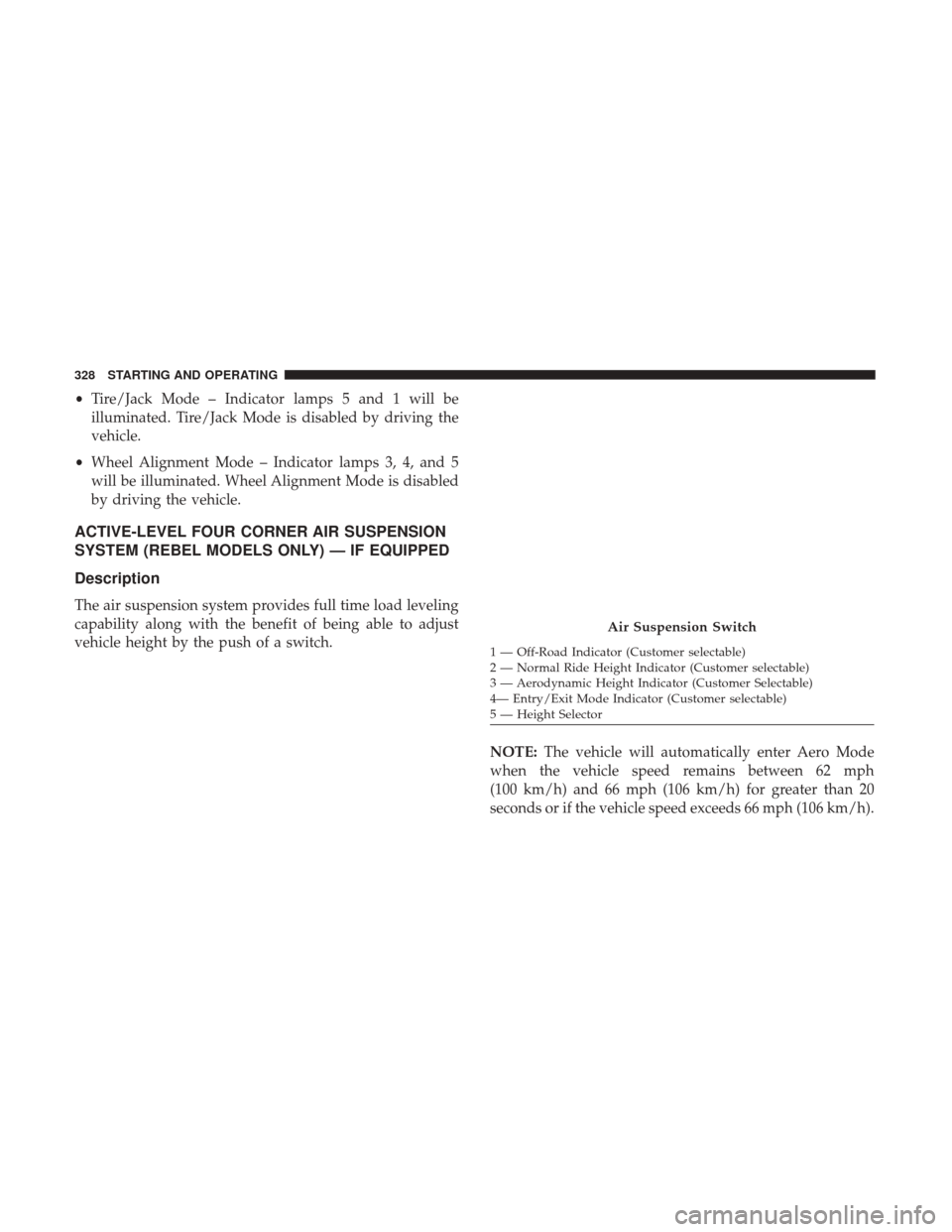
NOTE:The vehicle will automatically enter Aero Mode
when the vehicle speed remains between 62 mph
(100 km/h) and 66 mph (106 km/h) for greater than 20
seconds or if the vehicle speed exceeds 66 mph (106 km/h).
Air Suspension Switch
1 — Off-Road Indicator (Customer selectable)
2 — Normal Ride Height Indicator (Customer selectable)
3 — Aerodynamic Height Indicator (Customer Selectable)
4— Entry/Exit Mode Indicator (Customer selectable)
5 — Height Selector
328 STARTING AND OPERATING
Page 333 of 698

WARNING!
The air suspension system uses a high pressure vol-
ume of air to operate the system. To avoid personal
injury or damage to the system, see your authorized
dealer for service.
Air Suspension Modes
The Air Suspension system has multiple modes to protect
the system in unique situations:
AERO Mode
To improve aerodynamics, the air suspension system has a
feature which will put the vehicle into AERO height automati-
cally. Refer to “Instrument Cluster Display” in “Getting To
Know Your Instrument Panel” for further information.
NOTE:This mode is intended to be enabled with engine
running.
Tire Jack Mode
To assist with changing a tire, the air suspension system has a
feature which allows the automatic leveling to be disabled.
Refer to “Instrument Cluster Display” in “Getting To Know
Your Instrument Panel” or “Uconnect Settings” in “Multime-
dia” if equipped with a touch screen radio for further informa-
tion.
NOTE: This mode is intended to be enabled with engine
running.
Transport Mode
For towing your vehicle with four wheels off the road, the
air suspension system has a feature which will put the
vehicle into Entry/Exit height and disable the automatic
load leveling system. Refer to “Instrument Cluster Dis-
play” in “Getting To Know Your Instrument Panel” or
“Uconnect Settings” in “Multimedia” if equipped with a
touch screen radio for further information.
NOTE: This mode is intended to be enabled with engine
running.
Wheel Alignment Mode
Before performing a wheel alignment, this mode must be
enabled. Refer to “Instrument Cluster Display” in “Getting
To Know Your Instrument Panel” or “Uconnect Settings” in
“Multimedia” if equipped with a touch screen radio for
further information.
NOTE: This mode is intended to be enabled with engine
running.
6
STARTING AND OPERATING 331
Page 336 of 698

•Wheel Alignment Mode – Indicator lamps 2, 3, and 4
will be illuminated. Wheel Alignment Mode is disabled
by driving the vehicle.
AXLE LOCKER SYSTEM — IF EQUIPPED
This vehicle is equipped with an electronically locking rear
differential. This differential, when engaged, mechanically
lock together the axle shafts forcing the wheels to spin at an
equal rate. The locking of the rear differential should only
be engaged during low-speed, extreme off-road situations
where one wheel is likely to not be in contact with the
ground. It is not recommended to drive the vehicle with
the differentials locked on pavement due to the reduced
ability to turn and speed limitations.
CAUTION!
• Do not lock the rear axle on hard surfaced roads. The
ability to steer the vehicle is reduced and damage to
the drivetrain may occur when the axle is locked on
hard surfaced roads.
• Do not try to lock the rear axle if the vehicle is stuck
and the tires are spinning. You can damage drivetrain
components. Lock the rear axle before attempting
situations or navigating terrain, which could possi-
bly cause the vehicle to become stuck.
Axle Lock Button
334 STARTING AND OPERATING
Page 358 of 698
If weather conditions are not a factor, the driver should
examine the sensor. It may require cleaning or removal of
an obstruction. The sensor is located in the camera in the
center of the windshield, on the forward side of the
rearview mirror.
To keep the ACC System operating properly, it is important
to note the following maintenance items:
•Always keep the sensor clean. Carefully clear the wind-
shield.
• Do not remove any screws from the sensor. Doing so
could cause an ACC system malfunction or failure and
require a sensor realignment.
• Do not attach or install any accessories near the sensor,
including transparent material or aftermarket grilles.
Doing so could cause an ACC system failure or malfunc-
tion.
When the condition that deactivated the system is no
longer present, the system will return to the “Adaptive
Cruise Control Off” state and will resume function by
simply reactivating it. NOTE:
•
If the “ACC/FCW Unavailable Wipe Front Radar Sen-
sor” message occurs frequently (e.g. more than once on
every trip) without any snow, rain, mud, or other
obstruction, have the radar sensor realigned at your
authorized dealer.
• Installing a snow plow, front-end protector, an aftermar-
ket grille or modifying the grille is not recommended.
Doing so may block the sensor and inhibit ACC/FCW
operation.
“Clean Front Windshield” Warning
The “ACC/FCW Limited Functionality Clean Front Wind-
shield” warning will display and also a chime will indicate
when conditions temporarily limit system performance.
This most often occurs at times of poor visibility, such as in
snow or heavy rain and fog. The ACC system may also
become temporarily blinded due to obstructions, such as
mud, dirt, or ice on windshield, driving directly into the
sun and fog on the inside of glass. In these cases, the
instrument cluster display will show “ACC/FCW Limited
Functionality Clean Front Windshield” and the system will
have degraded performance.
356 STARTING AND OPERATING
Page 399 of 698

NOTE:For further information about how to access and
change the programmable features of the ParkView Rear
Backup Camera, refer to “Uconnect Settings” in “Multime-
dia” for further information.
A dashed center line overlay indicates the center of the
vehicle to assist with parking or aligning to a hitch/
receiver. The following table shows the approximate dis-
tances for each zone:
Zones Distance To The Rear Of
The Vehicle
Red 0 - 1 ft (0 - 30 cm)
Yellow 1 ft - 6.5 ft (30 cm - 2m)
Green 6.5 ft or greater (2 m or
greater)
WARNING!
Drivers must be careful when backing up even when
using the ParkView Rear Back Up Camera. Always
check carefully behind your vehicle, and be sure to
(Continued)
WARNING! (Continued)
check for pedestrians, animals, other vehicles, obstruc-
tions, or blind spots before backing up. You are re-
sponsible for the safety of your surroundings and must
continue to pay attention while backing up. Failure to
do so can result in serious injury or death.
CAUTION!
•To avoid vehicle damage, ParkView should only be
used as a parking aid. The ParkView camera is
unable to view every obstacle or object in your drive
path.
• To avoid vehicle damage, the vehicle must be driven
slowly when using ParkView to be able to stop in
time when an obstacle is seen. It is recommended
that the driver look frequently over his/her shoulder
when using ParkView.
The ParkView Camera is located in the center of the
tailgate handle.
NOTE: If snow, ice, mud, or any foreign substance builds
up on the camera lens, clean the lens, rinse with water, and
dry with a soft cloth. Do not cover the lens.6
STARTING AND OPERATING 397