Page 569 of 698
MULTIMEDIA
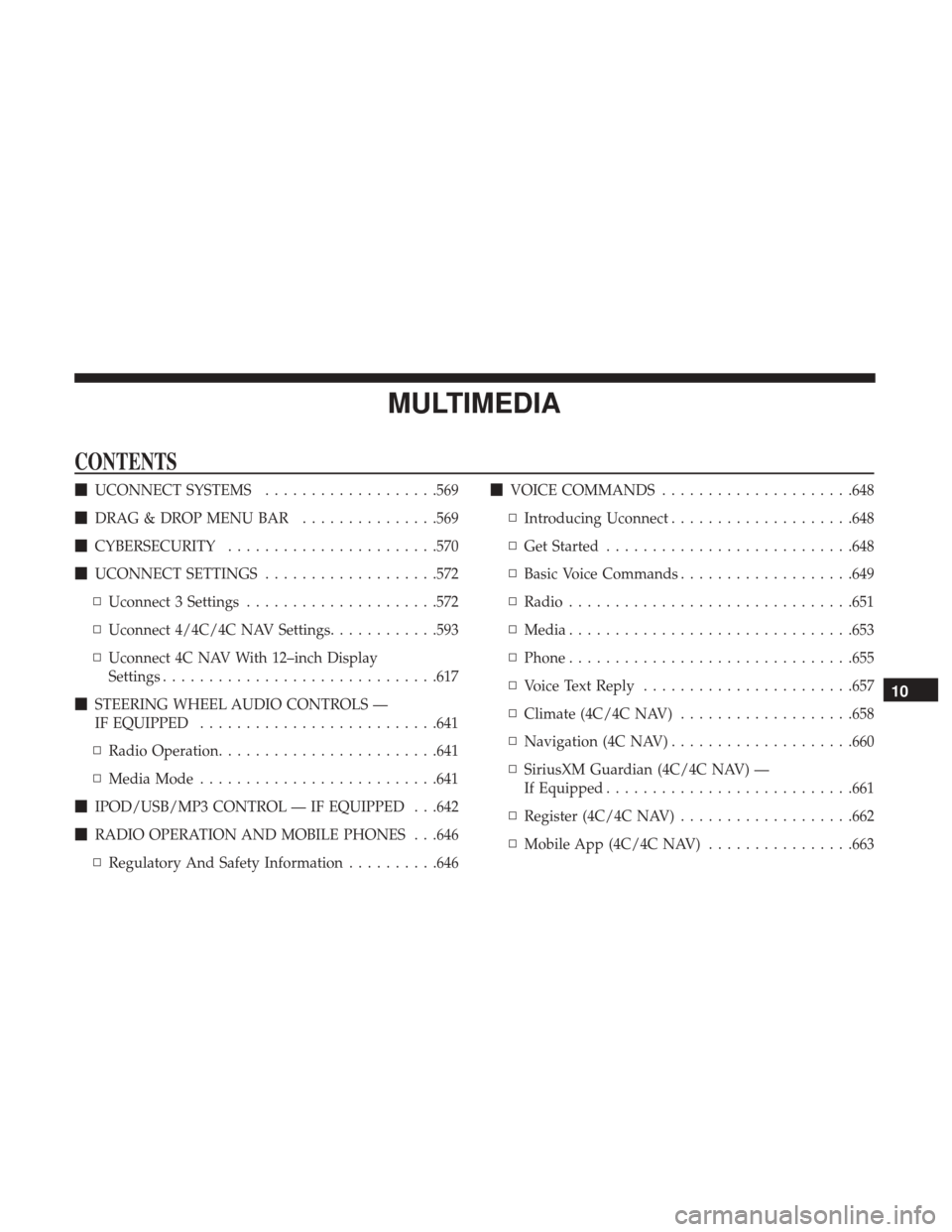
CONTENTS
�UCONNECT SYSTEMS ...................569
� DRAG & DROP MENU BAR ...............569
� CYBERSECURITY ...................... .570
� UCONNECT SETTINGS ...................572
▫ Uconnect 3 Settings .....................572
▫ Uconnect 4/4C/4C NAV Settings ............593
▫ Uconnect 4C NAV With 12–inch Display
Settings ............................. .617
� STEERING WHEEL AUDIO CONTROLS —
IF EQUIPPED ......................... .641
▫ Radio Operation ....................... .641
▫ Media Mode ......................... .641
� IPOD/USB/MP3 CONTROL — IF EQUIPPED . . .642
� RADIO OPERATION AND MOBILE PHONES . . .646
▫ Regulatory And Safety Information ..........646�
VOICE COMMANDS .....................648
▫ Introducing Uconnect ....................648
▫ Get Started .......................... .648
▫ Basic Voice Commands ...................649
▫ Radio .............................. .651
▫ Media .............................. .653
▫ Phone .............................. .655
▫ Voice Text Reply ...................... .657
▫ Climate (4C/4C NAV) ...................658
▫ Navigation (4C NAV) ....................660
▫ SiriusXM Guardian (4C/4C NAV) —
If Equipped .......................... .661
▫ Register (4C/4C NAV) ...................662
▫ Mobile App (4C/4C NAV) ................663
10
Page 578 of 698
Setting NameSelectable Options
Rear ParkSense Chime
Volume — If Equipped Low
Med High
Tilt Mirrors In Reverse — If Equipped On
Off
NOTE:
When the “Tilt Mirrors In Reverse” feature is selected, the exterior side-view mirrors tilt downward when the ignition
is in the RUN position and the transmission gear selector is in the REVERSE position. The mirrors move back to their
previous position when the transmission is shifted out of REVERSE. ParkView Backup Camera Active Guidelines On
Off
NOTE:
Your vehicle may be equipped with the ParkView Rear Back Up Camera Active Guidelines that allows you to see ac-
tive guidelines over the ParkView Back up camera display whenever the gear selector is put into REVERSE. The im-
age will be displayed on the radio touchscreen display along with a caution note to “check entire surroundings”
across the top of the screen. After five seconds, this note disappears. ParkView Backup Camera Delay On
Off
576 MULTIMEDIA
Page 593 of 698
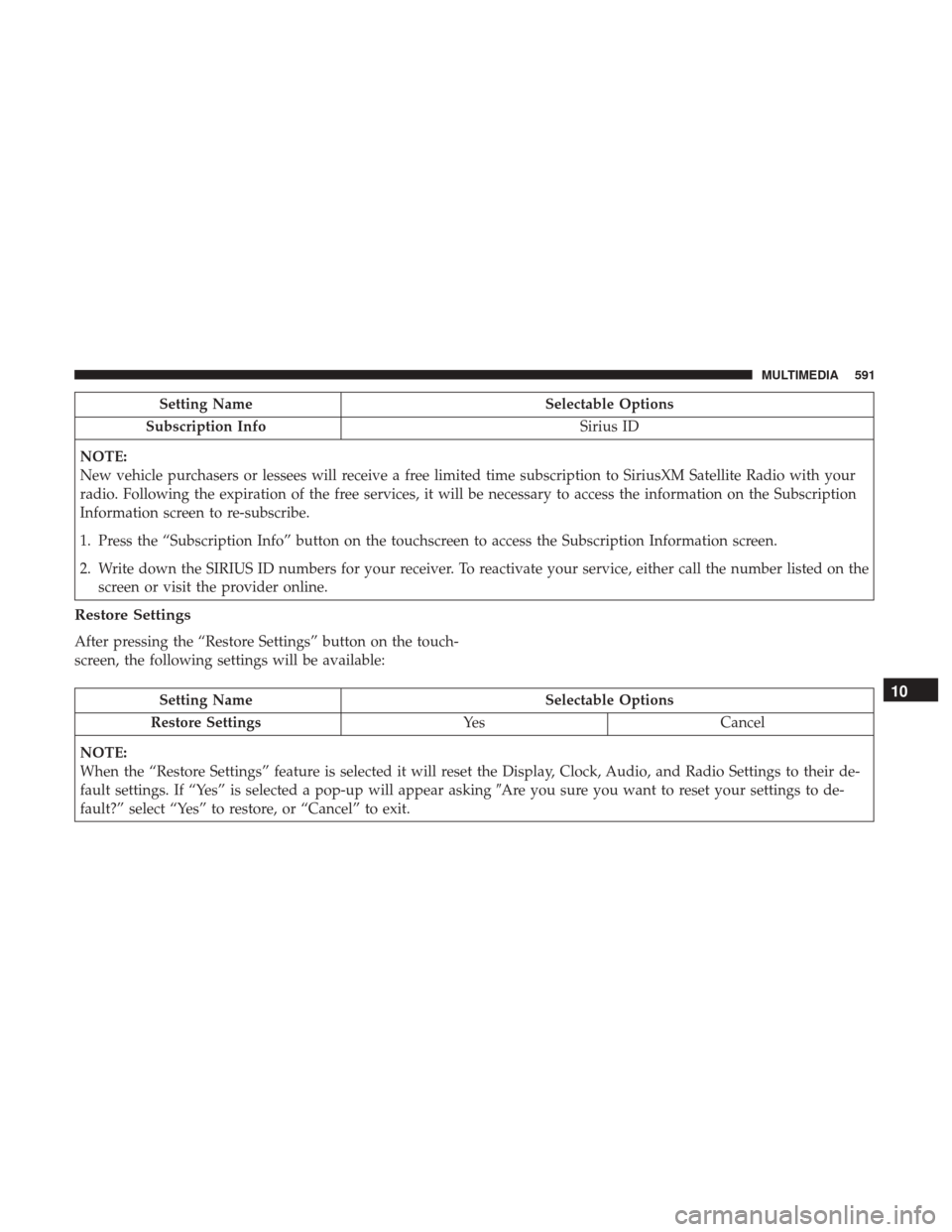
Setting NameSelectable Options
Subscription Info Sirius ID
NOTE:
New vehicle purchasers or lessees will receive a free limited time subscription to SiriusXM Satellite Radio with your
radio. Following the expiration of the free services, it will be necessary to access the information on the Subscription
Information screen to re-subscribe.
1. Press the “Subscription Info” button on the touchscreen to access the Subscription Information screen.
2. Write down the SIRIUS ID numbers for your receiver. To reactivate your service, either call the number listed on the screen or visit the provider online.
Restore Settings
After pressing the “Restore Settings” button on the touch-
screen, the following settings will be available:
Setting Name Selectable Options
Restore Settings YesCancel
NOTE:
When the “Restore Settings” feature is selected it will reset the Display, Clock, Audio, and Radio Settings to their de-
fault settings. If “Yes” is selected a pop-up will appear asking �Are you sure you want to reset your settings to de-
fault?” select “Yes” to restore, or “Cancel” to exit.10
MULTIMEDIA 591
Page 596 of 698
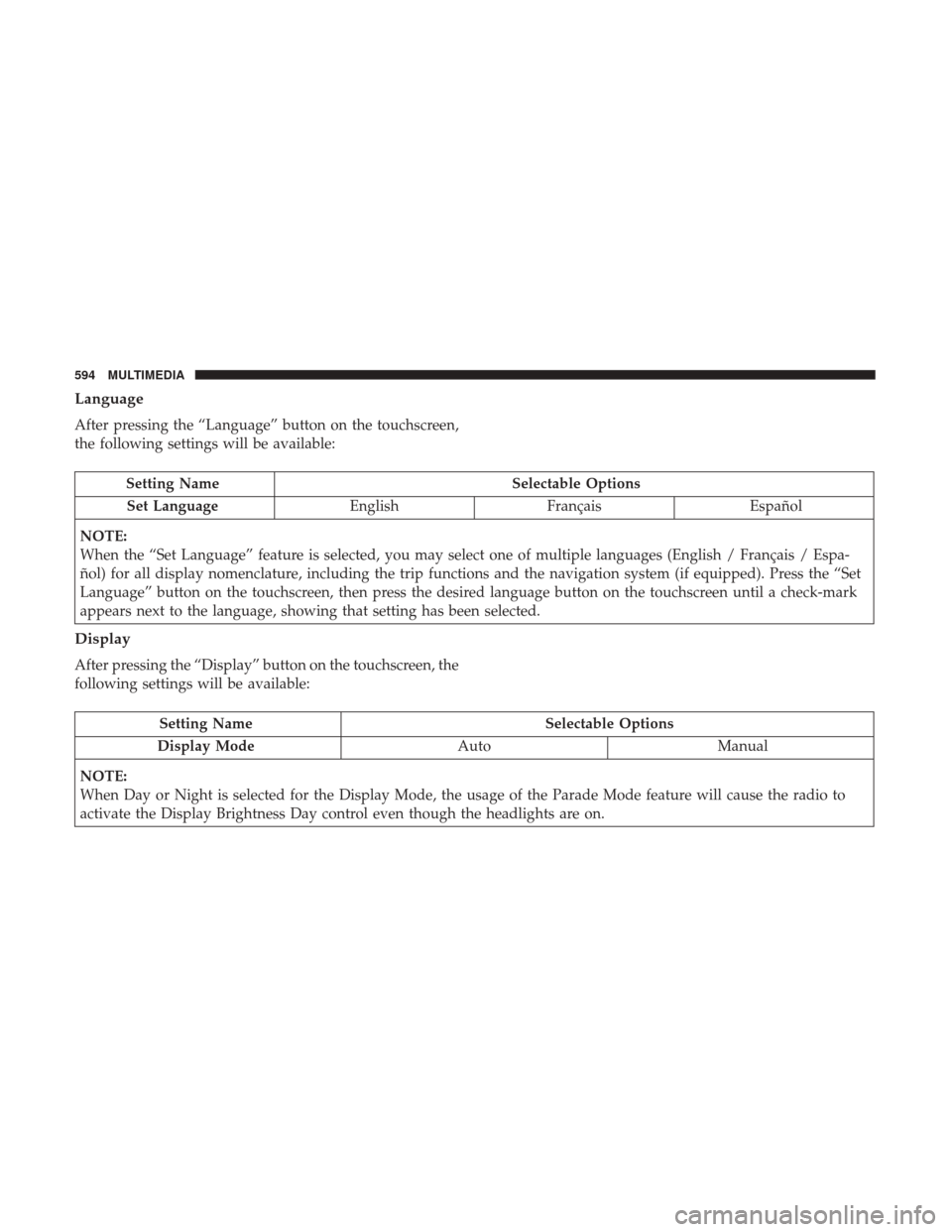
Language
After pressing the “Language” button on the touchscreen,
the following settings will be available:
Setting NameSelectable Options
Set Language EnglishFrançais Español
NOTE:
When the “Set Language” feature is selected, you may select one of multiple languages (English / Français / Espa-
ñol) for all display nomenclature, including the trip functions and the navigation system (if equipped). Press the “Set
Language” button on the touchscreen, then press the desired language button on the touchscreen until a check-mark
appears next to the language, showing that setting has been selected.
Display
After pressing the “Display” button on the touchscreen, the
following settings will be available:
Setting Name Selectable Options
Display Mode AutoManual
NOTE:
When Day or Night is selected for the Display Mode, the usage of the Parade Mode feature will cause the radio to
activate the Display Brightness Day control even though the headlights are on.
594 MULTIMEDIA
Page 610 of 698
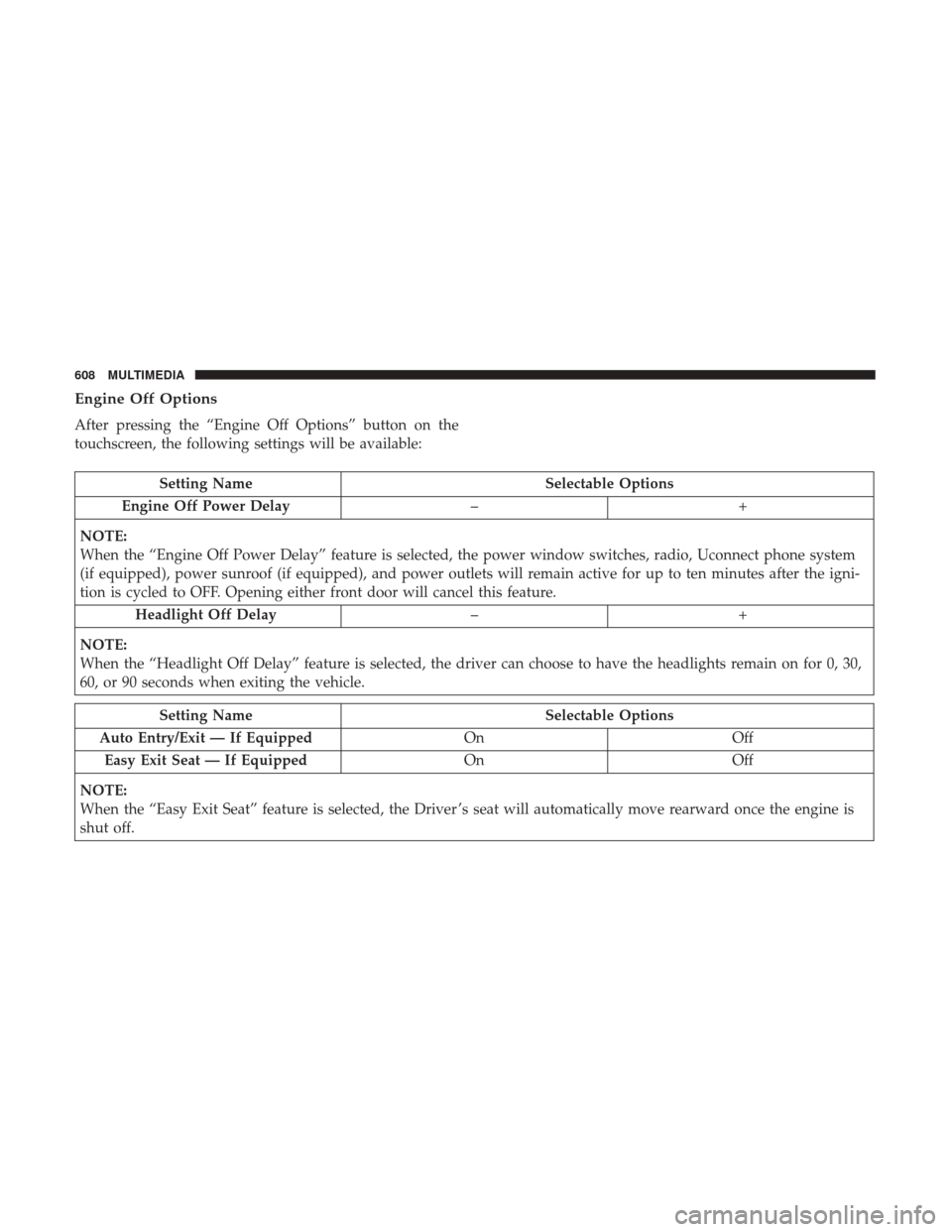
Engine Off Options
After pressing the “Engine Off Options” button on the
touchscreen, the following settings will be available:
Setting NameSelectable Options
Engine Off Power Delay –+
NOTE:
When the “Engine Off Power Delay” feature is selected, the power window switches, radio, Uconnect phone system
(if equipped), power sunroof (if equipped), and power outlets will remain active for up to ten minutes after the igni-
tion is cycled to OFF. Opening either front door will cancel this feature. Headlight Off Delay –+
NOTE:
When the “Headlight Off Delay” feature is selected, the driver can choose to have the headlights remain on for 0, 30,
60, or 90 seconds when exiting the vehicle.
Setting Name Selectable Options
Auto Entry/Exit — If Equipped OnOff
Easy Exit Seat — If Equipped OnOff
NOTE:
When the “Easy Exit Seat” feature is selected, the Driver ’s seat will automatically move rearward once the engine is
shut off.
608 MULTIMEDIA
Page 617 of 698
Setting NameSelectable Options
Subscription Info Sirius ID
NOTE:
New vehicle purchasers or lessees will receive a free limited time subscription to SiriusXM Satellite Radio with your
radio. Following the expiration of the free services, it will be necessary to access the information on the Subscription
Information screen to re-subscribe.
1. Press the “Subscription Info” button on the touchscreen to access the Subscription Information screen.
2. Write down the Sirius ID numbers for your receiver. To reactivate your service, either call the number listed on the screen or visit the provider online.
SiriusXM Travel Link is a separate subscription.
Reset
After pressing the “Reset” button on the touchscreen, the
following settings will be available:
Setting Name Selectable Options
Reset App Drawer OKCancel
Restore Settings OKCancel
NOTE:
When the “Restore Settings” feature is selected it resets clock, audio and other features to their default settings.
10
MULTIMEDIA 615
Page 633 of 698
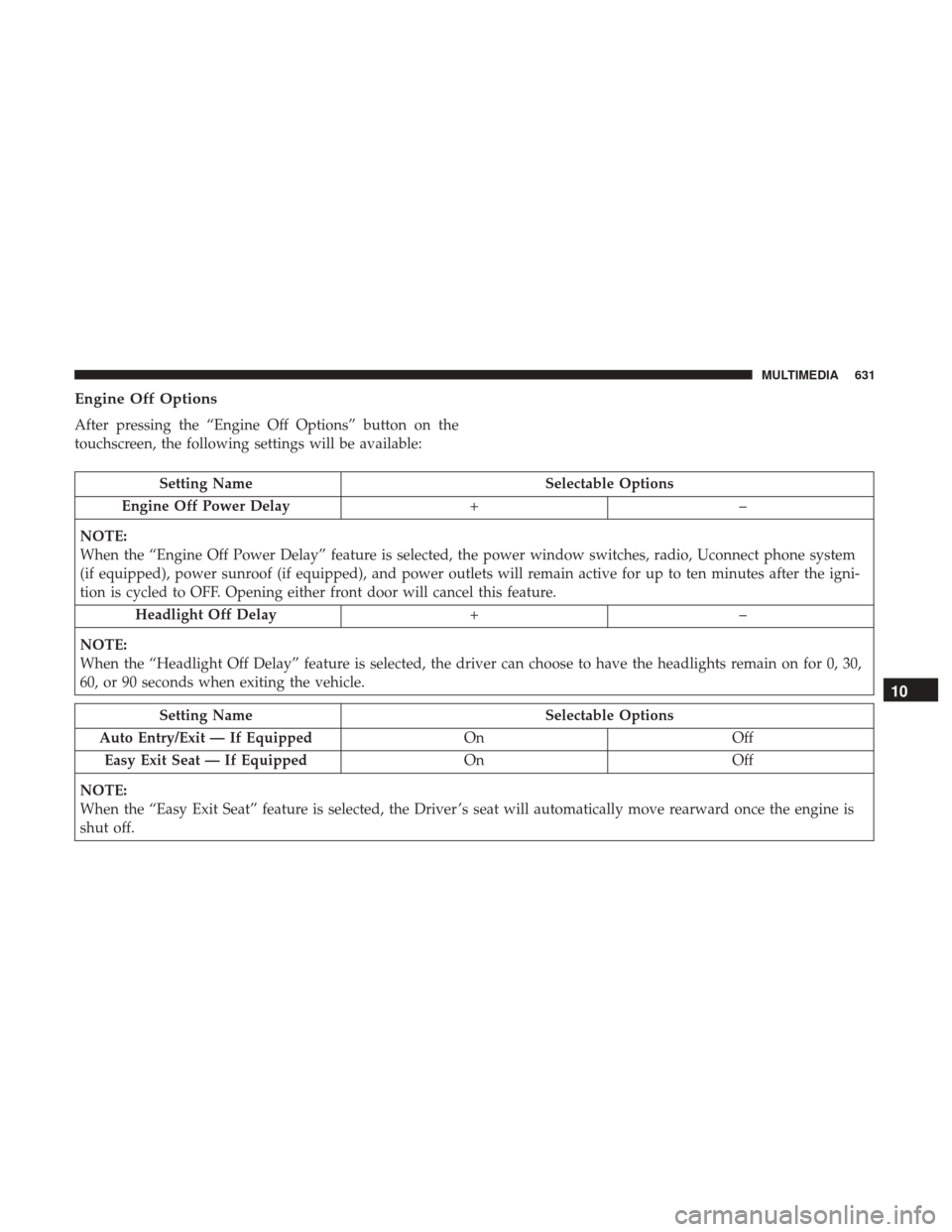
Engine Off Options
After pressing the “Engine Off Options” button on the
touchscreen, the following settings will be available:
Setting NameSelectable Options
Engine Off Power Delay +–
NOTE:
When the “Engine Off Power Delay” feature is selected, the power window switches, radio, Uconnect phone system
(if equipped), power sunroof (if equipped), and power outlets will remain active for up to ten minutes after the igni-
tion is cycled to OFF. Opening either front door will cancel this feature. Headlight Off Delay +–
NOTE:
When the “Headlight Off Delay” feature is selected, the driver can choose to have the headlights remain on for 0, 30,
60, or 90 seconds when exiting the vehicle.
Setting Name Selectable Options
Auto Entry/Exit — If Equipped OnOff
Easy Exit Seat — If Equipped OnOff
NOTE:
When the “Easy Exit Seat” feature is selected, the Driver ’s seat will automatically move rearward once the engine is
shut off.
10
MULTIMEDIA 631
Page 639 of 698
Setting NameSelectable Options
Paired Phones and Audio Devices List Of Paired Phones and Audio Sources
NOTE:
The “Paired Phones and Audio Sources” feature shows which phones and audio sources are paired to the Phone and
Audio Sources Settings system. For further information, refer to the Uconnect Owner ’s Manual Supplement. Smartphone Device Mirroring OnOff
Enable CarPlay Projections OnOff
Automatically Display Pop-Ups in Cluster On
Off
Set as Default Device OnOff
Projection Manager Smartphone Device Mirroring On Smartphone Device Mirroring Off
SiriusXM Setup — If Equipped
After pressing the “SiriusXM Setup” button on the touch-
screen, the following settings will be available:
Setting Name Selectable Options
Sirius All Access Choose a Subscription Package
Add Listener Add up to five profiles
NOTE:
The “Add Listener” feature allows you to add up to five different profiles for customizing personal music or satellite
radio choices.
10
MULTIMEDIA 637