2019 Peugeot Partner buttons
[x] Cancel search: buttonsPage 79 of 312

77
F Press corresponding button 8 to activate/deactivate the function.
The indicator lamp in the button is on when the
function is activated.
The function is deactivated automatically if a
passenger uses the temperature control.
Visibility programme
F Press " Visibility" button 7 to demist or
defrost the windscreen and side windows
more quickly.
The system automatically manages the air
conditioning, air flow and air intake, and
provides optimum distribution towards the
windscreen and side windows.
F
P
ress " Visibility " button 8 again to stop the
programme.
Or
F
P
ress " AUTO " button 6 to return to the
automatic comfort programme.
Air conditioning
With the engine running, the air conditioning is
designed to operate effectively in all seasons,
with the windows closed.
It allows you:
-
i
n summer, to lower the temperature,
-
t
o increase the effectiveness of the
demisting in winter, above 3°C.
On/off
F Press button 5 to activate/deactivate the air conditioning system.
When the air conditioning is in operation, to
cool the air more quickly, you can use interior
air recirculation for a few moments by pressing
button 4 . Then return to the intake of exterior
a i r.
The air conditioning does not operate
when the air flow adjustment is set to off.
Switching the system off may result in
some discomfort (humidity, misting).
Air distribution
F Press button 3 successively to direct the air flow towards:
-
t
he windscreen, the side windows and the
footwells,
-
t
he footwells.
-
t
he central vents, the side vents and the
footwells,
-
t
he windscreen, the side windows, the
central vents, the side vents and the
footwells,
-
t
he central and side vents,
-
t
he windscreen and side windows
(demisting or defrosting).
Air flow
F Press buttons 2 to increase/decrease the air f low.
The symbol for air flow (a fan) appears. It is
filled in or emptied progressively according to
the value requested.
Recirculation of interior air
The intake of exterior air prevents the formation
of mist on the windscreen and side windows.
Recirculation of the interior air isolates the
passenger compartment from exterior odours
and fumes.
This allows hot or cold air to be delivered
more quickly when required.
F
P
ress button 4 to recirculate the interior air/
permit the intake of exterior air.
Avoid prolonged use of recirculation
of the interior air – risk of misting and
deterioration of air quality!
3
Ease of use and comfort
Page 99 of 312
97
To reactivate geolocation, simultaneously press
the "Peugeot Connect SOS" and "Peugeot
Connect Assistance" buttons again, followed
by a press on "Peugeot Connect Assistance"
to confirm.If you purchased your vehicle outside the
PEUGEOT dealer network, we invite you
to have a dealer check the configuration of
these ser vices and, if desired, modify it to
suit your wishes. In a multilingual country,
configuration is possible in the official
national language of your choice.
For technical reasons and, in particular,
to improve the quality of PEUGEOT
CONNECT ser vices to customers, the
manufacturer reser ves the right to carry
out updates to the vehicle's on-board
telematic system.
You can deactivate geolocation by
simultaneously pressing the "Peugeot Connect
SOS" and "Peugeot Connect Assistance"
buttons, followed by pressing "Peugeot
Connect Assistance" to confirm.
If you benefit from the Peugeot Connect
Packs offer with the SOS and assistance
pack included, there are additional
ser vices available to you in your personal
space, via the website for your country.
Hazard warning lamps
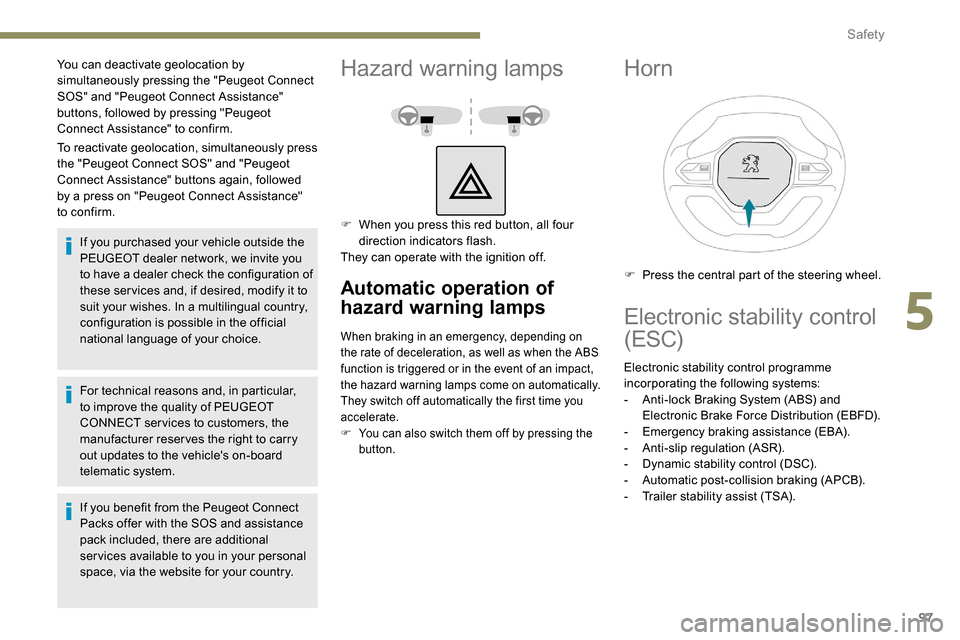
F When you press this red button, all four direction indicators flash.
They can operate with the ignition off.
Automatic operation of
hazard warning lamps
When braking in an emergency, depending on
the rate of deceleration, as well as when the ABS
function is triggered or in the event of an impact,
the hazard warning lamps come on automatically.
They switch off automatically the first time you
accelerate.
F
Y
ou can also switch them off by pressing the
button.
Horn
F Press the central part of the steering wheel.
Electronic stability control
(ESC)
Electronic stability control programme
incorporating the following systems:
-
A
nti-lock Braking System (ABS) and
Electronic Brake Force Distribution (EBFD).
-
E
mergency braking assistance (EBA).
-
A
nti-slip regulation (ASR).
-
D
ynamic stability control (DSC).
-
A
utomatic post-collision braking (APCB).
-
T
railer stability assist (TSA).
5
Safety
Page 146 of 312

144
Switching on
F With the engine running, turn the wheel 1
to the " CRUISE " position. The system is
paused (grey display).
With a manual gearbox
With the speed of the vehicle between 20 and
100
mph (30 and 160 km/h):
F
W
ith the vehicle moving, press one of the
buttons 2 or 3 : the current speed of your
vehicle becomes the cruise speed setting.
The cruise control starts operating (displayed
in green).
With an automatic gearbox
The D or M mode must be selected.
With the speed of the vehicle between 1 and
112
mph (30 km/h and 180 km/h):
F
A
ccelerate slightly and press one of the
buttons 2 or 3 : the system starts (green
display).
The cruise speed setting then becomes equal to:
-
t
he current speed of your vehicle, if it is over
19
mph (30 km/h),
-
1
9 mph (30 km/h), if it is below 19 mph
(30
km/h).
12 .Inter-vehicle distance setting.
13. Position of vehicle detected by the camera. Remembering the settings
Switching off the ignition cancels any speed
setting value chosen by the driver.
By default, the inter-vehicle distance is set
at "
Normal " (2 dashes). Other wise, the last
setting made will be used when switching on
the system.
Pause
The cruise control can be paused manually:
- e ither by action by the driver:
•
O
n the button 4 (Pause).
•
O
n the brake pedal.
•
O
n the automatic electronic parking
brake control.
•
O
n the clutch pedal, by pressing for
approximately 10
seconds or more.
•
W
hen changing from D to N with an
automatic gearbox.
-
o
r automatically:
•
I
f the ESC system is activated, for safety
reasons.
•
W
hen the speed of the vehicle goes
below 19
mph (30 km/h) (1,100 rpm) with
a manual gearbox.
When the cruise control is paused, it can
only be reactivated when all of the safety
conditions are met again. The message
"Activation not possible, conditions
unsuitable" is displayed while reactivation
is not possible.
Reactivating the function
With manual gearbox
To reactivate the function, the driver must
accelerate to reach at least 19 mph (30 km/h),
then press one of the buttons 2 , 3 or 4.
With automatic gearbox
Following braking of the vehicle bringing it to
a complete stop, the system holds the vehicle
stationary; the cruise control is paused.
The driver should press the accelerator pedal
to move off, then reactivate the system above
19
mph (30 km/h) by pressing one of the
buttons 2 , 3 or 4.
If the driver takes no action following this
immobilisation, the automatic electronic parking
brake is applied automatically after a while
(approximately 5
minutes).
As a safety measure, wait until the current
speed approaches the speed setting to
reactivate the function by pressing button 4 .
Modification of the speed
setting
With the engine running and cruise control on
(green), you can modify the speed setting.
From the current speed
F By successive short presses on button 2 or
3, to lower or raise the setting in steps of +
or -1
mph (km/h).
Driving
Page 150 of 312
148
Following braking of the vehicle bringing it to
a complete stop, the system holds the vehicle
stationary; the cruise control is paused.
The driver should press the accelerator
pedal to move off, then reactivate the system
by pressing one of the buttons 2, 3 or 4.
If the driver takes no action following this
immobilisation, the automatic electronic parking
brake is applied automatically after a while
(approximately 5
minutes).
Operating limits
The system cannot exceed the limits of the
laws of physics.
Certain situations cannot be managed by the
system and require the driver to take back
control of the vehicle.
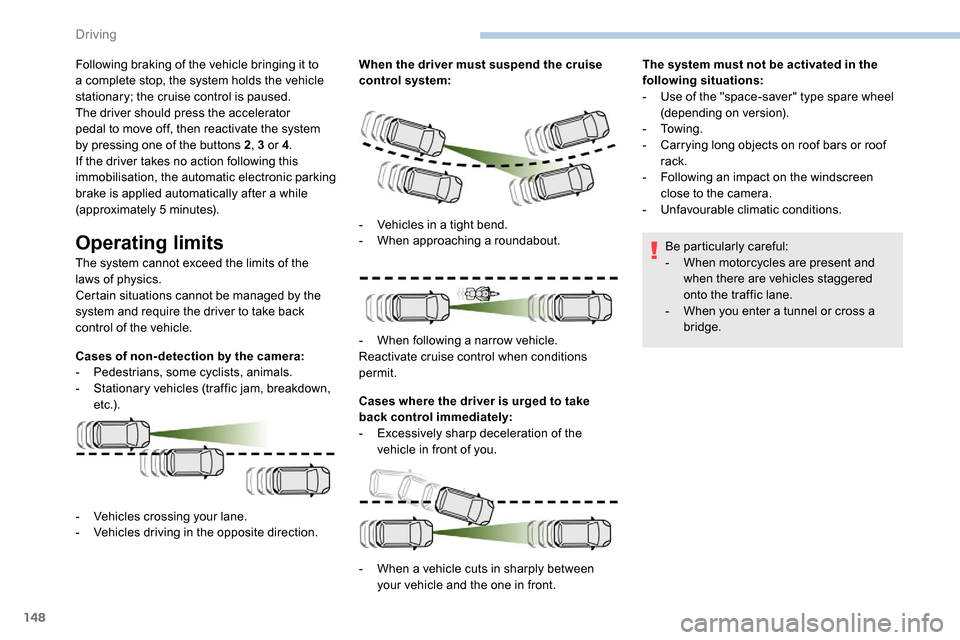
Cases of non- detection by the camera:
-
Pe
destrians, some cyclists, animals.
-
S
tationary vehicles (traffic jam, breakdown,
e t c .) . When the driver must suspend the cruise
control system:
Cases where the driver is urged to take
back control immediately:
-
E
xcessively sharp deceleration of the
vehicle in front of you. The system must not be activated in the
following situations:
-
U
se of the "space-saver" type spare wheel
(depending on version).
-
To w i n g .
-
C
arrying long objects on roof bars or roof
rack.
-
F
ollowing an impact on the windscreen
close to the camera.
-
Un
favourable climatic conditions.
Be particularly careful:
- W hen motorcycles are present and
when there are vehicles staggered
onto the traffic lane.
-
W
hen you enter a tunnel or cross a
bridge.
-
V
ehicles crossing your lane.
-
V
ehicles driving in the opposite direction. -
V
ehicles in a tight bend.
-
W
hen approaching a roundabout.
-
W
hen following a narrow vehicle.
Reactivate cruise control when conditions
permit.
-
W
hen a vehicle cuts in sharply between
your vehicle and the one in front.
Driving
Page 177 of 312
175
ON
ON
ON
Overload indicator
The overload indicator is a driving aid and
informs you that the maximum authorised
weight has been exceeded; this may be
either the gross vehicle weight (GV W) or the
maximum authorised weight on either axle
(front and rear) (GAWR).
The indicator does not relieve the user
from the responsibility.
Even if you correctly measure the weight
of the vehicle's load, any factor that
may vary this weight (seating the driver/
additional passengers or taking on
additional fuel) after the measurement
may put the vehicle into the overload
condition. -
T
he load includes the weight of the
items stored in the loading area
(including any fittings such as shelves),
but also the weight of all persons on
board the vehicle, the amount of fuel
and various equipment fitted on the
vehicle.
-
F
or optimal per formance, the vehicle
must be parked and loaded on level
ground (avoid the following conditions:
parking on a slope or straddling a
pavement).
Attaching a trailer to your vehicle may
affect the operation of the system.
Operation
The measurement of the weight on board your
vehicle starts:
F
A
utomatically when the engine restarts. F
W
hen the vehicle is stopped,
press this button located in
the loading area. The system
is then active for 5 minutes.
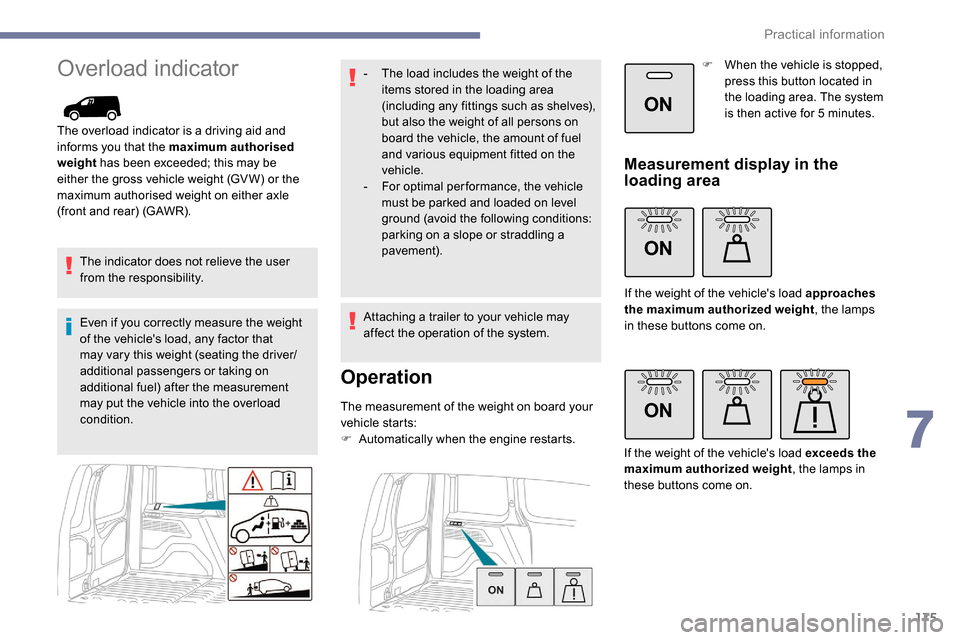
Measurement display in the
loading area
If the weight of the vehicle's load approaches
the maximum authorized weight
, the lamps
in these buttons come on.
If the weight of the vehicle's load exceeds the
maximum authorized weight , the lamps in
these buttons come on.
7
Practical information
Page 178 of 312
176
ON
Measurement display on the
instrument panel.
If the weight of the vehicle's load
exceeds the maximum authorized
weight, this warning lamp comes
on.
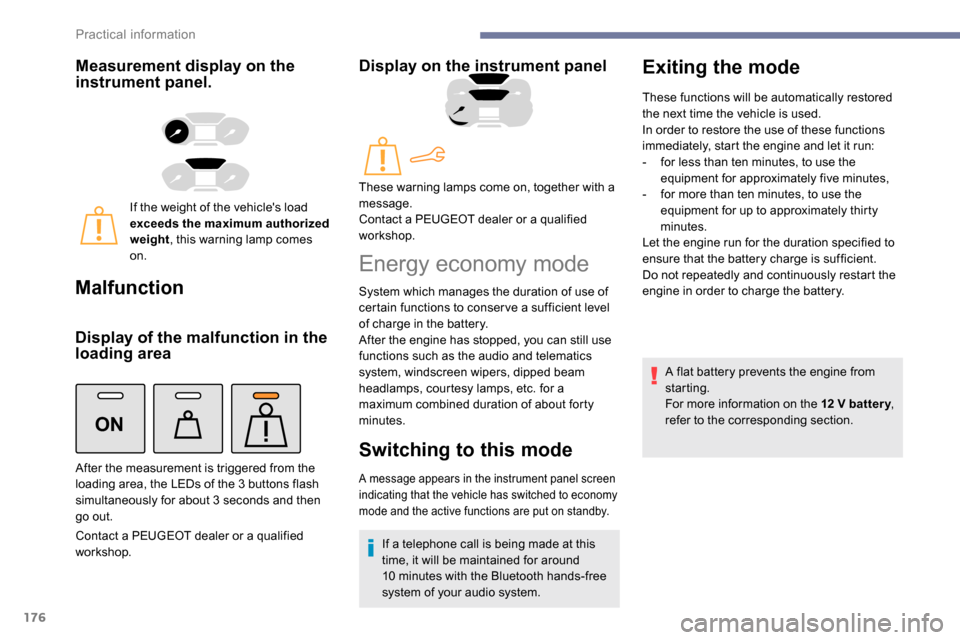
Malfunction
Display of the malfunction in the
loading area
Contact a PEUGEOT dealer or a qualified
workshop.
Display on the instrument panel
After the measurement is triggered from the
loading area, the LEDs of the 3 buttons flash
simultaneously for about 3
seconds and then
go out. These warning lamps come on, together with a
message.
Contact a PEUGEOT dealer or a qualified
workshop.
Energy economy mode
System which manages the duration of use of
certain functions to conser ve a sufficient level
of charge in the battery.
After the engine has stopped, you can still use
functions such as the audio and telematics
system,
windscreen wipers, dipped beam
headlamps,
courtesy lamps, etc. for a
maximum combined duration of about forty
minutes.
Switching to this mode
A message appears in the instrument panel screen
indicating that the vehicle has switched to economy
mode and the active functions are put on standby.
If a telephone call is being made at this
time, it will be maintained for around
10
minutes with the Bluetooth hands-free
system of your audio system.
Exiting the mode
These functions will be automatically restored
the next time the vehicle is used.
In order to restore the use of these functions
immediately, start the engine and let it run:
-
f
or less than ten minutes, to use the
equipment for approximately five minutes,
-
f
or more than ten minutes, to use the
equipment for up to approximately thirty
minutes.
Let the engine run for the duration specified to
ensure that the battery charge is sufficient.
Do not repeatedly and continuously restart the
engine in order to charge the battery.
A flat battery prevents the engine from
starting.
For more information on the 12
V batter y,
refer to the corresponding section.
Practical information
Page 222 of 312

2
First steps
Press: On/Off.
Rotate: adjust volume.
Short press: change audio source
(radio; USB; AUX (if equipment
connected); CD; streaming).
Long press: display the Telephone
menu (if a telephone is connected).
Adjust audio settings:
Front/rear fader; left/right balance;
bass/treble; loudness; audio
ambience.
Activation/Deactivation of automatic
volume adjustment (linked to the
speed of the vehicle).
Radio:
Short press: display the list of radio
stations.
Long press: update the list.
Media:
Short press: display the list of
folders.
Long press: display the available
sorting options. Select the screen display mode,
between:
Date; Audio functions; Trip
computer; Telephone.
Confirm or display contextual menu.
Buttons 1 to 6.
Short press: select the preset radio
station.
Long press: preset a radio station.
Radio:
Automatic step by step search up/
down for radio stations.
Media:
Select previous/next CD, USB,
streaming track.
Scroll in a list.
Radio:
Manual step by step search up/down
for radio stations.
Select previous/next MP3 folder.
Media:
Select previous/next folder/genre/
artist/playlist on the USB device.
Scroll in a list.
Abandon the current operation.
Go up one level (menu or folder).
Access to the main menu.
Activate/Deactivate TA function
(traffic announcements).
Long press: select type of
announcement.
Selection of FM/DAB/AM
wavebands.
Steering mounted controls
Steering mounted controls –
Ty p e 1
Radio:
Select the previous/next preset radio
station.
Select the previous/next item in a
menu or a list.
Media:
Select the previous/next track.
Select the previous/next item in a
menu or a list.
Bluetooth® audio system
Page 223 of 312
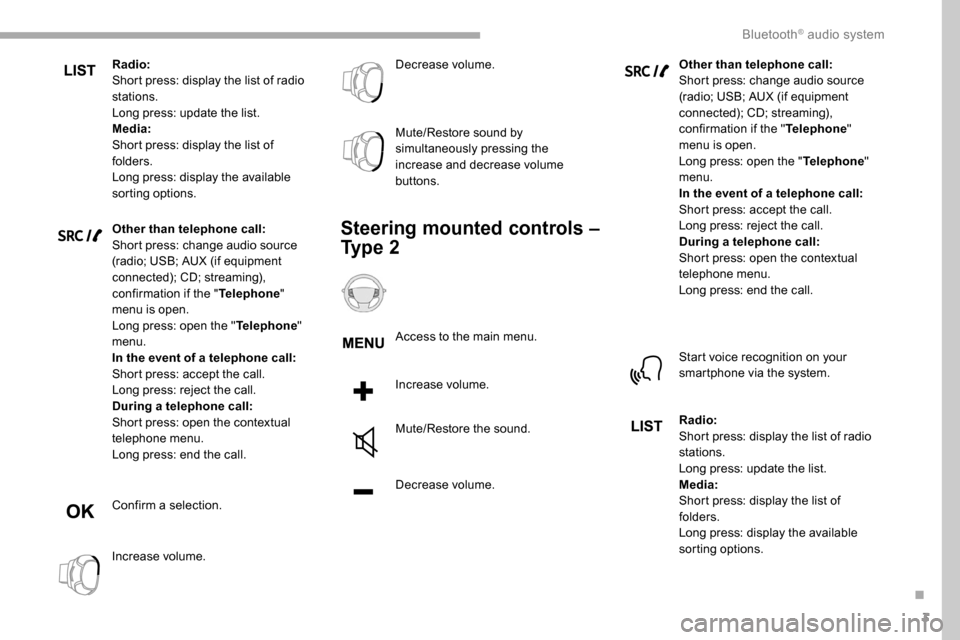
3
Radio:
Short press: display the list of radio
stations.
Long press: update the list.
Media:
Short press: display the list of
folders.
Long press: display the available
sorting options.
Other than telephone call:
Short press: change audio source
(radio; USB; AUX (if equipment
connected); CD; streaming),
confirmation if the "Telephone"
menu is open.
Long press: open the " Telephone"
menu.
In the event of a telephone call:
Short press: accept the call.
Long press: reject the call.
During a telephone call:
Short press: open the contextual
telephone menu.
Long press: end the call.
Confirm a selection.
Increase volume. Decrease volume.
Mute/Restore sound by
simultaneously pressing the
increase and decrease volume
buttons.
Steering mounted controls –
Ty p e 2
Access to the main menu.
Increase volume.
Mute/Restore the sound.
Decrease volume.
Other than telephone call:
Short press: change audio source
(radio; USB; AUX (if equipment
connected); CD; streaming),
confirmation if the "
Telephone"
menu is open.
Long press: open the " Telephone"
menu.
In the event of a telephone call:
Short press: accept the call.
Long press: reject the call.
During a telephone call:
Short press: open the contextual
telephone menu.
Long press: end the call.
Start voice recognition on your
smartphone via the system.
Radio:
Short press: display the list of radio
stations.
Long press: update the list.
Media:
Short press: display the list of
folders.
Long press: display the available
sorting options.
.
Bluetooth® audio system