2019 MERCEDES-BENZ S CLASS start stop button
[x] Cancel search: start stop buttonPage 185 of 578
#Parkthevehicle sothat noflammablematerial can come into contact withhotvehicle components.
#In particular, do not park on dry grass‐land or harvested grainfields.
&WARNINGRisk of accident and injuryduetochildren left unattended inthevehicle
Ifyou leavechildren unattended inthevehi‐cle,theymay be abletosetthevehicle inmotion,forexampleby:
RReleasingthe parking brake.
RShiftingthe automatic transmission outof park position].
RStartingthe engine.
In addition,theymay operatevehicle equip‐ment and become trapped.
#Never leavechildren unattended inthevehicle.
#When leavingthevehicle, alwaystakethe SmartKeywithyou and lockthevehicle.
*NOTEDamagetothevehicle duetoitrollingaway
#Always securethevehicle againstroll‐ingaway.
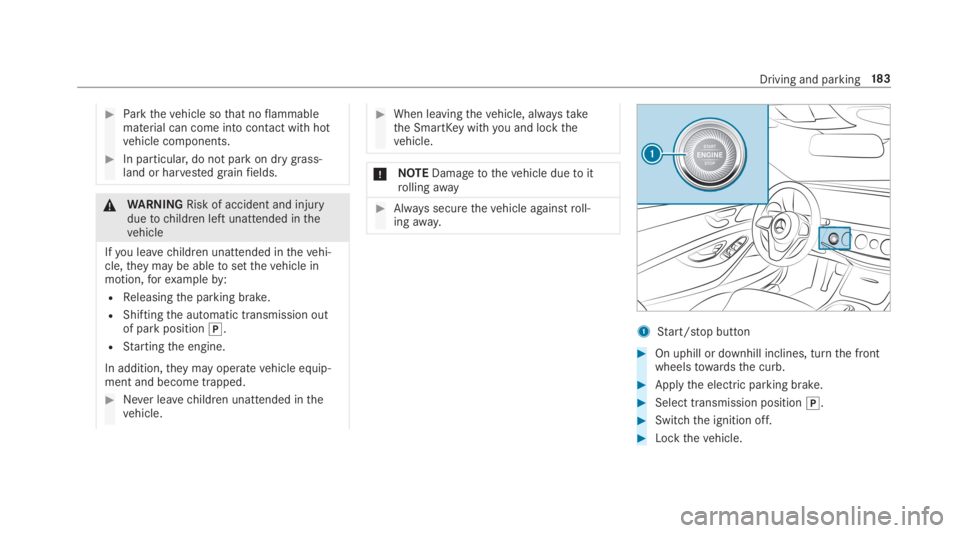
1Start/stop button
#On uphill or downhill inclines, turnthe frontwheelstowardsthe curb.
#Applythe electric parking brake.
#Select transmission position].
#Switchthe ignition off.
#Lockthevehicle.
Driving and parking18 3
Page 235 of 578
Parking withActiveParking Assist
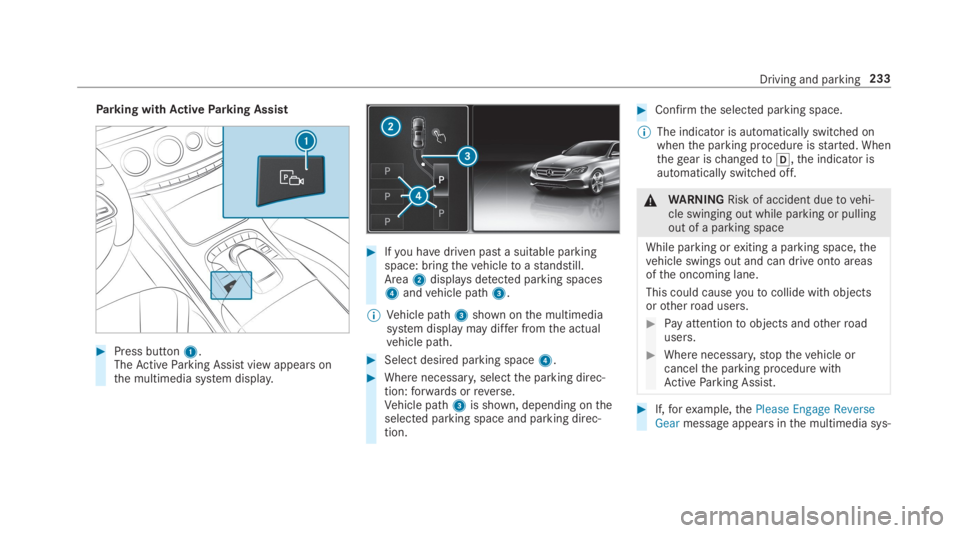
#Press button1.TheActiveParking Assist view appears onthe multimedia system display.
#Ifyou havedriven past a suitable parkingspace: bringthevehicletoastandstill.Area2displaysdetected parking spaces4andvehicle path3.
%Vehicle path3shown onthe multimediasystem display may differ fromthe actualvehicle path.
#Select desired parking space4.
#Where necessary,selectthe parking direc‐tion:forwards orreverse.Vehicle path3is shown, depending ontheselected parking space and parking direc‐tion.
#Confirmthe selected parking space.
%The indicator is automatically switched onwhenthe parking procedure isstarted. Whenthegear ischangedto[,the indicator isautomatically switched off.
&WARNINGRisk of accident duetovehi‐cle swinging out while parking or pullingout of a parking space
While parking orexiting a parking space,thevehicle swings out and can drive onto areasofthe oncoming lane.
This could causeyoutocollide withobjectsorotherroad users.
#Pay attentiontoobjects andotherroadusers.
#Where necessary,stopthevehicle orcancelthe parking procedure withActiveParking Assist.
#If,forexample,thePlease Engage ReverseGearmessage appears inthe multimedia sys‐
Driving and parking233
Page 236 of 578
tem display: selectthe corresponding trans‐mission position.Thevehicle drives intothe selected parkingspace.
On completion ofthe parking procedure,theParking Assist Finished, Take Control of Vehicledisplay message appears.Further maneuveringmaystill be necessary.
#After completion ofthe parking procedure,safeguardthevehicle againstrollingaway.Whenrequiredbylegalrequirements or localconditions: turnthe wheelstowardsthe curb.
%You canstopthevehicle andchangethetransmission position duringthe parking pro‐cedure. The systemthen calculates a newvehicle path. The parking procedure canthen be continued. If no newvehicle path isavailable,the transmission position will bechanged again. Ifthevehicle has notyetreachedthe parking space,the parking pro‐cedure will be canceled, should agear bechanged.
Exiting a parking space withActiveParkingAssist
RequirementsYou can onlyexit a parking space withActiveParking Assist ifyou havepreviously parkedthevehicle withActiveParking Assist.
Please notethatyou areresponsibleforthevehi‐cle and surroundings duringthe entire parkingprocedure.
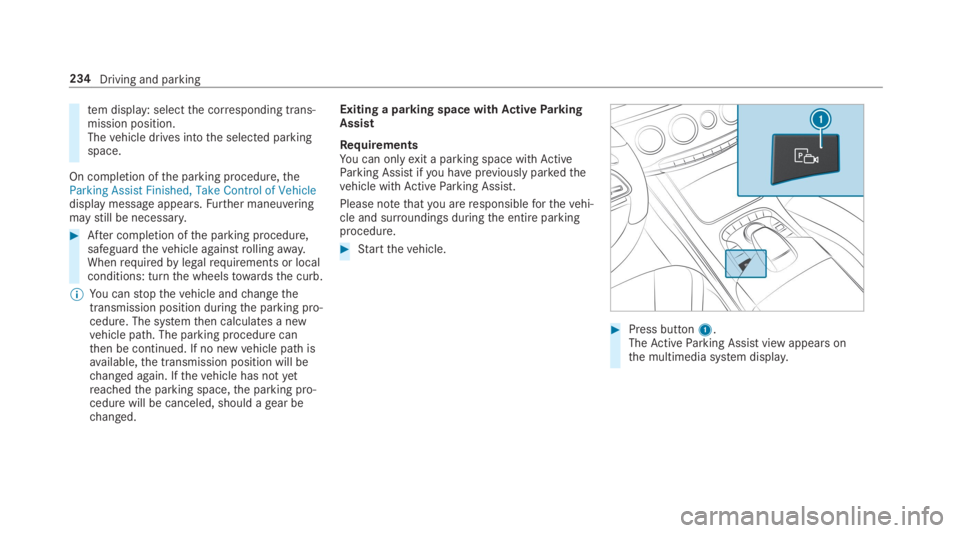
#Startthevehicle.
#Press button1.TheActiveParking Assist view appears onthe multimedia system display.
234Driving and parking
Page 397 of 578
ASSYST PLUS service interval display
Function ofthe ASSYST PLUS service intervaldisplay
The ASSYST PLUS service interval display ontheInstrument Display provides information ontheremaining time or distance beforethe nextservice due date.
You can hidethis service message usingtheback button onthe left-hand side ofthesteeringwheel.
Depending on howthevehicle is used,theASSYST PLUS service interval display mayshortenthe service interval, e.g. inthefollowingcases:
RMainly short-distance driving
RWhenthe engine is often leftidlingfor longperiods
RIntheevent of frequent coldstart phases
Mercedes-Benzrecommendsavoiding suchoperating conditions.
You can obtain further information concerningthe servicing ofyourvehicle from aqualified
specialistworkshop, e.g. an authorizedMercedes-Benz Center.
Displayingthe service due date
On-board computer:
,Service.ASSYST PLUS
The next service due date is displayed.
#Toexitthe display:pressthe back buttononthe left-hand side ofthesteering wheel.
Make suretoobservethefollowing furtherrela‐ted subject:
ROperatingthe on-board computer(→page 252).
Information onregular maintenancework
*NOTEPrematurewearthroughfailuretoobserveservice due dates
Serviceworkwhich is not carried out attheright time or incompletelycan leadtoincreasedwear and damagetothevehicle.
#Always observethe prescribed serviceintervals.
#Always havethe prescribed serviceworkcarried out at aqualified specialistworkshop.
Special servicerequirements
The prescribed service interval is based on nor‐mal operation ofthevehicle. Maintenanceworkwill needtobe performed more often ifthevehi‐cle is operated under arduous conditions orincreased loads.
The ASSYST PLUS service interval display is onlyan aid. The driver ofthevehicle bearsresponsi‐bility asregardstowhether maintenanceworkneedstobe performed more oftenthan speci‐fied based onthe actual operating conditionsand/or loads.
Examples of arduous operating conditions:
Rregular city driving with frequent intermedi‐atestops
Rmainly short-distance driving
Maintenance and care395
Page 552 of 578
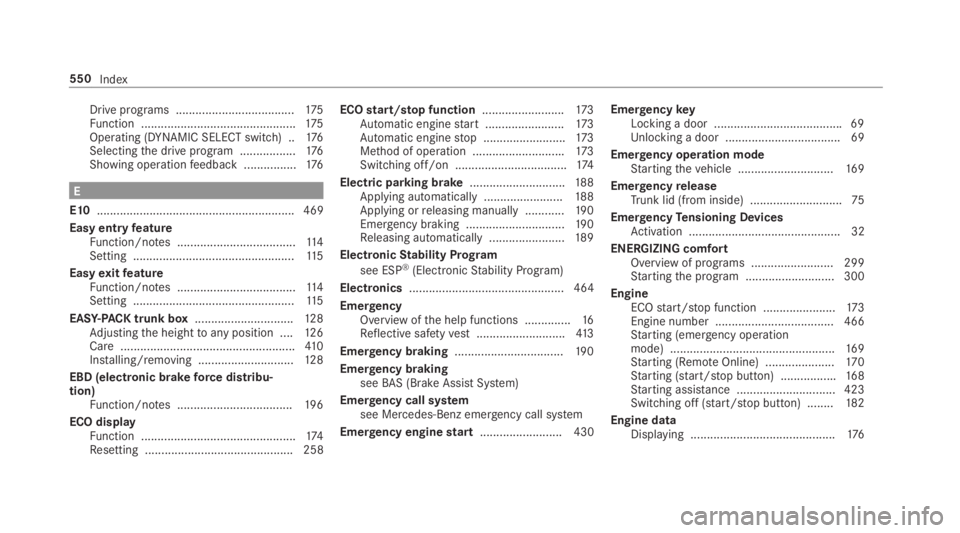
Drive programs ....................................175Function ...............................................175Operating (DYNAMIC SELECT switch) ..176Selectingthe drive program .................176Showing operationfeedback ................176
E
E10............................................................ 469
Easy entryfeatureFunction/notes ....................................11 4Setting .................................................11 5
EasyexitfeatureFunction/notes ....................................11 4Setting .................................................11 5
EASY-PACKtrunk box..............................12 8Adjustingthe heighttoany position ....12 6Care .....................................................410Installing/removing .............................12 8
EBD (electronic brakeforce distribu‐tion)Function/notes ...................................19 6
ECO displayFunction ...............................................174Resetting ............................................. 258
ECOstart/stop function.........................173Automatic enginestart ........................173Automatic enginestop .........................173Method of operation ............................173Switching off/on ..................................174
Electric parking brake.............................188Applying automatically ........................188Applying orreleasing manually ............19 0Emergency braking ..............................19 0Releasing automatically .......................189
ElectronicStability Program
see ESP®(ElectronicStability Program)
Electronics............................................... 464
EmergencyOverview ofthe help functions ..............16Reflective safetyvest...........................413
Emergency braking.................................19 0
Emergency brakingseeBAS (Brake AssistSystem)
Emergency call systemsee Mercedes-Benz emergency call system
Emergency enginestart......................... 430
EmergencykeyLocking a door .......................................69Unlocking a door ...................................69
Emergency operation modeStartingthevehicle .............................16 9
EmergencyreleaseTrunk lid (from inside) ............................75
EmergencyTensioning DevicesActivation .............................................. 32
ENERGIZING comfortOverview of programs .........................299Startingthe program ........................... 300
EngineECOstart/stop function ......................173Engine number .................................... 466Starting (emergency operationmode) ..................................................16 9Starting (RemoteOnline) .....................17 0Starting (start/stop button) .................168Starting assistance .............................. 423Switching off (start/stop button) ........182
Engine dataDisplaying ............................................176
550Index
Page 555 of 578
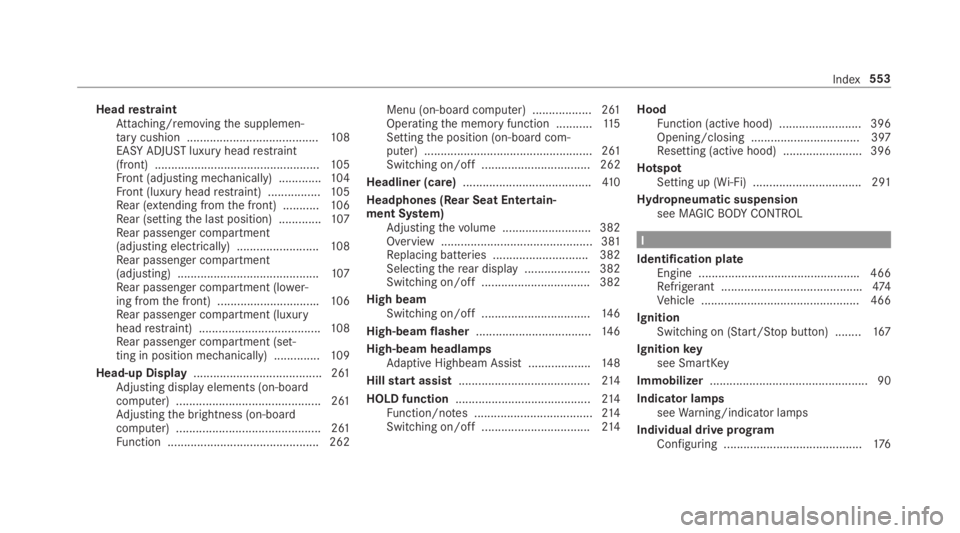
HeadrestraintAttaching/removingthe supplemen‐tarycushion ........................................108EASY ADJUSTluxury headrestraint(front) ..................................................105Front (adjusting mechanically) .............104Front (luxury headrestraint) ................105Rear (extending fromthe front) ...........106Rear (settingthe last position) .............107Rear passenger compartment(adjusting electrically) .........................108Rear passenger compartment(adjusting) ...........................................107Rear passenger compartment (lower‐ing fromthe front) ...............................106Rear passenger compartment (luxuryheadrestraint) .....................................108Rear passenger compartment (set‐ting in position mechanically) ..............109
Head-up Display....................................... 261Adjusting display elements (on-boardcomputer) ............................................ 261Adjustingthe brightness (on-boardcomputer) ............................................ 261Function .............................................. 262
Menu (on-board computer) .................. 261Operatingthe memory function ...........11 5Settingthe position (on-board com‐puter) ................................................... 261Switching on/off ................................. 262
Headliner (care).......................................41 0
Headphones (Rear Seat Entertain‐ment System)Adjustingthevolume ...........................382Overview .............................................. 381Replacing batteries .............................382Selectingtherear display .................... 382Switching on/off .................................382
High beamSwitching on/off .................................14 6
High-beam flasher...................................14 6
High-beam headlampsAdaptive Highbeam Assist ...................148
Hillstart assist........................................214
HOLD function.........................................214Function/notes ....................................214Switching on/off .................................214
HoodFunction (active hood) .........................396Opening/closing ................................. 397Resetting (active hood) ........................ 396
HotspotSetting up (Wi-Fi) ................................. 291
Hydropneumatic suspensionsee MAGICBODYCONTROL
I
Identification plateEngine .................................................466Refrigerant ...........................................474Vehicle ................................................ 466
IgnitionSwitching on (Start/Stop button) ........167
Ignitionkeysee SmartKey
Immobilizer................................................ 90
Indicator lampsseeWarning/indicator lamps
Individual drive programConfiguring ..........................................176
Index553
Page 560 of 578

Mercedes-Benz AppsCalling up ............................................ 350Usingvoice control .............................. 350
Mercedes-Benz emergency call sys‐tem........................................................... 346Automatic emergency call ................... 347Information .......................................... 346Information on data processing ...........348Manual emergency call ........................ 347Overview ............................................. 346
Mercedes-Benz Link................................ 338Connecting .......................................... 339Ending ................................................. 339Overview ............................................. 338Using ................................................... 339
Message (multifunction display)see Display message
Message memory....................................478
MessagesVoice commands (Voice Control Sys‐tem) .....................................................274
MessagesseeText messages
Mirrorssee Exterior mirrors
Mobile phoneWirelesscharging ................................14 2Wirelesscharging (rear passengercompartment) ......................................14 2
Mobile phonesee AndroidAutosee Apple CarPlay™see Mercedes-Benz Linksee SecondtelephoneseeTelephone
Mobile phonevoicerecognitionStarting ...............................................333Stopping ..............................................333
Model series............................................ 466
MOExtended tires....................................414
Multifunction cameraROAD SURFACE SCAN ........................ 220
Multifunction displayOverview of displays ............................255
Multifunctionsteering wheelOverview of buttons ............................ 252
Multifunctionsteering wheelseeSteering wheel
Multimedia system..................................278Activating/deactivatingstandbymode ...................................................191Adjuststhevolume .............................. 284Central control elements .....................279Configuring displaysettings ................287ENERGIZING comfort program (over‐view) ....................................................299Enteringcharacters .............................285Favorites ............................................. 282Main functions .................................... 282Overview .............................................278Rear climate control ............................16 2Restoringthefactory settings ............. 298Settingthefootwelltemperature .........161Standby mode function .......................190Startingthe ENERGIZING comfortprogram ..............................................300Switchingthe sound on or off .............284
Multimedia systemseeTouch ControlseeTouchpad
558Index
Page 563 of 578
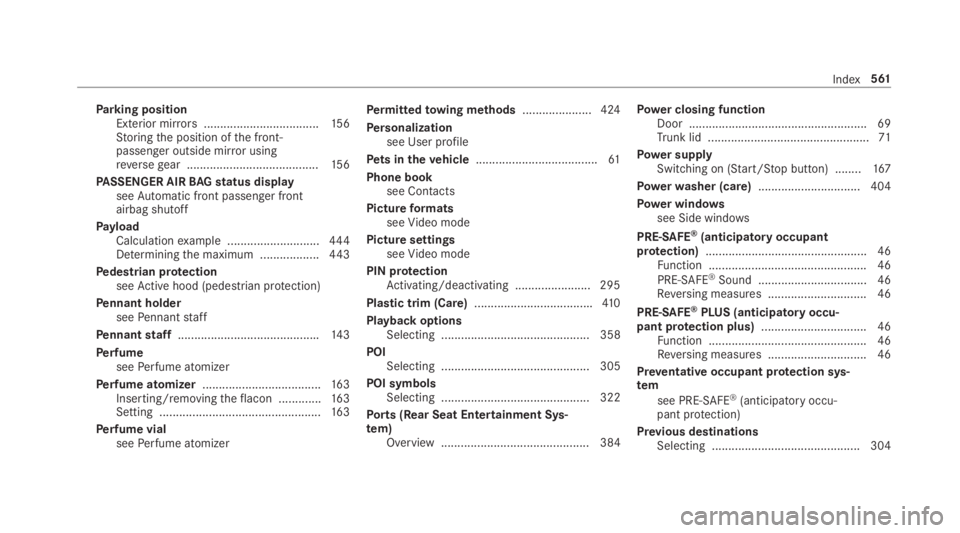
Parking positionExterior mirrors...................................15 6Storingthe position ofthe front-passenger outside mirror usingreversegear ........................................15 6
PASSENGER AIRBAGstatus displayseeAutomatic front passenger frontairbag shutoff
PayloadCalculationexample ............................444Determiningthe maximum ..................443
Pedestrian protectionseeActive hood (pedestrian protection)
Pennant holderseePennantstaff
Pennantstaff...........................................143
PerfumeseePerfume atomizer
Perfume atomizer....................................16 3Inserting/removingtheflacon .............163Setting .................................................16 3
Perfume vialseePerfume atomizer
Permittedtowing methods.....................424
Personalizationsee User profile
Pets in thevehicle.....................................61
Phone booksee Contacts
PictureformatsseeVideo mode
Picture settingsseeVideo mode
PIN protectionActivating/deactivating .......................295
Plastic trim (Care)....................................410
Playback optionsSelecting ............................................. 358
POISelecting ............................................. 305
POI symbolsSelecting ............................................. 322
Ports (Rear Seat Entertainment Sys‐tem)Overview ............................................. 384
Power closing functionDoor ...................................................... 69Trunk lid .................................................71
Power supplySwitching on (Start/Stop button) ........167
Powerwasher (care)...............................404
Power windowssee Side windows
PRE-SAFE®(anticipatory occupantprotection).................................................46Function ................................................ 46
PRE-SAFE®Sound ................................. 46Reversing measures .............................. 46
PRE-SAFE®PLUS (anticipatoryoccu‐pant protection plus)................................ 46Function ................................................ 46Reversing measures .............................. 46
Preventative occupant protection sys‐tem
see PRE-SAFE®(anticipatory occu‐pant protection)
Previous destinationsSelecting .............................................304
Index561