2019 MERCEDES-BENZ GLA warning
[x] Cancel search: warningPage 22 of 346
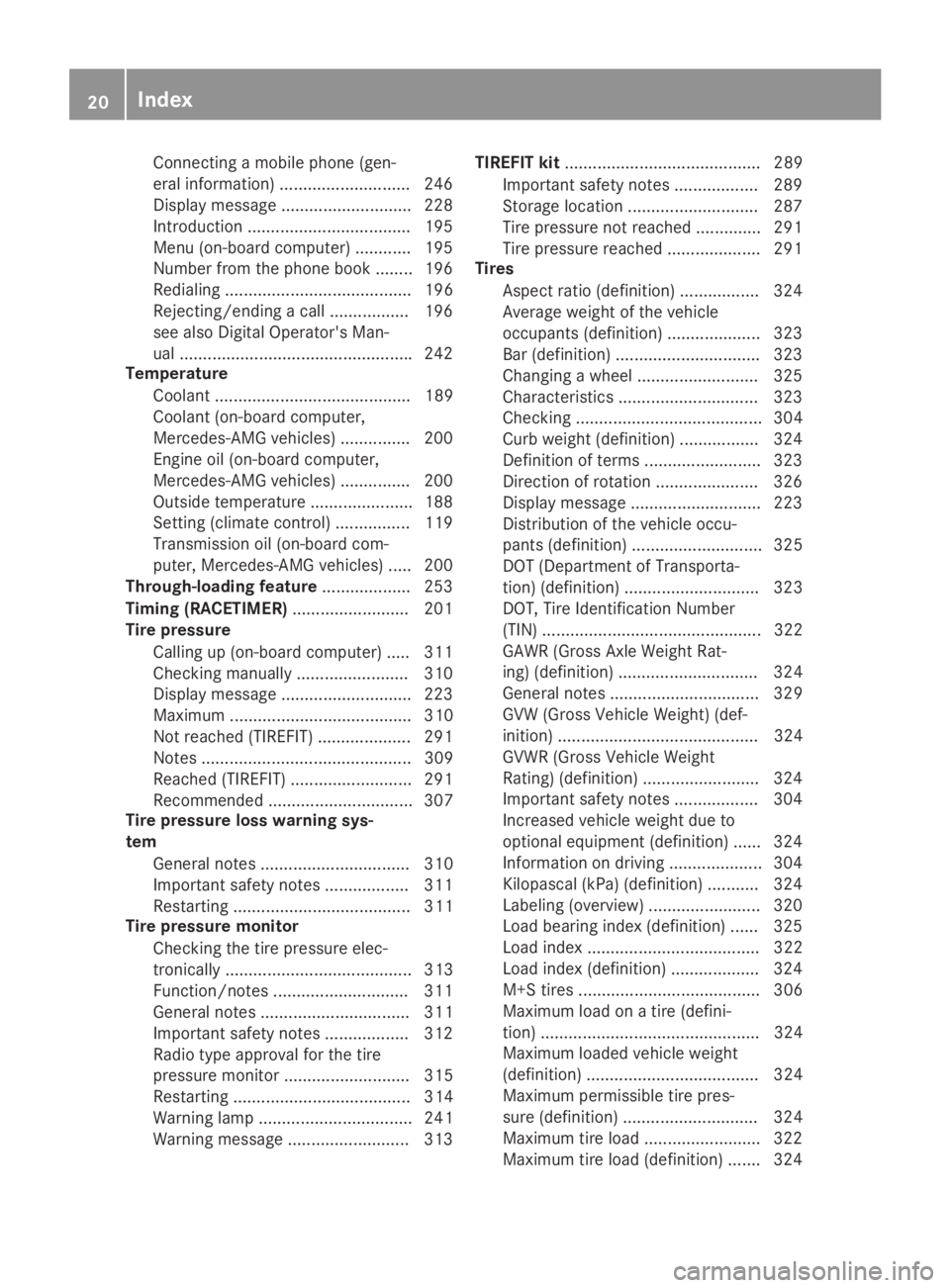
Connecting a mobile phone (gen-
eral information) ............................ 246
Display message ............................ 228
Introduction ...................................195
Menu (on-board computer) ............ 195
Number from the phone book ........196
Redialing ........................................ 196
Rejecting/ending a call ................. 196
see also Digital Operator's Man-
ual ..................................................242
Temperature
Coolant .......................................... 189
Coolant (on-board computer,
Mercedes-AMG vehicles) ...............200
Engine oil (on-board computer,
Mercedes-AMG vehicles) ...............200
Outside temperature ......................188
Setting (climate control) ................ 119
Transmission oil (on-board com-
puter, Mercedes-AMG vehicles) ..... 200
Through-loading feature................... 253
Timing (RACETIMER)......................... 201
Tire pressure
Calling up (on-board computer) ..... 311
Checking manually ........................ 310
Display message ............................ 223
Maximum ....................................... 310
Not reached (TIREFIT) .................... 291
Notes ............................................. 309
Reached (TIREFIT) .......................... 291
Recommended ............................... 307
Tire pressure loss warning sys-
tem
General notes ................................ 310
Important safety notes .................. 311
Restarting ...................................... 311
Tire pressure monitor
Checking the tire pressure elec-
tronically ........................................ 313
Function/notes .............................311
General notes ................................ 311
Important safety notes .................. 312
Radio type approval for the tire
pressure monitor ........................... 315
Restarting ...................................... 314
Warning lamp ................................. 241
Warning message .......................... 313
TIREFIT kit.......................................... 289
Important safety notes .................. 289
Storage location ............................ 287
Tire pressure not reached .............. 291
Tire pressure reached .................... 291
Tires
Aspect ratio (definition) ................. 324
Average weight of the vehicle
occupants (definition) .................... 323
Bar (definition) ............................... 323
Changing a wheel .......................... 325
Characteristics .............................. 323
Checking ........................................ 304
Curb weight (definition) ................. 324
Definition of terms ......................... 323
Direction of rotation...................... 326
Display message ............................ 223
Distribution of the vehicle occu-
pants (definition) ............................ 325
DOT (Department of Transporta-
tion) (definition) ............................. 323
DOT, Tire Identification Number
(TIN) ............................................... 322
GAWR (Gross Axle Weight Rat-
ing) (definition) .............................. 324
General notes ................................ 329
GVW (Gross Vehicle Weight) (def-
inition) ........................................... 324
GVWR (Gross Vehicle Weight
Rating) (definition) ......................... 324
Important safety notes .................. 304
Increased vehicle weight due to
optional equipment (definition) ...... 324
Information on driving .................... 304
Kilopascal (kPa) (definition) ........... 324
Labeling (overview) ........................ 320
Load bearing index (definition) ...... 325
Load index ..................................... 322
Load index (definition) ................... 324
M+S tires....................................... 306
Maximum load on a tire (defini-
tion) ............................................... 324
Maximum loaded vehicle weight
(definition) ..................................... 324
Maximum permissible tire pres-
sure (definition) ............................. 324
Maximum tire load ......................... 322
Maximum tire load (definition) ....... 324
20Index
Page 24 of 346
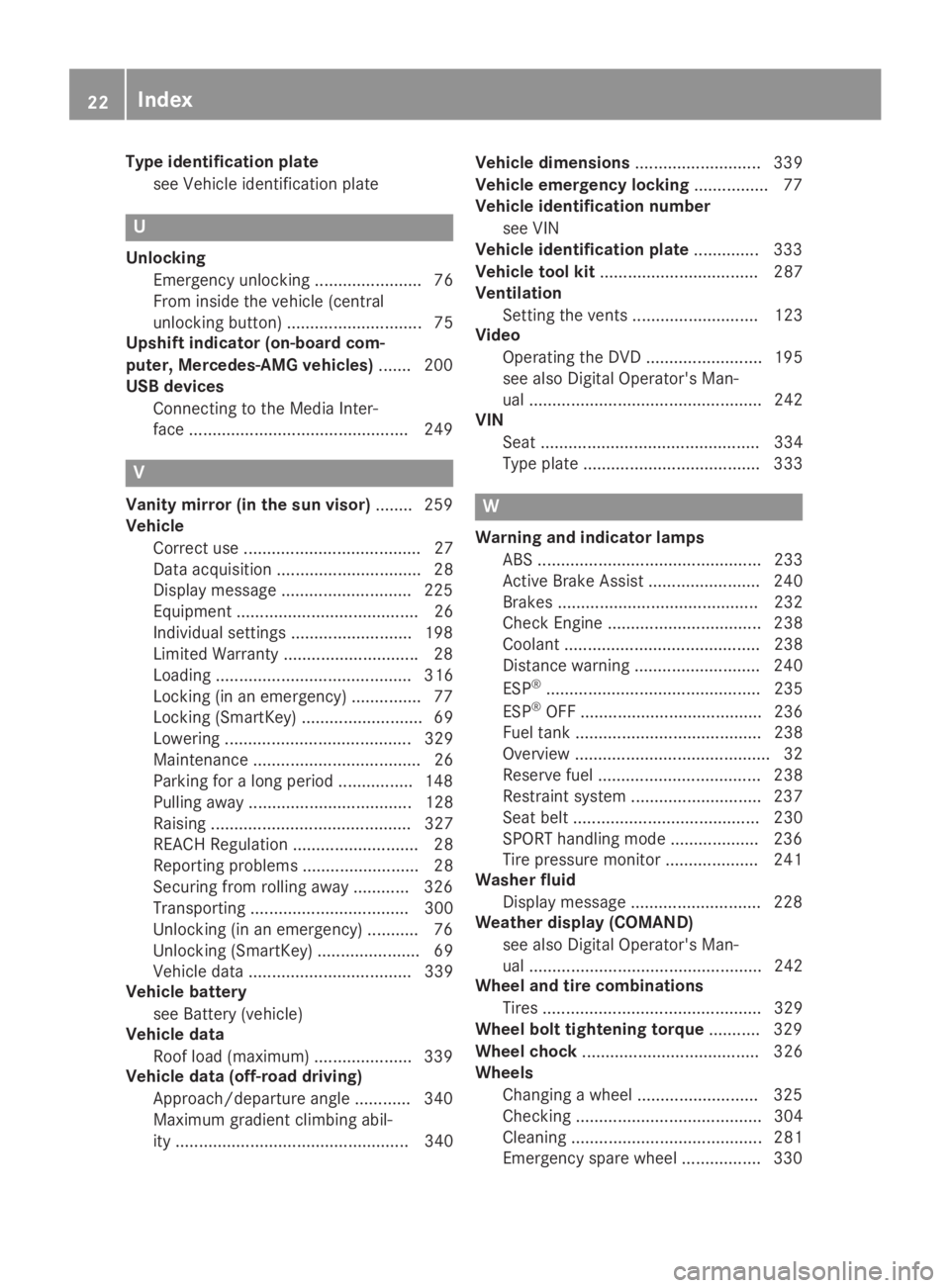
Type identification plate
see Vehicle identification plate
U
Unlocking
Emergency unlocking ....................... 76
From inside the vehicle (central
unlocking button) ............................. 75
Upshift indicator (on-board com-
puter, Mercedes-AMG vehicles)....... 200
USB devices
Connecting to the Media Inter-
face ...............................................249
V
Vanity mirror (in the sun visor)........259
Vehicle
Correct use ...................................... 27
Data acquisition ............................... 28
Display message ............................ 225
Equipment ....................................... 26
Individual settings .......................... 198
Limited Warranty .............................28
Loading .......................................... 316
Locking (in an emergency) ............... 77
Locking (SmartKey) .......................... 69
Lowering ........................................ 329
Maintenance .................................... 26
Parking for a long period ................ 148
Pulling away................................... 128
Raising ........................................... 327
REACH Regulation ........................... 28
Reporting problems ......................... 28
Securing from rolling away ............ 326
Transporting .................................. 300
Unlocking (in an emergency) ........... 76
Unlocking (SmartKey)...................... 69
Vehicle data ................................... 339
Vehicle battery
see Battery (vehicle)
Vehicle data
Roof load (maximum) ..................... 339
Vehicle data (off-road driving)
Approach/departure angle ............ 340
Maximum gradient climbing abil-
ity .................................................. 340
Vehicle dimensions........................... 339
Vehicle emergency locking................ 77
Vehicle identification number
see VIN
Vehicle identification plate.............. 333
Vehicle tool kit.................................. 287
Ventilation
Setting the vents ........................... 123
Video
Operating the DVD ......................... 195
see also Digital Operator's Man-
ual .................................................. 242
VIN
Seat ............................................... 334
Type plate ...................................... 333
W
Warning and indicator lamps
ABS ................................................ 233
Active Brake Assist ........................ 240
Brakes ........................................... 232
Check Engine ................................. 238
Coolant .......................................... 238
Distance warning ........................... 240
ESP®.............................................. 235
ESP®OFF ....................................... 236
Fuel tank ........................................ 238
Overview .......................................... 32
Reserve fuel................................... 238
Restraint system ............................ 237
Seat belt ........................................ 230
SPORT handling mode................... 236
Tire pressure monitor .................... 241
Washer fluid
Display message ............................ 228
Weather display (COMAND)
see also Digital Operator's Man-
ual.................................................. 242
Wheel and tire combinations
Tires ............................................... 329
Wheel bolt tightening torque........... 329
Wheel chock...................................... 326
Wheels
Changing a wheel.......................... 325
Checking ........................................ 304
Cleaning ......................................... 281
Emergency spare wheel ................. 330
22Index
Page 29 of 346

Operating safety
Declarations of conformity
USA:"The wireless devices of this vehiclecomply with Part 15 of the FCC Rules. Opera-tion is subject to the two following two condi-tions: 1) These devices may not cause harmfulinterference, and 2) These devices mustaccept any interference received, includinginterference that may cause undesired opera-tion. Changes or modifications not expresslyapproved by the party responsible for compli-ance could void the user’s authority to operatethe equipment."
Canada:"The wireless devices of this vehiclecomply with Industry Canada license-exemptRSS standard(s). Operation is subject to thefollowing two conditions: (1) These devicesmay not cause interference, and (2) Thesedevices must accept any interference, includ-ing interference that may cause undesiredoperation of the device."
Diagnostic connector
The diagnostics connection is only intendedfor the connection of diagnostic equipment ata qualified specialist workshop.
GWARNING
If you connect equipment to a diagnostics
connection in the vehicle, it may affect the
operation of vehicle systems. As a result,
the operating safety of the vehicle could be
affected. There is a risk of an accident.
Only connect equipment to a diagnostics
connection in the vehicle, which is approved
for your vehicle by Mercedes-Benz.
GWARNING
Objects in the driver's footwell can restrict
the pedal travel or obstruct a depressed
pedal. The operating and road safety of the
vehicle is jeopardized. There is a risk of an
accident.
Make sure that all objects in the vehicle are
stowed correctly, and that they cannot enter
the driver's footwell. Install the floormats
securely and as specified in order to ensure
sufficient clearance for the pedals. Do not
use loose floormats and do not place floor-
mats on top of one another.
!If the engine is switched off and equip-ment on the diagnostics connection is used,the starter battery may discharge.
Connecting equipment to the diagnostics con-nection can lead to emissions monitoringinformation being reset, for example. This maylead to the vehicle failing to meet the require-ments of the next emissions test during themain inspection.
Qualified specialist workshop
An authorized Mercedes-Benz Center is aqualified specialist workshop. It has the neces-sary specialist knowledge, tools and qualifica-tions to correctly carry out the work requiredon your vehicle. This is especially the case forwork relevant to safety.
Observe the notes in the Maintenance Book-let.
Always have the following work carried out atan authorized Mercedes-Benz Center:
Rwork relevant to safety
Rservice and maintenance work
Rrepair work
Ralterations, installation work and modifica-tions
Rwork on electronic components
Correct use
If you remove any warning stickers, you or oth-ers could fail to recognize certain dangers.Leave warning stickers in position.
Observe the following information when driv-ing your vehicle:
Rthe safety notes in this manual
Rtechnical data for the vehicle
Rtraffic rules and regulations
Rlaws and safety standards pertaining tomotor vehicles
Operating safety27
Introduction
Z
Page 32 of 346
available, Mercedes-Benz USA, LLC ("MBUSA")expressly disclaims any and all liability arisingfrom the extraction of this information byunauthorized Mercedes-Benz personnel.
MBUSA will not share EDR data with otherswithout the consent of the vehicle owners or,if the vehicle is leased, without the consent ofthe lessee. Exceptions to this representationinclude responses to subpoenas by lawenforcement; by federal, state or local govern-ment; in connection with or arising out of liti-gation involving MBUSA or its subsidiaries andaffiliates; or, as required by law.
Warning: The EDR is a component of theRestraint System Module. Tampering with,altering, modifying or removing the EDR com-ponent may result in a malfunction of theRestraint System Module and other systems.
State laws or regulations regarding EDRs thatconflict with federal regulation are pre-emp-ted. This means that in the event of such con-flict, the federal regulation governs. As of Feb-ruary 2013, 13 states have enacted laws relat-ing to EDRs.
Information on copyright
General information
Information on license for free and open-source software used in your vehicle and itselectronic components is available on the fol-lowing website:
http://www.mercedes-benz.com/opensource
Registered trademarks
RBluetooth®is a registered trademark ofBluetooth SIG Inc.
RDTS™ is a registered trademark of DTS, Inc.
RDolby®and MLP™ are registered trade-marks of DOLBY Laboratories.
RBabySmart™, ESP®and PRE-SAFE®are reg-istered trademarks of Daimler AG.
RHomeLink®is a registered trademark ofJohnson Controls.
RiPod®and iTunes®are registered trade-marks of Apple Inc.
RLogic7®is a registered trademark of Har-man International Industries.
RMicrosoft®and Windows media®are regis-tered trademarks of Microsoft Corporation.
RSIRIUS®is a registered trademark of SiriusXM Radio Inc.
RHD Radio™ is a registered trademark ofiBiquity Digital Corporation.
RGracenote®is a registered trademark ofGracenote, Inc.
RZAGAT Survey®and related brands are reg-istered trademarks of Zagat Survey, LLC.
30Information on copyright
Introduction
Page 34 of 346
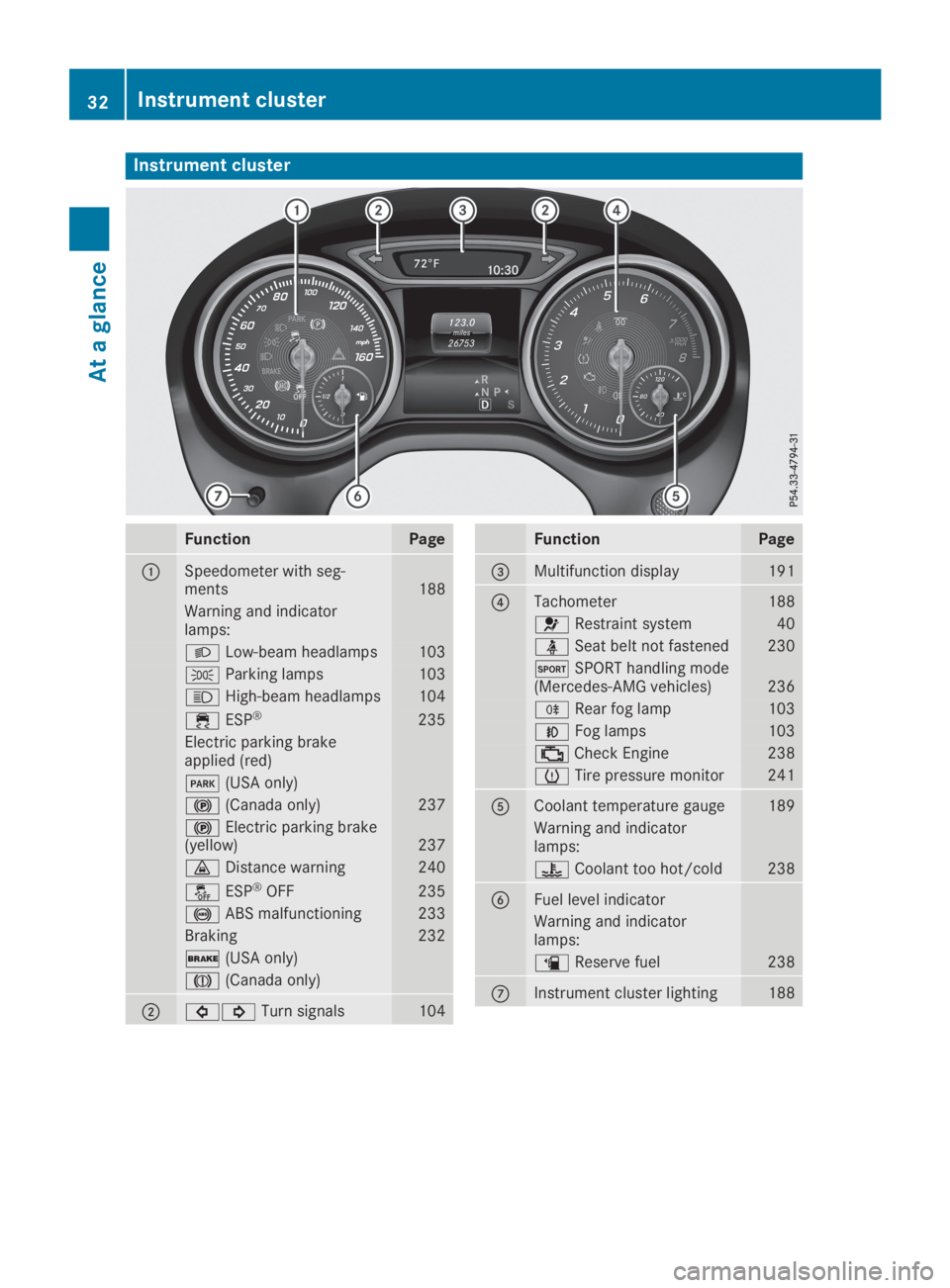
Instrument cluster
FunctionPage
CSpeedometer with seg-ments188
Warning and indicatorlamps:
XLow-beam headlamps103
`Parking lamps103
WHigh-beam headlamps104
Page 41 of 346
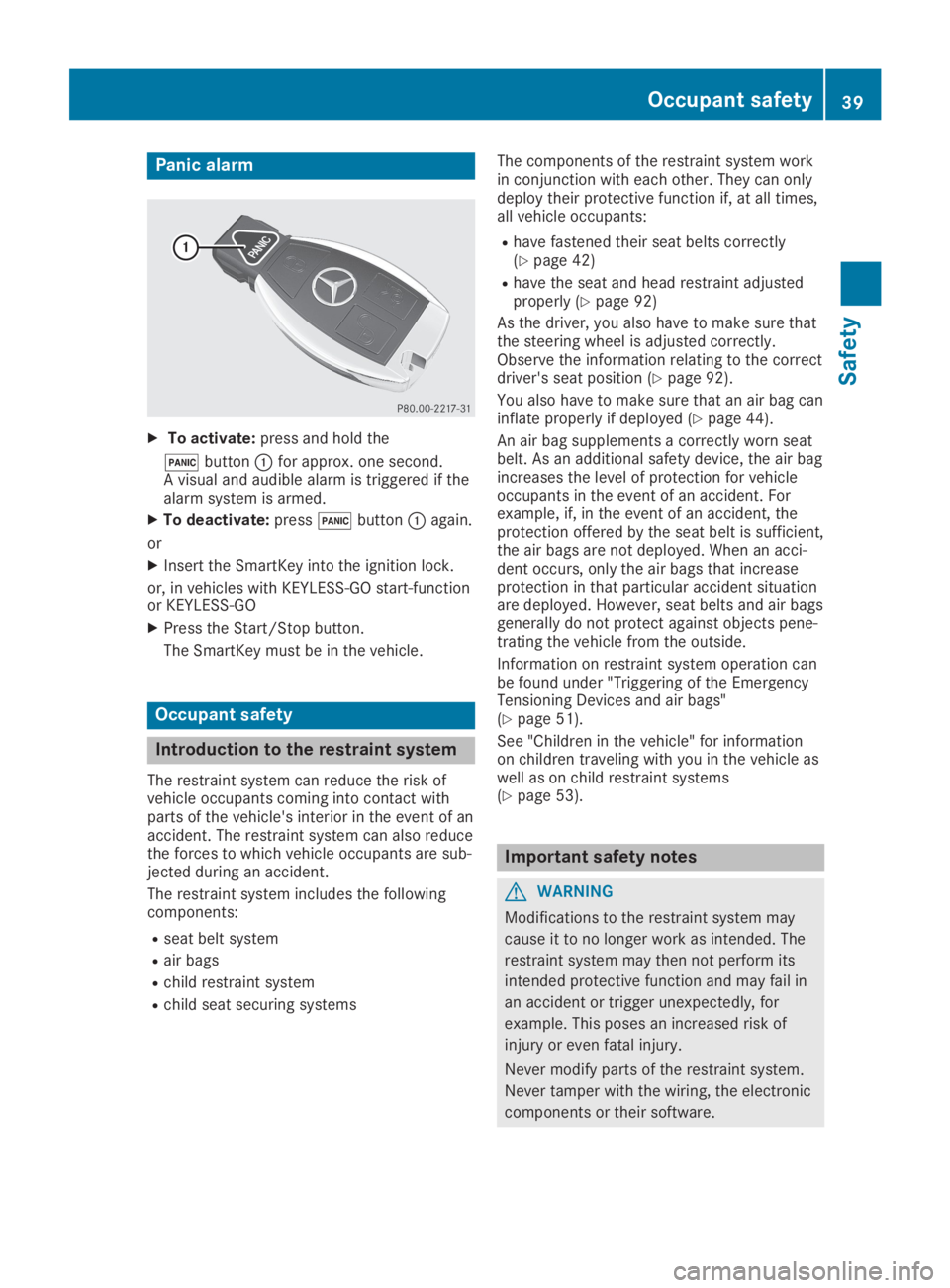
Panic alarm
XTo activate:press and hold the
3buttonCfor approx. one second.A visual and audible alarm is triggered if thealarm system is armed.
XTo deactivate:press3buttonCagain.
or
XInsert the SmartKey into the ignition lock.
or, in vehicles with KEYLESS-GO start-functionor KEYLESS‑GO
XPress the Start/Stop button.
The SmartKey must be in the vehicle.
Occupant safety
Introduction to the restraint system
The restraint system can reduce the risk ofvehicle occupants coming into contact withparts of the vehicle's interior in the event of anaccident. The restraint system can also reducethe forces to which vehicle occupants are sub-jected during an accident.
The restraint system includes the followingcomponents:
Rseat belt system
Rair bags
Rchild restraint system
Rchild seat securing systems
The components of the restraint system workin conjunction with each other. They can onlydeploy their protective function if, at all times,all vehicle occupants:
Rhave fastened their seat belts correctly(Ypage 42)
Rhave the seat and head restraint adjustedproperly (Ypage 92)
As the driver, you also have to make sure thatthe steering wheel is adjusted correctly.Observe the information relating to the correctdriver's seat position (Ypage 92).
You also have to make sure that an air bag caninflate properly if deployed (Ypage 44).
An air bag supplements a correctly worn seatbelt. As an additional safety device, the air bagincreases the level of protection for vehicleoccupants in the event of an accident. Forexample, if, in the event of an accident, theprotection offered by the seat belt is sufficient,the air bags are not deployed. When an acci-dent occurs, only the air bags that increaseprotection in that particular accident situationare deployed. However, seat belts and air bagsgenerally do not protect against objects pene-trating the vehicle from the outside.
Information on restraint system operation canbe found under "Triggering of the EmergencyTensioning Devices and air bags"(Ypage 51).
See "Children in the vehicle" for informationon children traveling with you in the vehicle aswell as on child restraint systems(Ypage 53).
Important safety notes
GWARNING
Modifications to the restraint system may
cause it to no longer work as intended. The
restraint system may then not perform its
intended protective function and may fail in
an accident or trigger unexpectedly, for
example. This poses an increased risk of
injury or even fatal injury.
Never modify parts of the restraint system.
Never tamper with the wiring, the electronic
components or their software.
Occupant safety39
Safety
Z
Page 42 of 346
If it is necessary to modify components of therestraint system to accommodate a personwith disabilities, contact an authorizedMercedes-Benz Center for details. USA only:for further information contact our CustomerAssistance Center at 1-800 FOR-MERCEDES(1‑800‑367‑6372).
Mercedes-Benz recommends that you only usedriving aids which have been approved specifi-cally for your vehicle by Mercedes-Benz.
Restraint system warning lamp
The functions of the restraint system arechecked after the ignition is switched on andat regular intervals while the engine is running.Therefore, malfunctions can be detected ingood time.
Theurestraint system warning lamp onthe instrument cluster lights up when the igni-tion is switched on. It goes out no later than afew seconds after the vehicle is started. Thecomponents of the restraint system are inoperational readiness.
A malfunction has occurred if theurestraint system warning lamp:
Rdoes not light up after the ignition isswitched on
Rdoes not go out after a few seconds with theengine running
Rlights up again while the engine is running
GWARNING
If the restraint system is malfunctioning,
restraint system components may be trig-
gered unintentionally or may not deploy as
intended during an accident. This can affect
for example the Emergency Tensioning
Device or the air bag. This poses an
increased risk of injury or even fatal injury.
Have the restraint system checked and
repaired in a qualified specialist workshop
as soon as possible.
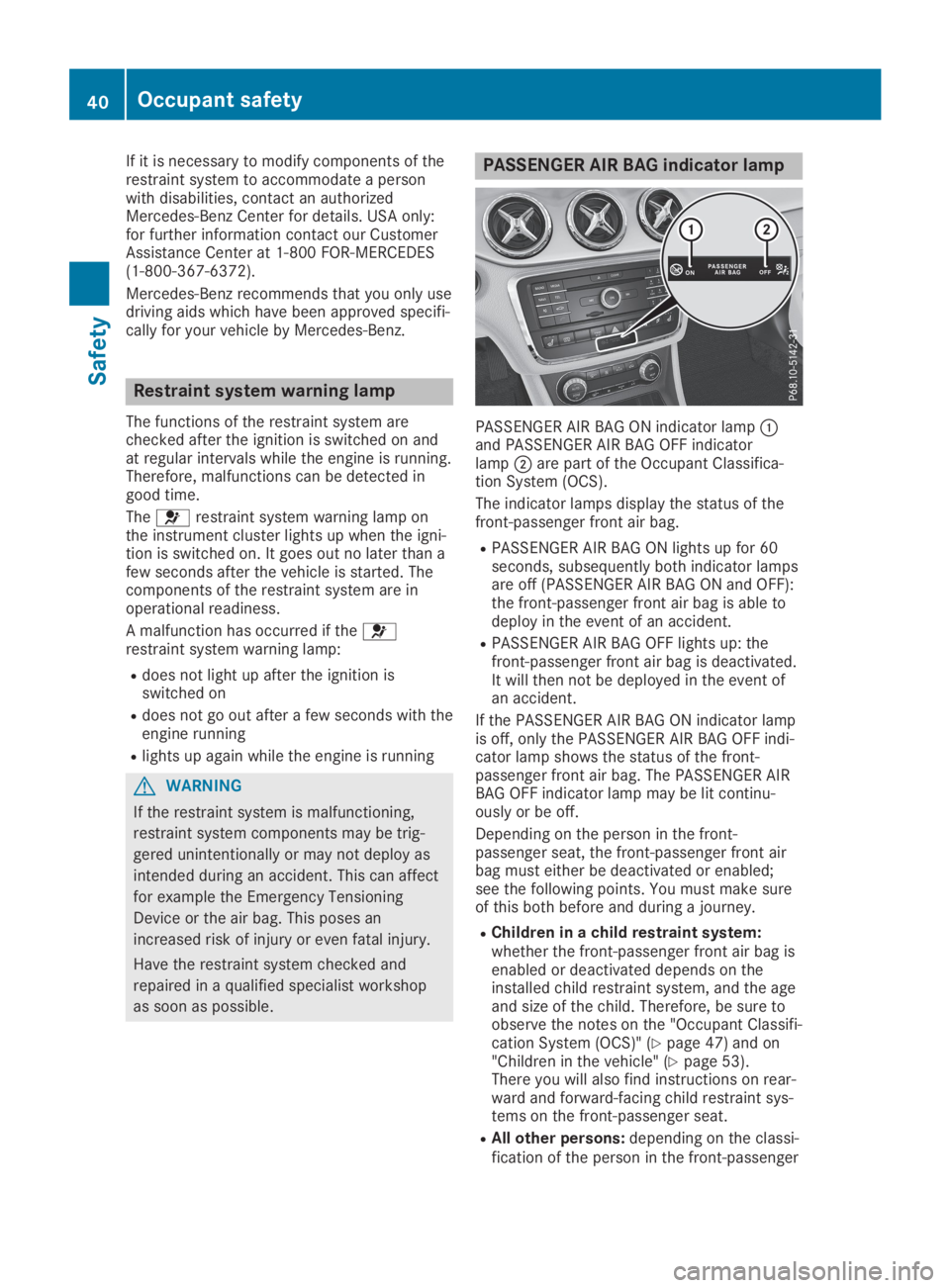
PASSENGER AIR BAG indicator lamp
PASSENGER AIR BAG ON indicator lampCand PASSENGER AIR BAG OFF indicatorlampDare part of the Occupant Classifica-tion System (OCS).
The indicator lamps display the status of thefront-passenger front air bag.
RPASSENGER AIR BAG ON lights up for 60seconds, subsequently both indicator lampsare off (PASSENGER AIR BAG ON and OFF):the front-passenger front air bag is able todeploy in the event of an accident.
RPASSENGER AIR BAG OFF lights up: thefront-passenger front air bag is deactivated.It will then not be deployed in the event ofan accident.
If the PASSENGER AIR BAG ON indicator lampis off, only the PASSENGER AIR BAG OFF indi-cator lamp shows the status of the front-passenger front air bag. The PASSENGER AIRBAG OFF indicator lamp may be lit continu-ously or be off.
Depending on the person in the front-passenger seat, the front-passenger front airbag must either be deactivated or enabled;see the following points. You must make sureof this both before and during a journey.
RChildren in a child restraint system:whether the front-passenger front air bag isenabled or deactivated depends on theinstalled child restraint system, and the ageand size of the child. Therefore, be sure toobserve the notes on the "Occupant Classifi-cation System (OCS)" (Ypage 47) and on"Children in the vehicle" (Ypage 53).There you will also find instructions on rear-ward and forward-facing child restraint sys-tems on the front-passenger seat.
RAll other persons:depending on the classi-fication of the person in the front-passenger
40Occupant safety
Safety
Page 43 of 346
seat, the front-passenger front air bag isenabled or deactivated (Ypage 47). Besure to observe the notes on "Seatbelts“ (Ypage 41) and "Air bags"(Ypage 44). There you can also find infor-mation on the correct seat position.
Seat belts
Introduction
Seat belts are the most effective means ofrestricting the movement of vehicle occupantsin the event of an accident or the vehicle roll-ing over. This reduces the risk of vehicle occu-pants coming into contact with parts of thevehicle interior or being ejected from the vehi-cle. Furthermore, the seat belt helps to keepthe vehicle occupant in the best position inrelation to the air bag.
The seat belt system comprises:
RSeat belts
REmergency Tensioning Devices for the frontseat belts and the outer seat belts in therear
RSeat belt force limiters for the front seatbelts and the outer seat belts in the rear
If the seat belt is pulled out of the belt outletquickly or with a jerky movement, the beltretractor locks. The belt strap cannot beextracted any further.
The Emergency Tensioning Device tightens theseat belt in an accident, pulling the belt closeagainst the body. However it does not pull thevehicle occupant back in the direction of thebackrest.
The Emergency Tensioning Device does notcorrect an incorrect seat position or the rout-ing of an incorrectly fastened seat belt.
When triggered, a seat belt force limiter helpsto reduce the force exerted by the seat belt onthe vehicle occupant.
The seat belt force limiters for the front seatsare synchronized with the front air bags, whichabsorb part of the deceleration force. This canreduce the force exerted on the vehicle occu-pants during an accident.
!If the front-passenger seat is not occupied,do not engage the seat belt tongue in thebuckle on the front-passenger seat. Other-wise, in the event of an accident the Emer-gency Tensioning Device and the side
impact air bag, in addition to other systems,may be triggered and have to be replaced.
Important safety notes
The use of seat belts and child restraint sys-tems is required by law in:
Rall 50 states
Rthe U.S. territories
Rthe District of Columbia
Rall Canadian provinces
Even where this is not required by law, all vehi-cle occupants should correctly fasten theirseat belts before starting the journey.
GWARNING
If the seat belt is not worn correctly, it can-
not perform its intended protective function.
An incorrectly fastened seat belt can also
cause injuries, for example, in the event of
an accident or when braking or changing
direction abruptly. This poses an increased
risk of injury or even fatal injury.
Always ensure that all vehicle occupants
have their seat belts fastened correctly and
are sitting properly.
The components of the restraint system workin conjunction with each other. They can onlydeploy their protective function if, at all times,all vehicle occupants:
Rhave fastened their seat belts correctly(Ypage 42)
Rhave the seat and head restraint adjustedproperly (Ypage 92)
GWARNING
The seat belt does not offer the intended
level of protection if you have not moved the
backrest to an almost vertical position.
When braking or in the event of an accident,
you could slide underneath the seat belt and
sustain abdomen or neck injuries, for exam-
ple. This poses an increased risk of injury or
even fatal injury.
Adjust the seat properly before beginning
your journey. Always ensure that the back-
rest is in an almost vertical position and that
Occupant safety41
Safety
Z