2019 MERCEDES-BENZ EQC SUV high-voltage battery
[x] Cancel search: high-voltage batteryPage 563 of 629
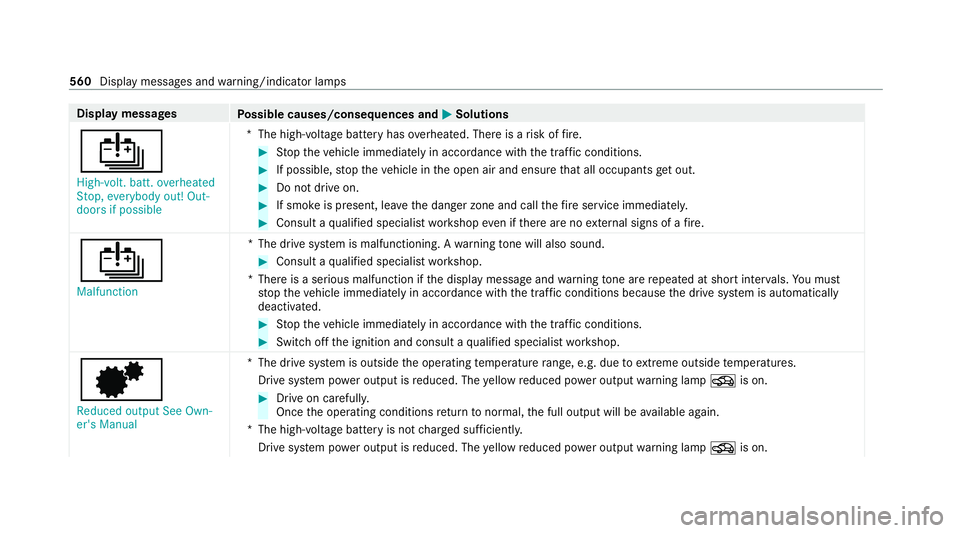
Display messages
Possible causes/consequences and M
MSolutions
Û High-volt. batt. overheated
Stop, everybody out! Out-
doors if possible *T
he high-voltage battery has overheated. There is a risk of fire. #
Stop theve hicle immediately in accordance with the traf fic conditions. #
If possible, stop theve hicle in the open air and ensure that all occupants getout. #
Do not drive on. #
If smoke is present, lea vethe danger zone and call thefire service immediately. #
Consult a qualified specialist workshop even if there are no extern al signs of a fire.
Û Malfunction *T
he drive sy stem is malfunctioning. A warning tone will also sound. #
Consult a qualified specialist workshop.
*T here is a serious malfunction if the display message and warning tone are repeated at short inter vals. You must
st op theve hicle immediately in accordance with the traf fic conditions because the drive sy stem is automatically
deactivated. #
Stop theve hicle immediately in accordance with the traf fic conditions. #
Switch off the ignition and consult a qualified specialist workshop.
d
Reduced output See Own-
er's Manual *T
he drive sy stem is outside the operating temp erature range, e.g. due toextreme outside temp eratures.
Drive sy stem po wer output is reduced. The yellow reduced po wer output warning lamp Ois on. #
Drive on carefull y.
Once the operating conditions return tonormal, the full output will be available again.
*T he high-voltage battery is not charge d suf ficientl y.
Drive sy stem po wer output is reduced. The yellow reduced po wer output warning lamp Ois on. 560
Display messages and warning/indicator lamps
Page 564 of 629
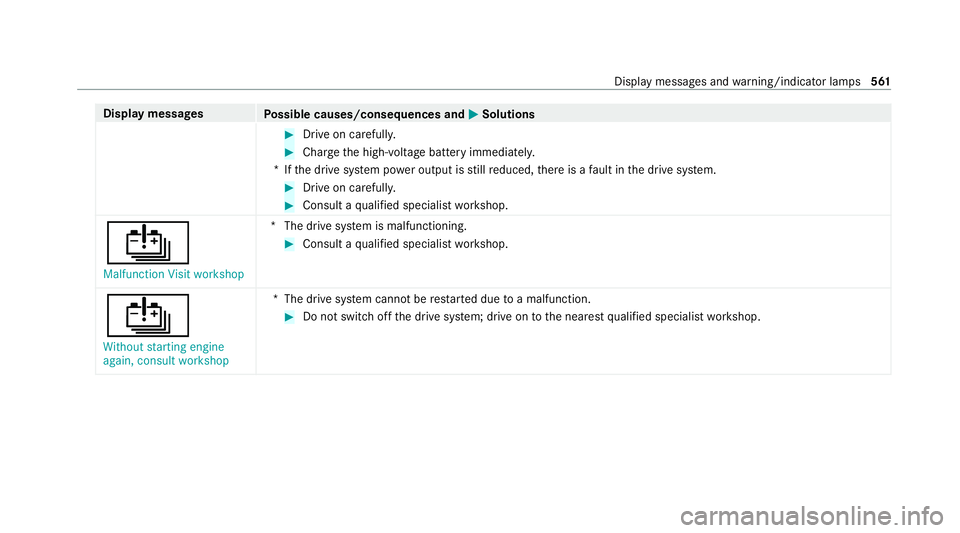
Display messages
Possible causes/consequences and M
MSolutions #
Drive on carefull y. #
Char gethe high-voltage battery immediatel y.
*I fth e drive sy stem po wer output is still reduced, there is a fault in the drive sy stem. #
Drive on carefull y. #
Consult a qualified specialist workshop.
Û Malfunction Visit workshop *T
he drive sy stem is malfunctioning. #
Consult a qualified specialist workshop.
Û Without starting engine
again, consult workshop *T
he drive sy stem cann otbe restar ted due toa malfunction. #
Do not swit choff the drive sy stem; drive on tothe nearest qualified specialist workshop. Display messages and
warning/indicator lamps 561
Page 565 of 629
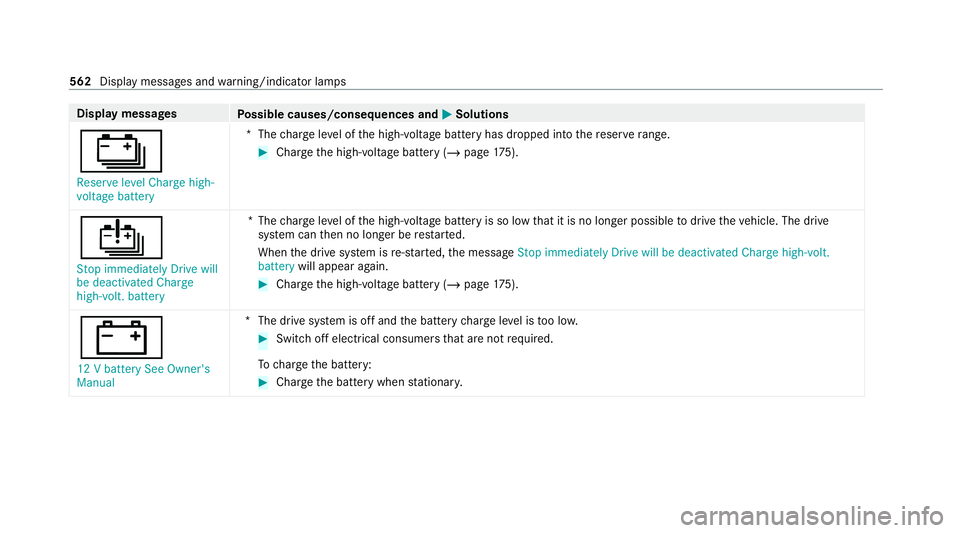
Display messages
Possible causes/consequences and M
MSolutions
Ý Reserve level Charge high-
voltage battery *T
hecharge leve l of the high-voltage battery has dropped into there ser verange. #
Charge the high-voltage battery (/ page175).
Û
Stop immediately Drive will
be deactivated Charge
high-volt. battery *T
hecharge leve l of the high-voltage battery is so low that it is no lon ger possible todrive theve hicle. The drive
sy stem can then no longer be restar ted.
When the drive sy stem is re-sta rted, the message Stop immediately Drive will be deactivated Charge high-volt.
battery will appear again. #
Char gethe high-voltage battery (/ page175).
#
12 V battery See Owner's
Manual *T
he drive sy stem is off and the battery charge leve l is too lo w. #
Switch off electrical consumers that are not required.
To charge the battery: #
Char gethe battery when stationar y. 562
Display messages and warning/indicator lamps
Page 587 of 629
Assistance
Menu (on-board co mputer) .................. 268
Assistance sy stems
see Driving saf ety sy stem
ASS YST PLUS ........................................... 459
Battery disconnection pe riods .............4 59
Displ aying the service due date ........... 459
Fu nction/no tes ................................... 459
Re gular maintenance work .................. 459
Special service requirements .............. 459
ATA (anti-theft ala rmsystem) .................. 96
Deactivating the alarm .......................... 97
Fu nction ................................................ 96
Fu nction of interior pr otection ............... 97
Priming/deactivating interior pr otec‐
tion ........................................................ 98
Priming/deactivating tow- aw ay pro‐
te ction ................................................... 97
To w- aw ay protection function ................97
AT TENTION ASSI ST.......................... 245, 24 6
Fu nction .............................................. 24 5
Setting ................................................. 24 6
Sy stem limitations ...............................2 45At
tention assistant
see ATTENTION ASSIST
Au gmented reality
see Route guidance with augmented reality
Au thorised workshop
see Qualified specialist workshop
Au tomatic distance control
see Active Dis tance Assi stDISTRONIC
Au tomatic driving lights .........................13 5
Au tomatic front passen ger front air‐
bag deacti vation sy stem
see Automatic front passenger front
airbag shutoff
Au tomatic front passen ger front air‐
bag shu toff ........................................... 40, 41
Fu nction of the automatic front
passenger front airbag deactivation
sy stem ................................................... 40
PA SSENGER AIR BAG indicator lamp .... .41
Au tomatic mir rorfo lding function
Ac tivating/deactivating ...................... .149
Au tomatic seat adjustment
Setting ................................................ .105 Au
tomatic transmission
Engaging neutral .................................. 174
Axle load Perm issible .......................................... 511
Tr ailer operation .................................. .519 B
Bag hook .................................................. 12 2
Ball ne ck
Extending/r etra cting ........................... 256
BA S (Brake Assist Sy stem) .................... .198
Battery Key ........................................................ .74
Battery see Battery (vehicle)
see High-vol tage battery
Batte ry(high-voltage on-boa rdelectri‐
cal sy stem)
see High-voltage battery
Battery (vehicle) ...................................... 482
Charging .............................................. 482
No tes .................................................. 480
Re placing ............................................ 482 584
Index
Page 588 of 629
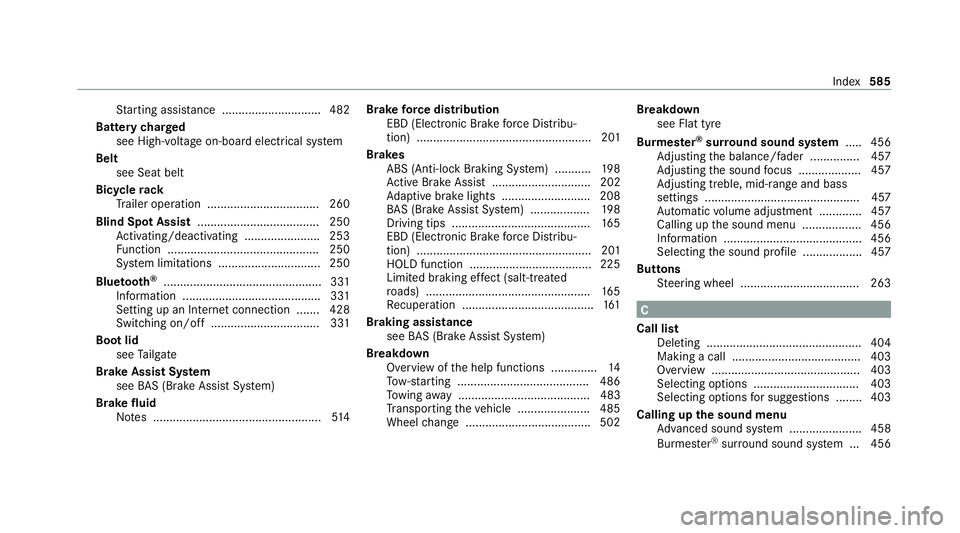
St
arting assis tance .............................. 482
Battery charged
see High-voltage on-board electrical sy stem
Belt see Seat belt
Bicycle rack
Tr ailer operation .................................. 260
Blind Spot Assist .................................... .250
Ac tivating/deactivating ...................... .253
Fu nction .............................................. 250
Sy stem limitations ...............................2 50
Blue tooth ®
................................................ 331
Information .......................................... 331
Setting up an Internet connection ....... 428
Switching on/off ................................. 331
Boot lid see Tailgate
Brake Assist Sy stem
see BAS (Brake Assi stSystem)
Brake fluid
No tes ................................................... 514Brake
forc e distribution
EBD (Elect ronic Brake forc e Distribu‐
tion) ..................................................... 201
Brakes ABS (Anti-lock Braking Sy stem) ........... 19 8
Ac tive Brake Assi st.............................. 202
Ad aptive brake lights .......................... .208
BA S (Brake Assi stSystem) .................. 19 8
Driving tips .......................................... 16 5
EBD (Electronic Brake forc e Distribu‐
tion) ..................................................... 201
HOLD function .....................................2 25
Limi ted braking ef fect (salt-trea ted
ro ads) .................................................. 16 5
Re cuperation ........................................ 161
Braking assistance see BAS (Brake Assi stSystem)
Breakdown Overview of the help functions .............. 14
To w- starting ........................................ 486
To wing away ........................................ 483
Tr ansporting theve hicle ......................4 85
Wheel change ...................................... 502 Breakdown
see Flat tyre
Bu rm ester ®
sur round sound sy stem .....4 56
Ad justing the balance/fader ............... 457
Ad justing the sound focus ................... 457
Ad justing treble, mid-range and bass
settings ............................................... 457
Au tomatic volume adjustment ............ .457
Calling up the sound menu .................. 456
Information .......................................... 456
Selecting the sound profile .................. 457
Butto ns
St eering wheel .................................... 263 C
Call list Deleting ............................................... 404
Making a call ....................................... 403
Overview ............................................. 403
Selecting options ................................ 403
Selecting options for suggestions ........ 403
Calling up the sound menu
Adva nced sound sy stem ......................4 58
Burmes ter®
sur round sound sy stem ... 456 Index
585
Page 589 of 629
Calls
.......................................................... 398
Ac cepting ............................................ 398
Ac tivating functions du ring a call ........ 398
Calls wi thseveral participants ............ .398
Declining ............................................. 398
Ending a call ........................................ 398
Incoming call during an existing call .... 399
Making ................................................ 398
Mercedes me ...................................... .415
Camera see 360° Camera
see Reversing camera
Car key
see Key
Car wash
see Care
Car wash (care) ....................................... 463
Car-to-X-Communication Displaying hazard warnings ................ .377
Overview ..............................................3 76
Sending hazard warnings .................... .377
Care .......................................................... .471
Air-water duct ...................................... 463
Car wash ............................................. 463 Carpet ..................................................
471
Deco rative foil .................................... .467
Displ ay................................................. 471
Exterior lighting ................................... 469
High-p ressure cleaner .........................4 64
Matt finish ........................................... 466
Pa int wo rk ............................................ 466
Plastic trim .......................................... 471
Re alwo od/trim elements .................... 471
Re versing camera/360° Camera ........ 469
Ro of lining ............................................ 471
Seat belt .............................................. 471
Seat co ver ............................................ 471
Senso rs............................................... 469
Tr ailer hit ch......................................... 469
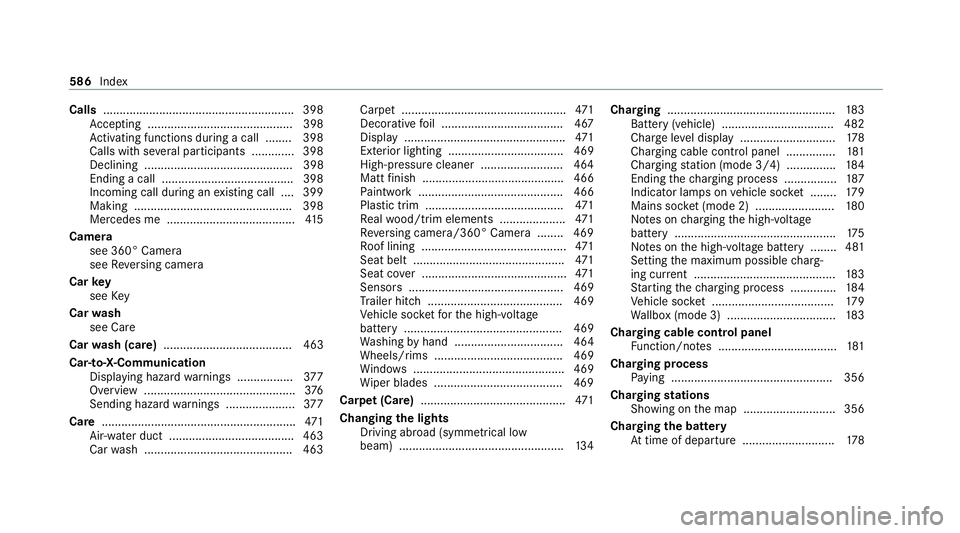
Ve hicle soc ketfo rth e high-voltage
battery ................................................ 469
Wa shing byhand ................................. 464
Wheels/rims ....................................... 469
Wi ndo ws .............................................. 469
Wi per blades .......................................4 69
Carpet (Care) ............................................ 471
Changing the lights
Driving abroad (symm etrical low
beam) .................................................. 13 4Cha
rging .................................................. .183
Battery (vehicle) .................................. 482
Cha rge le vel display ............................ .178
Charging cable cont rol panel .............. .181
Charging station (mode 3/4) .............. .184
Ending thech arging process ................ 187
Indicator lamps on vehicle soc ket ........ 17 9
Mains soc ket (mode 2) ........................ 180
No tes on charging the high-voltage
battery .................................................1 75
No tes on the high-voltage battery ........ 481
Setting the maximum possible charg‐
ing cur rent ........................................... 183
St arting thech arging process .............. 184
Ve hicle soc ket ..................................... 17 9
Wa llbox (mode 3) ................................ .183
Charging cable control panel Function/no tes .................................... 181
Cha rging process
Pa ying ................................................ .356
Charging stations
Showing on the map ............................3 56
Charging the bat tery
At time of depa rture ............................ 178586
Index
Page 593 of 629
Display
Care .................................................... .471
Display (multimedia sy stem) ................ .299
Home screen ....................................... 297
Operating ............................................ 299
Setting acou stic operating feedback ... 300
Settings ............................................... 329
Display (on-board computer) Displa yson the multifunction display .. 267
Display content Setting the additional value range ....... 266
Displ aymessage ..................................... 520
Calling up (on-board compu ter) ........... 520
No tes .................................................. 520
Display messages ¯ - - - km/h .................................... 541
ç - - - km/h ................................... 540
È - - - km/h ................................... 542
# 12V battery See Owner's Man‐
ual ....................................................... 562
ò Acoustic presence indicator
inoperative .......................................... 559 b
Active Light Sy stem inopera‐
tive ...................................................... 565
é ATTENTION ASSIST inoperative
.............................................................5 35
é ATTENTION ASSIS T:Take a
break! .................................................. 535
b Automatic driving lights inoper‐
ative .................................................... 564
Á Change key bat teries .................. 549
è Charger cable connected ........... 559
J Check brake fluid le vel.............. .528
ï Checktrailer hitch lo ck(white
display message) .................................5 51
h Check tyre(s) .............................. 546
! currently una vailable See Own‐
er's Manual .......................................... 521
÷ currently una vailable See Own‐
er's Manual ........................................ .522
6 Front left malfunction Consult
wo rkshop (e xample)............................ 530 Û
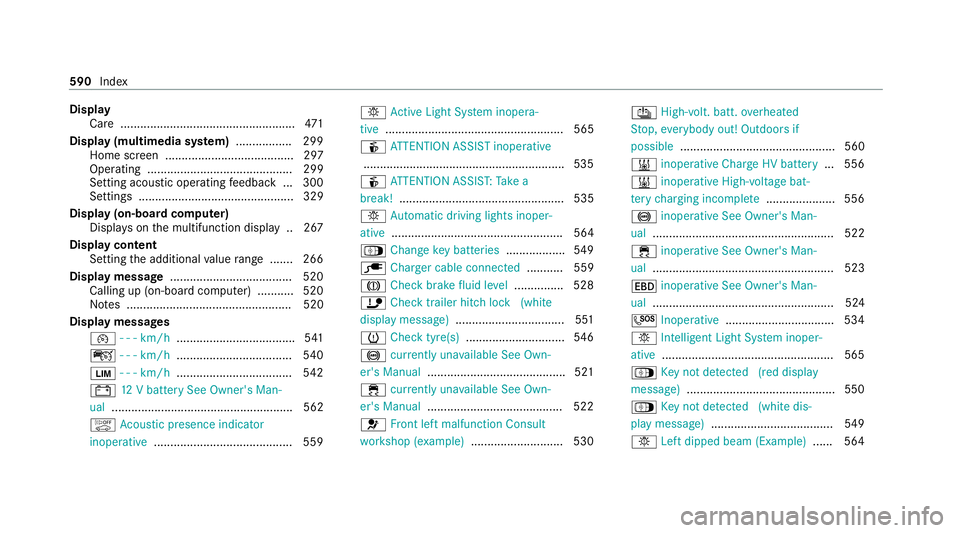
High-volt. batt. overheated
St op, everybody out! Outdoors if
possible ............................................... 560
& inoperative Charge HV battery ... 556
& inoperative High-voltage bat‐
te ry charging incomple te..................... 556
! inoperati veSee Owner's Man‐
ual ....................................................... 522
÷ inoperati veSee Owner's Man‐
ual ....................................................... 523
T inoperati veSee Owner's Man‐
ual ....................................................... 524
G Inoperati ve................................. 534
b Intelligent Light Sy stem inoper‐
ative ....................................................5 65
Á Key not de tected (red displ ay
messa ge).............................................5 50
Á Key not de tected (white dis‐
pl ay messa ge).....................................5 49
b Left dipped beam (Example) ...... 564590
Index
Page 601 of 629
Headlamp
flasher ................................... .135
High beam Adaptive Highbeam Assist Plus .......... .138
Switching on/off ................................. 13 5
High-pressure cleaner (care) ................. 464
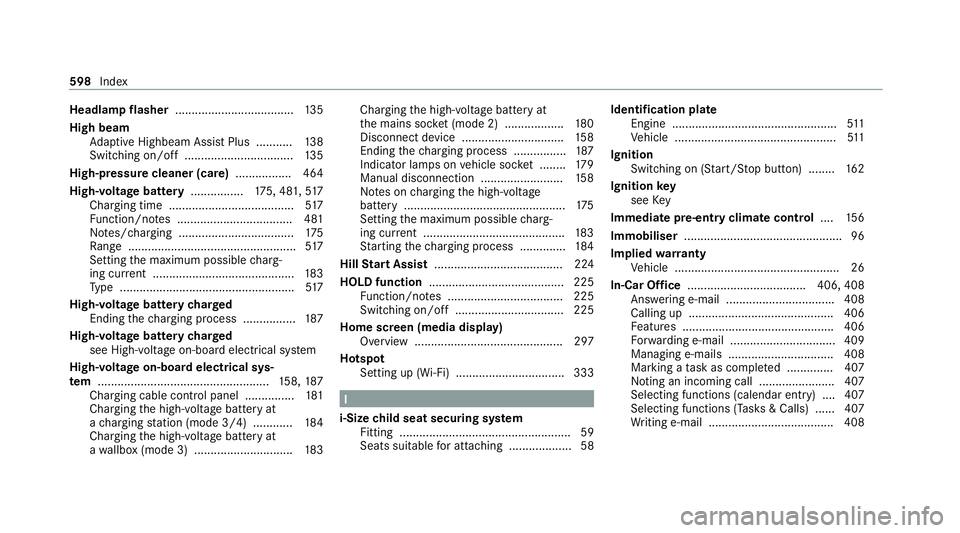
High-voltage battery ................175, 481, 517
Charging time ...................................... 517
Fu nction/no tes ................................... 481
No tes/charging ................................... 175
Ra nge ................................................... 517
Setting the maximum possible charg‐
ing cur rent ........................................... 183
Ty pe .....................................................5 17
High-voltage battery charged
Ending thech arging process ................ 187
High-voltage battery charged
see High-voltage on-board electrical sy stem
High-voltage on-board electrical sys‐
te m .................................................... 158, 187
Charging cable cont rol panel .............. .181
Charging the high-voltage battery at
a ch arging station (mode 3/4) ............ 184
Charging the high-voltage battery at
a wa llbox (mode 3) .............................. 183Charging
the high-voltage battery at
th e mains soc ket (mode 2) .................. 180
Disconnect device ............................... 15 8
Ending thech arging process ................ 187
Indicator lamps on vehicle soc ket ........ 17 9
Manual disconnection .........................1 58
No tes on charging the high-voltage
battery .................................................1 75
Setting the maximum possible charg‐
ing cur rent ........................................... 183
St arting thech arging process .............. 184
Hill Start Assist ....................................... 224
HOLD function ......................................... 225
Fu nction/no tes ................................... 225
Switching on/off ................................. 225
Home screen (media display) Overview ............................................. 297
Hotspot Setting up (Wi-Fi) ................................. 333 I
i-Size child seat securing sy stem
Fitting .................................................... 59
Seats suitable for attaching ................... 58 Identification plate
Engine .................................................. 511
Ve hicle .................................................5 11
Ignition Swit ching on (S tart/S top button) ........ 16 2
Ignition key
see Key
Immedia tepre-entry climate control ....15 6
Immobiliser ................................................ 96
Implied warranty
Ve hicle .................................................. 26
In-Car Of fice .................................... 406, 408
Answering e-mail ................................ .408
Calling up ............................................ 406
Fe atures .............................................. 406
Fo rw arding e-mail ................................ 409
Managing e-mails ................................ 408
Marking a task as comple ted .............. 407
Noting an incoming call ...................... .407
Selecting functions (calendar entry) .... 407
Selecting functions (Tas ks& Calls) ...... 407
Wr iting e-mail ...................................... 408 598
Index