2019 MERCEDES-BENZ EQC SUV warning
[x] Cancel search: warningPage 159 of 629
Setting
thewe ek profile #
Select WEEK PROFILE. #
Set the desired departure times, e.g. every
day at 8:00 a.m.
Selecting the zone #
Select Z. #
Select Driver's seat only.
If th eDriver's seat only setting is deactiva‐
te d, pre-entry climate control take s place for
th e entire vehicle.
Ac tivating/deactivating pre-entry climate
control at depa rture time
Re quirements:
R The high- voltage battery is charge d suf fi‐
cientl y.
R The function has been activated via the mul‐
timedia sy stem. #
Toactivate: setthe departure time
(/ page 155).
Pre-en try clima tecontrol at departure time
switches on a maximum of 55 minu tes
before the selected departure time. It will re
main active for ano ther five minutes if the
departure is dela yed. #
Todeactivate: pressthe& button up or
down.
The following functions will remain active once
th eve hicle has been star ted:
R seat heating
R seat ventilation
R panel heating
R fragrancing
R ionisation Ac
tivating/deactivating immediate pre-entry
climate control &
WARNING Risk offata l injury due to
ex posure toextreme heat or cold in the
ve hicle
If people –particular lych ildren – are exposed
to extreme temp eratures over an extended
pe riod of time, there is a risk of serious or
eve nfa tal injury! #
Never lea veanyone – pa rticularly chil‐
dren – unat tended in theve hicle. #
Never lea veanimals in theve hicle unat‐
te nded. The
vehicle interior can continue tobe cooled or
heated for up to50 minutes, e.g. if the journey is
inter rupte d. 15 6
Climate cont rol
Page 160 of 629
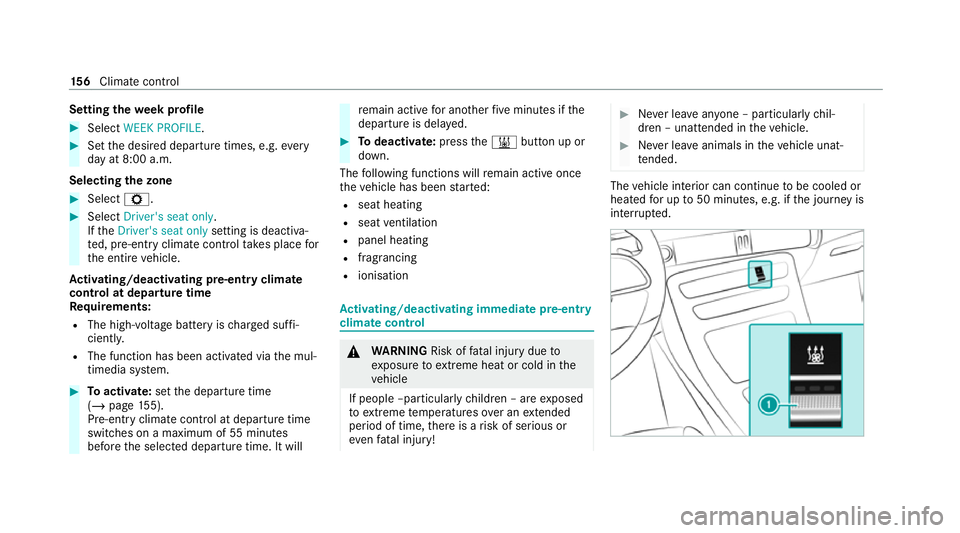
The indicator lamp colours mean
thefo llowing:
R Blue: cooling activated
R Red:heating acti vated
R Yello w: departure time preselected #
Set the desired temp erature using the w
button. #
Press button 1.
The red or blue indicator lamp on button 1
will light up or go out. Air
vents Ad
justing the front air vents &
WARNING ‑ Risk of bu rns/frostbite due
to not maintaining a su fficient dis tance
to the air vents
Ve ry hot or very cold air can flow from the air
ve nts.
This could result in burns or frostbite in the
immediate vicinity of the air vents. #
Alw ays ensure that all vehicle occu‐
pants maintain a suf ficient di stance to
th e air vents. #
If necessa ry,re direct the air flow to
ano ther area of theve hicle interior. To
guarantee theflow of fresh air thro ugh the air
ve nts into theve hicle interior, comply with the
fo llowing:
R Alw ayske ep theve nts and theve ntilation
grille in theve hicle interior free.
R Keep the air inlet free of deposits
(/ page 463). #
Toopen or close: Turn the adjustment
wheel 1upwards (open) or down wards
(closed) as far as it will go. #
Toadjust the air direction: Pushthe adjust‐
ment slide 2upwards, down wards, to the
left or totheright.
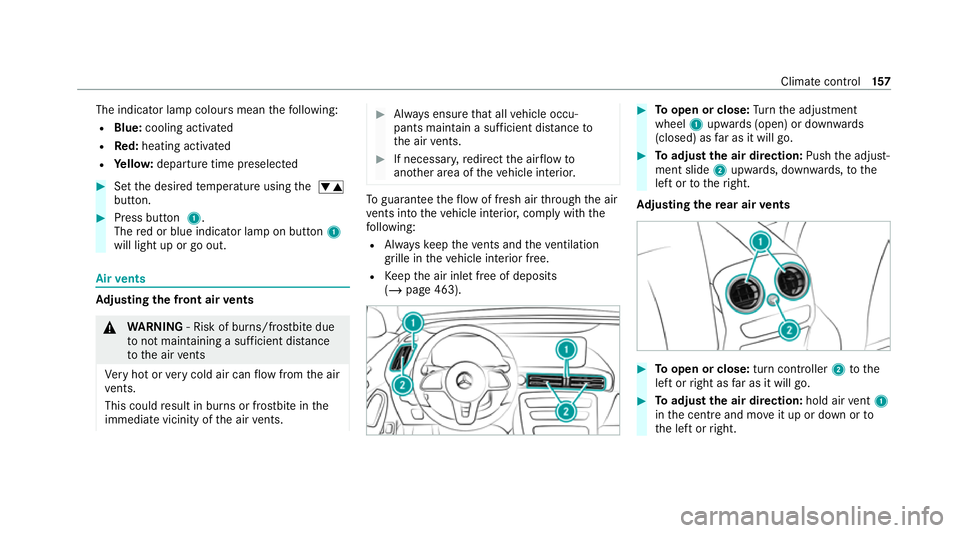
Ad justing the rear air vents #
Toopen or close: turn controller2tothe
left or right as far as it will go. #
Toadjust the air direction: hold airvent 1
in the cent reand mo veit up or down or to
th e left or right. Climate control
157
Page 161 of 629
Driving
Note
s on electric mode &
WARNING Risk ofchemical burns and
poisoning from damaged high-voltage
battery
If th e housing of the high-voltage battery has
been damaged, electrolyte and gases may
leak out. #
Avoid contact with the skin, eyes or
clo thing. #
Immediately rinse electrolyte splashes
off with water and seek medical atten‐
tion stra ight away. &
DANG ER Risk of explosion from exces‐
sive internal pressure of the high-voltage
battery
In theev ent of a vehicle fire ,th e internal
pressure of the high-voltage battery could
exc eed a critical value. In this case, flamma‐
ble gas escapes thro ugh a bleed valve in the
ve hicle's underbody. The
gas can ignite. #
Stop thech arging process immediately
in case of unusual odours, smo keor
burn mar ks. #
Lea vethe danger zone immediatel y.
Secu rethe danger zone at a suf ficient
di st ance. #
Call thefire service. Obser
vethefo llowing no tes on vehicle noise
emissions and the acoustic vehicle warning sys‐
te m:
R theve hicle is equipped with a purely electric
drive sy stem and de velops considerably
lo we rve hicle noise emissions than vehicles
with a combustion engine.
It is forth is reason that theve hicle is equip‐
ped with a sound generator, which ser ves as
an acoustic vehicle warning sy stem (A VAS).
R the sound generator generates speed-
dependent vehicle noise emissions when
driving forw ard and backing up at a speed of
up toaround 30 km/h. th
is helps other road users, particular ly
pede strians and bike riders, tohear your
ve hicle better.
R theve hicle acoustic warning sy stem gradu‐
ally switches off when driving at speeds
abo ve20 km/h.
R despite the sound generator, theve hicle still
may not be heard by otherroad users. Adapt
yo ur driving style accordingly.
R the sound generator is off when theve hicle
is stationar y. Manual disconnection of
the high-voltage on-
board electrical sy stem &
DANG ER Risk of fata l injury bytouching
damaged high-voltage co mponents
The vehicle's high-voltage on-board electrical
sy stem is under high voltage. If you modify
co mp onent parts in theve hicle's high-volt‐
age on-board electrical sy stem or touch dam‐
aged co mponent parts, you may be electro‐
cuted. 15 8
Driving and pa rking
Page 162 of 629

The component parts in
theve hicle's high-
vo ltage on-board elect rical sy stem may be
damaged in an accident, although the dam‐
age is not visible. #
Never car ryout changes on the high-
vo ltage on-board elect rical sy stem. #
Neverto uch co mponent parts in the
high-voltage on-board electrical sy stem. #
After an accident, do not touch any
high-voltage co mponents. #
After an accident, ha vetheve hicle
transpor tedaw ay. #
Have the high-voltage on-board electri‐
cal sy stem checked at a qualified spe‐
cialist workshop. Re
quirements:
R The 6 restra int sy stem warning lamp
lights up in the instrument clus ter,e.g. af ter
an accident.
R The vehicle is badly damaged, e.g. af ter an
accident, and there stra int sy stem compo‐
nents ha venot been trig gered. Operating
the high-voltage disconnect
device
On lydisconnect the drive sy stem manually in
th e abo ve-mentioned situations. #
Switch off the ignition. #
Shift the transmission toposition j. #
Apply the electric parking brake. #
Secure theve hicle against rolling away. #
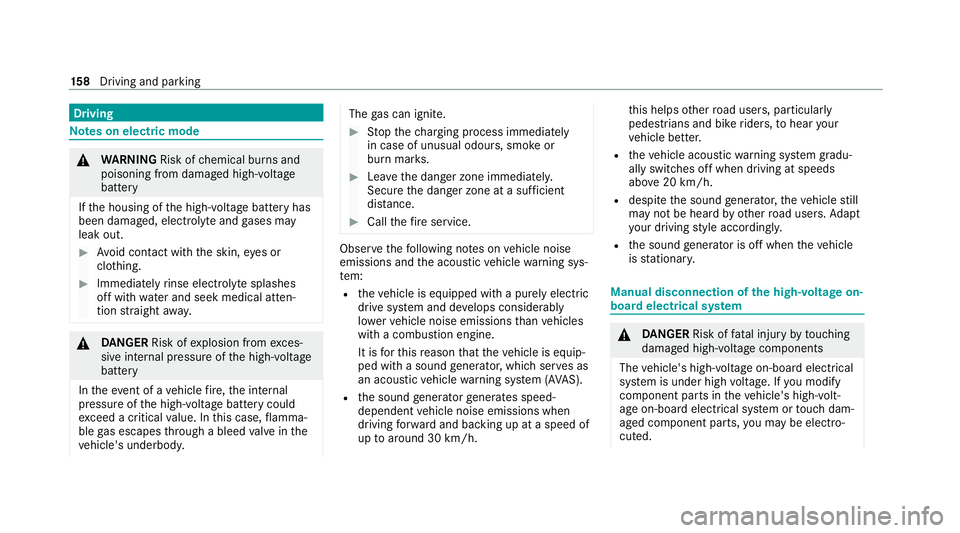
Open the bonn et. 1
High-voltage disconnect device label on the
engine compartment co ver #
Using bo thhands, reach into there cesses of
th e engine compartment co ver. #
Lift the engine compartment co ver and pull it
out of the engine compartment in the direc‐
tion of the ar row. #
Place the engine compartment co verto one
side. Driving and parking
15 9
Page 165 of 629
The
following recuperation le vels are available:
R hà Inte lligent recuperation wi thECO
Assi st (/ page 167)
R hq Norecuperation: theve hicle coasts,
ro lls freely
R h Normalrecuperation (s tanda rdsetting)
R h± Increased recuperation: increased
decele ration in overru n mode
R h±± Maximum recuperation: maximum
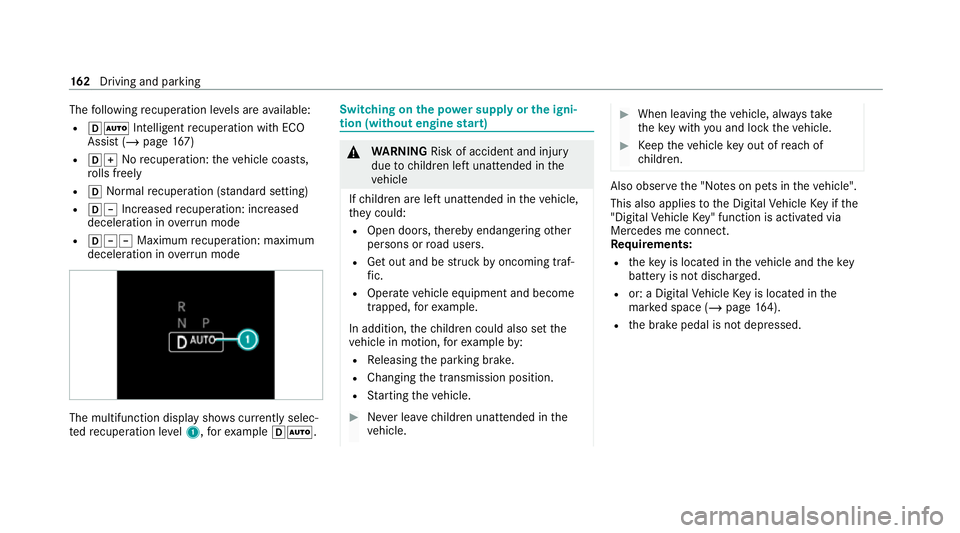
decele ration in overrun mode The multifunction displ
aysho wscurrently selec‐
te dre cuperation le vel1, forex ample hÃ. Swit
ching on the po wer supp lyor the igni‐
tion (without engine start) &
WARNING Risk of accident and inju ry
due tochildren left unat tended in the
ve hicle
If ch ildren are left unat tended in theve hicle,
th ey could:
R Open doo rs,th ereby endangering other
persons or road users.
R Get out and be stru ck byoncoming traf‐
fi c.
R Ope rate ve hicle equipment and become
trapped, forex ample.
In addition, thech ildren could also set the
ve hicle in motion, forex ample by:
R Releasing the parking brake.
R Changing the transmission position.
R Starting theve hicle. #
Never lea vechildren unat tended in the
ve hicle. #
When leaving theve hicle, alw aysta ke
th eke y with you and lock theve hicle. #
Keep theve hicle key out of reach of
ch ildren. Also obser
vethe "No tes on pets in theve hicle".
This also applies tothe Digital Vehicle Key if the
"Digital Vehicle Key" function is activated via
Mercedes me connect.
Re quirements:
R theke y is located in theve hicle and thekey
battery is not dischar ged.
R or: a Digital Vehicle Key is located in the
mar ked space (/ page164).
R the brake pedal is not depressed. 16 2
Driving and pa rking
Page 168 of 629

Any fu
rther starts with th e DigitalVehicle
Key
The key is not needed for any fur ther starts. #
Place the mobile phone or the Digital Vehicle
Ke yst icke r in the mar ked space 1. #
Start theve hicle using thest art/ stop button.
The õ display appears in the multifunction
display: theve hicle can be driven.
The "Digital Vehicle Key" service can be deacti‐
va ted in Mercedes me connect at http://
www.mercedes.me. The function is then deacti‐
va ted in the mobile phone via an online connec‐
tion. If connection tothe Internet is not possible,
e.g. af terth e mobile phone or the Digital Vehicle
Ke yst icke r has been stolen, theke y function can
be deacti vated at a Mercedes-Benz service
centre.
St arting theve hicle in emer gency operation
mode
If th eve hicle does not start and thePlace the
key in the marked space See Owner's Manual
display message appears in the multifunction displa
y,yo u can start theve hicle in emer gency
operation mode. #
Makesure that mar ked space 2is em pty. #
Remo vekey1 from theke yring. #
Place key1 in mar ked space 2onthe
symbol 3.
The vehicle will start af ter a short time. When
youre mo vetheke y1 from the
mar ked space 2theve hicle can be driven.
Fo r fur ther engine starts ho wever,ke y1
must be located in mar ked space 2on sym‐
bol 3during the entire journe y. #
Have theke y1 checked at a qualified spe‐
cialist workshop.
If th eve hicle does not star t: #
place key1 in mar ked space 2and lea ve
it th ere. #
Depress the brake pedal and start theve hi‐
cle using thest art/ stop button.
% You can also swit chon the po wer supp lyor
th e ignition with thest art/ stop button. Note
s on driving &
WARNING Risk of accident due to
objects in the driver's foot we ll
Objects in the driver's foot we ll may impede
pedal tr avel or block a depressed pedal. Driving and parking
16 5
Page 169 of 629
This jeopardises
the operating and road
saf ety of theve hicle. #
Stow all objects in theve hicle securely
so that they cannot getinto the driver's
fo ot we ll. #
Alw aysfit th efloor mats securely and
as prescribed in order toensure that
th ere is alw ays suf ficient room forthe
pedals. #
Do not use loose floor mats and do not
place floor mats on top of one ano ther. &
WARNING Risk of accident due to
unsuitable foot we ar
Operating the pedals may be impaired by
we aring unsuitable foot we ar, e.g.:
R plat form shoes
R high-heeled shoes
R slippers #
Alw ayswe ar suitable foot we ar when
driving so that you can operate the ped‐
als safel y. &
WARNING Risk of accident when switch‐
ing off the ignition when driving
If yo u swit choff the ignition while driving,
saf ety functions are restricted or no longer
av ailable. This may af fect the po werst eering
sy stem and the brake forc e boosting, for
ex ample.
Yo u will then need touse considerably more
fo rc eto steer and brake. #
Do not switch off the ignition while driv‐
ing. &
WARNING Risk of accident due tothe
brake sy stem overheating
If yo u lea veyour foot on the brake pedal
when driving, the brake sy stem may over‐
heat.
This increases the braking dis tance and the
brake sy stem may evenfa il. #
Never use the brake pedal as a foot re st. #
Do not depress the brake pedal and the
accelerator pedal at the same time
while driving. Limited braking ef
fect on salt-trea tedro ads:
R due tosalt build-up on the brake disks and
brakepads, the braking dis tance can increase
conside rably or result in braking only on one
side
R maintain a much greater safe dis tance tothe
ve hicle in front
To preve nt salt build-up:
R brake occasionally while paying attention to
th e tra ffic conditions
R carefully depress the brake pedal at the end
of the journey and when starting the next
journey ECO display function
The ECO display summarises
your driving char‐
acteristics from thest art of the journey toits
completion and assists you in adopting an ef fi‐
cient driving style to maximise range. 16 6
Driving and pa rking
Page 176 of 629
Displaying
vehicle data Multimedia sy
stem:
4 © 5
EQ #
Select Vehicle.
The vehicle data is displa yed. Calling up fuel consum
ption indicator Multimedia sy
stem:
4 © 5
EQ #
Select Consumption.
The cur rent and average fuel consum ption is
displa yed. Tr
ansmission DIRECT SELECT le
ver Fu
nction of the DIRECT SELECT le ver &
WARNING Risk of accident and inju ry
due tochildren left unat tended in the
ve hicle
If ch ildren are left unat tended in theve hicle,
th ey could:
R Open doo rs,th ereby endangering other
persons or road users.
R Get out and be stru ck byoncoming traf‐
fi c.
R Ope rate ve hicle equipment and become
trapped, forex ample.
In addition, thech ildren could also set the
ve hicle in motion, forex ample by:
R Releasing the parking brake.
R Changing the transmission position.
R Starting theve hicle. #
Never lea vechildren unat tended in the
ve hicle. #
When leaving theve hicle, alw aysta ke
th eke y with you and lock theve hicle. #
Keep theve hicle key out of reach of
ch ildren. This also applies
tothe Digital Vehicle Key if the
"Digital Vehicle Key" function is activated via
Mercedes me connect.
Use the DIRECT SELECT le verto shift the trans‐
mission position. The cur rent transmission posi‐
tion is displ ayed in the multifunction displa y. Driving and pa
rking 17 3