2019 MERCEDES-BENZ EQC SUV brake fluid
[x] Cancel search: brake fluidPage 466 of 629

#
Avoid fire , naked flames, smoking and
th e creation of spar kswhen using wind‐
screen washer concentrate. #
Remo vecap 1bytheta b. #
Top up thewa sher fluid. Ke
eping the air-water duct free #
Keep the area between the bonn etand the
windscreen free of deposits, e.g. ice, sn ow
and lea ves. Cleaning and care
Information on
washing theve hicle in a car
wa sh &
WARNING Risk of an accident due to
re duced braking po wer af terwa shing the
ve hicle
Braking ef ficiency is reduced af terwa shing
th eve hicle. #
Afterth eve hicle has been washed,
brake carefully while paying attention to
th e traf fic conditions until braking
po we r has been fully restored. *
NO
TEDama gedue tounsuitable car
wa sh #
Before driving into a car wash make
sure that the car wash is suitable for
th eve hicle dimensions. #
Ensure there is suf ficient ground clear‐
ance between the underbody and the
guide rails of the car wash. #
Ensure that the clearance width of the
car wash, in particular the width of the
guide rails, is suf ficient. To
avo id damage to yourvehicle when using a
car wash, ensure thefo llowing beforehand:
R Active Dis tance Assi stDISTRONIC and the
HOLD function are deactivated.
R the 360° Camera or there ve rsing camera is
switched off.
R the side windo wsand sliding sun roof are
comple tely closed.
R the blo werfo rth eve ntilation/heating is
switched off. Maintenance and care
463
Page 469 of 629
Note
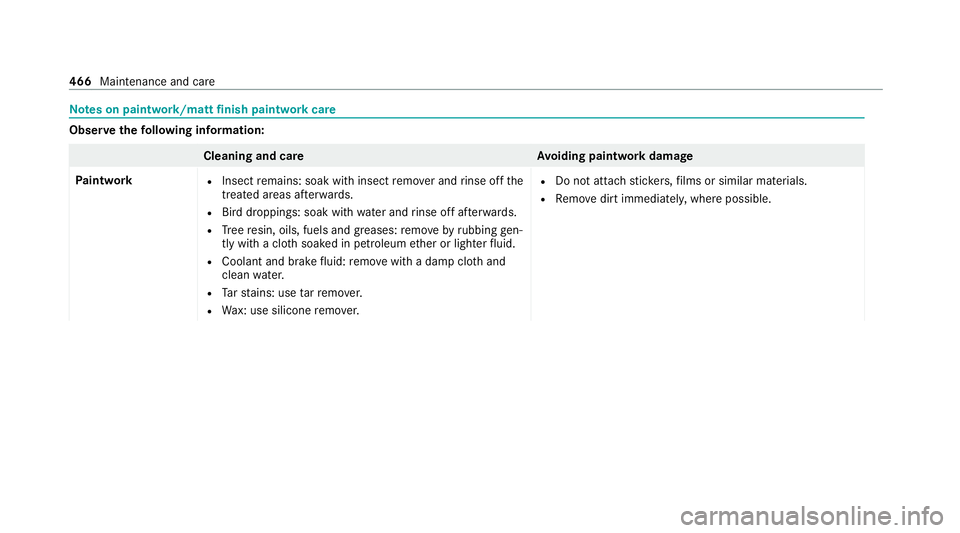
s on paint work/matt finish paint workcare Obser
vethefo llowing information: Cleaning and car
eA voiding paintwork damage
Pa intwork R
Insect remains: soak with insect remo ver and rinse off the
trea ted areas af terw ards.
R Bird droppings: soak with water and rinse off af terw ards.
R Tree resin, oils, fuels and greases: remo veby rubbing gen‐
tly wi tha clo thsoaked in petroleum ether or lighter fluid.
R Coolant and brake fluid: remo vewith a damp clo thand
clean water.
R Tarst ains: use tarre mo ver.
R Wax: use silicone remo ver. R
Do not attach sticke rs,fi lms or similar materials.
R Remo vedirt immediatel y,where possible. 466
Maintenance and care
Page 517 of 629
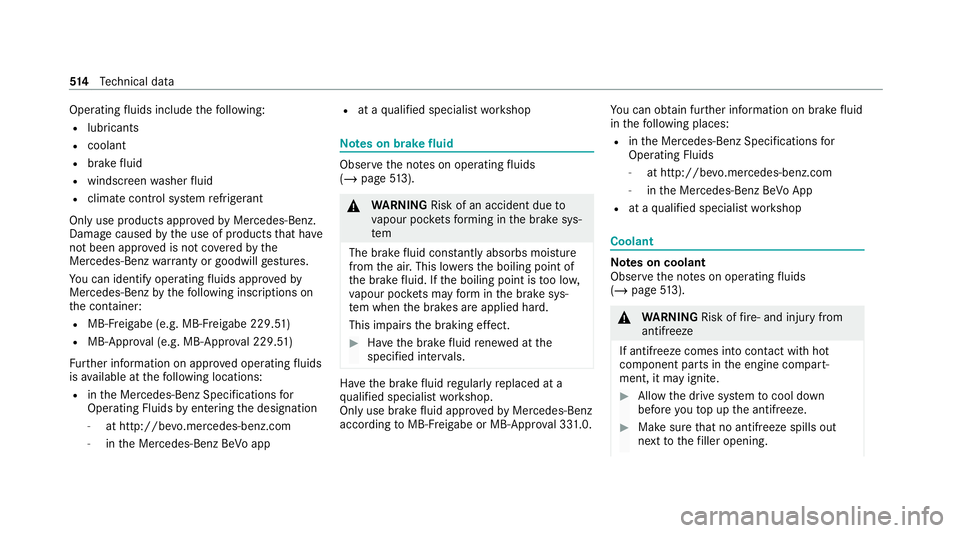
Operating
fluids include thefo llowing:
R lubricants
R coolant
R brake fluid
R windsc reen washer fluid
R climate cont rol sy stem refrigerant
Only use products app rove dby Mercedes-Benz.
Damage caused bythe use of products that ha ve
not been appr oved is not co veredby the
Mercedes-Benz warranty or goodwill gestures.
Yo u can identify operating fluids appr ovedby
Mercedes-Benz bythefo llowing insc ript ions on
th e conta iner:
R MB- Freigabe (e.g. MB-Fr eigabe 229.51 )
R MB-Appr oval (e.g. MB-App rova l 229.51)
Fu rther information on appr oved operating fluids
is available at thefo llowing locations:
R inthe Mercedes-Benz Specifications for
Operating Fluids byentering the designation
- at http://be vo.mercedes-benz.com
- inthe Mercedes-Benz BeVo app R
at a qualified specialist workshop Note
s on brake fluid Obser
vethe no tes on operating fluids
(/ page 513). &
WARNING Risk of an accident due to
va pour poc kets form ing in the brake sys‐
tem
The brake fluid cons tantly absorbs moi sture
from the air. This lo wersthe boiling point of
th e brake fluid. If the boiling point is too lo w,
va pour poc kets may form inthe brake sys‐
te m when the brakes are applied hard.
This impairs the braking ef fect. #
Have the brake fluid rene we d at the
specified inter vals. Ha
ve the brake fluid regularly replaced at a
qu alified specialist workshop.
Only use brake fluid appr ovedby Mercedes-Benz
according toMB-F reigabe or MB-Appr oval 33 1.0. Yo
u can obtain fur ther information on brake fluid
in thefo llowing places:
R inthe Mercedes-Benz Specifications for
Operating Fluids
- at http://be vo.mercedes-benz.com
- inthe Mercedes-Benz BeVo App
R at a qualified specialist workshop Coolant
Note
s on coolant
Obser vethe no tes on operating fluids
(/ page 513). &
WARNING Risk offire ‑ and inju ryfrom
antifreeze
If antifreeze comes into contact with hot
component parts in the engine compart‐
ment, it may ignite. #
Allow the drive sy stem tocool down
before youto p up the antif reeze. #
Make sure that no antifreeze spills out
next tothefiller opening. 514
Tech nical da ta
Page 531 of 629
Display messages
Possible causes/consequences and M
MSolutions #
Consult a qualified specialist workshop. #
Where necessar y,also secure the par kedve hicle against rolling away.
To release: #
Ifth e conditions for auto matic release are fulfilled and the electric parking brake is not released automaticall y,
re lease the electric parking brake manually (/ page196).
If it is still not possible torelease the electric parking brake: #
Do not continue driving. Consult a qualified specialist workshop.
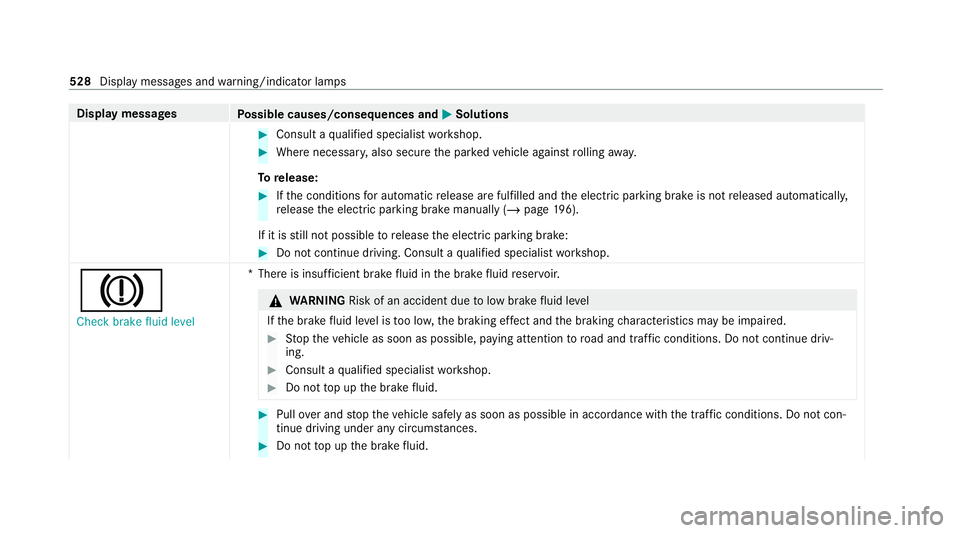
J Check brake fluid level *T
here is insuf ficient brake fluid in the brake fluid reser voir. &
WARNING Risk of an accident due tolow brake fluid le vel
If th e brake fluid le vel is too lo w,the braking ef fect and the braking characteristics may be impaired. #
Stop theve hicle as soon as possible, paying attention toroad and traf fic conditions. Do not continue driv‐
ing. #
Consult a qualified specialist workshop. #
Do not top up the brake fluid. #
Pull over and stop theve hicle safely as soon as possible in accordance with the tra ffic conditions. Do not con‐
tinue driving under any circums tances. #
Do not top up the brake fluid. 528
Display messages and warning/indicator lamps
Page 574 of 629
Wa
rning/indicator lamp
Possible causes/consequences and M
MSolutions #
Adjust your speed and continue todrive carefull y,leaving a suitable dis tance totheve hicle in front. #
Ifth e multifunction display sho wsa display message, please obse rve it. #
Consult a qualified specialist workshop.
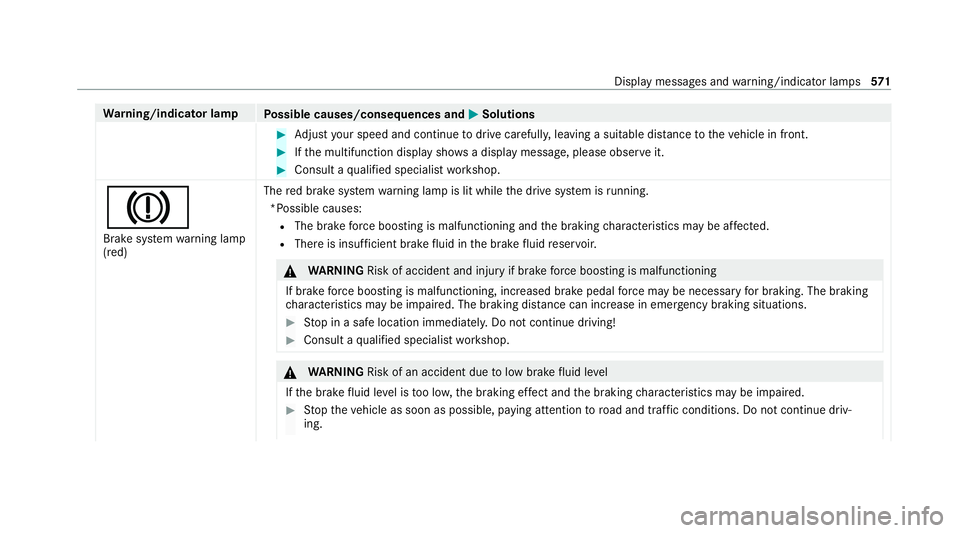
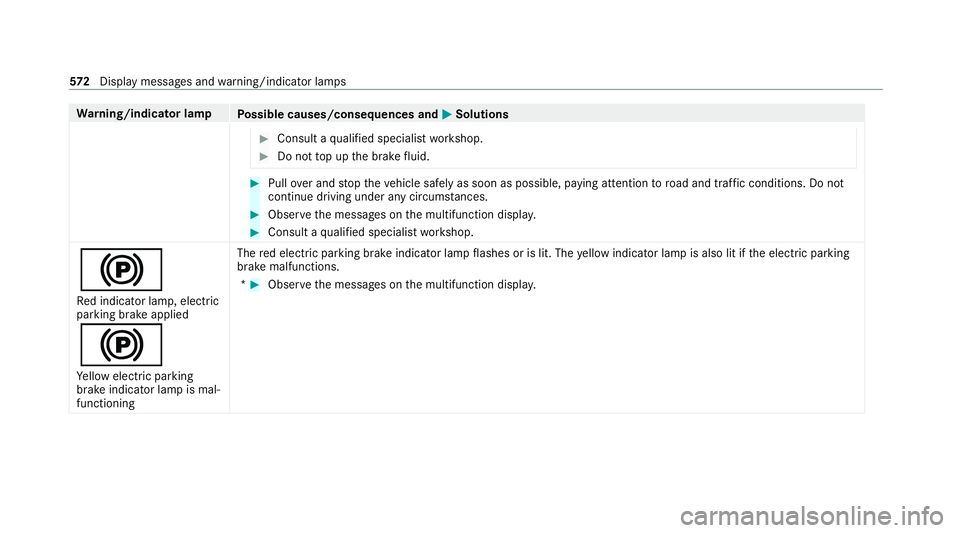
J Brake sy stem warning lamp
(red) The
red brake sy stem warning lamp is lit while the drive sy stem is running.
*Possible causes: R The brake forc e boosting is malfunctioning and the braking characteristics may be af fected.
R The reis insuf ficient brake fluid in the brake fluid reser voir. &
WARNING Risk of accident and inju ryif brake forc e boosting is malfunctioning
If brake forc e boosting is malfunctioning, increased brake pedal forc e may be necessary for braking. The braking
ch aracteristics may be impaired. The braking dis tance can increase in emergency braking situations. #
Stop in a safe location immediately. Do not continue driving! #
Consult a qualified specialist workshop. &
WARNING Risk of an accident due tolow brake fluid le vel
If th e brake fluid le vel is too lo w,the braking ef fect and the braking characteristics may be impaired. #
Stop theve hicle as soon as possible, paying attention toroad and traf fic conditions. Do not continue driv‐
ing. Display messages and
warning/indicator lamps 571
Page 575 of 629
Wa
rning/indicator lamp
Possible causes/consequences and M
MSolutions #
Consult a qualified specialist workshop. #
Do not top up the brake fluid. #
Pull over and stop theve hicle safely as soon as possible, paying attention toroad and traf fic conditions. Do not
continue driving under any circums tances. #
Obser vethe messages on the multifunction displa y. #
Consult a qualified specialist workshop.
! Re d indicator lamp, elect ric
parking brake applied
!
Ye llow elect ric pa rking
brake indicator lamp is mal‐
functioning The
red elect ric pa rking brake indicator lamp flashes or is lit. The yellow indicator lamp is also lit if the electric parking
brake malfunctions.
* #
Obser vethe messages on the multifunction displa y.572
Displaymessa ges and warning/indicator lamps
Page 588 of 629
St
arting assis tance .............................. 482
Battery charged
see High-voltage on-board electrical sy stem
Belt see Seat belt
Bicycle rack
Tr ailer operation .................................. 260
Blind Spot Assist .................................... .250
Ac tivating/deactivating ...................... .253
Fu nction .............................................. 250
Sy stem limitations ...............................2 50
Blue tooth ®
................................................ 331
Information .......................................... 331
Setting up an Internet connection ....... 428
Switching on/off ................................. 331
Boot lid see Tailgate
Brake Assist Sy stem
see BAS (Brake Assi stSystem)
Brake fluid
No tes ................................................... 514Brake
forc e distribution
EBD (Elect ronic Brake forc e Distribu‐
tion) ..................................................... 201
Brakes ABS (Anti-lock Braking Sy stem) ........... 19 8
Ac tive Brake Assi st.............................. 202
Ad aptive brake lights .......................... .208
BA S (Brake Assi stSystem) .................. 19 8
Driving tips .......................................... 16 5
EBD (Electronic Brake forc e Distribu‐
tion) ..................................................... 201
HOLD function .....................................2 25
Limi ted braking ef fect (salt-trea ted
ro ads) .................................................. 16 5
Re cuperation ........................................ 161
Braking assistance see BAS (Brake Assi stSystem)
Breakdown Overview of the help functions .............. 14
To w- starting ........................................ 486
To wing away ........................................ 483
Tr ansporting theve hicle ......................4 85
Wheel change ...................................... 502 Breakdown
see Flat tyre
Bu rm ester ®
sur round sound sy stem .....4 56
Ad justing the balance/fader ............... 457
Ad justing the sound focus ................... 457
Ad justing treble, mid-range and bass
settings ............................................... 457
Au tomatic volume adjustment ............ .457
Calling up the sound menu .................. 456
Information .......................................... 456
Selecting the sound profile .................. 457
Butto ns
St eering wheel .................................... 263 C
Call list Deleting ............................................... 404
Making a call ....................................... 403
Overview ............................................. 403
Selecting options ................................ 403
Selecting options for suggestions ........ 403
Calling up the sound menu
Adva nced sound sy stem ......................4 58
Burmes ter®
sur round sound sy stem ... 456 Index
585
Page 593 of 629
Display
Care .................................................... .471
Display (multimedia sy stem) ................ .299
Home screen ....................................... 297
Operating ............................................ 299
Setting acou stic operating feedback ... 300
Settings ............................................... 329
Display (on-board computer) Displa yson the multifunction display .. 267
Display content Setting the additional value range ....... 266
Displ aymessage ..................................... 520
Calling up (on-board compu ter) ........... 520
No tes .................................................. 520
Display messages ¯ - - - km/h .................................... 541
ç - - - km/h ................................... 540
È - - - km/h ................................... 542
# 12V battery See Owner's Man‐
ual ....................................................... 562
ò Acoustic presence indicator
inoperative .......................................... 559 b
Active Light Sy stem inopera‐
tive ...................................................... 565
é ATTENTION ASSIST inoperative
.............................................................5 35
é ATTENTION ASSIS T:Take a
break! .................................................. 535
b Automatic driving lights inoper‐
ative .................................................... 564
Á Change key bat teries .................. 549
è Charger cable connected ........... 559
J Check brake fluid le vel.............. .528
ï Checktrailer hitch lo ck(white
display message) .................................5 51
h Check tyre(s) .............................. 546
! currently una vailable See Own‐
er's Manual .......................................... 521
÷ currently una vailable See Own‐
er's Manual ........................................ .522
6 Front left malfunction Consult
wo rkshop (e xample)............................ 530 Û
High-volt. batt. overheated
St op, everybody out! Outdoors if
possible ............................................... 560
& inoperative Charge HV battery ... 556
& inoperative High-voltage bat‐
te ry charging incomple te..................... 556
! inoperati veSee Owner's Man‐
ual ....................................................... 522
÷ inoperati veSee Owner's Man‐
ual ....................................................... 523
T inoperati veSee Owner's Man‐
ual ....................................................... 524
G Inoperati ve................................. 534
b Intelligent Light Sy stem inoper‐
ative ....................................................5 65
Á Key not de tected (red displ ay
messa ge).............................................5 50
Á Key not de tected (white dis‐
pl ay messa ge).....................................5 49
b Left dipped beam (Example) ...... 564590
Index