Page 123 of 593
419
Features of your vehicle
Smart key precautions
The smart key will not work if anyof the following occur:
- The smart key is close to a radio transmitter such as a radio sta-
tion or an airport which can inter-
fere with normal operation of the
smart key.
- The smart key is near a mobile two way radio system or a cellu-
lar phone.
- Another vehicle’s smart key is being operated close to your
vehicle.
When the smart key does not work correctly, open and close the door
with the mechanical key and contact
an authorized Kia dealer. If the smart key is in close proximity
to your cell phone or smart phone,
the signal from the smart key could
be blocked by normal operation of
your cell phone or smart phone.
This is especially important when
the phone is active such as making
a call, receiving calls, text messag-
ing, and/or sending/receiving
emails. Avoid placing the smart key
and your cell phone or smart phone
in the same pants or jacket pocket
and maintain adequate distance
between the two devices.
✽ ✽ NOTICE
If the keyless entry system is inoper-
ative due to exposure to water or liq-
uids, it will not be covered by your
manufacturer’s vehicle warranty.
CAUTION - Transmitter
Keep the transmitter away from
water or any liquid as it canbecome damaged and not func-tion properly.
Page 143 of 593
439
Features of your vehicle
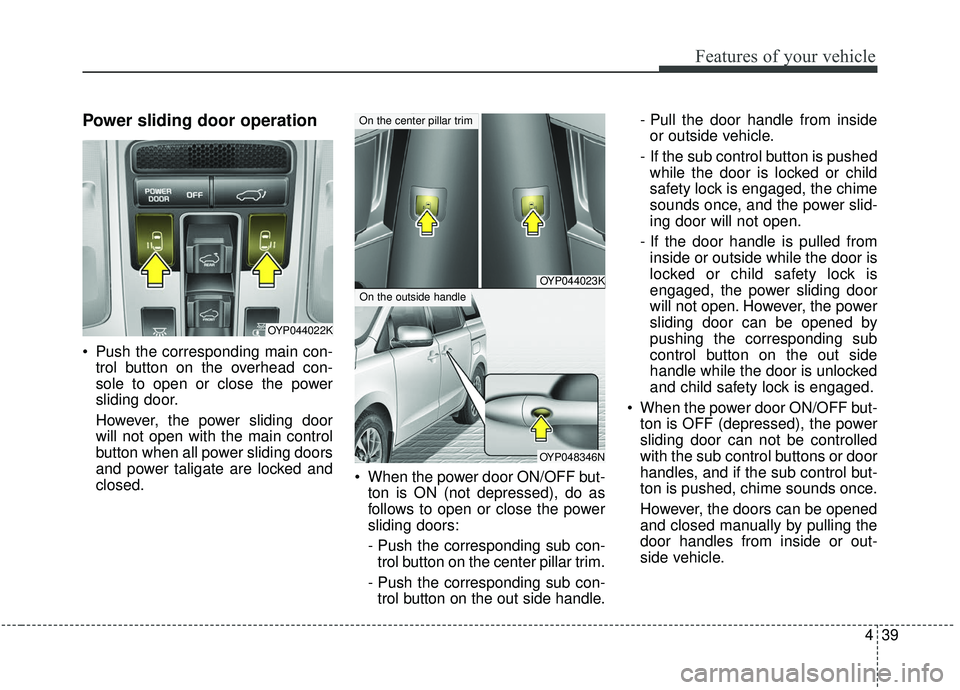
Power sliding door operation
Push the corresponding main con-trol button on the overhead con-
sole to open or close the power
sliding door.
However, the power sliding door
will not open with the main control
button when all power sliding doors
and power taligate are locked and
closed. When the power door ON/OFF but-
ton is ON (not depressed), do as
follows to open or close the power
sliding doors:
- Push the corresponding sub con-trol button on the center pillar trim.
- Push the corresponding sub con- trol button on the out side handle. - Pull the door handle from inside
or outside vehicle.
- If the sub control button is pushed while the door is locked or child
safety lock is engaged, the chime
sounds once, and the power slid-
ing door will not open.
- If the door handle is pulled from inside or outside while the door is
locked or child safety lock is
engaged, the power sliding door
will not open. However, the power
sliding door can be opened by
pushing the corresponding sub
control button on the out side
handle while the door is unlocked
and child safety lock is engaged.
When the power door ON/OFF but- ton is OFF (depressed), the power
sliding door can not be controlled
with the sub control buttons or door
handles, and if the sub control but-
ton is pushed, chime sounds once.
However, the doors can be opened
and closed manually by pulling the
door handles from inside or out-
side vehicle.
OYP044022K
OYP044023K
OYP048346N
On the center pillar trim
On the outside handle
Page 157 of 593
453
Features of your vehicle
Power windows
The ignition switch must be in the ON
position for power windows to operate.
Each door has a power window
switch that controls the door's win-
dow. The driver has a power window
lock button which can block the oper-
ation of rear passenger windows.
The power windows can be operated
for approximately 30 seconds after
the ignition key is removed or turned
to the ACC or LOCK (or OFF) posi-
tion. However, if the front doors are
opened, the power windows cannot
be operated even within the 30 sec-
ond period.
If the window cannot be close
because it is blocked by objects,
remove the objects and close the
window.
✽ ✽NOTICE
While driving with the rear windows
down or with the sunroof (if
equipped) in an open (or partially
open) position, your vehicle may
demonstrate a wind buffeting or
pulsation noise. This noise is a nor-
mal occurrence and can be reduced
or eliminated by taking the follow-
ing actions. If the noise occurs with
one or both of the rear windows
down, partially lower both front
windows approximately 2.5 cm (1
in.) If you experience the noise with
the sunroof open, slightly reduce the
size of the sunroof opening.
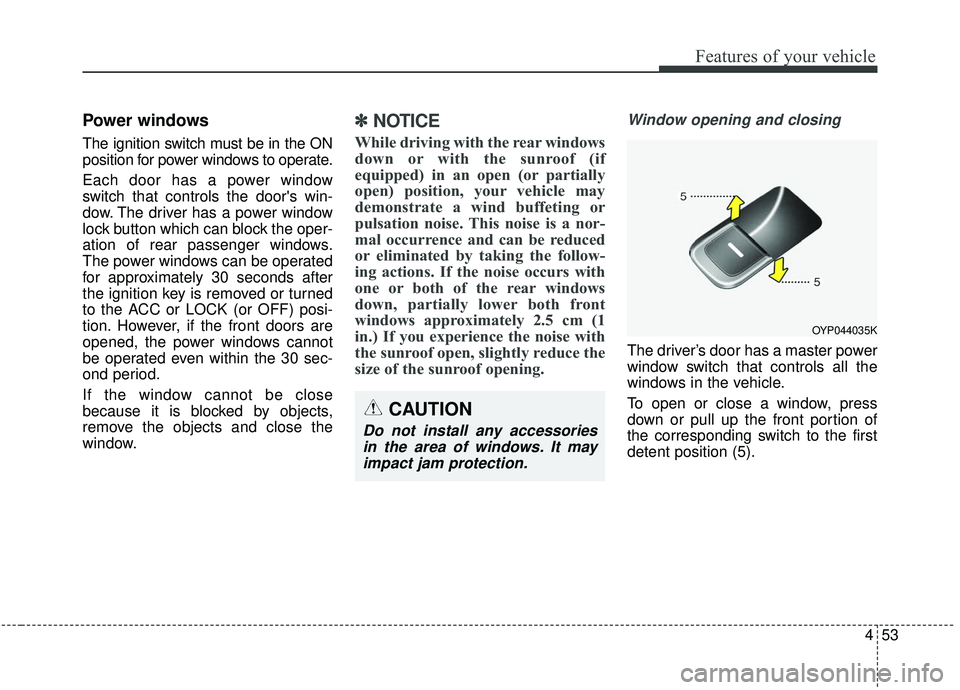
Window opening and closing
The driver’s door has a master power
window switch that controls all the
windows in the vehicle.
To open or close a window, press
down or pull up the front portion of
the corresponding switch to the first
detent position (5).
OYP044035K
CAUTION
Do not install any accessories
in the area of windows. It mayimpact jam protection.
Page 166 of 593
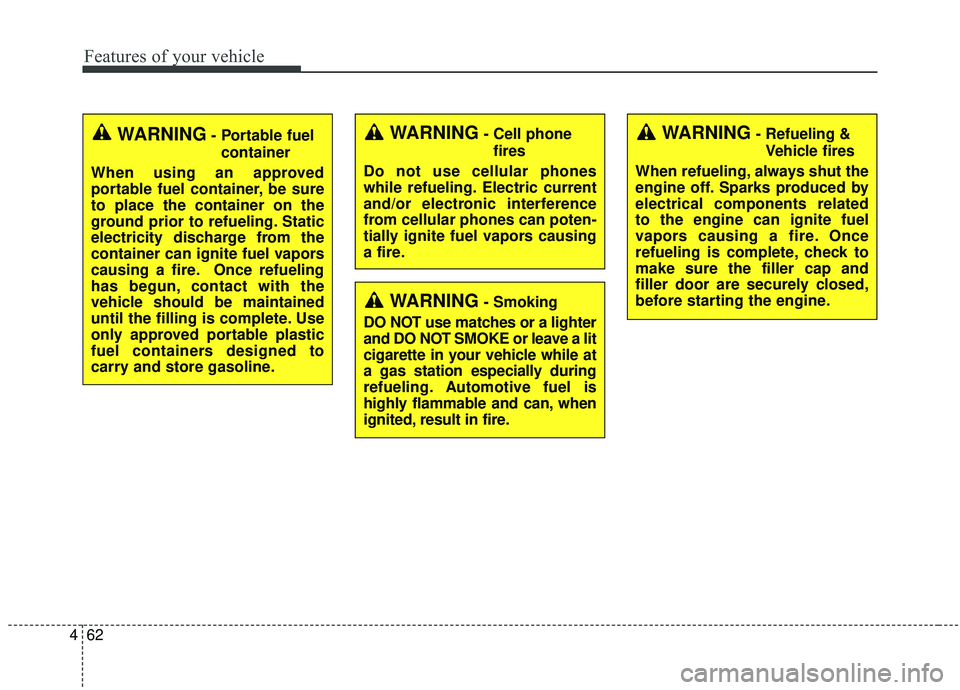
Features of your vehicle
62
4
WARNING- Cell phone
fires
Do not use cellular phones
while refueling. Electric current
and/or electronic interference
from cellular phones can poten-
tially ignite fuel vapors causing
a fire.
WARNING- Smoking
DO NOT use matches or a lighter
and DO NOT SMOKE or leave a lit
cigarette in your vehicle while at
a gas station especially during
refueling. Automotive fuel is
highly flammable and can, when
ignited, result in fire.
WARNING- Refueling & Vehicle fires
When refueling, always shut the
engine off. Sparks produced by
electrical components related
to the engine can ignite fuel
vapors causing a fire. Once
refueling is complete, check to
make sure the filler cap and
filler door are securely closed,
before starting the engine.WARNING- Portable fuel container
When using an approved
portable fuel container, be sure
to place the container on the
ground prior to refueling. Static
electricity discharge from the
container can ignite fuel vapors
causing a fire. Once refueling
has begun, contact with the
vehicle should be maintained
until the filling is complete. Use
only approved portable plastic
fuel containers designed to
carry and store gasoline.
Page 169 of 593
465
Features of your vehicle
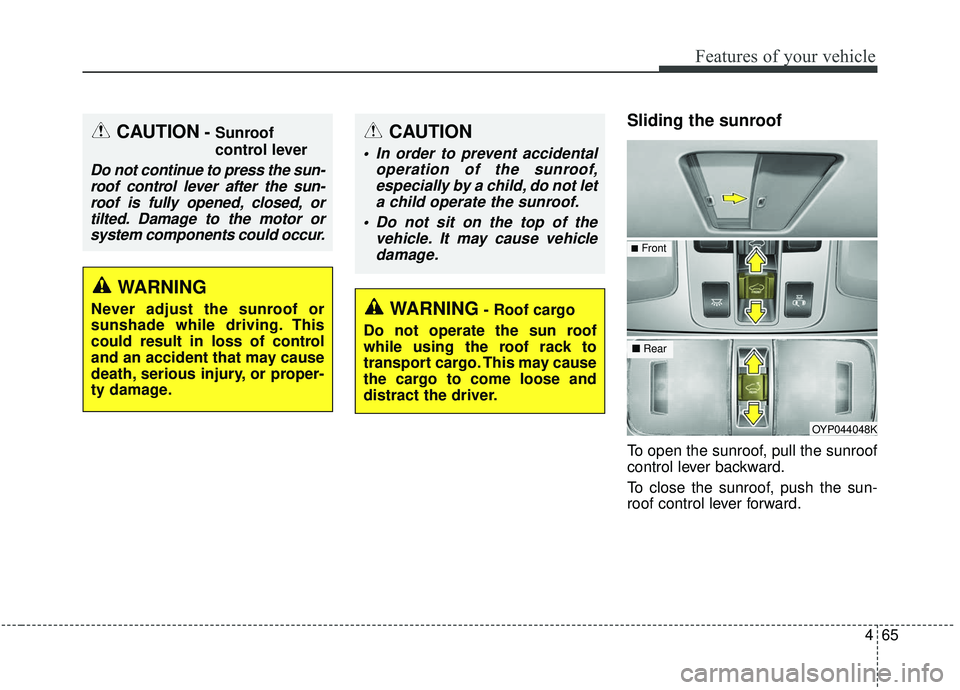
Sliding the sunroof
To open the sunroof, pull the sunroof
control lever backward.
To close the sunroof, push the sun-
roof control lever forward.
OYP044048K
WARNING- Roof cargo
Do not operate the sun roof
while using the roof rack to
transport cargo. This may cause
the cargo to come loose and
distract the driver.
■ Rear
■Front
CAUTION- Sunroof
control lever
Do not continue to press the sun-
roof control lever after the sun-roof is fully opened, closed, ortilted. Damage to the motor orsystem components could occur.
WARNING
Never adjust the sunroof or
sunshade while driving. This
could result in loss of control
and an accident that may cause
death, serious injury, or proper-
ty damage.
CAUTION
In order to prevent accidental operation of the sunroof,especially by a child, do not leta child operate the sunroof.
Do not sit on the top of the vehicle. It may cause vehicledamage.
Page 187 of 593
483
Features of your vehicle
Erasing HomeLink®buttons
Individual buttons cannot be erased.
However, to erase all three pro-
grammed buttons:
1. Press and hold the two outerHomeLink
®buttons until the indi-
cator light begins to flash-after 20
seconds.
2. Release both buttons. Do not hold for longer than 30 seconds.
The Integrated HomeLink
®Wireless
Control System is now in the training
(learn) mode and can be pro-
grammed at any time following the
appropriate steps in the
Programming sections above. RSS ID: NZLZTVHL3
IC: 4112A-ZTVHL3
This device complies with Industry
Canada licence-exempt RSS stan-
dard(s).
Operation is subject to the following
two conditions:
(1) This device may not cause inter-
ference, and
(2) This device must accept any
interference, including interfer-
ence that may cause undesired
operation of the device. The transceiver has been tested and
complies with RSS and Industry
Canada rules. Changes or modifica-
tions not expressly approved by the
party responsible for compliance
could void the user's authority to
operate the device.
NVS
®and Z-NAV™ are registered
trademarks. Nav®are of Gentex
Corporation, Zeeland, Michigan.
HomeLink
®is a registered trademark
owned by Johnson Controls
Technology Company, Holland,
Michigan.
Page 237 of 593
4133
Features of your vehicle
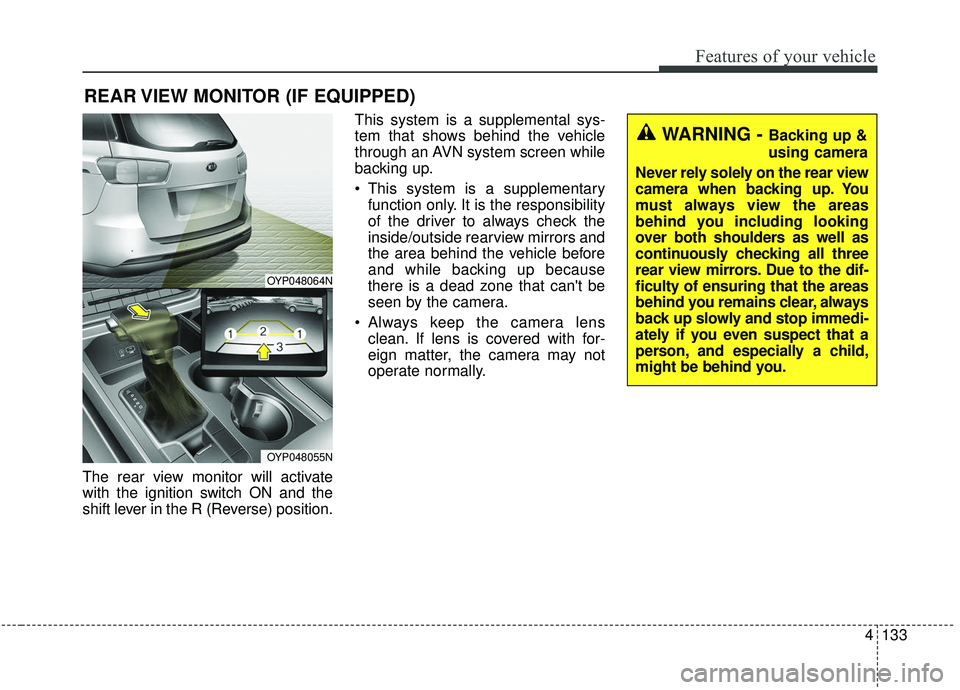
The rear view monitor will activate
with the ignition switch ON and the
shift lever in the R (Reverse) position.This system is a supplemental sys-
tem that shows behind the vehicle
through an AVN system screen while
backing up.
This system is a supplementary
function only. It is the responsibility
of the driver to always check the
inside/outside rearview mirrors and
the area behind the vehicle before
and while backing up because
there is a dead zone that can't be
seen by the camera.
Always keep the camera lens clean. If lens is covered with for-
eign matter, the camera may not
operate normally.
REAR VIEW MONITOR (IF EQUIPPED)
WARNING - Backing up &
using camera
Never rely solely on the rear view
camera when backing up. You
must always view the areas
behind you including looking
over both shoulders as well as
continuously checking all three
rear view mirrors. Due to the dif-
ficulty of ensuring that the areas
behind you remains clear, always
back up slowly and stop immedi-
ately if you even suspect that a
person, and especially a child,
might be behind you.
OYP048064N
OYP048055N
Page 238 of 593
Features of your vehicle
134
4
The 360° camera monitoring system
is not a substitute for proper and safe
parking procedures. The 360° cam-
era monitoring system may not
detect every object surrounding the
vehicle. Always drive safely and use
caution when parking.
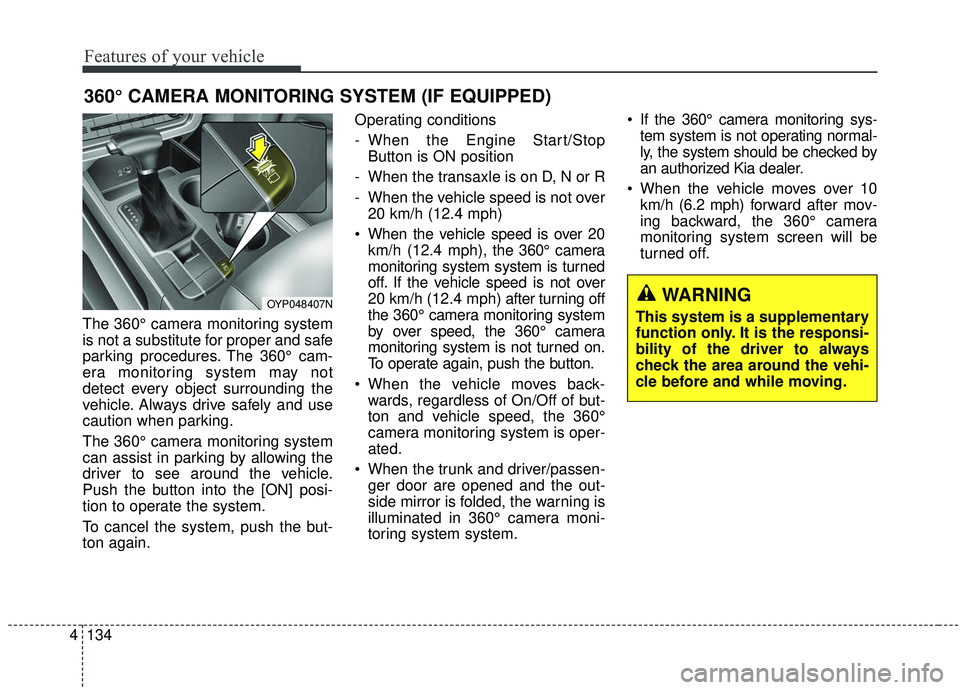
The 360° camera monitoring system
can assist in parking by allowing the
driver to see around the vehicle.
Push the button into the [ON] posi-
tion to operate the system.
To cancel the system, push the but-
ton again. Operating conditions
- When the Engine Start/Stop
Button is ON position
- When the transaxle is on D, N or R
- When the vehicle speed is not over 20 km/h (12.4 mph)
When the vehicle speed is over 20 km/h (12.4 mph), the 360° camera
monitoring system system is turned
off. If the vehicle speed is not over
20 km/h (12.4 mph) after turning off
the 360° camera monitoring system
by over speed, the 360° camera
monitoring system is not turned on.
To operate again, push the button.
When the vehicle moves back- wards, regardless of On/Off of but-
ton and vehicle speed, the 360°
camera monitoring system is oper-
ated.
When the trunk and driver/passen- ger door are opened and the out-
side mirror is folded, the warning is
illuminated in 360° camera moni-
toring system system. If the 360° camera monitoring sys-
tem system is not operating normal-
ly, the system should be checked by
an authorized Kia dealer.
When the vehicle moves over 10 km/h (6.2 mph) forward after mov-
ing backward, the 360° camera
monitoring system screen will be
turned off.
360° CAMERA MONITORING SYSTEM (IF EQUIPPED)
OYP048407NWARNING
This system is a supplementary
function only. It is the responsi-
bility of the driver to always
check the area around the vehi-
cle before and while moving.