Page 370 of 580
5105
Driving your vehicle
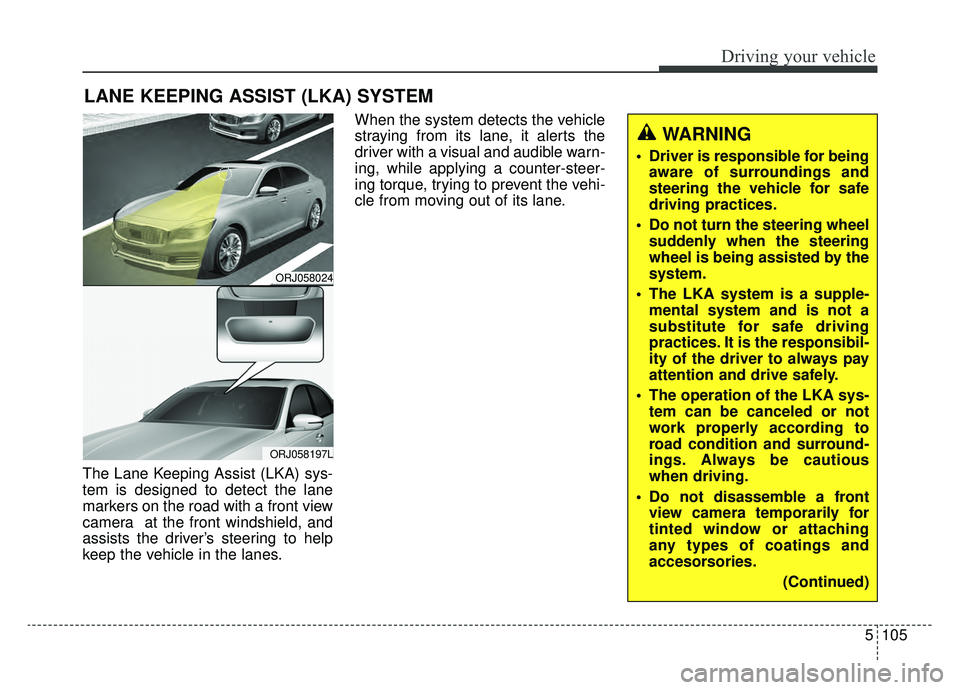
The Lane Keeping Assist (LKA) sys-
tem is designed to detect the lane
markers on the road with a front view
camera at the front windshield, and
assists the driver’s steering to help
keep the vehicle in the lanes.When the system detects the vehicle
straying from its lane, it alerts the
driver with a visual and audible warn-
ing, while applying a counter-steer-
ing torque, trying to prevent the vehi-
cle from moving out of its lane.
LANE KEEPING ASSIST (LKA) SYSTEM
ORJ058024
ORJ058197L
WARNING
Driver is responsible for being
aware of surroundings and
steering the vehicle for safe
driving practices.
Do not turn the steering wheel suddenly when the steering
wheel is being assisted by the
system.
The LKA system is a supple- mental system and is not a
substitute for safe driving
practices. It is the responsibil-
ity of the driver to always pay
attention and drive safely.
The operation of the LKA sys- tem can be canceled or not
work properly according to
road condition and surround-
ings. Always be cautious
when driving.
Do not disassemble a front view camera temporarily for
tinted window or attaching
any types of coatings and
accesorsories.
(Continued)
Page 375 of 580
Driving your vehicle
110
5
✽ ✽
NOTICE
• Even though the steering is assist-
ed by the system, the driver may
control the steering.
• The steering wheel may feel heav- ier when the steering wheel is
assisted by the system than when it
is not.
The system will be canceled when:
You change lanes with the turn sig-
nal.
- Using the turn signal to changelanes.
- If you change lanes without the turn signal on, the steering wheel
might be controlled.
LKA system can transit to steering assist mode when the car is near
to middle of the lane after system
on or the lane was changed. LKA
system can not assist steering if
the vehicle follows lane marker too
close continuously before transi-
tion to steering assist mode.
The control of ESC (Electronic Stability Control) or VSM (Vehicle
Stability Management) is activated.
The steering will not be assisted when your drive fast on a sharp
curve.
WARNING
The LKA system is a supple-mental system only. It is the
responsibility of the driver to
safely steer the vehicle and to
maintain it in its lane.
Even though the steering is assisted by the system, the
driver may control the steer-
ing wheel.
Turn off the LKA system and drive without using the sys-
tem in the following situa-
tions:
- In bad weather
- In bad road condition
- When the steering wheelneeds to be controlled by the
driver frequently.
- When towing a vehicle or trailer.
The steering wheel may feel heavier when the steering
wheel is assisted by the sys-
tem than when it is not.
Page 387 of 580
Driving your vehicle
122
5
Detecting Sensor (Camera and
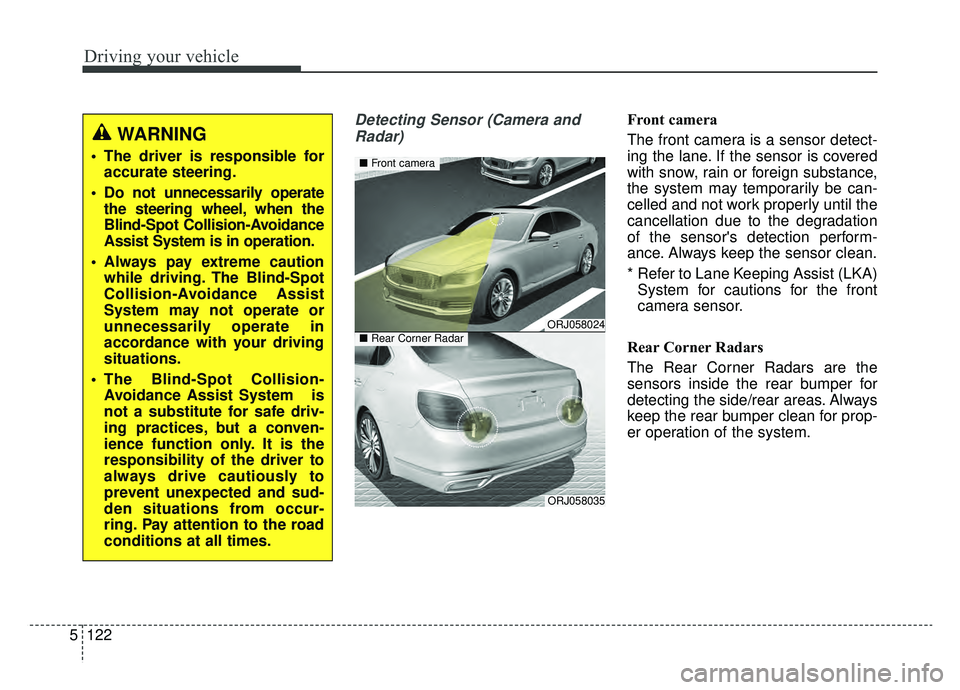
Radar)Front camera
The front camera is a sensor detect-
ing the lane. If the sensor is covered
with snow, rain or foreign substance,
the system may temporarily be can-
celled and not work properly until the
cancellation due to the degradation
of the sensor's detection perform-
ance. Always keep the sensor clean.
* Refer to Lane Keeping Assist (LKA) System for cautions for the front
camera sensor.
Rear Corner Radars
The Rear Corner Radars are the
sensors inside the rear bumper for
detecting the side/rear areas. Always
keep the rear bumper clean for prop-
er operation of the system.
WARNING
The driver is responsible for accurate steering.
Do not unnecessarily operate the steering wheel, when the
Blind-Spot Collision-Avoidance
Assist System is in operation.
Always pay extreme caution while driving. The Blind-Spot
Collision-Avoidance Assist
System may not operate or
unnecessarily operate in
accordance with your driving
situations.
The Blind-Spot Collision- Avoidance Assist System is
not a substitute for safe driv-
ing practices, but a conven-
ience function only. It is the
responsibility of the driver to
always drive cautiously to
prevent unexpected and sud-
den situations from occur-
ring. Pay attention to the road
conditions at all times.
ORJ058024
ORJ058035
■ Front camera
■Rear Corner Radar
Page 398 of 580
5133
Driving your vehicle
The brake control may not operate
properly according to the status of
the ESC (Electronic Stability
Control). The same warning mes-
sage is displayed on the instrument
cluster for this case also.
- When the ESC (Electronic StabilityControl) warning light is on.
- When the ESC (Electronic Stability Control) is engaged in a different
function.CAUTION
When the operation condition of the Rear Cross-TrafficCollision Warning System issatisfied the warning willoccur every time a vehicleapproaches the side/rear ofyour stopped (0 km/h vehiclespeed) vehicle.
The system's warning or brake may not operate proper-ly if the left/right of your vehi-cle's rear bumper is blockedby a vehicle or obstacle.
The driver should always use extreme caution while operat-ing the vehicle, whether or notthe warning light on the outsiderearview mirror illuminates orthere is a warning alarm.
Playing the vehicle audio sys- tem at high volume may offsetthe system's warning sounds.
(Continued)
(Continued) The warning of the Rear Cross- Traffic Collision WarningSystem may not sound whileother system's warning sounds.
Page 399 of 580
Driving your vehicle
134
5
Detecting Sensor
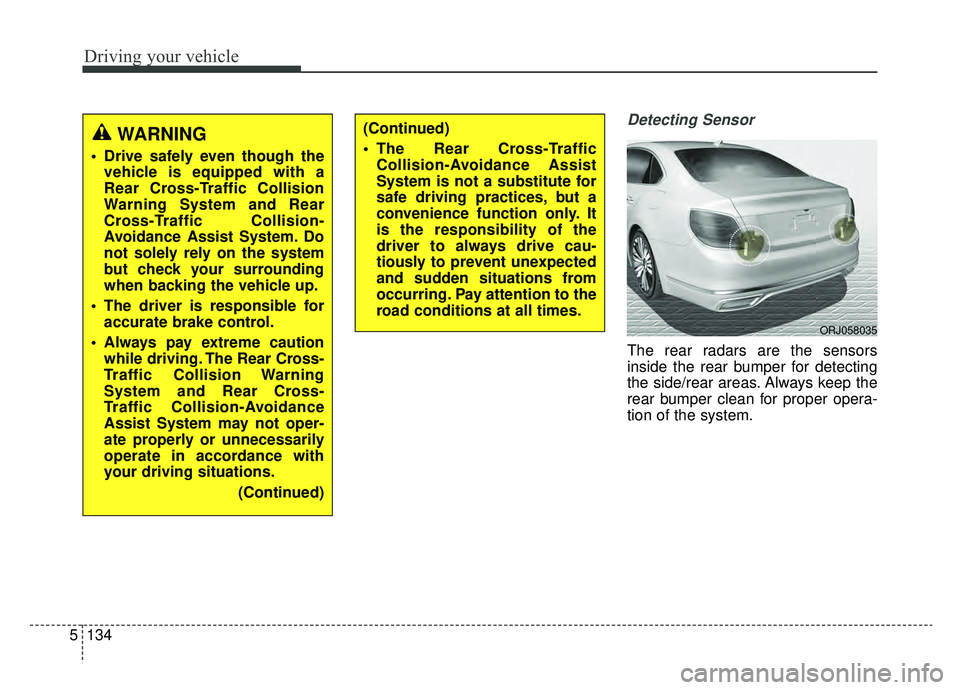
The rear radars are the sensors
inside the rear bumper for detecting
the side/rear areas. Always keep the
rear bumper clean for proper opera-
tion of the system.
(Continued)
The Rear Cross-Traffic
Collision-Avoidance Assist
System is not a substitute for
safe driving practices, but a
convenience function only. It
is the responsibility of the
driver to always drive cau-
tiously to prevent unexpected
and sudden situations from
occurring. Pay attention to the
road conditions at all times.WARNING
Drive safely even though thevehicle is equipped with a
Rear Cross-Traffic Collision
Warning System and Rear
Cross-Traffic Collision-
Avoidance Assist System. Do
not solely rely on the system
but check your surrounding
when backing the vehicle up.
The driver is responsible for accurate brake control.
Always pay extreme caution while driving. The Rear Cross-
Traffic Collision Warning
System and Rear Cross-
Traffic Collision-Avoidance
Assist System may not oper-
ate properly or unnecessarily
operate in accordance with
your driving situations.
(Continued)
ORJ058035
Page 409 of 580
Driving your vehicle
144
5
System disabled
The Driver Attention Warning system
enters the ready status and displays
the 'Disabled' screen in the following
situations.
- The camera sensor keeps failing to
detect the lanes.
- Driving speed remains under 40 mph (60 km/h) or over 125 mph
(200 km/h).
System malfunction
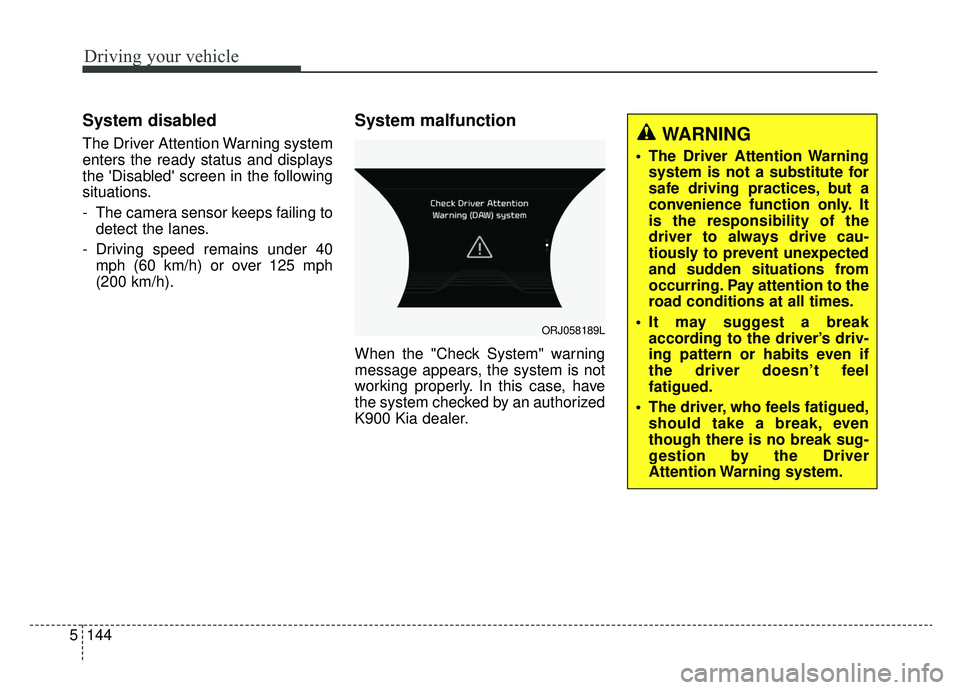
When the "Check System" warning
message appears, the system is not
working properly. In this case, have
the system checked by an authorized
K900 Kia dealer.
ORJ058189L
WARNING
The Driver Attention Warningsystem is not a substitute for
safe driving practices, but a
convenience function only. It
is the responsibility of the
driver to always drive cau-
tiously to prevent unexpected
and sudden situations from
occurring. Pay attention to the
road conditions at all times.
It may suggest a break according to the driver’s driv-
ing pattern or habits even if
the driver doesn’t feel
fatigued.
The driver, who feels fatigued, should take a break, even
though there is no break sug-
gestion by the Driver
Attention Warning system.
Page 411 of 580
Driving your vehicle
146
5
Your vehicle's fuel economy depends
mainly on your style of driving, where
you drive and when you drive.
Each of these factors affects how
many miles (kilometers) you can get
from a gallon (liter) of fuel. To operate
your vehicle as economically as pos-
sible, use the following driving sug-
gestions to help save money in both
fuel and repairs:
Drive smoothly. Accelerate at a
moderate rate. Don't make "jack-
rabbit" starts or full-throttle shifts
and maintain a steady cruising
speed. Don't race between stop-
lights. Try to adjust your speed to
the traffic so you don't have to
change speeds unnecessarily.
Avoid heavy traffic whenever pos-
sible. Always maintain a safe dis-
tance from other vehicles so you
can avoid unnecessary braking.
This also reduces brake wear.
Drive at a moderate speed. The faster you drive, the more fuel your
vehicle uses. Driving at a moderate
speed, especially on the highway,
is one of the most effective ways to
reduce fuel consumption. Don't "ride" the brake pedal. This
can increase fuel consumption and
also increase wear on these com-
ponents. In addition, driving with
your foot resting on the brake pedal
may cause the brakes to overheat,
which reduces their effectiveness
and may lead to more serious con-
sequences.
Take care of your tires. Keep them inflated to the recommended pres-
sure. Incorrect inflation, either too
much or too little, results in unnec-
essary tire wear. Check the tire
pressures at least once a month.
Be sure that the wheels are aligned correctly. Improper align-
ment can result from hitting curbs
or driving too fast over irregular
surfaces. Poor alignment causes
faster tire wear and may also result
in other problems as well as
greater fuel consumption. Keep your vehicle in good condi-
tion. For better fuel economy and
reduced maintenance costs, main-
tain your vehicle in accordance
with the maintenance schedule in
chapter 7. If you drive your vehicle
in severe conditions, more frequent
maintenance is required (see
chapter 7 for details).
Keep your vehicle clean. For maxi- mum service, your vehicle should
be kept clean and free of corrosive
materials. It is especially important
that mud, dirt, ice, etc. not be
allowed to accumulate on the
underside of the vehicle. This extra
weight can result in increased fuel
consumption and also contribute to
corrosion.
Travel lightly. Don't carry unneces- sary weight in your vehicle. Weight
reduces fuel economy.
Don't let the engine idle longer than necessary. If you are waiting
(and not in traffic), turn off your
engine and restart only when
you're ready to go.
ECONOMICAL OPERATION
Page 414 of 580
5149
Driving your vehicle
The ESC system should be turned
OFF prior to rocking the vehicle.
Smooth cornering
Avoid braking or gear changing in
corners, especially when roads are
wet. Ideally, corners should always
be taken under gentle acceleration. If
you follow these suggestions, tire
wear will be held to a minimum.
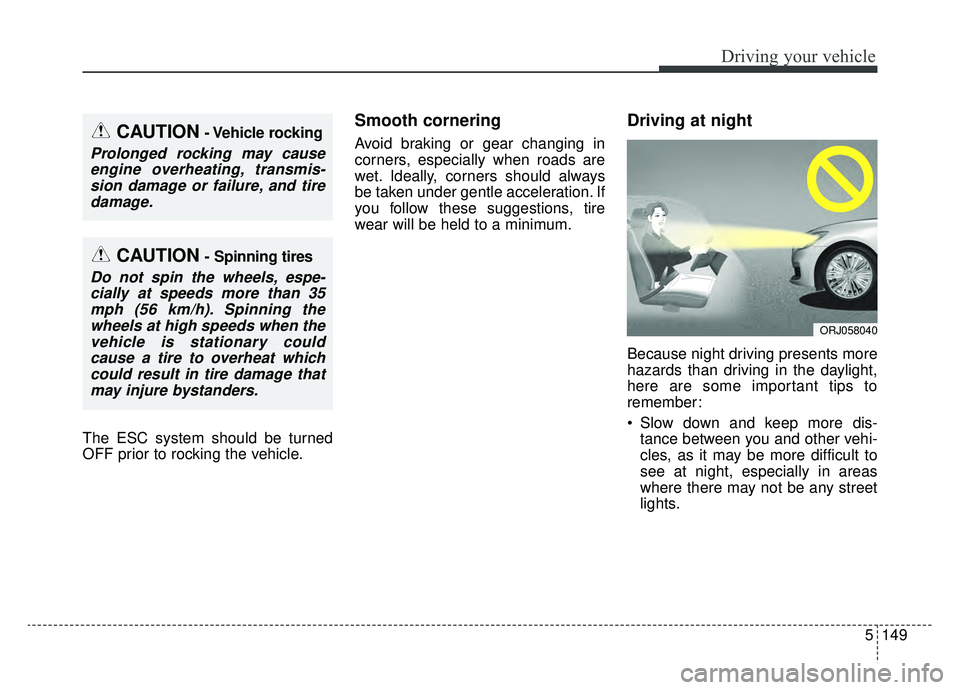
Driving at night
Because night driving presents more
hazards than driving in the daylight,
here are some important tips to
remember:
Slow down and keep more dis-tance between you and other vehi-
cles, as it may be more difficult to
see at night, especially in areas
where there may not be any street
lights.
CAUTION- Vehicle rocking
Prolonged rocking may causeengine overheating, transmis-sion damage or failure, and tiredamage.
CAUTION- Spinning tires
Do not spin the wheels, espe-cially at speeds more than 35mph (56 km/h). Spinning thewheels at high speeds when thevehicle is stationary couldcause a tire to overheat whichcould result in tire damage thatmay injure bystanders.
ORJ058040